VaultlyApps logo VaultlyApps

Free calculator

Salary to Hourly Calculator: Your Hourly Rate, Real Rate and Take-Home

Enter your yearly salary to see your hourly rate. Add your paid time off, unpaid extra hours and commute to see what each hour really pays, and your take-home pay per hour after 2026 federal and state taxes.

By Updated Private — runs in your browser Free, no sign-up Save, print, PDF & CSV — with a QR code to reopen it

Usually 40.

Vacation + holidays.

Evenings, emails, early starts.

Round trip, all week.

0 in states with no income tax.

Hourly rate


Real hourly rate


Take-home per hour


Including your commute


Your salary for every pay period
PeriodGrossTake-home

Take-home uses 2026 federal brackets, the standard deduction, Social Security and Medicare, and your state rate. Paid time off doesn’t change your hourly rate; it raises what you earn per hour actually worked.

For readers in the United States. Estimates for planning only — not financial, investment, tax or legal advice. Disclaimer · How we check our numbers

Flow app icon

Want these numbers to update by themselves?

Flow — ADHD Budget Planner — keeps this plan current as you log real payments. Try the free demo, no sign-up.

How to use the salary to hourly calculator

  1. Enter your yearly salary and the paid hours a week in your contract.
  2. Add your paid weeks off (vacation plus holidays), any unpaid extra hours you work each week, and your weekly commute if you want to see what travel time does to your rate.
  3. Choose your filing status and state tax rate to see take-home pay per hour.

Salary to hourly conversion table (40 hours a week)

Yearly salary Hourly Monthly Every two weeks
$30,000 $14.42 $2,500 $1,154
$40,000 $19.23 $3,333 $1,538
$50,000 $24.04 $4,167 $1,923
$60,000 $28.85 $5,000 $2,308
$70,000 $33.65 $5,833 $2,692
$80,000 $38.46 $6,667 $3,077
$90,000 $43.27 $7,500 $3,462
$100,000 $48.08 $8,333 $3,846
$120,000 $57.69 $10,000 $4,615
$150,000 $72.12 $12,500 $5,769

A quick mental shortcut: halve the salary and drop the thousands. $50,000 ≈ $25 an hour, $80,000 ≈ $40. It's slightly high because a year has 2,080 work hours, not 2,000.

Your hourly rate vs your real hourly rate

Your official rate assumes you work exactly your paid hours. Real life is different:

  • Paid time off raises what you earn per hour worked. Three weeks of vacation and holidays means you work 49 weeks but are paid for 52.
  • Unpaid extra hours lower it. Five extra hours a week on a $60,000 salary drops the rate from $28.85 to about $27.21 per hour worked.
  • Commuting isn't paid, but it's time you give the job. Add five commute hours a week and the same salary pays about $24.49 per hour of work and travel.

The real rate is useful when you compare a job offer with a shorter commute, a remote job, or freelance work.

From gross to take-home per hour

Taxes take a big slice. For a single filer with a 4% state tax in 2026:

Salary Take-home per year Take-home per paid hour
$40,000 $32,720 $15.73
$50,000 $40,355 $19.40
$75,000 $58,593 $28.17
$100,000 $75,180 $36.14

401(k) contributions and health insurance lower take-home further; the take-home pay calculator includes them. Going the other way, from an hourly wage to a salary, use the salary calculator.

Salaried vs hourly: what else to compare

Hourly employees must get overtime at 1.5 times their rate above 40 hours a week; many salaried workers are exempt and get nothing extra. See what overtime adds with the overtime calculator. Benefits count too: an employer 401(k) match, health insurance and paid leave are part of your pay, even though they don't show in the hourly rate.

Make your hourly rate work for your budget

Knowing your take-home pay per hour makes spending decisions concrete: a $120 purchase costs about five hours of work at $23 an hour. Turn your pay into a monthly plan with the monthly income calculator, and read what is safe to spend to see how much of each paycheck is really free.

Plan every paycheck

Flow is a budget planner built around paydays: it shows what each paycheck must cover and what's safe to spend until the next one. Vault puts your income, bills, savings and debt on one dashboard. Both have a free demo with sample data.

2026 federal estimate; not tax advice.

Frequently asked questions

How do I convert a salary to an hourly rate?

Divide the yearly salary by the hours you're paid for in a year. At 40 hours a week that's 2,080 hours, so $60,000 a year is $60,000 ÷ 2,080 = $28.85 an hour.

How much is $50,000 a year per hour?

$24.04 an hour at 40 hours a week. After 2026 federal tax, Social Security, Medicare and a 4% state tax, a single filer takes home about $40,355 a year, roughly $19.40 per paid hour.

Does paid vacation change my hourly rate?

Not your official rate, which divides by all 2,080 paid hours. But you're paid for weeks you don't work, so you earn more per hour actually worked. With three weeks off, $60,000 works out to about $30.61 per hour worked at 40 hours a week.

What is my real hourly rate?

Your salary divided by the hours you really give the job: paid hours plus unpaid extra hours and, if you like, commuting, minus paid time off. Five unpaid hours and five commute hours a week turn $28.85 into about $24.49.

Is 2,080 hours always right?

It's the standard for a full-time year (40 hours × 52 weeks). If your contract says 37.5 or 35 hours, enter that and the calculator divides by 1,950 or 1,820 hours instead.

How do I compare a salary with an hourly job?

Compare take-home per hour and benefits, not just gross pay. Hourly workers usually get overtime at 1.5 times their rate; many salaried workers don't. A salaried job with health insurance and a 401(k) match can be worth $5–10 more per hour than its gross rate suggests.

Written by

Emma Whitfield

Finance Specialist & Editor, VaultlyApps

Emma Whitfield writes and edits the VaultlyApps money guides and free calculators. Her focus is US household finance — budgeting on a real paycheck, paying down credit card and student debt, emergency funds and savings goals, renting — and the money side of freelancing and small-business income, from pricing and profit margins to self-employment tax. Every guide is researched against primary sources such as IRS publications and the CFPB, every number is checked in our tested calculators, and tax content is reviewed each year when new IRS figures come out. Emma is not a licensed financial adviser or tax preparer; her work is general education, not personal advice.

Researched against primary US sources, checked against independent calculators and reviewed by a finance expert on our team. Written for US readers — general education, not financial, tax or legal advice. Editorial policy · Disclaimer


From VaultlyApps

Apps that do this for you

Each one has a free live demo with sample data — open it in your browser, nothing to install.

Flow ADHD budget planner showing a calm Safe to Spend screen Live
Flow app icon

Flow

ADHD Budget Planner

A calm budget planner designed for ADHD brains — one Safe to Spend number, 3-tap logging, focus mode and kind overspend fixes instead of red warnings.

Vault personal finance dashboard shown on a laptop and a phone, with the safe-to-spend number and cash-flow charts Live
Vault app icon

Vault

Personal Finance Dashboard

Your whole money picture on one private dashboard — safe-to-spend, budgets, bills, goals, debt payoff and net worth, on your phone and laptop.

Keep planning

Related calculators

All calculators

Salary Calculator

Hourly ↔ yearly ↔ monthly pay, with take-home pay after 2026 taxes.

Open calculator

Take-Home Pay Calculator

Your paycheck after federal tax, FICA, state tax, 401(k) and benefits — 2026 estimate.

Open calculator

Further reading

Guides on this topic

All articles
What Is a Safe-to-Spend Number (and How Do You Calculate It)?

Personal Finance

What Is a Safe-to-Spend Number (and How Do You Calculate It)?

Your bank balance isn't what you can spend. A safe-to-spend number subtracts bills, savings and planned spending first — here's the formula, worked examples for monthly, weekly and irregular pay, and the mistakes to avoid.

11 min read
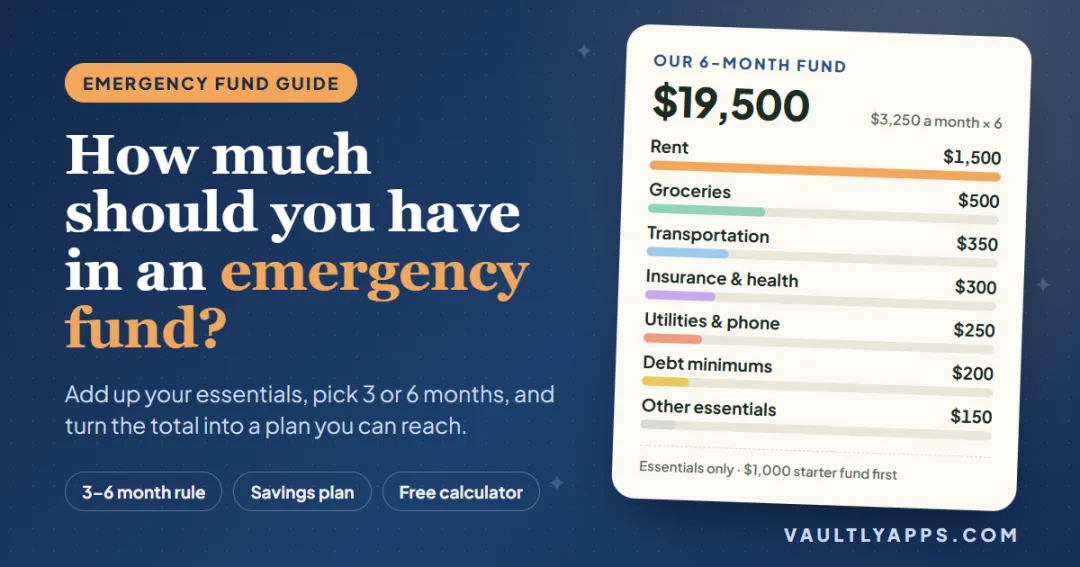
How much should you have in an emergency fund — a $19,500 six-month fund built from $3,250 of monthly essentials

Personal Finance

How Much Should You Have in an Emergency Fund?

How much emergency savings you really need, worked out step by step: add up your essentials, choose three, six or more months, and turn the total into a monthly plan you can actually reach.

7 min read

Try Flow free in your browser

A calm budget planner designed for ADHD brains — one Safe to Spend number, 3-tap logging, focus mode and kind overspend fixes instead of red warnings. The live demo uses sample data — nothing to install, no sign-up.

We use optional cookies for anonymous analytics. Nothing optional is set until you choose. Cookie policy