VaultlyApps logo VaultlyApps

Free calculator

Monthly Budget Calculator: Plan Every Dollar of Your Income

Add your monthly take-home income and every spending and saving category. See what's left to assign or how far over you are, your savings rate, your biggest costs and how your needs, wants and savings compare with the 50/30/20 guide.

By Updated Private — runs in your browser Free, no sign-up Save, print, PDF & CSV — with a QR code to reopen it

Monthly income (after tax)

Spending and saving

Left to assign


Savings rate


Per year


The line marks the 50/30/20 guide for each type.

Biggest lines first

For readers in the United States. Estimates for planning only — not financial, investment, tax or legal advice. Disclaimer · How we check our numbers

Flow app icon

Want these numbers to update by themselves?

Flow — ADHD Budget Planner — keeps this plan current as you log real payments. Try the free demo, no sign-up.

How to use the monthly budget calculator

  1. Add your monthly take-home income: paychecks, a partner's income, side income.
  2. List your spending and saving categories with a monthly amount. Mark each one as a need, a want or savings / debt.
  3. Read what's left to assign, your savings rate and the need / want / savings split against the 50/30/20 guide.

Change any line and everything updates. Save the budget in your browser, copy a link to it, or download it as a PDF or CSV.

A sample monthly budget

Take-home income: $4,700 ($3,800 paycheck + $900 side income).

Category Type Per month
Rent or mortgage Need $1,450
Groceries Need $560
Transportation Need $380
Utilities & phone Need $260
Insurance & health Need $220
Dining out & fun Want $320
Shopping & personal Want $180
Subscriptions Want $65
Savings Savings $500
Extra debt payments Savings / debt $250

Needs take $2,870 (61%), wants $565 (12%) and savings and debt $750 (16%), with $515 still unassigned. Putting that $515 toward savings would raise the savings rate to about 27%.

Fixed, variable and irregular expenses

  • Fixed: the same every month (rent, insurance, loan payments, subscriptions).
  • Variable: change month to month (groceries, gas, utilities). Use an average of the last three months.
  • Irregular: once or twice a year (car registration, gifts, annual subscriptions, holidays). Divide the yearly cost by 12 and budget that every month so they never catch you out. Our holiday budget guide shows how.

Subscriptions are the easiest place to find money; run yours through the subscription cost calculator and see our guide on how to track subscriptions.

The 50/30/20 check

The 50/30/20 guide is a quick health check, not a rule:

  • Needs over 50%? Housing is usually the reason. It may be fine for now, but avoid adding fixed costs.
  • Wants over 30%? Set a weekly spending amount for fun and shopping.
  • Savings under 20%? Start with an emergency fund, then retirement. The emergency fund calculator sets the first target.

For a quick three-number version, use the 50/30/20 budget calculator.

From budget to daily decisions

A budget works when you know what you can spend today without breaking it. That number, money left after bills and savings until the next payday, is explained in our guide to what is safe to spend. Don't know your monthly take-home pay yet? The salary calculator converts hourly or yearly pay into a monthly figure.

Keep the budget alive

A budget written once and forgotten doesn't change anything. Check it at the start of each month, compare it with what you actually spent, and adjust.

Flow is a budget planner built around paydays and a "safe to spend" number; Vault is a personal finance dashboard with budget, bills and goals together; Pulse tracks every bill and subscription so nothing renews by surprise. Each has a free demo with sample data you can open in your browser.

Frequently asked questions

How do I make a monthly budget?

Write down your monthly take-home pay, list every regular expense (housing, utilities, groceries, transportation, insurance, debt payments, subscriptions, fun) and your savings, then subtract. Adjust until every dollar has a job and the leftover is zero or positive.

What is a good monthly budget breakdown?

The 50/30/20 guide is a common start: about 50% of take-home pay for needs, 30% for wants and 20% for savings and extra debt payments. In high-cost areas needs are often higher; the point is to see the split and decide on purpose.

Should I budget with gross or take-home pay?

Take-home pay, the amount that actually lands in your account after taxes and deductions. If you only know your salary, the salary calculator estimates your monthly take-home pay.

What is a good savings rate?

Saving 15% to 20% of take-home pay is a solid goal, counting retirement contributions, savings and extra debt payments. Any positive savings rate is a start; raise it a little with each raise.

What if my budget doesn't balance?

Start with the biggest lines: housing, transportation and food usually make up most of a budget. Then cut subscriptions you don't use, set a weekly spending amount for wants and look for ways to add income.

How is this different from the 50/30/20 calculator?

The 50/30/20 budget calculator splits your income into three target amounts. This monthly budget calculator lets you list every category and income source and shows how your actual plan compares.

Written by

Emma Whitfield

Finance Specialist & Editor, VaultlyApps

Emma Whitfield writes and edits the VaultlyApps money guides and free calculators. Her focus is US household finance — budgeting on a real paycheck, paying down credit card and student debt, emergency funds and savings goals, renting — and the money side of freelancing and small-business income, from pricing and profit margins to self-employment tax. Every guide is researched against primary sources such as IRS publications and the CFPB, every number is checked in our tested calculators, and tax content is reviewed each year when new IRS figures come out. Emma is not a licensed financial adviser or tax preparer; her work is general education, not personal advice.

Researched against primary US sources, checked against independent calculators and reviewed by a finance expert on our team. Written for US readers — general education, not financial, tax or legal advice. Editorial policy · Disclaimer


From VaultlyApps

Apps that do this for you

Each one has a free live demo with sample data — open it in your browser, nothing to install.

Flow ADHD budget planner showing a calm Safe to Spend screen Live
Flow app icon

Flow

ADHD Budget Planner

A calm budget planner designed for ADHD brains — one Safe to Spend number, 3-tap logging, focus mode and kind overspend fixes instead of red warnings.

Vault personal finance dashboard shown on a laptop and a phone, with the safe-to-spend number and cash-flow charts Live
Vault app icon

Vault

Personal Finance Dashboard

Your whole money picture on one private dashboard — safe-to-spend, budgets, bills, goals, debt payoff and net worth, on your phone and laptop.

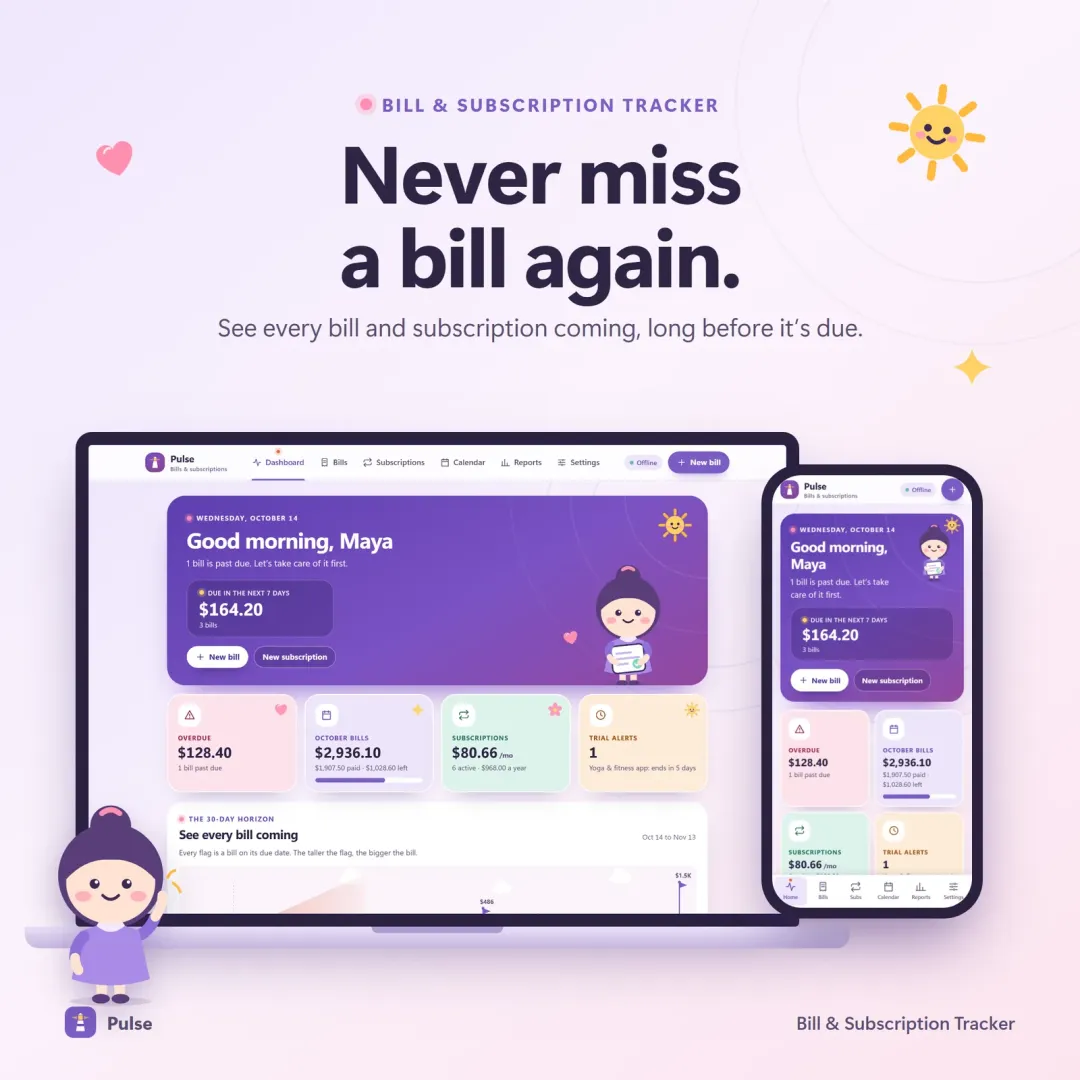
Pulse bill tracker with the 30-day horizon of bill flags and the Penny mascot Live
Pulse app icon

Pulse

Bill & Subscription Tracker

Every bill and subscription in one calm place — a 30-day horizon of due dates, free-trial countdowns and a simulator that shows what cancelling would save.

Keep planning

Related calculators

All calculators

Salary Calculator

Hourly ↔ yearly ↔ monthly pay, with take-home pay after 2026 taxes.

Open calculator

Further reading

Guides on this topic

All articles
What Is a Safe-to-Spend Number (and How Do You Calculate It)?

Personal Finance

What Is a Safe-to-Spend Number (and How Do You Calculate It)?

Your bank balance isn't what you can spend. A safe-to-spend number subtracts bills, savings and planned spending first — here's the formula, worked examples for monthly, weekly and irregular pay, and the mistakes to avoid.

11 min read
How to Track Subscriptions and Stop Paying for Ones You Forgot

Personal Finance

How to Track Subscriptions and Stop Paying for Ones You Forgot

Subscriptions are designed to be forgotten. A simple four-step audit — find, convert to yearly cost, decide, and set reminders — puts every recurring charge back under your control. Includes a worked audit and a cancellation checklist.

10 min read
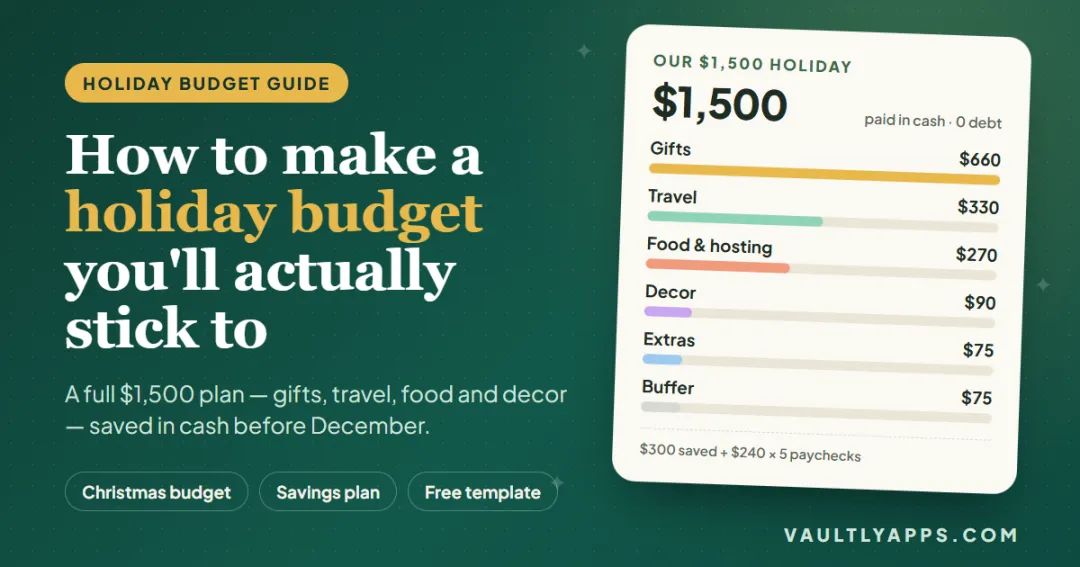
How to make a holiday budget you'll actually stick to — a $1,500 Christmas budget broken down into gifts, travel, food and decor

Personal Finance

How to Make a Holiday Budget You'll Actually Stick To

A complete $1,500 holiday budget, built line by line — gifts, travel, food and decor — with the Christmas savings plan that pays for it in cash and the simple tracking that keeps it on course through December.

10 min read

Try Flow free in your browser

A calm budget planner designed for ADHD brains — one Safe to Spend number, 3-tap logging, focus mode and kind overspend fixes instead of red warnings. The live demo uses sample data — nothing to install, no sign-up.

We use optional cookies for anonymous analytics. Nothing optional is set until you choose. Cookie policy