See every bill coming
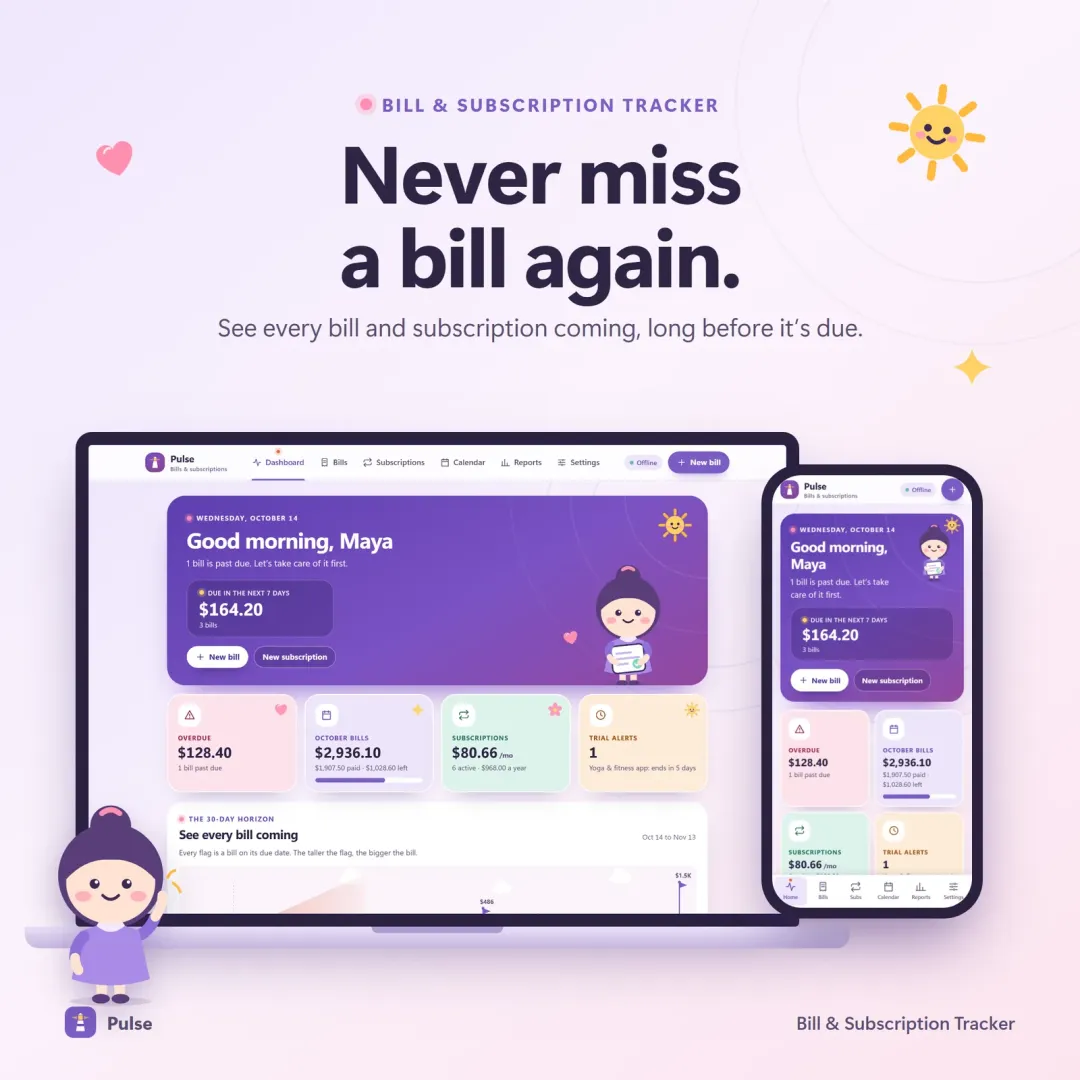
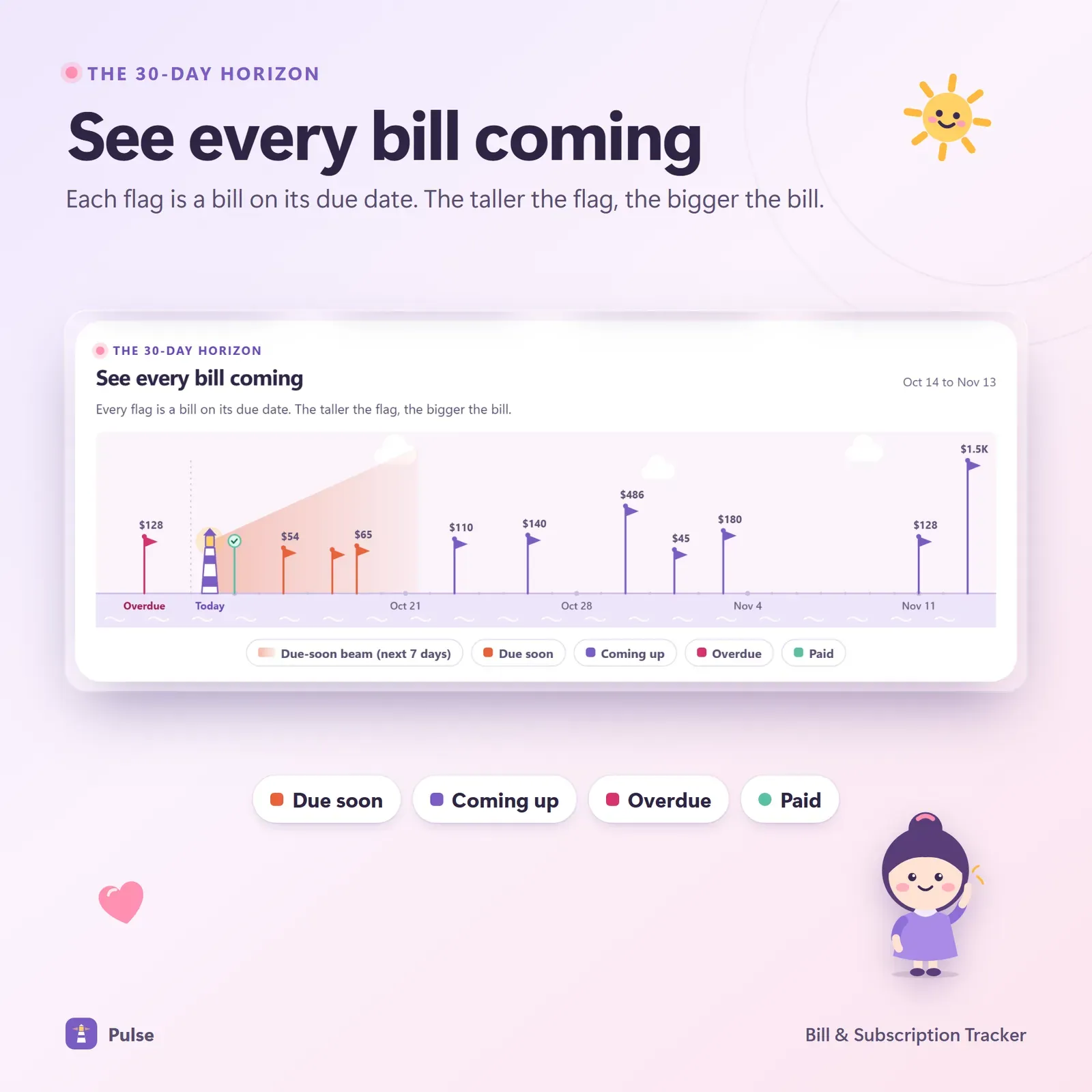
Pulse's signature screen is the 30-day horizon: today is a lighthouse on the left, and each upcoming bill is a flag planted on its due date. Taller flags are bigger bills, so you can see at a glance which weeks will be heavy — before they arrive.
Below it, bills are listed in the order they're due, with overdue bills pinned on top and clear Paid, Due soon and Overdue status pills. Marking a bill paid takes one tap.
Every schedule, handled correctly
Pulse handles weekly, every-two-weeks, monthly, quarterly, yearly and one-time bills. Month-end dates are handled properly: a bill due on the 31st lands on the last day of shorter months instead of skipping or drifting.
You can record full or partial payments, and every bill keeps its full payment history — even when you archive it.
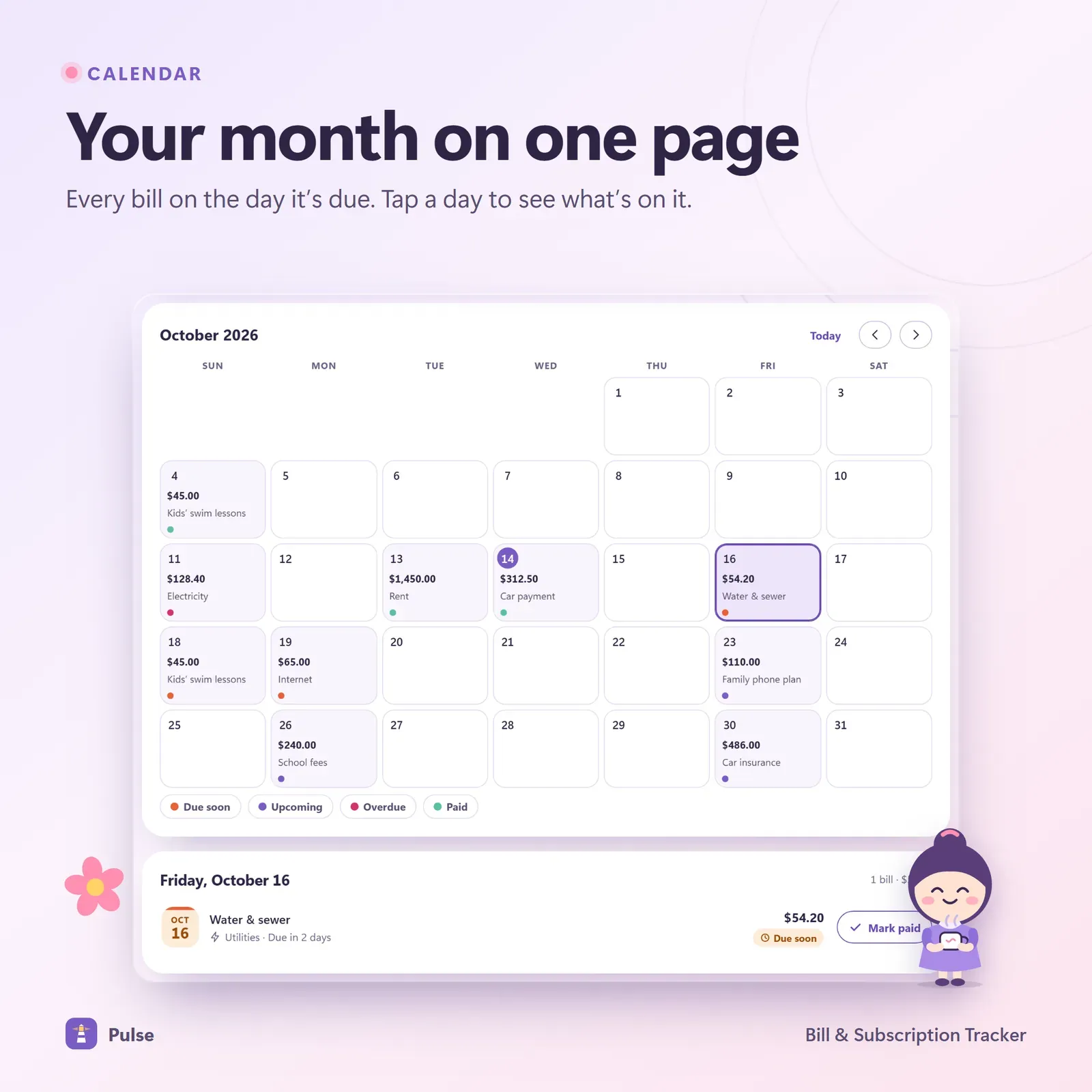
Your month on one page
The due-date calendar plots every bill on its day, so you can compare due dates with paydays and spot weeks where rent, a car payment and a yearly renewal all land together.
Stop paying for what you forgot
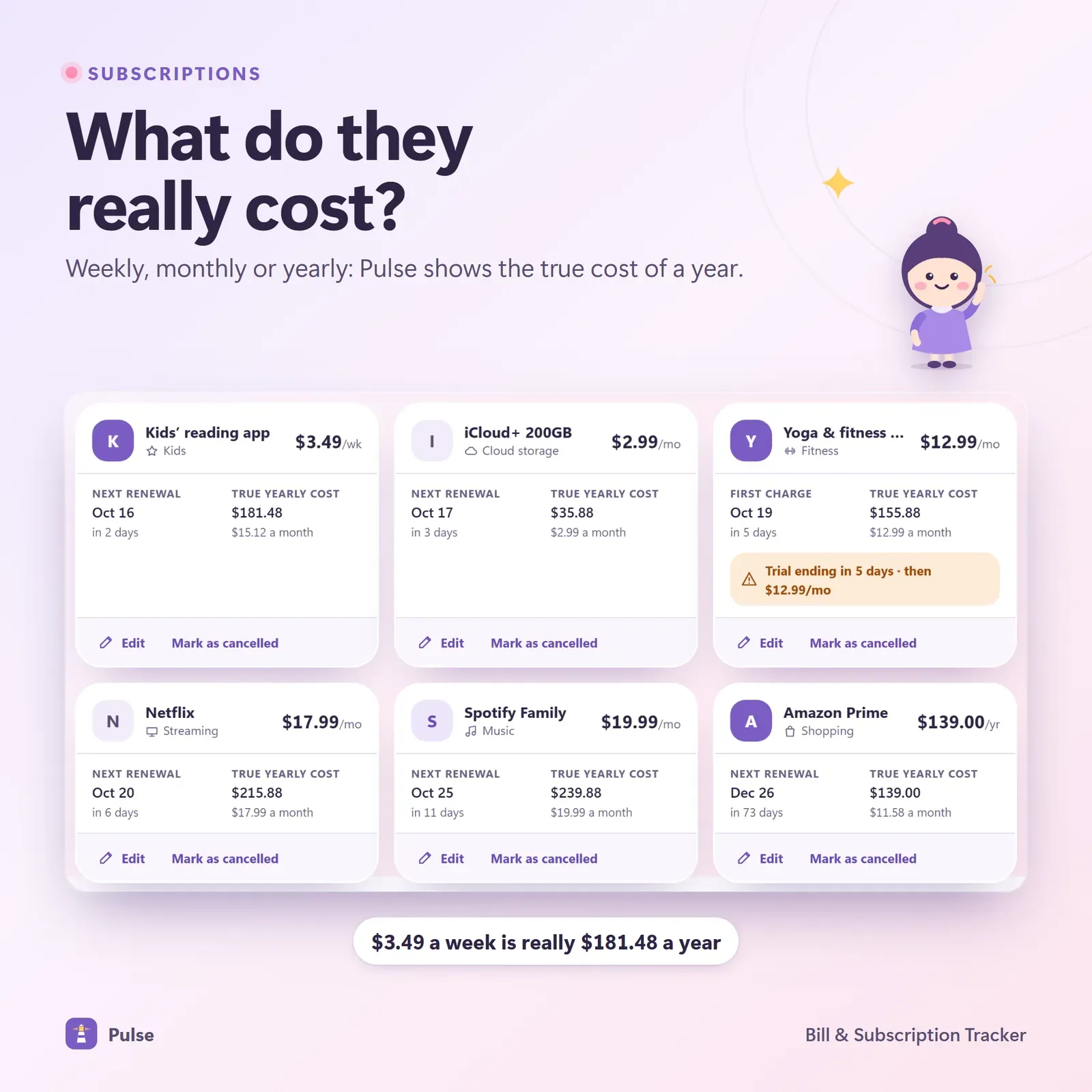
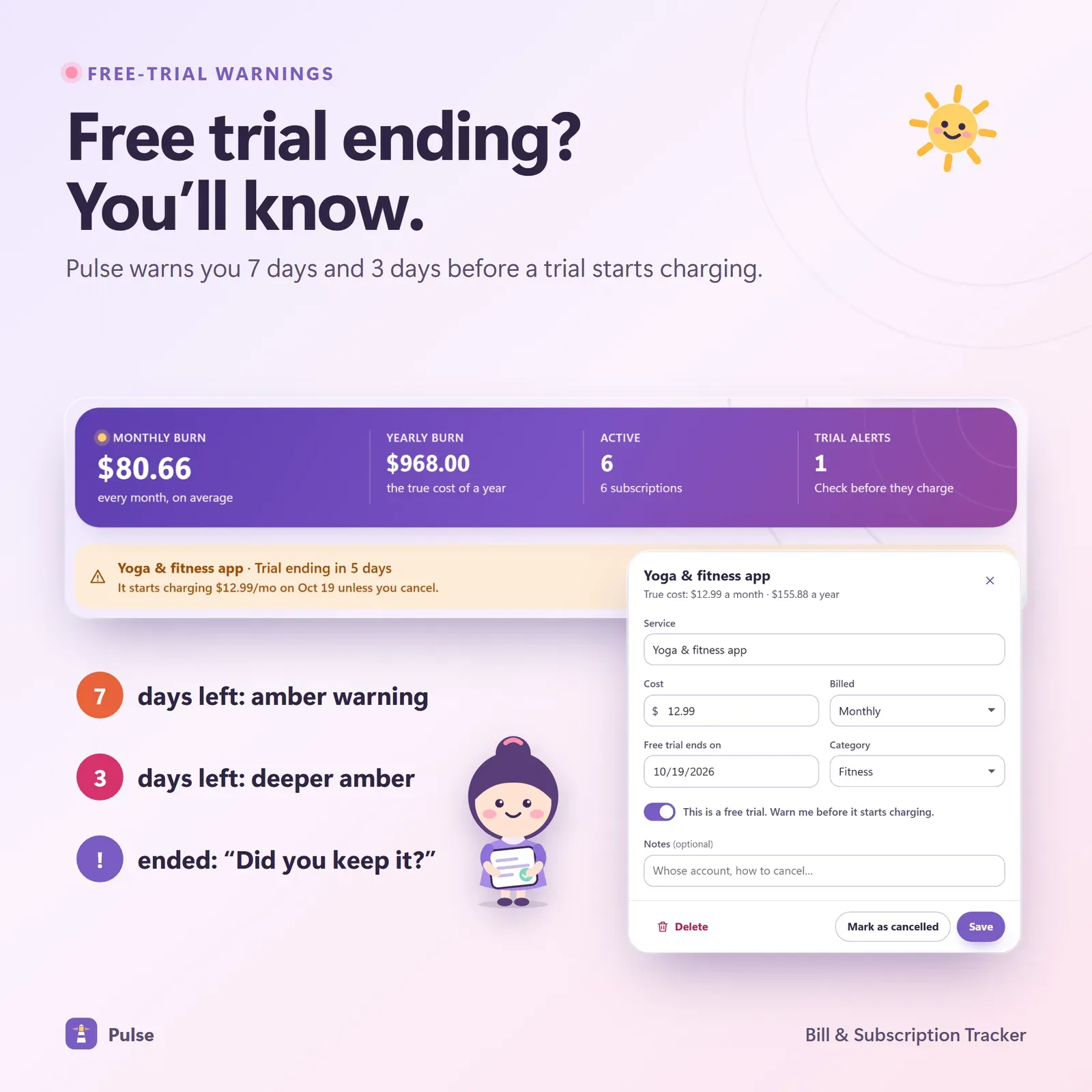
The subscription view converts every plan to its true monthly and yearly cost. Free trials get their own countdown, with warnings a week and three days before the first charge. The cancel simulator lets you switch subscriptions off to see the yearly saving before you make any calls.
For a step-by-step method, read How to track subscriptions and stop paying for ones you forgot — it includes a worked audit and a cancellation checklist.
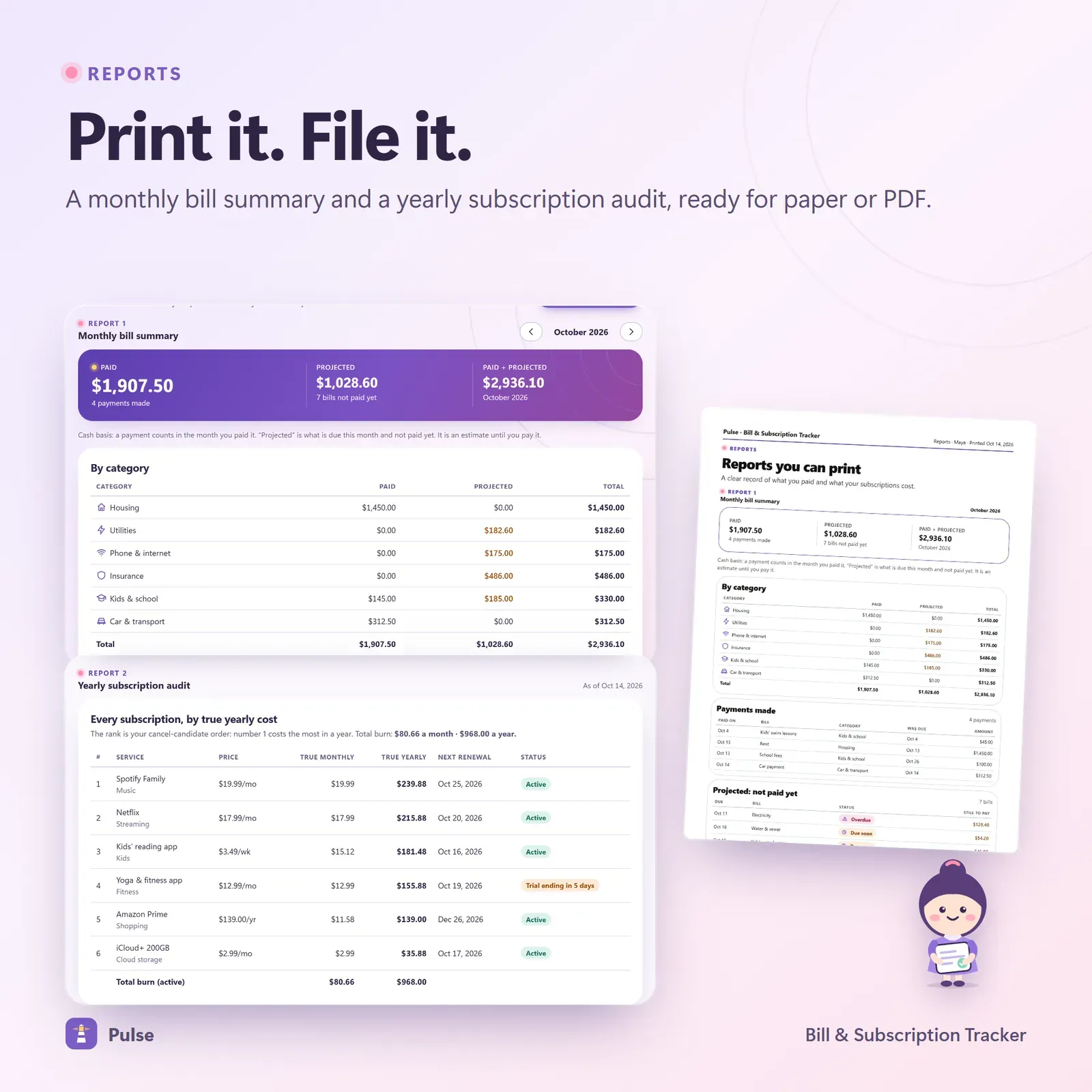
Reports
A monthly bill summary and a yearly subscription audit can be printed or saved as PDF. CSV import and export open in Excel, Numbers and Google Sheets, and a JSON backup keeps a complete copy of your data.
Who Pulse is for
- Households juggling many recurring bills across different cards, accounts and dates.
- People who keep forgetting to cancel free trials.
- Anyone doing a subscription audit who wants the yearly totals in one place.
- People paid on a different schedule from their bills, who need to see which paycheck covers what.
A typical month with Pulse
- Once a week: look at the 30-day horizon to see what's coming and whether the next paycheck covers it.
- When a bill is paid: tap "mark paid", or record a partial payment.
- When you start a free trial: add it straight away with its end date; Pulse warns you 7 and 3 days before the first charge.
- Once or twice a year: run the subscription audit, try the cancel simulator, and cancel what you don't use.
Money freed by cancelling subscriptions goes further when it has a job. Our guides to the 52-week savings challenge and your safe-to-spend number show two good places to put it.
What Pulse doesn't do
Pulse is a tracker. It doesn't pay bills, cancel subscriptions or connect to your bank, and it doesn't send push notifications — warnings appear inside the app when you open it. That keeps your data private and the app simple.
Why bills and subscriptions belong together
Most people track bills in one place and subscriptions in another — or not at all. But to your bank account they're the same thing: money that leaves on a schedule. Keeping them together has three benefits:
- Heavy weeks become visible. A $9.99 renewal is harmless on its own, but not in the same week as rent and a car payment.
- The yearly total is honest. Adding every subscription's yearly cost next to your bills shows what your fixed costs really are.
- Nothing hides. A free trial added the day you start it is on the same horizon as the electricity bill, so it can't slip past unnoticed.
That's why Pulse puts both on one horizon, one calendar and one list, and why the subscription audit sits right next to the monthly bill summary.
Privacy and devices
Pulse has no account and no bank login. Your data lives on your own devices. Link your phone and laptop once with a 6-digit code or QR, and a bill marked paid on your phone shows on your laptop a moment later — encrypted on the device before it travels. A device that was offline catches up when it's back.
Pulse installs from your private link on iPhone, iPad, Android, Mac, Windows and Chromebook and works offline once installed. It has Light, Dark and Calm themes, 30 currencies and keyboard shortcuts, plus a guided tour with Penny, the Pulse mascot.
What you get
- Your private Pulse link and QR code.
- A 19-page PDF guide: Start Here, How to Open & Install, How Pulse Works and the license.
- Bonus printables: 2 monthly bill calendars, a payday planner, a free-trial tracker, a yearly bills fund, a cancel-and-call log, 7 bill worksheets and 5 wallpapers.
- Free updates for the app itself.
Getting started
- Open your private link from the Start Here page and install Pulse.
- Explore the sample bills with Penny's guided tour.
- Clear the samples and add your bills and subscriptions with their schedules.
- Check the horizon once a week and mark bills paid as you go.
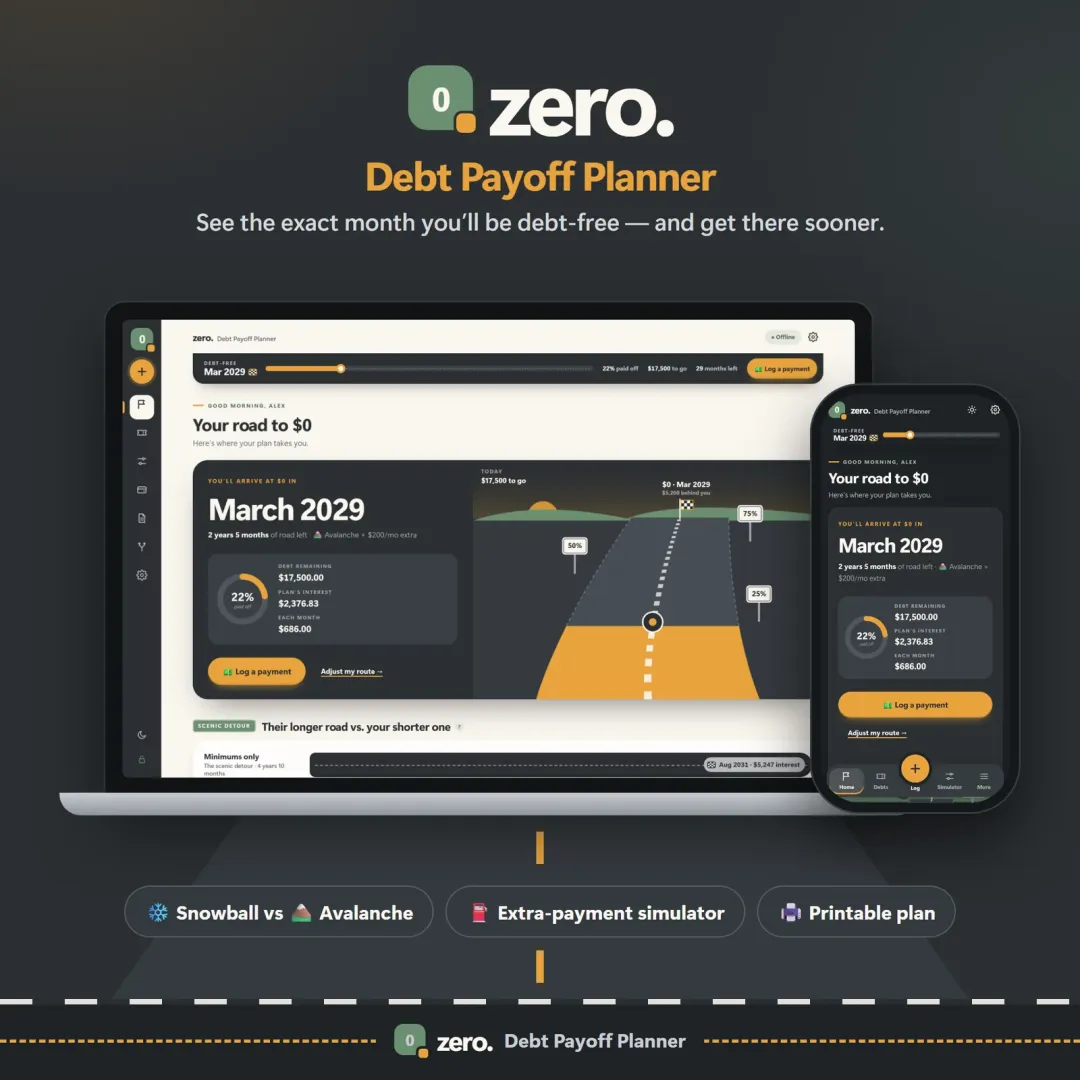
Vault combines bills and subscriptions with a full budget, goals and debt planner. Running a small business? Till tracks recurring business bills alongside income, invoices and tax.
Good to know
Pulse is an organizing tool, not financial advice. It needs internet the first time you open it on each device and works offline after that.