How Vault works
Vault is built around one question: what can I actually spend right now? Everything else in the app — the budget, the bill calendar, the goals and the debt plan — feeds that answer.
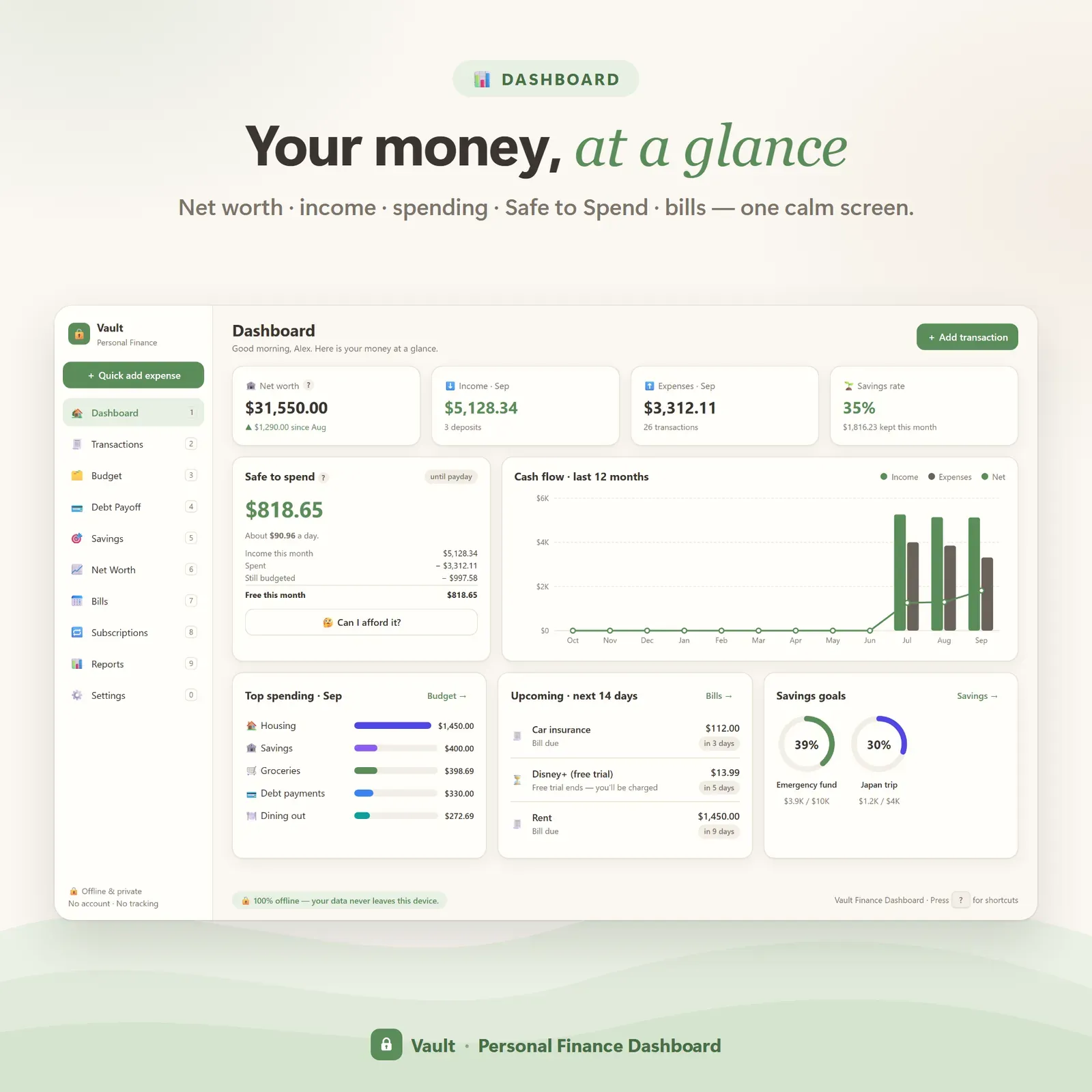
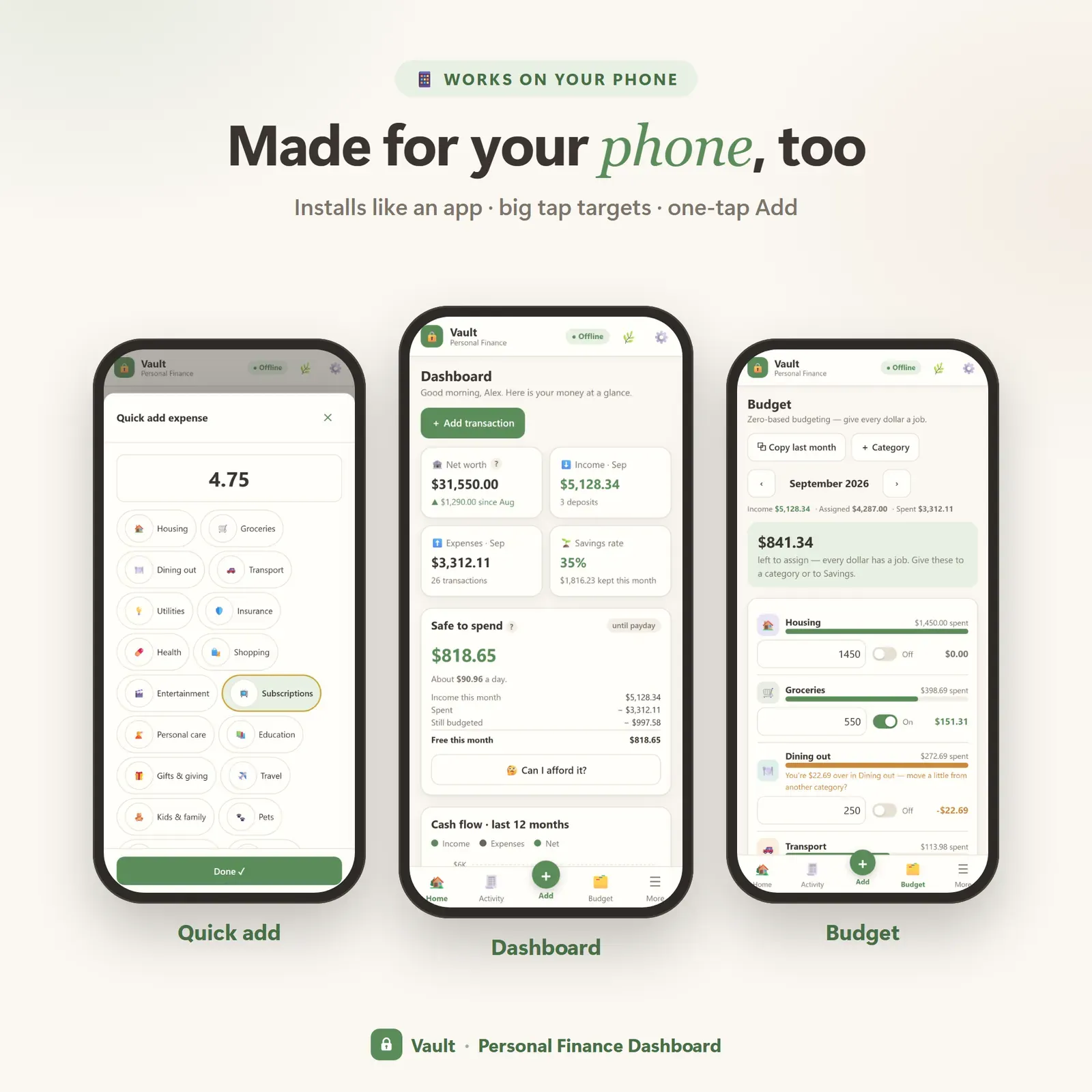
The dashboard shows Safe to Spend, net worth, income, expenses, savings rate, a 12-month cash-flow chart, where your money went, bills due in the next 14 days and your savings goals, all on one screen. Open the Safe to Spend card at any time to see exactly how the number was worked out: income this month, minus what you've spent, minus what is still budgeted — then spread across the days until payday, so you also see roughly how much you can spend per day.
Tracking is designed to take seconds: a quick-add for amount and category, a full form when you need dates, tags and notes, and an Undo button after every change. Recurring rules mean salary, rent and other regular items appear on schedule without re-typing. Instant search finds any transaction across your whole history.
If the idea of a safe-to-spend number is new, our guide What is a safe-to-spend number? explains the formula with worked examples.
Who Vault is for
Vault suits people who want one place for their whole financial picture instead of five spreadsheets and a banking app:
- People who budget but still feel surprised at the end of the month, because their bank balance never tells them what's already promised.
- Households paying down debt who want to see the plan, the date and the trade-offs in the same app as their budget.
- Savers working toward goals — an emergency fund, a trip, a car — who like to see progress.
- Anyone who wants privacy: no account, no bank login, no tracking.
It works with weekly, every-two-weeks, twice-a-month and monthly pay, and with any currency symbol you choose.
The main screens
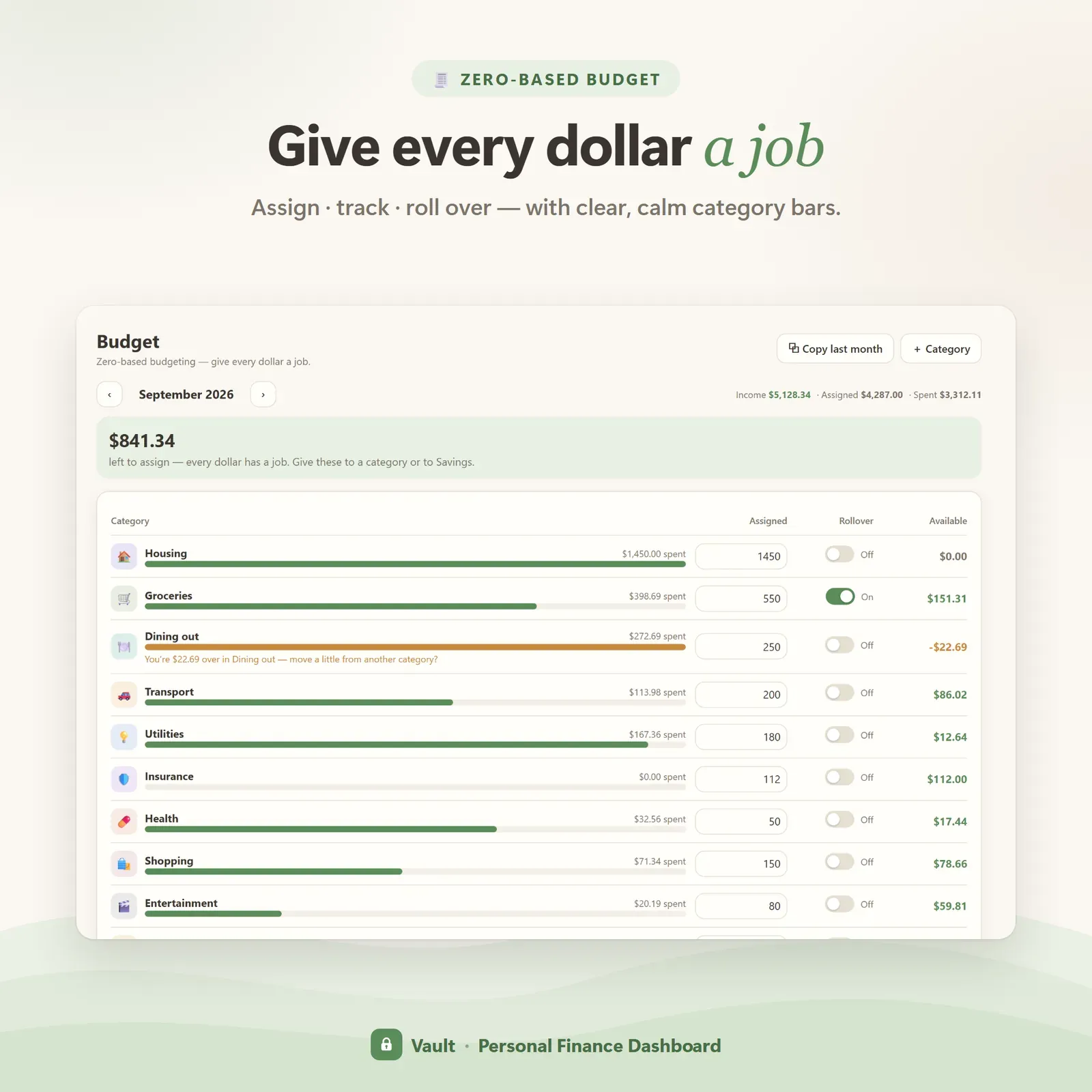
Budget. Vault uses zero-based budgeting: give every dollar a job until "left to assign" reaches $0.00. Categories show what's budgeted, spent and left, so you can move money between them when plans change.
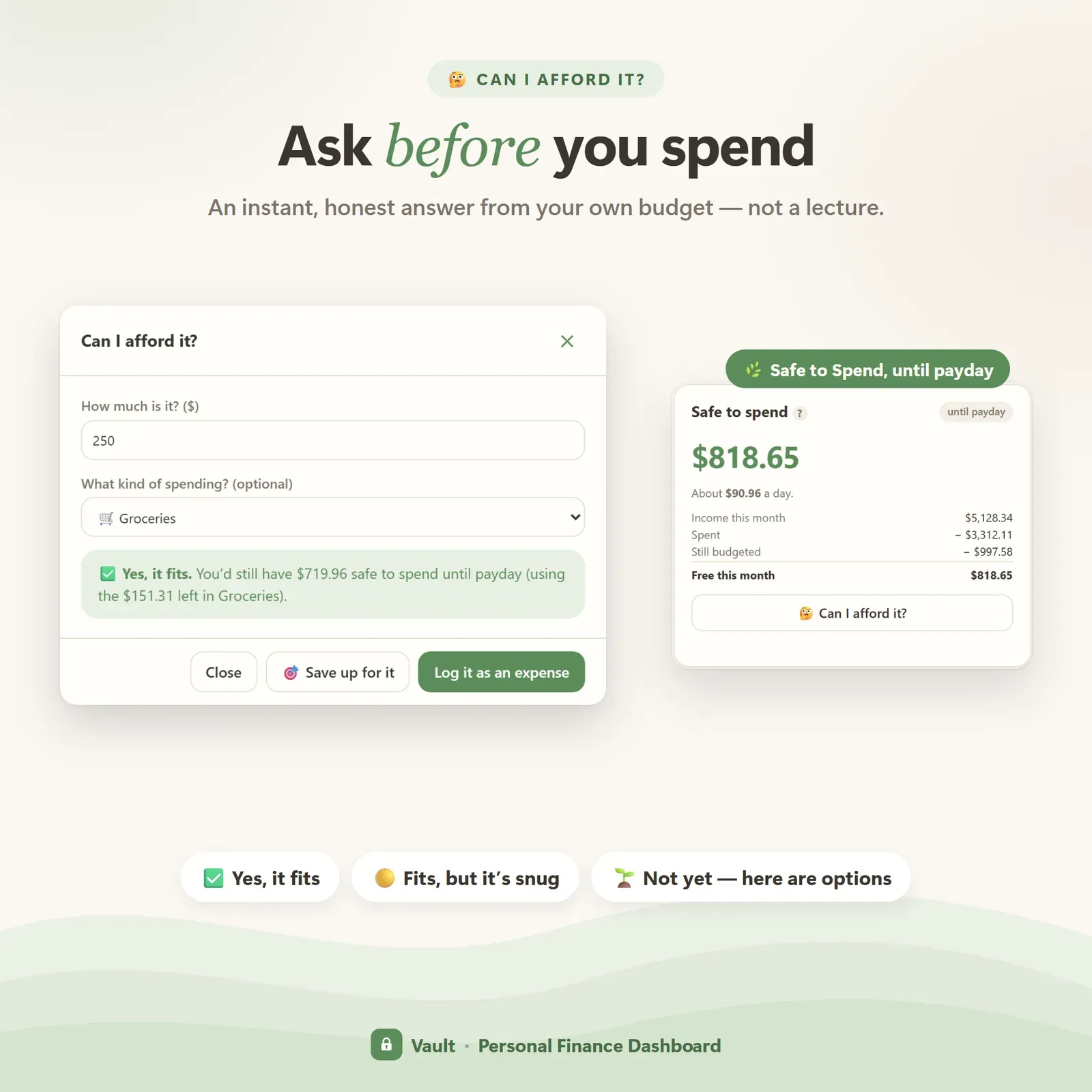
Can I afford it? Type a price before you buy and Vault answers honestly: already in your budget, fits in Safe to Spend, fits this month but dips into post-payday money, or not comfortably this month — with how short you'd be. You can log the purchase or turn it into a savings goal from the same window.
Bills and subscriptions. A bill calendar laid out week by week, paid and still-to-pay status, due-soon and overdue flags, and one-tap "mark paid". Subscriptions show their true monthly and yearly totals, trials get warnings before they turn into paid plans, and cancel candidates are ranked by yearly cost. Our subscription audit guide walks through how to use those numbers.
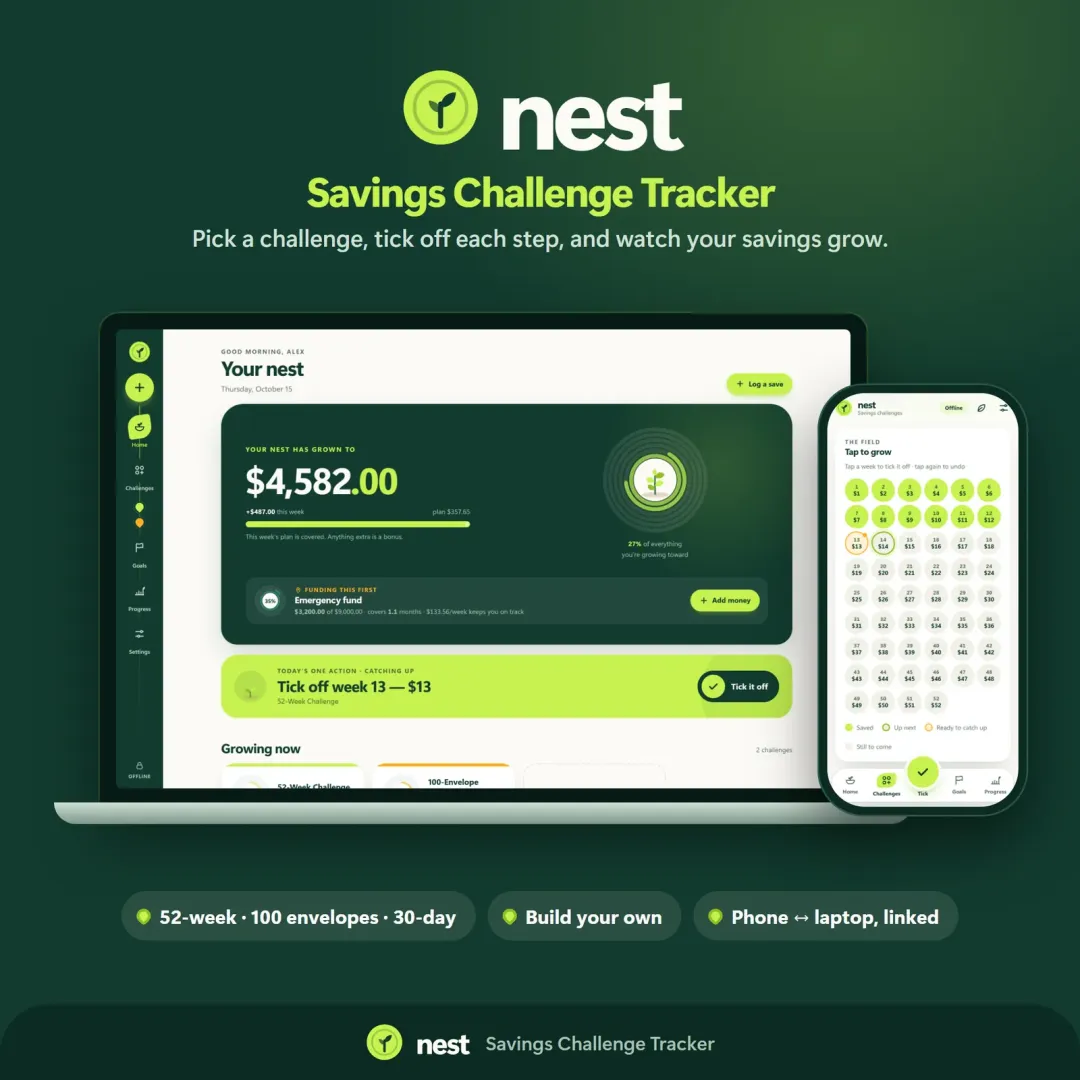
Goals and challenges. Savings goals with targets, progress rings and optional deadlines, plus 52-week, 100-envelope, 30-day and build-your-own challenges.
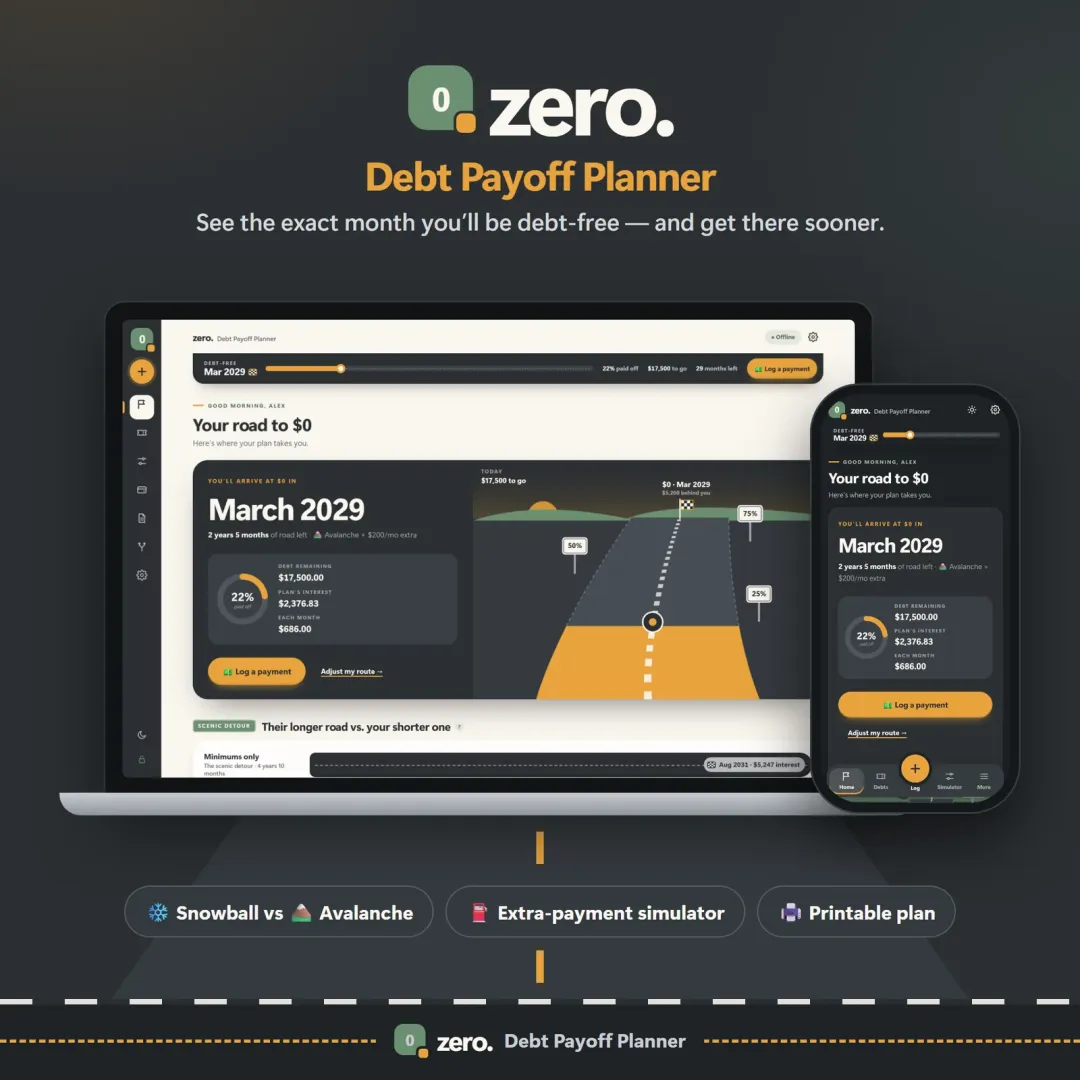
Debt. Enter each card and loan and Vault builds two plans — snowball (smallest balance first) and avalanche (highest rate first) — with an estimated debt-free date, total interest and payoff order for each. The cheaper plan is marked, and an extra-payment slider shows how much sooner you could finish. Read Debt snowball vs debt avalanche for a worked example.
Net worth. List assets and debts, save a snapshot each month and watch the growth chart. A "what if I invest every month?" calculator shows what steady investing could build over time.
Reports. Where spending went, income vs spending and top payees, by month or year — ink-friendly pages you can print or save as PDF.
A typical month with Vault
- Payday: income arrives and recurring rules add your regular bills. You assign every dollar in the budget.
- During the month: you glance at Safe to Spend before non-essential purchases and log spending with quick-add — or import a bank CSV once a week instead.
- Before a bigger purchase: you check "Can I afford it?" and either buy it, move money from another category, or start a goal.
- When bills are due: the 14-day list and bill calendar show what's coming; you mark each one paid.
- Month-end: you print or review the reports, save a net-worth snapshot and adjust next month's budget.
Built for privacy
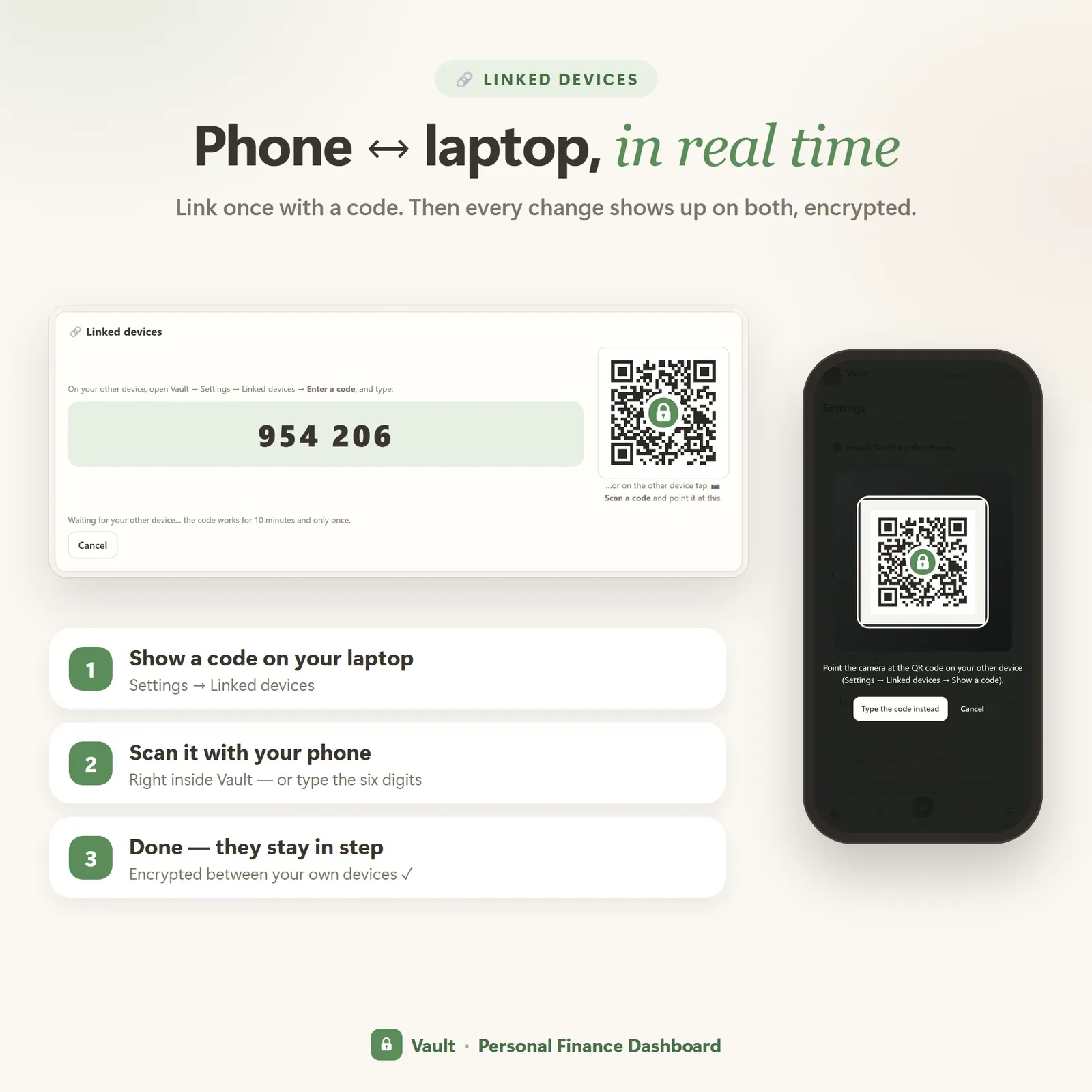
Vault has no account system and no bank connection. Your data is stored on your own devices. When you link a phone and a laptop — once, with a 6-digit code or a QR scan — changes are encrypted on the device with a key only your linked devices hold, and the relay that passes them along cannot read them. A device that was offline catches up when it reconnects. A one-click backup file lets you keep your own copy, and you can restore it at any time.
There are no analytics or tracking pixels inside the app, and no "anonymous usage statistics".
Works on every device
Vault is a progressive web app: it installs from your private link on iPhone, iPad, Android, Mac, Windows and Chromebook, opens with its own icon and works offline after the first visit. Updates arrive automatically — there's nothing to re-download. Our article Android app vs web app explains why we build this way.
You can choose Calm, Light or Dark themes, and keyboard shortcuts (N for a new transaction, ? for the full list) make it quick on a laptop.
What you get
- Your private Vault link and QR code.
- A 19-page PDF guide: Start Here, How to Open & Install, How Vault Works and the license.
- Bonus printables: 6 savings challenge boards, 7 finance worksheets (monthly budget, bill tracker, subscription audit, debt payoff, savings goals, net worth tracker, year at a glance) and 5 phone and desktop wallpapers.
- Free updates for the app itself.
Getting started in five minutes
- Open the Start Here page in the PDF and tap your private link (or scan the QR).
- Install Vault so it opens like any other app.
- Take the short tour or explore the sample data.
- Clear the samples and add your accounts, income and first budget.
- Optionally, link your phone and laptop in Settings with a 6-digit code.
From then on, Safe to Spend is your starting point each day.
If you mainly want one calm number and fewer decisions, Flow is our ADHD-friendly budget planner. For a dedicated debt plan with what-if scenarios, see Zero; for bills and subscriptions on their own, Pulse.
Good to know
Vault is a planning tool. Its debt and savings figures are estimates based on the numbers you enter — your lender's figures may differ slightly — and it is not financial advice.