VaultlyApps
Live Web app (installable PWA)

Flow

ADHD Budget Planner

A calm budget planner designed for ADHD brains — one Safe to Spend number, 3-tap logging, focus mode and kind overspend fixes instead of red warnings.

Try the live demo to explore the application — it runs right here on VaultlyApps with sample data, no sign-up needed.

Flow ADHD budget planner showing a calm Safe to Spend screen

What is Flow?

Flow is a budget planner app designed for people with ADHD. Instead of dense charts and red warnings, it shows one calm Safe to Spend number, lets you log spending in three taps, and offers a focus mode that hides everything except the essentials. It installs on phone and laptop, works offline, and has no account or subscription.

What problem does Flow solve?

Budgeting with ADHD usually fails because of design, not willpower — too many screens, too much typing and too much shame when a month goes off plan. Flow reduces each daily action to the fewest possible steps and replaces guilt with gentle, specific next steps.

Key features

  • Safe to Spend, always in view

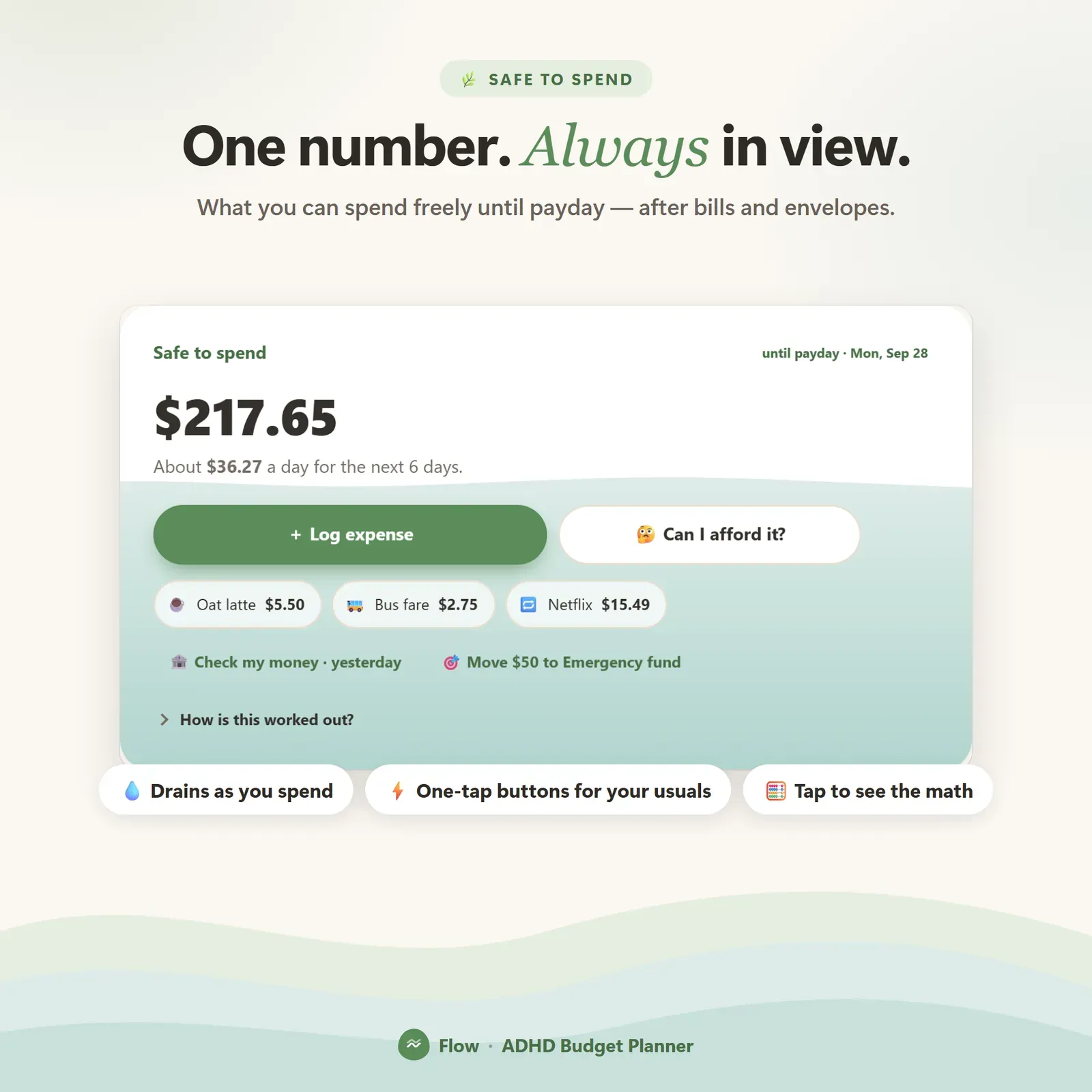
    One number that answers "what can I spend?", with a "How is this worked out?" view that shows every line behind it.

  • Check my money

    Type in your real bank balance and Flow reconciles the difference, so anything you forgot to log stops mattering.

  • 3-tap expense logging

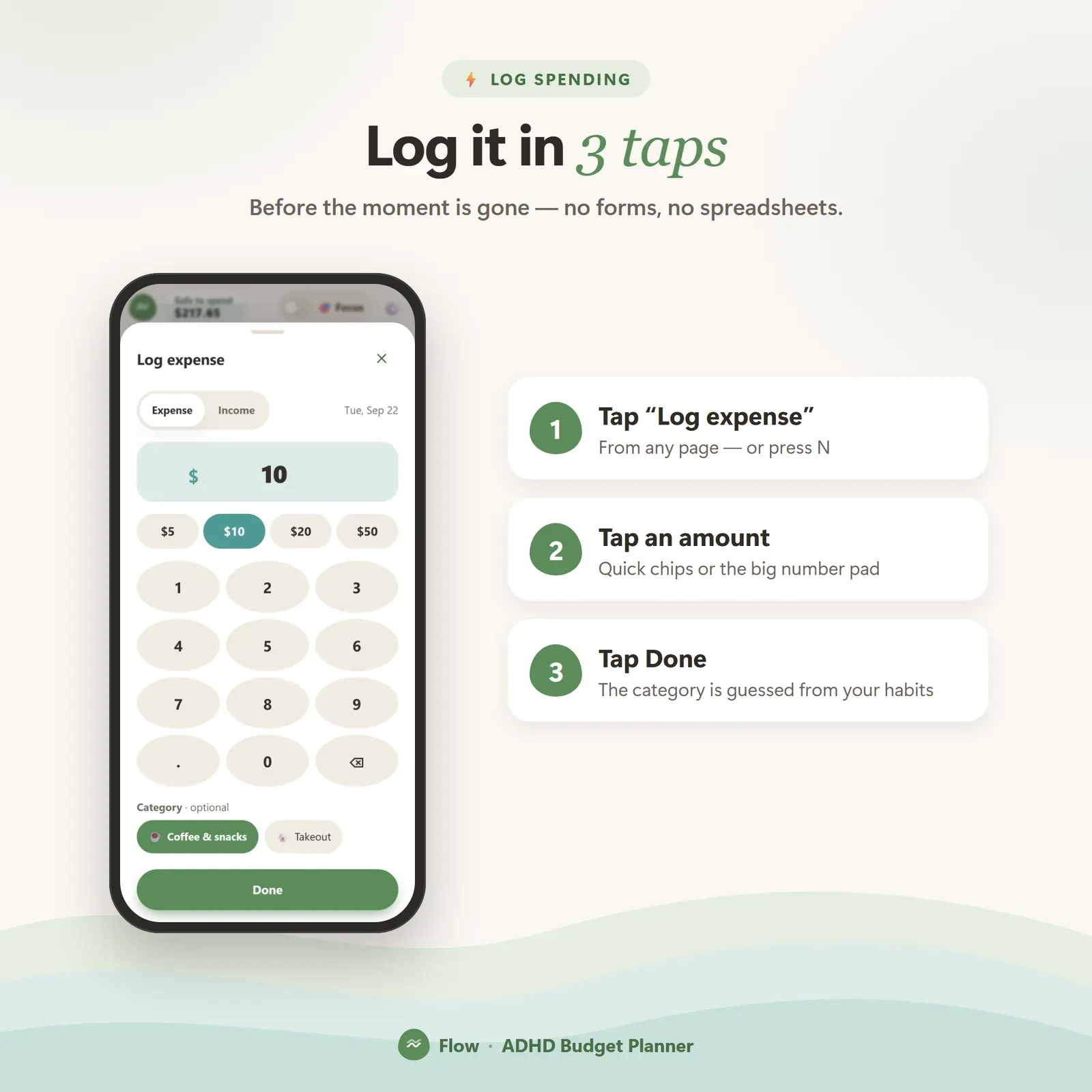
    Open, amount, done. Logging is fast enough to happen at the checkout.

  • Focus mode

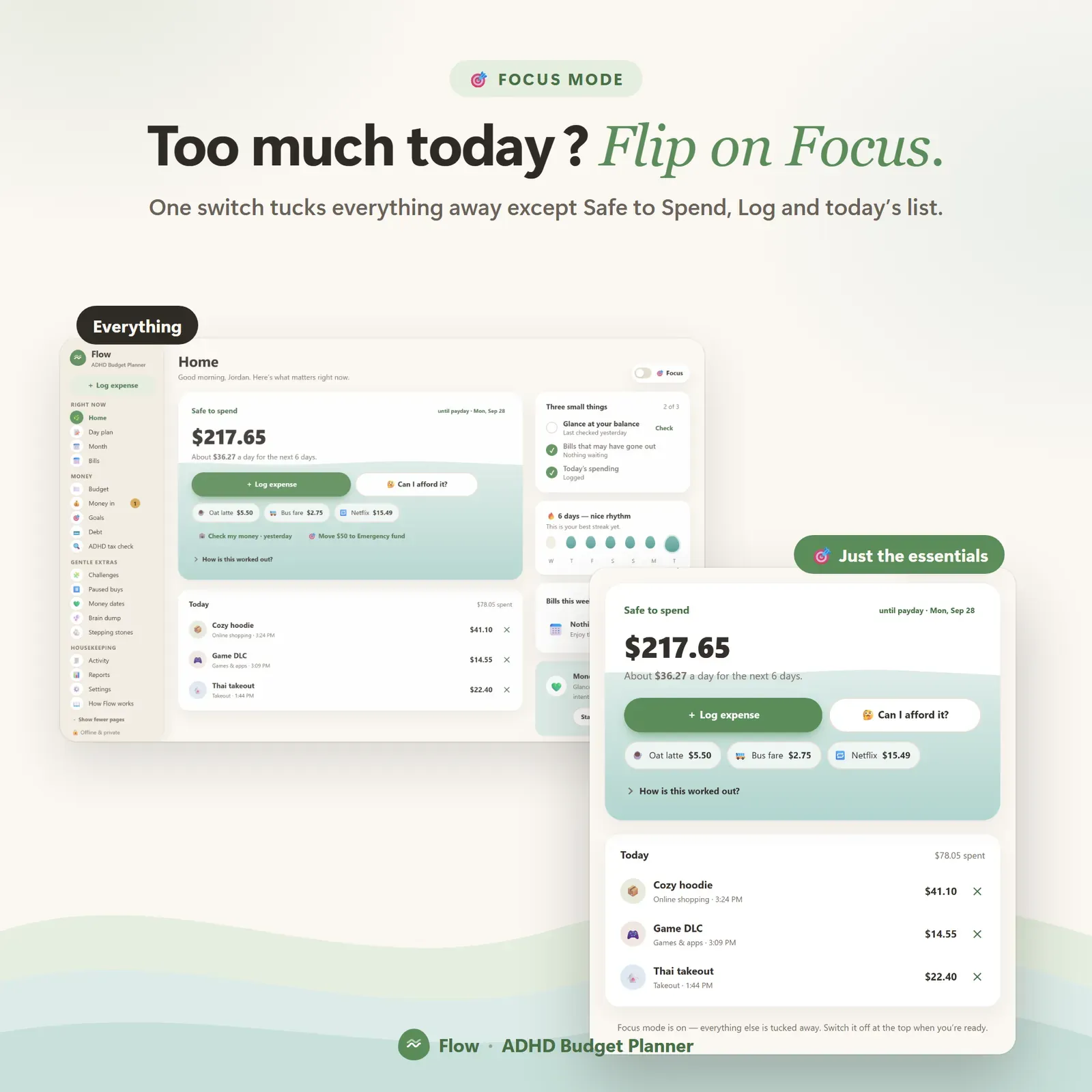
    One toggle hides everything except the essentials for days when the full screen is too much.

  • Paused buys

    Park an impulse purchase for 48 hours, then let it go, buy it, or turn it into a savings goal.

  • Kind overspend fixes

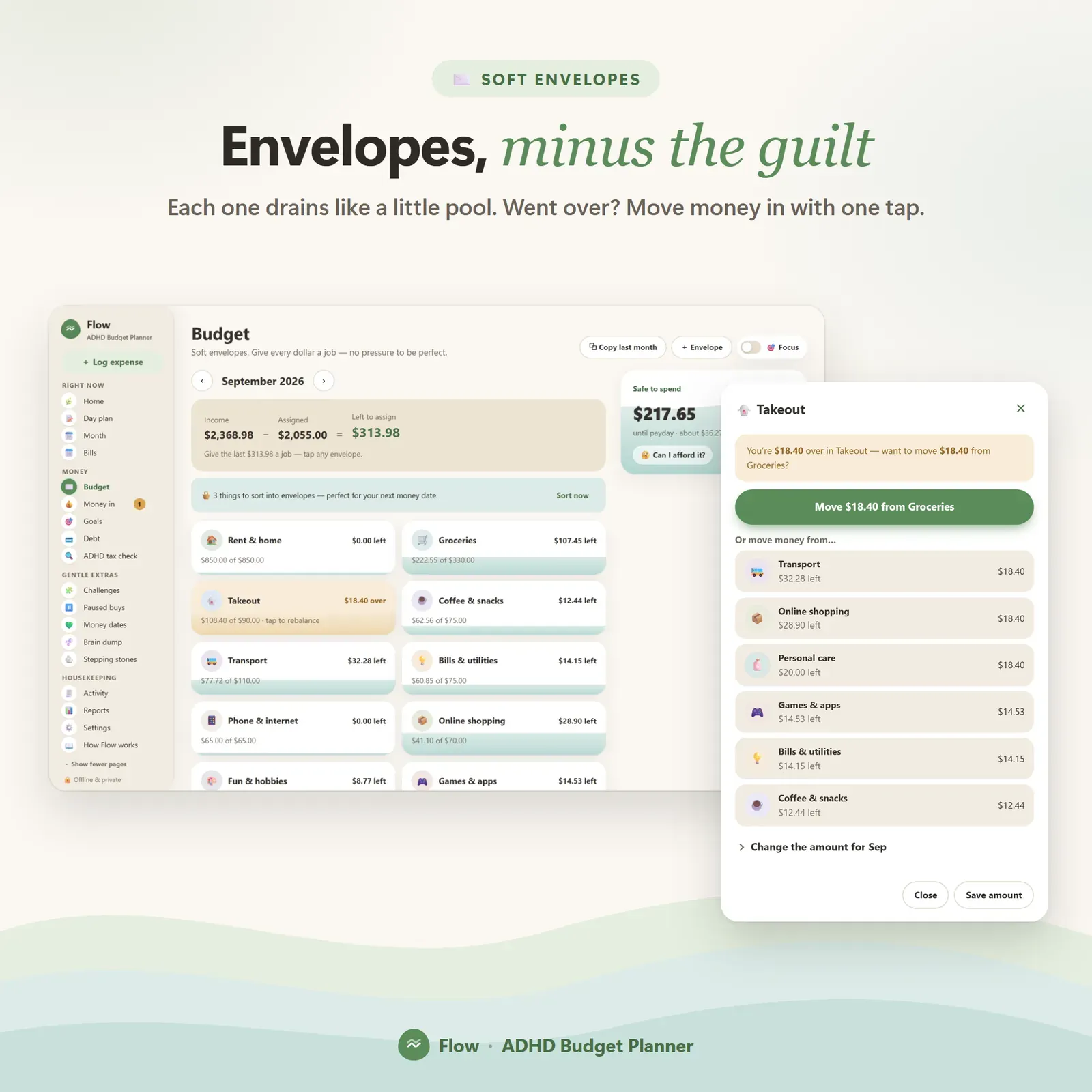
    Suggestions like "move $40 from Groceries?" instead of harsh red alerts. Calm envelopes, zero red.

  • ADHD tax check

    Finds forgotten subscriptions, late fees and double charges, with the yearly total.

  • Money dates and streaks

    A guided 5-minute weekly check-in, and streaks that reward rhythm — a missed day gives you a fresh start, not a scolding.

  • Linked devices

    Log a coffee on your phone and see it on your laptop a moment later. End-to-end encrypted, up to 4 devices.

Screenshots

  • Flow's Safe to Spend card with the amount free until payday and a per-day figure

    Flow's Safe to Spend card with the amount free until payday and a per-day figure

  • Logging an expense in three taps

    Logging an expense in three taps

  • Focus mode hiding everything except the essentials

    Focus mode hiding everything except the essentials

  • Monthly envelopes with soft progress bars

    Monthly envelopes with soft progress bars

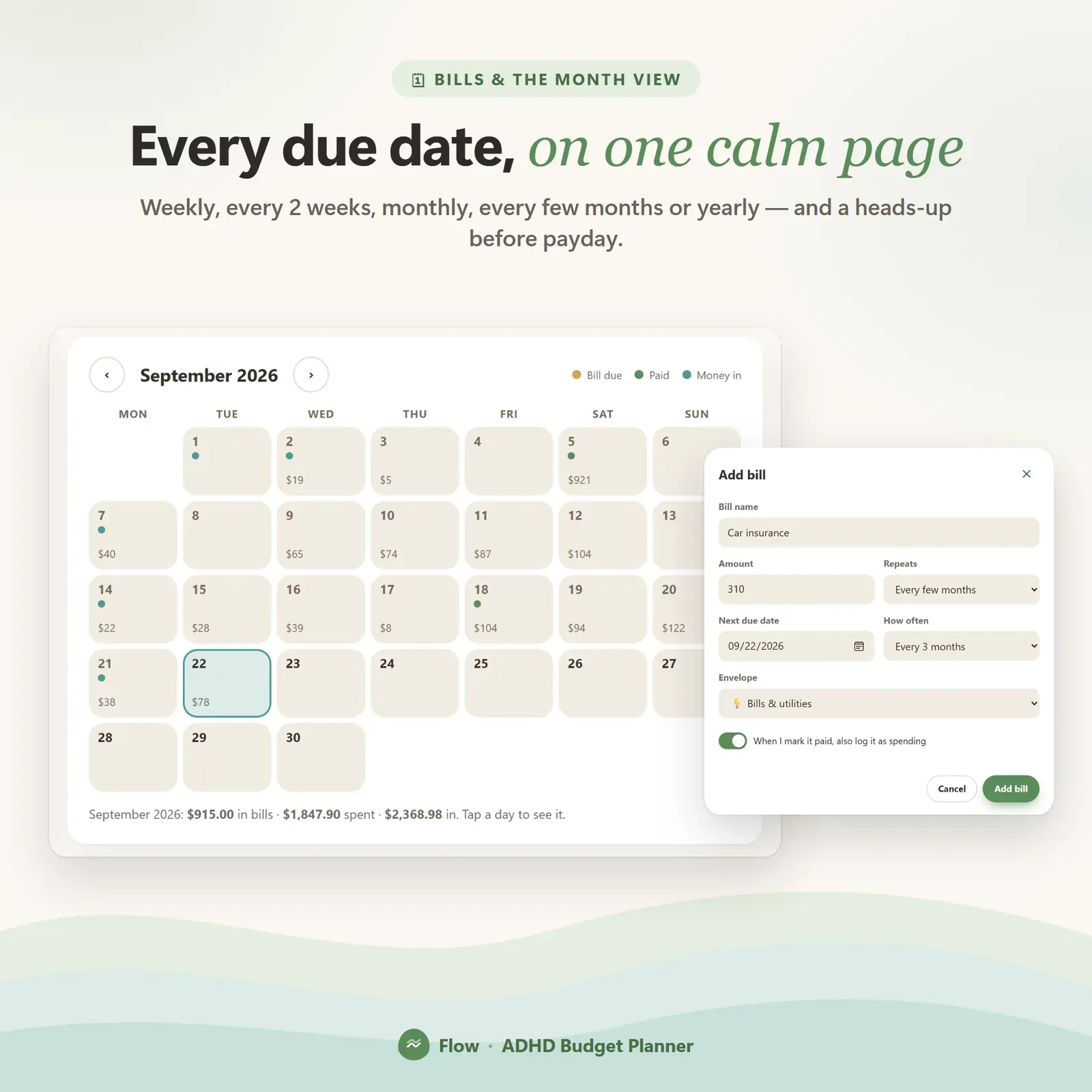
  • Month calendar with daily spending and upcoming bills

    Month calendar with daily spending and upcoming bills

How does Flow work?

  1. 1

    Try the live demo with sample data and the guided tour.

  2. 2

    After buying, open your private link and install Flow on your phone or computer.

  3. 3

    Set your pay schedule — weekly, every 2 weeks, twice a month or monthly.

  4. 4

    Log spending as it happens and keep an eye on one number.

Who is Flow for?

  • Adults with ADHD who have tried budgeting apps and quit
  • People who find spreadsheets overwhelming
  • Anyone who wants one clear number instead of a wall of charts
  • Freelancers and shift workers paid on irregular schedules

Why Flow looks the way it does

Most budgeting apps are built for people who enjoy spreadsheets. Flow starts from the opposite assumption: the less you have to read, decide and type, the more likely you are to keep going.

That shows up everywhere. The home screen leads with a single Safe to Spend number. Envelopes use soft progress bars and never turn red. Overspending produces a specific, fixable suggestion — "move $40 from Groceries?" — instead of an alarm. A missed day breaks nothing: streaks reward rhythm, and you get a fresh start rather than a reset counter.

One number, explained

Safe to Spend is the money that's genuinely free until your next payday, after bills, savings and planned spending have taken their share. Flow shows it as an amount and as a per-day figure, and "How is this worked out?" lists every line behind it.

The hardest part of budgeting with ADHD is usually logging, so Flow makes forgetting harmless. Check my money lets you type your real bank balance; anything you forgot to log is absorbed, and the number is correct again in seconds. Our guide What is a safe-to-spend number? explains the idea in more detail.

Who Flow is for

  • People with ADHD or anyone who finds traditional budgets overwhelming, shaming or easy to abandon.
  • People paid weekly, twice a month or monthly who want a paycheck budget rather than a calendar-month one.
  • Anyone who has quit budgeting apps before because a missed week turned into a wall of red numbers.

You don't need a diagnosis to use it — the same design helps anyone who wants budgeting to take less effort.

The main screens

Logging in three taps. Open → amount → done. Category and note are optional, so the habit survives busy days.

Paycheck budget and envelopes. A zero-based budget where every dollar gets a job, shown as calm monthly envelopes with soft progress bars. Overspend fixes suggest exactly where the money could come from.

Bills and money in. A bill tracker for weekly, every-two-weeks, twice-monthly, monthly, every-few-months and yearly bills, with a "will my next paycheck cover it?" timeline. Money in tracks paychecks, money on its way and money owed back to you.

ADHD tax check. Finds the costs that come from things slipping — forgotten subscriptions, late fees and double charges — and shows their yearly total. For a step-by-step clean-up, see how to track subscriptions.

Savings and debt. Savings goals with progress rings and one-tap "move money to goal", challenges (52-week, 100 envelopes, penny-a-day, no-spend days or your own) and a snowball or avalanche debt plan with your debt-free month. Stepping-stone milestones stay earned even after a quiet week.

Month view. The whole month as a calendar, with daily spending and upcoming bills.

Tools for ADHD brains

  • Focus mode hides everything except the essentials with one switch.
  • Paused buys put impulse purchases on hold for 48 hours, then ask: let it go, buy it, or save up for it?
  • Day plan with energy levels — low, steady or bright — so plans match the day you're actually having.
  • Brain dump gives racing thoughts somewhere to go.
  • Money dates guide a five-minute weekly check-in.
  • Streaks that reward rhythm: miss a day and you get a fresh start, never a scolding.

A typical week with Flow

  1. Payday: give the new money jobs in your envelopes; Flow shows whether the next bills are covered.
  2. Most days: glance at Safe to Spend, log anything you remember in three taps, and move on.
  3. When something tempting comes up: pause it instead of buying it straight away.
  4. Once a week: a five-minute money date — type your real balance with Check my money, look at the week ahead, adjust one envelope.
  5. When money is left over: move it to a goal or a challenge. Our 52-week savings challenge guide has versions for every pay schedule.

Privacy and devices

Flow has no account and no bank login. Your data lives on your own devices. Link your phone and laptop once with a 6-digit code or QR, and a coffee logged on your phone appears on your laptop a moment later — encrypted on the device before it travels, so the relay in between can't read it. Bank CSV import, printable monthly reports and JSON backup and restore are included.

Flow installs from your private link on iPhone, iPad, Android, Mac, Windows and Chromebook, and works offline once installed. You can choose calm, light, dark or auto themes, four accent colours, bigger text and any currency.

What you get

  • Your private Flow link and QR code.
  • A 23-page PDF guide: Start Here, How to Open & Install, How Flow Works and the license.
  • Bonus printables: 6 savings challenge boards, 7 budget worksheets (monthly budget, yearly bill tracker, money dates, paused buys, day plan and brain dump, ADHD tax hunt, debt payoff) and 5 wallpapers with calm reminders.
  • Free updates for the app itself.

Getting started

  1. Open your private link from the Start Here page and install Flow.
  2. Explore the sample data with the guided tour.
  3. Clear the samples, tell Flow how often you're paid, and add your bills.
  4. Type your bank balance — Safe to Spend appears straight away.

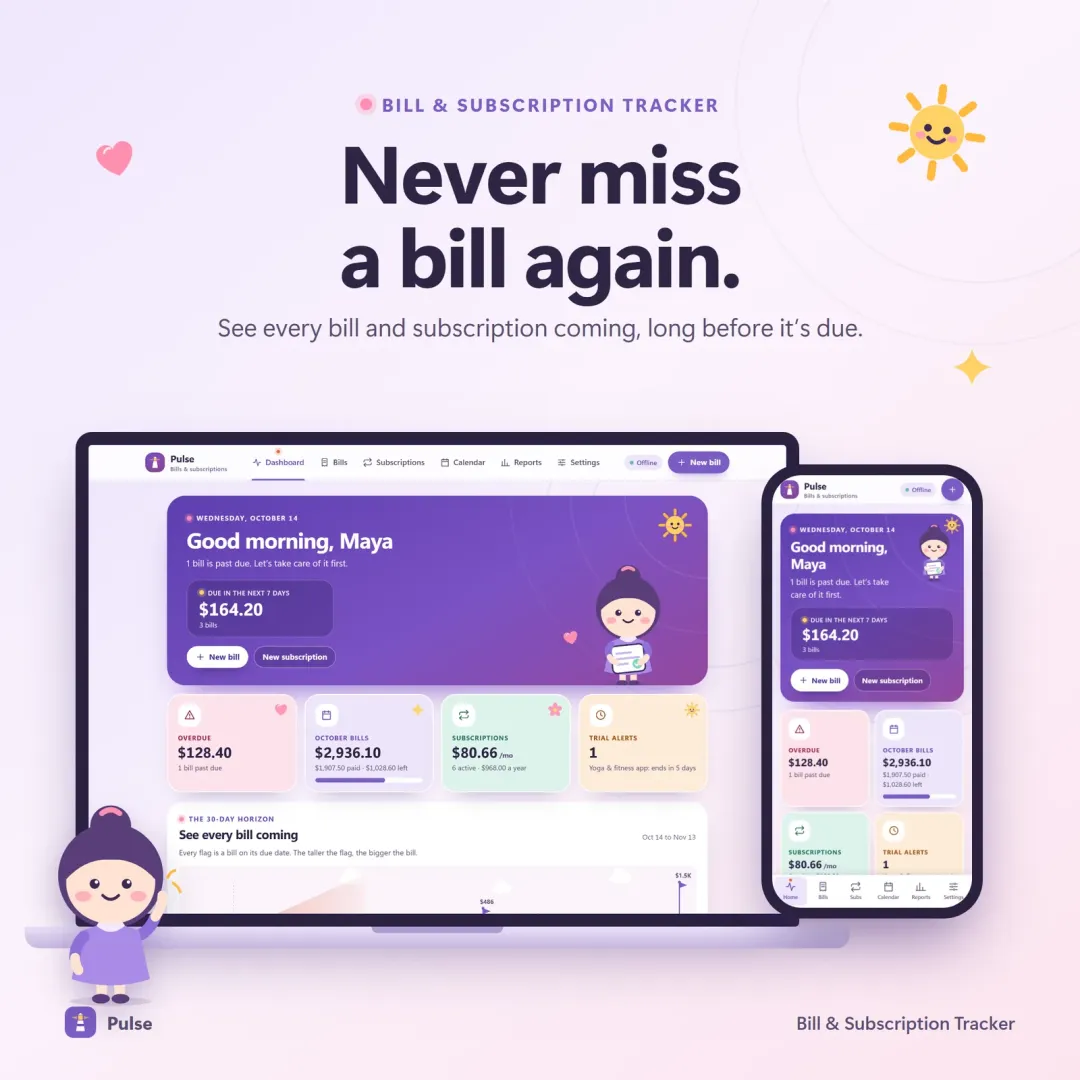
Vault is our full personal finance dashboard, with net worth, reports and a deeper debt planner. Nest is a dedicated savings challenge tracker, and Pulse focuses on bills and subscriptions.

Good to know

Flow is an organizing tool, not financial advice. It needs internet the first time you open it on each device and works offline after that.


Flow FAQ

Is Flow only for people with ADHD?

No. Flow is designed around ADHD needs — fewer steps, less clutter, no shame — but anyone who wants a calmer, simpler budget can use it.

What happens if I forget to log something?

Use "Check my money". You type your actual bank balance and Flow adjusts, so a forgotten coffee doesn't break your budget.

Does Flow work with irregular income?

Yes. You can set a weekly, every-2-weeks, twice-monthly or monthly pay schedule and track money that is on its way or owed back to you.

Does Flow need an account or a bank login?

No. There is no account and no bank connection. Your data stays on your own devices, and linked devices share it encrypted.

Can I import my bank history?

Yes. Flow can import a CSV file exported from your bank.

What is focus mode in Flow?

Focus mode is a single switch that hides everything except the essentials — Safe to Spend, quick logging and what's due — for days when the full app feels like too much.

What are paused buys?

When you want something that isn't planned, you can pause it instead of buying it straight away. After 48 hours Flow asks whether to let it go, buy it, or save up for it.

Does Flow have a debt payoff planner?

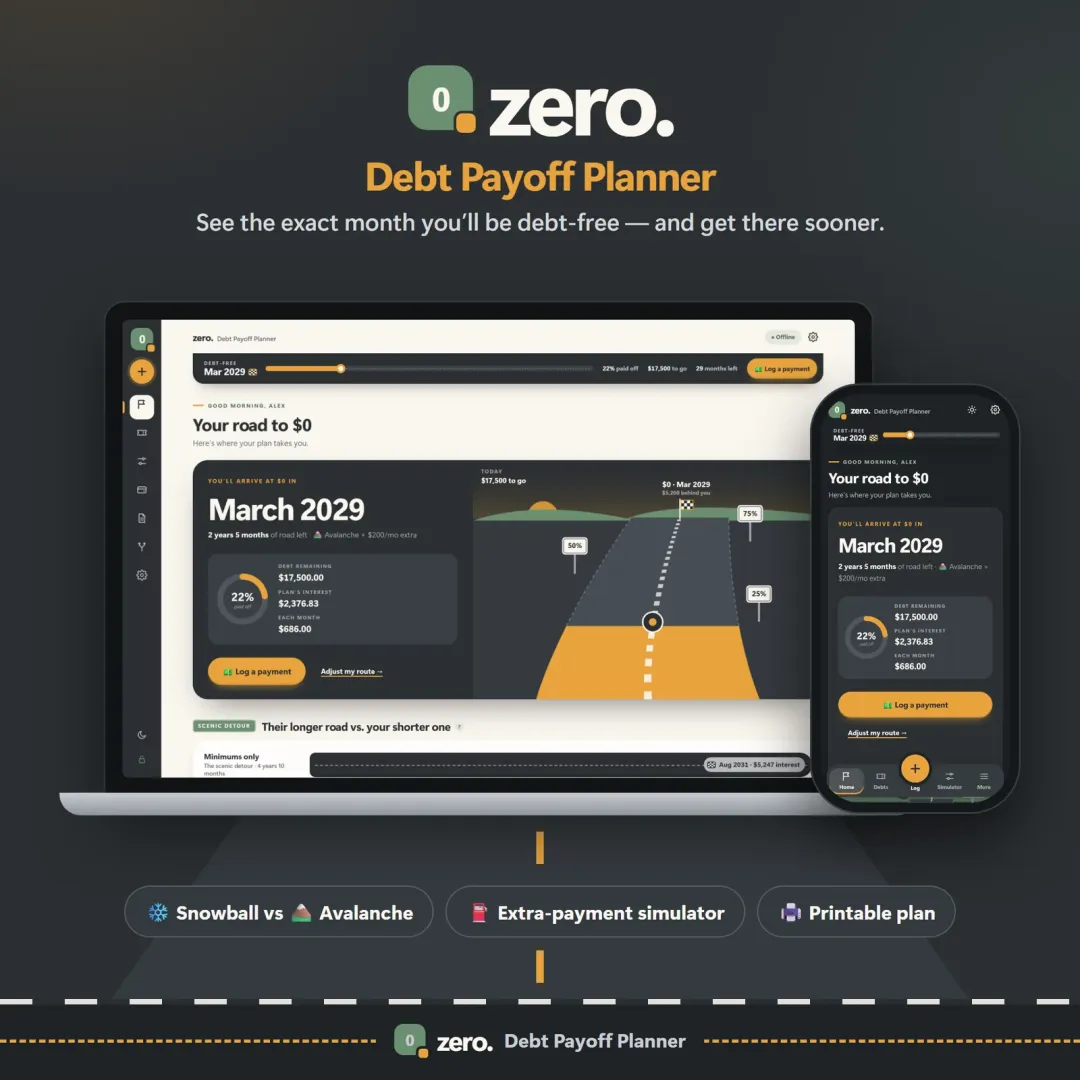
Yes. Flow includes a snowball or avalanche debt plan with your estimated debt-free month. For a deeper, dedicated debt simulator with what-if scenarios, see Zero.

Further reading

Related articles

All articles
Debt Snowball vs Debt Avalanche: Which Pays Off Debt Faster?

Personal Finance

Debt Snowball vs Debt Avalanche: Which Pays Off Debt Faster?

The snowball method pays the smallest balance first; the avalanche method pays the highest interest rate first. Here's how they compare on the same debts, with real numbers — plus the hybrid method and how to choose.

11 min read
What Is a Safe-to-Spend Number (and How Do You Calculate It)?

Personal Finance

What Is a Safe-to-Spend Number (and How Do You Calculate It)?

Your bank balance isn't what you can spend. A safe-to-spend number subtracts bills, savings and planned spending first — here's the formula, worked examples for monthly, weekly and irregular pay, and the mistakes to avoid.

11 min read

More from VaultlyApps

Related projects

All projects
Pulse bill tracker with the 30-day horizon of bill flags and the Penny mascot Live

Pulse

Bill & Subscription Tracker

Every bill and subscription in one calm place — a 30-day horizon of due dates, free-trial countdowns and a simulator that shows what cancelling would save.

Vault personal finance dashboard shown on a laptop and a phone, with the safe-to-spend number and cash-flow charts Live

Vault

Personal Finance Dashboard

Your whole money picture on one private dashboard — safe-to-spend, budgets, bills, goals, debt payoff and net worth, on your phone and laptop.

Zero debt payoff planner with a road leading to a $0 finish flag and the projected debt-free date Live

Zero

Debt Payoff Planner

See your debt-free date, compare the snowball and avalanche methods side by side, and watch extra payments pull the finish line closer.

See Flow in action

The live demo runs in your browser with realistic sample data. Nothing to install, nothing to sign up for.

We use optional cookies for anonymous analytics. Nothing optional is set until you choose. Cookie policy