Monthly Budget Calculator
Line-by-line monthly budget with what's left, savings rate and a 50/30/20 check.
Open calculator Live
Web app (installable PWA)
Bloc by VaultlyApps
A simple budget app for a zero-based monthly budget: give every dollar a block, log spending in two taps, track bills, savings goals and debts, and see your whole month as a poster, on your phone and computer.
Try the live demo to explore the application — it runs right here on VaultlyApps with sample data, no sign-up needed.

Bloc is a simple budget planner app for your phone and computer. Add this month's income, give every dollar a block for your bills, spending, savings and debt until "left to plan" reads $0, then log what you spend in two taps. Your month shows up as a bold poster, so you see at a glance what's used up and what's left. Bill tracker, savings goals, debt payoff dates and plain-words insights included. No account, no bank login, no ads, no subscription.
Most budget apps do too much: dozens of screens, bank connections that break and a monthly fee. Most budget templates do too little and get abandoned after a week. Bloc keeps just the part that works, a zero-based monthly plan and a quick way to log spending, and draws it as one picture you can read in a second.
Add your income, then type a plan next to each block in four groups: bills, spending, savings and debt. "Left to plan" counts down and turns blue at $0. That's a zero-based budget without the jargon.
Every budget line is a block drawn to size: a bigger plan is a bigger block. Spending fills each block from the bottom, over plan shows as amber stripes and unplanned money is a dotted block.
Amount, block, save. Or press N on a keyboard. Spending is listed by day with search, a block filter and spent vs plan for every block, plus a safe-to-spend amount per day.
Bills sit in due-date order on a 31-day strip. One tap marks a bill paid and logs it, so bills paid, left to pay and next due are always in view.
Each goal shows how much to put aside each month to hit its date. Each debt shows an estimated debt-free date and the interest at your planned payment.
Plain-words insights, plan vs actual, six months of income vs spending, a 2-page printable summary and CSV export. A new month copies last month's plan in one click.
Scroll sideways · select to enlarge
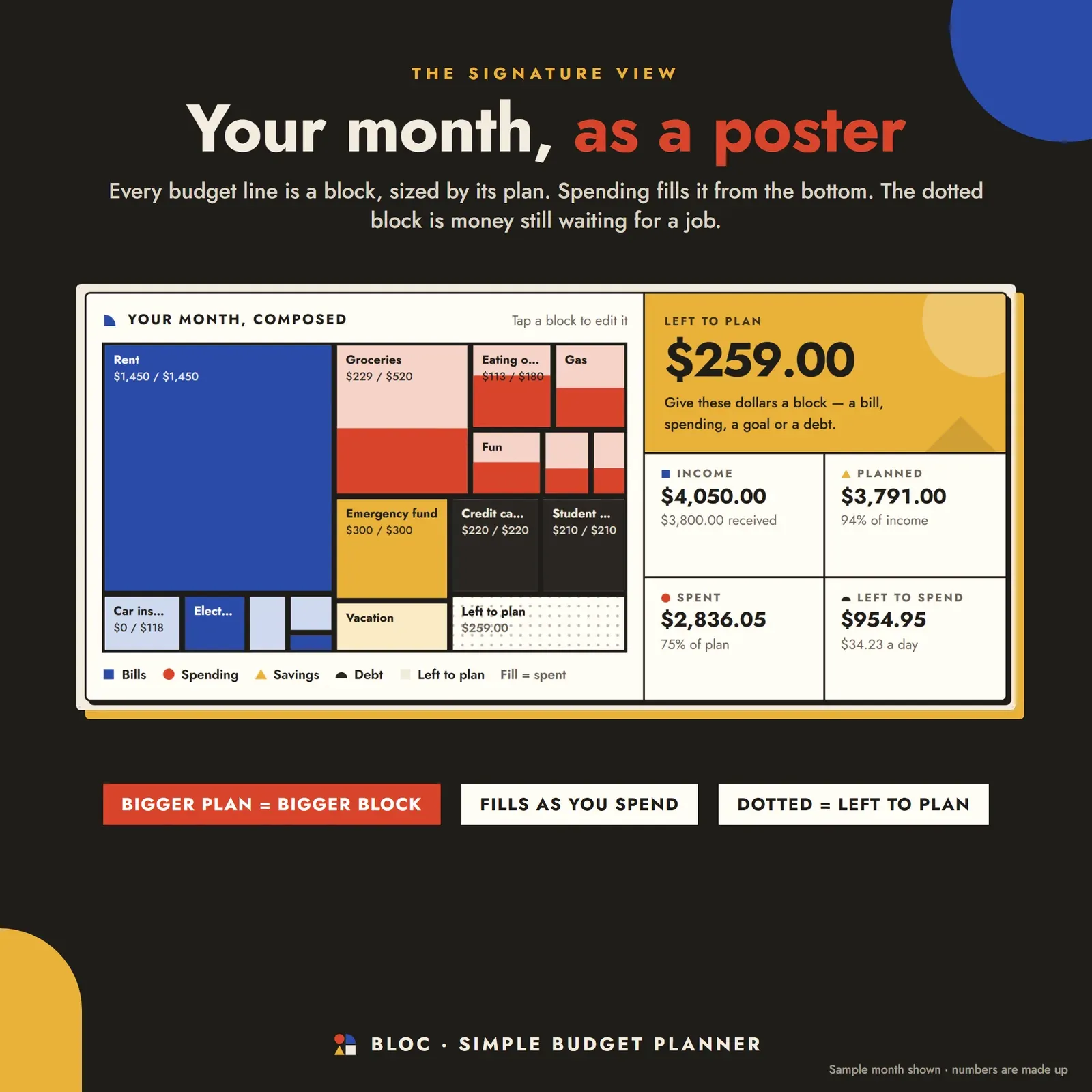
Monthly budget drawn as a poster where every budget line is a block sized by its plan and spending fills it from the bottom
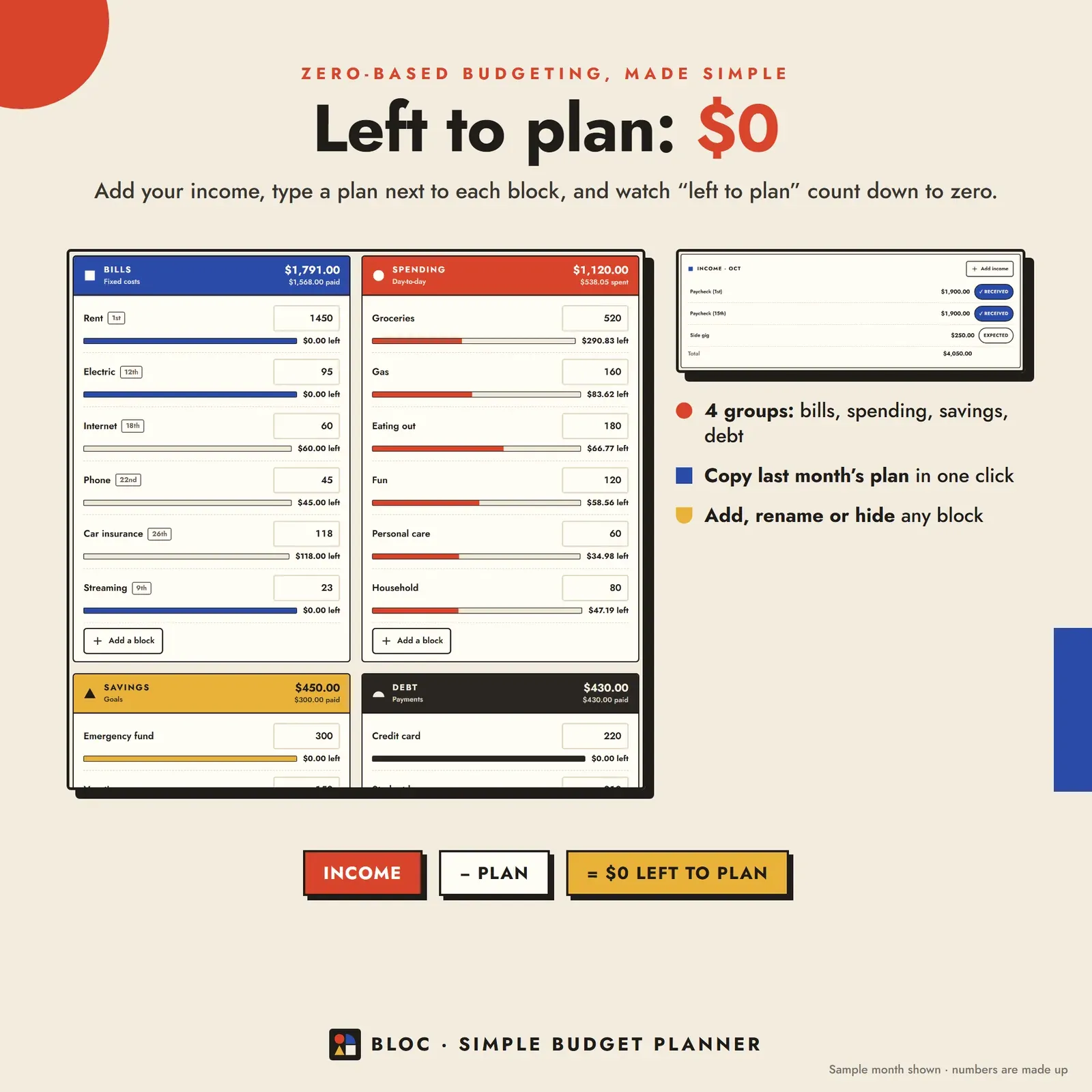
Zero-based budget plan with bills, spending, savings and debt groups and a left to plan amount that counts down to zero

Spending tracker that logs an expense in two taps: the amount and a budget block

Bill tracker with a 31-day due-date strip, bills in due-date order and a one-tap paid button

Savings goals with a monthly amount and debts with an estimated debt-free date
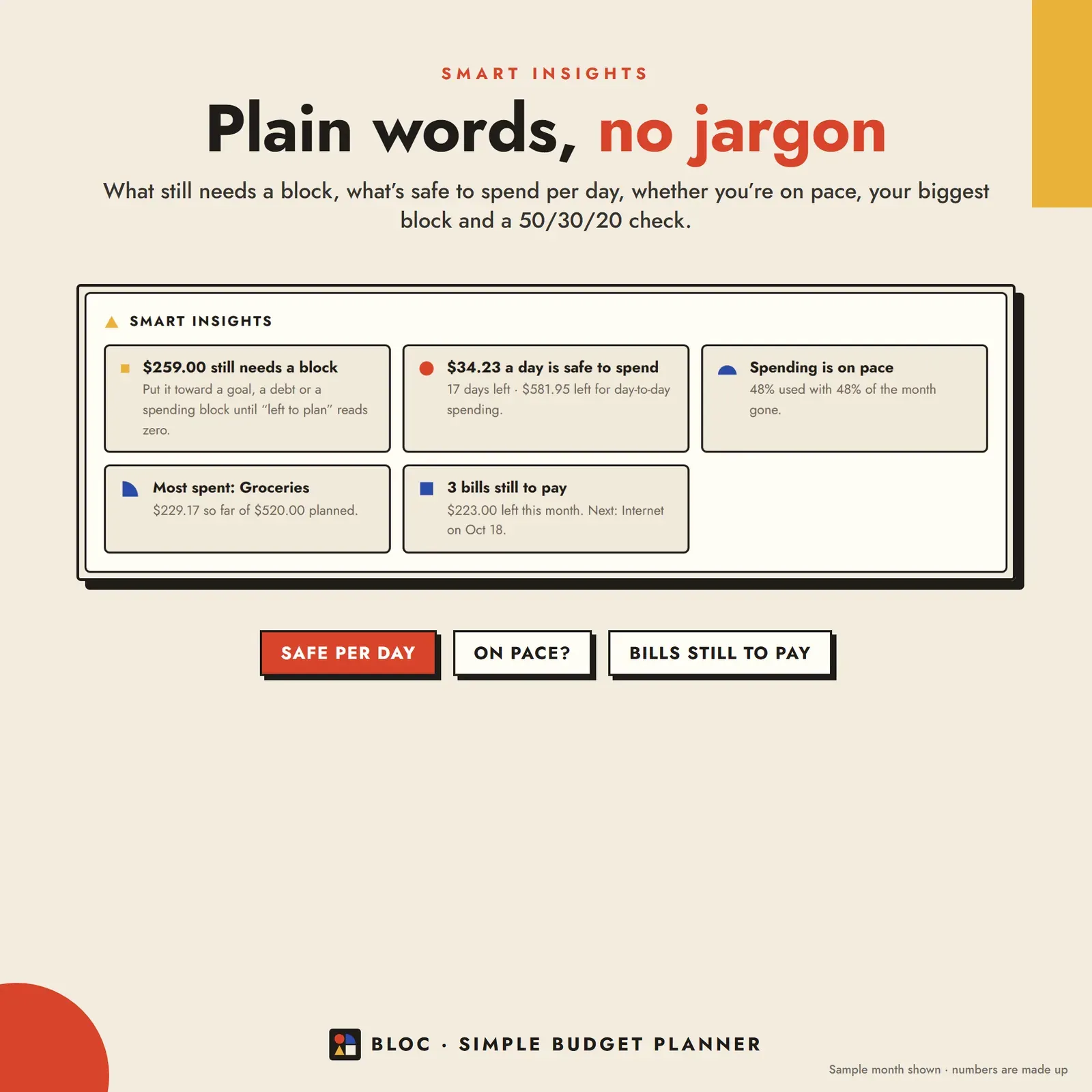
Budget insights in plain words: what still needs a block, safe to spend per day, spending pace and bills still to pay

Expense tracker list grouped by day with search, a block filter and quick add

Monthly budget reports with six months of income vs spending and plan vs actual for every block
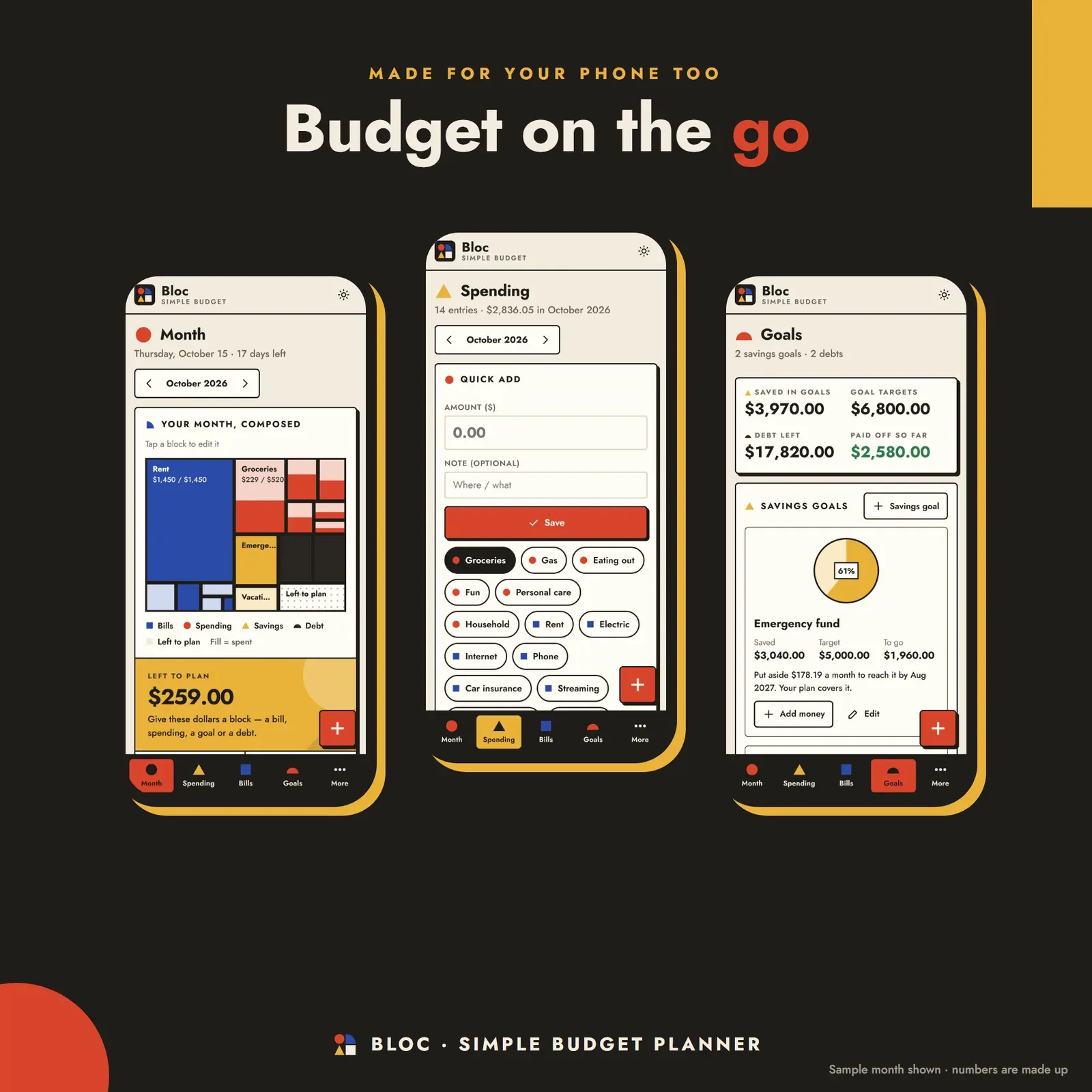
The simple budget planner on a phone: month poster, spending and savings goals
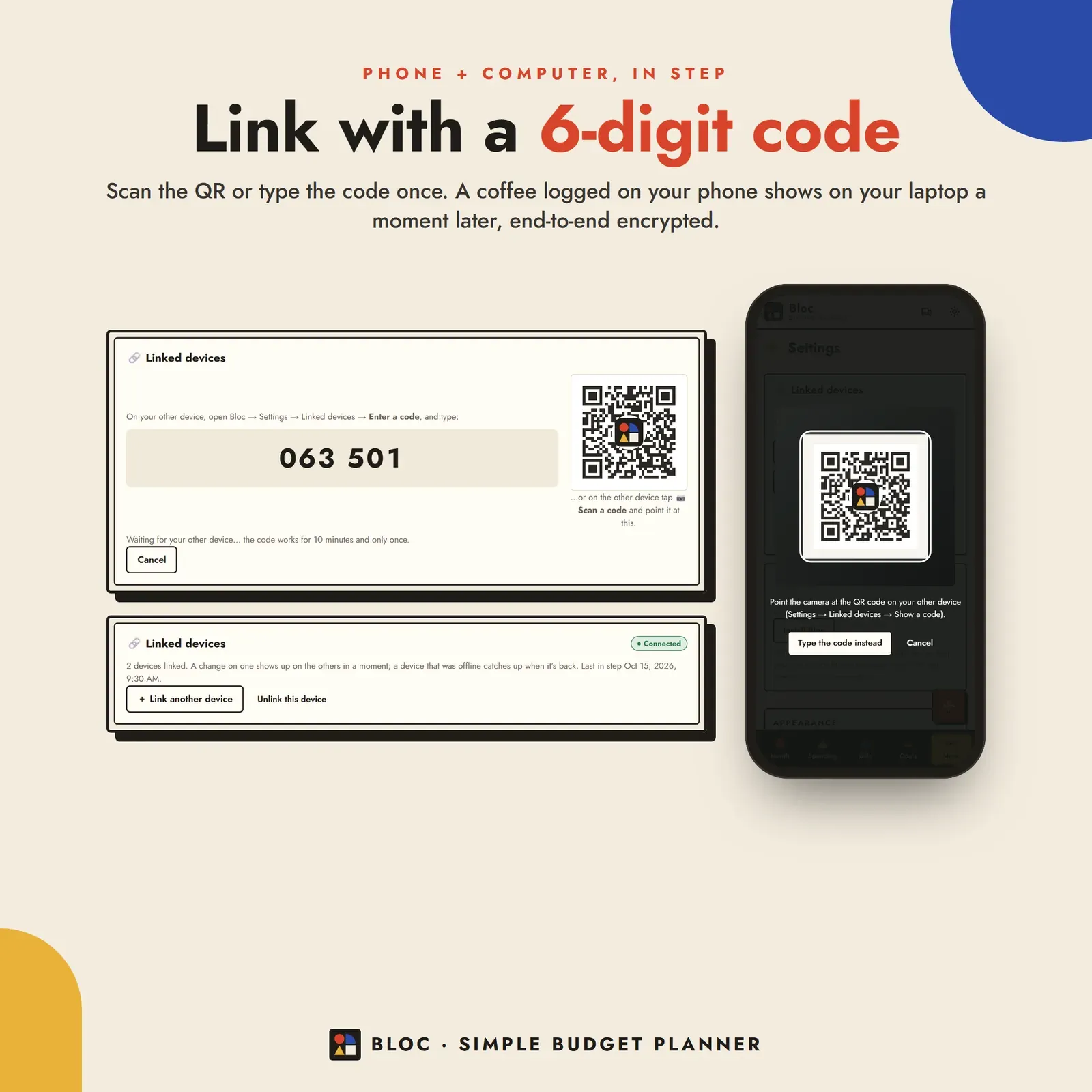
Phone and laptop linked with a 6-digit code or QR so both show the same budget

Three themes for the budget app: Poster, Gallery night (dark) and Blueprint
Try the live demo with a sample month. No sign-up needed.
After buying, open Bloc from your private link and install it on your phone and computer.
Add this month's income and give every dollar a block until "left to plan" is $0.
Log spending as you go, and link your laptop or your partner's phone with a 6-digit code.
Bloc is a simple budget planner app for your phone, tablet and computer. You add this month's income, give every dollar a block for your bills, spending, savings and debt, and log what you spend in two taps. Your whole month shows up as one bold poster: each block is sized by its plan and fills up as you spend, so you can see in a second what's used up and what's left. It installs like an app, works offline and keeps your money data on your own devices. You can try the free demo with a sample month before you buy.
Most people don't quit budgeting because the math is hard. They quit because the app has twenty screens, the bank connection breaks, or the spreadsheet takes an evening to set up every month. A simple budget app keeps only the parts that make a budget work: a plan for this month's money, a fast way to log spending and a clear view of what's left.
Bloc is a monthly budget planner, a spending tracker, a bill tracker and a savings goal tracker in one digital budget planner, without a bank login, an account or a monthly fee. Want something softer? Mochi is our cute budget planner that works payday to payday, Still is our calm budget planner for money anxiety, and Vault is our full personal finance dashboard.
Bloc is built on the zero-based budget method: income minus everything you plan to spend, save or pay off equals zero. In Bloc that means give every dollar a block.
New month? Copy last month's plan and income in one click. Rename, move or hide any block; a hidden block keeps its past spending. New to the method? Our zero-based budget template and example walks through a full month, and budgeting methods compared shows how it stacks up against 50/30/20 and envelopes.
The home screen is Bloc's signature: your month, composed. Every budget line is a block drawn to size, so rent is a big block and streaming is a small one. Spending fills each block from the bottom like water in a glass. Over plan shows as amber stripes, and money you haven't planned yet is a dotted "left to plan" block. Beside it: income, planned, spent, left to spend and a safe-to-spend amount per day, the same idea as a safe-to-spend number.
Logging is amount → block → save. On a computer, press N to log from anywhere. Quick add keeps your usual blocks one tap away. Spending is listed by day with search by block or note, a block filter and spent vs plan for every block. Export a spending CSV for Excel, Numbers or Google Sheets whenever you like. If you want to know where the money goes before you plan, add up your costs with the free expense calculator.
Bills sit in due-date order with a 31-day strip across the top, so you see which days of the month are heavy. One tap marks a bill paid and logs the payment against its block. Bills paid, left to pay and next due stay at the top. Knowing which costs are fixed and which change each month helps here; our guide to fixed vs variable expenses explains how to budget for both, and how to track subscriptions finds the ones that renew quietly.
Each savings goal has a target, what you've saved so far, an optional date and how much to put aside each month to get there. Each debt has a balance, APR and minimum payment, and Bloc estimates your debt-free date and the interest at your planned payment. Every goal and debt has its own block, so a deposit or a payment is just a tap. For big yearly costs, a sinking fund works the same way.
Smart insights tell you what matters this month without charts to decode: how much still needs a block, what's safe to spend per day, whether you're on pace, which bills are still to pay, your biggest spending block and a quick 50/30/20 check. Want to test that split first? Try the 50/30/20 budget calculator.
Reports show a monthly summary, six months of income vs spending, plan vs actual for every block and the year so far. Print a clean 2-page monthly summary (or save it as a PDF), or export your plan and spending as CSV.
There's no account, no ads and no tracking. Your budget lives in your browser on your own devices. Link your phone and laptop once with a 6-digit code or QR, and a spend logged on one shows up on the other a moment later, end-to-end encrypted. A device that was offline catches up as soon as it's back. You can share one budget with your partner the same way. Choose from three themes: Poster, Gallery night (dark) and Blueprint, in any currency.
Bloc works in any modern browser (Safari, Chrome or Edge; Firefox works in a tab). It needs internet the first time you open it on each device, then works offline. It doesn't connect to your bank, never moves money and doesn't send notifications. It's a planning tool, not financial advice. Paying off debt is your main goal? Zero is our debt payoff planner with snowball and avalanche plans. Bills and subscriptions are the problem? Pulse is our bill and subscription tracker.
Free tools
Quick answers with the same maths — then let the app keep them up to date.
Line-by-line monthly budget with what's left, savings rate and a 50/30/20 check.
Open calculatorSplit take-home pay into needs, wants and savings with the 50/30/20 rule.
Open calculatorTurn weekly, monthly and yearly bills into one monthly expenses total.
Open calculatorFurther reading

Personal Finance
What living paycheck to paycheck really means, a 10-step plan to break the cycle, a low income budget example and how to stop overspending without giving up everything.

Personal Finance
Eight popular budgeting methods compared side by side: zero-based, 50/30/20, envelope, pay yourself first, 80/20, paycheck-to-paycheck, kakeibo and the reverse budget. Who each suits, the pros and cons, and how to start budgeting as a beginner.

Personal Finance
The difference between fixed and variable expenses, 40+ examples of each, where irregular and discretionary costs fit, a full budget categories list, and how to budget and track every kind of expense.
More from VaultlyApps
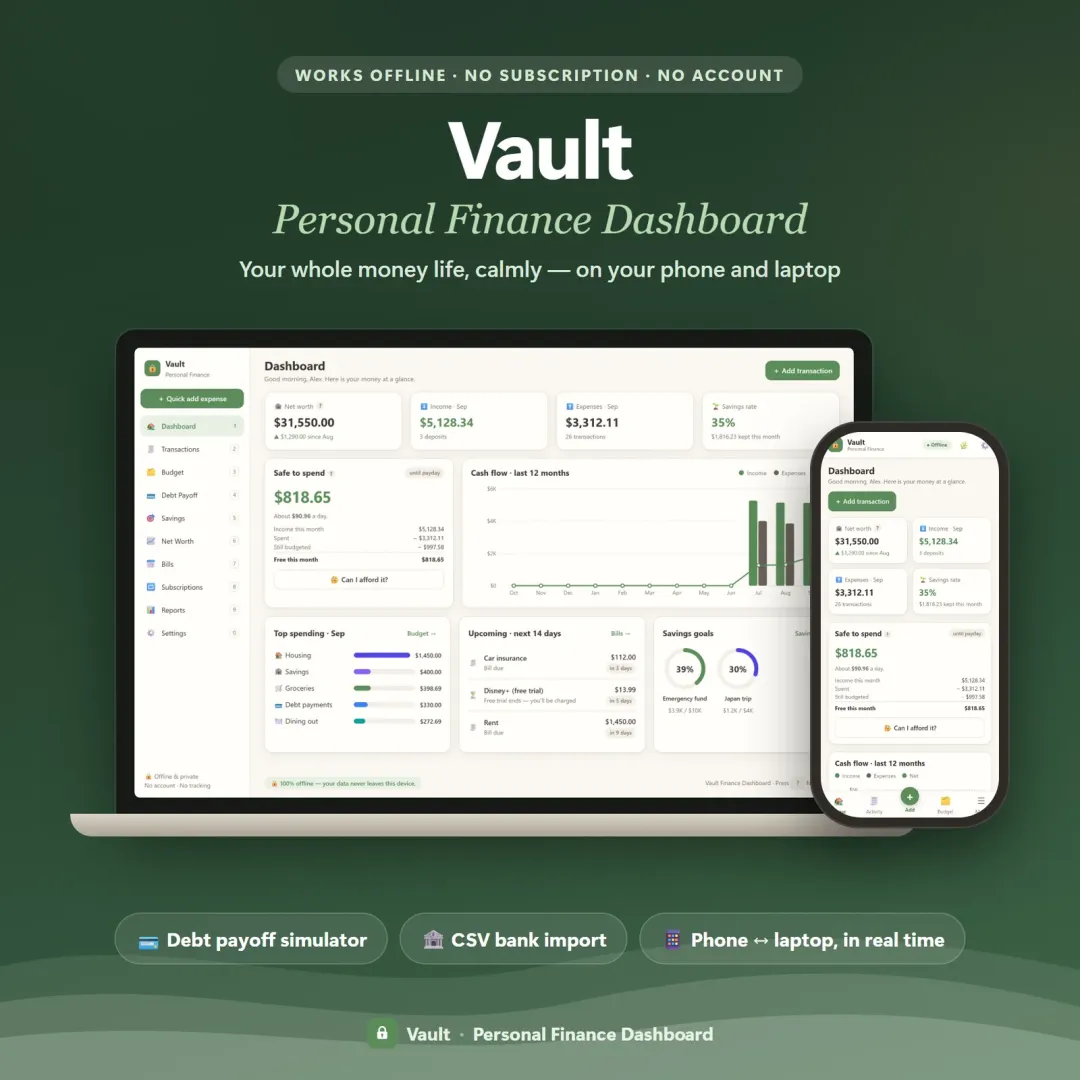 Live
Your whole money picture on one private dashboard — safe-to-spend, budgets, bills, goals, debt payoff and net worth, on your phone and laptop.
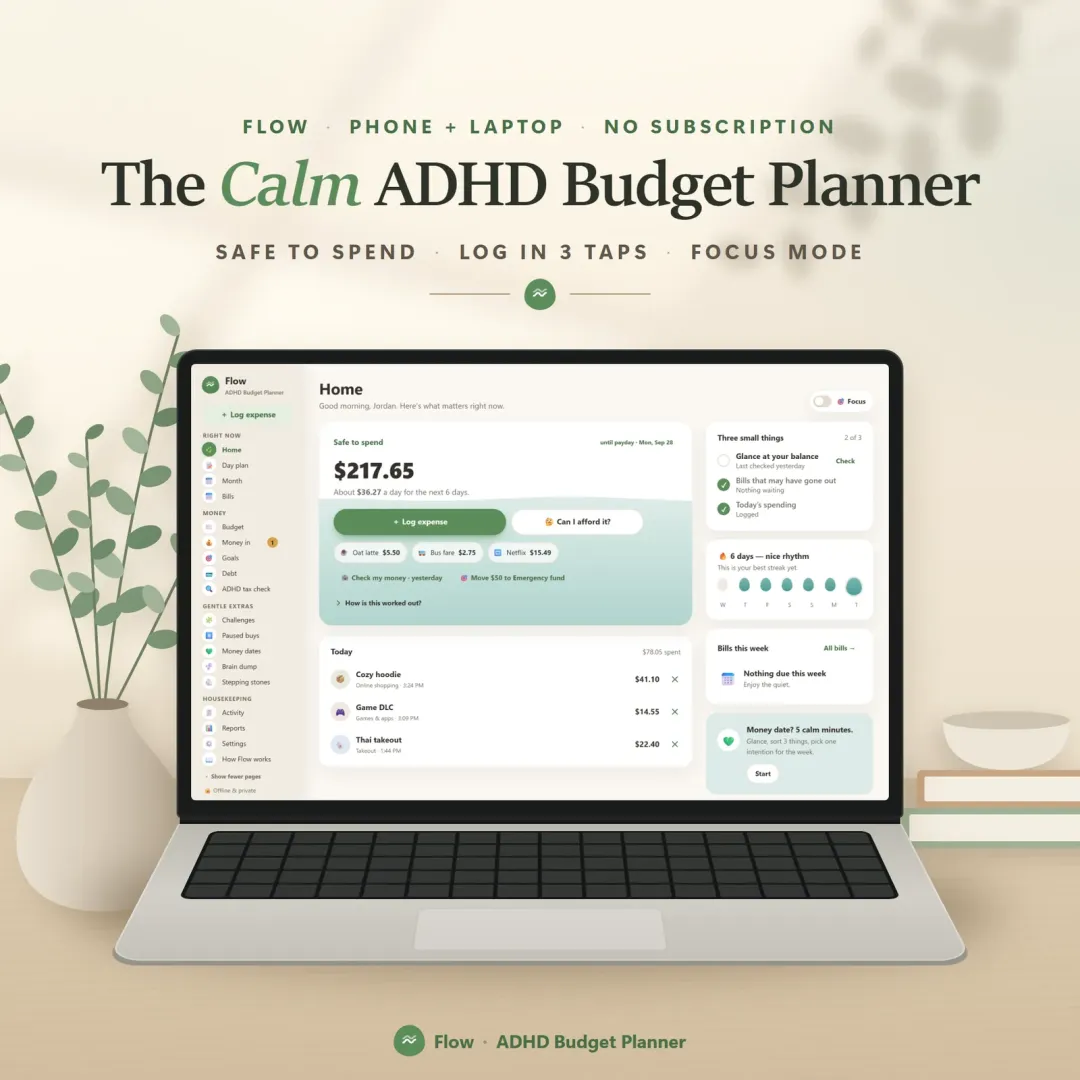 Live
A calm budget planner designed for ADHD brains — one Safe to Spend number, 3-tap logging, focus mode and kind overspend fixes instead of red warnings.
 Live
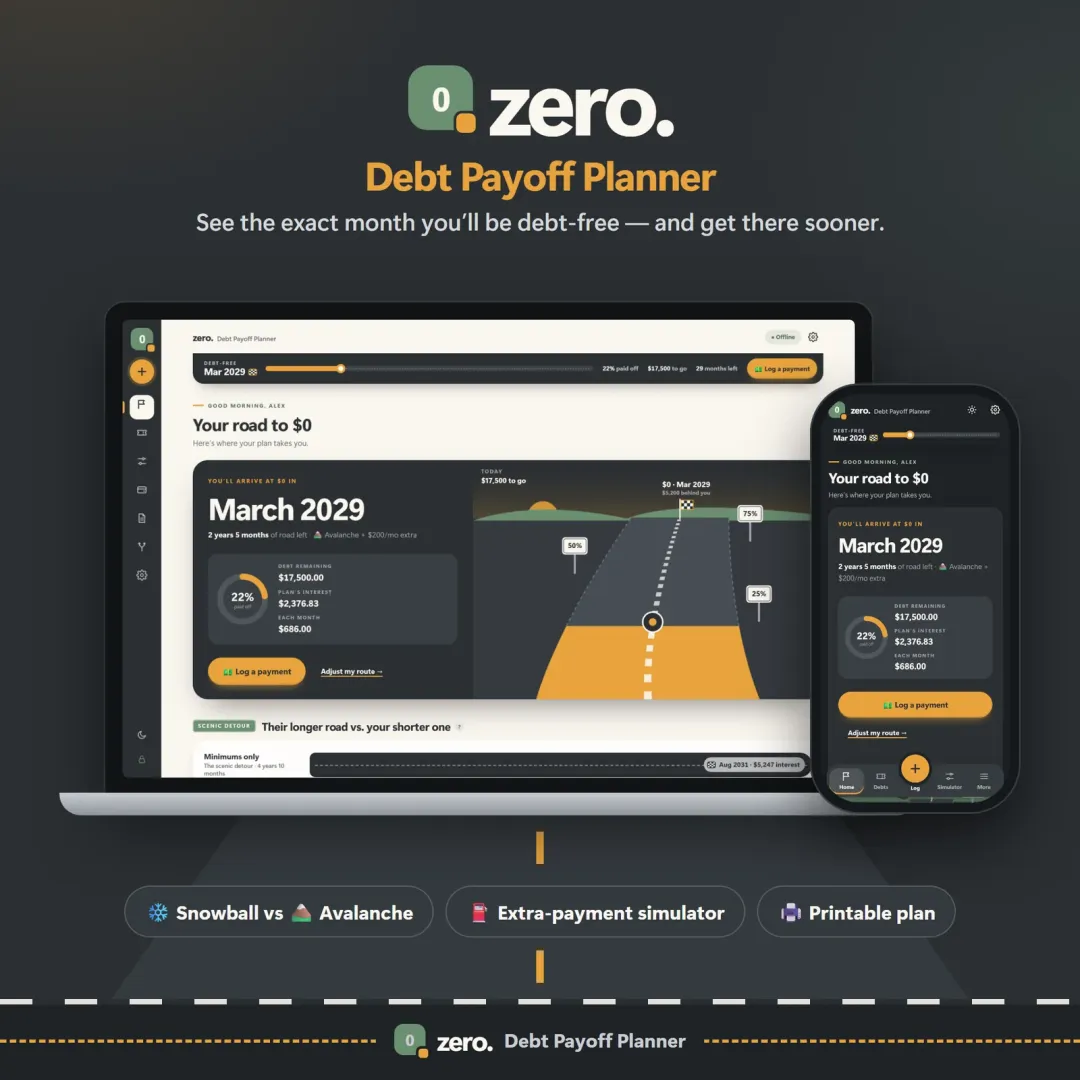
See your debt-free date, compare the snowball and avalanche methods side by side, and watch extra payments pull the finish line closer.
The live demo runs in your browser with realistic sample data. Nothing to install, nothing to sign up for.
We use optional cookies for anonymous analytics. Nothing optional is set until you choose. Cookie policy
This site currently uses no analytics or advertising cookies. It only remembers your light/dark preference in your own browser.
Essential
Theme preference and this choice. Always on.