
52-Week Savings Challenge Calculator
Your weekly 52-week challenge chart with dates — classic, $5, reverse or goal-based.
Open calculator Live
Web app (installable PWA)
Mochi by VaultlyApps
A cute budget planner app that shows what's left to spend until payday, with a 2-tap expense tracker, a bill tracker, colour-in savings pictures, savings challenges and a no spend tracker, on your phone and computer.
Try the live demo to explore the application — it runs right here on VaultlyApps with sample data, no sign-up needed.

Mochi is a cute budget planner app for your phone and computer. It shows what's really left to spend until payday after your bills and savings come out first, and Mochi the little purse makes a face that follows your spending pace. Log a spend in two taps, check "Can I afford it?" before you buy, tick off bills, colour in a picture for every savings goal, and run the 100 envelope challenge, the 52 week challenge or a no-spend month. No account, no bank login, no ads, no subscription.
Most budget apps look like a bank statement, and most budget spreadsheets look like homework, so they get opened for a week and then forgotten. Mochi is a kawaii budget planner that makes the boring part small and the good part visible: one big number for what's left until payday, two taps to log a spend, and savings goals you can actually watch fill up with colour.
Tell Mochi your take-home pay and how often you're paid. Bills due before payday and your savings are set aside first, so the big number is what's truly yours, with left for today, a daily amount and days to payday.
Mochi's face follows your spending pace: joy, happy, calm, a bit worried, oops and a payday party. Gentle, never shaming. A pace chart shows your spending against an even pace.
Tap +, type the amount, pick a category sticker. Your latte, the bus and lunch out become one-tap usuals. Soft category plans with progress bars and CSV export.
Every savings goal is a colour-by-number picture: each time you save, the next numbered part fills with colour. 14 pictures, debt pictures that fill as you pay a debt off, and finished ones framed in your sticker book.
The 100 envelope challenge ($5,050), 50 envelopes, the 52 week challenge, $1,000 in 30 days or your own. Roll the dice or scratch a gold card to pick the next amount.
A bill tracker split into before payday and next pay period, a one-minute payday reset, and a calendar with payday coins, bill tags and hearts on no-spend days.
Scroll sideways · select to enlarge
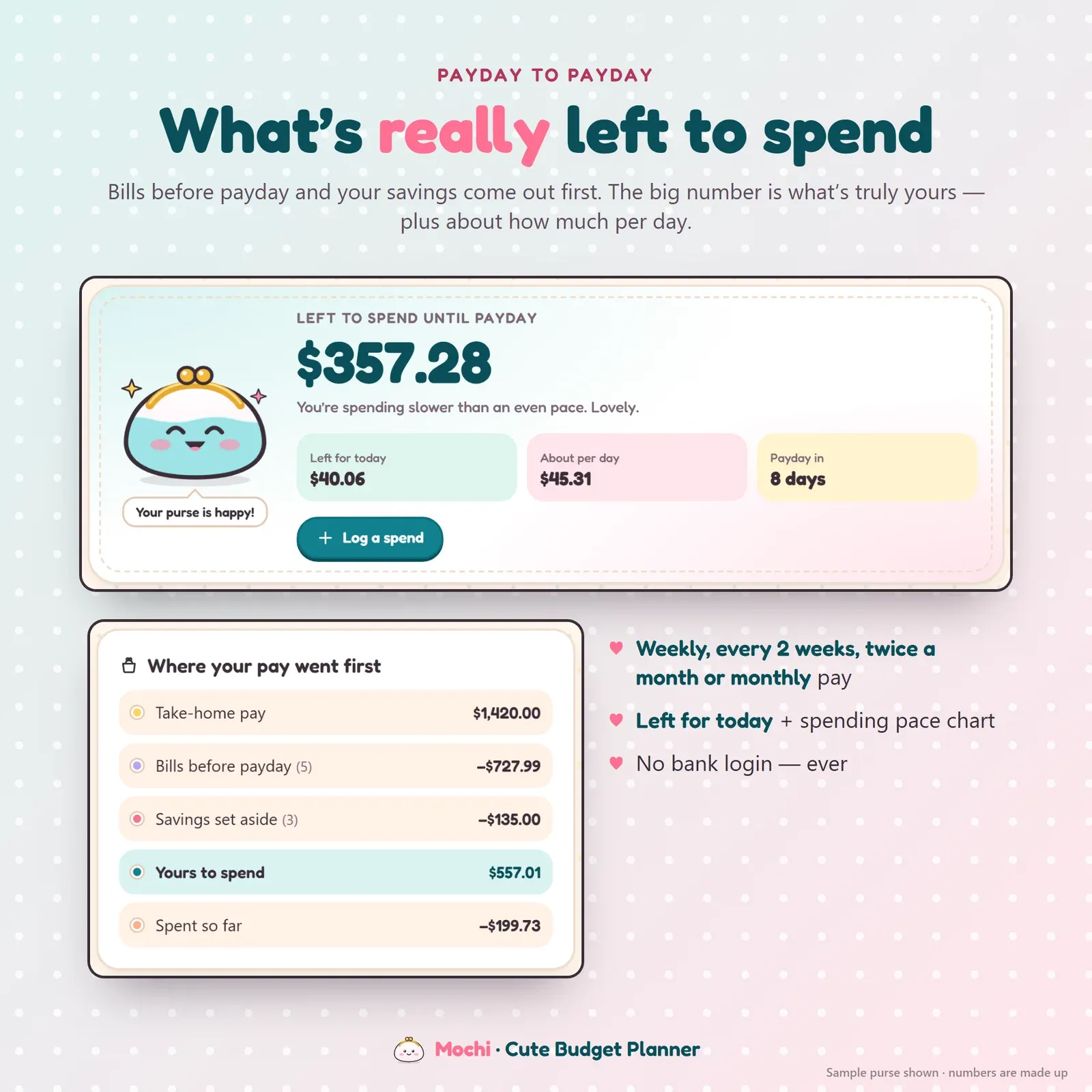
Budget home screen with the amount left to spend until payday, left for today, a daily amount and where the pay went first
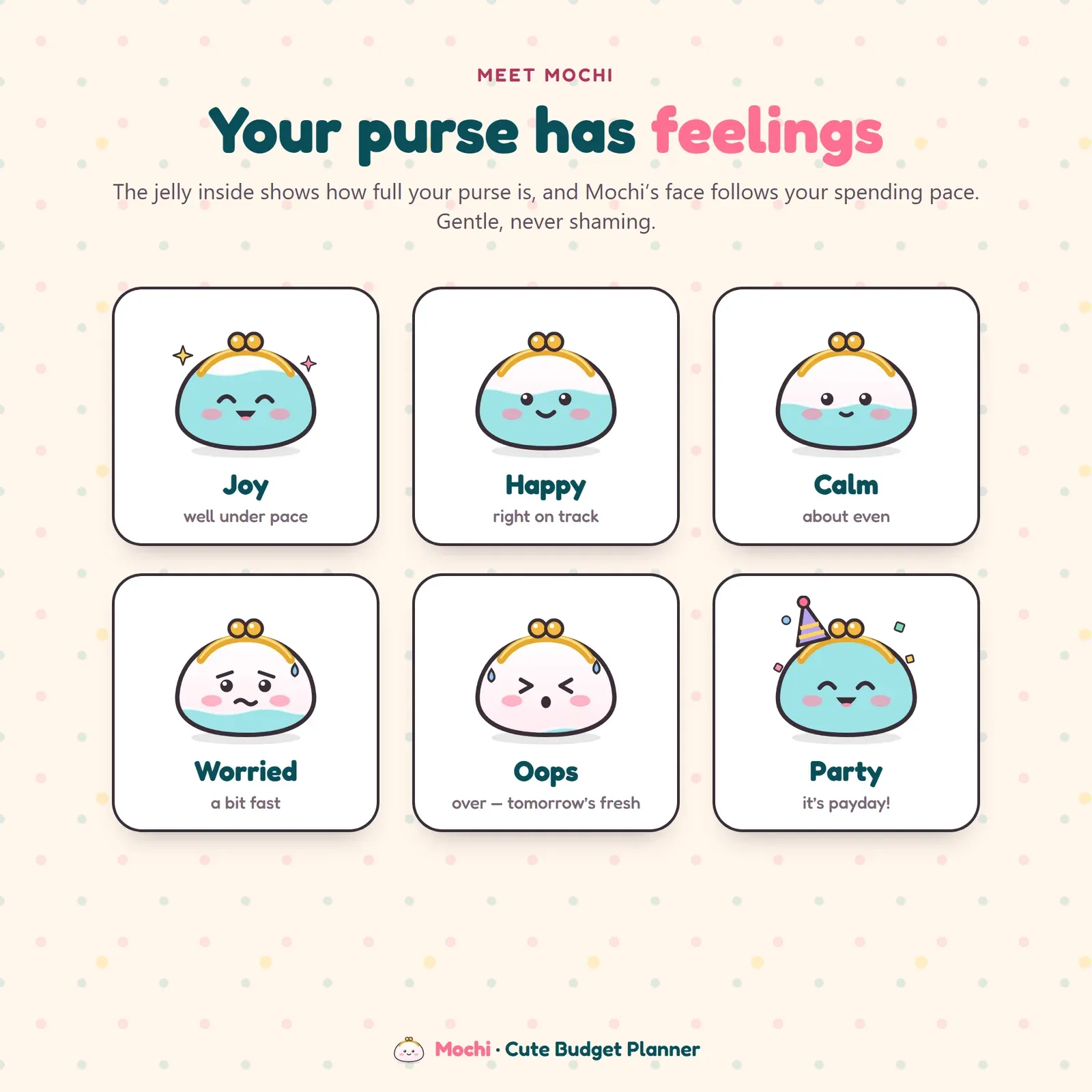
Six moods of a kawaii purse mascot that follow your spending pace: joy, happy, calm, worried, oops and party
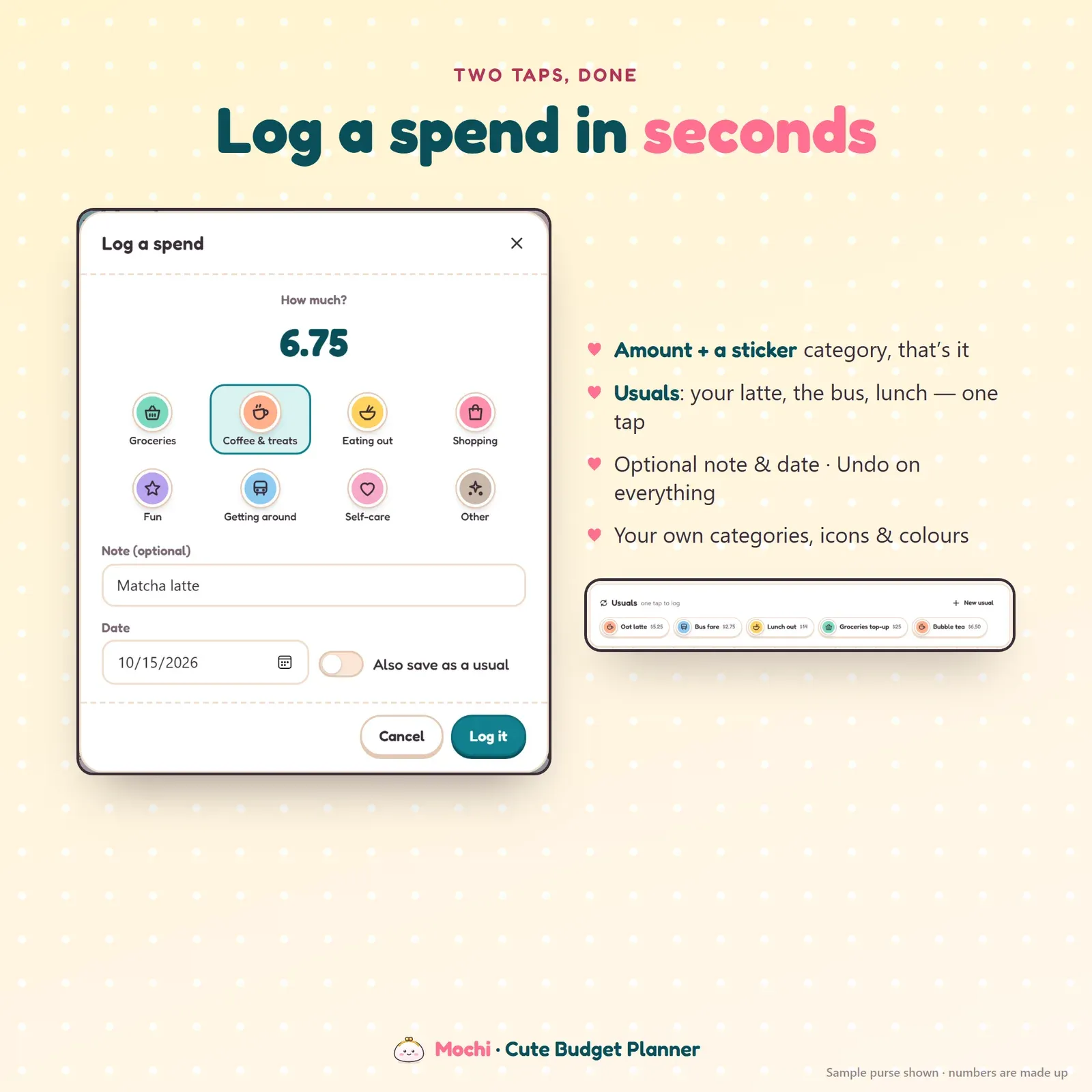
Expense tracker that logs a spend in two taps: the amount and a category sticker, with one-tap usuals
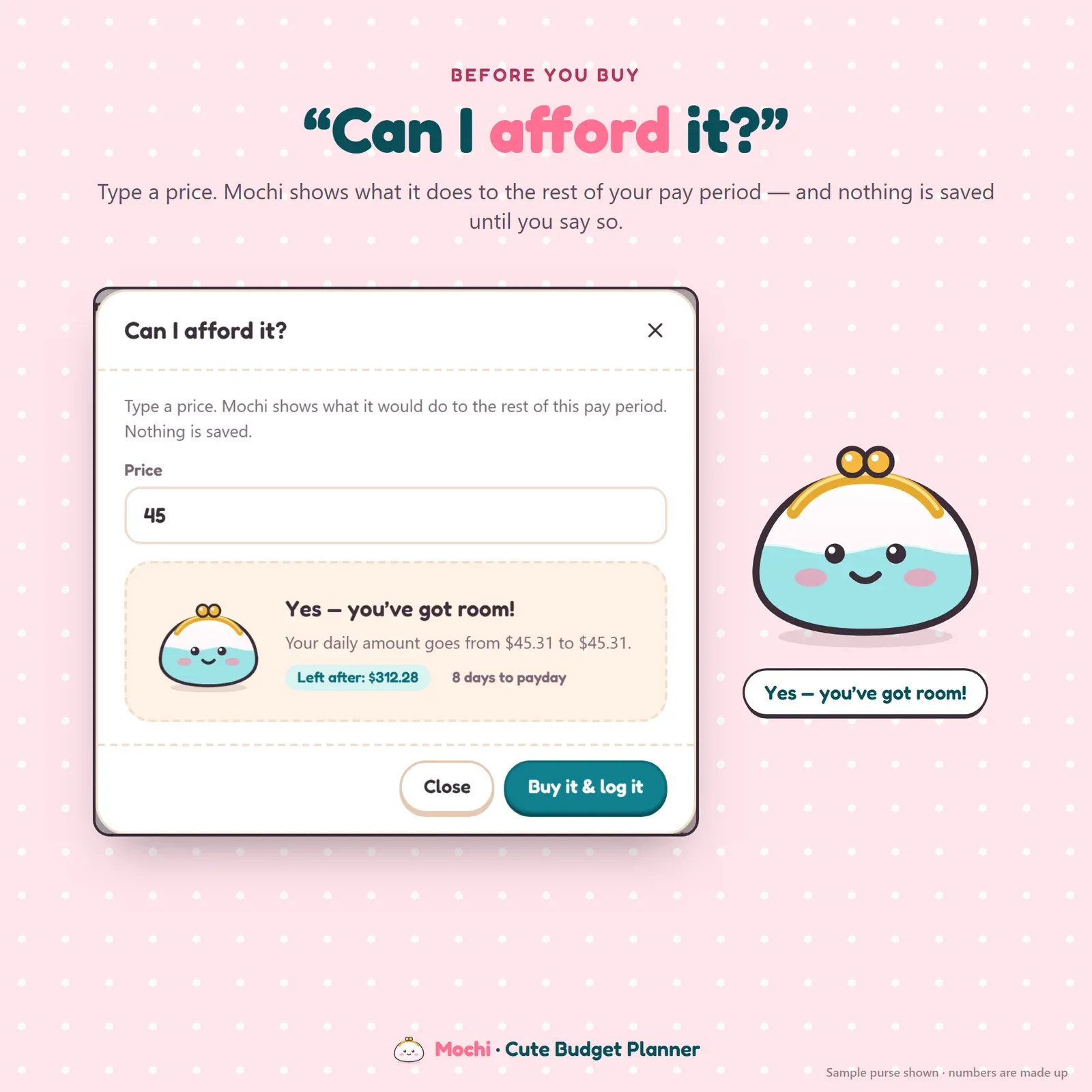
Can I afford it check that shows what a price does to the rest of the pay period before you buy

Savings tracker where each goal is a colour-by-number picture that fills in as you save

Fourteen savings and debt pictures to colour in, from a beach trip and Paris to a home, a car and a piggy bank

100 envelope challenge grid with coloured envelopes, plus roll the dice and scratch card pickers for the next amount
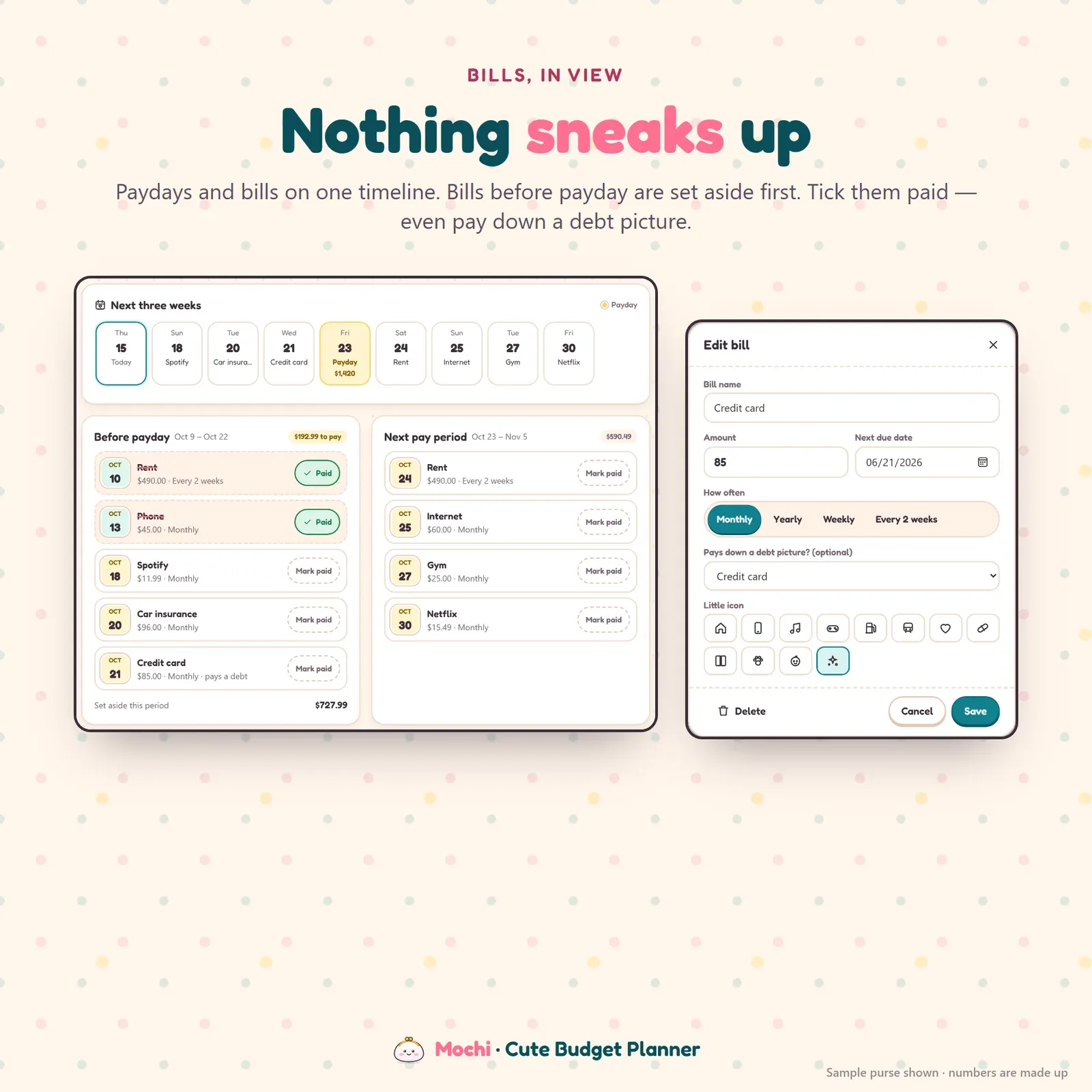
Bill tracker with paydays and bills on one timeline, split into before payday and next pay period
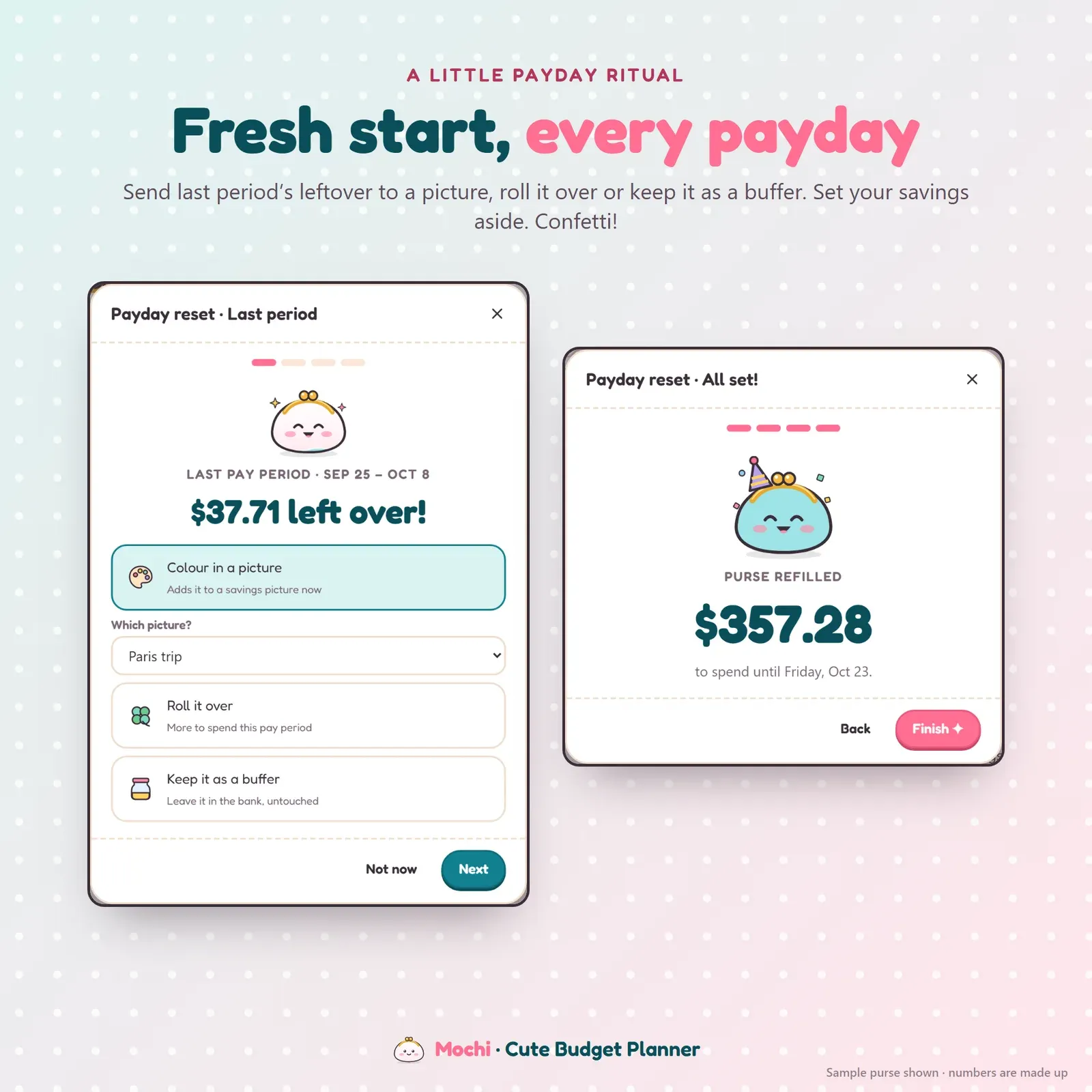
Payday reset that sends last period's leftover to a savings picture, rolls it over or keeps it as a buffer
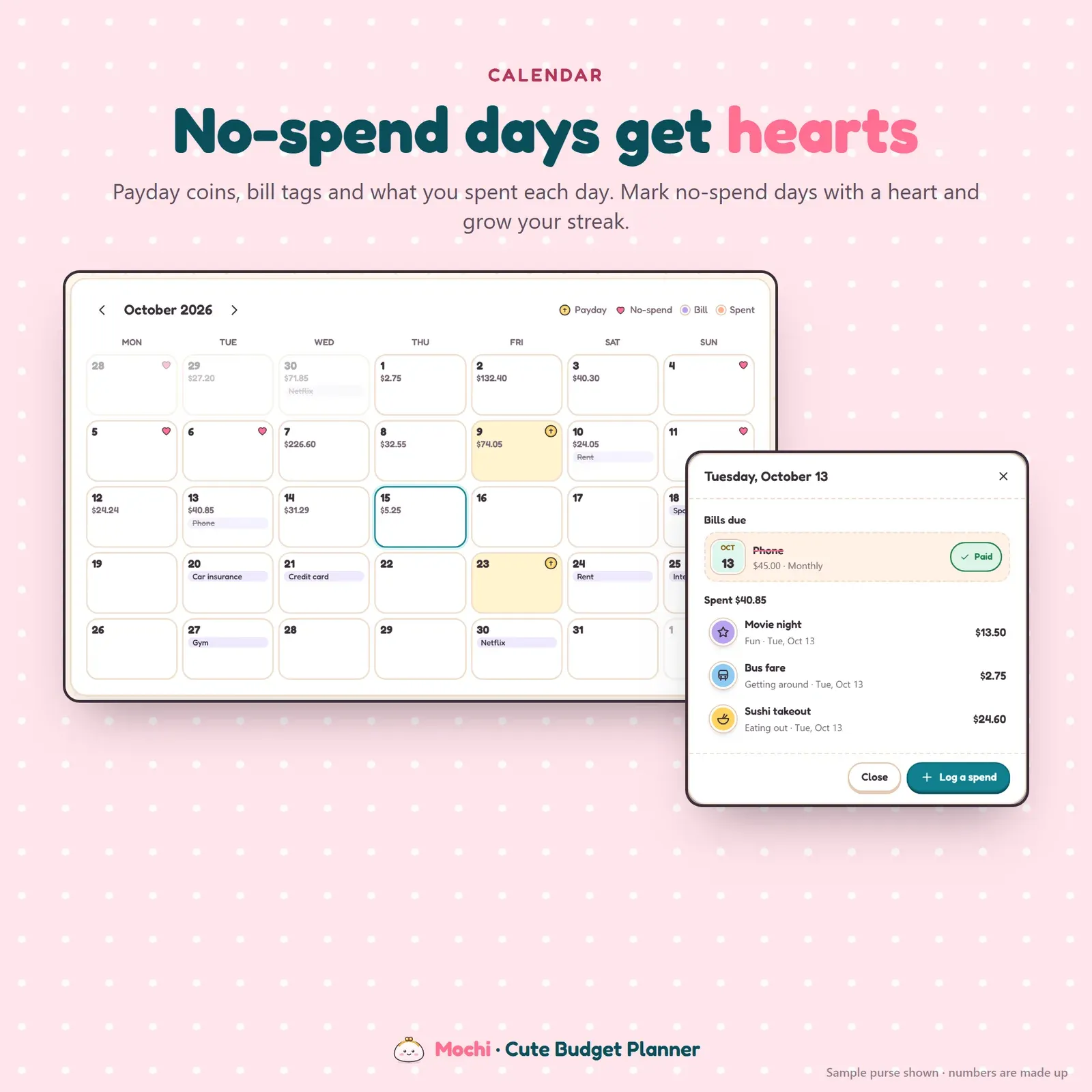
Budget calendar with payday coins, bill tags, daily spending and hearts on no-spend days
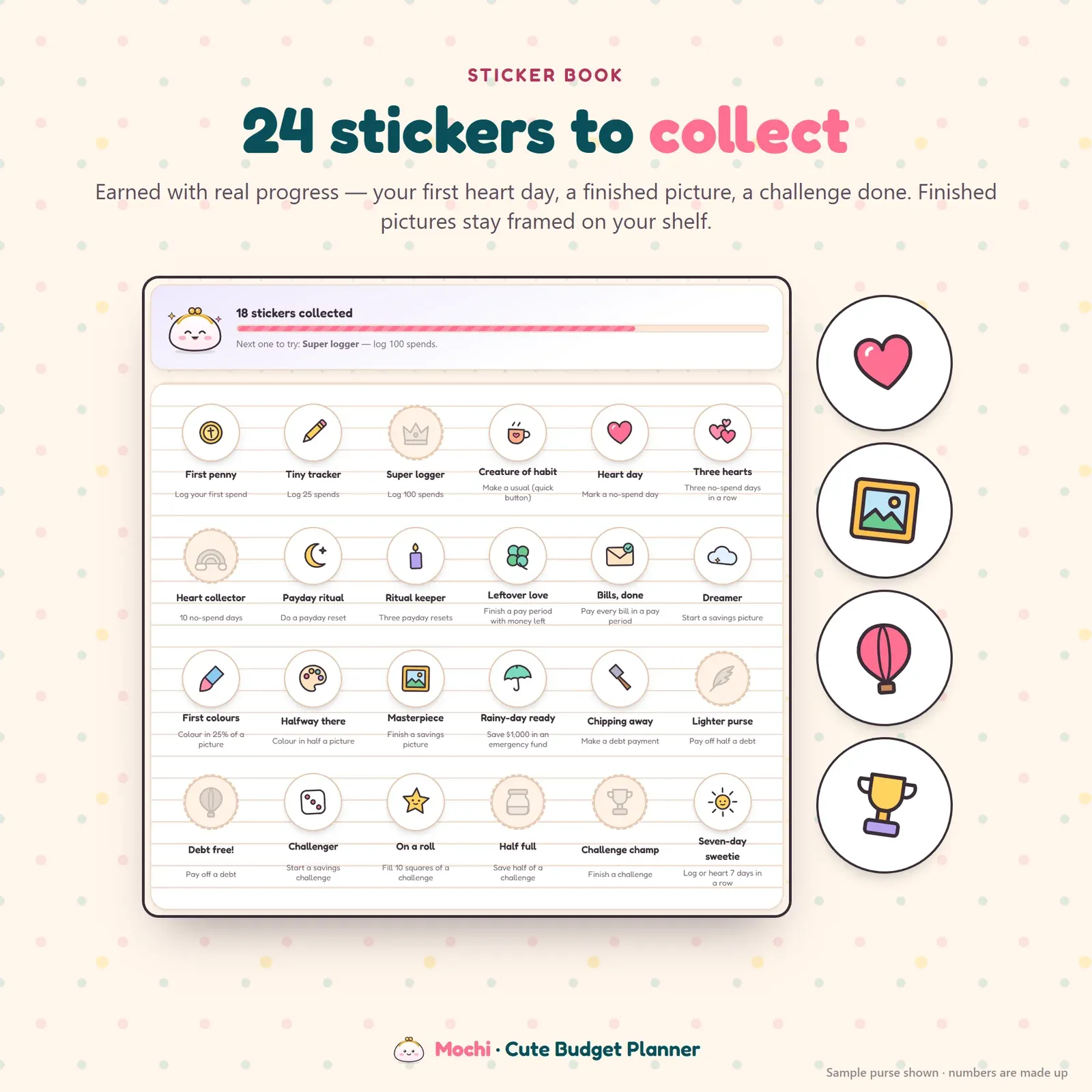
Sticker book with 24 stickers earned for real budgeting progress

The cute budget planner on a phone: purse, savings pictures and spending
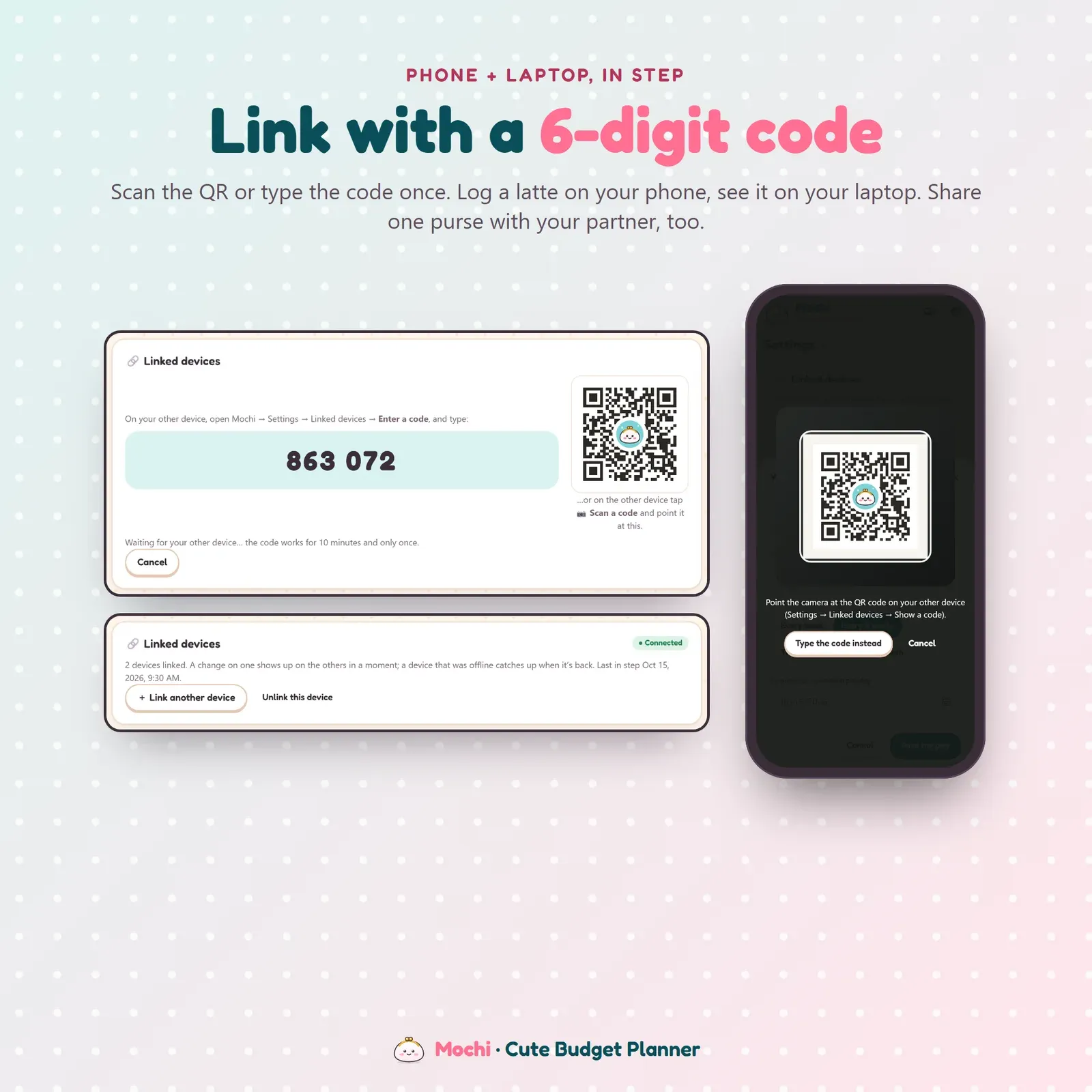
Phone and laptop linked with a 6-digit code or QR so both show the same budget

Four pastel themes: Ramune, Sakura, Melon soda and Midnight snack (dark)
Try the live demo with a sample budget. No sign-up needed.
After buying, open Mochi from your private link and install it on your phone and computer.
Add your take-home pay, how often you're paid, your bills and a first savings picture.
Log spending as you go, and link your laptop or your partner's phone with a 6-digit code.
Mochi is a cute budget planner app for your phone, tablet and computer. It shows what's really left to spend until payday, logs a spend in two taps, keeps your bills in view and turns every savings goal into a picture you colour in. Mochi the little purse watches your spending pace and makes a face to match: happy when you're on track, a bit worried when you're spending fast, never shaming. It installs like an app, works offline and keeps your money data on your own devices. You can try the free demo with a sample budget before you buy.
Budgeting doesn't fail because the math is hard. It fails because the app or spreadsheet is boring to open, so you stop opening it. A kawaii budget planner gives you a small reason to come back every day: a purse with feelings, stickers for real progress and savings goals you can watch fill up with colour.
Mochi is cute on the outside and practical underneath. It's a paycheck budget, an expense tracker, a bill tracker and a savings tracker in one digital planner, without a bank login, an account or a monthly fee. If money worries are the real problem, Still is our calm budget planner for financial anxiety, and Vault is our full personal finance dashboard.
Tell Mochi your take-home pay and how often you're paid: weekly, every two weeks, twice a month or monthly. Bills due before payday and your savings are set aside first, so the big number on Home is what's truly yours to spend. Under it you see what's left for today, about how much you can spend per day and how many days are left until payday. A spending pace chart compares your spending with an even pace across the pay period.
Mochi the purse fills up and empties with your money, and her face follows your pace: joy, happy, calm, worried, oops, and a party on payday. The idea is the same as a safe-to-spend number: one honest figure you can check in a second.
Before you buy, type the price into "Can I afford it?" and Mochi shows what it would do to the rest of your pay period: the new amount left, the new daily amount and how many days are left. Nothing is saved until you say so. It's a gentle pause that works far better than a rule, and pairs well with our tips on how to stop impulse buying.
Tap +, type the amount and pick a category sticker. That's it. Your everyday spends (the latte, the bus, lunch out) become one-tap usuals. Spending is grouped by pay period and day, with note search and earlier periods one tap away. Each category can have a soft plan with a progress bar, and you can make your own categories with a name, icon and sticker colour. Export to CSV for Excel, Numbers or Google Sheets whenever you like.
Every savings goal in Mochi is a colour-by-number picture. Each time you put money aside, the next numbered part fills with colour, so a beach trip, a new laptop or a rainy-day fund grows in front of you. Choose from 14 pictures: a beach trip, Paris, a laptop, a rainy-day umbrella, a car, a home, a ring, a gift, a pet, a camera, a plant, a piggy bank, a hot air balloon and a summit.
Set an amount for each payday and an optional ready-by date, and Mochi tells you what each payday needs. Debt pictures work the other way round: they fill up as you pay a debt down, and if you link a bill such as your credit card payment, marking the bill paid adds the payment for you. Finished pictures stay framed in your sticker book. Want to see a printable version first? Make one with our free printable savings tracker, or work out the numbers with the savings goal calculator.
Mochi has the popular money saving challenges built in:
Can't decide which envelope to do next? Roll the dice or scratch a gold card to pick it. Link a challenge to a savings picture and every square you fill colours the picture in too. New to these? Start with our guides to savings challenges and the 100 envelope challenge, or try the 100 envelope challenge tracker and the 52-week savings challenge calculator.
The bill tracker handles monthly, yearly, weekly and every-two-weeks bills. Mochi splits them into bills due before payday and bills that belong to the next pay period, and paydays and bills sit together on one timeline. Tick a bill paid and it moves out of the way. Forgotten subscriptions are a classic budget leak, and our guide on how to track subscriptions covers how to find them.
On payday Mochi runs a one-minute payday reset. Send whatever was left from the last pay period to a savings picture, roll it over or keep it as a buffer, then set your savings aside for the new period. You can skip it any time. It's the tidy moment most budgets are missing, and money you put aside for big yearly costs works just like a sinking fund.
The calendar shows payday coins, bill tags and what you spent each day. Every day with no spending gets a heart, and Mochi counts your streak, so it works as a no spend tracker for a no-spend weekend or a full no-spend month. Our guide to the no spend challenge has the rules, a 30-day plan and ideas for free things to do.
The sticker book holds 24 stickers you earn with real progress: your first payday, a finished picture, a challenge done, a no-spend streak. They're small rewards, but they're the reason people keep opening a budget app in month three.
There's no account, no ads and no tracking. Your budget lives in your browser on your own devices. Link your phone and laptop once with a 6-digit code or QR, and a spend logged on one shows up on the other a moment later, end-to-end encrypted. A device that was offline catches up as soon as it's back. You can share one purse with your partner the same way. On a computer everything sits in a sticker-sheet sidebar; on a phone, in a bottom bar with a floating coin button. Choose from four themes: Ramune, Sakura, Melon soda and Midnight snack (dark).
Mochi works in any modern browser (Safari, Chrome or Edge; Firefox works in a tab). It needs internet the first time you open it on each device, then works offline. It doesn't connect to your bank, never moves money and doesn't send notifications. It's a planning tool, not financial advice. It also makes a sweet money planner gift for a student, a first job or a couple's first home. Saving is your main goal? Nest is our savings challenge tracker with 52-week, 365-day and no-spend challenges.
Free tools
Quick answers with the same maths — then let the app keep them up to date.
Your weekly 52-week challenge chart with dates — classic, $5, reverse or goal-based.
Open calculatorTrack the 100 envelope challenge and see what you've saved.
Open calculatorMake a colour-in savings chart for any goal and print it.
Open calculatorFurther reading

Personal Finance
Eight popular budgeting methods compared side by side: zero-based, 50/30/20, envelope, pay yourself first, 80/20, paycheck-to-paycheck, kakeibo and the reverse budget. Who each suits, the pros and cons, and how to start budgeting as a beginner.

Personal Finance
How the 100 envelope challenge works, how much it saves ($5,050), the rules, weekly, biweekly and monthly schedules, smaller and bigger versions, a printable chart and where to keep the money.

Personal Finance
15 money saving challenges compared, from the 52 week and 100 envelope challenges to the 50 envelope, $1,000 in 30 days and no spend challenges, with how much each one saves, who it suits and how to track it.
More from VaultlyApps
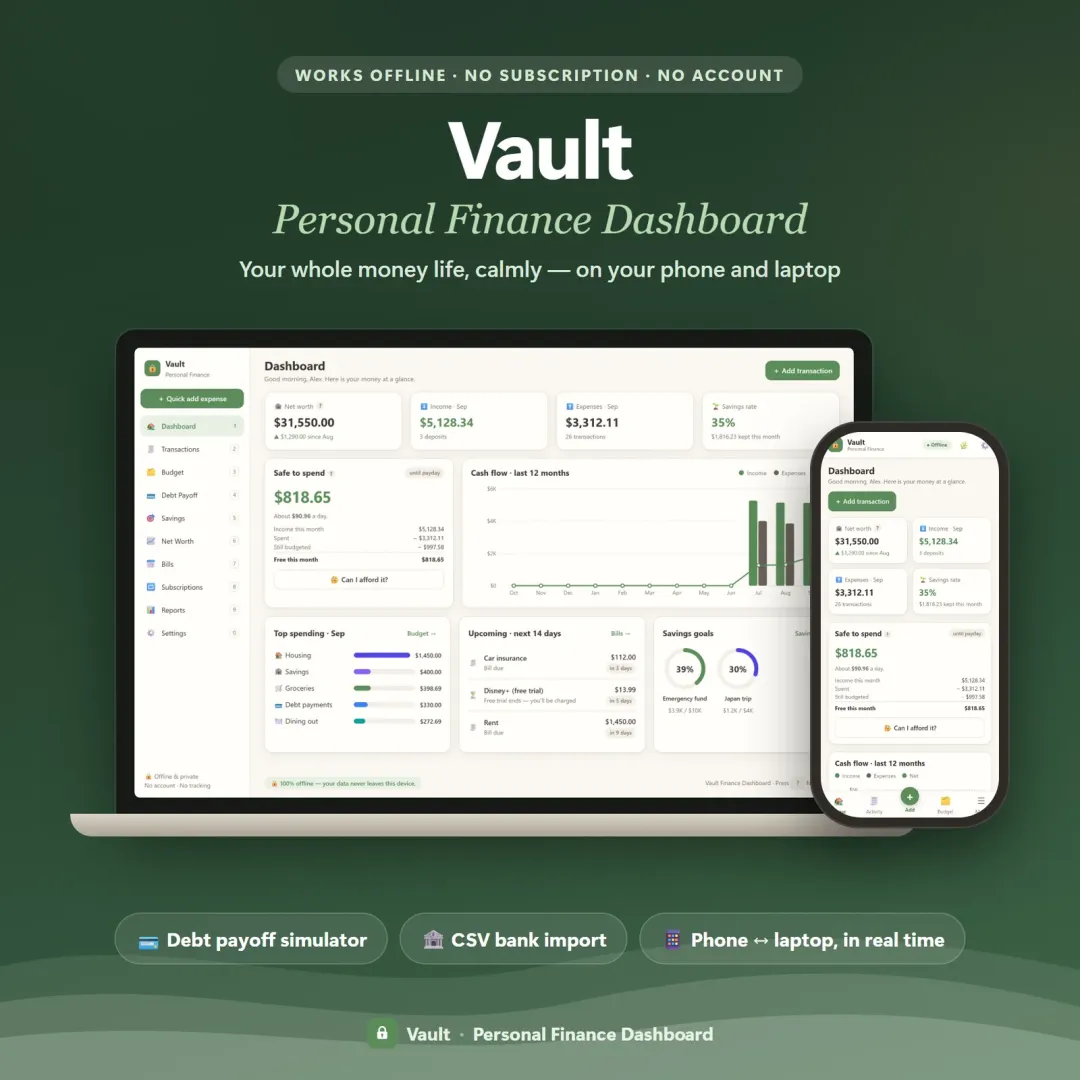 Live
Your whole money picture on one private dashboard — safe-to-spend, budgets, bills, goals, debt payoff and net worth, on your phone and laptop.
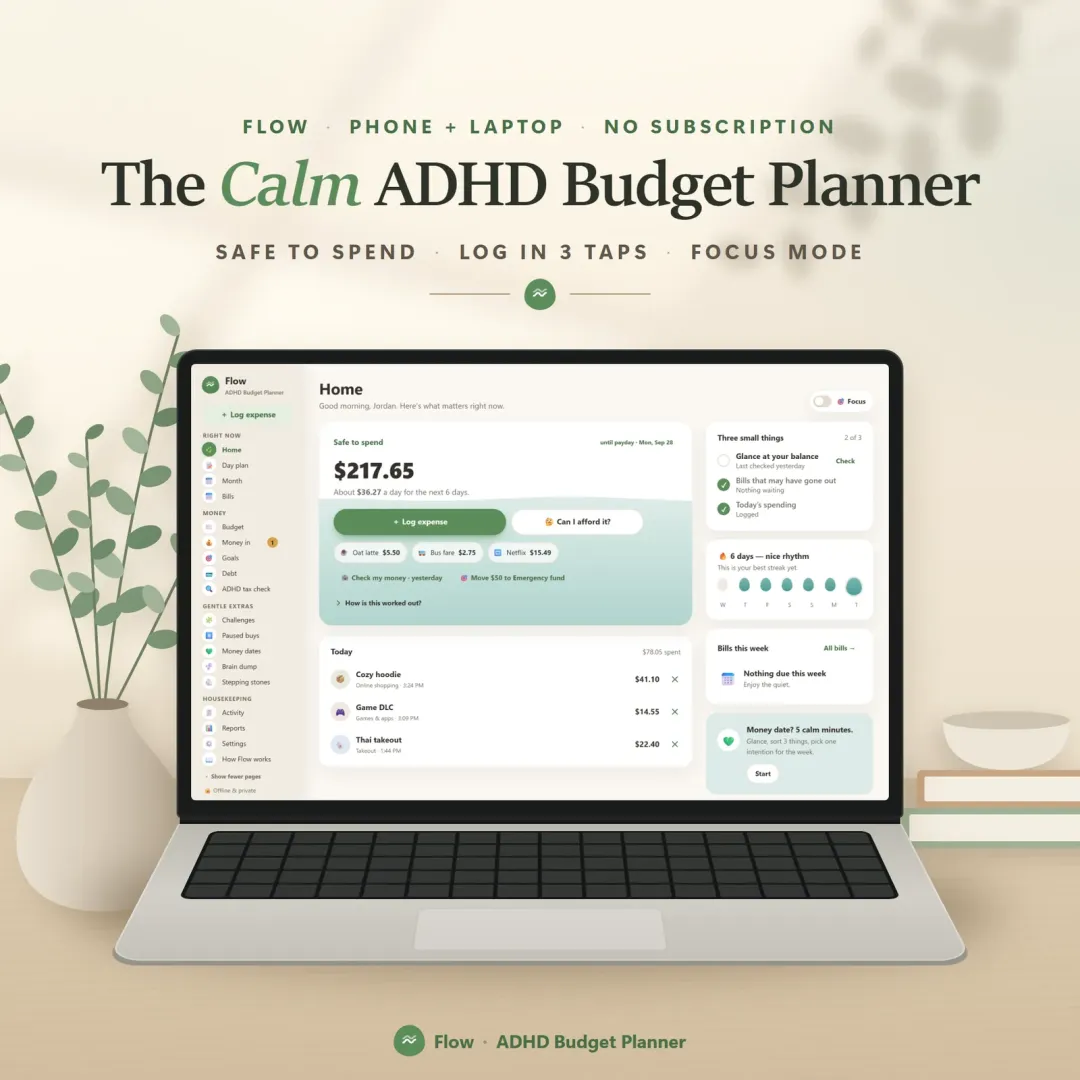 Live
A calm budget planner designed for ADHD brains — one Safe to Spend number, 3-tap logging, focus mode and kind overspend fixes instead of red warnings.
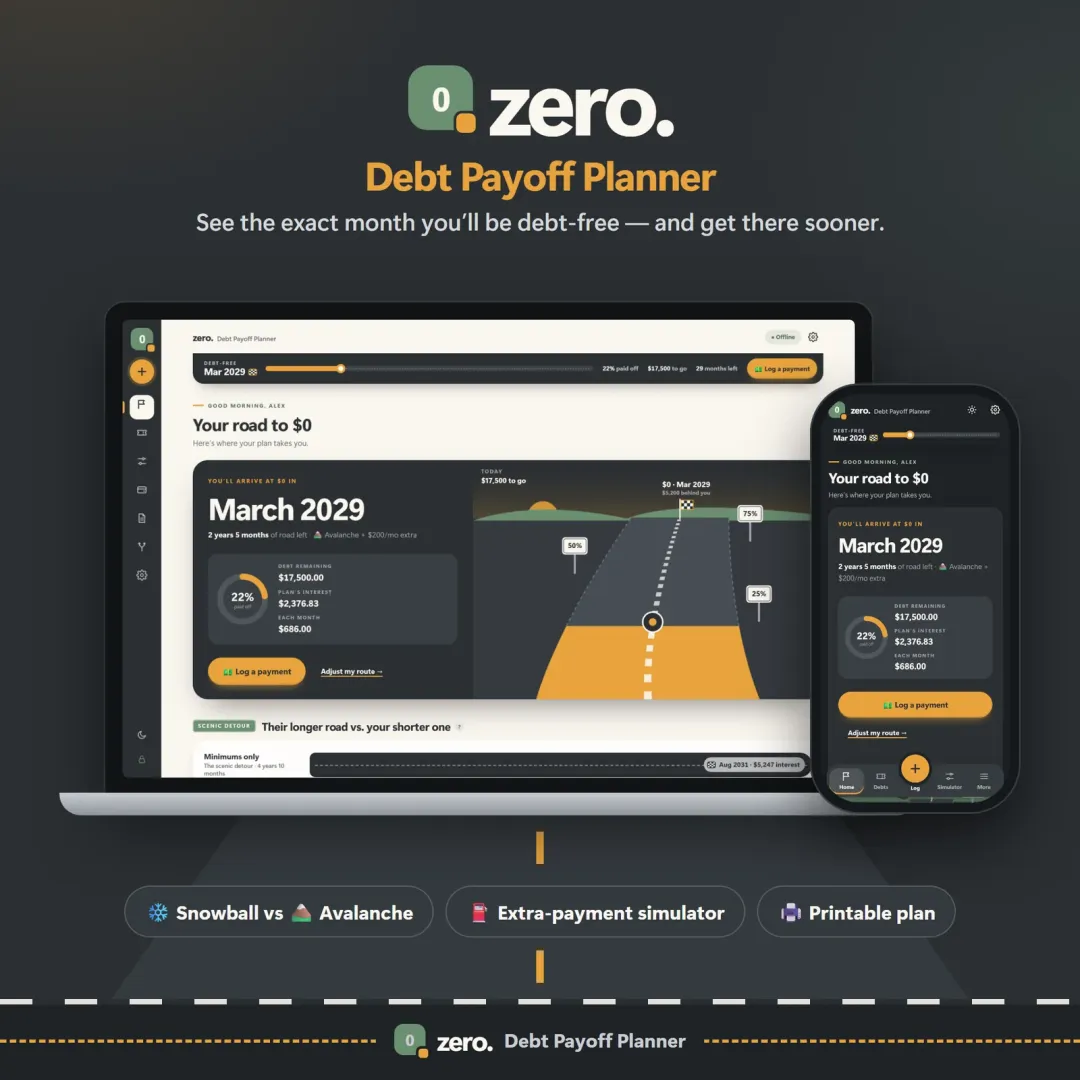 Live
See your debt-free date, compare the snowball and avalanche methods side by side, and watch extra payments pull the finish line closer.
The live demo runs in your browser with realistic sample data. Nothing to install, nothing to sign up for.
We use optional cookies for anonymous analytics. Nothing optional is set until you choose. Cookie policy
This site currently uses no analytics or advertising cookies. It only remembers your light/dark preference in your own browser.
Essential
Theme preference and this choice. Always on.