
Credit Card Payoff Calculator
Months to pay off a card, total interest, and the payment needed to be debt-free by a date.
Open calculator Live
Web app (installable PWA)
Pulse by VaultlyApps
Every bill and subscription in one calm place — a 30-day horizon of due dates, free-trial countdowns and a simulator that shows what cancelling would save.
Try the live demo to explore the application — it runs right here on VaultlyApps with sample data, no sign-up needed.
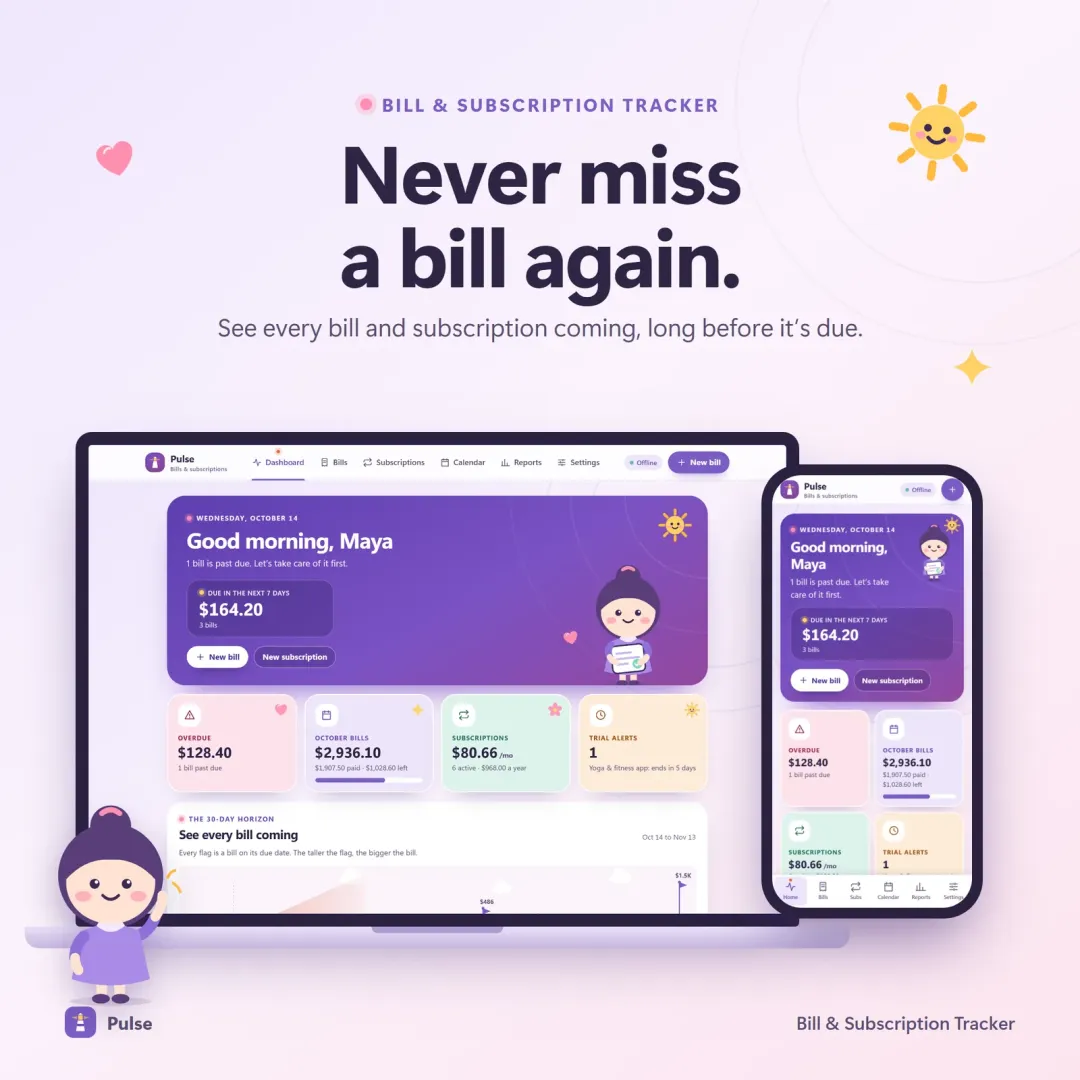
Pulse is a bill and subscription tracker. It shows every recurring bill on a 30-day horizon and a due-date calendar, tracks the true monthly and yearly cost of subscriptions, counts down free trials with warnings before you are charged, and simulates how much you would save by cancelling. It is a tracker — it does not pay bills or cancel subscriptions for you.
Bills live in an inbox, a bank app, sticky notes and memory, and subscriptions renew quietly in the background — including free trials people meant to cancel. Pulse puts every recurring payment in one place so nothing is missed and every subscription has a visible yearly price.
Every bill as a flag on its due date — bigger bills stand taller — so busy weeks are visible before they arrive.
Bills in due order with overdue pinned on top, Paid / Due soon / Overdue status and one-tap "mark paid".
Weekly, every 2 weeks, monthly, quarterly, yearly or one-time, with correct month-end handling for bills due on the 31st.
The true monthly and yearly cost of every subscription.
Warnings 7 days and 3 days before a trial turns into a paid plan.
Flip a switch on any subscription and see exactly what you would save per year.
Full and partial payments, a monthly bill summary, a yearly subscription audit, and CSV import and export.
Mark a bill paid on your phone and see it on your laptop. Encrypted, up to 4 devices.
Scroll sideways · select to enlarge
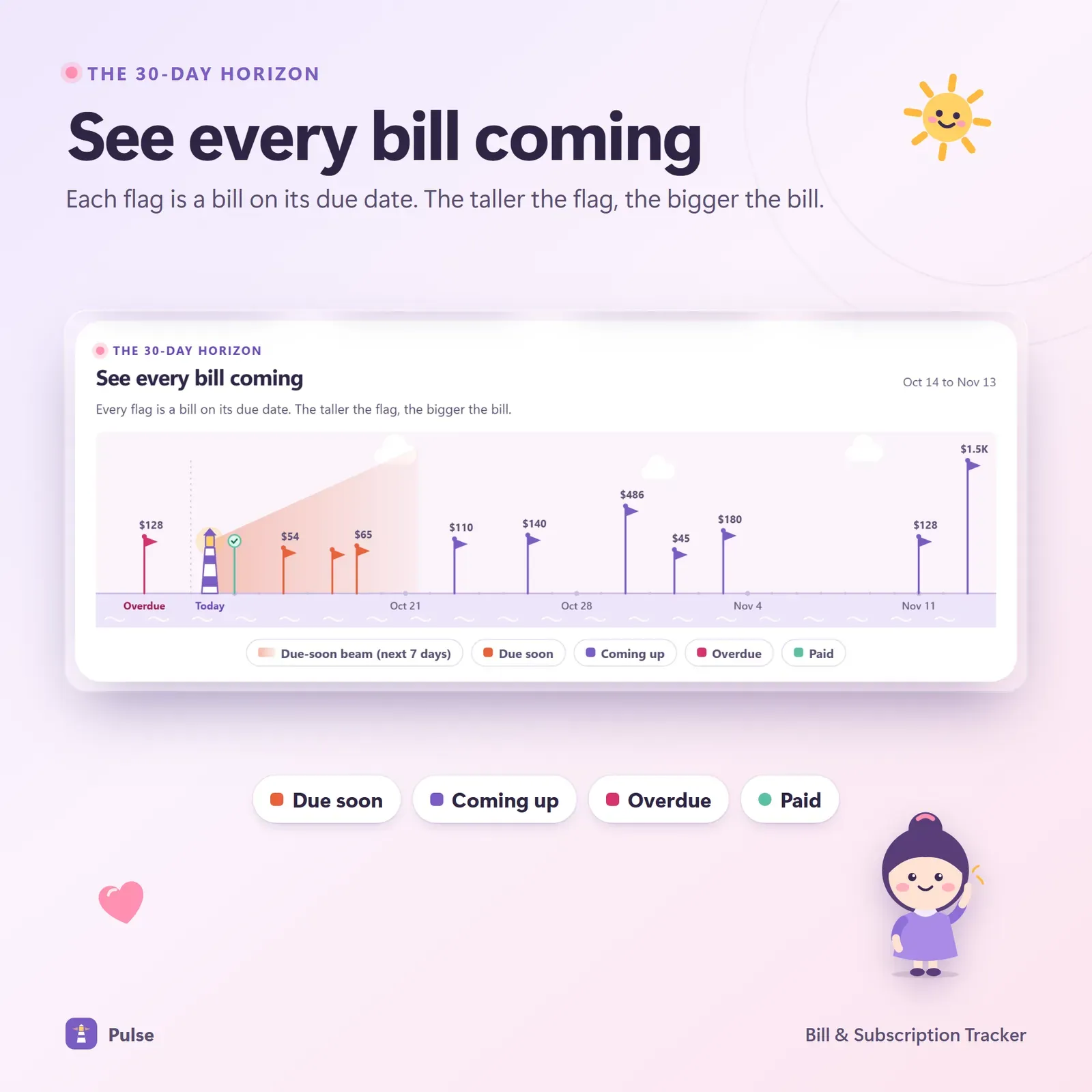
The 30-day horizon where each bill is a flag on its due date
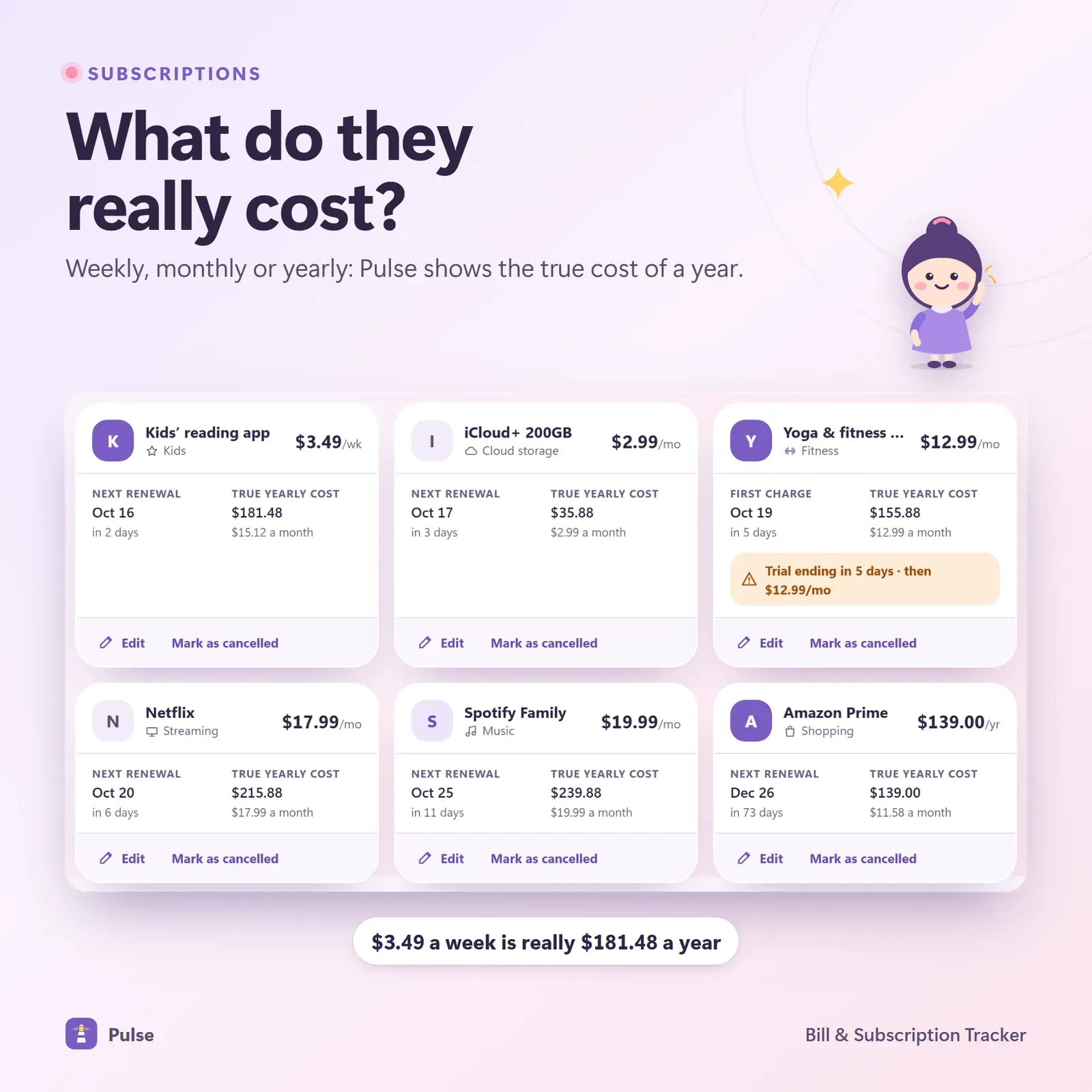
Subscriptions with true monthly and yearly cost
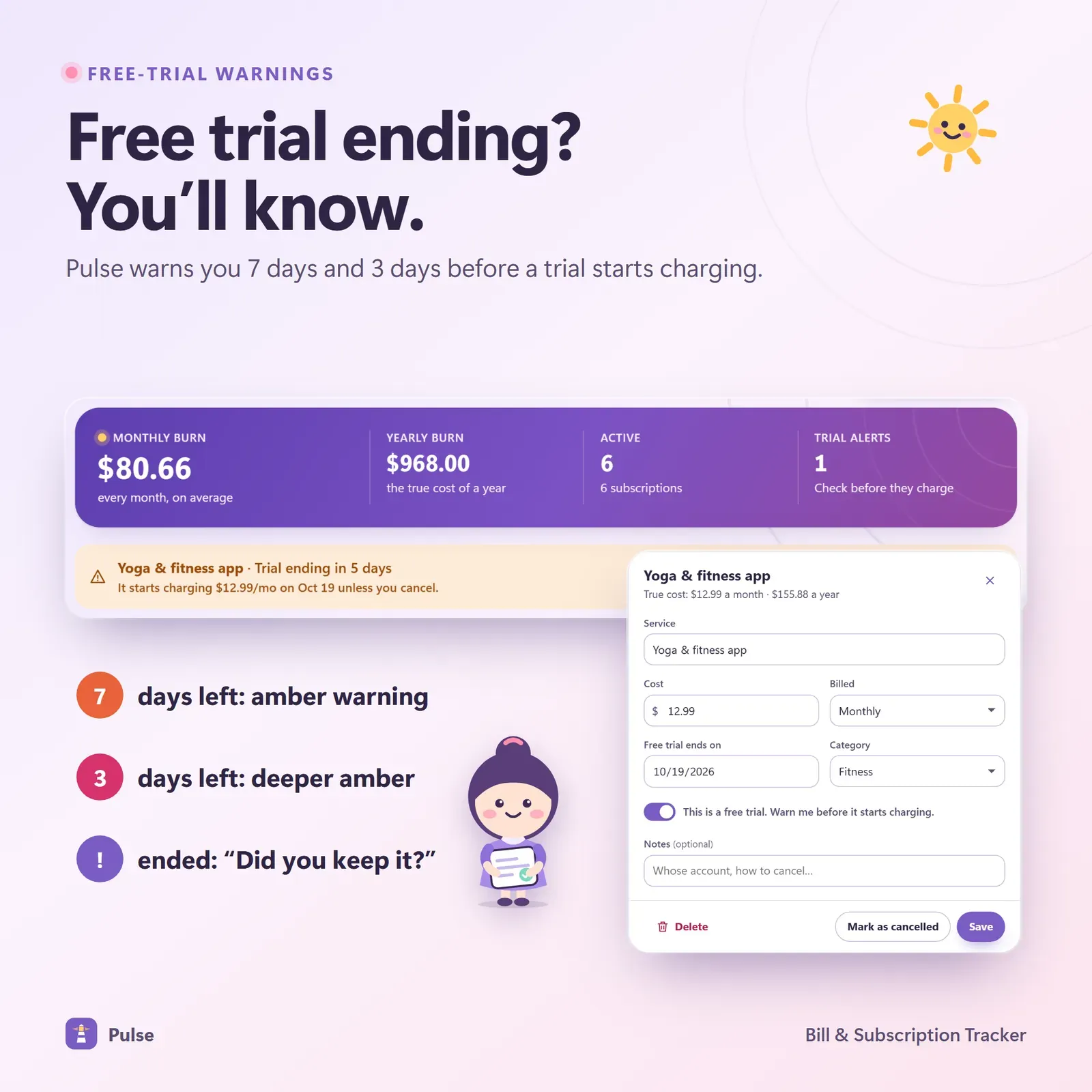
Free-trial countdowns with warnings before the first charge
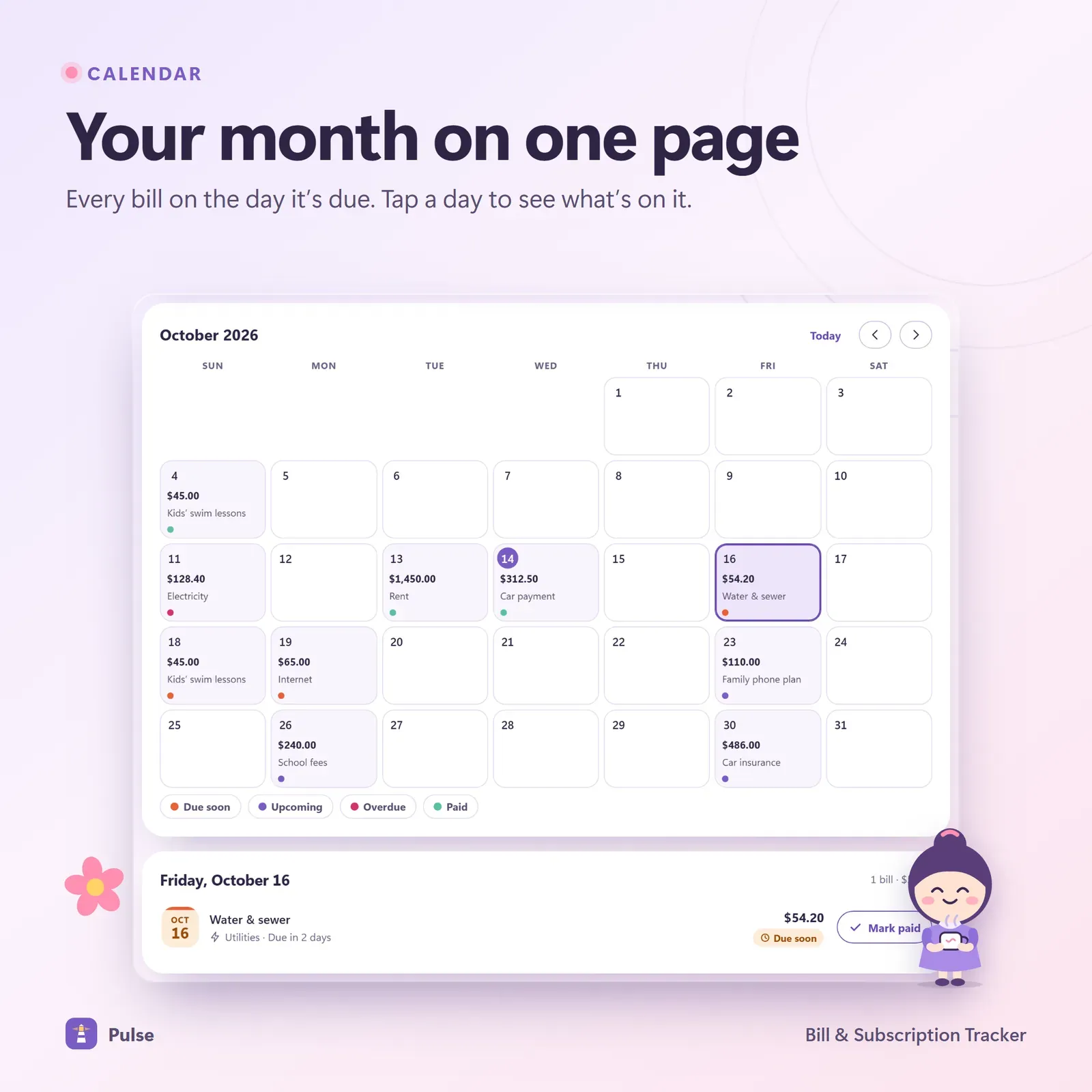
Due date calendar showing every bill on its day
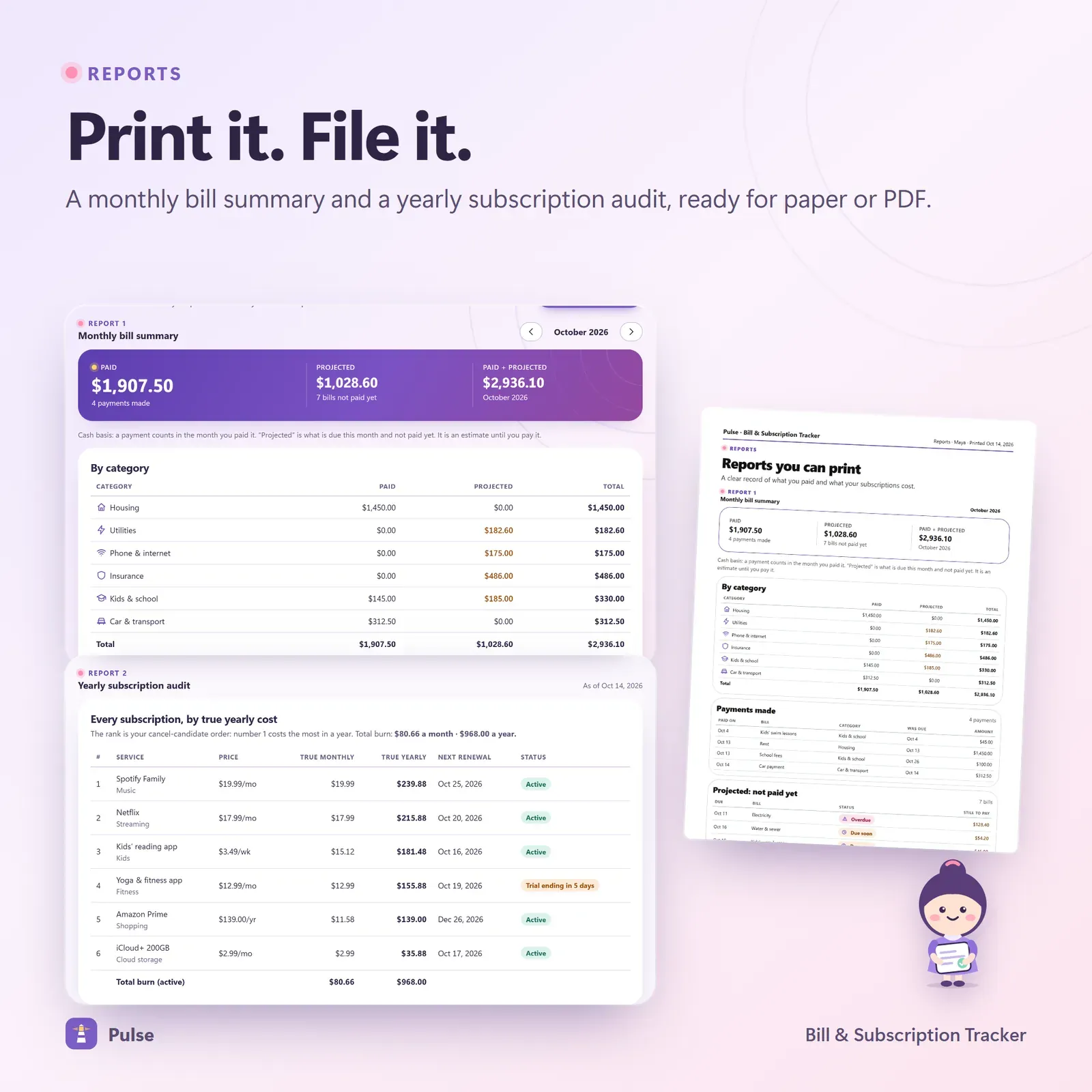
Monthly bill summary and yearly subscription audit
Try the live demo with sample bills and a guided tour from Penny, the Pulse mascot.
After buying, install Pulse from your private link.
Add your bills and subscriptions with their schedules.
Check the horizon once a week and mark bills paid as you go.
Pulse's signature screen is the 30-day horizon: today is a lighthouse on the left, and each upcoming bill is a flag planted on its due date. Taller flags are bigger bills, so you can see at a glance which weeks will be heavy — before they arrive.
Below it, bills are listed in the order they're due, with overdue bills pinned on top and clear Paid, Due soon and Overdue status pills. Marking a bill paid takes one tap.
Pulse handles weekly, every-two-weeks, monthly, quarterly, yearly and one-time bills. Month-end dates are handled properly: a bill due on the 31st lands on the last day of shorter months instead of skipping or drifting.
You can record full or partial payments, and every bill keeps its full payment history — even when you archive it.
The due-date calendar plots every bill on its day, so you can compare due dates with paydays and spot weeks where rent, a car payment and a yearly renewal all land together.
The subscription view converts every plan to its true monthly and yearly cost. Free trials get their own countdown, with warnings a week and three days before the first charge. The cancel simulator lets you switch subscriptions off to see the yearly saving before you make any calls.
For a step-by-step method, read How to track subscriptions and stop paying for ones you forgot — it includes a worked audit and a cancellation checklist.
A monthly bill summary and a yearly subscription audit can be printed or saved as PDF. CSV import and export open in Excel, Numbers and Google Sheets, and a JSON backup keeps a complete copy of your data.
Money freed by cancelling subscriptions goes further when it has a job. Our guides to the 52-week savings challenge and your safe-to-spend number show two good places to put it.
Pulse is a tracker. It doesn't pay bills, cancel subscriptions or connect to your bank, and it doesn't send push notifications — warnings appear inside the app when you open it. That keeps your data private and the app simple.
Most people track bills in one place and subscriptions in another — or not at all. But to your bank account they're the same thing: money that leaves on a schedule. Keeping them together has three benefits:
That's why Pulse puts both on one horizon, one calendar and one list, and why the subscription audit sits right next to the monthly bill summary.
Pulse has no account and no bank login. Your data lives on your own devices. Link your phone and laptop once with a 6-digit code or QR, and a bill marked paid on your phone shows on your laptop a moment later — encrypted on the device before it travels. A device that was offline catches up when it's back.
Pulse installs from your private link on iPhone, iPad, Android, Mac, Windows and Chromebook and works offline once installed. It has Light, Dark and Calm themes, 30 currencies and keyboard shortcuts, plus a guided tour with Penny, the Pulse mascot.
Vault combines bills and subscriptions with a full budget, goals and debt planner. Running a small business? Till tracks recurring business bills alongside income, invoices and tax.
Pulse is an organizing tool, not financial advice. It needs internet the first time you open it on each device and works offline after that.
Free tools
Quick answers with the same maths — then let the app keep them up to date.
Months to pay off a card, total interest, and the payment needed to be debt-free by a date.
Open calculatorYour minimum payment, or the monthly payment to be debt-free by a date.
Open calculatorLine-by-line monthly budget with what's left, savings rate and a 50/30/20 check.
Open calculatorFurther reading

Personal Finance
What overdraft fees are, what they cost, how to turn them off, 12 ways to avoid them for good and a word-for-word script for getting one refunded.

Personal Finance
The difference between fixed and variable expenses, 40+ examples of each, where irregular and discretionary costs fit, a full budget categories list, and how to budget and track every kind of expense.
Personal Finance
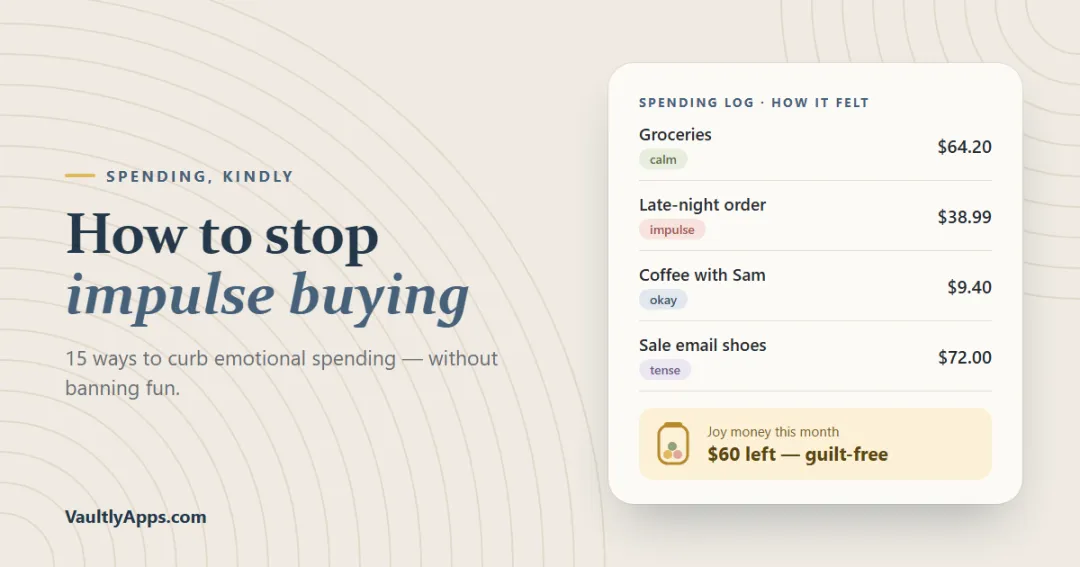
Why we impulse buy, how emotional spending works, and 15 practical ways to stop — from the 72-hour rule and a want list to joy money and tagging purchases with feelings — plus a 30-day plan.
More from VaultlyApps
 Live
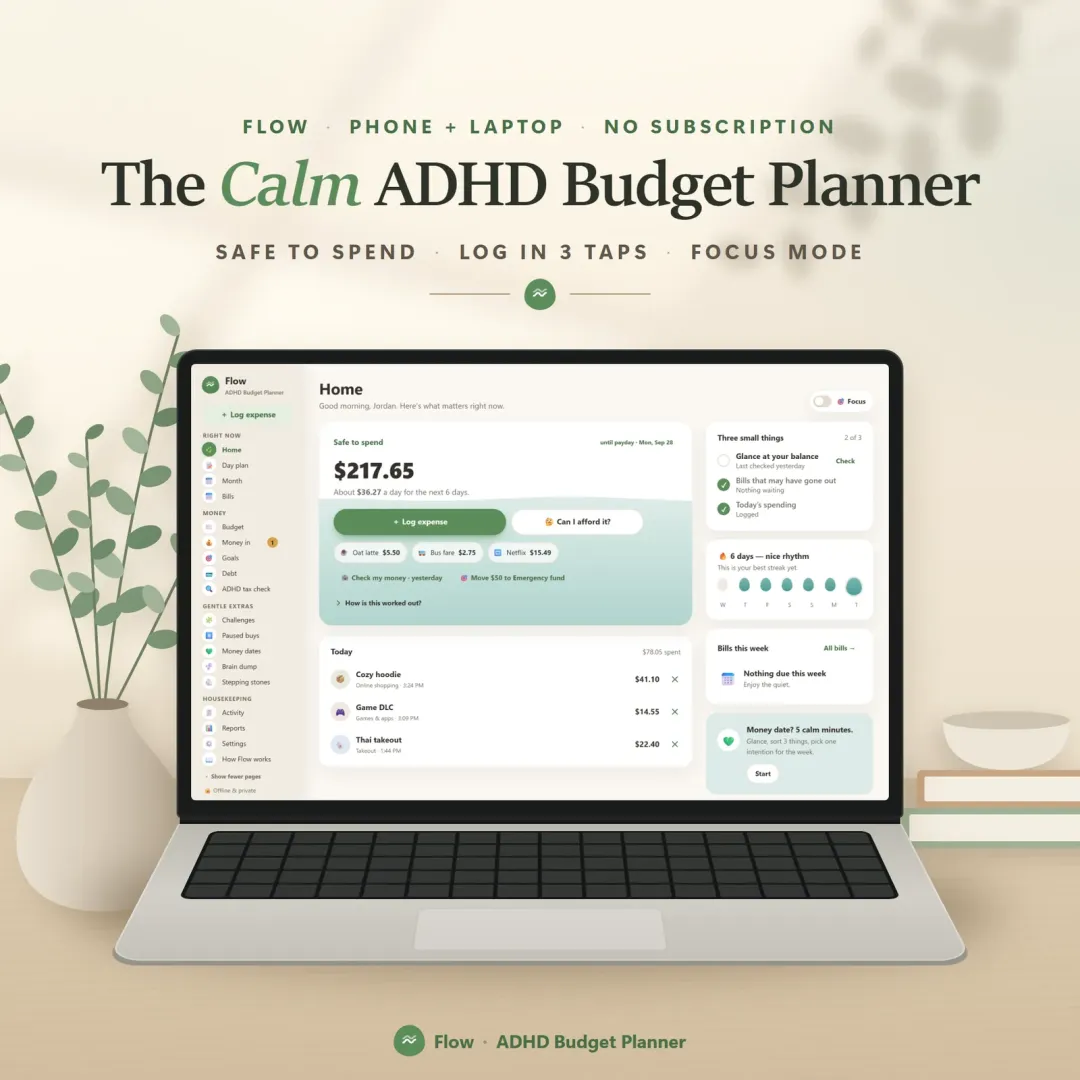
A calm budget planner designed for ADHD brains — one Safe to Spend number, 3-tap logging, focus mode and kind overspend fixes instead of red warnings.
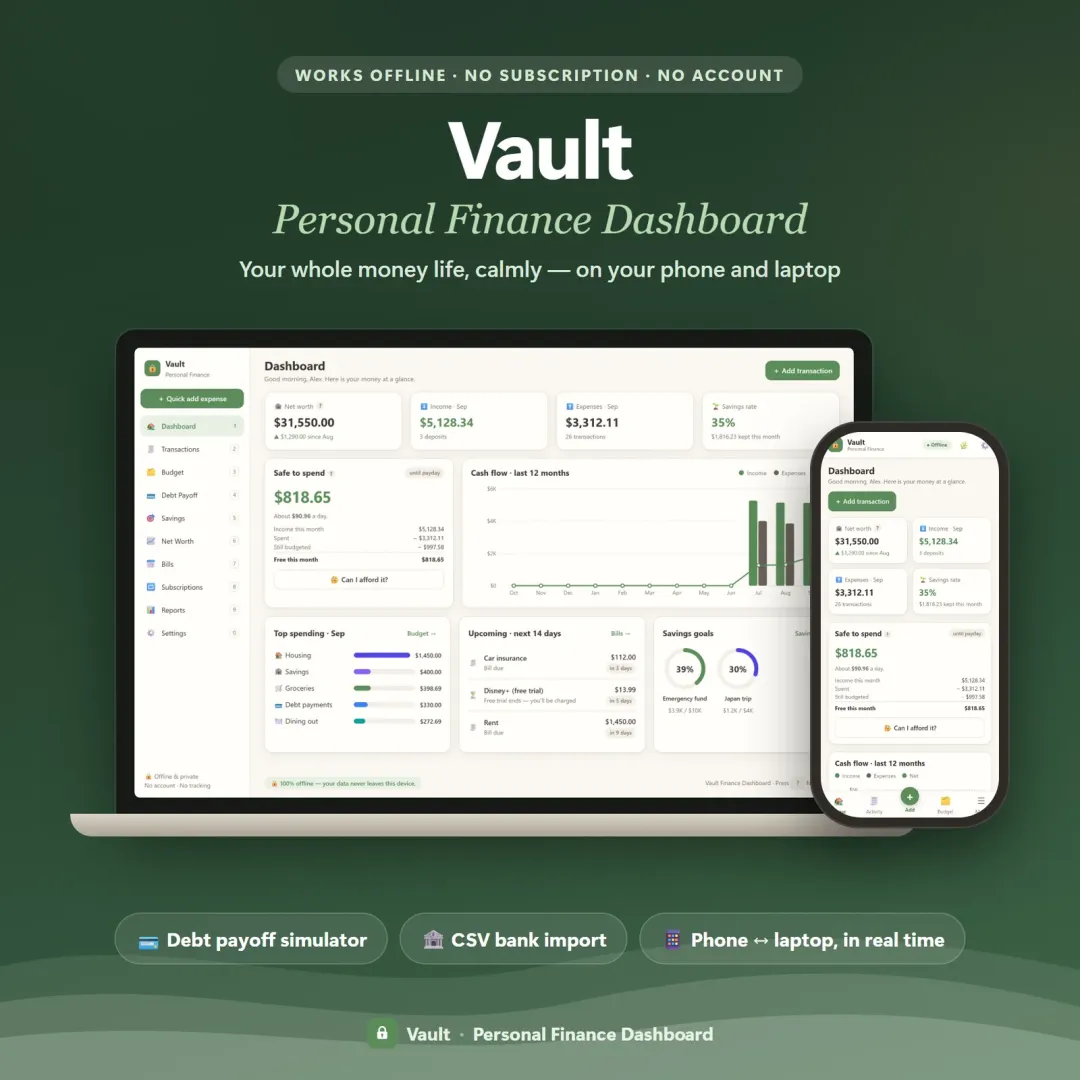 Live
Your whole money picture on one private dashboard — safe-to-spend, budgets, bills, goals, debt payoff and net worth, on your phone and laptop.
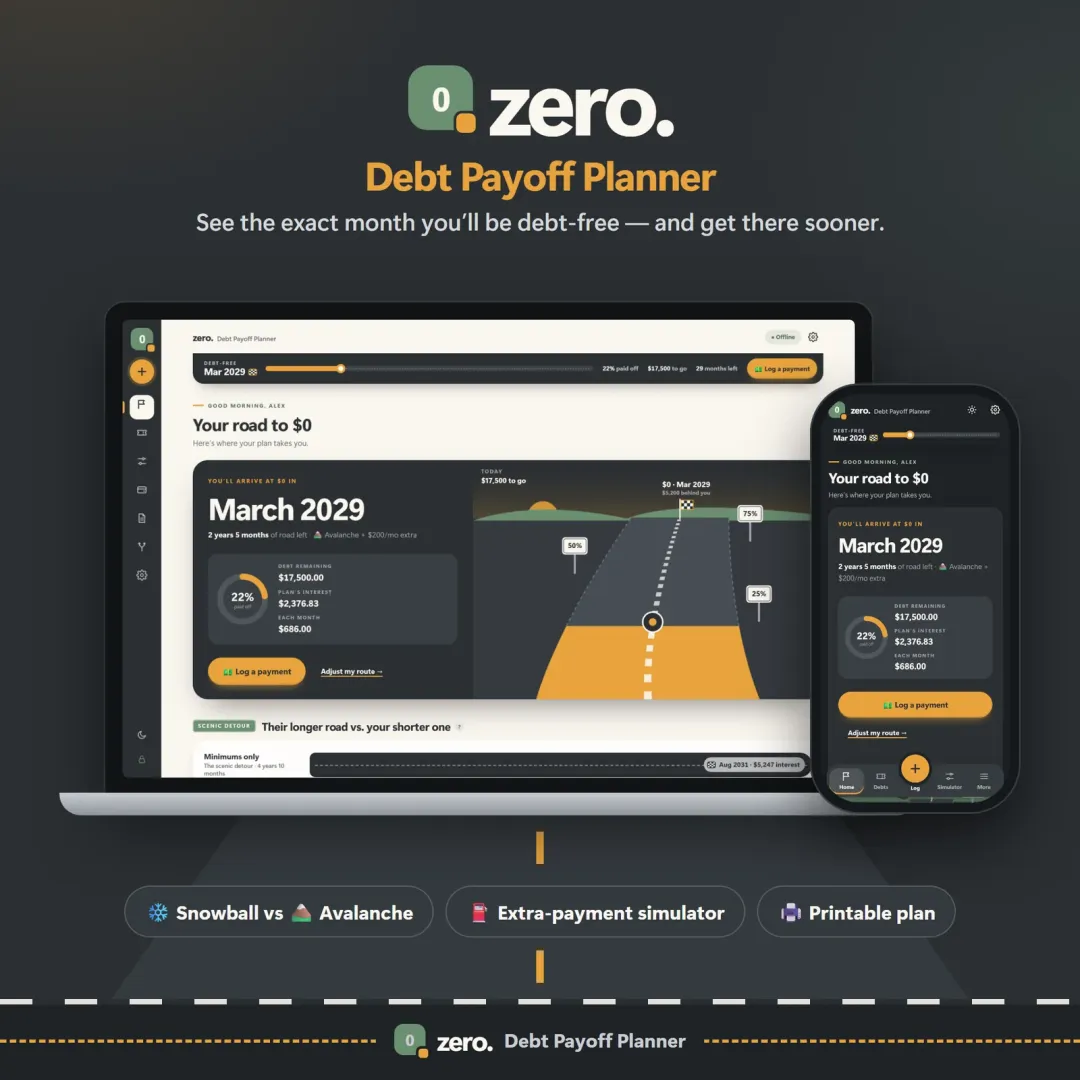 Live
See your debt-free date, compare the snowball and avalanche methods side by side, and watch extra payments pull the finish line closer.
The live demo runs in your browser with realistic sample data. Nothing to install, nothing to sign up for.
We use optional cookies for anonymous analytics. Nothing optional is set until you choose. Cookie policy
This site currently uses no analytics or advertising cookies. It only remembers your light/dark preference in your own browser.
Essential
Theme preference and this choice. Always on.