Your day, in a hoop
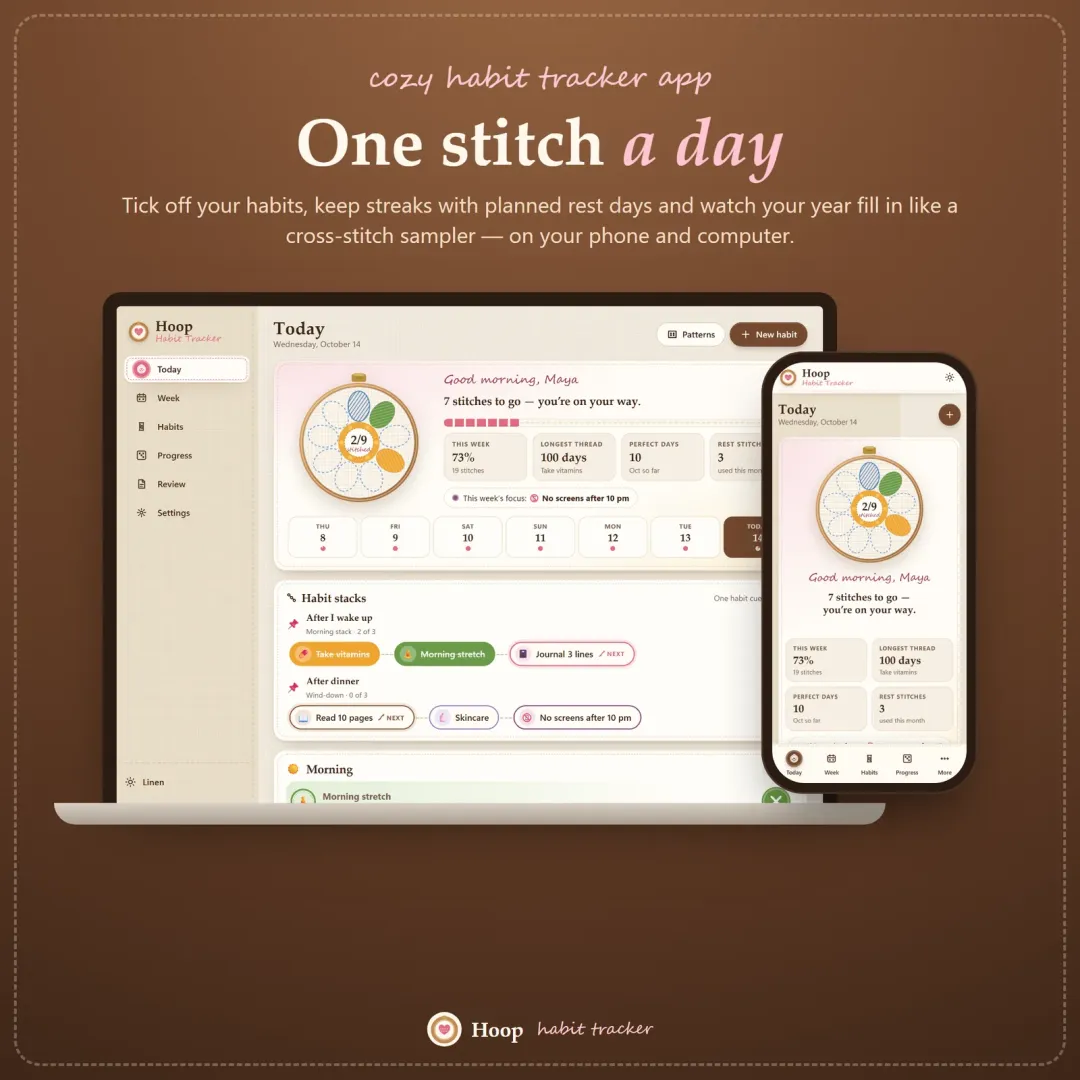
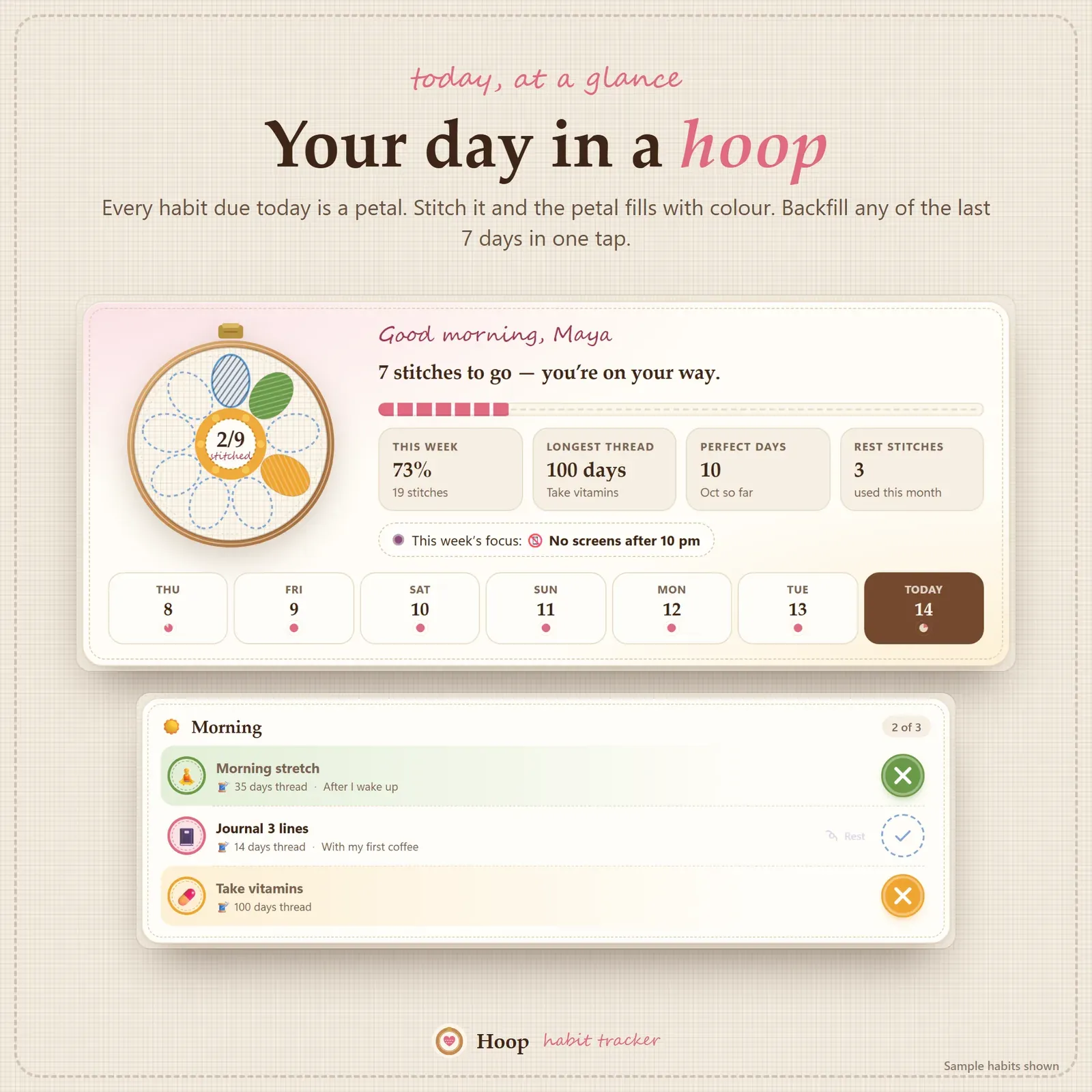
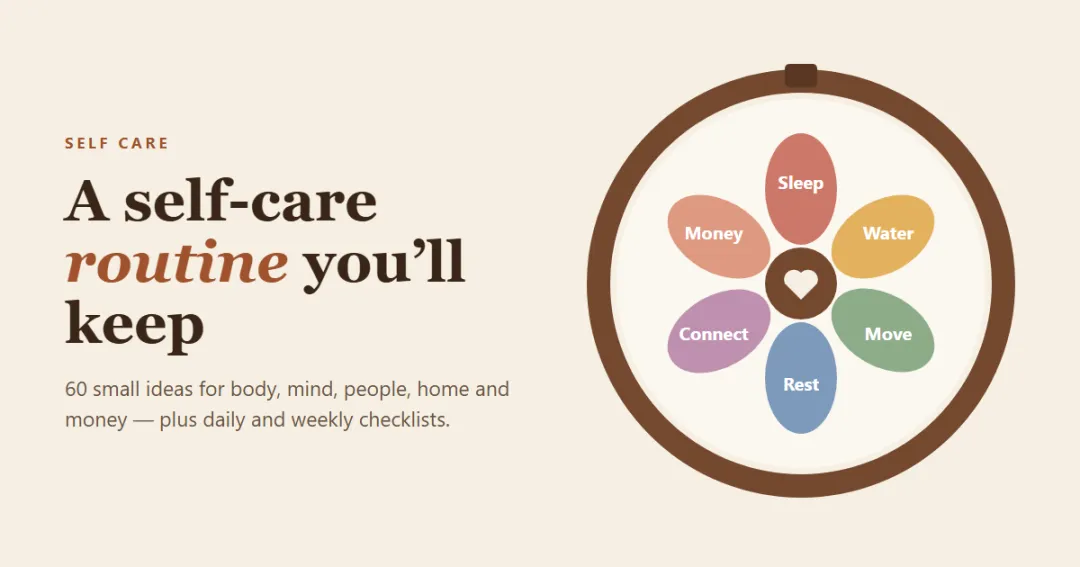
Hoop's home screen is a small embroidery hoop. Every habit you have today is a petal, and when you tick a habit off — Hoop calls it a stitch — that petal fills with its thread colour. By the evening the flower is complete, and you can see at a glance what's done and what's left without reading a list.
Below the hoop your habits are grouped by morning, afternoon, evening and anytime, so the morning routine sits at the top when you wake up and the wind-down habits wait until later. Forgot to tick something yesterday? The last seven days are one tap away. A short greeting with your name, today's mood and a one-line note finish the page — a tiny habit journal without a blank page to fill.
Three kinds of habits, not just checkboxes
Real habits aren't all yes-or-no, so Hoop has three kinds:
- Yes / no — took vitamins, made the bed, journaled.
- Count — a target and a unit, with − and + buttons: 8 glasses of water, 10 pages, 2 focus blocks, 7,000 steps.
- Avoid — something you're cutting back: no soda, no screens after 10 pm, no impulse buys.
Each habit can be due every day, on chosen weekdays (gym on Monday, Wednesday and Friday) or X times a week (yoga 3× a week, any days). Weekly habits keep their streak in weeks, so a Tuesday-and-Saturday week counts just as much as Monday-and-Wednesday. You can add a cue ("after I pour my coffee"), a "why", a time of day, an emoji and one of nine thread colours.
Streaks that forgive
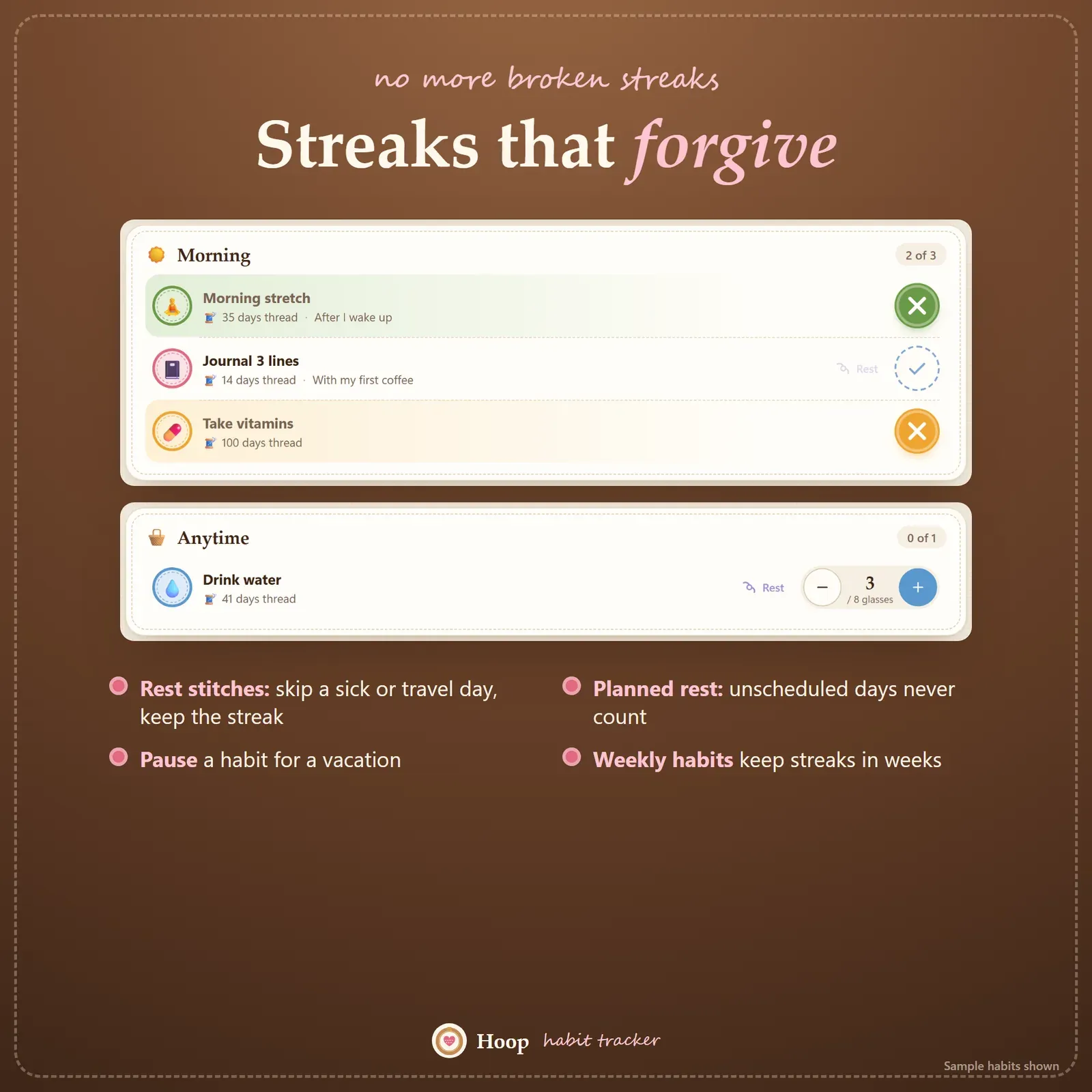
The fastest way to lose a habit is to lose a long streak over one bad day. Hoop is built so that doesn't happen:
- Days a habit isn't scheduled are planned rest, not misses.
- Every habit gets a few rest stitches each month — use one for a sick day, a travel day or a day that simply went wrong, and the streak carries on. In the app a rest day shows as a French knot.
- A vacation pause freezes a habit for as long as you're away.
Hoop shows your current streak, best streak and completion rate, and the completion rate only counts days that were really due. There are no red "failed" marks anywhere — just a fresh thread when you need one.
This matches what habit research says. In the best-known study on how long it takes to form a habit, missing a single day had no real effect on whether the habit stuck. Consistency over weeks matters; perfection doesn't.
Habit stacking and ready-made routines
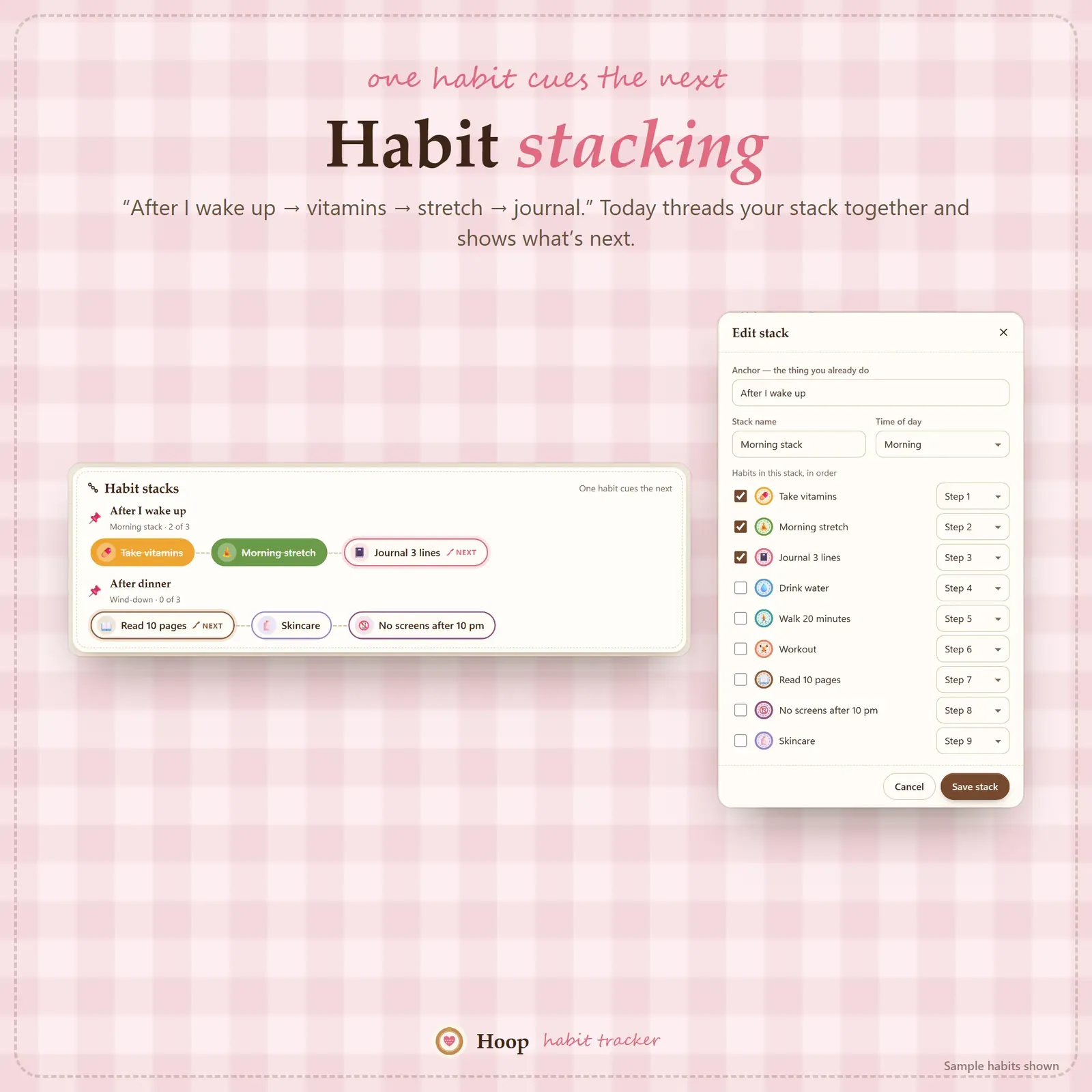
Habit stacking means linking a new habit to something you already do: "After I wake up, I drink a glass of water. After I drink the water, I stretch for two minutes." In Hoop you build a stack by choosing a cue and putting habits in order. Today then shows the chain as one routine, with the next step highlighted, so you don't have to remember the order.
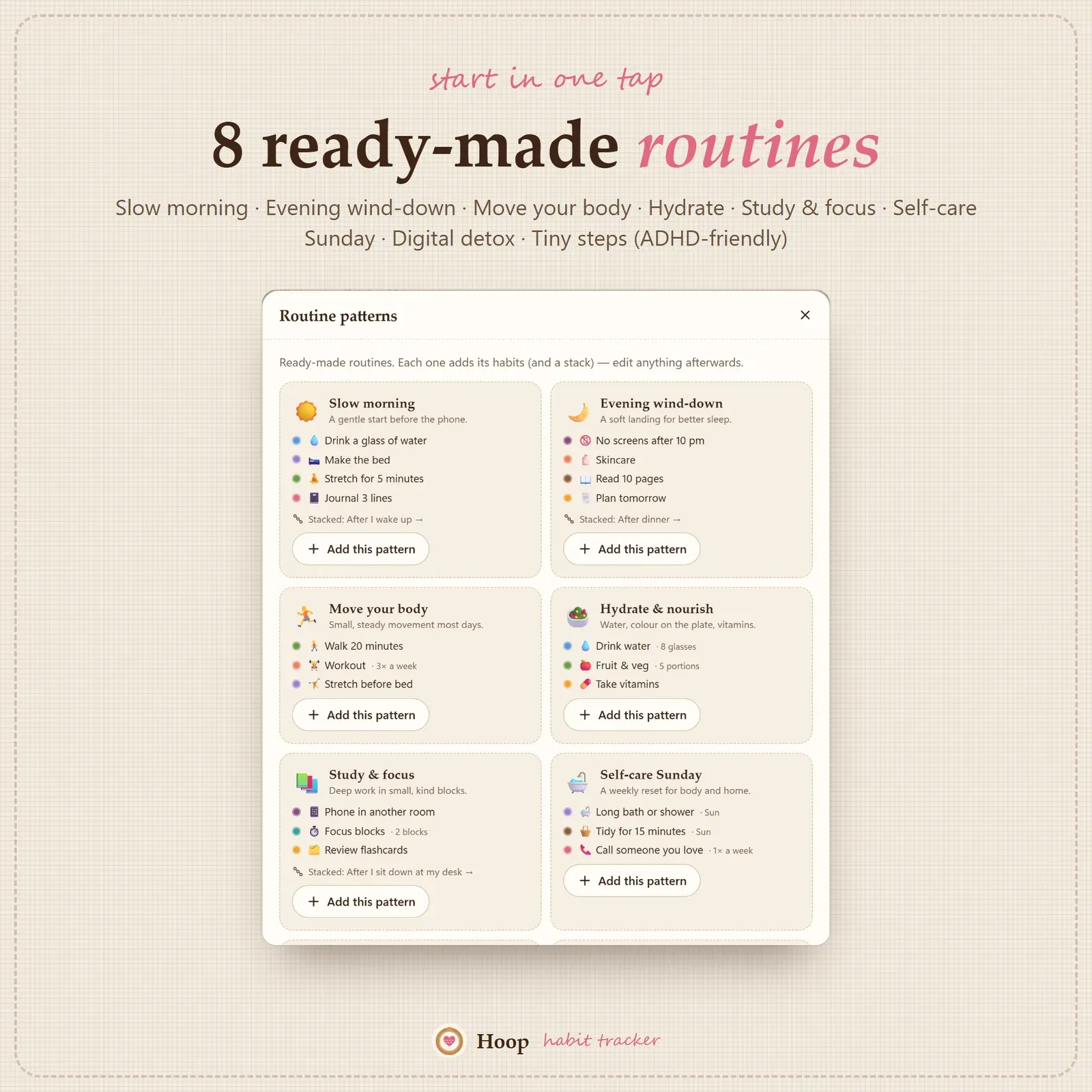
If you'd rather not start from scratch, add one of eight ready-made routines in one tap and edit it afterwards:
- Slow morning routine — water, stretch, make the bed, three lines in a journal.
- Evening wind-down — tidy for five minutes, screens off, tomorrow's top three, read.
- Move your body — a walk, steps, stretching.
- Hydrate & nourish — water, fruit and vegetables, a proper lunch.
- Study & focus — focus blocks, a review, phone in another room.
- Self-care Sunday — rest, a long shower, plan the week.
- Digital detox — no phone in the first hour, screen-time limit, no scrolling in bed.
- Tiny steps — two-minute versions of common habits, made for ADHD brains and low-energy days.
Looking for more ideas? Our list of morning routine ideas has 40 of them, including an ADHD-friendly morning routine.
Week, month and year in stitches
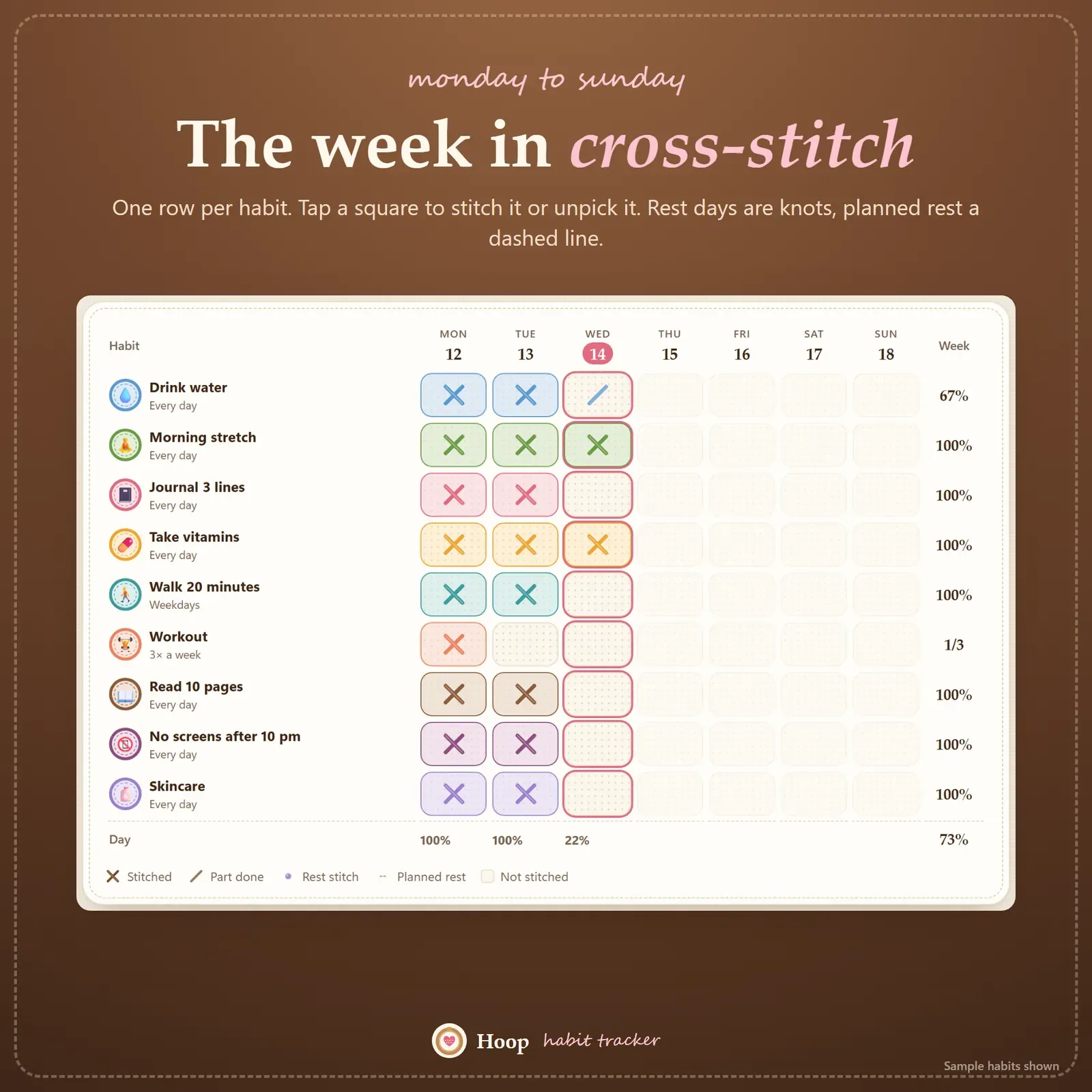
The Week page is a cross-stitch grid: habits down the side, Monday to Sunday across the top. Tap any square to stitch it. It's the same layout as a paper weekly habit tracker, without the eraser marks.
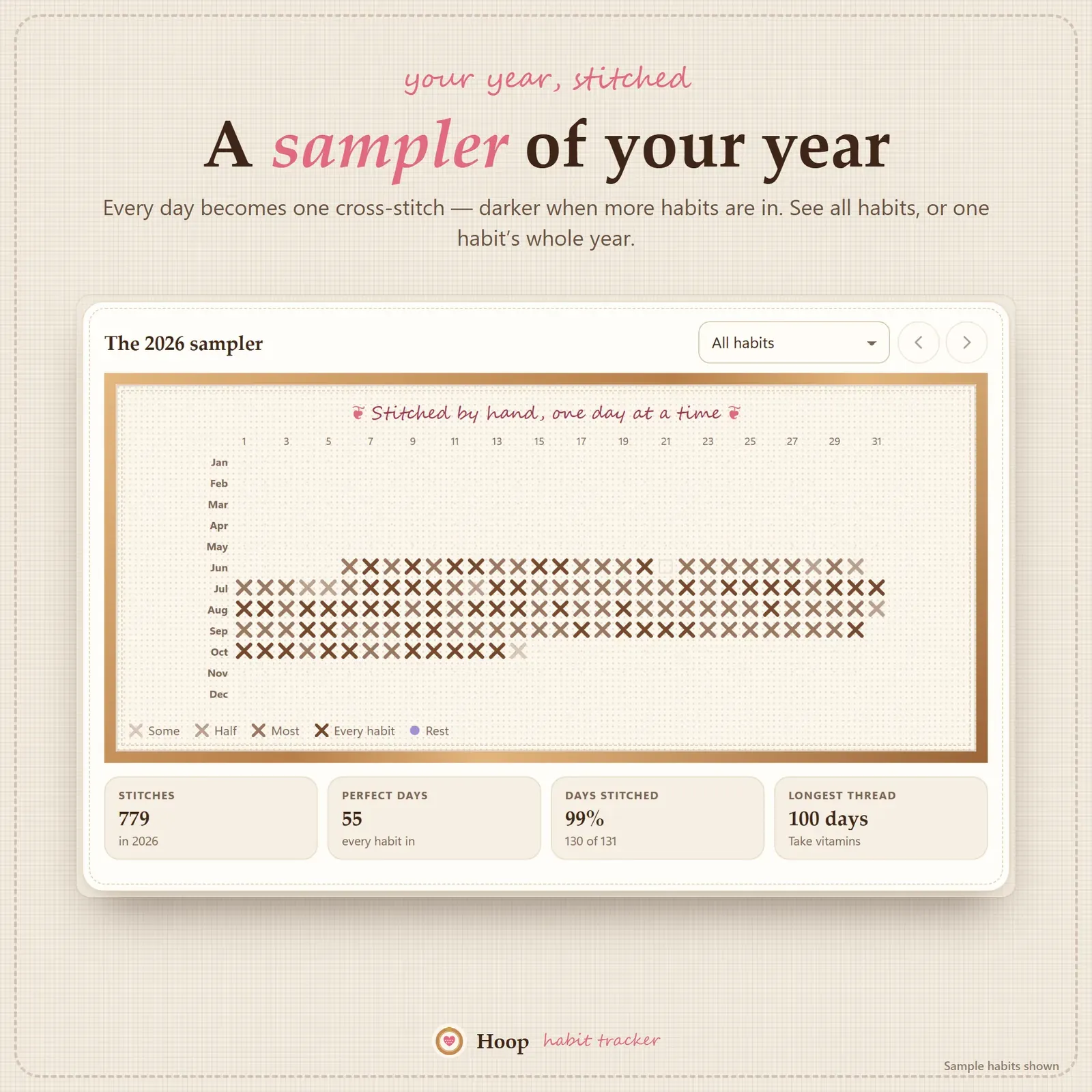
Every habit has its own month calendar, and the year sampler shows your whole year as a heatmap of stitches — for all habits together or for one habit at a time. It's the view that shows real progress: a habit you struggled with in March looks very different by September.
Patches, progress and a weekly review
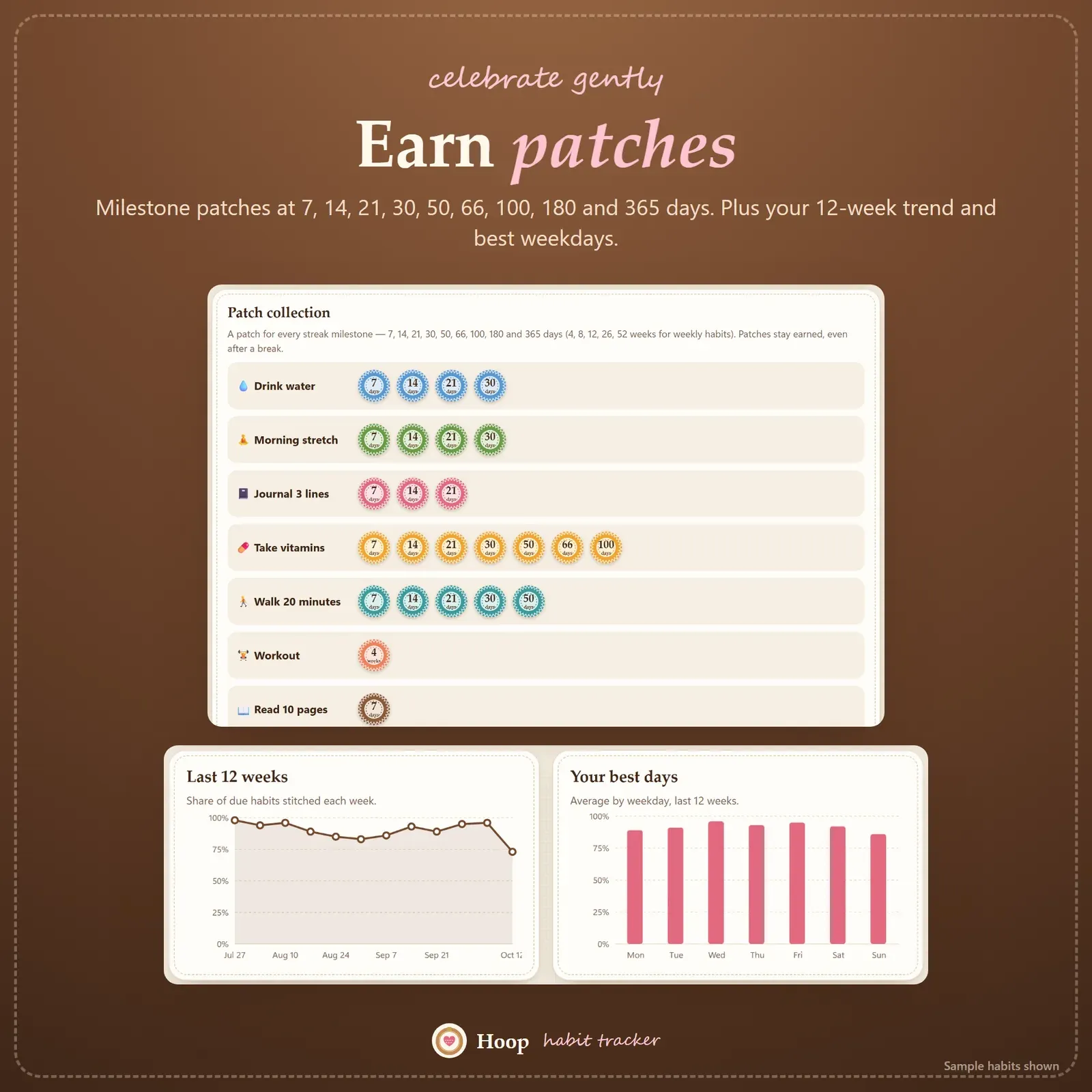
Hoop marks milestones with patches at 7, 14, 21, 30, 50, 66, 100, 180 and 365 days. The Progress page adds a 12-week trend, your best and hardest weekdays, and every habit ranked by the last 30 days, so you can see which habits are settling in and which need a smaller step.
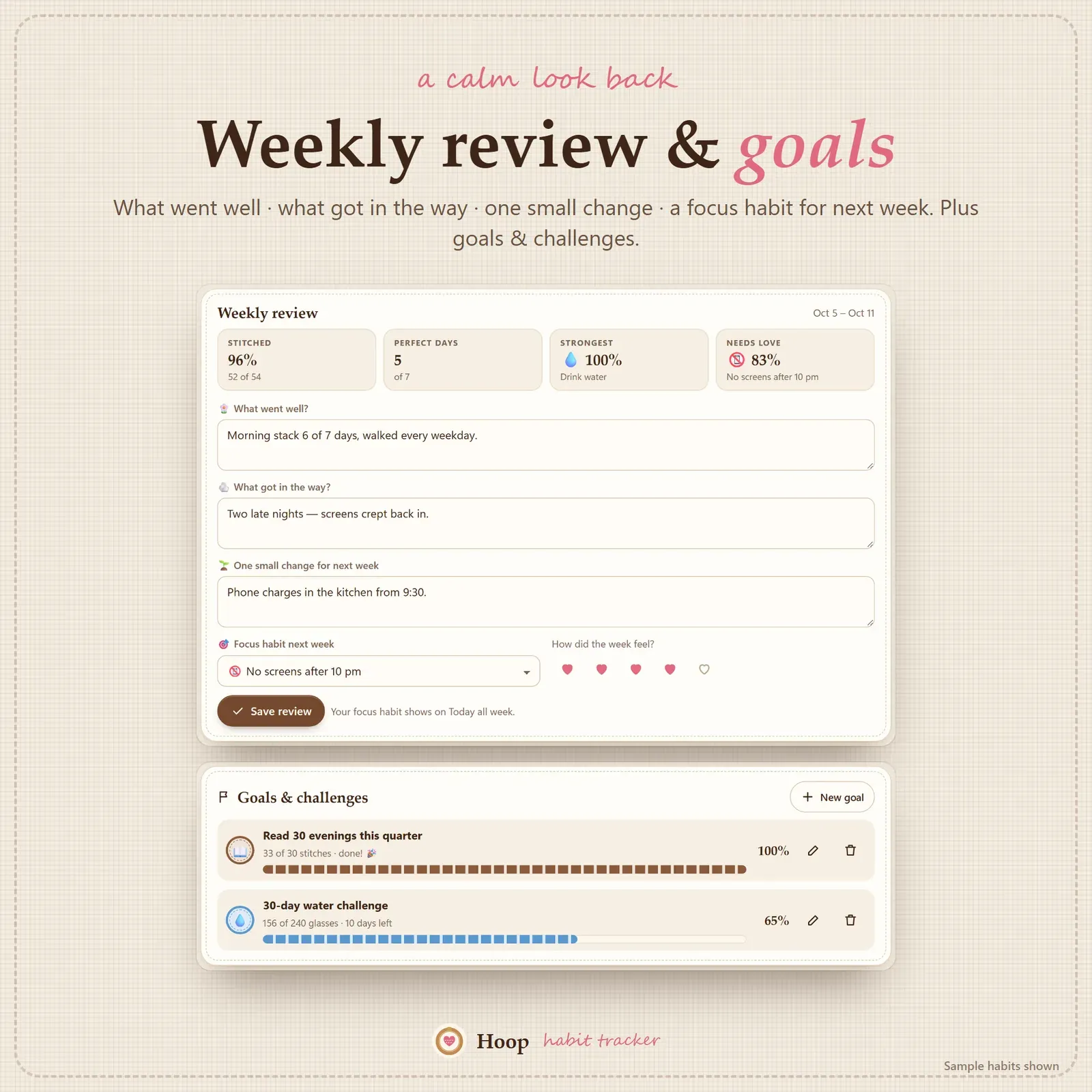
Once a week, the weekly review asks four short questions: what went well, what got in the way, one small change for next week, and which habit to focus on. Your answers are saved, so you can read back over a month or a year of reviews. Goals and challenges sit next to it — "read 30 evenings this quarter", a 30-day water challenge — with progress filled in from your check-ins.
Who Hoop is for
Anyone building better habits: people starting a morning or evening routine, students who want a study habit, busy parents who need small wins, wellness and self-care planners, and people with ADHD who've given up on trackers that punish every missed day. It's also a good home for money habits — a no-spend day, checking your budget once a week, or a 52-week savings challenge.
A typical week with Hoop
- Each morning: open Today, follow your morning stack and stitch each habit.
- During the day: use − / + for count habits like water.
- Each evening: finish the hoop, pick a mood and write one line.
- On a bad day: do the two-minute version, or use a rest stitch — the streak is safe.
- On Sunday: do the weekly review and choose next week's focus habit.
Print and export
Print the week sheet, the year sampler or a weekly review on clean white pages. Export your check-ins and habits as CSV for Excel, Numbers or Google Sheets, or import past check-ins from another habit app. Backup and restore take one file.
Privacy and devices
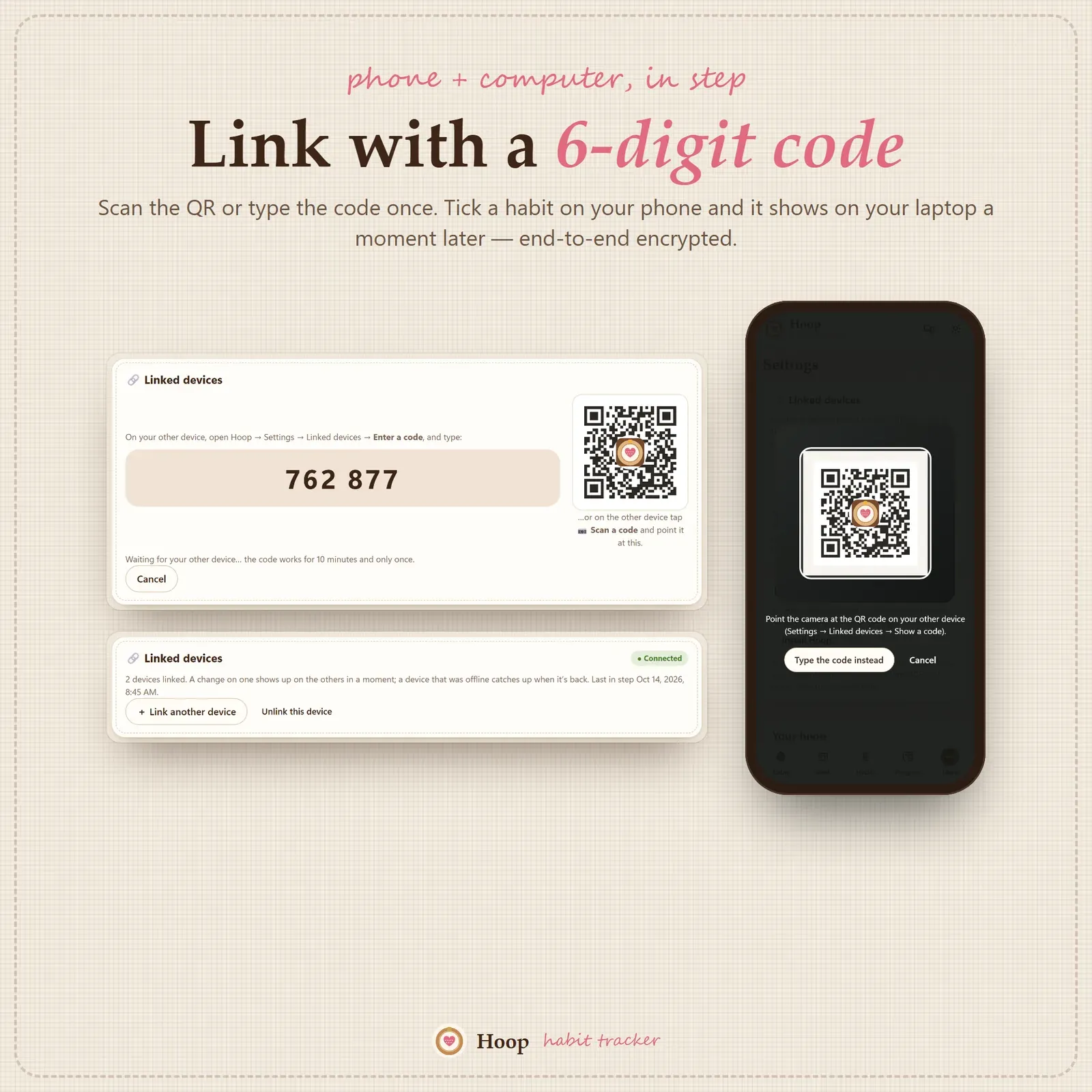
Hoop has no account, no ads and no tracking. Your habits stay on your own devices. Link your phone and computer once with a 6-digit code or QR, and a habit stitched on one shows on the other a moment later — encrypted on the device before it travels.
Hoop installs from your private link on iPhone, iPad, Android, Mac, Windows and Chromebook and works offline once installed. On a computer everything sits in a linen sidebar; on a phone, in a simple bottom bar. Three themes — Linen, Night stitch and Gingham — keep the embroidery look.
What you get
- Your private Hoop link and QR code.
- A 12-page PDF guide: Start Here, How to Open & Install, How Hoop Works and the license.
- Bonus printables: 7 worksheets (monthly habit tracker, weekly habit tracker, habit planner, habit stack builder, weekly review, mood and energy log, morning and evening routines), 6 stitch boards to color in and 5 wallpapers.
- Free updates for the app itself.
Good to know
Hoop is a self-tracking tool, not medical or professional advice. It needs internet the first time you open it on each device and works offline after that.