
Profit Margin Calculator
Profit, margin and markup after fees — or the price to charge for a target margin.
Open calculator Live
Web app (installable PWA)
Live
Web app (installable PWA) Reseller Profit Tracker
A reseller profit tracker and inventory tracker for eBay, Poshmark, Mercari, Depop and Etsy sellers — see the true profit on every flip after fees, shipping and cost of goods, spot dead stock and find the platform that really pays.
Try the live demo to explore the application — it runs right here on VaultlyApps with sample data, no sign-up needed.
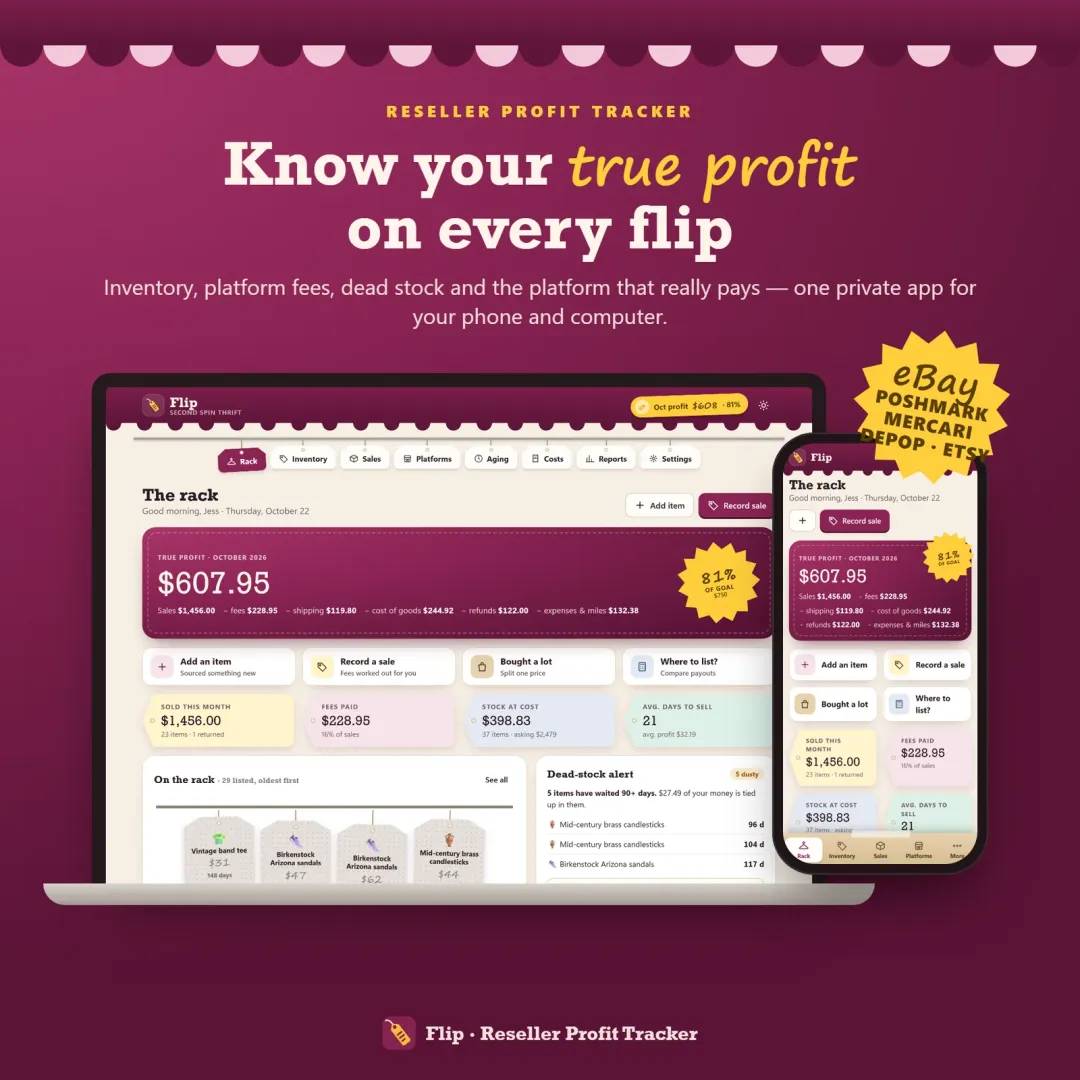
Flip is a reseller profit tracker and inventory tracker. It follows every item from sourcing to sale, works out platform fees for eBay, Poshmark, Mercari, Depop, Etsy and other marketplaces, and shows the true profit after fees, shipping, packaging and cost of goods sold (COGS). It also flags dead stock, measures sell-through rate and days to sell, and compares platforms and sourcing spots. It is a record-keeping tool — it does not connect to any marketplace.
Gross sales hide what a reseller really makes. A $40 sale can shrink to $9 once marketplace fees, payment processing, the shipping label and the item's cost come out — and money sitting in stale inventory never shows up at all. Most resellers juggle a spreadsheet and guess which platform pays best. Flip puts every item, every fee and every sale in one place so the real numbers are visible.
Automatic SKUs, category, brand, size, condition, where you found it, what you paid plus repairs, storage spot, list price and every platform an item is cross-listed on.
Editable fee presets for eBay, Poshmark, Mercari, Depop, Etsy, Vinted, Facebook Marketplace, Whatnot and local sales — selling fee, payment processing, flat fees on small sales and ad fees.
Sale price plus buyer-paid shipping, minus fees, the label, packaging and cost of goods — with margin, ROI and days to sell for every sale, and returns handled properly.
Bought a bag, box or pallet for one price? Split the cost across the items evenly or by estimated resale value.
Listed items age from fresh to dusty on a visual rack, with aging buckets, the money tied up in each and a next step — refresh, drop the price, cross-list, bundle or donate.
A profit podium, every platform side by side with fees, margin, average days to sell and sell-through rate, and the best platform for each category.
Type a price and your cost to see every platform's payout and profit, best first, before you list.
Supplies, subscriptions and storage, sourcing-run mileage at your own rate, profit and loss for any period, sourcing ROI and CSV exports.
Scroll sideways · select to enlarge
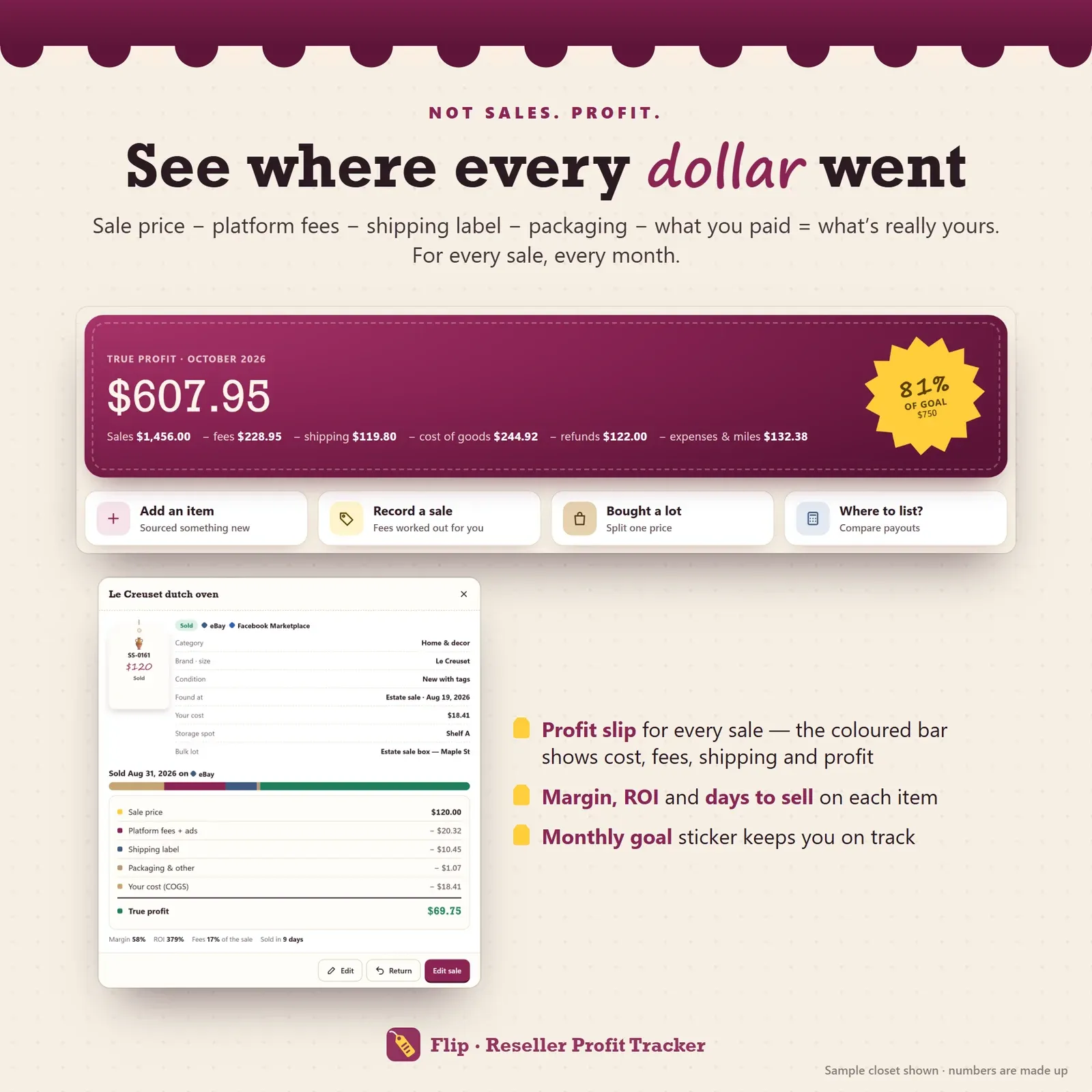
True profit for a resale item after platform fees, shipping label, packaging and cost of goods
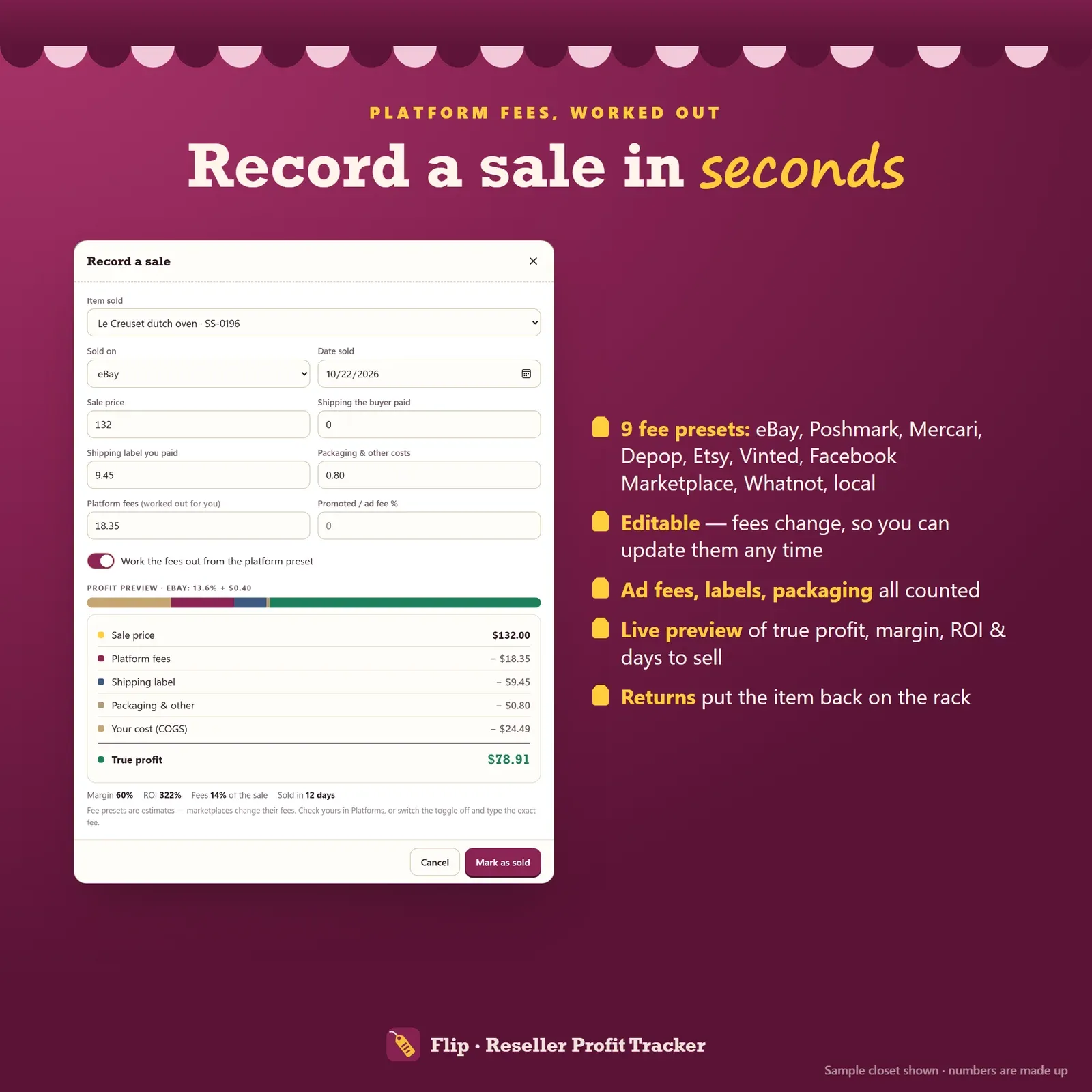
Recording a sale with eBay, Poshmark, Mercari, Depop and Etsy fees worked out automatically
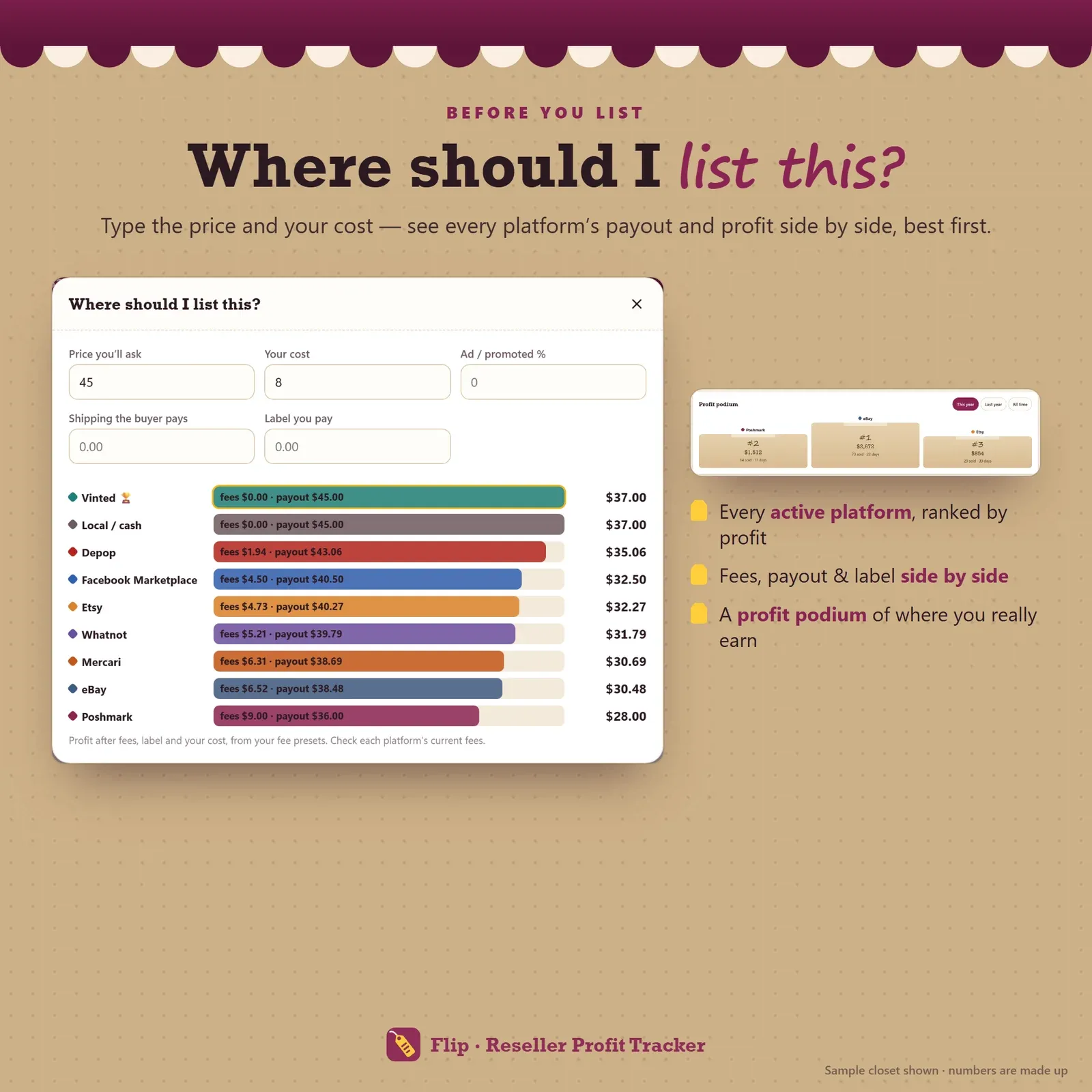
Where should I list this — payout and profit on every platform side by side
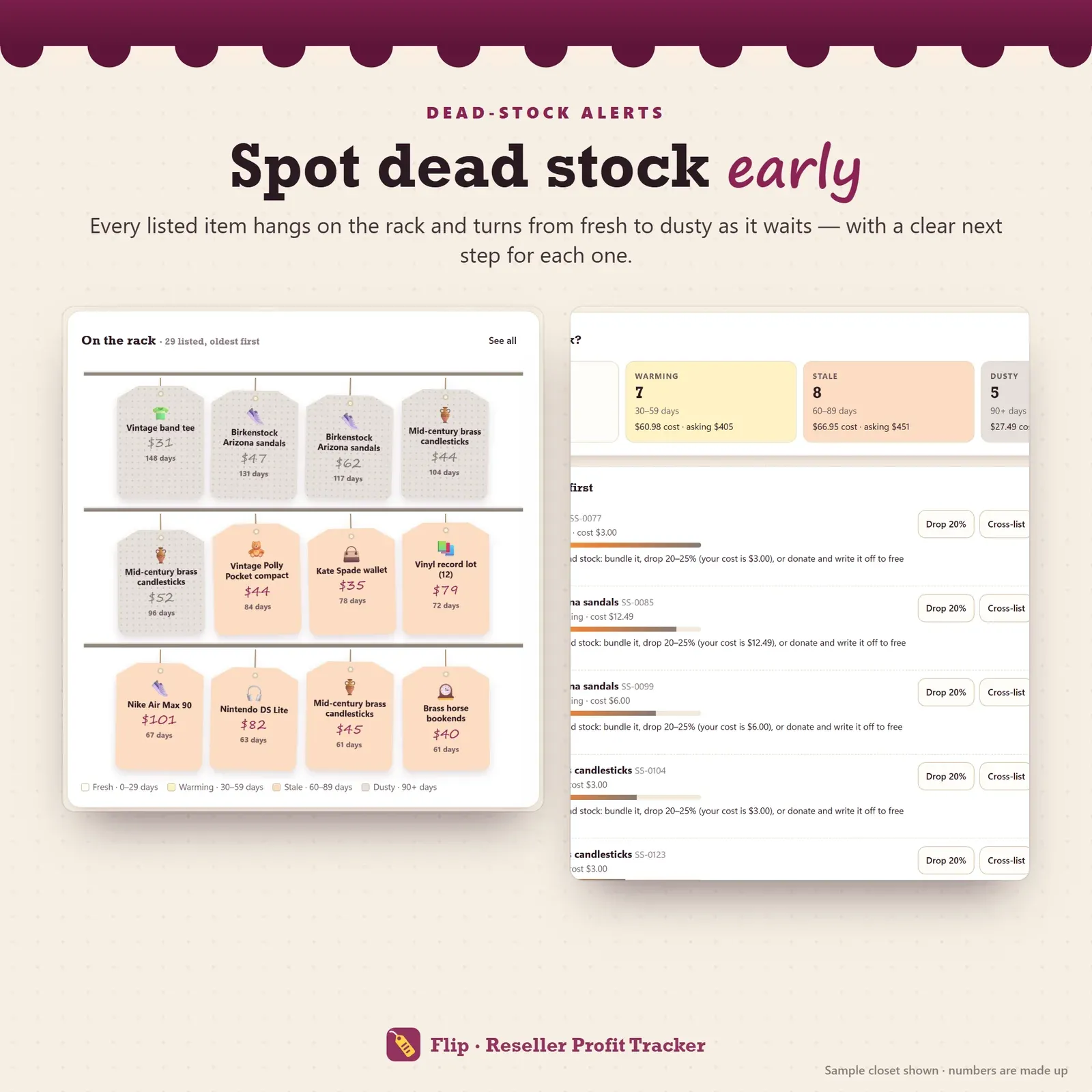
Dead stock alerts with aging buckets from fresh to dusty and a next step for each item
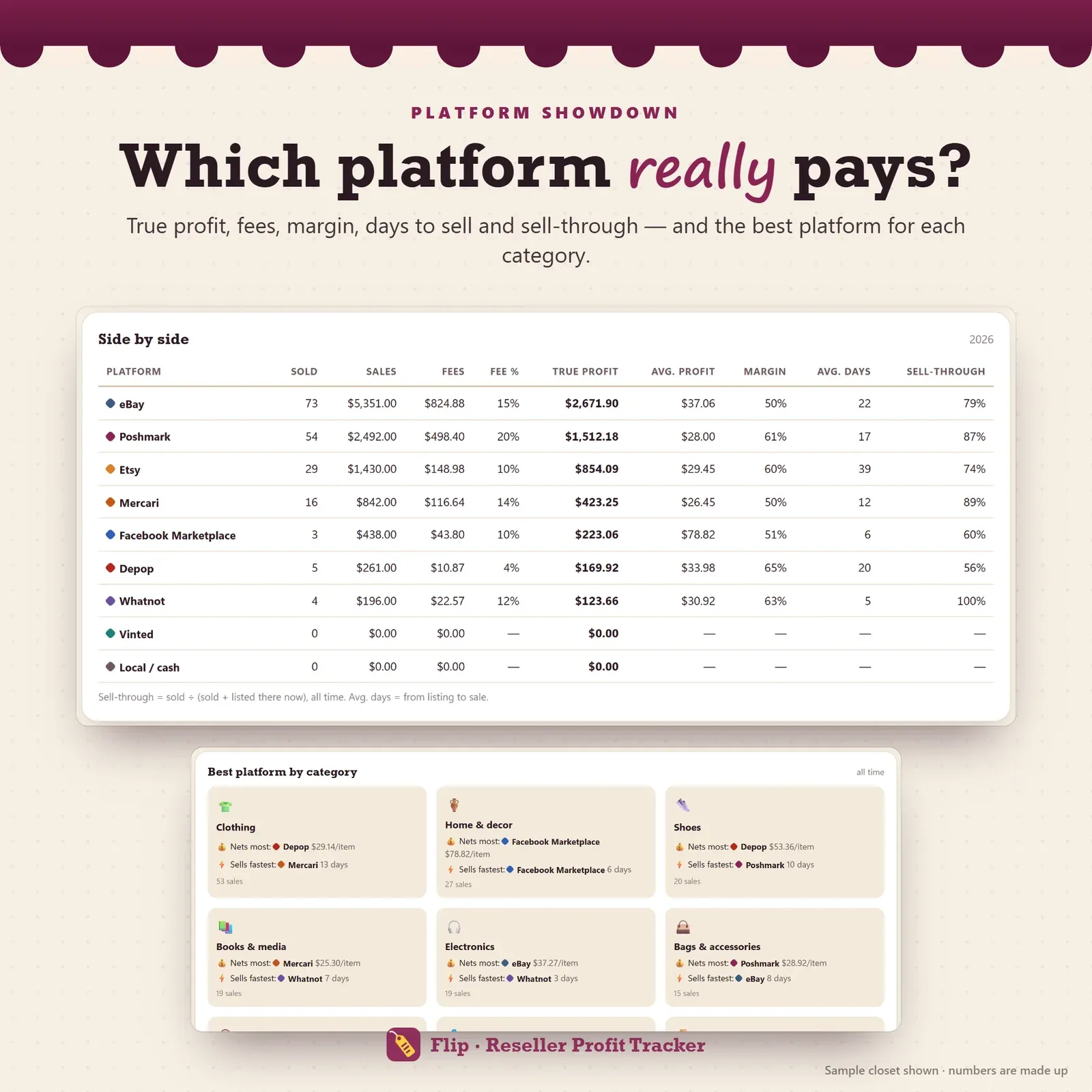
Platforms side by side with fees, true profit, margin, days to sell and sell-through rate
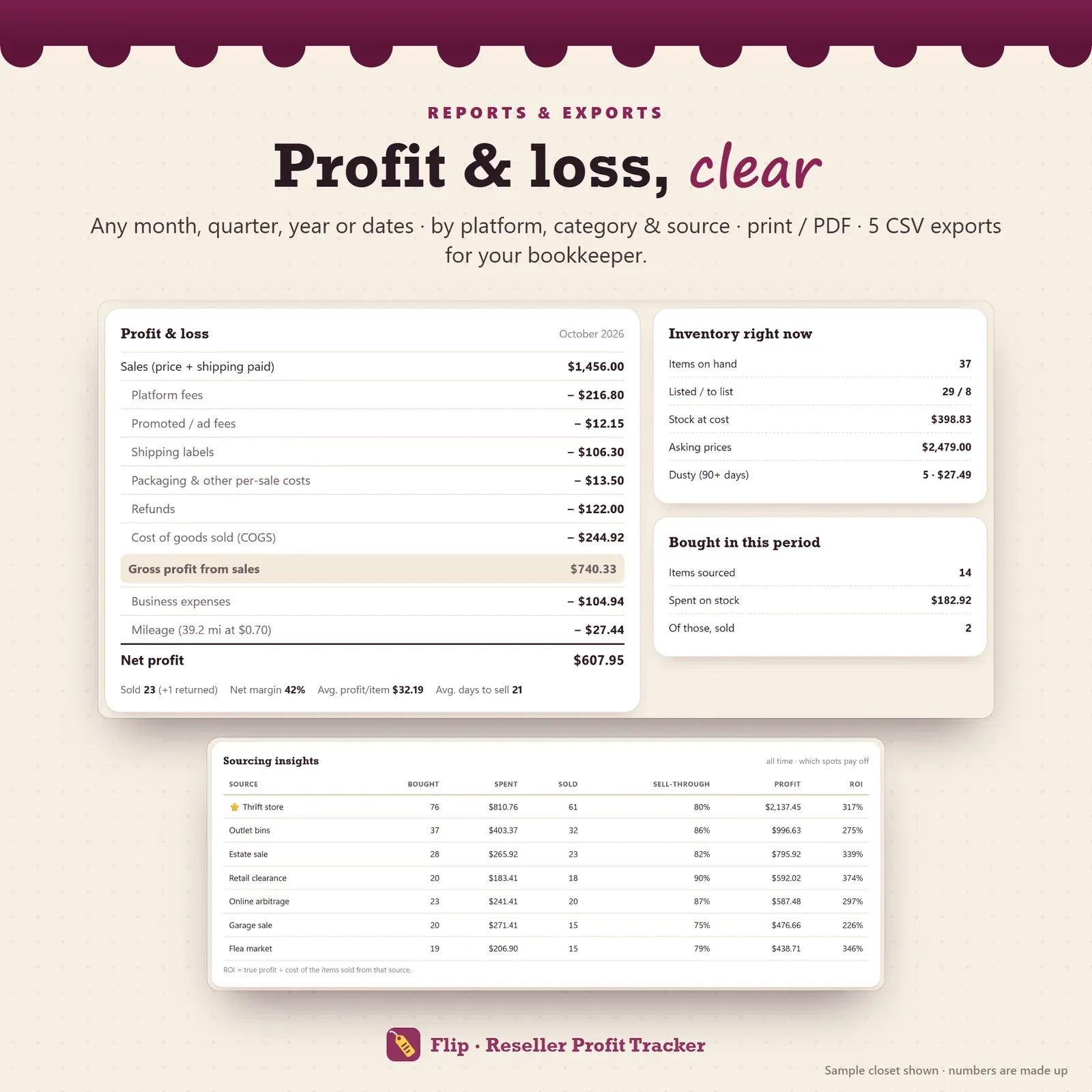
Reseller profit and loss report with sourcing insights and ROI by source
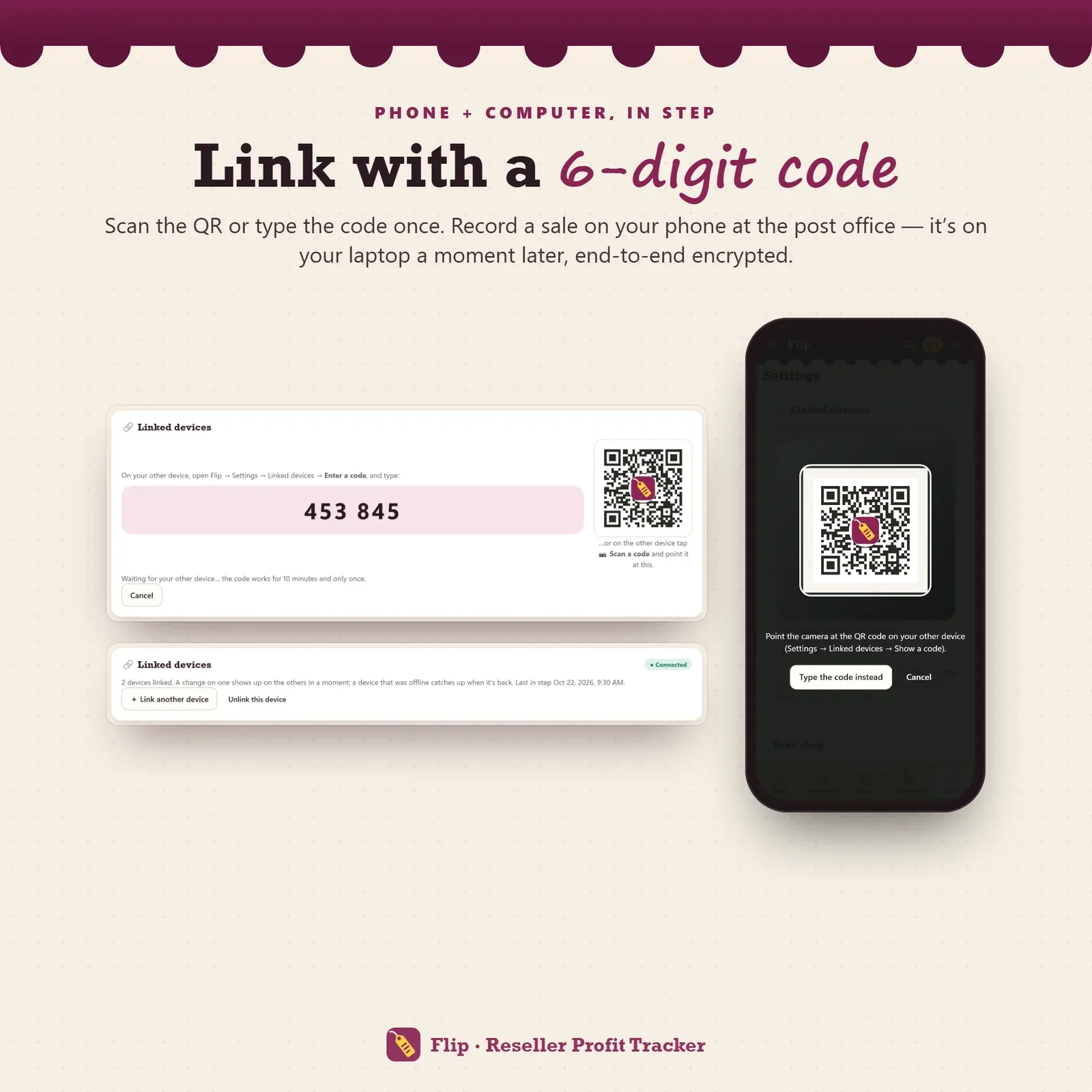
Phone and laptop linked with a 6-digit code or QR
Try the live demo with the sample closet, Second Spin Thrift.
After buying, open Flip from your private link and install it on your phone or computer.
Check the fee presets for the platforms you sell on and add what you've sourced.
Record each sale as it happens and watch your true profit, sell-through rate and dead stock.
Flip's home screen leads with one number: true profit this month. It's your sales minus everything that came out of them — marketplace fees, payment processing, ad fees, shipping labels, packaging, refunds and the cost of the items you sold (COGS), and then your business expenses and mileage. A yellow price sticker shows how close you are to your monthly profit goal.
Every sale opens into a profit slip: a coloured bar shows how the money split between your cost, the fees, shipping and your profit, and the lines below spell it out with margin, ROI and days to sell. If you've ever finished a busy month wondering where the money went, this is the screen that answers it. For the maths behind it, our profit margin calculator and the guide How to calculate your true profit as a reseller walk through real examples.
Flip is designed around the way resellers actually work. Every listed item hangs on the rack as a swing tag, oldest first, with its price and the days it has waited. Tags change colour as they age — fresh, warming, stale, dusty — so stale stock stands out before it becomes a problem. Sold items ship off in kraft boxes with a SOLD stamp. Three themes — Boutique, Stockroom and Kraft box — keep the thrift-shop feel.
Each item carries an automatic SKU, its category, brand, size and condition, where you found it, what you paid plus any cleaning or repair cost, a storage spot (Bin 4, Shelf B) so you find it fast when it sells, its list price and every platform it is cross-listed on. Search by name, SKU, brand or storage spot, filter by status or platform, and export the whole inventory to CSV.
Record a sale and Flip works out the fees from that platform's preset: the selling fee, any fixed per-order fee, payment processing, the flat fee some platforms charge on small sales, whether fees apply to the shipping the buyer paid, and promoted or ad fees. Presets are included for eBay, Poshmark, Mercari, Depop, Etsy, Vinted, Facebook Marketplace, Whatnot and local or cash sales, and you can add your own.
Marketplace fees change often, so every number is editable — and you can switch the automatic fee off and type the exact amount from your payout. A live preview shows the true profit before you save. Returns are handled too: record the refund, and if the item came back it goes straight back on the rack with its cost moved back into stock.
Estate sale boxes, bins hauls and bags of clothes rarely come with a price per item. Flip's bulk lot form takes the total you paid and the items, one per line, and splits the cost evenly or by estimated resale value — so a $60 bag carries more of the cost than a $15 scarf, and the profit on each sale stays honest. The shares always add up to exactly what you paid.
Money sitting on a shelf can't buy the next haul. Flip's Aging page counts your listed stock in four buckets with the money tied up in each, using your own "dusty after" setting (90 days unless you change it). Every item gets a plain next step:
A one-tap price drop records the change, and a separate list shows what you bought but haven't listed yet — the quiet backlog that slows every reseller down.
Which platform really pays? Flip answers with a profit podium of your top platforms and a side-by-side table of items sold, sales, fees and fee percentage, true profit, average profit, margin, average days to sell and sell-through rate. A third panel shows the best platform for each category: where shoes, bags or home decor net the most per item, and where they sell fastest.
Sell-through rate tells you how much of what you list actually sells. Flip works it out per platform (sold ÷ sold plus listed there now) and per sourcing spot (the share of items bought there that have sold). New to the term? Read what sell-through rate means or work out your own with the free sell-through rate calculator.
Before you list, Where should I list this? compares every platform's payout and profit for the price you'll ask, the shipping and your cost — best first.
Flip ranks your sourcing spots by profit, with items bought, money spent, items sold, sell-through and ROI for each thrift store, estate sale, flea market or outlet bin. After a few months you know where the profit comes from, and where to stop going.
Part-time and full-time resellers, thrift and vintage flippers, Poshmark closets, eBay sellers, Mercari and Depop sellers, and anyone flipping sneakers, books, toys or home goods — especially if a reseller spreadsheet has become more work than the reselling itself. Running a craft or service business instead? Till is our small business profit planner.
Flip has no account, no marketplace login and no bank connection. Your inventory and sales stay on your own devices. Link your phone and laptop once with a 6-digit code or QR, and a sale recorded on your phone appears on your laptop a moment later — encrypted on the device before it travels. Backup and restore take one file.
Flip installs from your private link on iPhone, iPad, Android, Mac, Windows and Chromebook and works offline once installed. Any currency works, and distances can be miles or km.
Flip is a tracking tool, not accounting, tax or legal advice. Fee presets are estimates — check each platform's current fees. eBay, Poshmark, Mercari, Depop, Etsy, Vinted, Facebook and Whatnot are trademarks of their owners; Flip is not affiliated with them. It needs internet the first time you open it on each device and works offline after that.
Free tools
Quick answers with the same maths — then let the app keep them up to date.
Profit, margin and markup after fees — or the price to charge for a target margin.
Open calculatorSE tax, income tax and quarterly payments — how much of your profit to set aside.
Open calculatorYour sell-through rate, days to clear stock and money tied up in it.
Open calculatorFurther reading
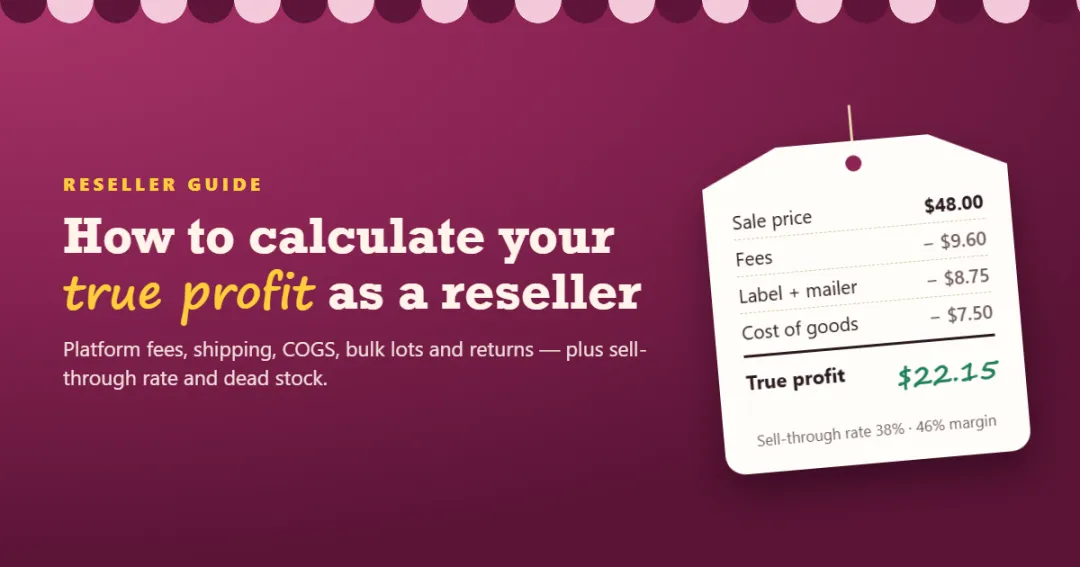
Business Software
Gross sales don't tell a reseller what they made. Here's how to work out true profit per item and per month — platform fees, shipping, cost of goods sold, bulk lots, returns — plus sell-through rate and dead stock, with worked examples.
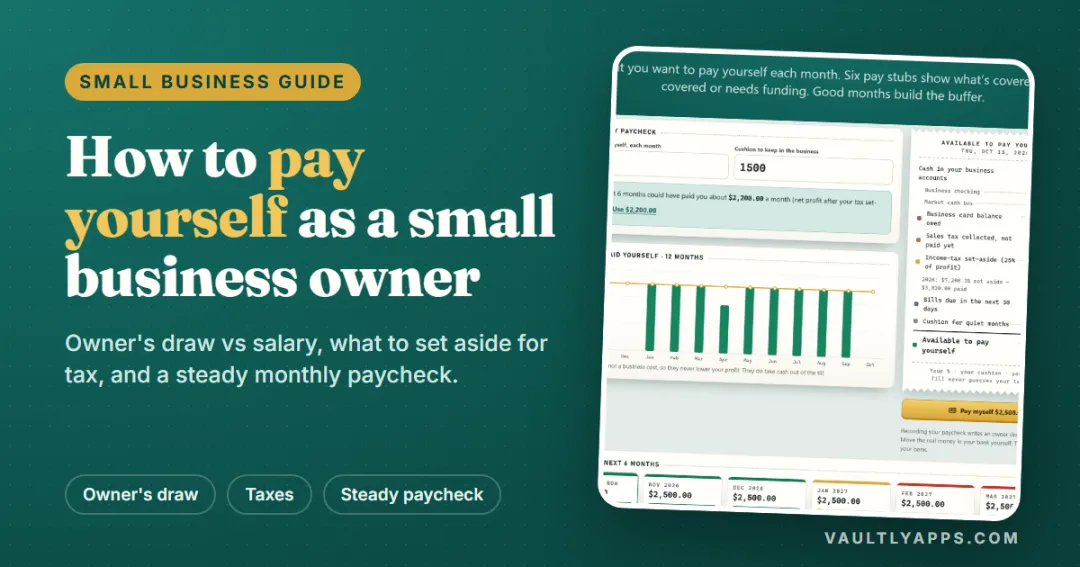
Business Software
Owner's draw or salary, how much to take, and how to turn uneven income into a steady paycheck — a practical guide for sole proprietors, freelancers, makers and small business owners, with a worked example.

Business Software
Good business software fits your process, protects your data and stays affordable as you grow. Use this step-by-step checklist, a three-year cost comparison and a simple scorecard to compare options before you commit.
More from VaultlyApps
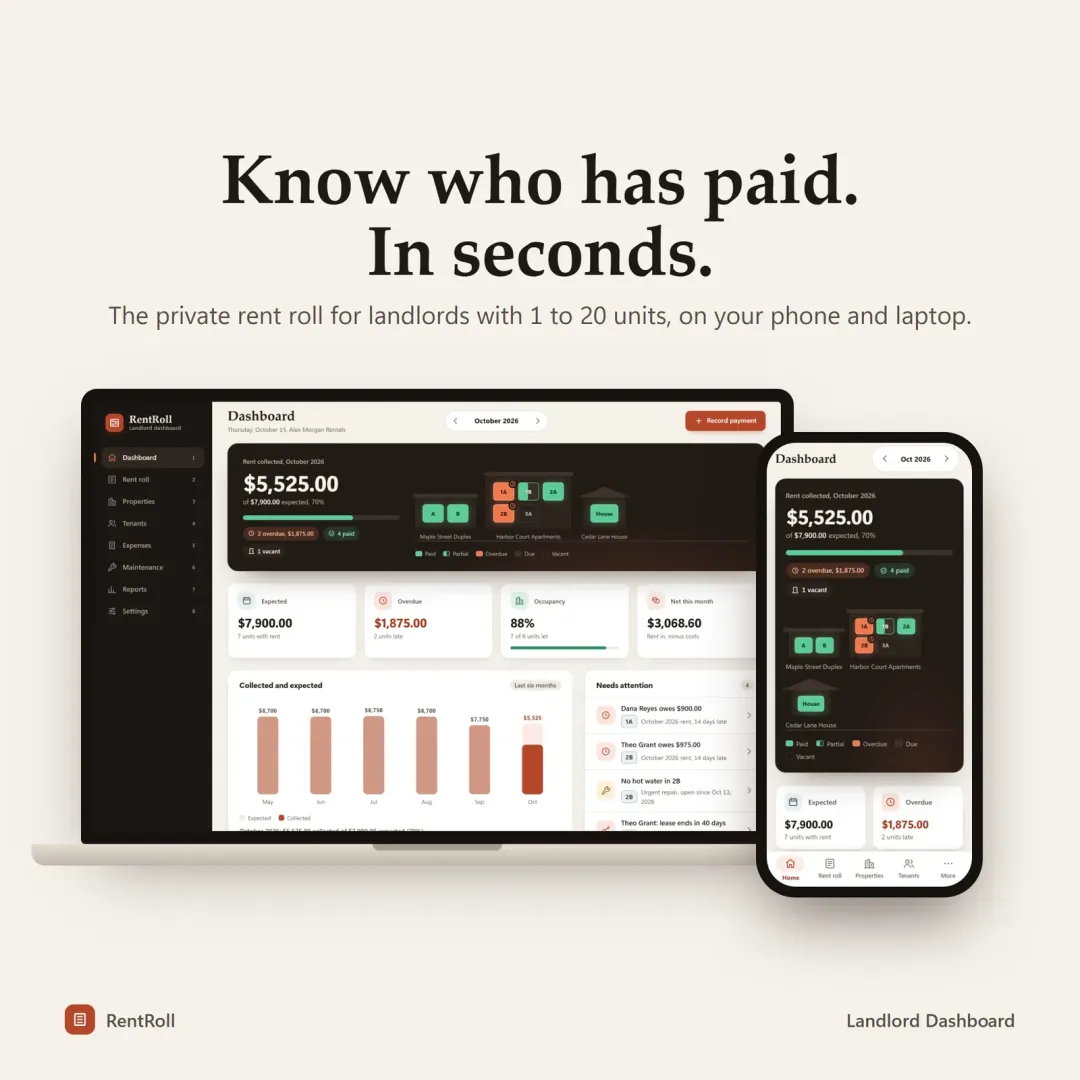 Live
Live

Landlord Dashboard
A private rent roll and property manager for landlords with 1 to 20 units — rent collection, late fees, leases, maintenance and Schedule E tax reports.
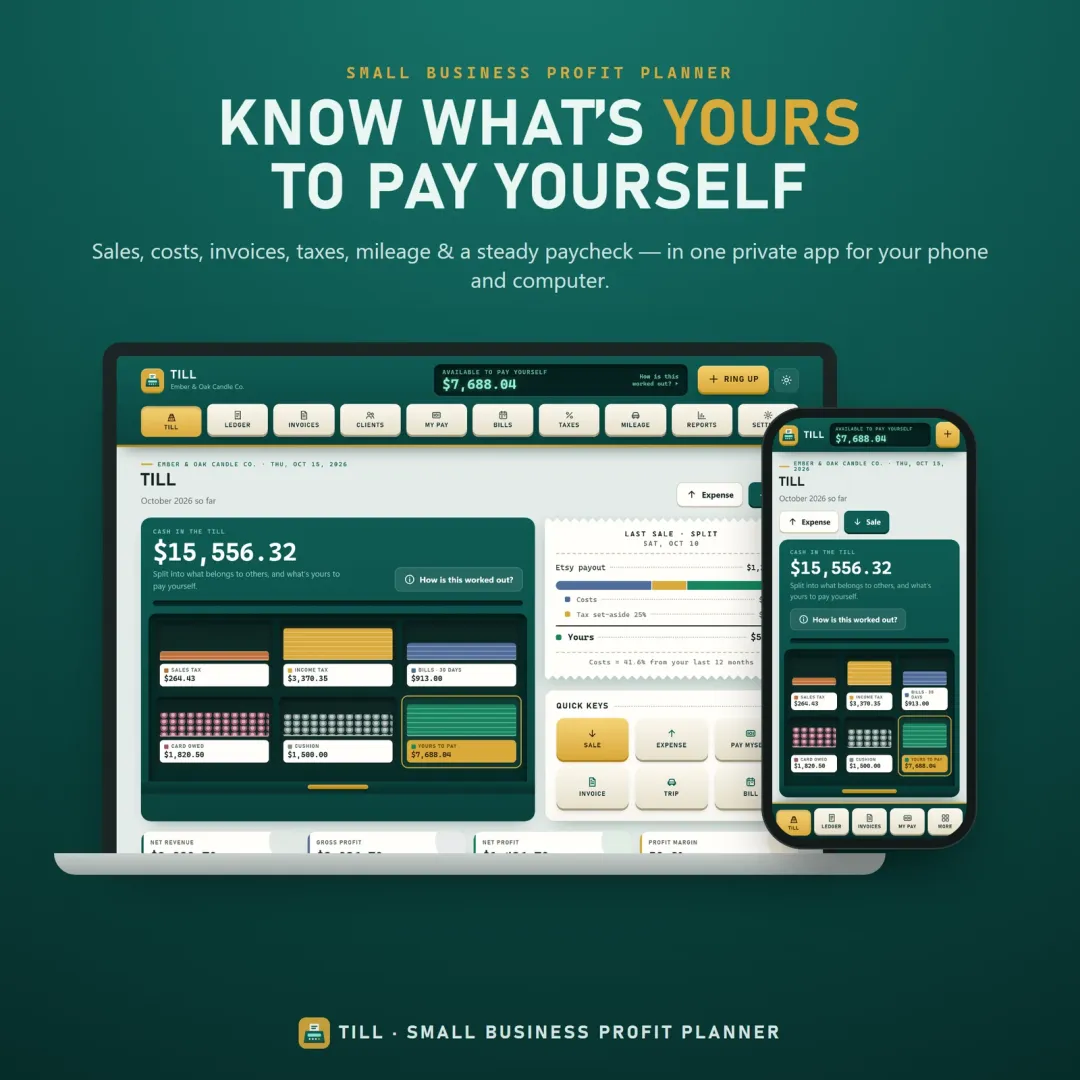 Live
Live

Small Business Profit Planner
A small business planner and profit tracker for freelancers, makers and Etsy sellers — see what's really yours to pay yourself, send invoices, set tax aside and log mileage.
 Live
Live

Personal Finance Dashboard
Your whole money picture on one private dashboard — safe-to-spend, budgets, bills, goals, debt payoff and net worth, on your phone and laptop.
The live demo runs in your browser with realistic sample data. Nothing to install, nothing to sign up for.
We use optional cookies for anonymous analytics. Nothing optional is set until you choose. Cookie policy
This site currently uses no analytics or advertising cookies. It only remembers your light/dark preference in your own browser.
Essential
Theme preference and this choice. Always on.