How to Calculate Your True Profit as a Reseller (Fees, COGS & Sell-Through Rate)
Gross sales don't tell a reseller what they made. Here's how to work out true profit per item and per month — platform fees, shipping, cost of goods sold, bulk lots, returns — plus sell-through rate and dead stock, with worked examples.
In this article
- Step 1: Know what each item cost you
- Bulk lots: give each item a fair cost
- Step 2: Work out the platform fees
- Example: the same $50 sale on two fee structures
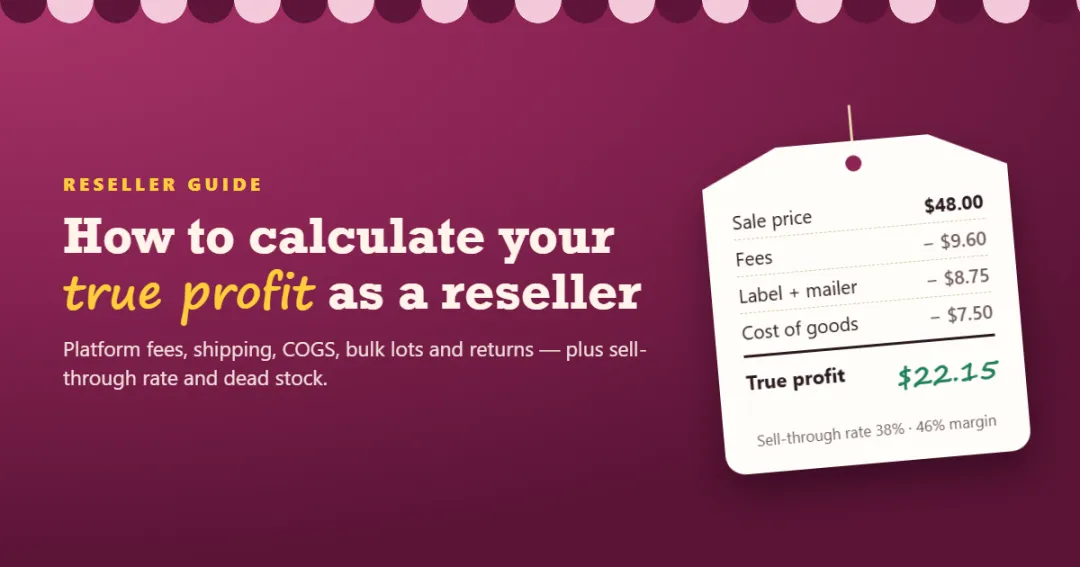
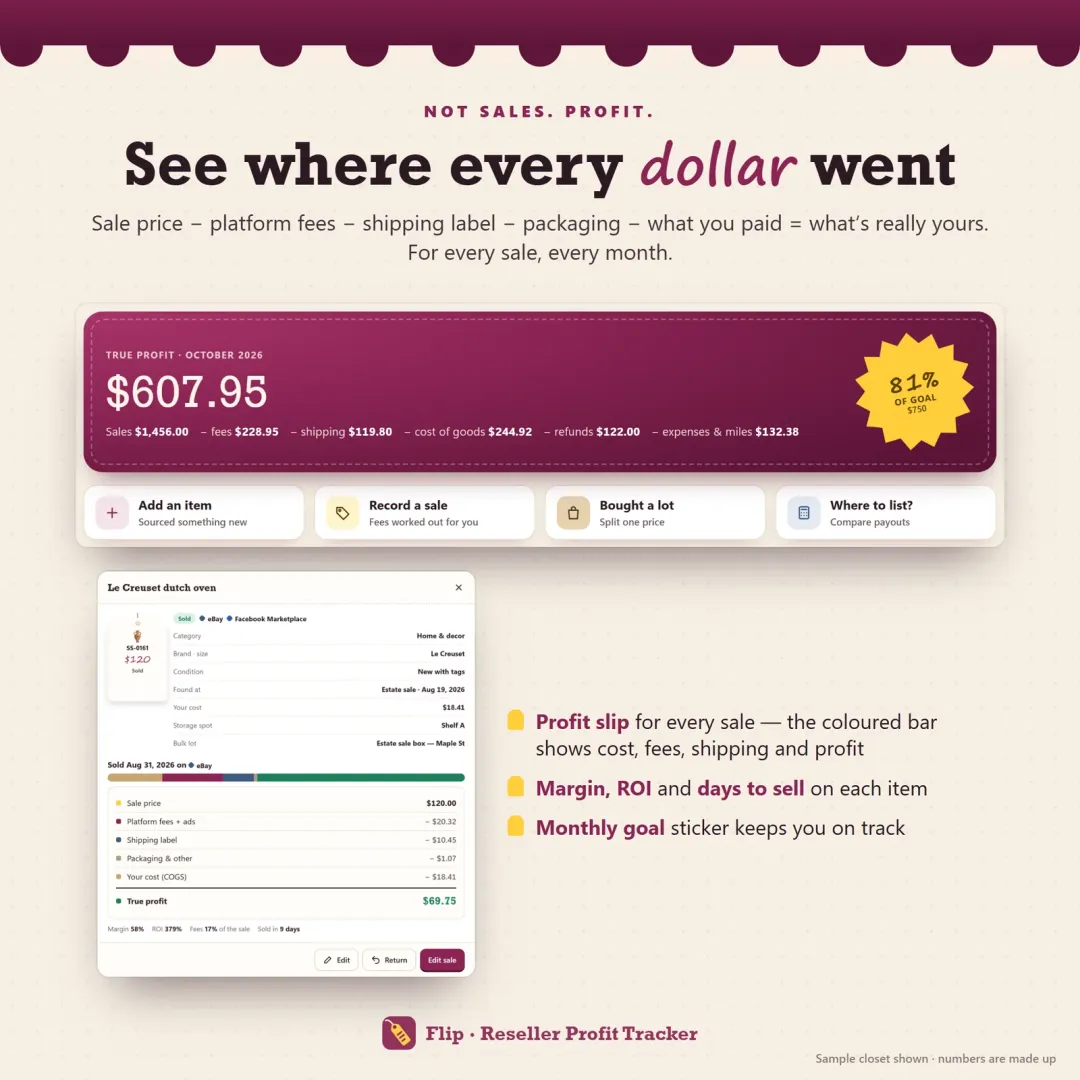
- Step 3: Calculate true profit per item
- Low-priced items: watch the fixed costs
- Step 4: Handle returns properly
- Step 5: Your monthly profit and loss
- Step 6: Track your sell-through rate
- Step 7: Find and fix dead stock
- Step 8: Compare platforms and sourcing spots
- Spreadsheet or reseller profit tracker?
- A simple monthly routine
A $40 sale feels like $40. But by the time the marketplace takes its cut, you've paid for the label and the mailer, and you remember the item cost $6 at the thrift store, the real number might be closer to $15 — and that's before the supplies, subscriptions and miles that keep your reselling business running. If you only watch gross sales, a busy month can still lose money.
This guide shows how to calculate true profit as a reseller: per item, per month, and across platforms. It also covers the two numbers that tell you whether your inventory is healthy — sell-through rate and dead stock.
Step 1: Know what each item cost you
Every profit calculation starts with cost of goods sold (COGS) — what you paid for the items you actually sold. For a reseller that means:
- The purchase price — what you paid at the thrift store, estate sale, bins or online.
- Costs to make it sellable — cleaning, repairs, a new zipper, batteries.
Items you still have aren't part of COGS yet. They're inventory: money you've already spent that comes back only when they sell. Our glossary entry on cost of goods sold has the formal formula; for most resellers who track each item, "add up what you paid for everything you sold" is all you need.
Bulk lots: give each item a fair cost
Bought a $40 box at an estate sale with a Coach bag, a scarf, a brooch and a pair of candlesticks? Don't split it $10 each. If you expect the bag to sell for $60 and the scarf for $15, a fair split follows the expected value:
| Item | Expected resale | Share of $40 |
|---|---|---|
| Coach crossbody bag | $60 | $17.14 |
| Brass candlesticks | $40 | $11.43 |
| Vintage brooch | $25 | $7.14 |
| Wool scarf | $15 | $4.29 |
| Total | $140 | $40.00 |
Splitting by value keeps every sale honest: the bag doesn't look wildly profitable while the scarf looks like a loss.
Step 2: Work out the platform fees
Marketplace fees usually have several parts. Not every platform uses all of them, and they change often, so always check the platform's current fee page:
- Selling fee — a percentage of the sale, sometimes including the shipping the buyer paid.
- Fixed per-order fee — a few cents to under a dollar per sale.
- Payment processing — a percentage plus a fixed amount on some platforms.
- Flat fee on small sales — some platforms charge a flat amount below a price threshold instead of a percentage.
- Promoted or ad fees — an extra percentage if you boosted the listing.
Example: the same $50 sale on two fee structures
| Platform A | Platform B | |
|---|---|---|
| Sale price | $50.00 | $50.00 |
| Shipping paid by buyer | $8.00 | $0.00 |
| Fee structure (example) | 13.6% of total + $0.40 | 20% of price |
| Fees | $8.29 | $10.00 |
| Label you pay | $8.45 | $0.00 (buyer pays) |
| Payout after label | $41.26 | $40.00 |
The higher percentage doesn't always lose: on Platform B the buyer pays for the label, so the payouts end up close. That's why comparing platforms needs the full picture, not just the fee percentage. (The fee structures above are examples — use your platforms' real, current fees.)
Step 3: Calculate true profit per item
Now put it together. Here's one real-looking sale:
| Line | Amount |
|---|---|
| Sale price | $48.00 |
| + Shipping paid by the buyer | $0.00 |
| − Platform fees | −$9.60 |
| − Shipping label | −$7.95 |
| − Packaging (mailer, tissue) | −$0.80 |
| − Cost of goods (paid $6 + $1.50 cleaning) | −$7.50 |
| True profit | $22.15 |
| Profit margin (profit ÷ sale) | 46% |
| ROI (profit ÷ cost of goods) | 295% |
Two numbers are worth tracking alongside profit:
- Profit margin shows how much of each sale you keep. Check yours with the profit margin calculator.
- ROI shows how hard your sourcing money works. A $3 item that nets $20 is a 667% ROI; a $40 item that nets $20 is 50%.
Low-priced items: watch the fixed costs
On a $10 item, a $0.40 fixed fee, a $4 label and a $0.80 mailer eat more than half the sale before the percentage fee or your cost. That's why many resellers set a minimum price, bundle cheap items, or sell them locally where there's no label.
Step 4: Handle returns properly
When a buyer returns an item, three things happen:
- You refund the buyer (part or all of what they paid).
- Some fees may not come back, and you may have paid for the return label.
- If the item comes back, it's inventory again — its cost moves back out of COGS.
So a returned sale usually shows a small loss (the fees and labels you didn't recover), not the full price. If the item arrives damaged and can't be resold, its cost stays as a loss too.
Step 5: Your monthly profit and loss
Per-item profit is only part of the story. Once a month, add up:
| Line | Example month |
|---|---|
| Sales (prices + shipping paid by buyers) | $1,456.00 |
| − Platform and ad fees | −$229.45 |
| − Shipping labels and packaging | −$119.21 |
| − Refunds | −$0.00 |
| − Cost of goods sold | −$244.98 |
| = Gross profit from sales | $862.36 |
| − Business expenses (supplies, apps, storage) | −$51.86 |
| − Mileage (sourcing runs, post office) | −$6.79 |
| = Net profit | $803.71 |
Business expenses are the costs that don't belong to one item: poly mailers by the hundred, tape, a cross-listing app subscription, a storage unit, photo gear. Mileage for sourcing runs and post-office trips adds up quickly — log the miles and multiply by your rate (in the US, check the IRS standard mileage rate for the year).
If reselling is a business for you, part of that net profit belongs to the tax office. Our self-employment tax calculator estimates what to set aside, and how to pay yourself as a small business owner covers turning profit into a steady paycheck.
Step 6: Track your sell-through rate
Profit tells you how well the items you sold did. Sell-through rate tells you how much of your stock is selling at all:
Sell-through rate = items sold ÷ (items sold + items still unsold) × 100
If you sold 23 items this month and 37 are still listed or waiting to be listed, your sell-through rate is 23 ÷ 60 = 38%.
| Monthly sell-through rate | What it usually means |
|---|---|
| Under 20% | Slow — stock is piling up |
| 20% – 40% | Steady |
| 40% – 60% | Strong |
| 60%+ | Excellent — or priced a little low |
Look at it per platform (which marketplace actually moves your stock) and per sourcing spot (which store's items sell). A thrift store with great prices but a 20% sell-through rate may be worse than a pricier one where most things sell. Work out yours with the free sell-through rate calculator, or read more in our glossary entry on sell-through rate.
Step 7: Find and fix dead stock
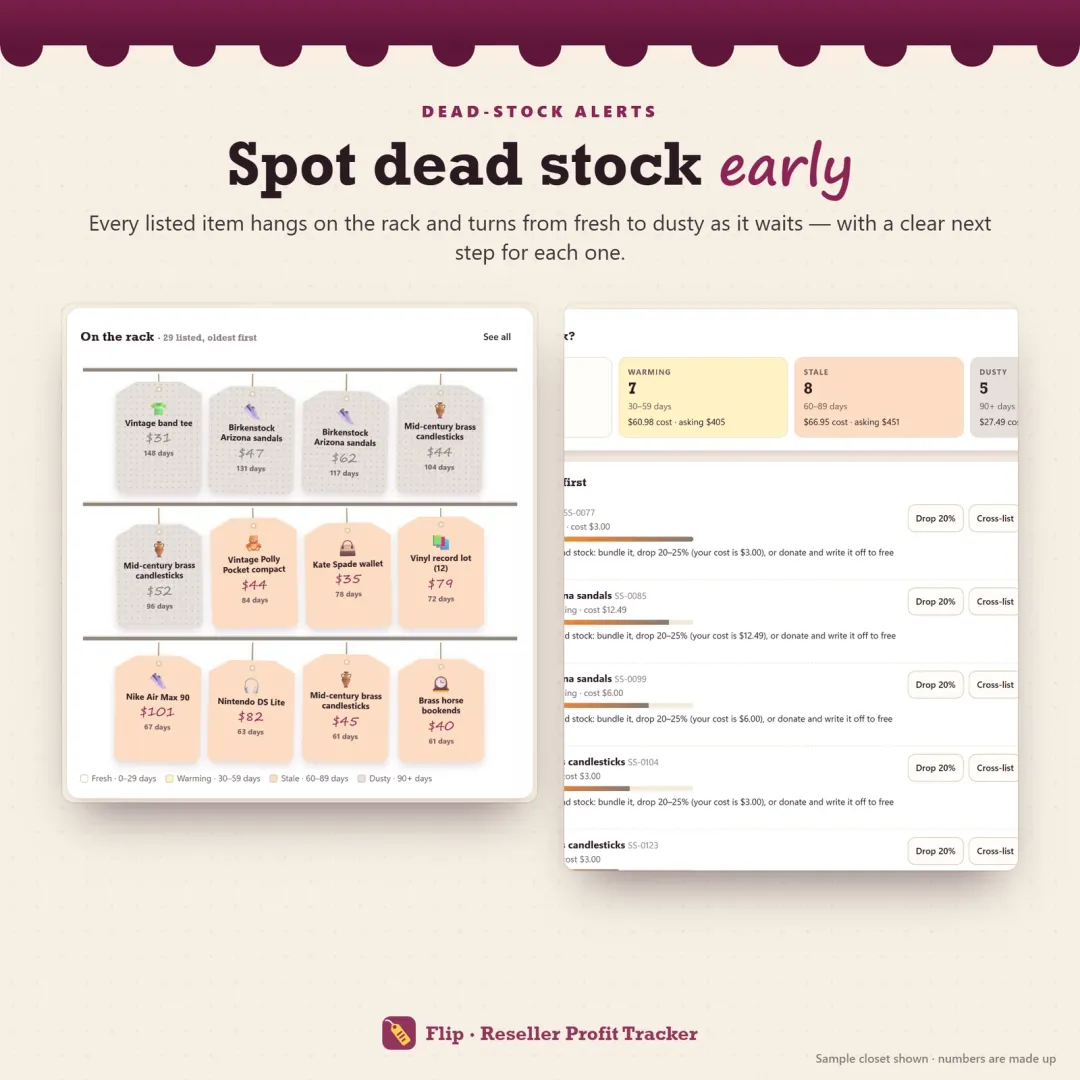
Every unsold item is money you can't spend on the next haul. Decide on a limit — many resellers use 90 days — and review everything older than that once a week:
- 30–60 days (warming): refresh photos and the title, send offers to watchers, cross-list.
- 60–90 days (stale): drop the price 10–15% and list it on the platform that sells that category best.
- 90+ days (dusty): bundle it, drop 20–25%, or donate it and write it off to free the space.
Also watch the items you bought but haven't listed. A pile of unlisted stock looks like inventory but earns nothing.
Step 8: Compare platforms and sourcing spots
Once you have a few months of data, the useful questions are comparative:
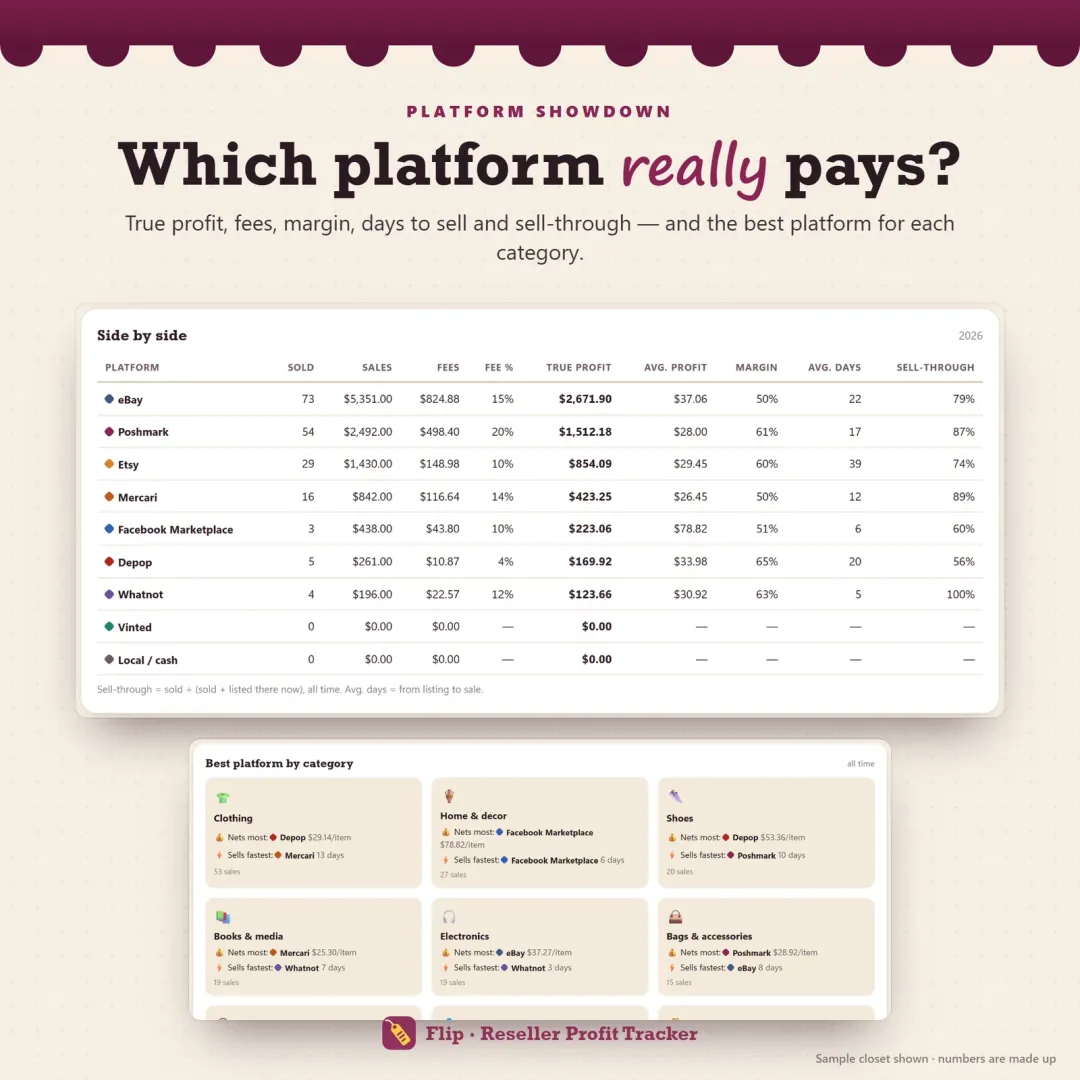
- Which platform nets the most per item in each category — and which sells fastest?
- What's your average days to sell on each platform?
- Which sourcing spots have the best ROI and sell-through rate?
You'll often find that a platform with higher fees still wins for a certain category because items sell twice as fast, or that one bins location quietly produces most of your profit.
Spreadsheet or reseller profit tracker?
A spreadsheet works while you're small. It gets fragile when you cross-list on several platforms, split bulk lots, handle returns and keep up with fee changes — and it rarely tells you about dead stock until you go looking.
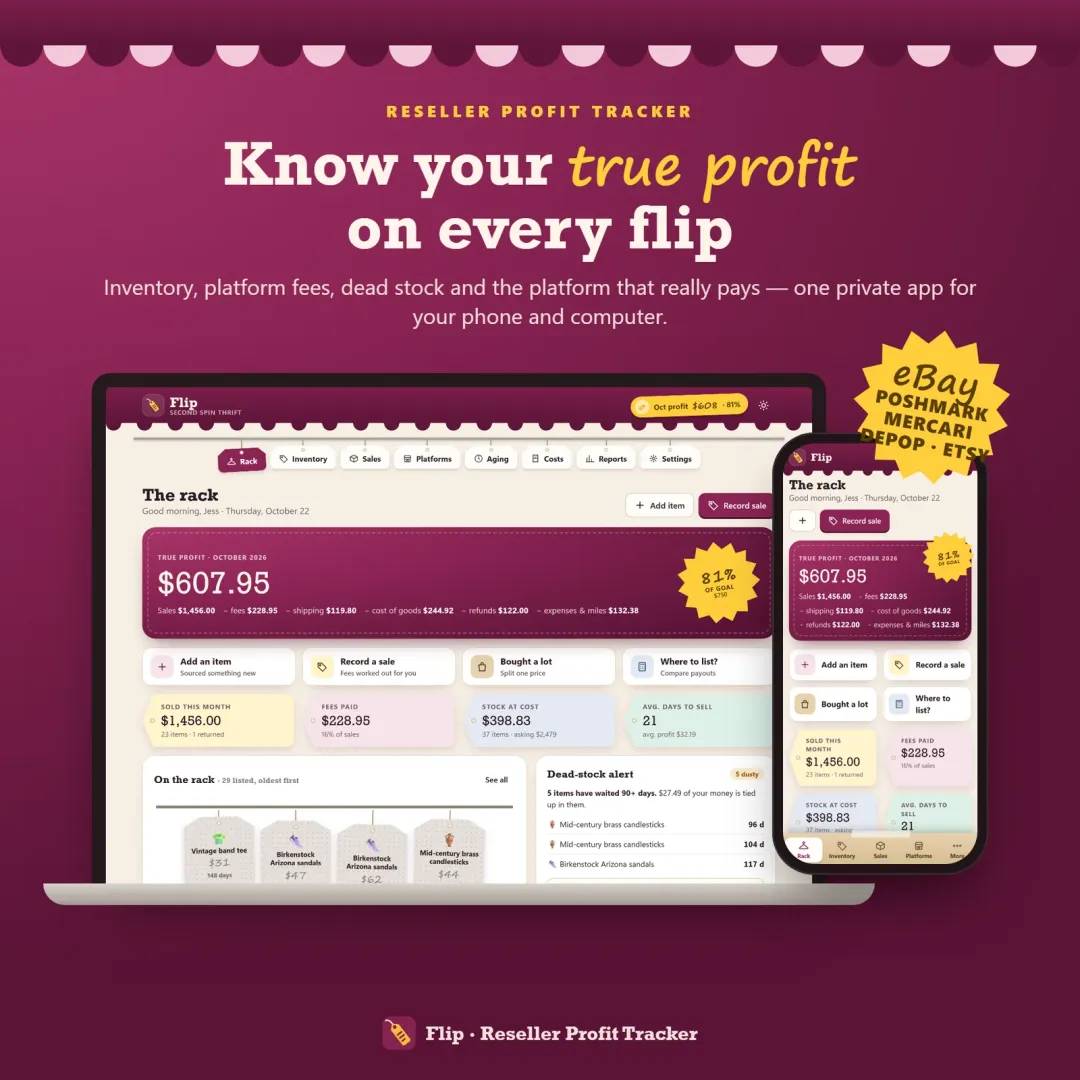
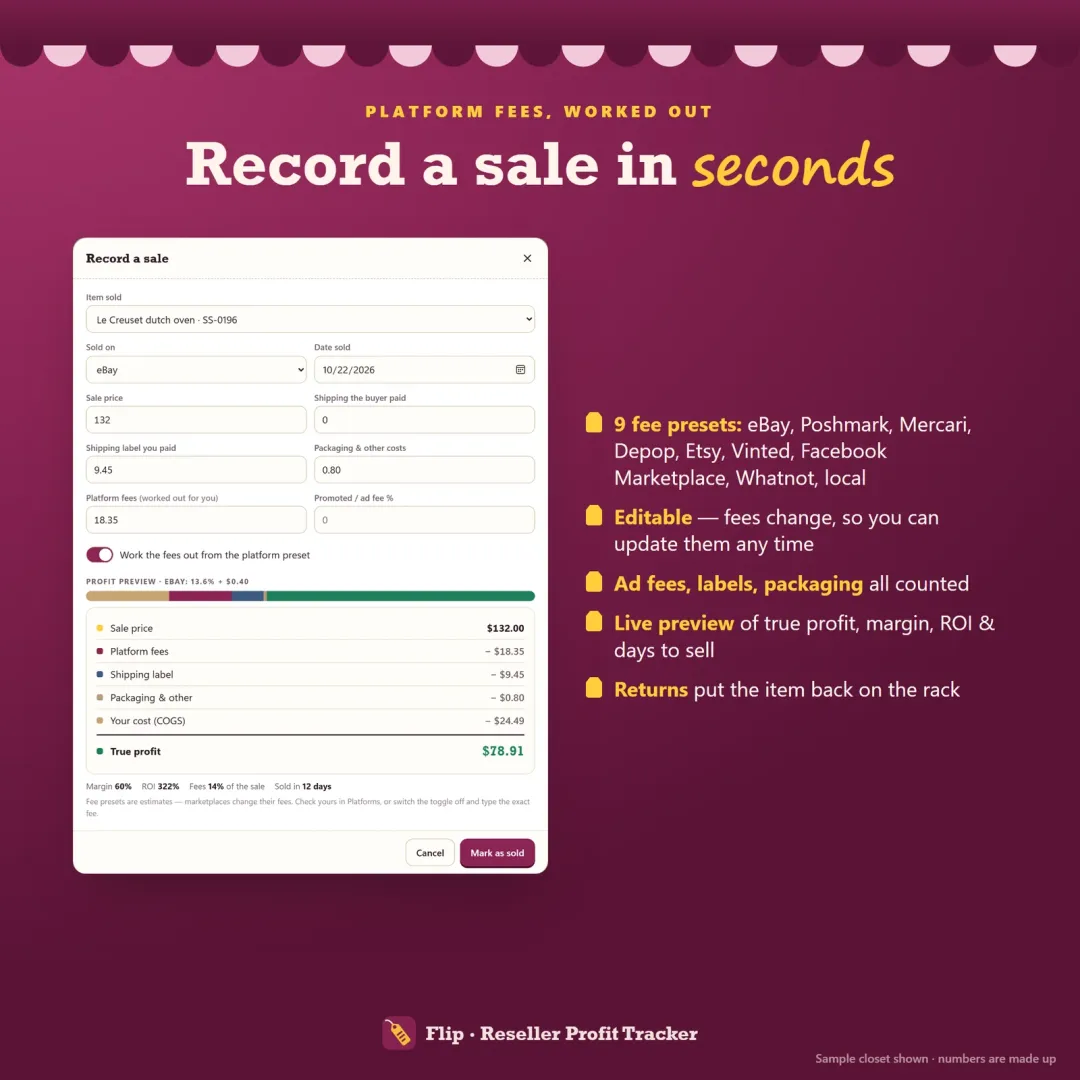
Flip, our reseller profit tracker, does the calculations in this guide automatically: every item from sourcing to sale, editable fee presets for eBay, Poshmark, Mercari, Depop, Etsy and other platforms, true profit, margin and ROI on every sale, bulk lots split by value, returns, dead-stock alerts, sell-through rate and days to sell per platform and sourcing spot, and a monthly profit and loss with CSV exports. It's a one-time purchase, works offline on your phone and computer, and doesn't need a marketplace login. You can try the free demo with a sample closet first. If you run a craft or service business rather than reselling, Till is the small business version.
A simple monthly routine
- Every sale: record the price, platform, fees, label and packaging the day it sells.
- Every sourcing trip: log what you paid and split any lots.
- Weekly: review items past 60 and 90 days; drop, cross-list or bundle.
- Monthly: check net profit, sell-through rate, best platforms and best sourcing spots, then set aside money for taxes.
Do that for three months and you'll know exactly where your profit comes from — and where it quietly leaks away.
This guide is general information, not tax or accounting advice. Marketplace fees change; check each platform's current fees.
Frequently asked questions
How do I calculate profit on a resale item?
What is a good profit margin for reselling?
What is sell-through rate and why does it matter?
Should I count items I haven't sold yet as a cost?
How do I handle a bulk lot when calculating profit?
Do I need to pay taxes on reselling profit?
How often should I check my reseller numbers?
Written by
Finance Specialist & Editor, VaultlyApps
Emma Whitfield writes and edits the VaultlyApps money guides and free calculators. Her focus is US household finance — budgeting on a real paycheck, paying down credit card and student debt, emergency funds and savings goals, renting — and the money side of freelancing and small-business income, from pricing and profit margins to self-employment tax. Every guide is researched against primary sources such as IRS publications and the CFPB, every number is checked in our tested calculators, and tax content is reviewed each year when new IRS figures come out. Emma is not a licensed financial adviser or tax preparer; her work is general education, not personal advice.
Researched against primary US sources, checked with our calculators and reviewed by a finance expert on our team. Written for US readers — general education, not financial, tax or legal advice. Editorial policy · Disclaimer