
Student Loan Payoff Calculator
Debt-free date, interest and the savings from paying extra each month.
Open calculator Live
Web app (installable PWA)
Live
Web app (installable PWA) Student Budget Planner
A digital student planner for college money — your financial aid, paychecks and family money turned into one weekly budget, with bills, roommate splits, textbooks and a semester strip that shows every week at a glance.
Try the live demo to explore the application — it runs right here on VaultlyApps with sample data, no sign-up needed.

Semester is a student budget planner and weekly budget app for college. You add your semester dates, the money you start with and the money still coming — a financial aid refund, scholarships, student loans, family help and paychecks — and Semester spreads it over the weeks you have left, sets bills and rent aside first, and shows one number: what you can spend this week. A semester strip, broke-week survival mode, roommate expense split, textbook tracker, savings goals, student loans and a semester report are built in. It works on phone and laptop without an account or bank login.
A college student budget doesn't look like a normal monthly budget. Most of the money arrives in one or two lumps — a financial aid refund in August or January, a scholarship, money from family — and it has to last 15 or 16 weeks. On top of that come part-time paychecks that change every week, rent split with roommates, textbooks at the start of term and the broke week before payday. A monthly budget planner can't answer the only question that matters on a Tuesday: how much can I spend this week? Semester is built to answer it.
Your aid, loans, scholarships, family money and pay are spread over the weeks left in the semester, bills come off first, and you see what you can spend this week — with “How is this worked out?” line by line.
Every week of the semester as one ruled column — under the allowance, over it, or this week — so you see at a glance how the whole term is going.
Mark money as expected or received. Careful mode counts only money that has actually arrived, so a late paycheck or refund never makes you overspend.
A daily limit, the days until money comes in, what you can afford per day after bills, and a checklist — pantry meals, free campus food, pausing subscriptions, selling a textbook.
Split rent top-ups, Wi-Fi, utilities and groceries equally or with custom amounts, see who owes whom in the fewest payments and settle up.
For each course, bought new, used, rented, digital or from the library — with sell-back value, the real cost and rental return dates.
Planned vs spent for every student category, bills and subscriptions on sticky notes with due dates, savings goals with a weekly pace, and student loans with payoff time.
Scroll sideways · select to enlarge
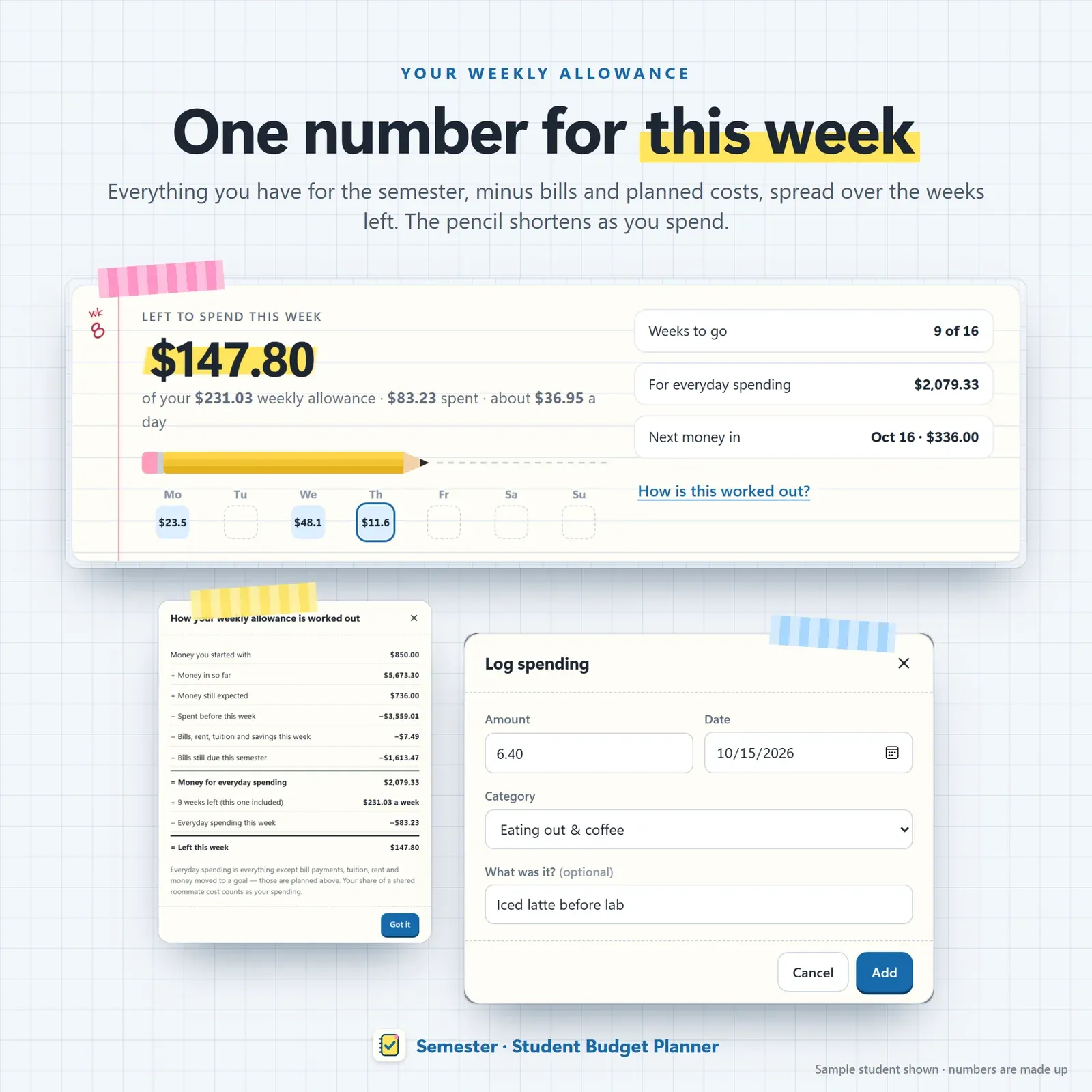
Weekly budget page — what you can spend this week, with a pencil that gets shorter as you spend
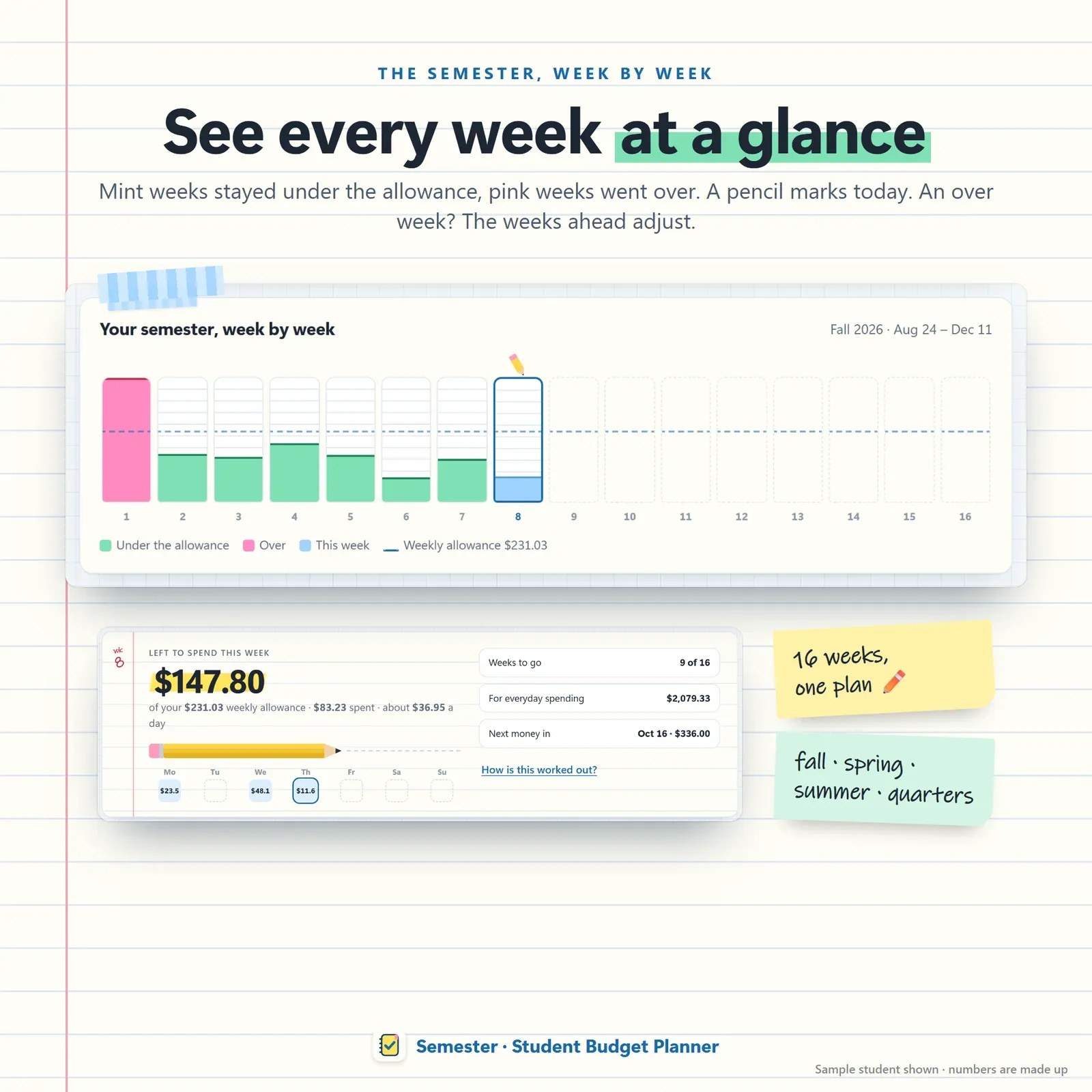
The semester strip — one column per week of the semester, under budget, over budget and this week
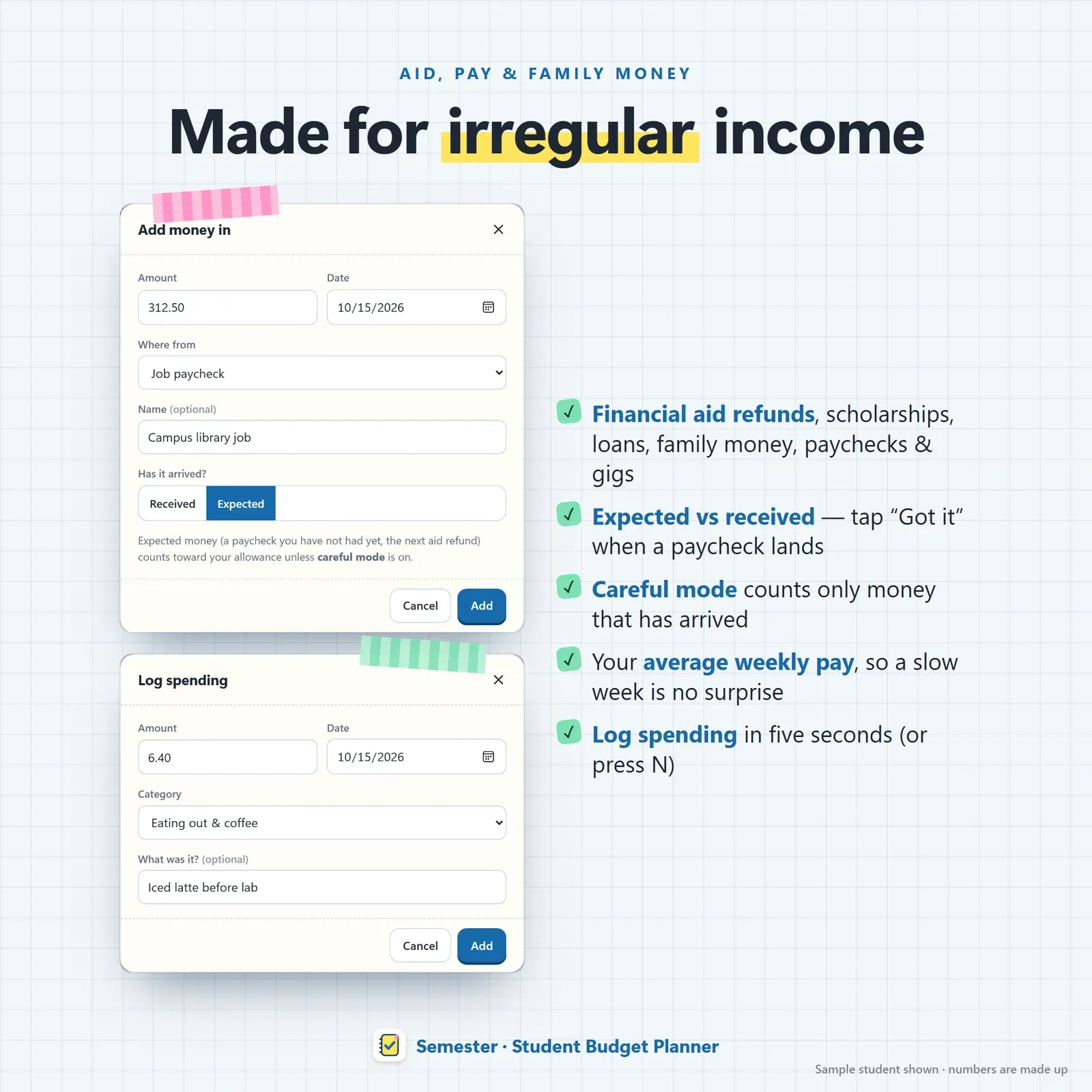
Money in from financial aid, scholarships, family and part-time paychecks, marked expected or received
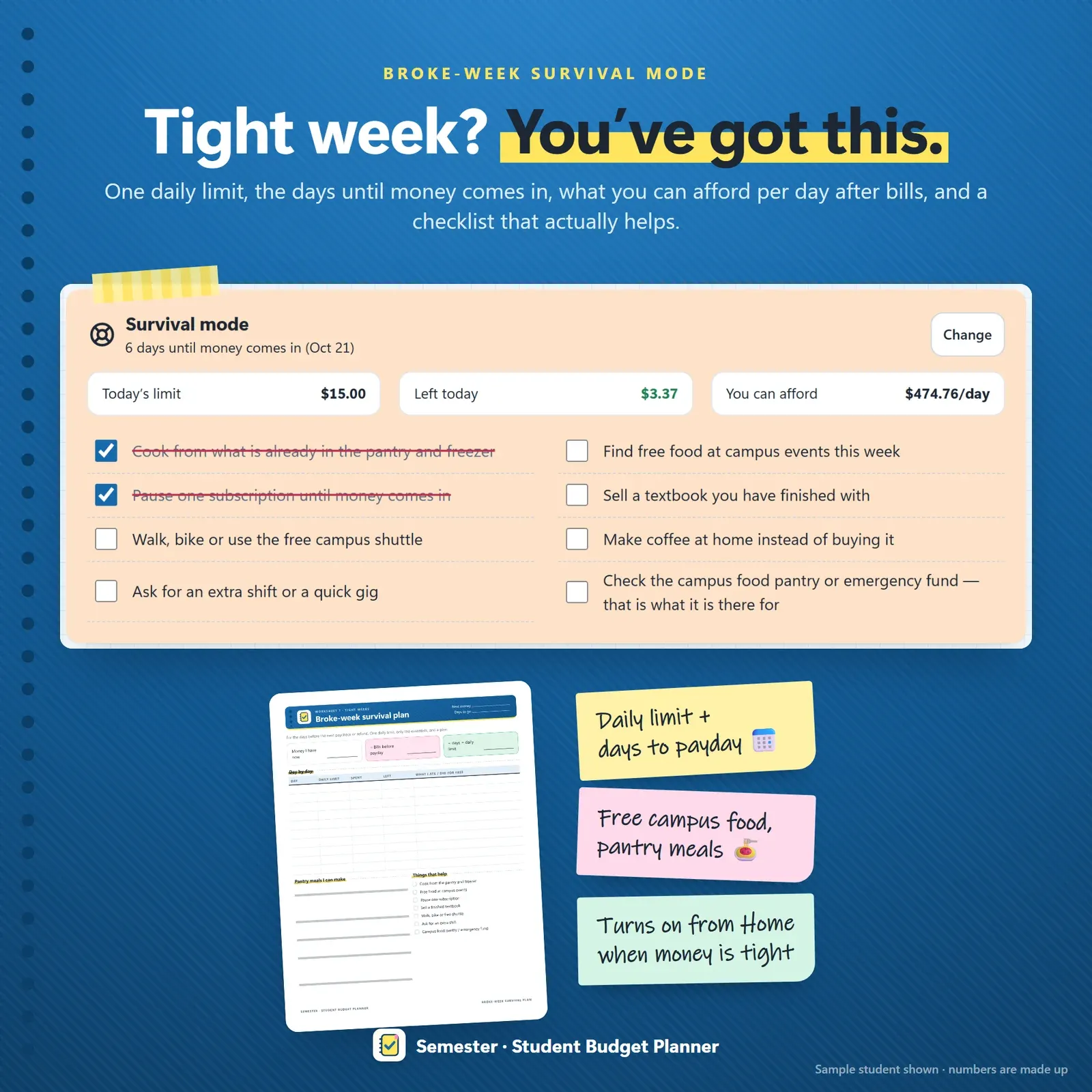
Broke-week survival mode with a daily spending limit and days until money comes in
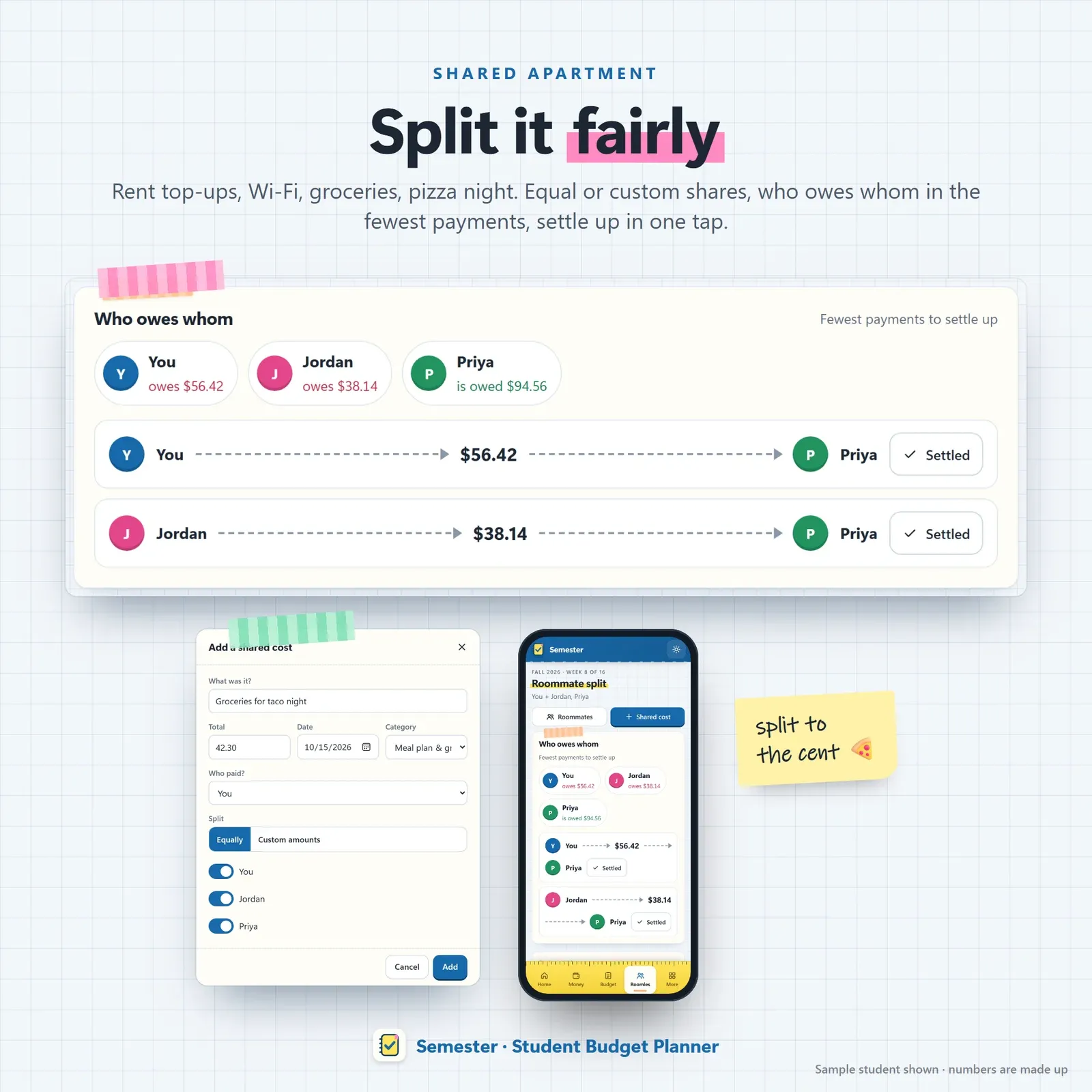
Roommate expense split for rent, Wi-Fi, utilities and groceries with fewest settle-up payments
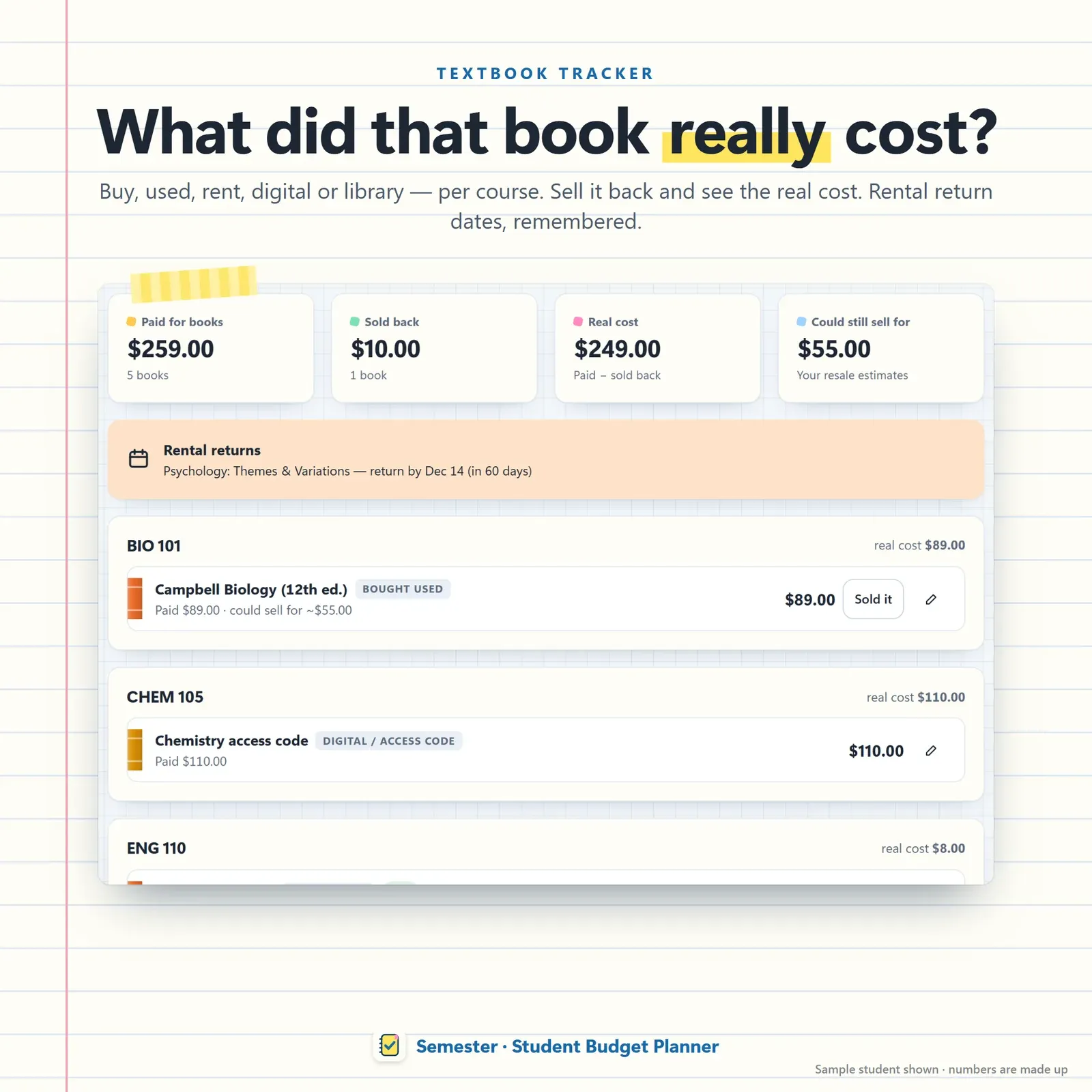
Textbook tracker per course — bought, used, rented or digital, sell-back value and real cost
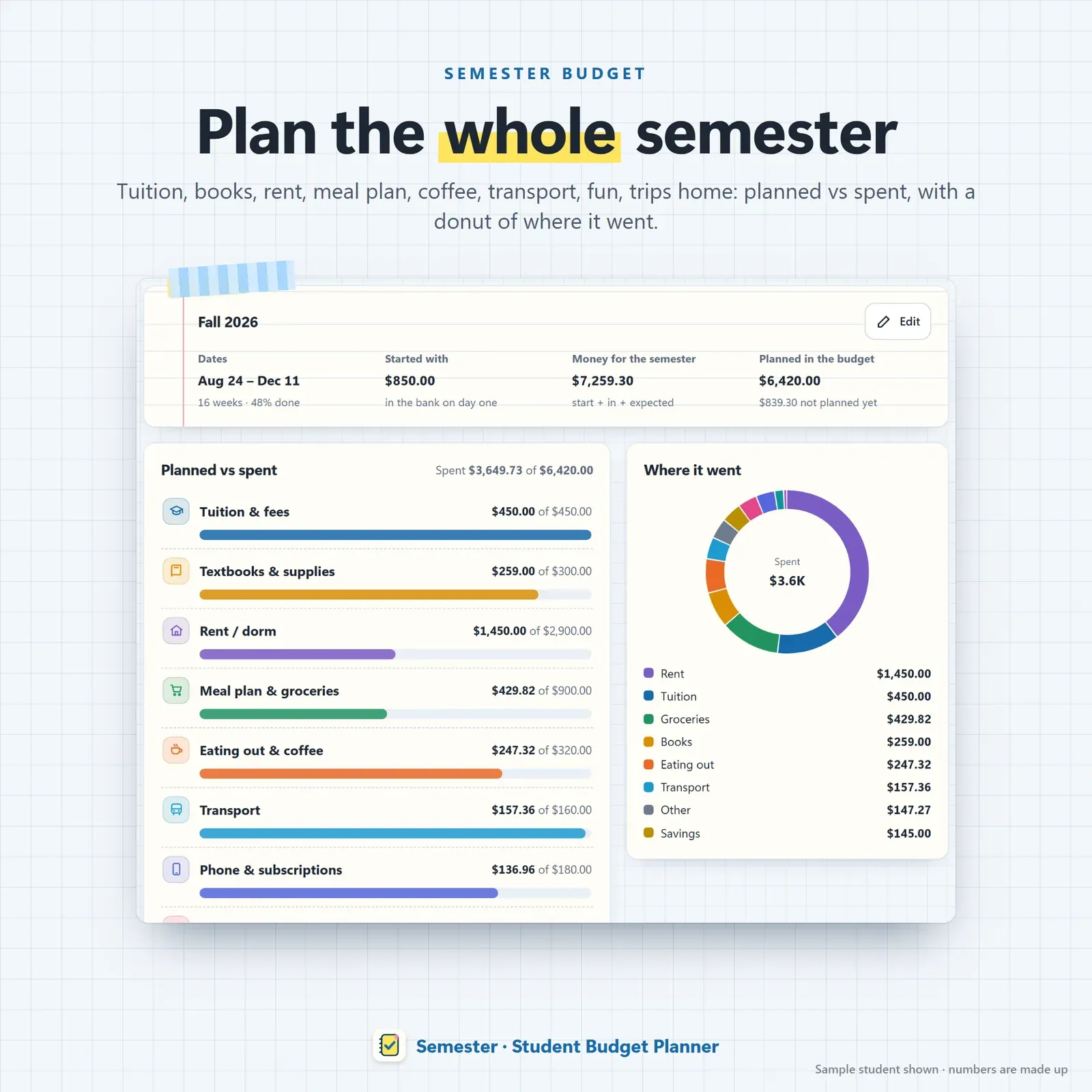
Semester budget planner with planned versus spent for each student category
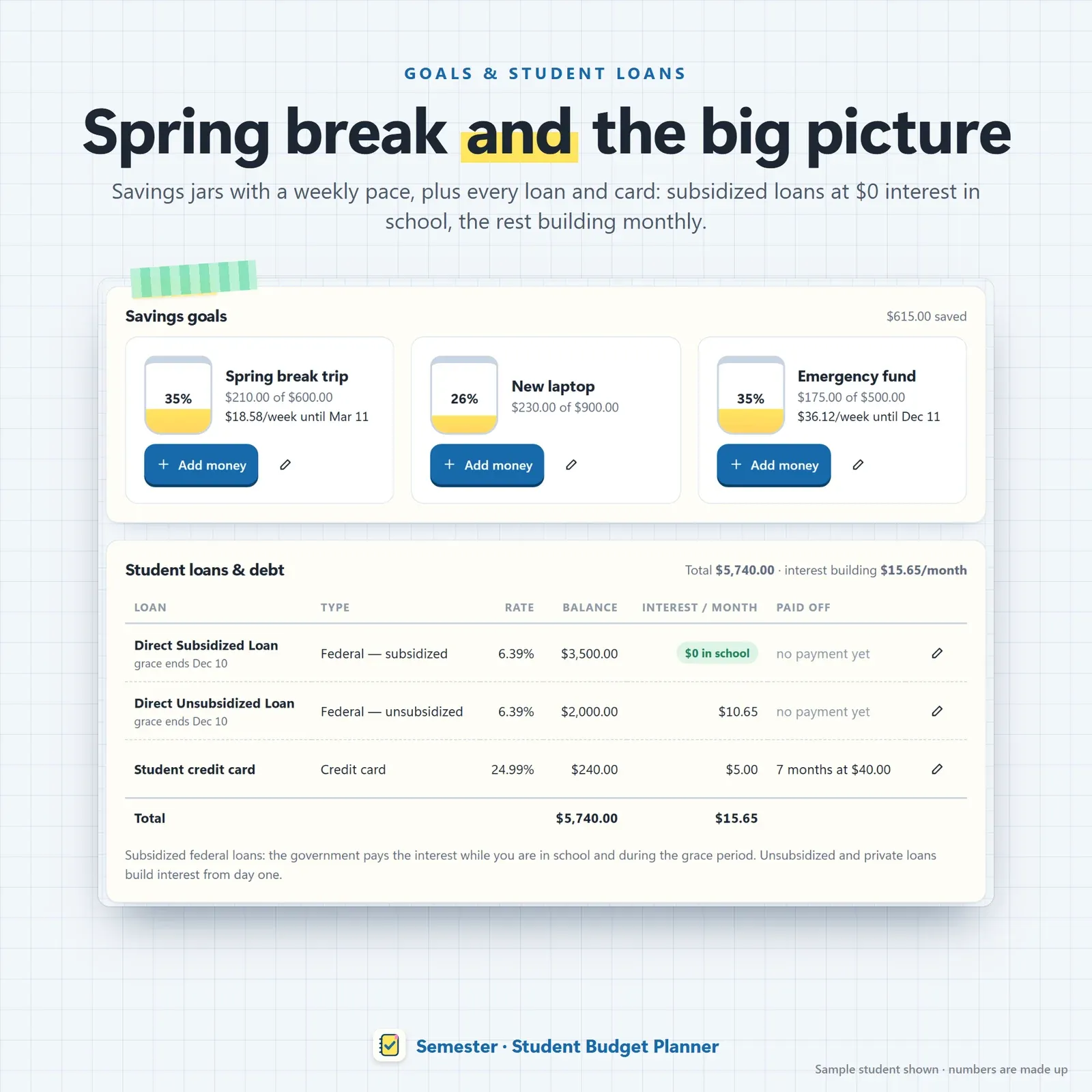
Savings goals with a weekly pace and student loans with subsidized interest while in school
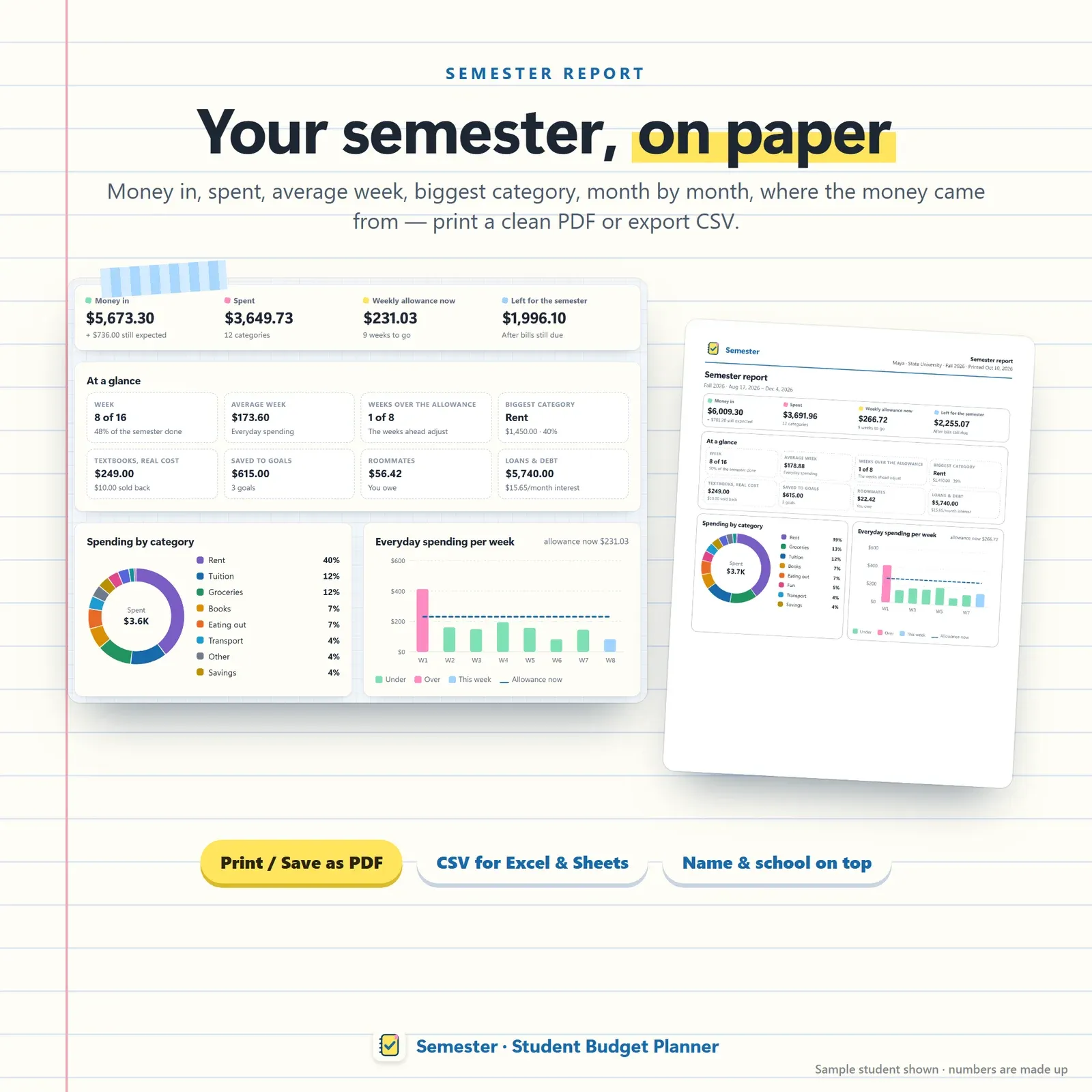
Semester report with money in, spending by category, average week and where the money came from

Phone and laptop linked with a 6-digit code or QR
Try the live demo with a sample student — no sign-up.
After buying, open Semester from your private link and install it on your phone or laptop.
Add your semester dates, your starting money, the aid, pay and family money still coming, and your bills.
Log spending as you go — Semester shows what you can spend this week and keeps the semester strip up to date.
Every college student budget comes down to one question on a normal weekday: how much can I spend this week? Semester answers it on its home page. You see what's left for the week in big handwriting, a pencil that gets shorter as you spend, each day of the week at a glance and a short line on how the number was worked out.
That number isn't a guess. Semester takes the money you have now, the money that's still coming, the bills and rent you have to pay before the semester ends and the number of weeks left — and spreads it evenly. Spend less this week and next week's budget goes up a little. Have a big week and the rest of the semester adjusts. It's the simplest weekly budget planner a student can keep up with, because there's only one number to watch.
Most budget apps assume a salary that lands on the same day every month. College money doesn't work like that:
A monthly budget breaks under all of that. Semester is a college planner for your money that plans by the semester and the week instead.
The signature of Semester is the semester strip: every week of the term drawn as one ruled column. Weeks under your allowance fill in mint, weeks over it in pink, this week in blue, with a dashed line for the weekly allowance and a pencil over today. It's the fastest way to see whether you're on track for the whole semester — and it's oddly satisfying to watch the columns fill in.
On the Money page you add every source of money for the term:
Each one can be expected (with a date) or received. Turn on careful mode and Semester counts only money that has actually arrived — the safest setting if your hours change or a refund is late. When a paycheck lands, mark it received and your weekly budget updates at once.
Spending is one quick form with categories made for students: tuition and fees, textbooks and supplies, rent or dorm, meal plan and groceries, eating out and coffee, transport, phone and subscriptions, fun, personal care, health and trips home. The semester budget page shows planned vs spent for each category across the whole term, so you can see that coffee is quietly eating the grocery money before it's too late.
Rent, phone, streaming, insurance and other bills sit on sticky notes with their due dates. Bills are set aside before your weekly budget is worked out, so the money for rent is never counted as spending money. Late bills stand out, one tap marks a bill paid, and a student-discount flag reminds you which subscriptions have a cheaper student plan.
Every student has the week before payday when the account is nearly empty. Semester suggests survival mode when money gets tight (you can also turn it on yourself), and it shows:
For more ideas, see our guide on how to save money in college — and if you need more money coming in, our list of ways to make money in college.
The Roomies page keeps track of shared costs. Add rent top-ups, Wi-Fi, utilities or a grocery run, split it equally or with custom amounts, and Semester shows who owes whom — reduced to the fewest payments so everyone can settle up in one go. To work out a fair rent split before you sign a lease, try the free rent split calculator.
Textbooks are one of the biggest surprise costs of a semester. For each course, record whether you bought the book new or used, rented it, went digital or borrowed it from the library. Add the sell-back value and Semester shows the real cost of each book, plus the return date for every rental so you never pay a late fee.
Set savings goals — spring break, a laptop, an emergency fund — and Semester shows the weekly pace to reach them by your date. The loans page lists student loans and credit cards: subsidized loans at $0 interest while you're in school, unsubsidized and private loans with monthly interest, and the payoff time for each. When you're ready to plan repayment, the student loan payoff calculator and our guide to paying off student loans faster go further.
At the end of term — or any time — the semester report shows money in, total spent, your average week, the biggest category, month by month, and where your money came from. Print it or save it as a PDF, and export your spending as CSV for Excel, Numbers or Google Sheets.
It works for fall, spring, summer, quarters and trimesters of any length, in any currency.
Semester is a digital student planner that installs from your private link on iPhone, iPad, Android, Mac, Windows and Chromebook and works offline once installed. On a laptop everything sits in a notebook-cover sidebar; on a phone, in a ruler-shaped bottom bar. Link your phone and laptop once with a 6-digit code or QR, and a coffee you log on your phone shows on your laptop a moment later — end-to-end encrypted. Three themes — Notebook, Late night and Chalkboard — keep the study-notebook look.
There's no account, no bank login, no ads and no tracking. Your numbers stay on your own devices, and backup and restore take one file.
A student budget spreadsheet is free and flexible, but it doesn't know how many weeks are left, which money has really arrived or what your roommates owe you — you have to work all of that out yourself, every week. Semester does those sums for you, fits in your pocket and still prints like a paper digital budget planner when you want it on your desk. If you'd rather start on paper, the bonus pack includes printable worksheets too.
Semester is a planning tool, not financial advice. The weekly allowance and loan figures are estimates from the numbers you enter. It needs internet the first time you open it on each device and works offline after that.
Free tools
Quick answers with the same maths — then let the app keep them up to date.
Debt-free date, interest and the savings from paying extra each month.
Open calculatorSplit rent and utilities equally, by room size or by income.
Open calculatorFurther reading
Personal Finance
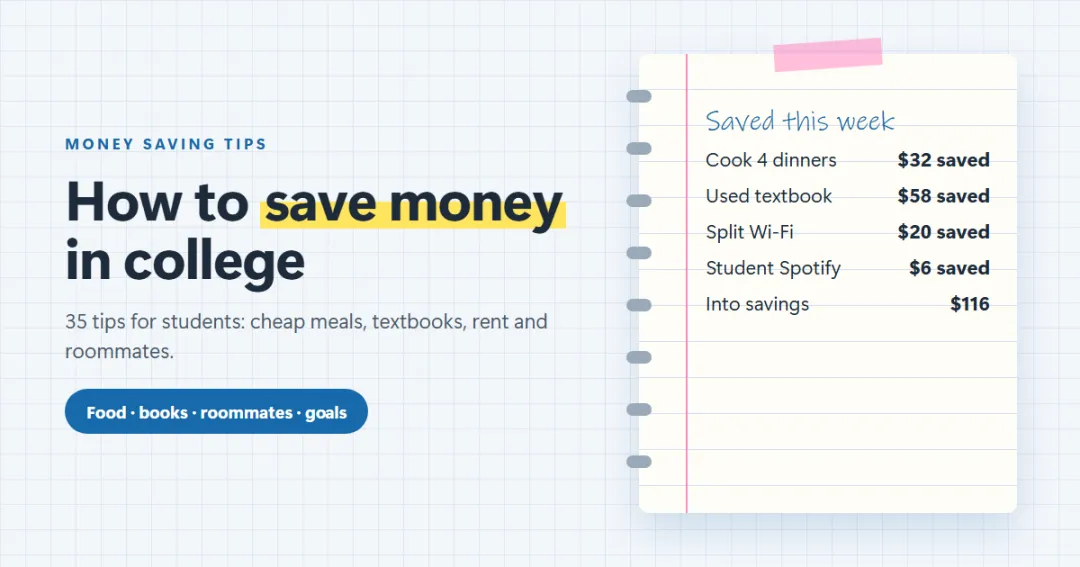
35 practical ways to save money in college — food and cheap meals, textbooks, housing and splitting rent with roommates, transport, subscriptions and fun — plus how to build a small savings habit on a student budget.
Personal Finance
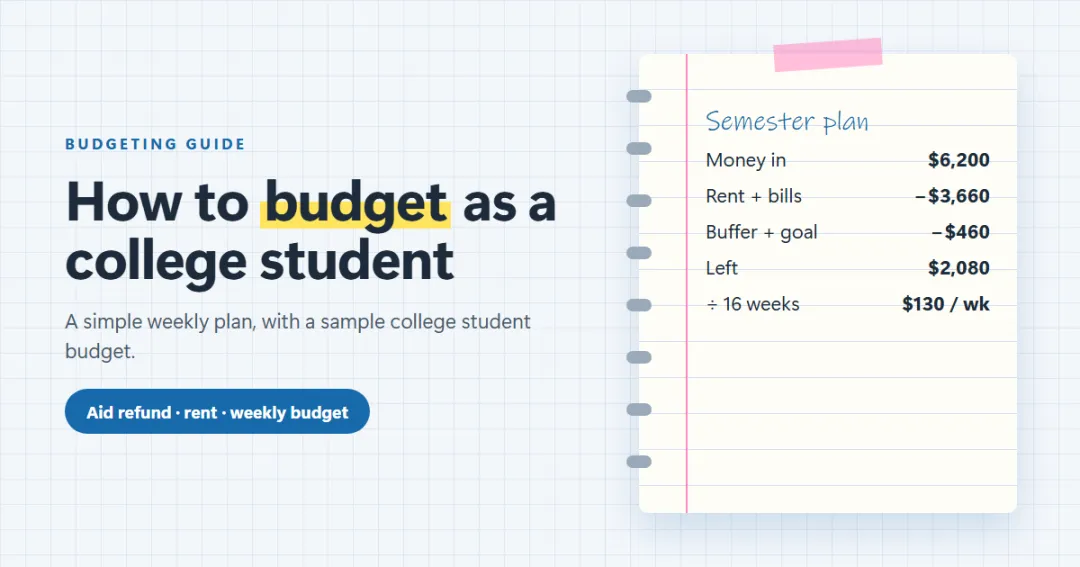
A step-by-step way to budget in college: add up your aid, loans, pay and family money, set aside rent and bills, and turn the rest into one weekly number — with a sample college student budget, financial aid refund tips and 12 budgeting tips that work.

Personal Finance
30 realistic ways to make money in college — campus jobs, flexible side hustles, online work and skills that pay more — plus how many hours to work, taxes on student income and how to budget money that comes in unevenly.
More from VaultlyApps
 Live
Live

Personal Finance Dashboard
Your whole money picture on one private dashboard — safe-to-spend, budgets, bills, goals, debt payoff and net worth, on your phone and laptop.
 Live
Live

ADHD Budget Planner
A calm budget planner designed for ADHD brains — one Safe to Spend number, 3-tap logging, focus mode and kind overspend fixes instead of red warnings.
 Live
Live

Debt Payoff Planner
See your debt-free date, compare the snowball and avalanche methods side by side, and watch extra payments pull the finish line closer.
The live demo runs in your browser with realistic sample data. Nothing to install, nothing to sign up for.
We use optional cookies for anonymous analytics. Nothing optional is set until you choose. Cookie policy
This site currently uses no analytics or advertising cookies. It only remembers your light/dark preference in your own browser.
Essential
Theme preference and this choice. Always on.