How to Budget as a College Student: A Simple Weekly Plan (With a Sample College Student Budget)
A step-by-step way to budget in college: add up your aid, loans, pay and family money, set aside rent and bills, and turn the rest into one weekly number — with a sample college student budget, financial aid refund tips and 12 budgeting tips that work.
In this article
- Why a college student budget is different
- How to budget in college: 6 steps
- 1. List all your money for the semester
- 2. List your fixed costs
- 3. Set aside a buffer and savings
- 4. Divide the rest by the weeks left
- 5. Track spending against this week's number
- 6. Recalculate when money arrives — or a big week happens
- Sample college student budget
- How to budget a financial aid refund
- 12 budgeting tips for college students
- What to do in a broke week
- A budget app made for college: Semester
- The short version
Learning how to budget as a college student is mostly about one problem: the money comes in big lumps, but you spend it every day. A financial aid refund lands in the first weeks of the semester, a paycheck shows up every other Friday, family sends money when they can — and it all has to last until the end of finals.
This guide shows a simple way to budget in college that solves that problem. You'll build a weekly budget for the whole semester, see a sample college student budget, learn how to make a financial aid refund last, and get 12 budgeting tips for college students that actually stick.
Why a college student budget is different
Most budgeting advice assumes a salary that arrives on the same day every month. A college student budget is different in four ways:
- Lump sums. Aid refunds, scholarships, loan disbursements and family money often arrive once or twice a semester.
- Irregular pay. Part-time jobs and side hustles pay different amounts on different days.
- Front-loaded costs. Textbooks, supplies, deposits and parking permits all hit in the first two weeks.
- A fixed end date. The money has to last a set number of weeks — usually 15 or 16 — not "until next month".
That's why the simplest way to budget in college is by the semester and the week, not the month.
How to budget in college: 6 steps
1. List all your money for the semester
Write down every source of money, with the date it arrives:
- financial aid refund (grants, scholarships and loans left after tuition and fees),
- student loans paid to you,
- money from family,
- paychecks and side hustle income,
- savings you're willing to use this term.
Mark each one as received or expected. Only received money is safe to spend.
2. List your fixed costs
These are the costs you can't easily change: tuition still owed, rent or housing, the meal plan, phone, insurance, transport passes, subscriptions you're keeping and any minimum loan or credit card payments. Add them up for the whole semester.
3. Set aside a buffer and savings
Keep a small emergency buffer — even $100 to $300 stops one surprise from wrecking the semester. If you can, pick one savings goal too (a laptop, spring break, next term's books).
4. Divide the rest by the weeks left
Money for the semester − fixed costs − buffer and savings = spending money. Divide it by the number of weeks left in the term. That's your weekly budget — the number that covers groceries, eating out, coffee, fun, personal care and everything else.
5. Track spending against this week's number
You don't need to track every cent forever. You just need to know, any day of the week, how much is left of this week's money. Logging purchases as you go (it takes seconds on a phone) is the most reliable way.
6. Recalculate when money arrives — or a big week happens
When a paycheck lands, add it and spread it over the weeks left. When you overspend, the remaining weeks shrink a little. This is what keeps the budget honest without starting over.
Sample college student budget
Here's a college student budget example for a 16-week semester, for a student living off campus with two roommates.
| Money in (semester) | Amount |
|---|---|
| Financial aid refund (after tuition and fees) | $3,100 |
| Part-time job (about 10 hours a week) | $1,900 |
| Money from family | $800 |
| Savings used this term | $400 |
| Total | $6,200 |
| Fixed costs (semester) | Amount |
|---|---|
| Rent share (4 months × $650) | $2,600 |
| Utilities and Wi-Fi share | $260 |
| Phone | $140 |
| Textbooks and supplies | $380 |
| Transport and parking | $220 |
| Subscriptions kept | $60 |
| Total | $3,660 |
Then:
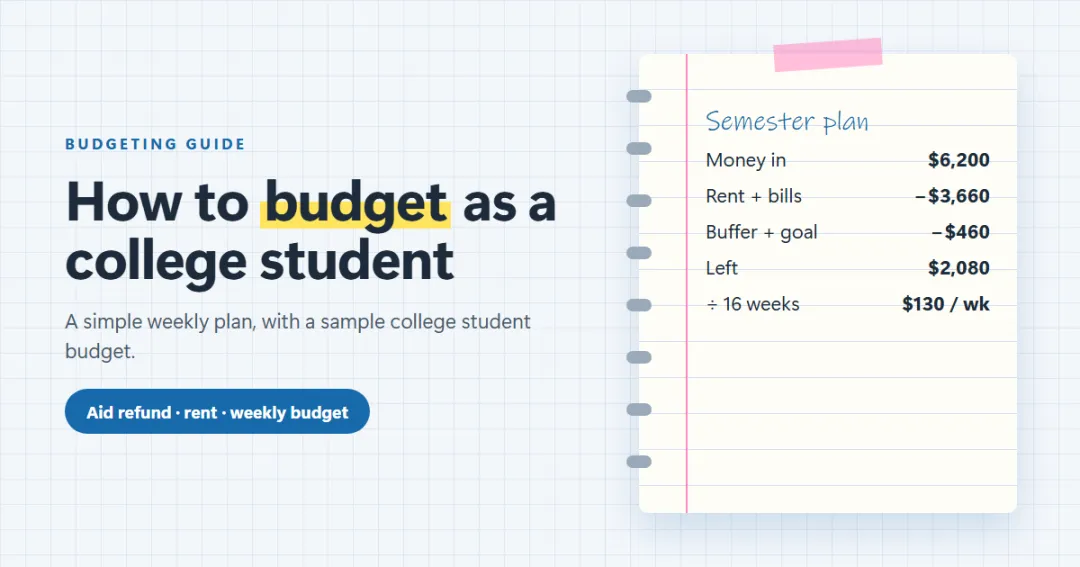
- $6,200 − $3,660 = $2,540
- minus a $300 emergency buffer and $160 toward a spring break goal = $2,080
- $2,080 ÷ 16 weeks = $130 a week for groceries, eating out, coffee, fun and personal care.
That number tells this student, on any Tuesday, exactly what they can spend. If the job pays $200 more than expected in October, the remaining weeks go up by a few dollars each.
Want to try it with your own numbers? Semester, our weekly budget planner for students, does the same method for you, and the 50/30/20 budget calculator is useful once you have regular income.
How to budget a financial aid refund
The financial aid refund is the biggest single payment most students get, and the one most often spent too fast.
When do financial aid refunds come out? Usually in the first few weeks of term. Under federal rules, a school has to pay a credit balance from federal aid within 14 days of the balance appearing (or of the first day of classes, if that's later), so many students see it around the first or second week of classes. Your bursar's or financial aid office posts the exact dates — check them before you plan the first weeks of the semester.
What to do with a financial aid refund:
- Pay or set aside rent and required costs first — the whole semester's worth if possible.
- Buy required textbooks and supplies (used or rented where you can).
- Keep a buffer for surprises.
- Spread the rest across the weeks of the semester. Don't let the bank balance decide what you can spend.
- Borrow less next time if you didn't need it all. If part of the refund came from loans, you can usually return unneeded loan money within a set window, or pay it back early to save interest. Our guide to paying off student loans faster explains how.
12 budgeting tips for college students
- Plan by the week, not the month. A week is short enough to keep in your head.
- Spend from the plan, not the balance. A big balance in week two isn't a sign you're rich.
- Pay fixed costs first — or move them to a separate account so they're out of sight.
- Use careful mode for uneven pay: count money only after it arrives.
- Front-load the plan for textbooks. They're a week-one cost, so take them out before you work out the weekly number.
- Buy textbooks used, rented or digital, and sell them back at the end of term.
- Cook a few staple meals. Groceries and eating out are usually the biggest flexible cost. Our guide on how to save money in college has cheap meal ideas.
- Split shared costs fairly and settle up monthly. The rent split calculator helps you agree before you sign.
- Ask for student discounts on software, streaming, transport and phones.
- Check subscriptions every semester and cancel the ones you don't use.
- Keep a small emergency fund and add to it whenever you can.
- Plan a "broke week." Know in advance what you'll do if money runs low before payday — pantry meals, free campus events, pausing a subscription.
What to do in a broke week
Even with a good budget, there will be weeks when money is tight. Work out a daily limit: the money you have left divided by the days until your next money arrives. If you have $42 and payday is in six days, your limit is $7 a day. Eat from the pantry, look for free food on campus, delay anything that can wait, and check whether any bill can move a few days.
If you're short every week, the budget needs a bigger fix: more income or lower fixed costs. Our list of ways to make money in college has 30 side hustles that fit around classes.
A budget app made for college: Semester
You can do all of the above in a notebook or a student budget spreadsheet. If you'd rather not redo the sums every week, Semester is a student budget planner built around exactly this method.
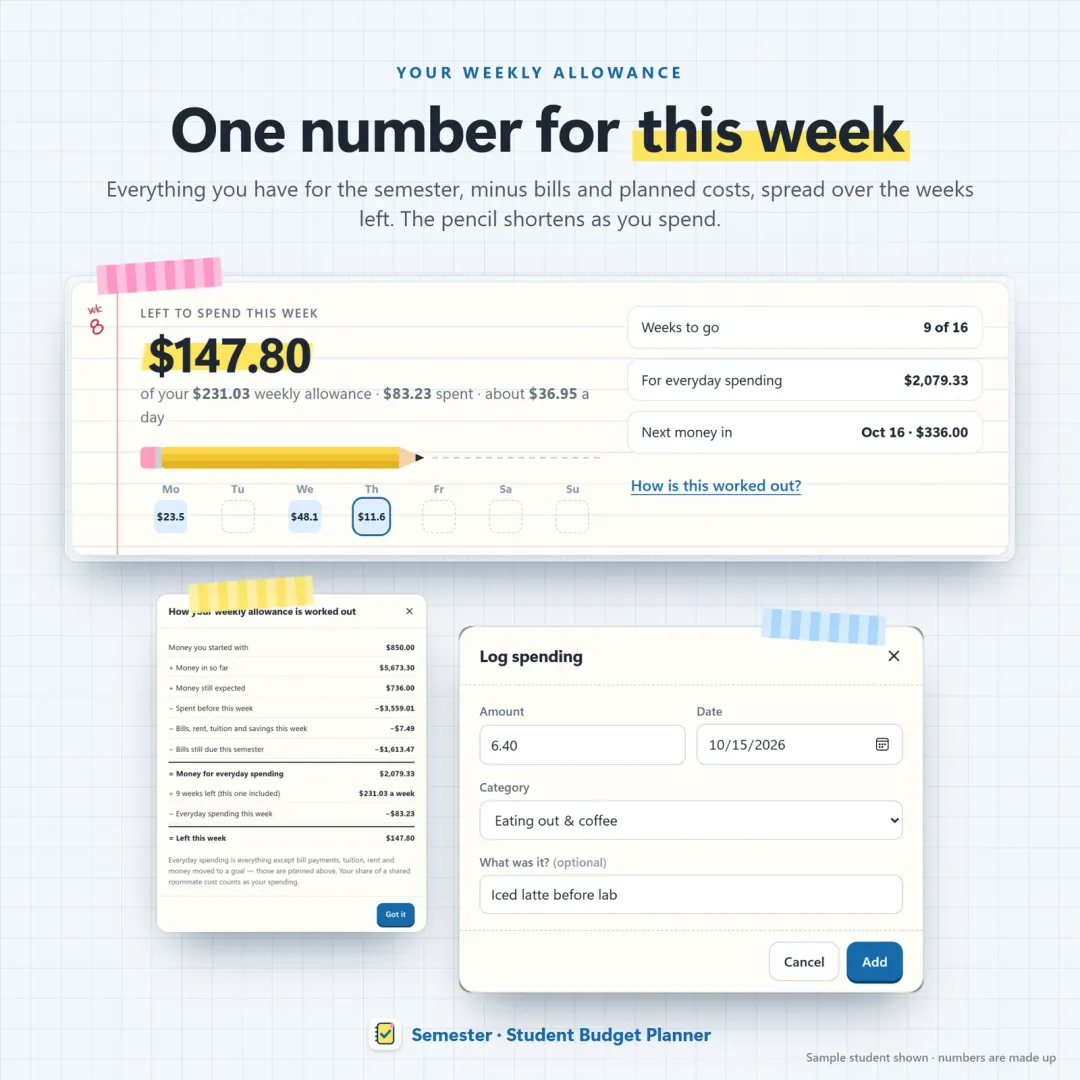
You add your semester dates, your aid refund, scholarships, loans, family money and paychecks (expected or received) and your bills. Semester sets the bills aside, spreads the rest across the weeks left, and shows what you can spend this week — with a line-by-line "How is this worked out?" so you know where the number comes from.
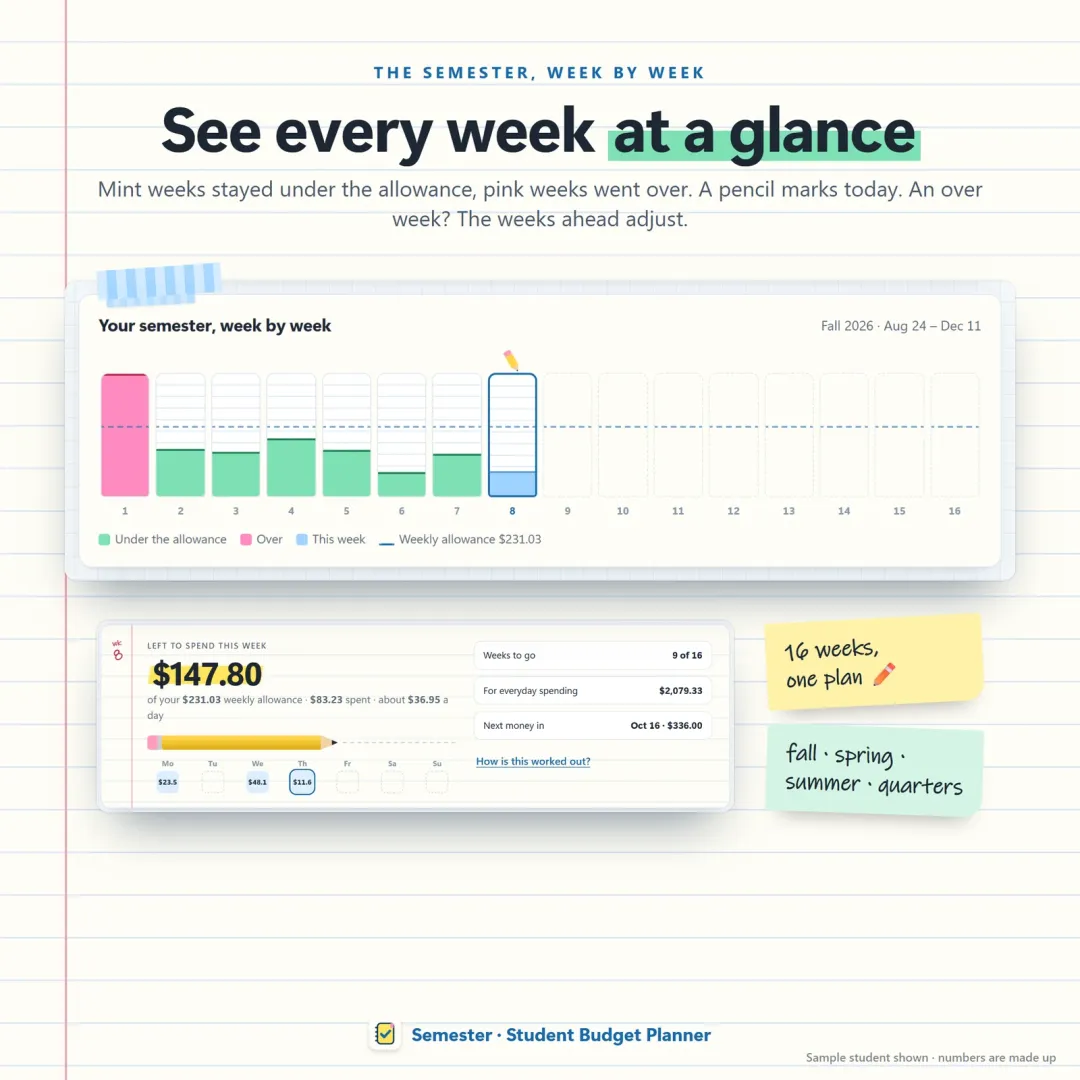
The semester strip shows every week of the term as a column, so you can see at a glance which weeks were over and how much room is left. Survival mode gives you a daily limit when money runs low, the roommate page settles shared costs in the fewest payments, and the textbook tracker shows the real cost of every book after you sell it back.
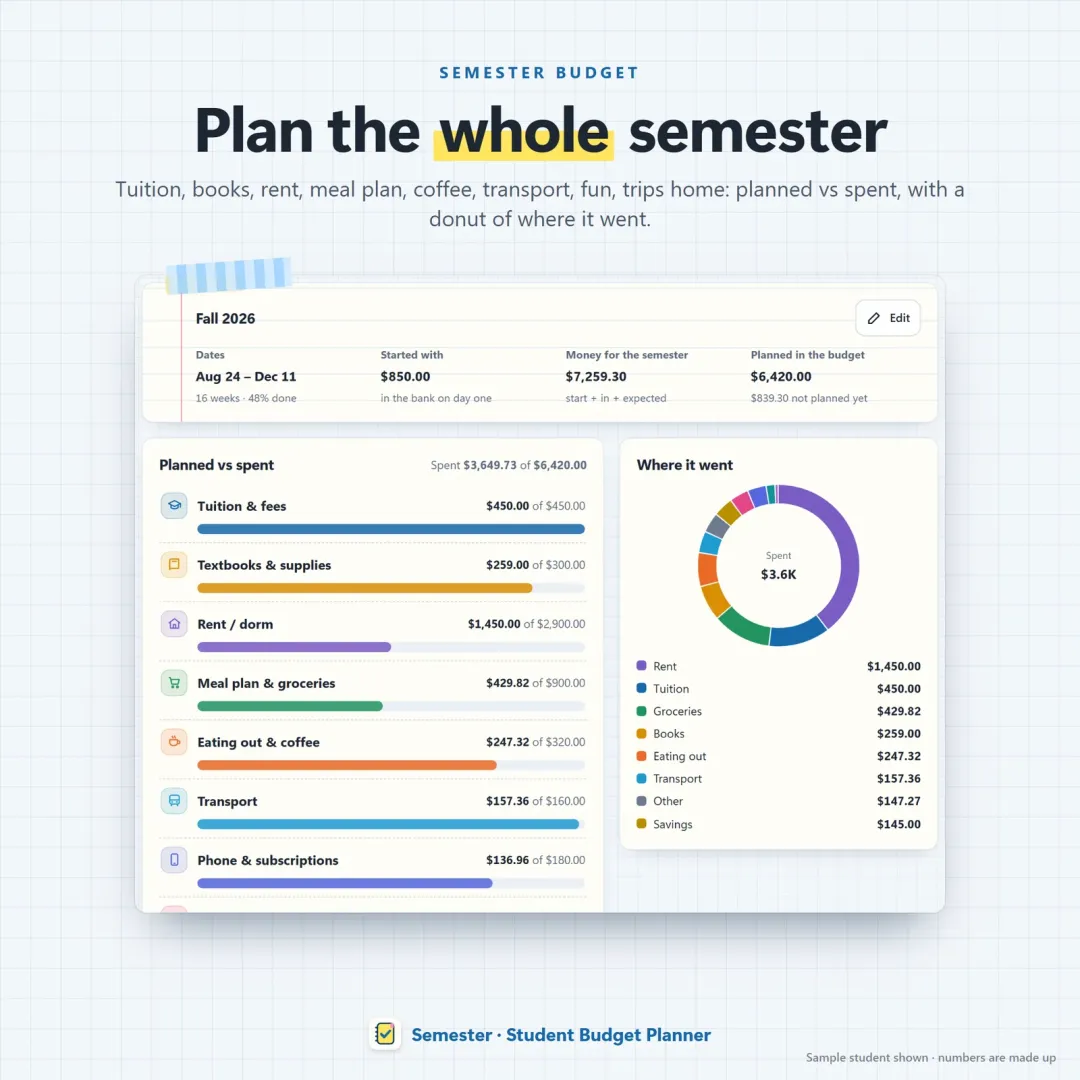
There's no bank login and no account; your numbers stay on your own devices, and it works on your phone and laptop. Try the free Semester demo with a sample student.
The short version
- Add up all your money for the semester.
- Take off rent, bills, tuition still owed and a buffer.
- Divide the rest by the weeks left — that's your weekly budget.
- Track spending against it and recalculate when money arrives.
Do that, and you'll know on any day of the semester exactly what you can spend — and you'll still have money in the last week of finals.
Frequently asked questions
How do I make a budget as a college student?
How much should a college student spend per week?
When do financial aid refunds come out?
What should I do with my financial aid refund?
What is the 50/30/20 rule for college students?
What's the best budget app for college students?
How do I stop running out of money before the end of the semester?
Written by
Finance Specialist & Editor, VaultlyApps
Emma Whitfield writes and edits the VaultlyApps money guides and free calculators. Her focus is US household finance — budgeting on a real paycheck, paying down credit card and student debt, emergency funds and savings goals, renting — and the money side of freelancing and small-business income, from pricing and profit margins to self-employment tax. Every guide is researched against primary sources such as IRS publications and the CFPB, every number is checked in our tested calculators, and tax content is reviewed each year when new IRS figures come out. Emma is not a licensed financial adviser or tax preparer; her work is general education, not personal advice.
Researched against primary US sources, checked with our calculators and reviewed by a finance expert on our team. Written for US readers — general education, not financial, tax or legal advice. Editorial policy · Disclaimer