
Visual Timer
A Time-Timer-style countdown you can see.
Open calculator Live
Web app (installable PWA)
Live
Web app (installable PWA) ADHD Daily Planner
An ADHD planner app for your phone and computer — your day on one gentle dial, time blocking with tiny steps, a brain dump that turns into a schedule, energy-based planning, a visual focus timer and a calm shutdown ritual.
Try the live demo to explore the application — it runs right here on VaultlyApps with sample data, no sign-up needed.
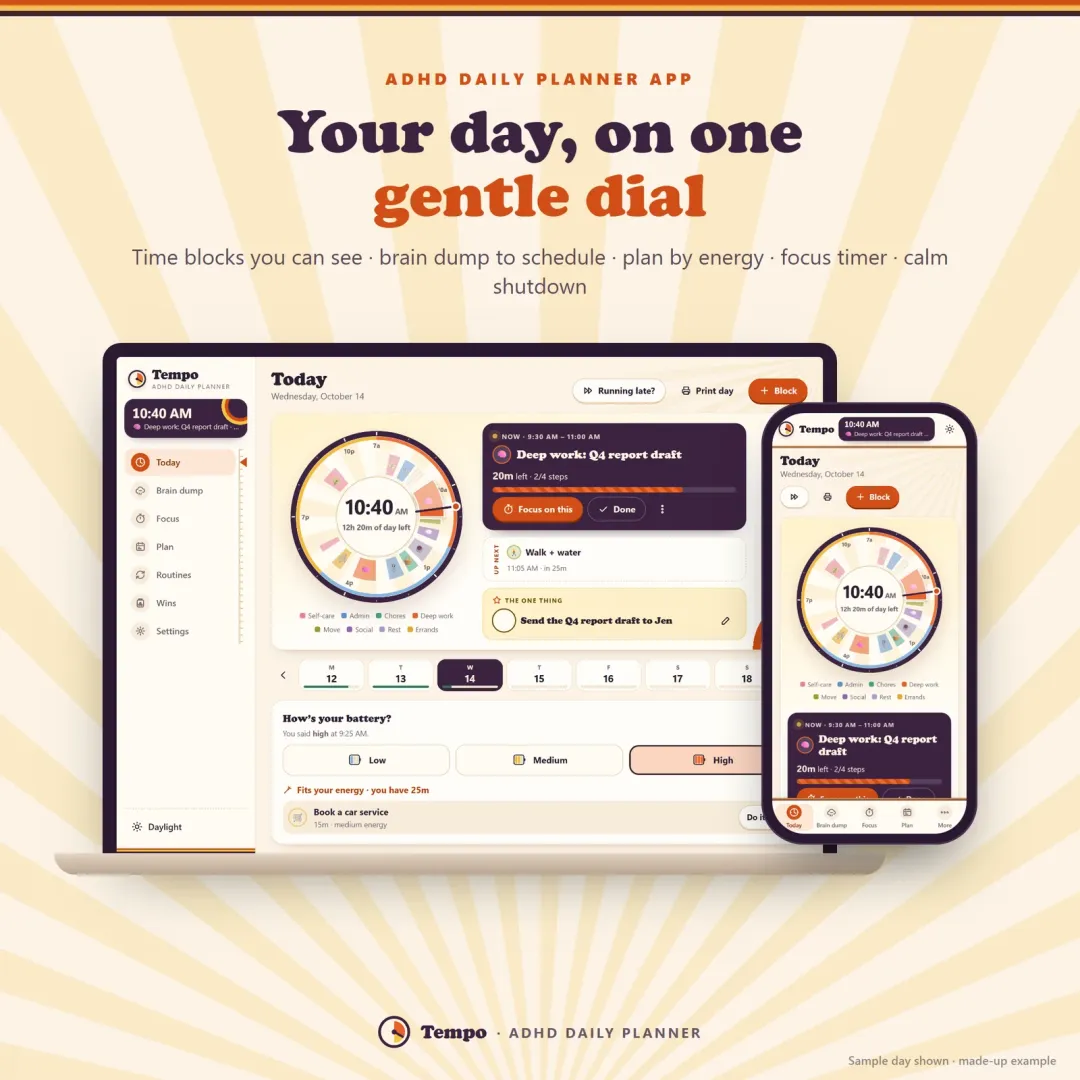
Tempo is an ADHD planner app and daily planner for your phone and computer. Your day sits on a dial from wake-up to bedtime, so you can see time pass. You plan with time blocks that carry a category, the energy they need and tiny first steps; empty your head into a brain dump and let Auto-fit place each item into a free slot that suits its energy; check in with how your battery feels; and focus on one thing at a time with a visual timer. Gentle nudges help with transitions, the One Thing keeps the day simple, and a short shutdown ritual ends it. It works offline, links phone and laptop with a 6-digit code, and has no account or subscription.
Most planners are just lists, and lists don't help when your brain works differently. With ADHD, time is hard to feel (time blindness), everything in your head competes for attention, energy swings during the day, switching from one task to the next is a struggle, and a single bad morning can make the whole plan feel ruined. A good ADHD planner has to make time visible, take the to-do pile out of your head, match tasks to your energy, help with the moment you need to switch, and forgive a messy day. Tempo is built around exactly those five things.
Every time block is a coloured slice of a dial that runs from your wake-up time to bedtime. The needle shows now, the time already gone is veiled, and the centre tells you how much day is left.
Each block has a start, a length, one of eight categories, the energy it needs and optional tiny first steps — “open the doc”, “write three bullets” — so starting feels small.
A wrap-up nudge five minutes before a block ends and a time-to-switch card when it does (+10 min, done or skip), with an optional soft chime and a breather between blocks.
Dump everything in one box, sort it by energy and size, then schedule one item or let Auto-fit place them all into free slots that match the energy they need.
Tap how your battery feels — low, medium or high — and Tempo suggests brain-dump items that fit your energy and the time before your next block.
A shrinking time disc from 10 to 60 minutes, pause and +5, and a “park a thought” box that sends stray ideas to your brain dump instead of your head.
Pick the one task that makes today a win, then end the day with five calm minutes: wins, move unfinished blocks to tomorrow, pick tomorrow's One Thing.
Six ready routines, a week of mini timelines, a month with progress rings, and a wins jar that drops a marble for every finished block.
Scroll sideways · select to enlarge
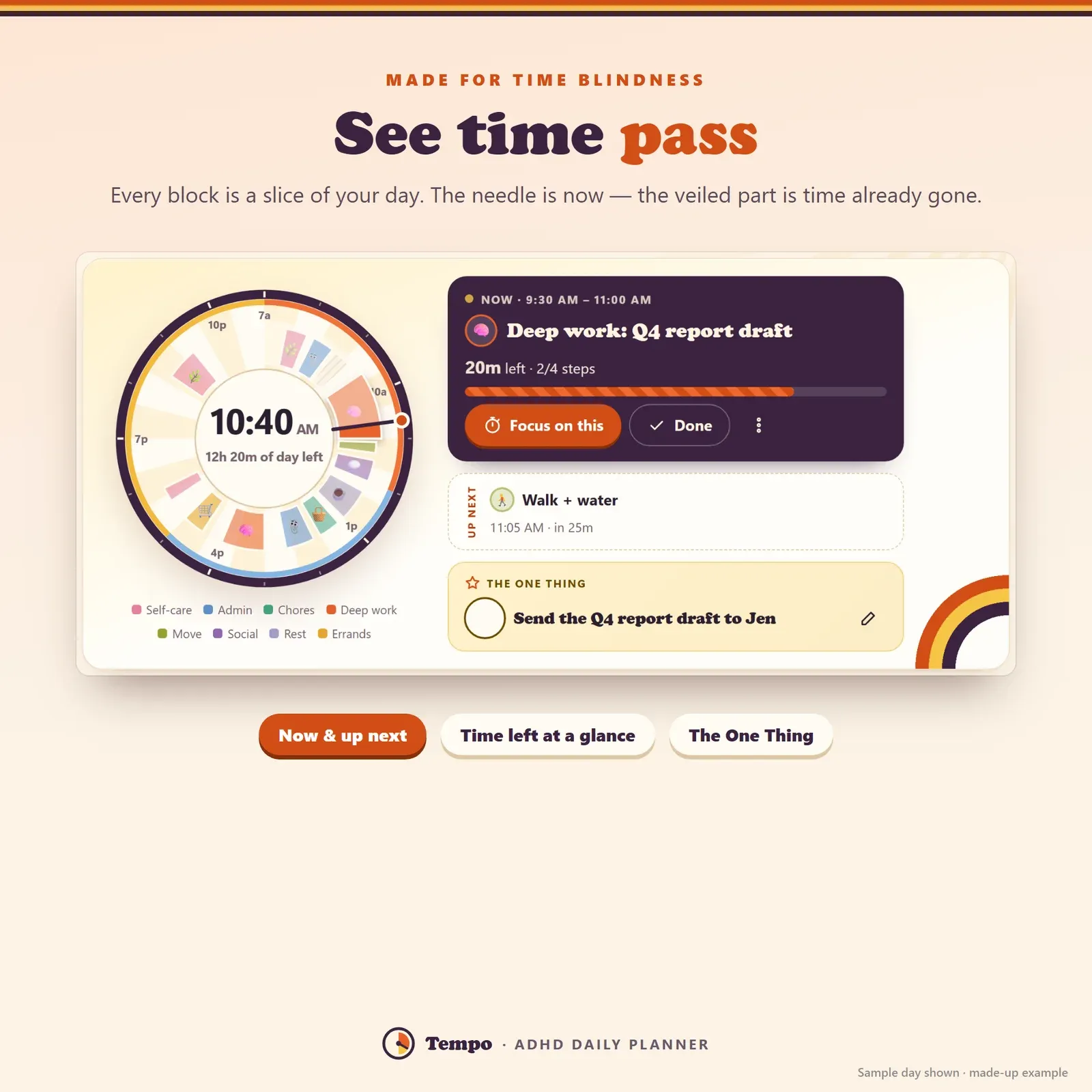
The day dial — each time block is a coloured slice and the needle shows the current time
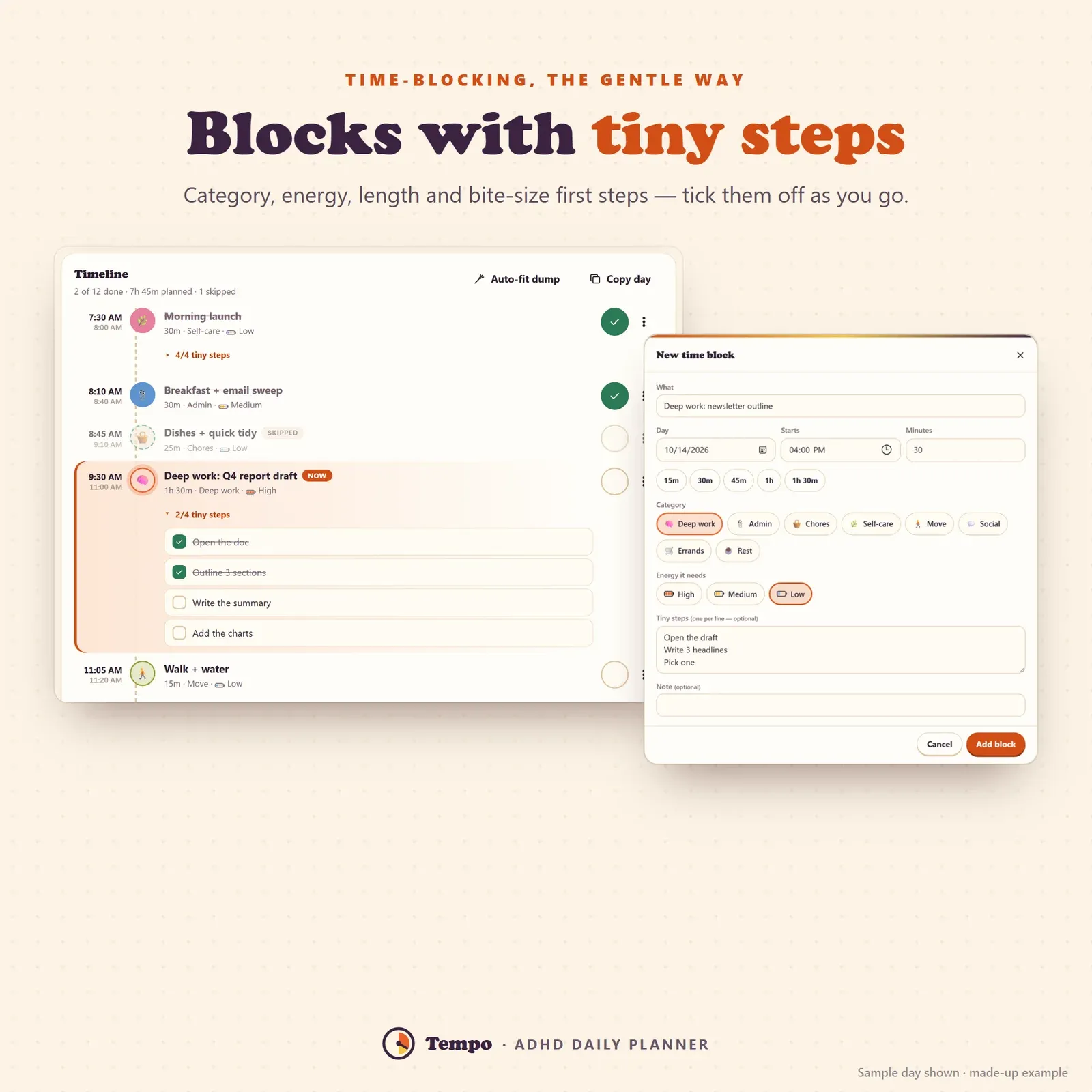
Time blocking with categories, energy levels and tiny first steps on a daily timeline
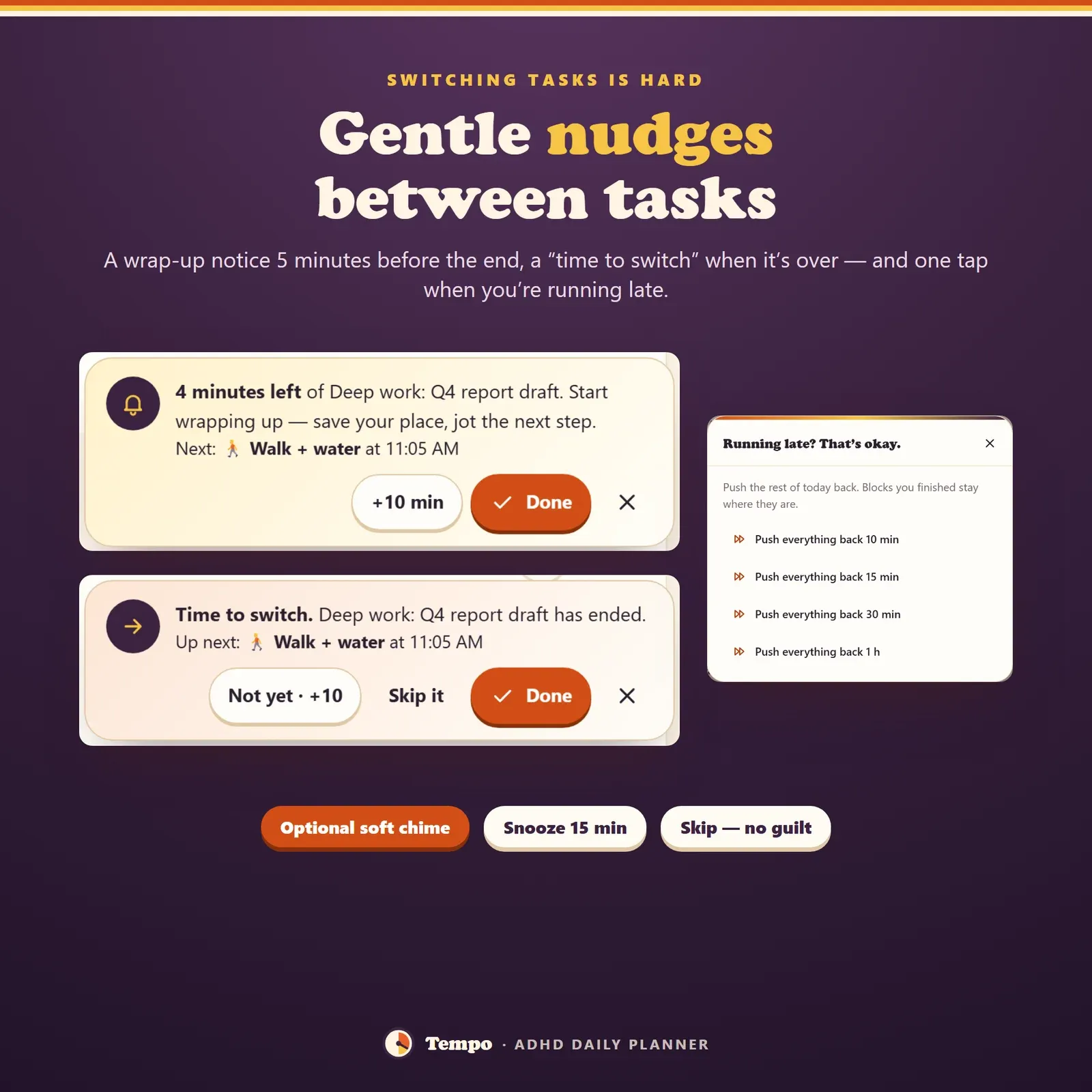
Gentle transition notices — a wrap-up nudge before a block ends and a time-to-switch card after it
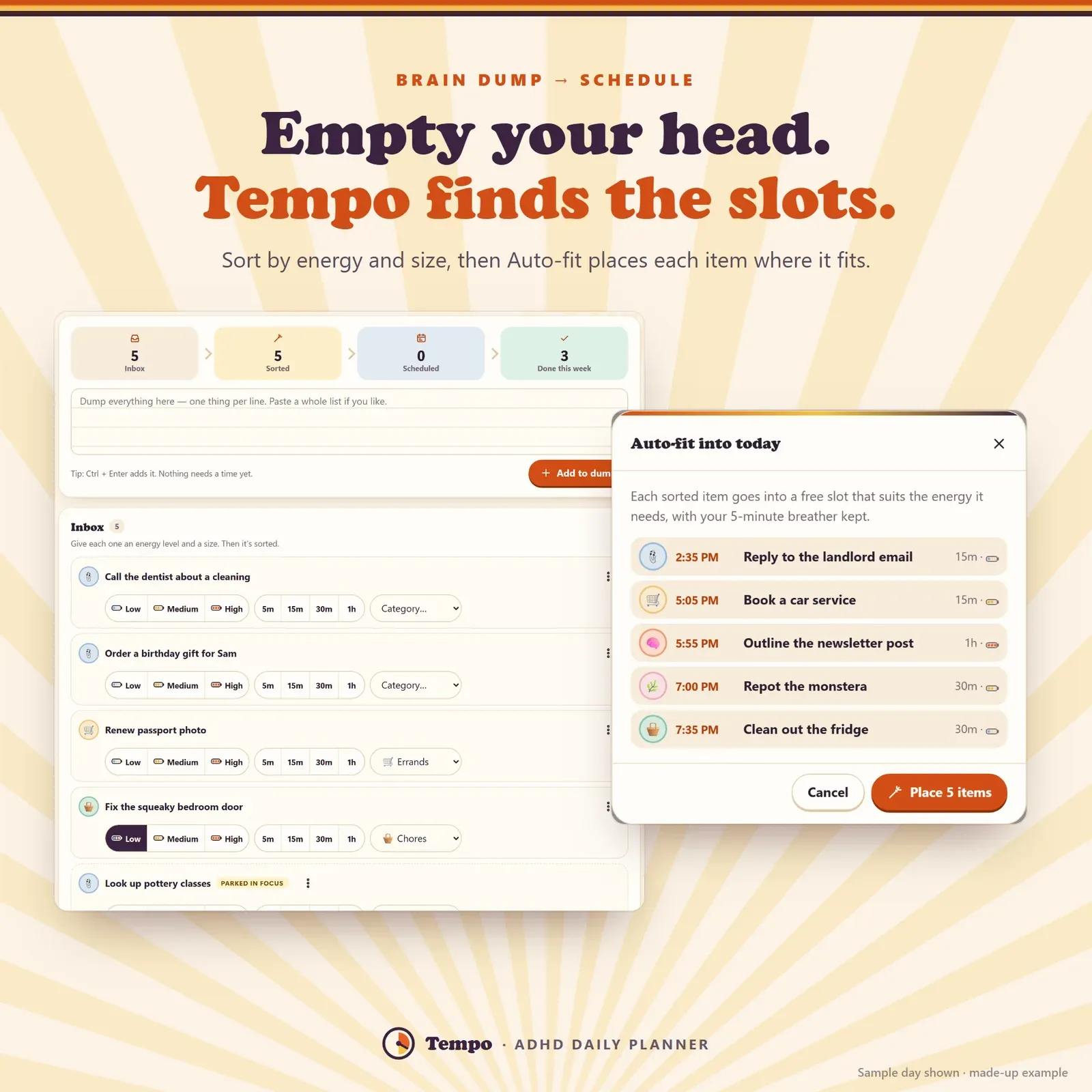
Brain dump sorted by energy and size, with Auto-fit placing each item into a free time slot
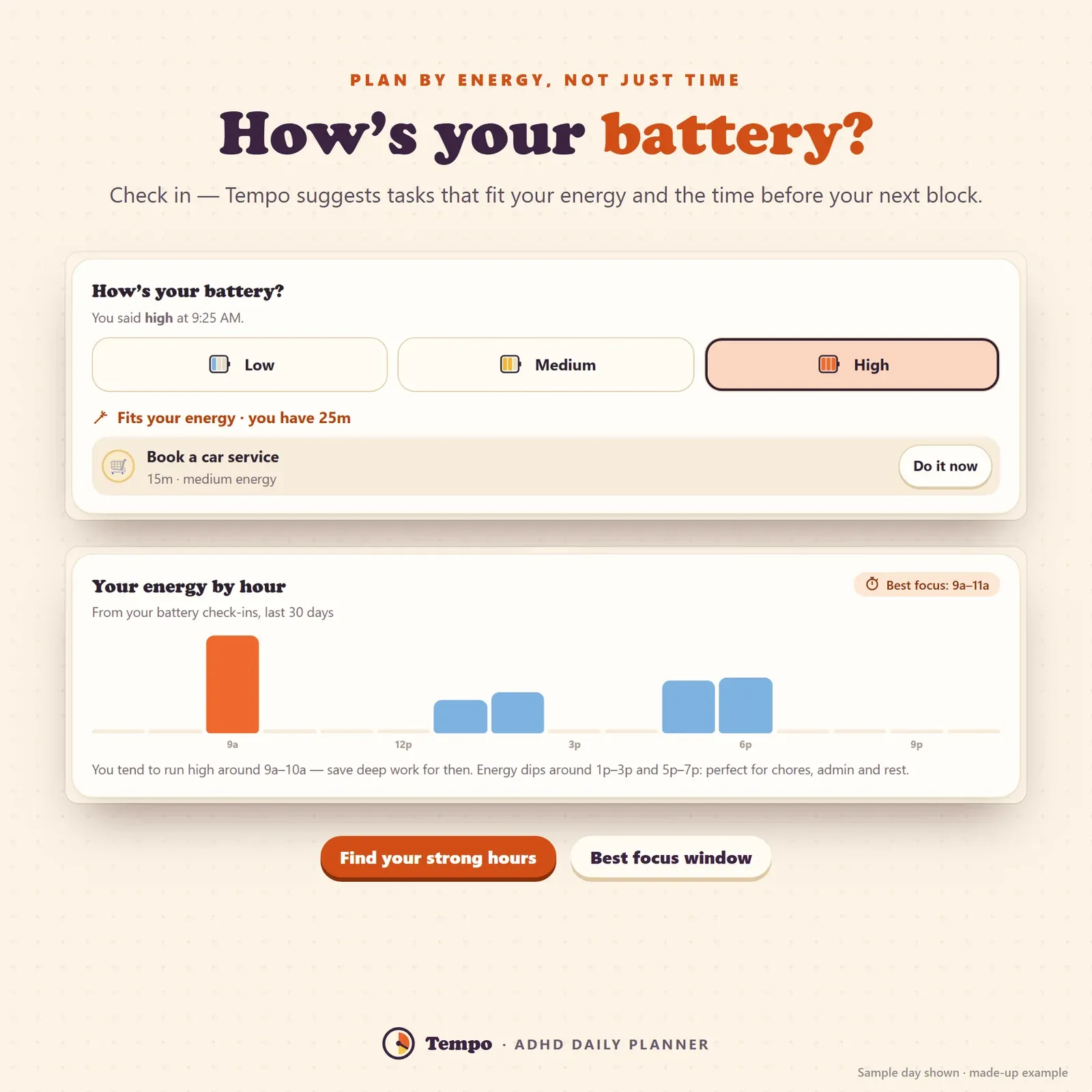
Energy check-in with low, medium and high batteries and tasks that fit your energy right now
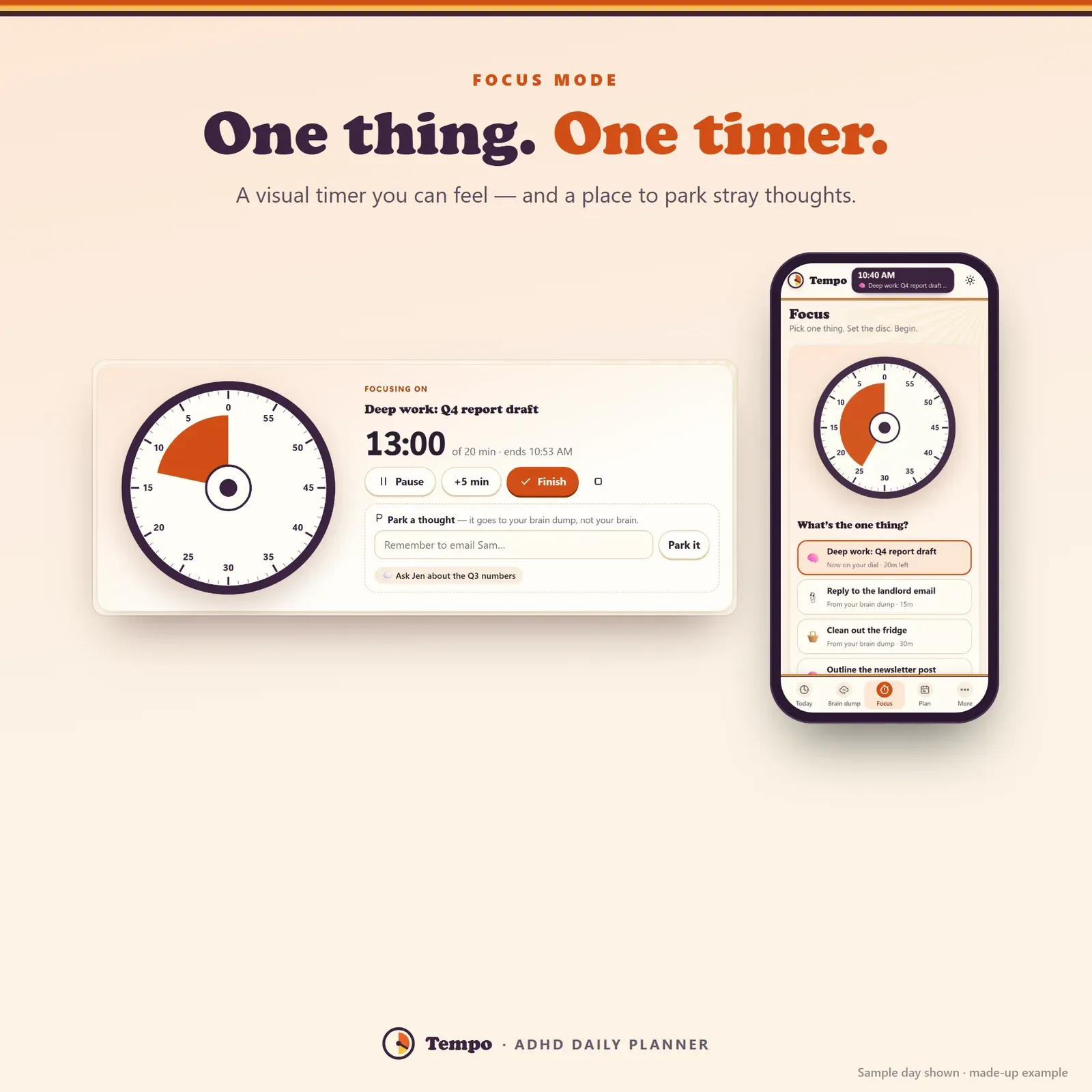
Visual focus timer — a shrinking time disc with a place to park stray thoughts
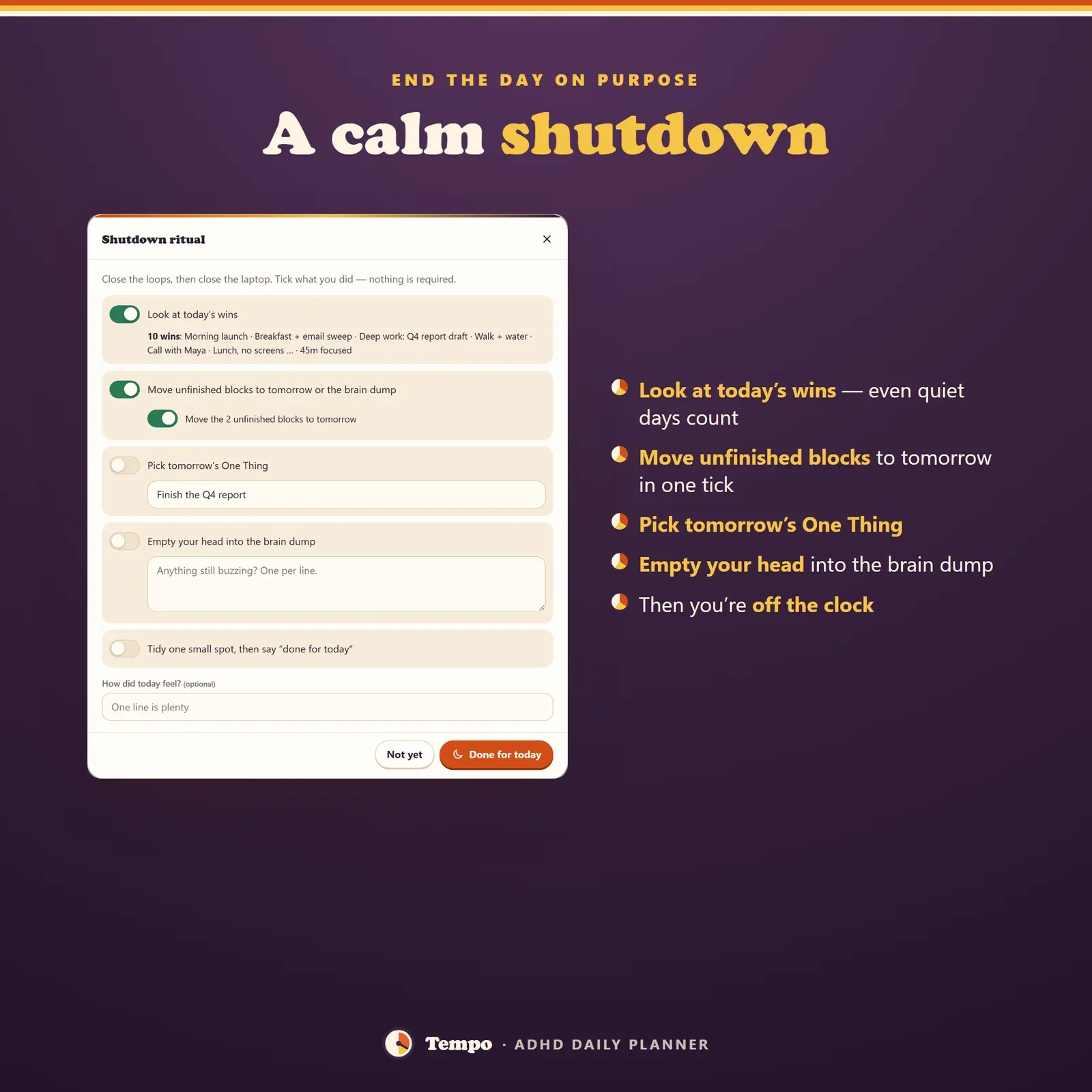
End-of-day shutdown ritual — wins, unfinished blocks moved to tomorrow and tomorrow's One Thing
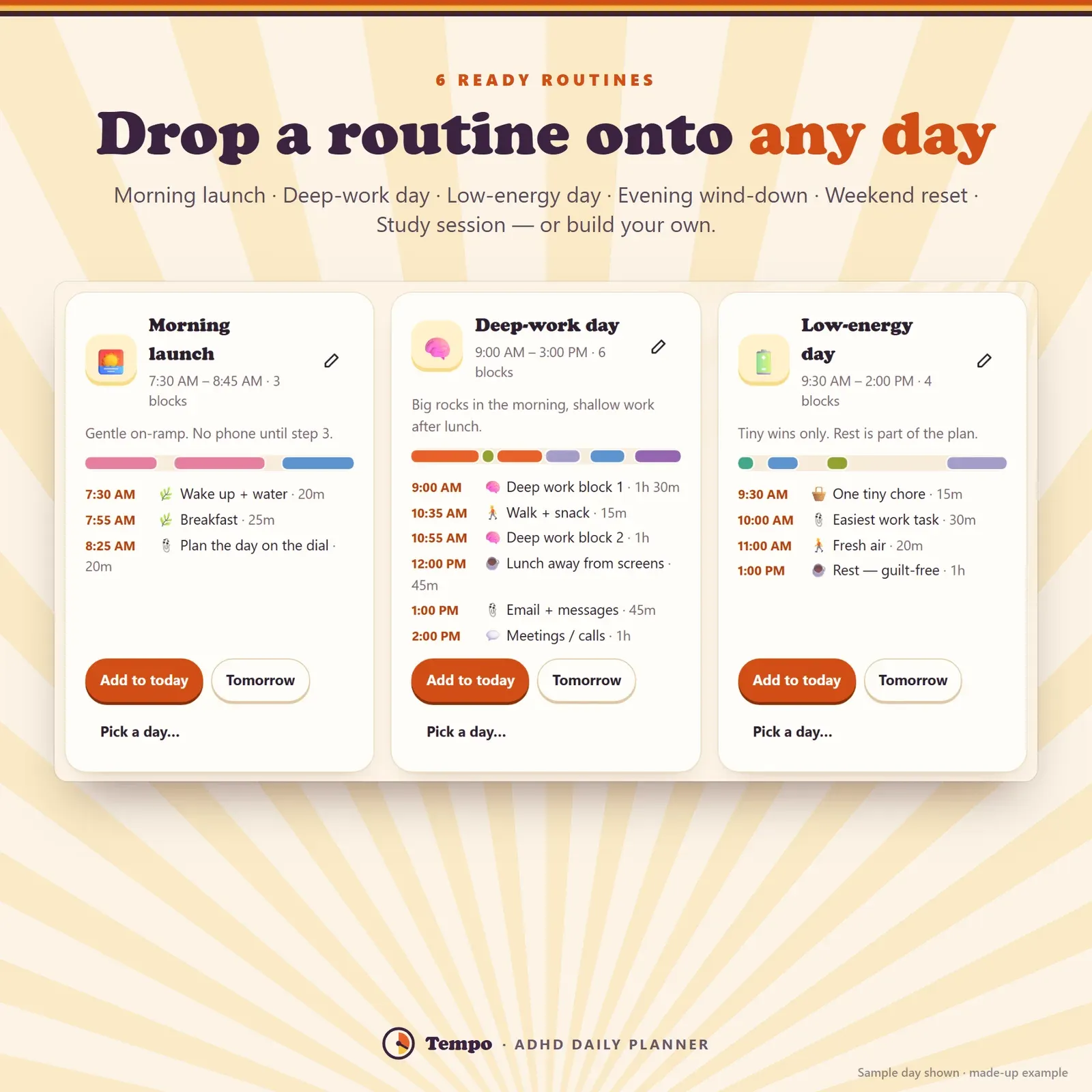
Six ready-made routines including Morning launch, Low-energy day and Evening wind-down
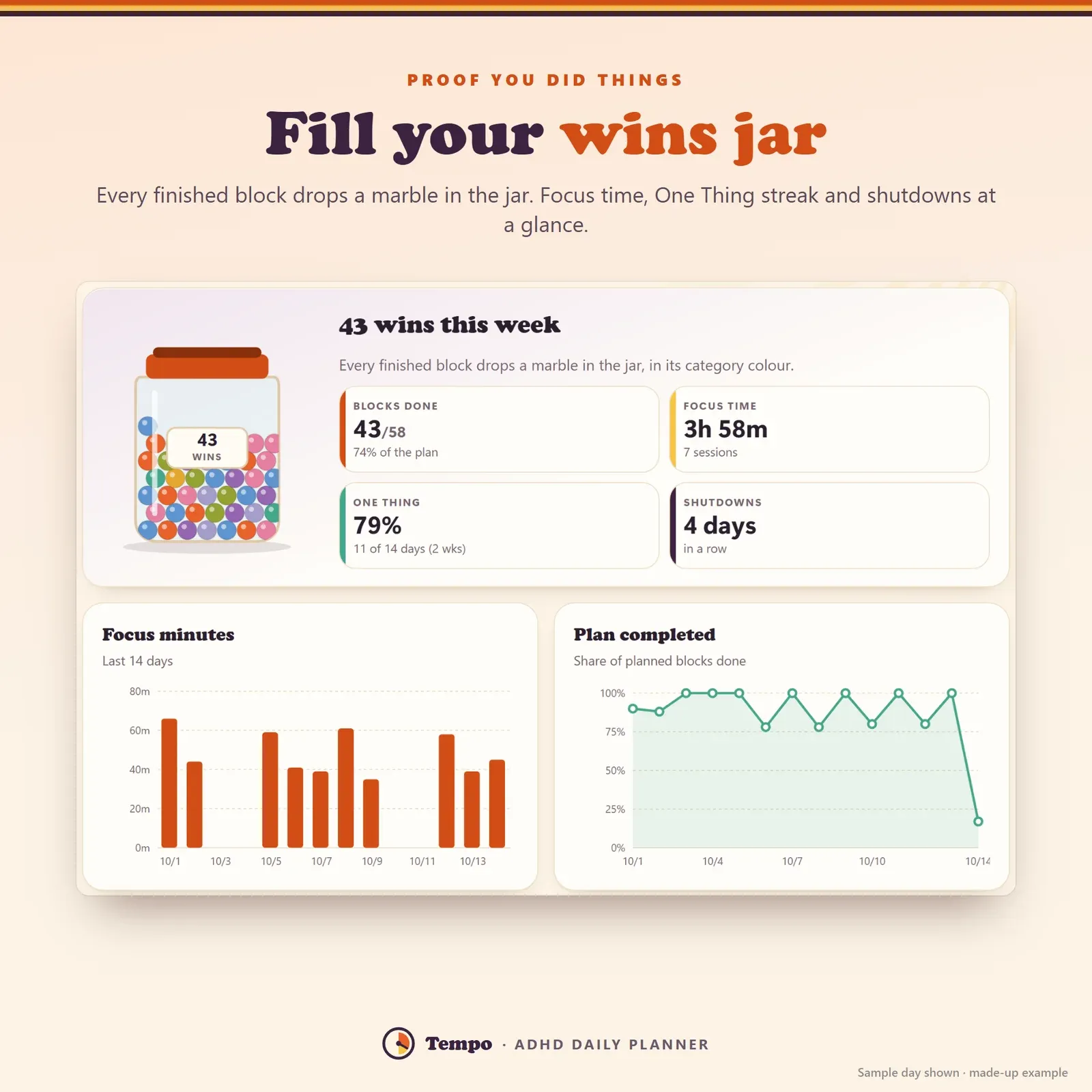
Wins jar with one marble per finished block, focus minutes and plan completion charts
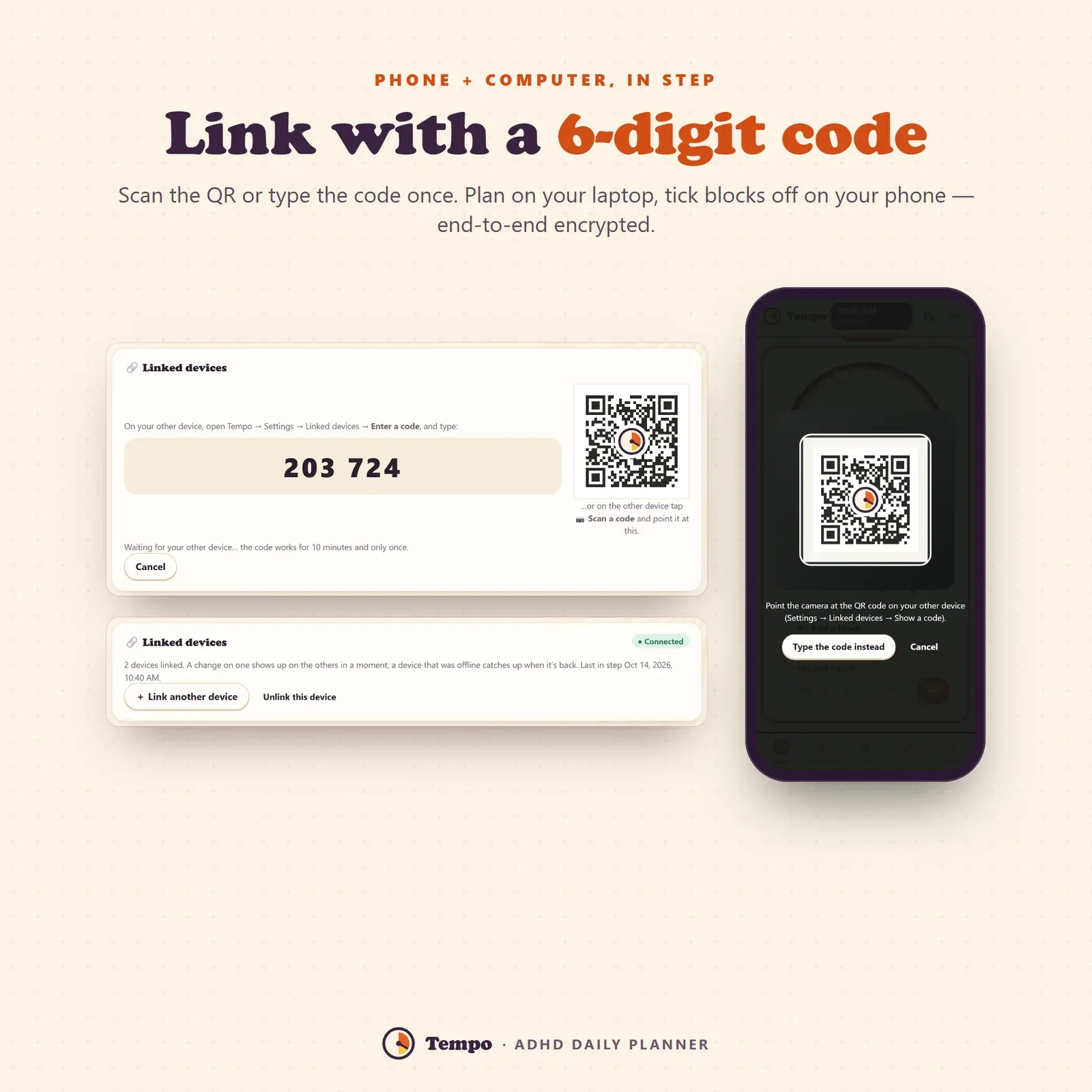
Phone and laptop linked with a 6-digit code or QR
Try the live demo with a sample day — no sign-up.
After buying, open Tempo from your private link and install it on your phone or computer.
Empty your head into the brain dump, then add blocks, drop in a routine or let Auto-fit fill the day.
Follow the dial — Tempo nudges you between tasks and keeps your wins.
Tempo's home screen is a dial that runs from the time you wake up (at the top) all the way round to bedtime. Every time block is a coloured slice: tangerine for deep work, blue for admin, green for chores, pink for self-care and so on. A needle points at the current time, the part of the day that's already gone is gently veiled, and the centre shows the time and how much of your day is left — "4h 20m of day left" says more than a clock ever does.
That's the heart of Tempo as an ADHD planner: it turns time into something you can see. If you know the feeling of looking up and finding the whole afternoon has vanished, a visual schedule is the fix. Next to the dial, a plum card shows what you're doing now and how many minutes are left, with the next block underneath, and a butter-yellow card holds the One Thing — the single task that would make today a win. Below sits a week strip so you can jump to tomorrow and plan it the same way.
Tempo is a time blocking planner first. Instead of a long to-do list, every task gets a block of time with:
Tiny steps matter more than they look. Starting is usually the hardest part of a task, and a first step that feels almost silly is far easier to begin than "write the report". Tick the steps off right on the timeline and the block shows 2/4, 3/4, done.
The timeline under the dial lists the day in order, with free gaps marked ("Free · 45 min") and a Fill button that adds a block right there. Each block has a big tick circle and a menu with Focus on this, Snooze 15 min, Move to tomorrow, Skip it today, Back to the brain dump and Delete. Skipped blocks don't count against you. Copy day copies a whole day — handy when your Mondays all look the same.
Switching from one task to the next is one of the hardest parts of an ADHD day. Tempo nudges you twice: a wrap-up notice five minutes before a block ends ("start wrapping up — save your place, jot the next step") and a time-to-switch card when it's over, showing what comes next. Each notice offers +10 min, Done or Skip, and you can turn on a soft chime. Every block is followed by a short breather (5 minutes by default) so the plan isn't packed edge to edge.
And when the morning goes sideways — it will — tap Running late? and push the rest of today back 10, 15, 30 or 60 minutes. Blocks you've finished stay where they are; everything else moves. No rebuilding the whole plan, no guilt.
Tempo doubles as a brain dump app. Open the Brain dump page and write everything on your mind, one thing per line, or paste a whole list. Nothing needs a time yet. When you have a minute, give each item the energy it needs and a size (5, 15, 30 or 60 minutes); with both set it moves from Inbox to Sorted. A strip at the top shows the pipeline: Inbox → Sorted → Scheduled → Done.
Then either schedule one item — Tempo suggests the next free slot that suits its energy — or tap Auto-fit. Auto-fit places every sorted item into a free slot on the day you pick, matching high-energy work to your high-energy hours and keeping your breathers. You see the plan first and confirm it. Ideas you're not ready for go to Later · someday, out of sight but safe. If you prefer paper first, our free brain dump and time blocking guide has a printable method that works with or without the app.
Most planners assume you have the same energy at 3 p.m. as at 9 a.m. With ADHD that's rarely true. A few times a day Tempo asks "How's your battery?" — low, medium or high — and suggests brain-dump items that fit both your energy and the time before your next block, with a Do it now button. If you don't check in, it uses your usual energy curve from Settings (morning, afternoon, evening).
After a week of check-ins, the Wins page shows your energy by hour and your best focus window, so you can save deep work for your strong hours and put chores, email and errands in the dips.
The Focus page is a timer you can feel: a 60-minute face with a tangerine slice that shrinks back to twelve as time passes, like a kitchen timer. Pick what to focus on — the block on your dial right now, something from your brain dump, or anything you type — and a length from 10 to 60 minutes. Pause, add five minutes or finish early.
When a stray thought pops up mid-focus ("email Sam!"), type it into Park a thought and it goes straight to your brain dump without breaking your flow. Finished sessions land in a focus log with a weekly chart. If you like the Pomodoro idea but find 25 minutes too rigid, this is the friendlier version.
Every day has a One Thing — the single task that would make the day a win. Set it in the morning (or the night before), tick it when it's done, and the month view puts a star on that day.
Around the end of your workday Tempo invites you to a shutdown ritual: five calm minutes to look at today's wins and focus time, move unfinished blocks to tomorrow in one tick, pick tomorrow's One Thing, empty anything still buzzing into the brain dump and note how the day felt. Then you're off the clock. Your shutdown streak shows on the Wins page — a small nudge to stop working at a sensible hour.
Six routines are ready to drop onto any day: Morning launch, Deep-work day, Low-energy day, Evening wind-down, Weekend reset and Study session. Each one copies its blocks — with their tiny steps — onto the day you pick, and you can edit them or build your own. If you're working on a morning routine, our guide to morning routine ideas pairs well with the Morning launch routine.
The Plan page shows the week as seven mini timelines (with the share of blocks done and a star for each One Thing) and the month with a progress ring on every day. Tap any day to open it on the dial and plan ahead.
ADHD brains are great at remembering what didn't get done. The wins jar fixes the balance: every finished block drops a marble into a jar in its category colour. Next to it: blocks done this week, focus time, your One Thing hit rate and your shutdown streak, plus charts of focus minutes and plan completion over 14 days.
Tempo is for adults with ADHD — diagnosed, suspected or simply "my brain works like this" — and for anyone who finds ordinary planners overwhelming: people who work from home, students juggling classes, parents running a household, freelancers without a boss's schedule. It's an ADHD app for adults that stays gentle: no red "failed" marks, skipped blocks don't count against you, and a Low-stim theme turns down the colours and switches off every animation on busy-brain days.
Print a day sheet with the dial, the timeline and tick boxes, the week, your brain-dump list or your review. Export time blocks and brain-dump items to CSV (Excel or Google Sheets), and import a CSV with a preview that skips duplicates.
Tempo has no account and no ads. Your plans stay on your own devices. Link your phone and computer once with a 6-digit code or a QR scan and they stay in step, end-to-end encrypted — plan your day on the laptop, tick blocks off on the phone. Tempo installs like an app on iPhone, Android, Windows, Mac and Chromebook and works offline. Three themes: Daylight, Night owl and Low-stim.
Tempo is a planning tool, not a medical product — it doesn't diagnose or treat ADHD. It's a one-time purchase with free updates. Want to plan your money the same gentle way? See Flow, the ADHD budget planner, and for daily habits, Hoop.
Free tools
Quick answers with the same maths — then let the app keep them up to date.
A Time-Timer-style countdown you can see.
Open calculatorBuild and print your own dopamine menu.
Open calculatorFurther reading
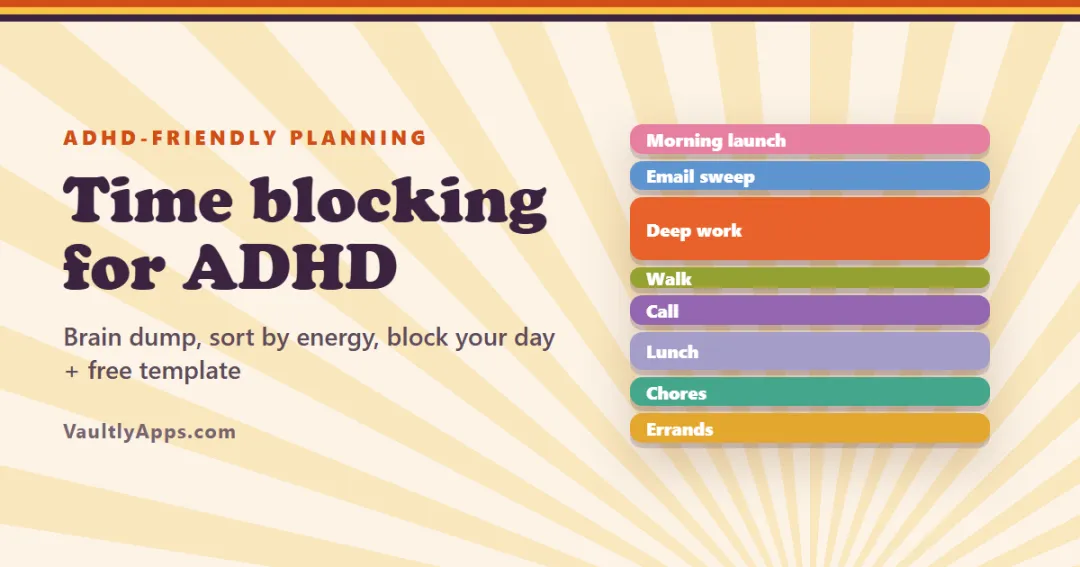
Productivity
Time blocking gives every task a slot on your day instead of a spot on a list. A 6-step method that works with ADHD — starting with a brain dump — plus a copyable time blocking template, a sample day and fixes for when the plan falls apart.
Productivity
Time blindness is trouble sensing how much time has passed or how long something will take — common with ADHD. What it is, the signs, a 10-question self-check, and 12 practical ways to make time visible.
Productivity
Body doubling means doing a task with another person nearby — in the room, on a video call or even on a livestream. Why it helps so many people with ADHD start and finish tasks, 15 ways to try it, and how to make it work.
More from VaultlyApps
 Live
Live

ADHD Budget Planner
A calm budget planner designed for ADHD brains — one Safe to Spend number, 3-tap logging, focus mode and kind overspend fixes instead of red warnings.
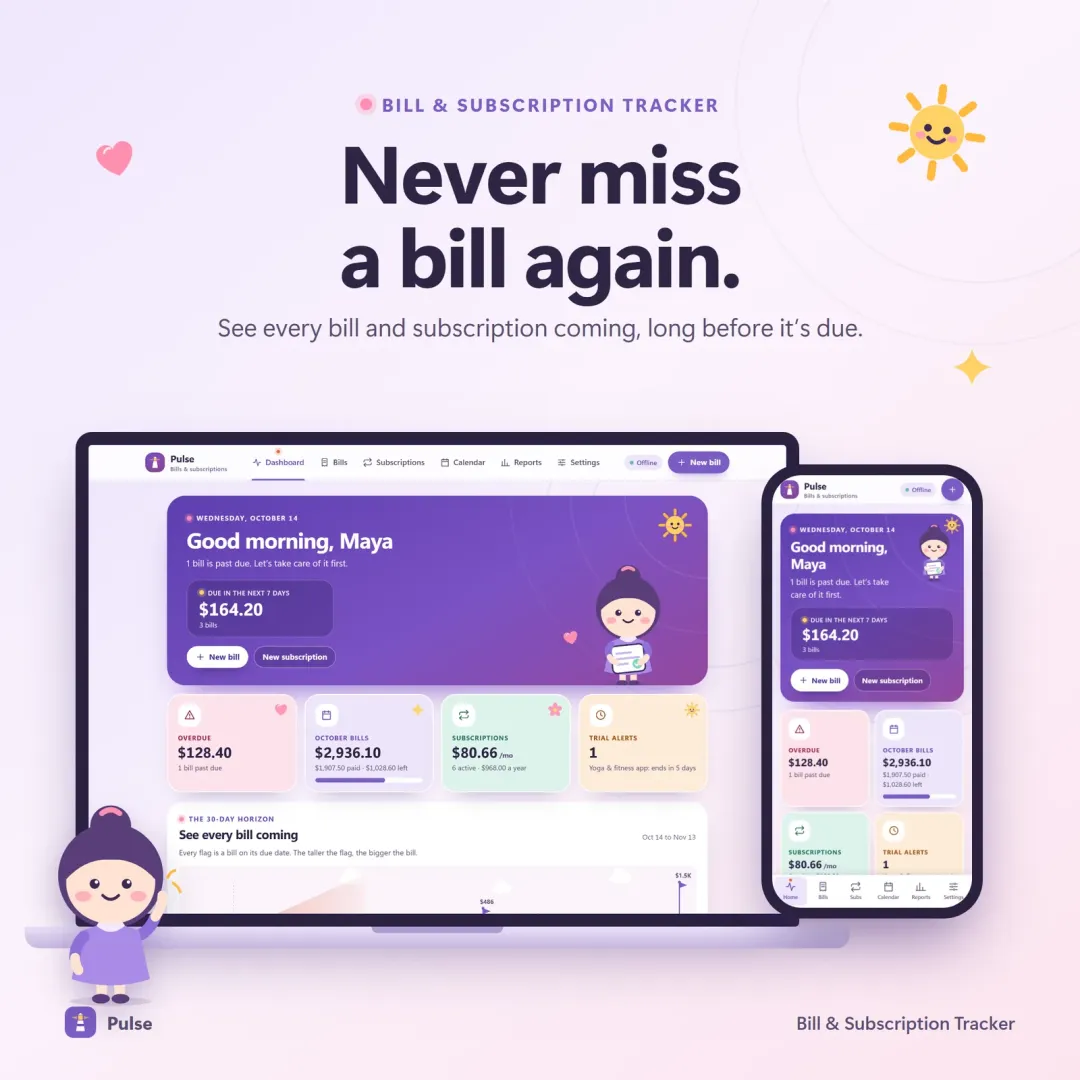 Live
Live

Bill & Subscription Tracker
Every bill and subscription in one calm place — a 30-day horizon of due dates, free-trial countdowns and a simulator that shows what cancelling would save.
 Live
Live

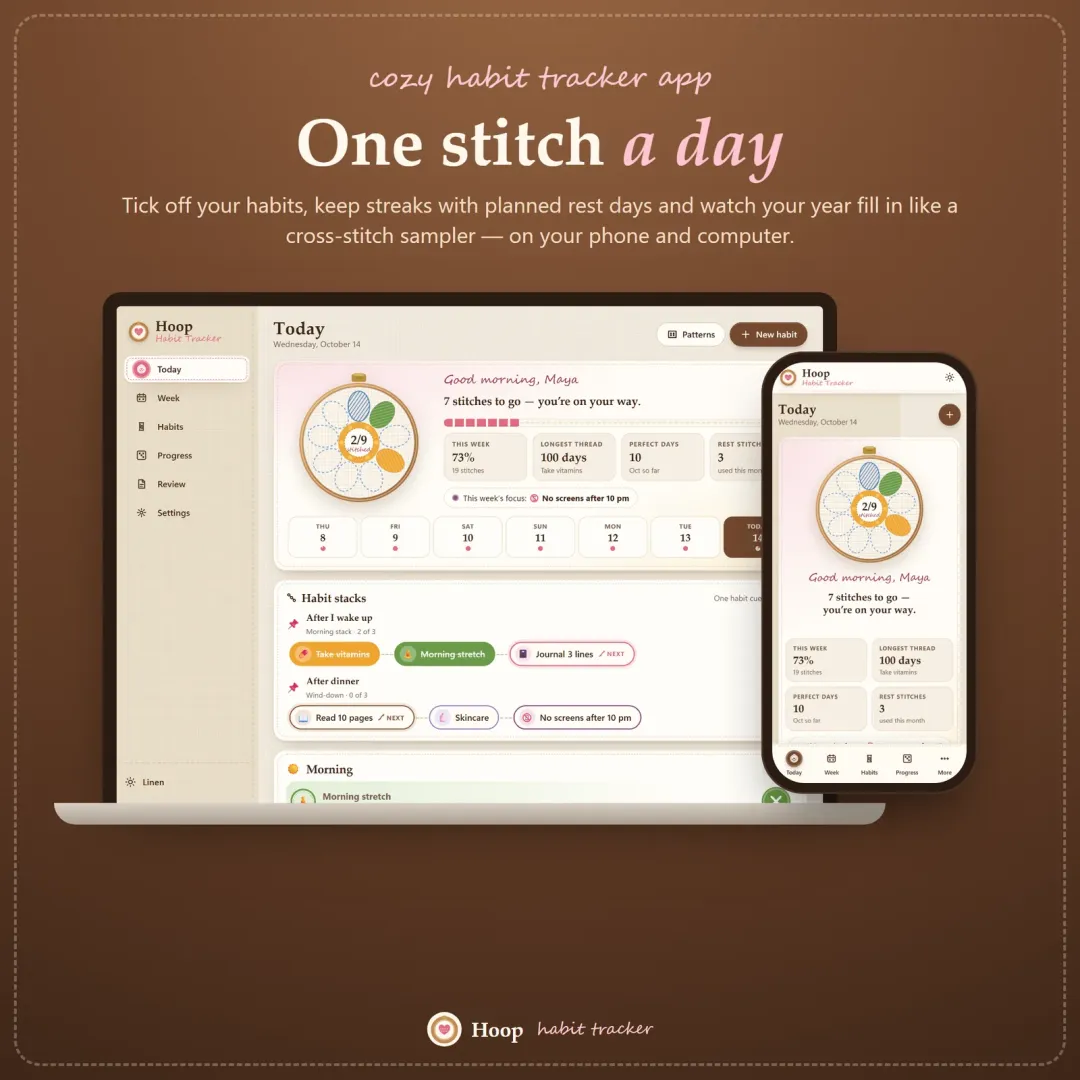
Habit Tracker
A cozy habit tracker for your phone and computer — stitch your habits each day, keep streaks with planned rest days, stack habits into a morning routine and watch your year fill in like a cross-stitch sampler.
The live demo runs in your browser with realistic sample data. Nothing to install, nothing to sign up for.
We use optional cookies for anonymous analytics. Nothing optional is set until you choose. Cookie policy
This site currently uses no analytics or advertising cookies. It only remembers your light/dark preference in your own browser.
Essential
Theme preference and this choice. Always on.