Time Blocking for ADHD: How to Time Block Your Day (Brain Dump + Free Template)
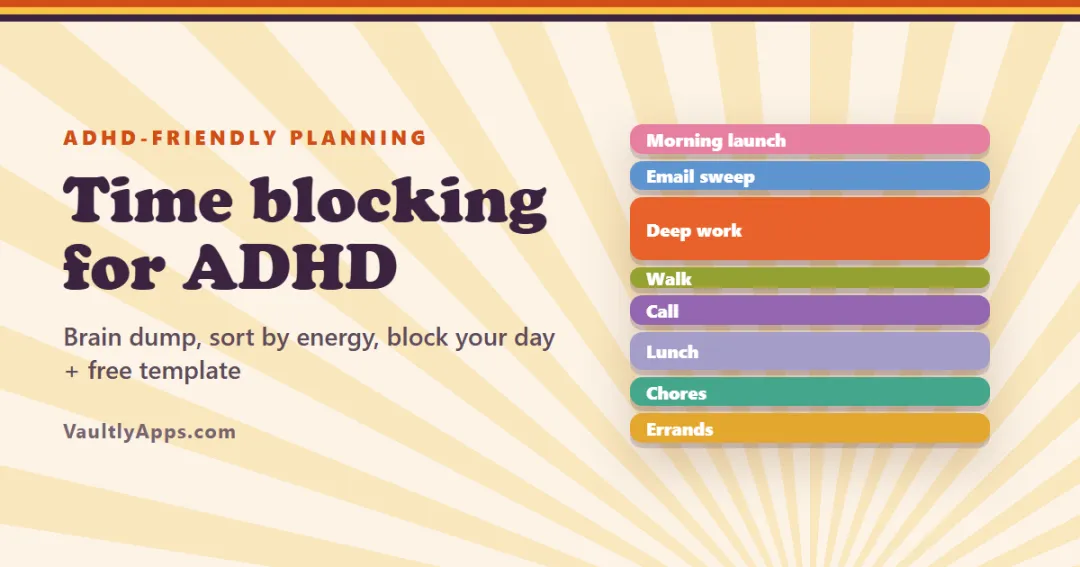
Time blocking gives every task a slot on your day instead of a spot on a list. A 6-step method that works with ADHD — starting with a brain dump — plus a copyable time blocking template, a sample day and fixes for when the plan falls apart.
In this article
- What is time blocking?
- How to time block your day (6 steps)
- 1. Brain dump everything
- 2. Pick your One Thing
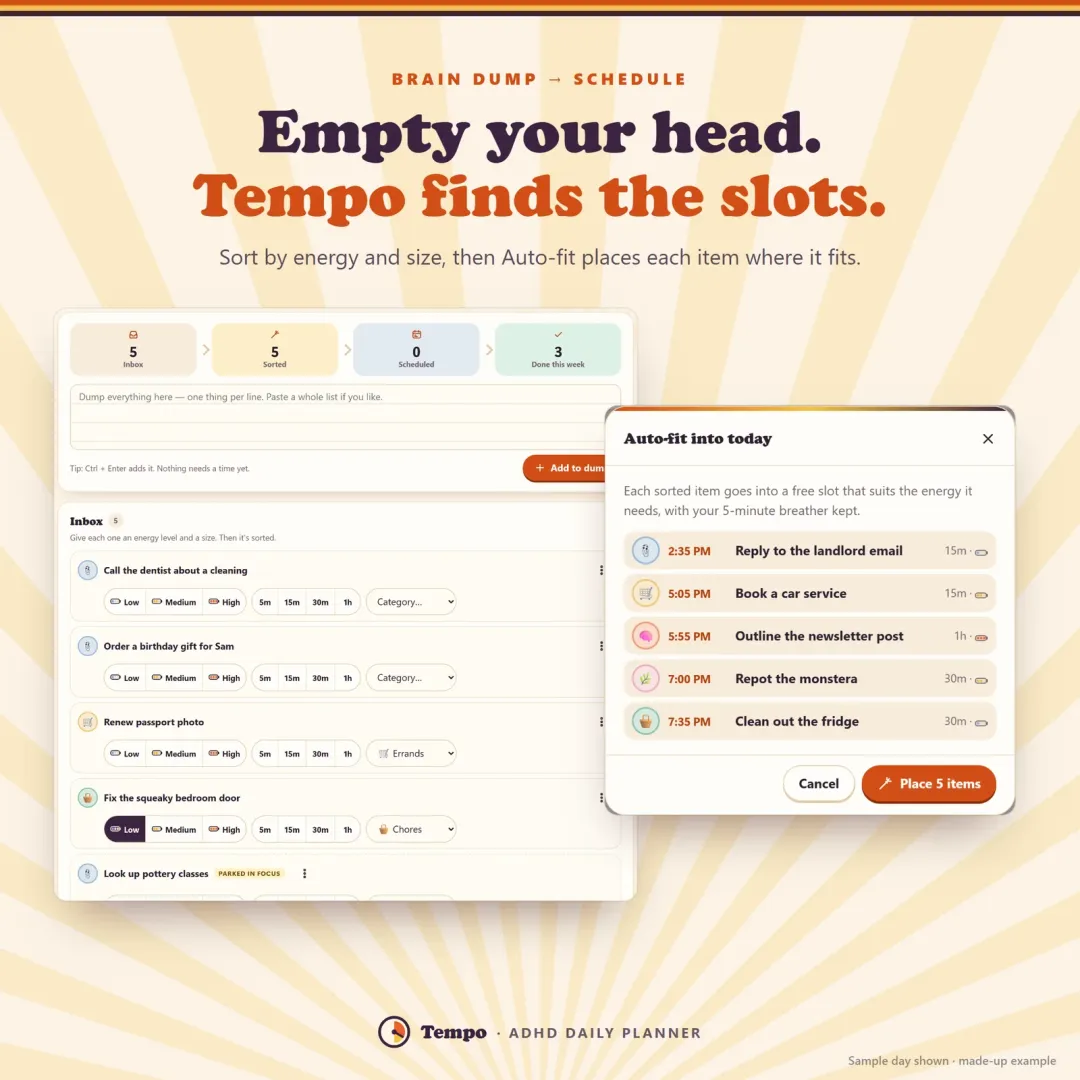
- 3. Sort by energy and size
- 4. Place your blocks
- 5. Give each block a tiny first step
- 6. Plan for running late
- Time blocking template
- A sample time-blocked day with ADHD
- Common time blocking mistakes (and fixes)
- Paper planner, calendar or time blocking app?
- Make it a habit
A to-do list tells you what to do. It doesn't tell you when — so every task competes for right now, the list grows, and by evening it feels like you did nothing. Time blocking fixes that by giving each task its own slot on your day. With ADHD it can feel rigid at first, but done the gentle way it's one of the most effective planning methods there is. Here's how to time block your day, starting with a brain dump, plus a time blocking template you can copy.
What is time blocking?
Time blocking means deciding in advance when each task will happen and putting it on your day as a block: 9:30–11:00 report draft, 11:05–11:20 walk, 13:50–14:30 bills and forms. Instead of one long list, you get a timeline. That has three big advantages, especially with ADHD:
- Time becomes visible. You can see what fits in the day — and what doesn't. That's a direct help for time blindness.
- "Later" becomes a specific "now". A task at 2 p.m. is real; a task "sometime today" isn't.
- Fewer decisions. When a block ends, the next one is already chosen. Deciding what to do next is one of the most draining parts of an ADHD day.
How to time block your day (6 steps)
1. Brain dump everything
Before you plan, empty your head. Write every task, errand, worry and idea in one place, one per line. Don't sort, don't judge, don't schedule yet. This is a brain dump, and it matters because it's impossible to plan well while your head is juggling forty things.
How to brain dump: set a timer for 5–10 minutes, write everything, and keep going until you run dry. Include tiny things ("buy stamps") and big vague ones ("figure out taxes").
2. Pick your One Thing
Look at the list and ask: if I only did one thing today, which would make it a win? That's your One Thing. It gets the best slot of the day. Everything else is a bonus.
3. Sort by energy and size
For each item you might do today, note two things:
- Energy: does it need high, medium or low energy? Writing a report is high; folding laundry is low.
- Size: about how long — 5, 15, 30 or 60 minutes? Be generous; tasks take longer than they look.
Anything that won't happen today goes to a "later" list. Out of sight, but not lost.
4. Place your blocks
Now build the day:
- Put high-energy work in your high-energy hours (for many people, mid-morning) and low-energy tasks in the dips (often after lunch).
- Keep blocks short: 25–90 minutes for focus work, 15–30 for dreaded tasks.
- Leave a 5–10 minute breather after every block. It absorbs overruns and gives you a moment to switch.
- Batch small tasks: one 30-minute admin block for email, calls and forms.
- Block meals, movement and rest too. They're part of the day, not leftovers.
- Leave open time. A day planned to the minute breaks at the first surprise.
5. Give each block a tiny first step
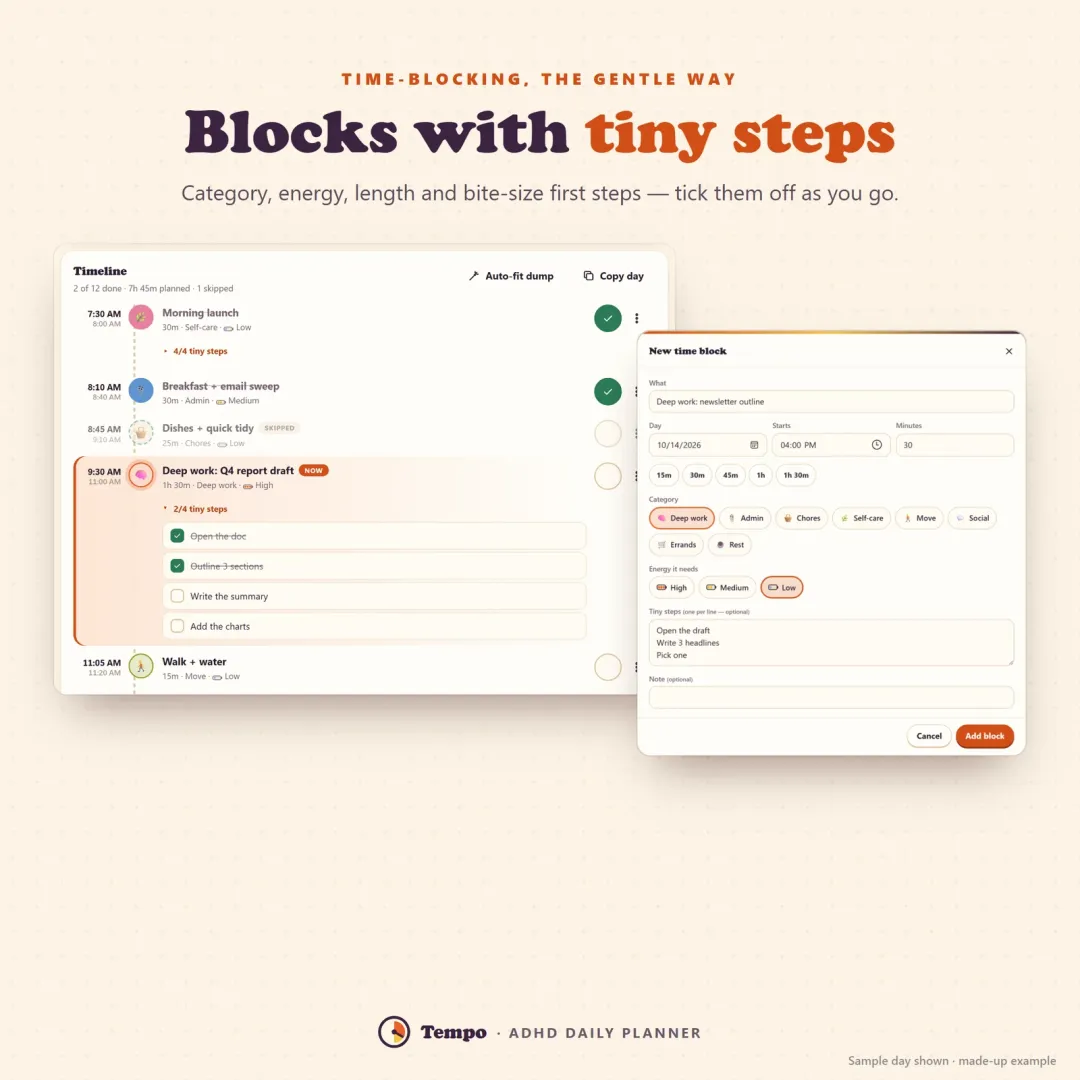
The hardest part of a block is the first minute. Write a first step that feels almost too easy: open the document, put the laundry basket on the bed, find the tax form. Starting tiny gets you past the wall. A visual timer helps too — "just until the red is gone".
6. Plan for running late
You will run late. That's not failure; it's information. When a block overruns, push the rest of the day back instead of throwing the plan away, and skip what no longer fits. In the evening, spend two minutes on what took longer than expected — your estimates get better every week.
Time blocking template
Copy this time blocking template into a notebook, a document or your calendar. Times are an example — shift them to your own day.
| Time | Block | Energy | First step | ✓ |
|---|---|---|---|---|
| 7:30 – 8:00 | Morning launch (water, meds, stretch) | Low | Glass of water | ☐ |
| 8:10 – 8:40 | Breakfast + email sweep | Medium | Open inbox, star 3 | ☐ |
| 9:30 – 11:00 | One Thing: deep work | High | Open the doc | ☐ |
| 11:05 – 11:20 | Walk + water | Low | Shoes on | ☐ |
| 11:30 – 12:00 | Calls / meetings | Medium | Open the agenda | ☐ |
| 12:15 – 13:00 | Lunch, no screens | Low | — | ☐ |
| 13:10 – 13:40 | Chores reset | Low | Start the wash | ☐ |
| 13:50 – 14:30 | Admin: bills + forms | Low | Find the bill | ☐ |
| 15:00 – 16:00 | Second focus block | Medium | Re-read last note | ☐ |
| 16:30 – 17:00 | Errands | Medium | Write the list | ☐ |
| 17:30 – 17:50 | Shutdown: wins, move leftovers, tomorrow's One Thing | Low | Look at today | ☐ |
Brain dump template: above the table, leave a box titled Everything on my mind with 15–20 lines. Next to each item, circle L / M / H for energy and 5 / 15 / 30 / 60 for size. That's all a brain dump template needs.
A sample time-blocked day with ADHD
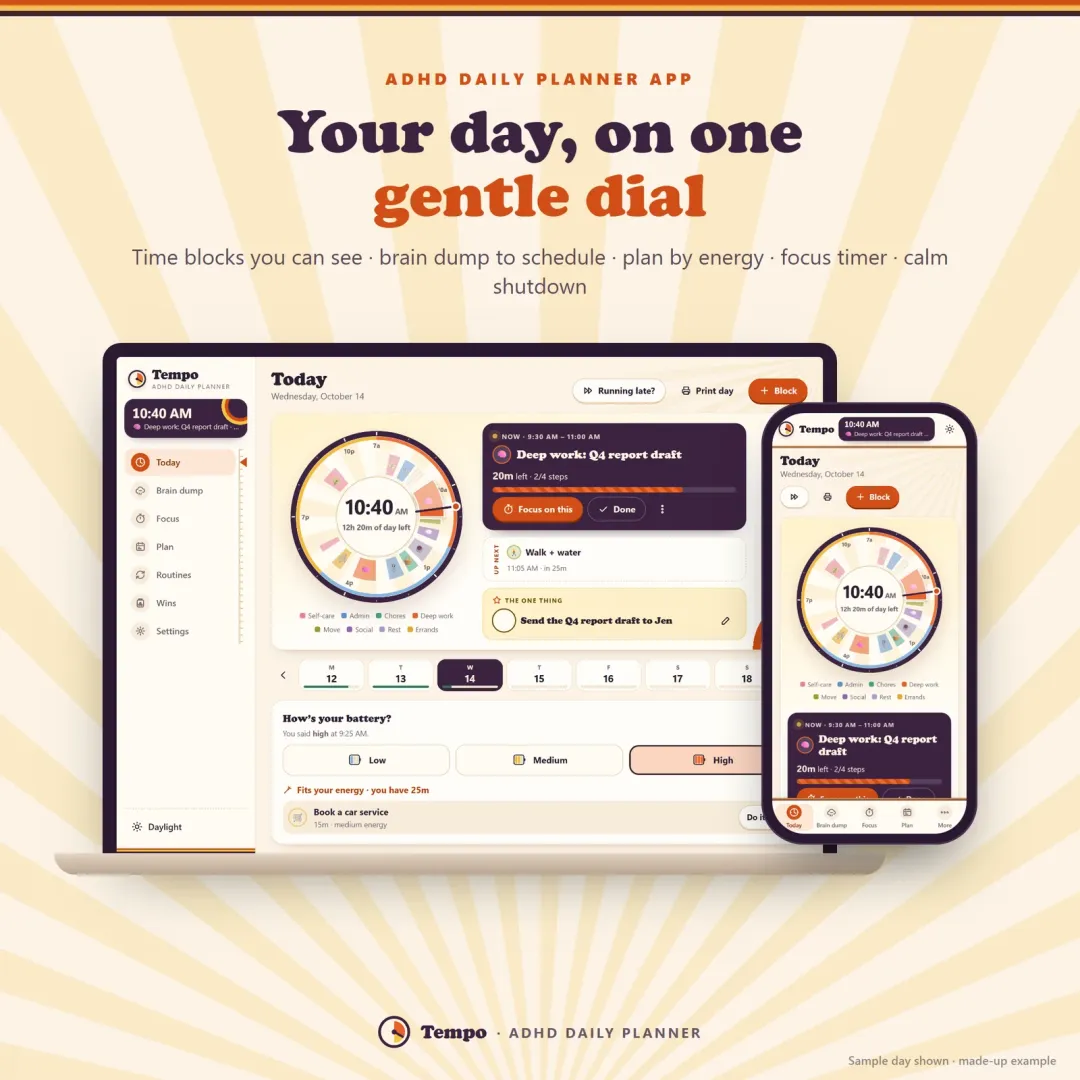
Here's how that template plays out on a real-feeling Wednesday. The brain dump has 14 items. The One Thing is "send the Q4 report draft". It goes at 9:30, the best energy of the day, with "open the doc" as its first step. Email gets one 30-minute block, not the whole morning. After lunch — a known energy dip — come laundry and bills, which need little focus. At 10:56 a five-minute warning says the report block is ending; at 11:05 it's time for a walk. The 11:30 call runs 20 minutes over, so the afternoon gets pushed back 15 minutes and the errand moves to tomorrow. At 5:30 there's a five-minute shutdown: three wins, two leftovers moved, tomorrow's One Thing chosen. Not perfect — but done, and finished on time.
Common time blocking mistakes (and fixes)
- Planning every minute. Leave open time and breathers; a full day breaks at the first surprise.
- Blocks that are too long. Three hours of "deep work" invites drifting. Two 75-minute blocks with a walk between them work better.
- No first step. "Taxes" is a wall; "find last year's return" is a door.
- Abandoning the plan when it slips. Shift it, don't scrap it.
- Ignoring energy. A dreaded admin task at your best hour wastes your best hour; a hard task in your slump wastes the task.
- Forgetting transitions. A five-minute warning before a block ends makes switching much easier than a sudden stop.
Paper planner, calendar or time blocking app?
Paper is quick and satisfying to tick off, and great for a daily sheet. A calendar app reminds you and syncs between devices, but it's built for meetings, not for brain dumps or energy. A dedicated time blocking planner combines both: a visual day, a brain dump that becomes a schedule, and nudges at transitions.
That's what we built Tempo to be: an ADHD daily planner that shows your day as a dial of time blocks, turns a brain dump into a schedule with Auto-fit (high-energy tasks in high-energy hours, breathers kept), gives every block tiny steps, nudges you before and after each block, and pushes the rest of the day back with one Running late? tap. Its bonus pack includes printable time-blocked day sheets and a brain dump & sort worksheet. Try the free demo — no sign-up.
Make it a habit
Time blocking gets easier with repetition. Plan tomorrow during a five-minute evening shutdown, reuse the days that worked (a "deep-work day", a "low-energy day"), and keep score with wins, not failures. For the first and last parts of the day, our guides to morning routine ideas and body doubling are good next reads, and a dopamine menu gives you healthy options for the breaks between blocks.
Frequently asked questions
What is time blocking?
Does time blocking work for ADHD?
How do I time block if my schedule is unpredictable?
What is a brain dump?
How long should a time block be?
What's the difference between time blocking and a to-do list?
Is there a time blocking app for ADHD?
Written by
Finance Specialist & Editor, VaultlyApps
Emma Whitfield writes and edits the VaultlyApps money guides and free calculators. Her focus is US household finance — budgeting on a real paycheck, paying down credit card and student debt, emergency funds and savings goals, renting — and the money side of freelancing and small-business income, from pricing and profit margins to self-employment tax. Every guide is researched against primary sources such as IRS publications and the CFPB, every number is checked in our tested calculators, and tax content is reviewed each year when new IRS figures come out. Emma is not a licensed financial adviser or tax preparer; her work is general education, not personal advice.
Researched against primary US sources, checked with our calculators and reviewed by a finance expert on our team. Written for US readers — general education, not financial, tax or legal advice. Editorial policy · Disclaimer