VaultlyApps logo VaultlyApps

Free tool

Dopamine Menu Maker: Build Your ADHD Dopamine Menu (Free Template)

A dopamine menu is a list of things that genuinely lift your mood and energy, arranged like a restaurant menu — quick starters, nourishing mains, sides that make boring tasks easier, desserts to enjoy in small portions, and specials for once in a while. When you're bored, stuck or scrolling, you order from the menu instead. Tap ideas below or add your own, then print it.

By Updated Private — runs in your browser Free, no sign-up Save, print, PDF & CSV — with a QR code to reopen it

Tap an idea to add it, or type your own. Up to 15 items per course.

Today’s menu

Your menu is empty — tap a few ideas on the left.

Stuck? Let the menu choose

From

Print or download it as a PDF below and stick it on the fridge or your desk.

For readers in the United States. Estimates for planning only — not financial, investment, tax or legal advice. Disclaimer · How we check our numbers

Tempo app icon

Want these numbers to update by themselves?

Tempo — ADHD Daily Planner — keeps this plan current as you log real payments. Try the free demo, no sign-up.

How to make your dopamine menu

  1. Go through each course and tap the ideas that genuinely make you feel better — or type your own.
  2. Keep starters quick (under 10 minutes) so they work even on a busy day.
  3. Put the things that are easy to overdo — scrolling, shows, games — under desserts, and plan to use a timer with them.
  4. Print it or save it as a PDF and keep it where you get stuck: by your desk, on the fridge, as a phone wallpaper.
  5. When you feel bored, restless or stuck, order from the menu — or press Pick something for me.

Dopamine menu ideas

Course Ideas
Starters dance to one song, step outside, cold water on your face, stretch, make tea, text a friend
Mains a walk, cooking, a hobby, a call with someone you love, the gym, a chapter of a book
Sides a podcast or playlist, a candle, body doubling, working from a café, a fidget toy
Desserts one episode, 15 minutes of scrolling, a game round, a sweet treat
Specials a day trip, a concert, a new restaurant, a class, a weekend away

Why it works

When your brain is under-stimulated, it goes looking for the quickest hit — usually the phone. Deciding on something better in that moment is hard, because deciding is itself effort. A dopamine menu moves the decision to a calm moment: you choose your options in advance, and later you only have to pick from a short list. That's the same idea behind planning tools like time blocking — fewer decisions in the moment, more energy for doing.

Sides deserve special attention. Adding something pleasant to a dull task — a podcast while you do dishes, music while you answer email, a friend on a video call while you fold laundry — is often what makes the task happen at all. That last one has a name: body doubling.

Make it part of your day

A dopamine menu works best alongside a simple daily plan. In Tempo, our ADHD daily planner, you can check in with your energy a few times a day and get suggestions that fit how you feel; the bonus pack includes a printable dopamine menu board. Pair the menu with the visual timer so desserts stay dessert-sized.

A dopamine menu is a self-help idea, not medical treatment. If low mood or restlessness doesn't lift, talk to a doctor or a mental health professional.

Frequently asked questions

What is a dopamine menu?

A dopamine menu is a personal list of activities that give you a healthy boost, sorted like a restaurant menu: starters (quick boosts), mains (bigger, nourishing activities), sides (things that make boring tasks easier), desserts (fun but easy to overdo) and specials (occasional treats). The idea was popularised by Jessica McCabe of How to ADHD and ADHD coach Eric Tivers.

Why is a dopamine menu helpful for ADHD?

ADHD brains often seek stimulation, and the easiest source — a phone — tends to win. Deciding what to do in the moment is hard, so having the menu written down in advance makes a better choice easy. It is a planning tool, not a treatment.

What should I put on my dopamine menu?

Things that actually make you feel better afterwards, not just during. Movement, music, fresh air, people, hobbies and small creative tasks work for many people. Put scrolling, shows and games under desserts with a time limit.

What's the difference between starters, mains, sides and desserts?

Starters take 2 to 10 minutes. Mains take longer and leave you refreshed. Sides are added to a boring task, like a podcast while you fold laundry. Desserts are fun but easy to overdo, so set a timer. Specials are bigger treats you plan ahead.

Can I print my dopamine menu?

Yes. Press Print or PDF under the menu maker for a clean one-page menu with tick boxes. Many people keep it on the fridge, by their desk or as a phone wallpaper.

Does the menu save?

Press Save below the maker and give it a name; it stays in your own browser. Nothing is sent to a server.

Written by

Emma Whitfield

Finance Specialist & Editor, VaultlyApps

Emma Whitfield writes and edits the VaultlyApps money guides and free calculators. Her focus is US household finance — budgeting on a real paycheck, paying down credit card and student debt, emergency funds and savings goals, renting — and the money side of freelancing and small-business income, from pricing and profit margins to self-employment tax. Every guide is researched against primary sources such as IRS publications and the CFPB, every number is checked in our tested calculators, and tax content is reviewed each year when new IRS figures come out. Emma is not a licensed financial adviser or tax preparer; her work is general education, not personal advice.

Researched against primary US sources, checked against independent calculators and reviewed by a finance expert on our team. Written for US readers — general education, not financial, tax or legal advice. Editorial policy · Disclaimer
From VaultlyApps

Apps that do this for you

Each one has a free live demo with sample data — open it in your browser, nothing to install.

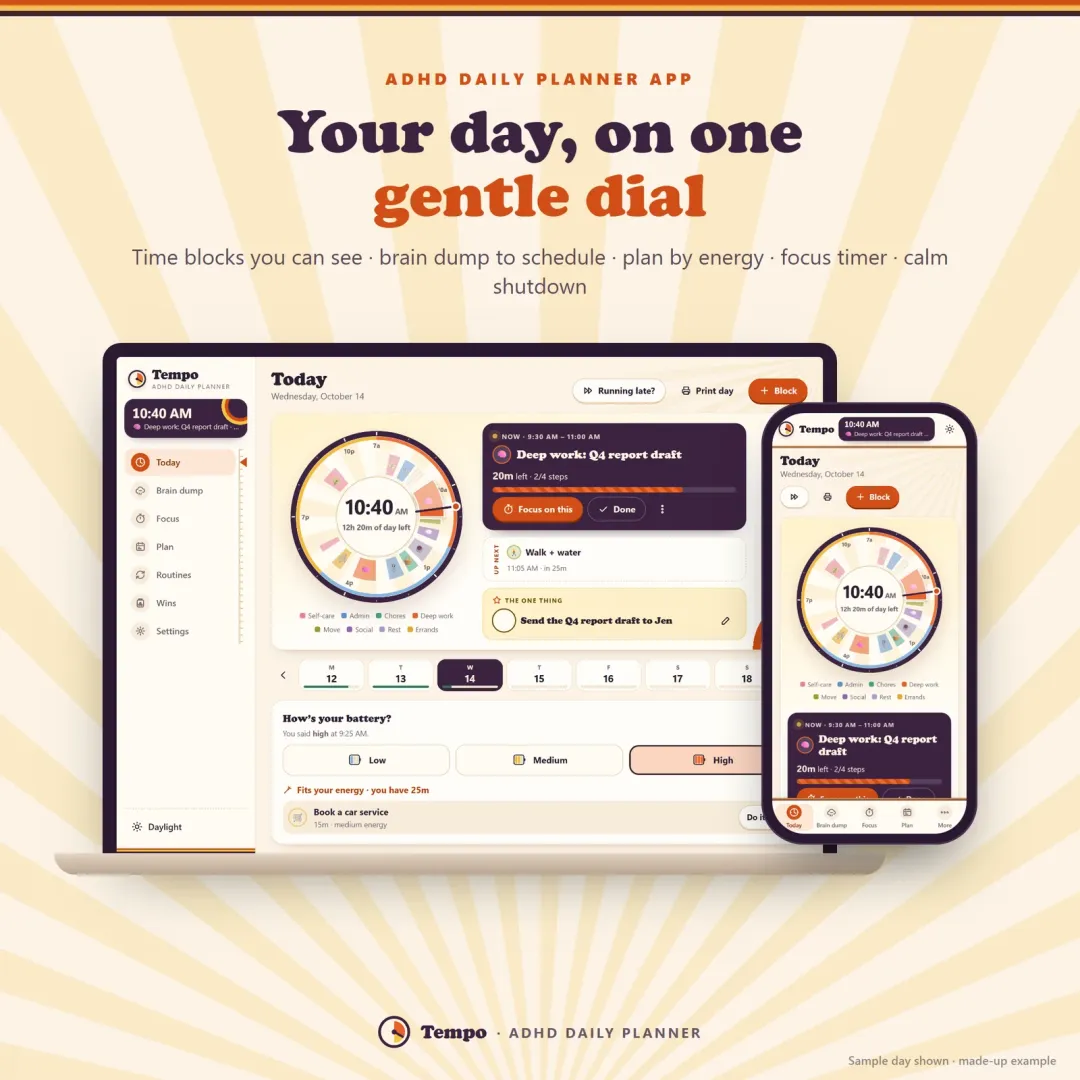
Tempo ADHD planner app showing the day as a dial of colourful time blocks on a laptop and a phone Live
Tempo app icon

Tempo

ADHD Daily Planner

An ADHD planner app for your phone and computer — your day on one gentle dial, time blocking with tiny steps, a brain dump that turns into a schedule, energy-based planning, a visual focus timer and a calm shutdown ritual.

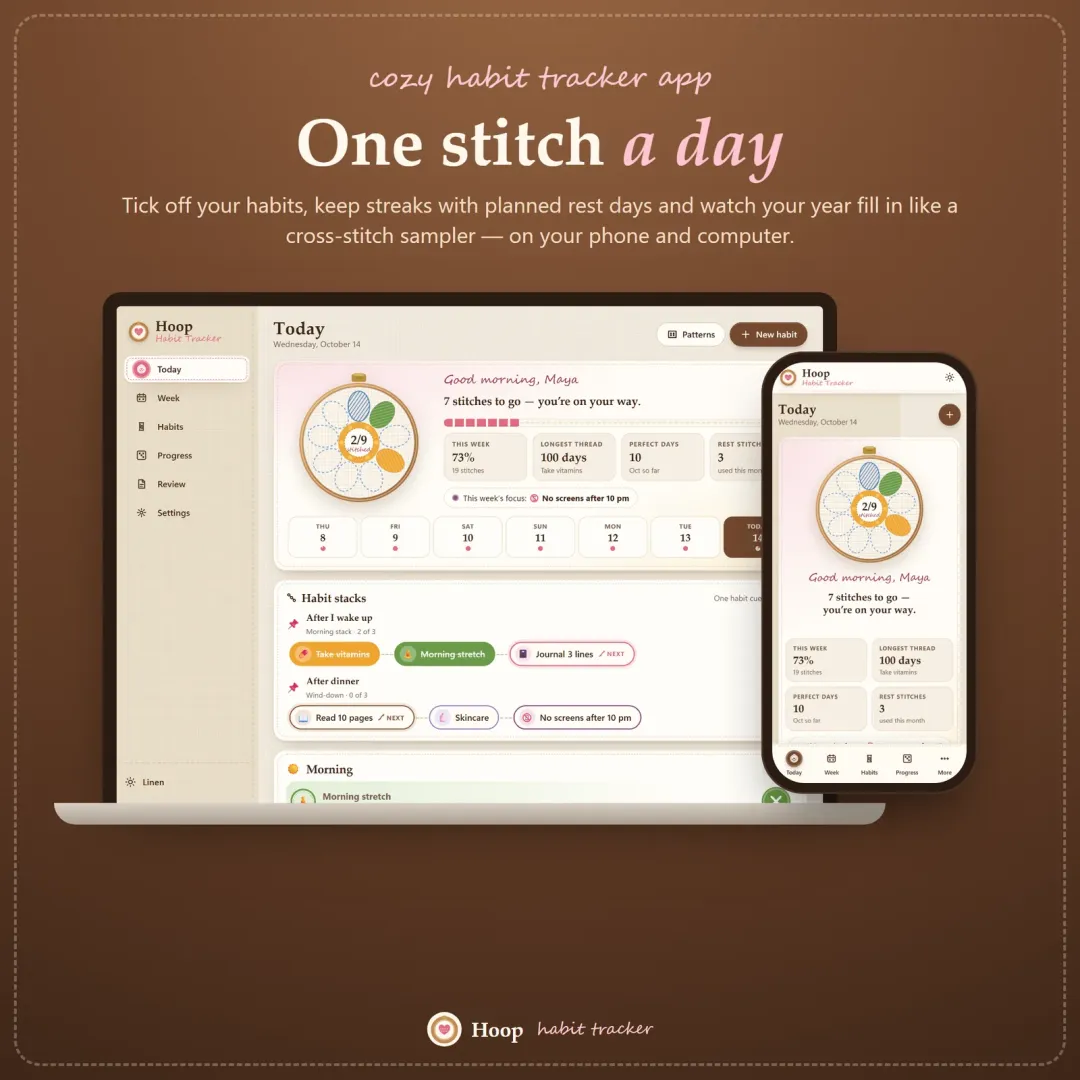
Hoop habit tracker app with today's habits shown as petals of an embroidery hoop flower Live
Hoop app icon

Hoop

Habit Tracker

A cozy habit tracker for your phone and computer — stitch your habits each day, keep streaks with planned rest days, stack habits into a morning routine and watch your year fill in like a cross-stitch sampler.

Flow ADHD budget planner showing a calm Safe to Spend screen Live
Flow app icon

Flow

ADHD Budget Planner

A calm budget planner designed for ADHD brains — one Safe to Spend number, 3-tap logging, focus mode and kind overspend fixes instead of red warnings.

Keep planning

Related calculators

All calculators

Visual Timer

A Time-Timer-style countdown you can see.

Open calculator

Further reading

Guides on this topic

All articles

Try Tempo free in your browser

An ADHD planner app for your phone and computer — your day on one gentle dial, time blocking with tiny steps, a brain dump that turns into a schedule, energy-based planning, a visual focus timer and a calm shutdown ritual. The live demo uses sample data — nothing to install, no sign-up.

We use optional cookies for anonymous analytics. Nothing optional is set until you choose. Cookie policy