
Grocery Budget Calculator
Weekly and monthly grocery budget for your household, from the USDA food plans.
Open calculator Live
Web app (installable PWA)
Live
Web app (installable PWA) Meal Planner
A meal planning app with a grocery list that writes itself: plan the week from your own recipes, see the cost per serving of every meal, use up what's in the pantry and keep the food budget in check, on your phone and computer.
Try the live demo to explore the application — it runs right here on VaultlyApps with sample data, no sign-up needed.
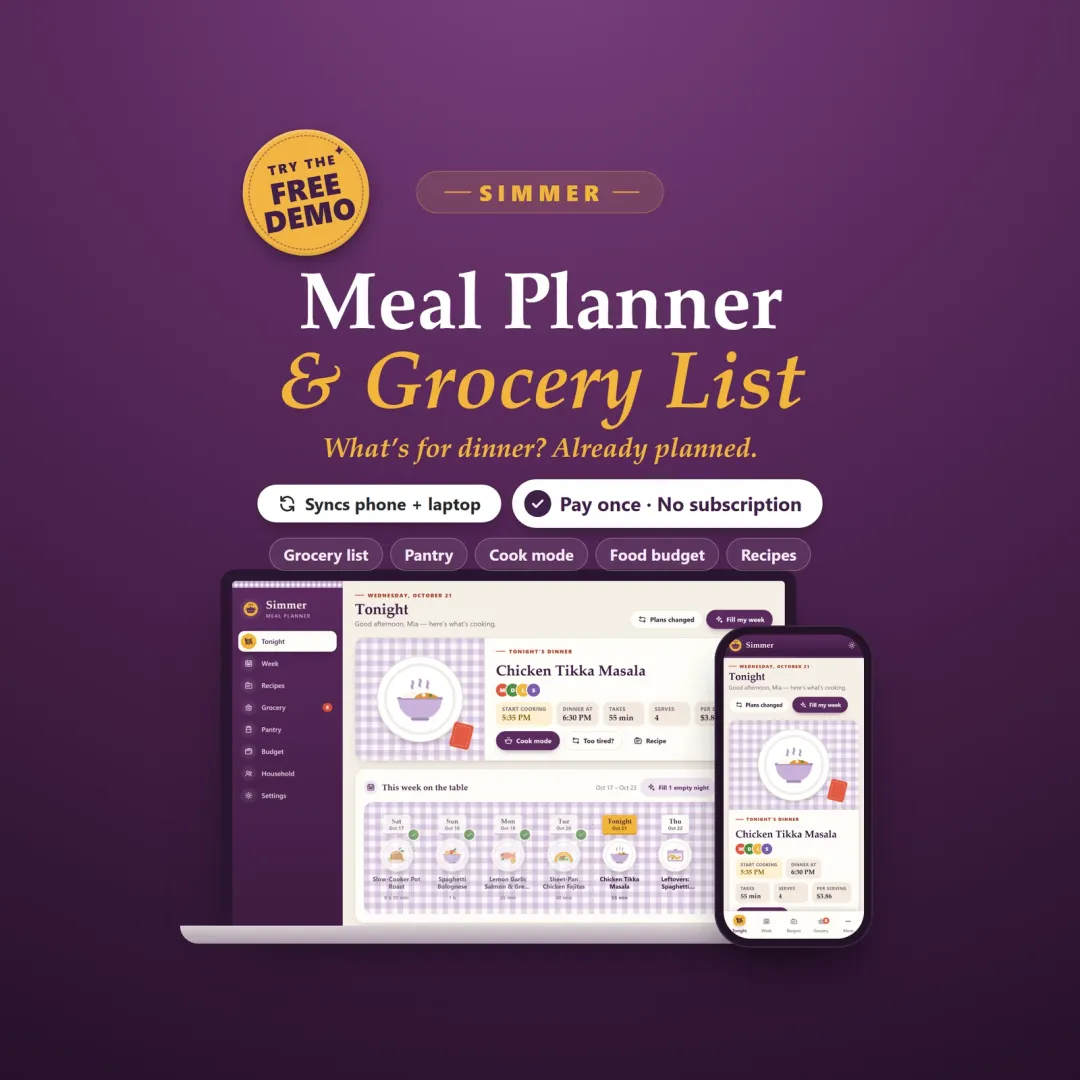
Simmer is a meal planning app for your phone and computer that answers "what's for dinner?" before anyone asks. Plan the week from the recipes your family already loves and the grocery list writes itself: amounts added up across recipes, sorted by aisle, with what each item costs. The recipe organizer shows the cost per serving of every meal and scales any recipe, the pantry inventory tells you what to use first, and the food budget tracks groceries against takeout. Fill My Week suggests dinners for empty nights and says why. No account, no ads, no subscription.
Most families plan dinner at 5 p.m. with an open fridge. The grocery list is written by hand from five recipes, so the garlic gets bought twice and the cilantro goes bad in the drawer. Meal planner templates and printables look nice but don't add up ingredients, don't know what's in the pantry and can't tell you what a meal costs. Simmer is a meal planner that does that work, so the week is planned in minutes and the grocery bill goes down.
Tonight's dinner on a plate, who it suits, when to start cooking so it's ready on time and what it costs per serving. Too tired? One tap swaps it for something easier, and the rest of the week stays in place.
Breakfast, lunch, dinner and snacks, with recipes, leftovers, eating out or a note. Set servings per meal, cook extra for a leftovers night or the freezer, copy last week, and print a menu for the fridge.
Suggestions from your own recipes for every empty night, each with the reason: a theme night, food about to turn, a fresh ingredient shared with another meal, not made lately, or fits everyone at home. Keep or skip each one.
Built from the plan, sorted by aisle, with what each item is for and its estimated cost. 3 + 4 + 4 cloves of garlic become 11, cups and tablespoons are combined, and weekly staples and your own items are added.
A tabbed recipe box with cost per recipe and per serving, scaling, diet tags, favorites, search by ingredient and "last made". Paste a recipe from a website or a note and Simmer splits it into ingredients and steps.
One big step at a time with the ingredients scaled to tonight, a timer for every time in the steps, and the screen stays on.
Fridge, freezer and cupboard jars with use-by dates. Food that turns soon comes first, with your own recipes that use it, so less goes in the bin.
A weekly food budget, groceries against takeout and eating out, cost per home-cooked serving, an 8-week chart and your thriftiest dinners.
Scroll sideways · select to enlarge
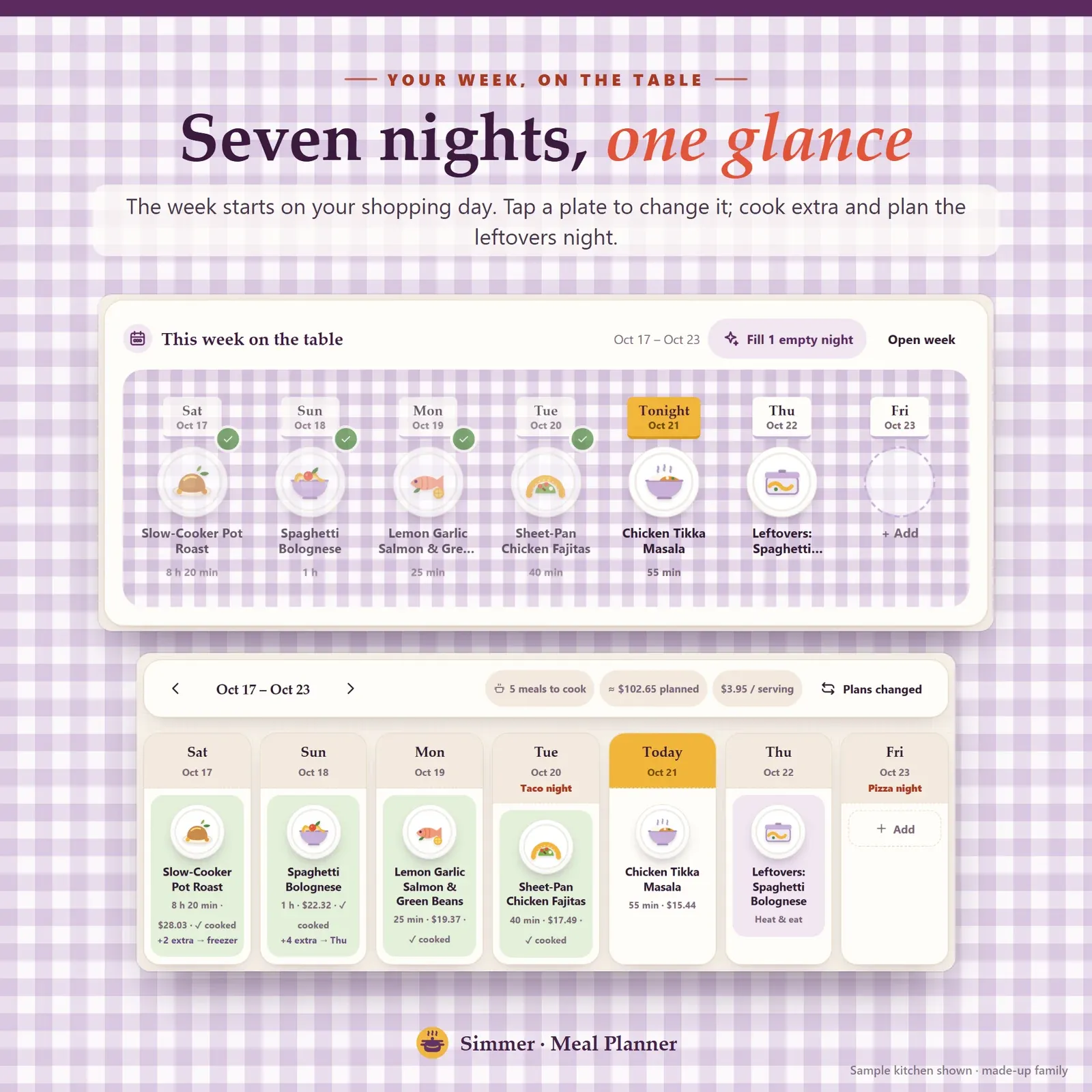
Weekly meal planner with dinners as plates on a gingham table, starting on shopping day, with leftovers and eating-out nights
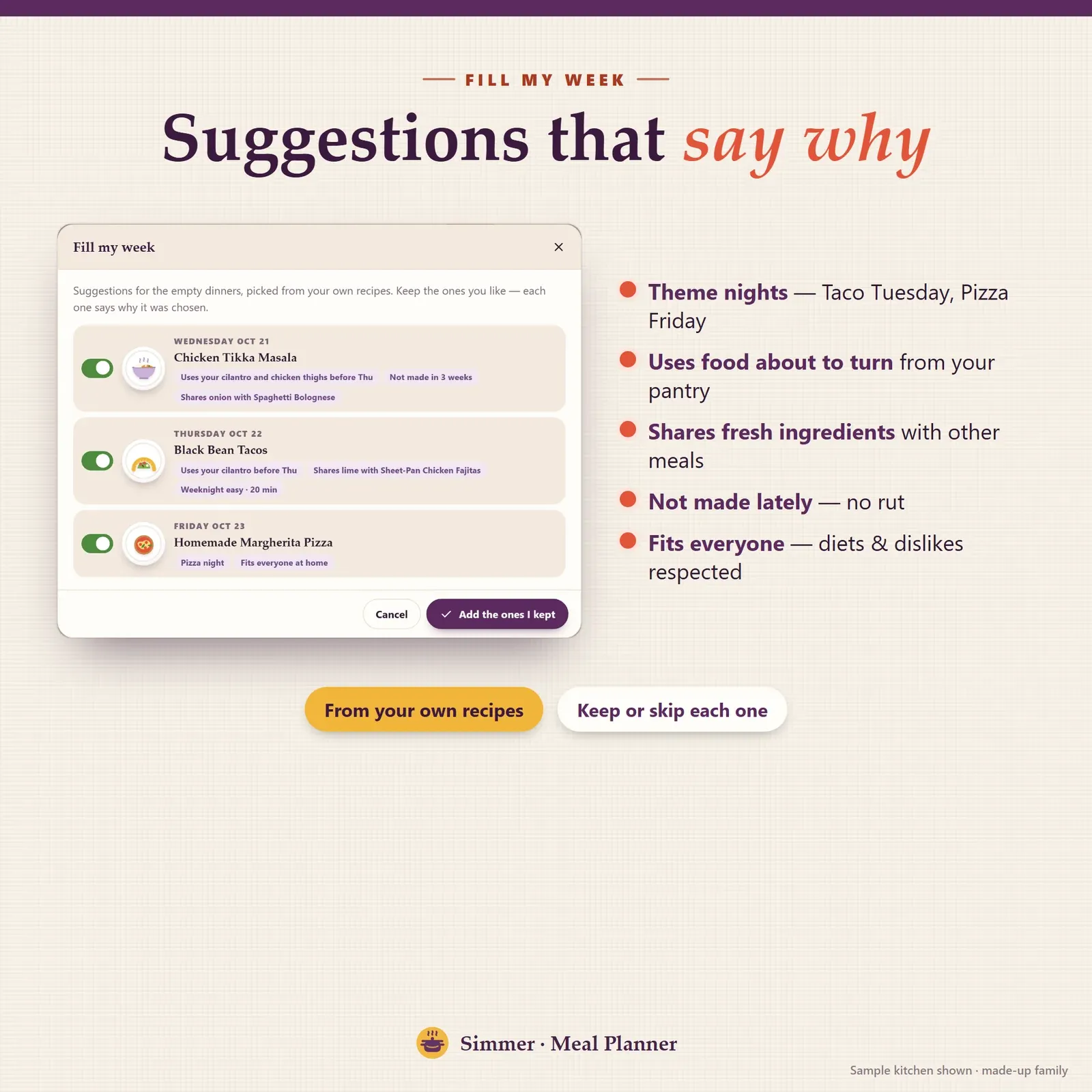
Fill My Week suggestions from your own recipes, each with the reason: theme night, food about to turn, shared fresh ingredients
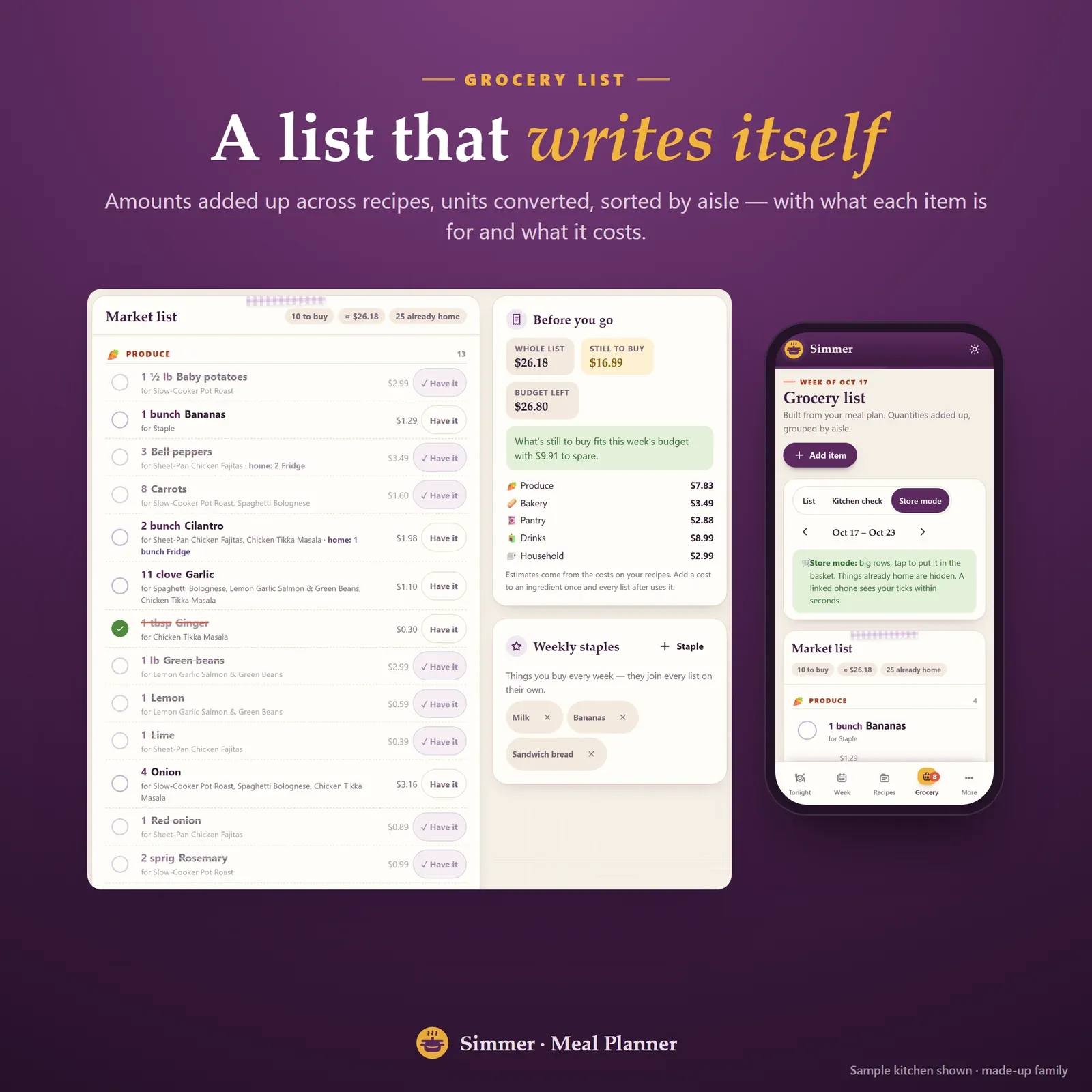
Grocery list built from the meal plan, sorted by aisle, with amounts added up and the cost of each item
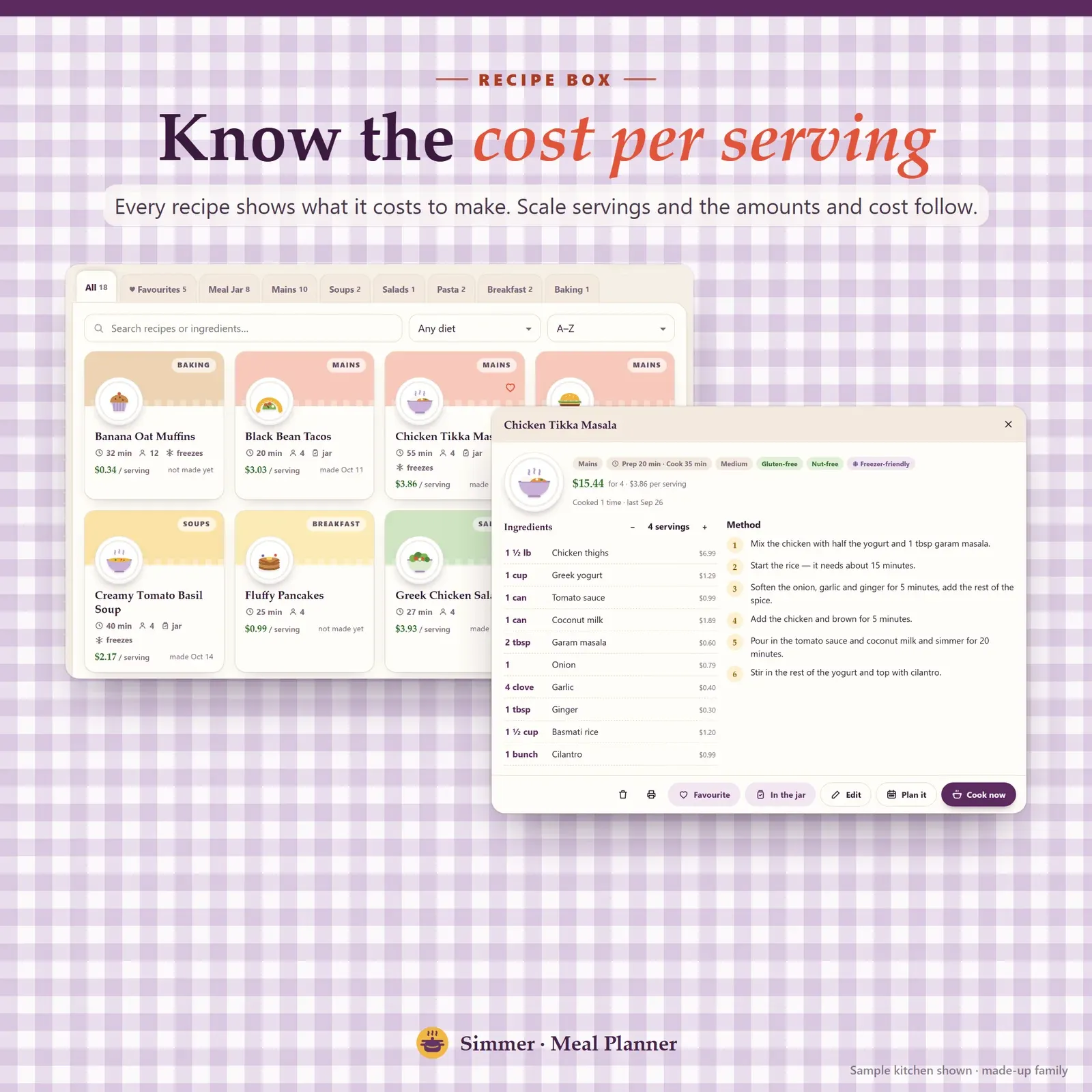
Recipe organizer with recipe cards showing the cost per serving, scaling and diet tags
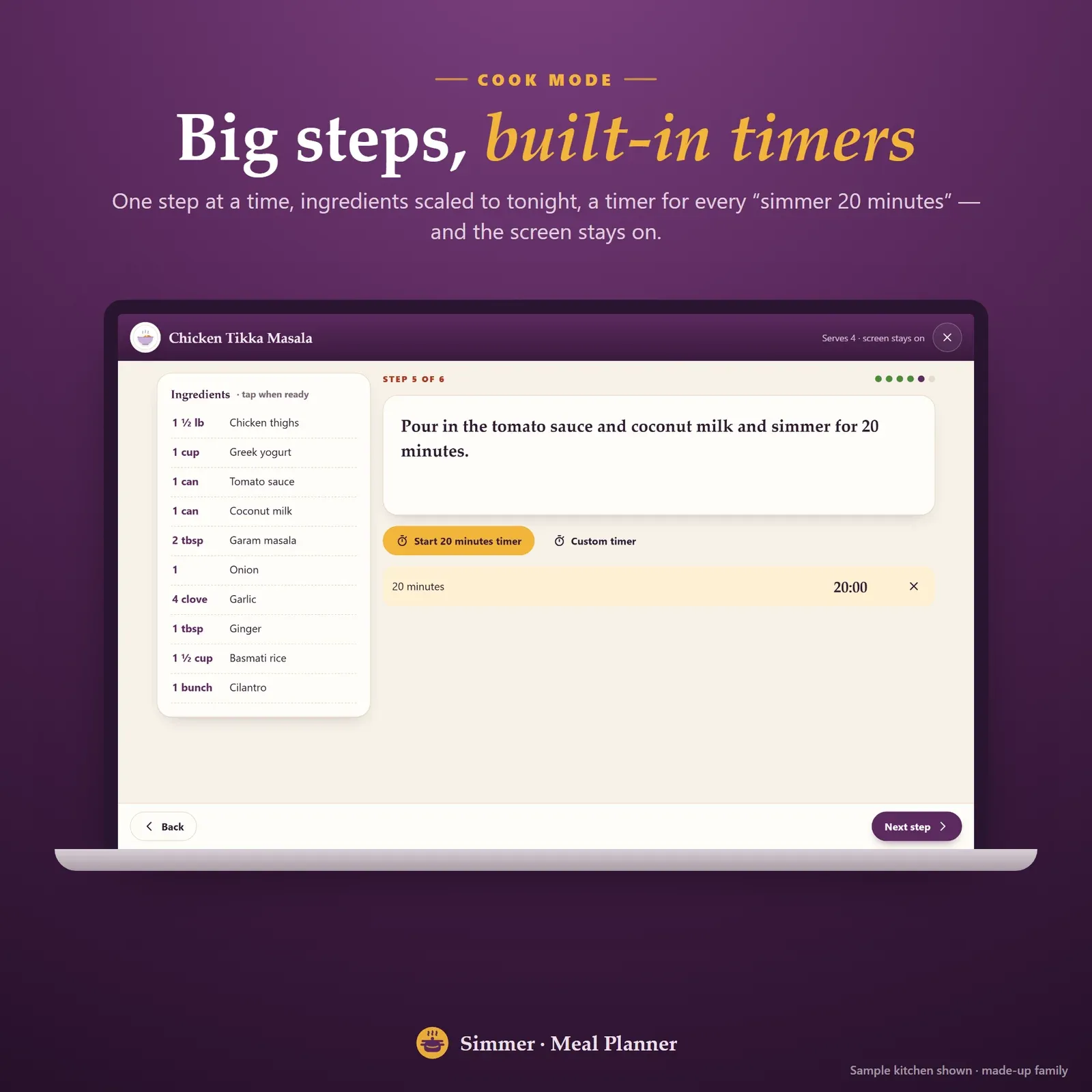
Cook mode with one big step at a time, scaled ingredients and a built-in timer
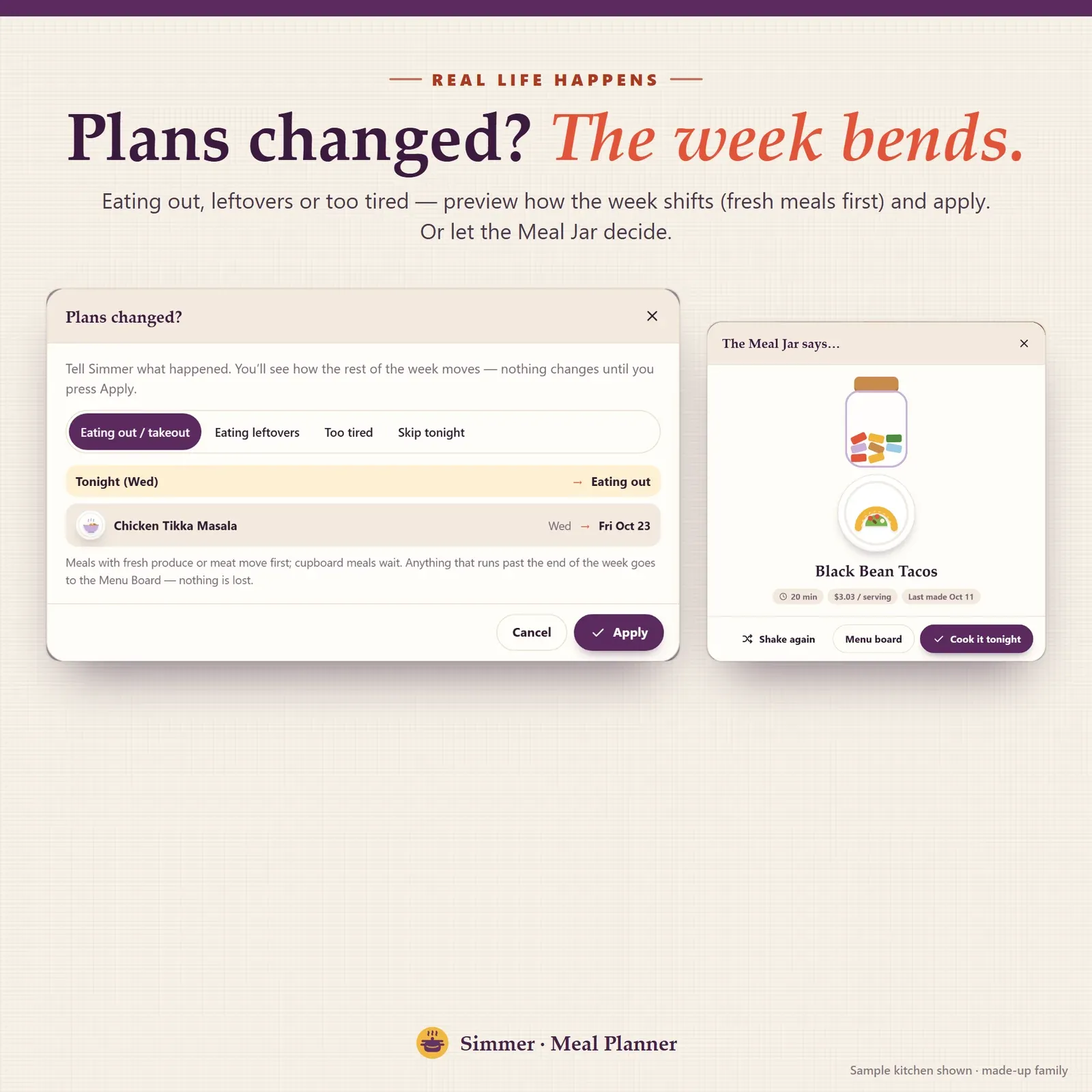
Plans changed preview that moves the week's meals for eating out or leftovers, and a meal jar that picks a dinner
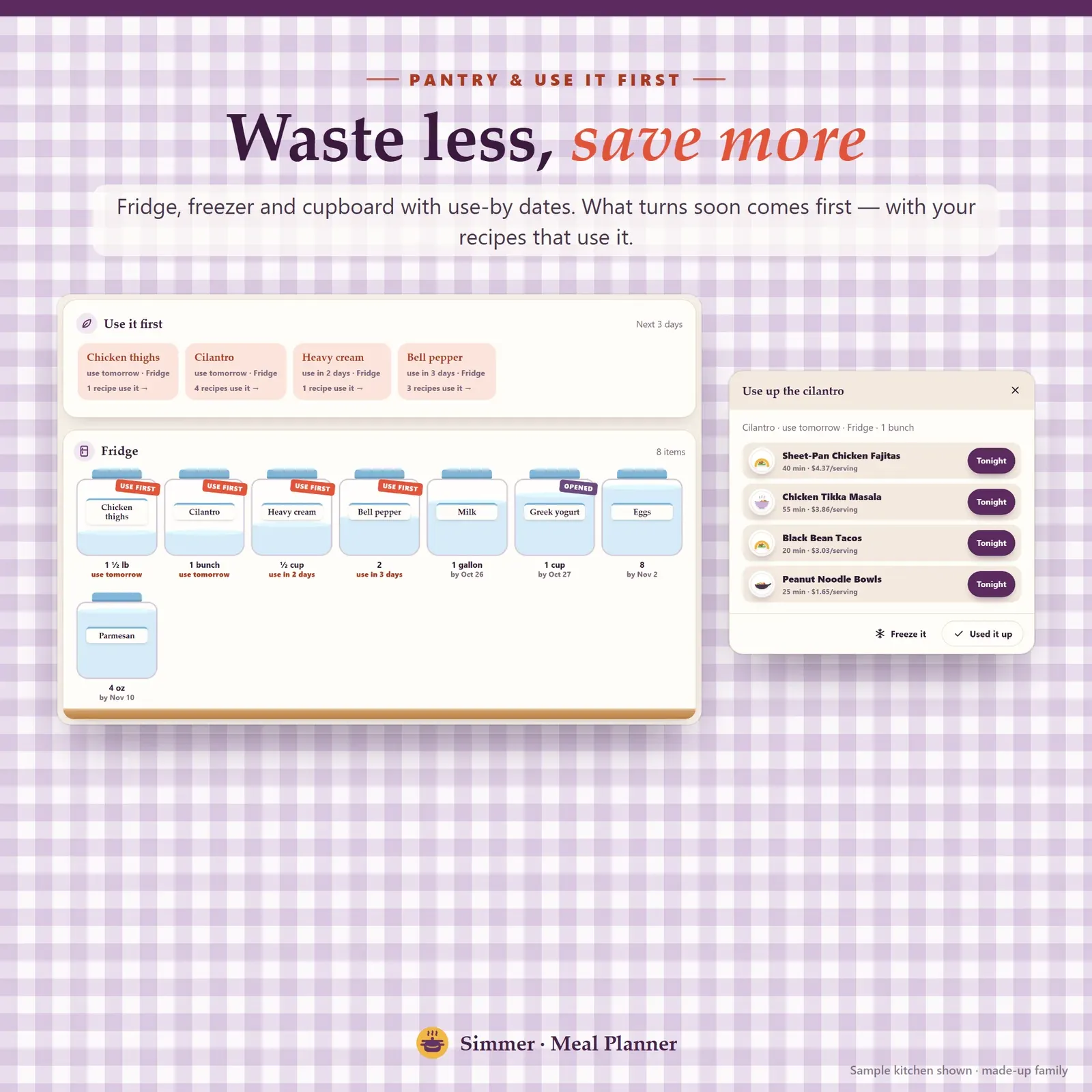
Pantry inventory with fridge, freezer and cupboard jars, use-by dates and recipes that use food first
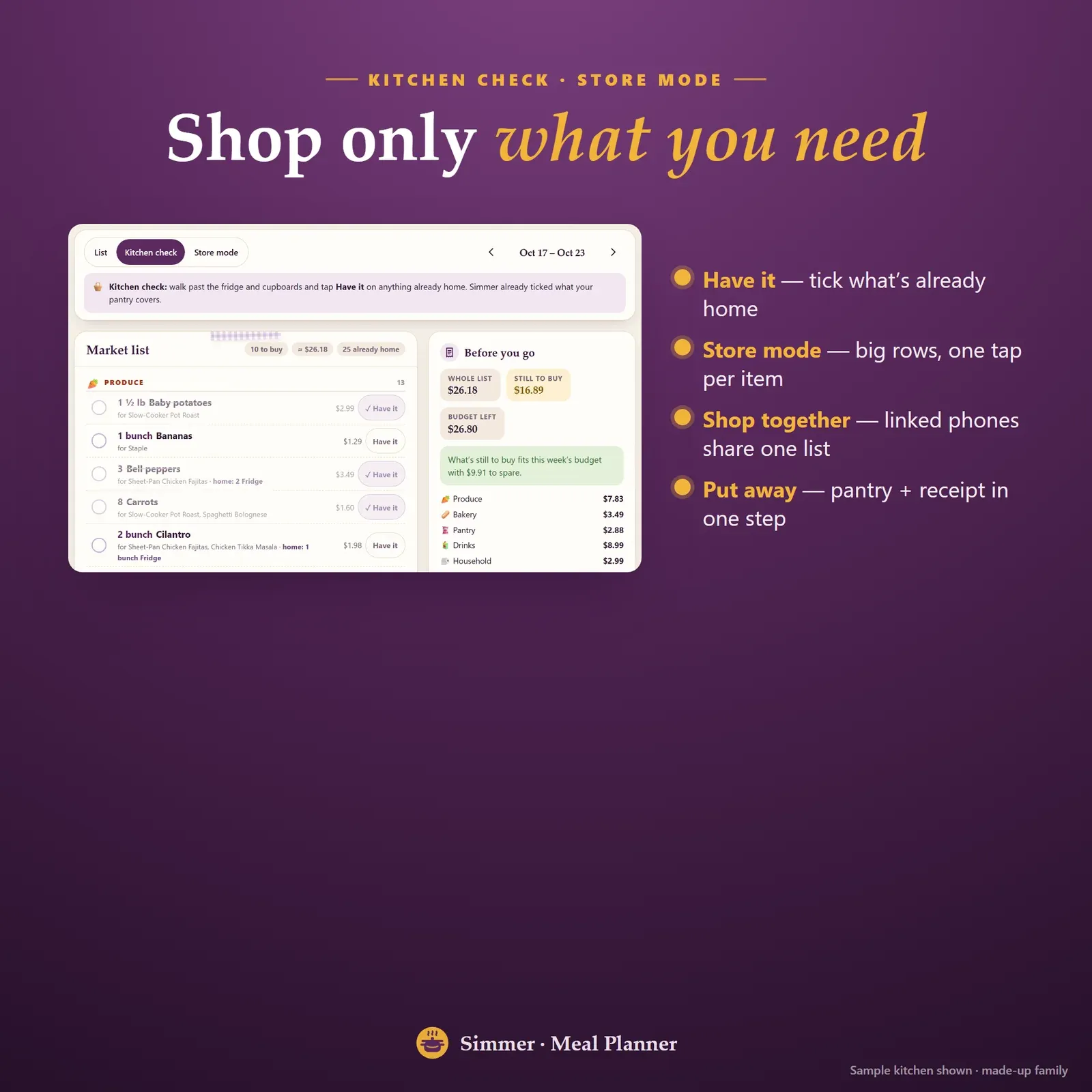
Kitchen check and store mode for the grocery list, shared between two phones
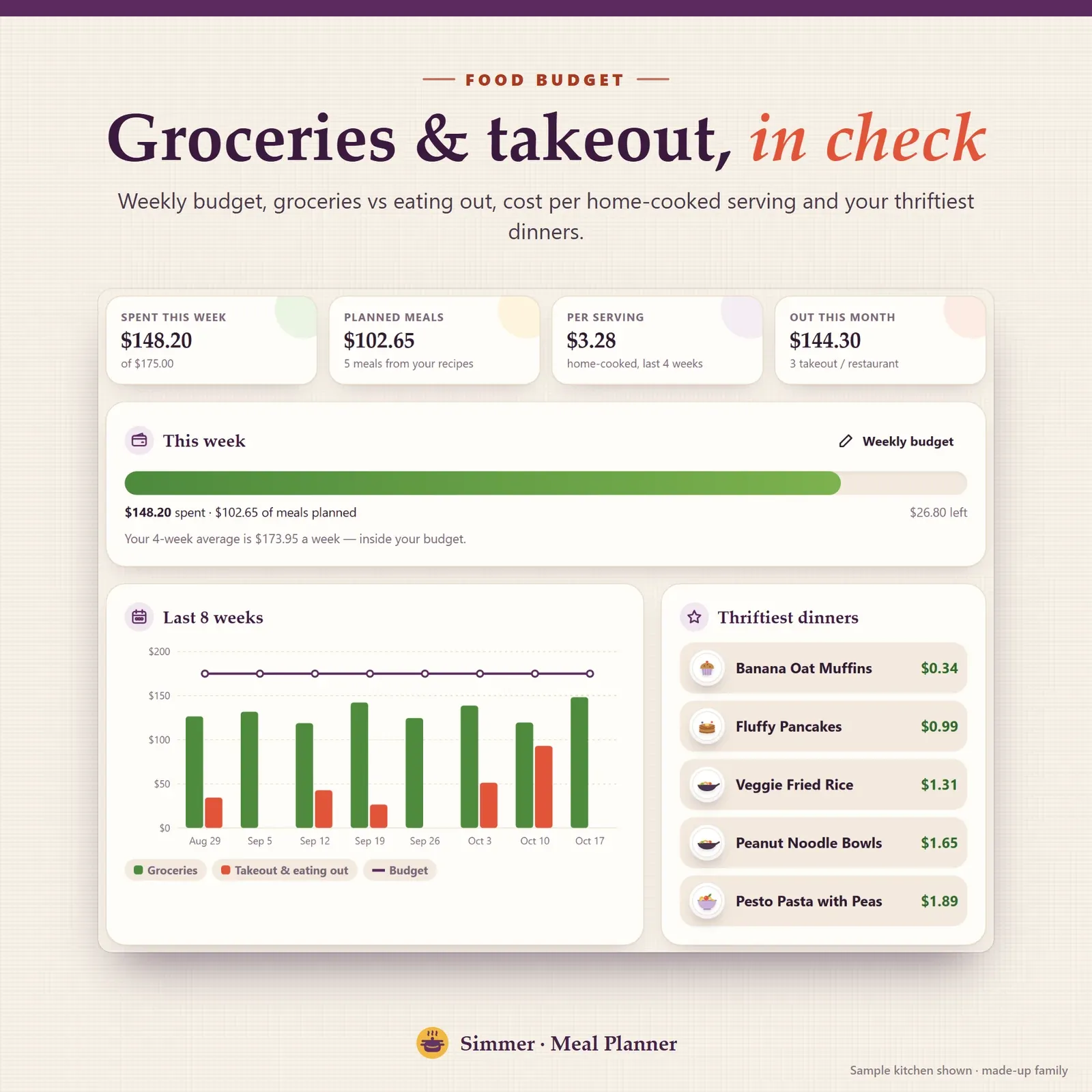
Food budget tracker with groceries vs takeout, cost per home-cooked serving, an 8-week chart and the thriftiest dinners
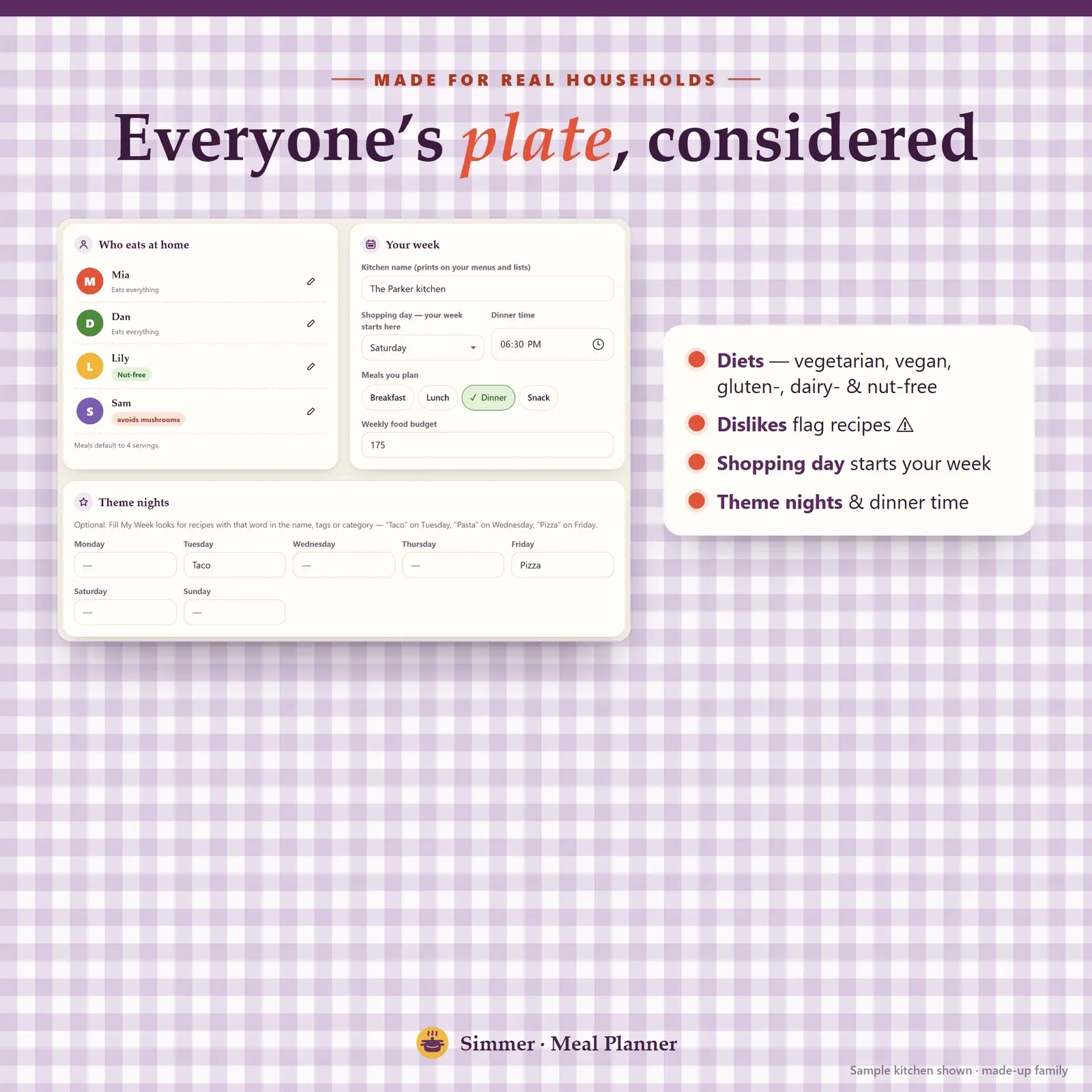
Household settings with each person's diet and dislikes, shopping day and theme nights
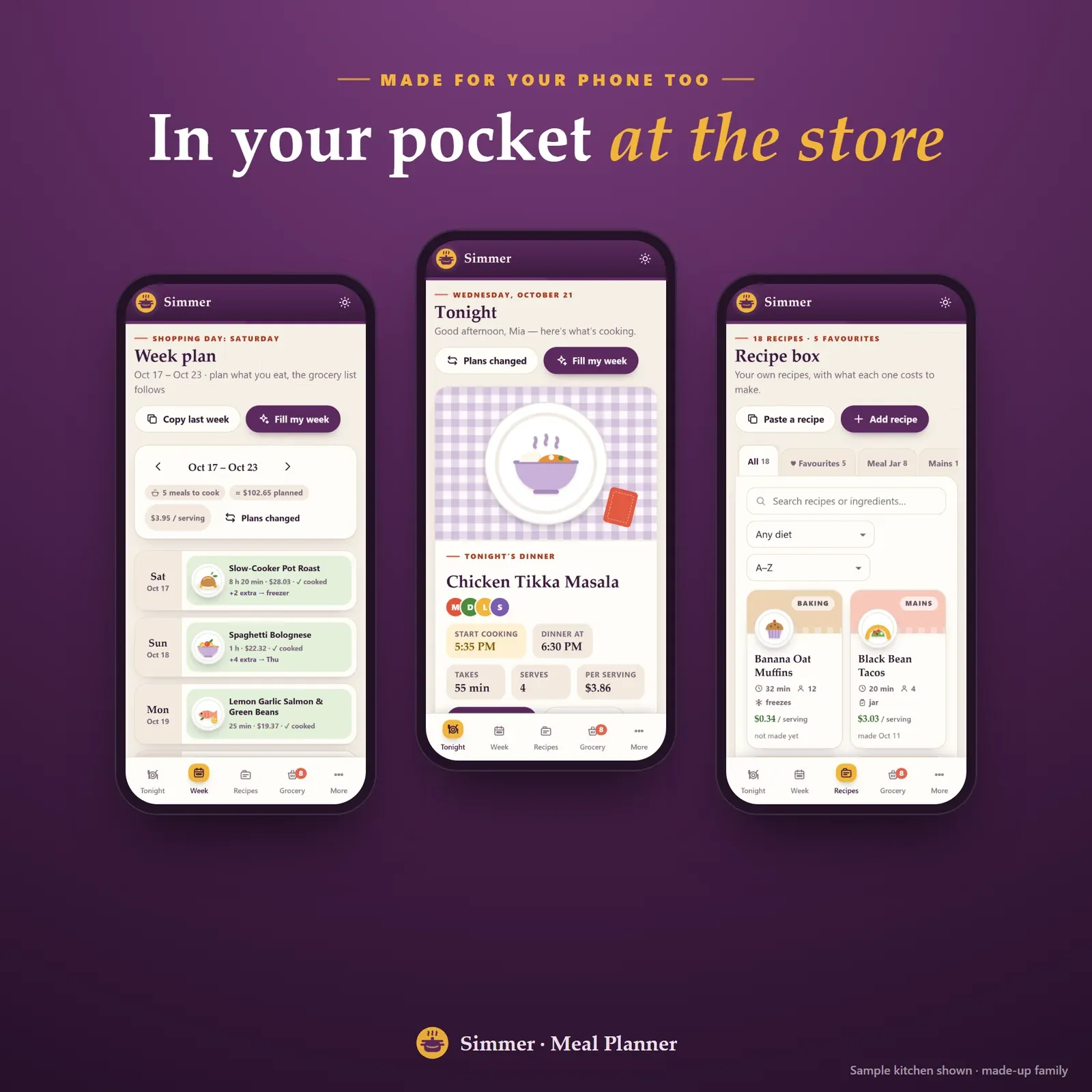
The meal planner app on a phone: week plan, tonight's dinner and recipe box
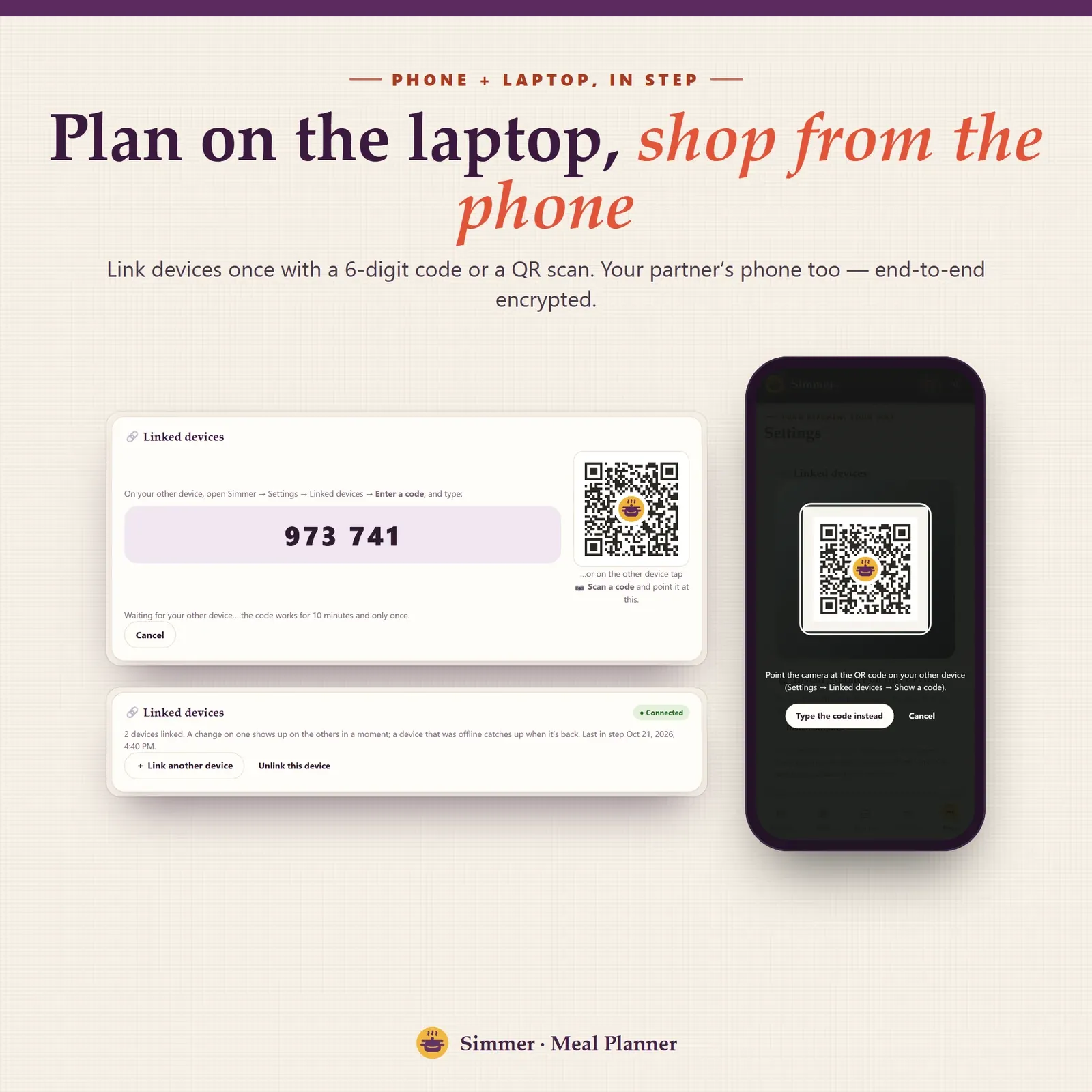
Phone and laptop linked with a 6-digit code or QR
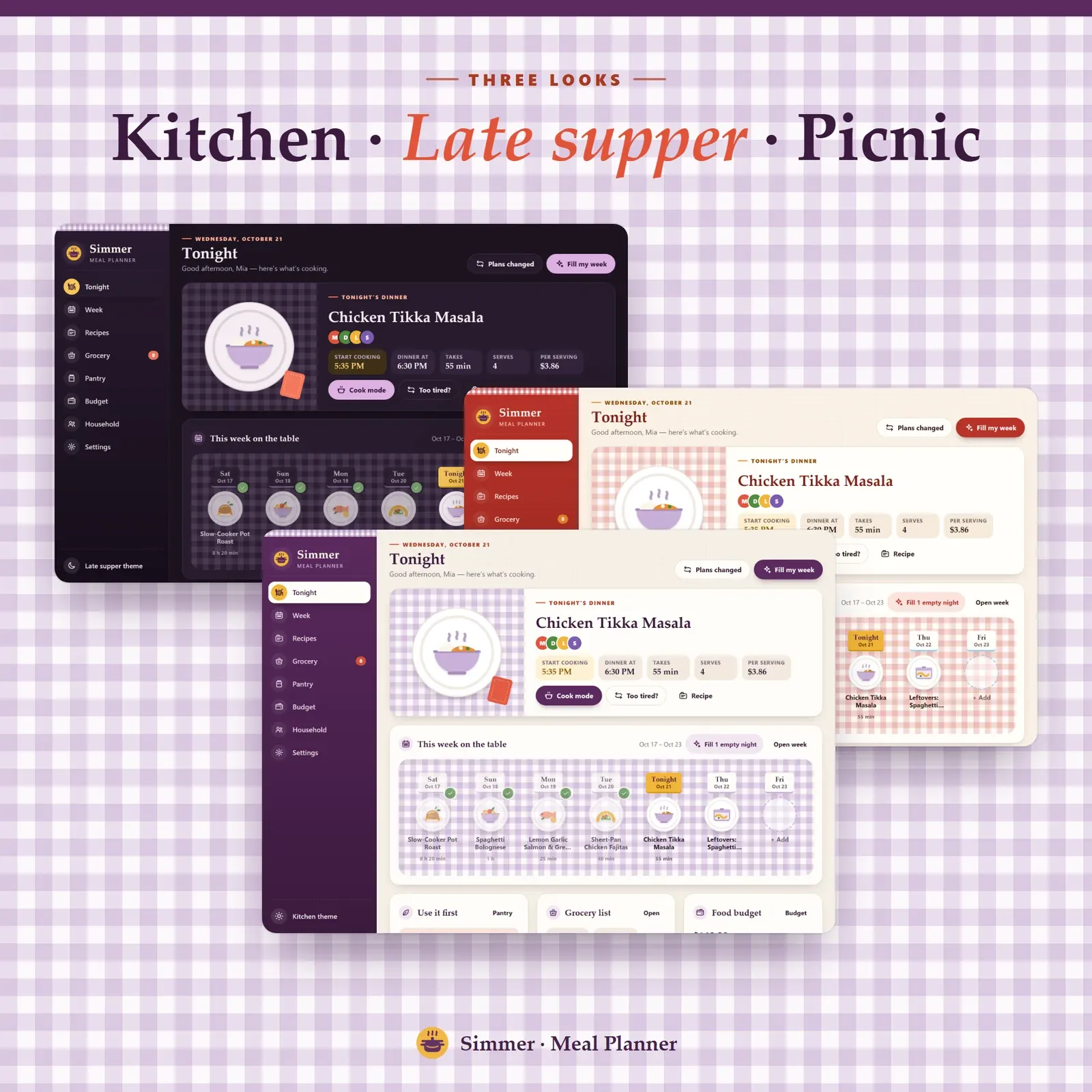
Three themes: Kitchen, Late supper (dark) and Picnic
Try the live demo with a sample family kitchen. No sign-up needed.
After buying, open Simmer from your private link and install it on your phone and computer.
Add who eats at home and your shopping day, then a few recipes (or 8 starter recipes in one tap).
Tap Fill My Week and your grocery list is ready.
Simmer is a meal planning app for your phone, tablet and computer. Plan the week from the recipes your family already loves, and the grocery list writes itself: amounts added up, sorted by aisle, with what each item costs. The recipe organizer shows the cost per serving of every meal, the pantry inventory tells you what to use first, and the food budget keeps groceries and takeout in check. It installs like an app, works offline and keeps everything private on your own devices. You can try the free demo with a sample family kitchen before you buy.
A printable meal planner or a meal planner template is a grid you still fill in by hand. Then you write the grocery list from five recipes, add up the garlic yourself and hope you remembered what's already in the fridge. A template can't tell you what a meal costs, which food is about to go bad or what to cook on the nights you left empty.
Simmer is a meal planner with a grocery list built in. You add your recipes once, and from then on it does the busywork: it builds the list, checks the pantry, works out costs and suggests meals for empty nights. It's a family meal planner, digital recipe book, shopping list, pantry tracker and food budget in one place.
The Tonight page shows tonight's dinner on a plate, who it suits and when to start cooking so it's ready at your dinner time. Under it you'll find the cost per serving, the rest of the week on the table, the food to use first and your grocery list and food budget at a glance. Too tired? "Too tired?" swaps tonight for something easier and nothing is lost.
The week starts on your shopping day, so the plan and the shop line up. Each day can hold breakfast, lunch, dinner and snacks: a recipe, leftovers, eating out or a note. Set servings for each meal, cook extra portions for a leftovers night or the freezer, copy last week and print a menu for the fridge.
Plans change. Eating out, too tired, or leftovers to finish? Plans Changed previews how the week shifts (fresh meals move first) before you apply it. Meals without a day go to the Menu Board, and when nobody can decide, shake the Meal Jar. If you're new to planning, our weekly meal plan template explains the method step by step.
Empty nights? Fill My Week suggests dinners from your own recipes, not a stranger's, and tells you why for each one:
Keep or skip each one. For a quick idea without the app, try the free random meal generator.
The grocery list is built from the plan. Amounts are added up across recipes (3 + 4 + 4 cloves of garlic become 11), cups and tablespoons are combined, and everything is sorted by aisle with what each item is for and its estimated cost. Weekly staples like milk and bread are added automatically, and you can add your own items.
Before you shop, kitchen check lets you tick what's already home. In the store, store mode shows big rows you tap once, and two linked phones can shop the same list. Back home, Put away moves fresh food into the pantry with use-by dates and the receipt into your budget in one step.
The recipe box is a tabbed recipe organizer with search by ingredient, diet tags, favorites and "last made". Every recipe shows its cost per recipe and per serving, and scales to any number of servings. Copy a recipe from a website or a note and paste it in: Simmer splits it into ingredients and steps. Export everything to CSV whenever you like. Our guide on how to organize recipes compares a recipe binder, a recipe box and a digital recipe book.
Want to price a single recipe or scale one quickly? Use the free recipe cost calculator and recipe converter.
Cook mode shows one big step at a time with the ingredients scaled to tonight's servings. Every time in the steps ("simmer 20 minutes") becomes a timer button, and the screen stays on while you cook.
The pantry keeps your fridge, freezer and cupboard as jars with use-by dates. What turns soon comes first, with your recipes that use it, and you can freeze something before it goes bad. Fill My Week uses the same information, so food about to turn ends up on the plan instead of in the bin.
The food budget page sets a weekly budget and shows groceries against takeout and eating out, your cost per home-cooked serving, an 8-week chart and your thriftiest dinners. Not sure what your budget should be? The free grocery budget calculator shows what the USDA food plans say for a household like yours, and our guide on how to save money on groceries has 25 ways to bring the bill down.
Add who eats at home with their diet (vegetarian, vegan, gluten-free, dairy-free, nut-free) and the foods they skip. Recipes that clash are flagged. Set your shopping day, dinner time, the meals you plan, theme nights, a weekly budget, your currency and US or metric units. Simmer works as a family meal planner, for meal planning for two, for cooking for one and for Sunday meal prep.
Choose from three themes: Kitchen (aubergine and lilac gingham), Late supper (dark) and Picnic. Your kitchen name appears on every printed menu, grocery list and recipe card. A guided tour helps on day one, and every page prints cleanly.
There's no account, no ads and no tracking. Your recipes and plans live in your browser on your own devices. Link your phone and computer once with a 6-digit code or QR and they stay in step, end-to-end encrypted. Plan the week on your laptop, then tick off the grocery list on your phone in the store. Export a backup file any time from Settings. On a computer everything sits in a sidebar; on a phone, in a bottom bar.
Simmer works in any modern browser (Safari, Chrome, Edge or Firefox), with no Excel, Notion, Goodnotes or Google Sheets needed. Ingredient costs are optional: add them once and every list after uses them. Simmer doesn't read recipe websites for you; copy the recipe text and paste it in, which keeps it private and working offline. It's a planning tool, not nutrition or medical advice, and diet tags are labels you set, so always check food labels for allergies. For the rest of your money, see Vault, our finance dashboard; for a calmer home routine, Snug, our cozy life planner; and for students cooking on a budget, Semester, a student budget planner.
Free tools
Quick answers with the same maths — then let the app keep them up to date.
Weekly and monthly grocery budget for your household, from the USDA food plans.
Open calculatorRecipe cost, cost per serving, food cost % and menu price.
Open calculatorScale a recipe to any number of servings with kitchen fractions.
Open calculatorFurther reading
Meal Planning
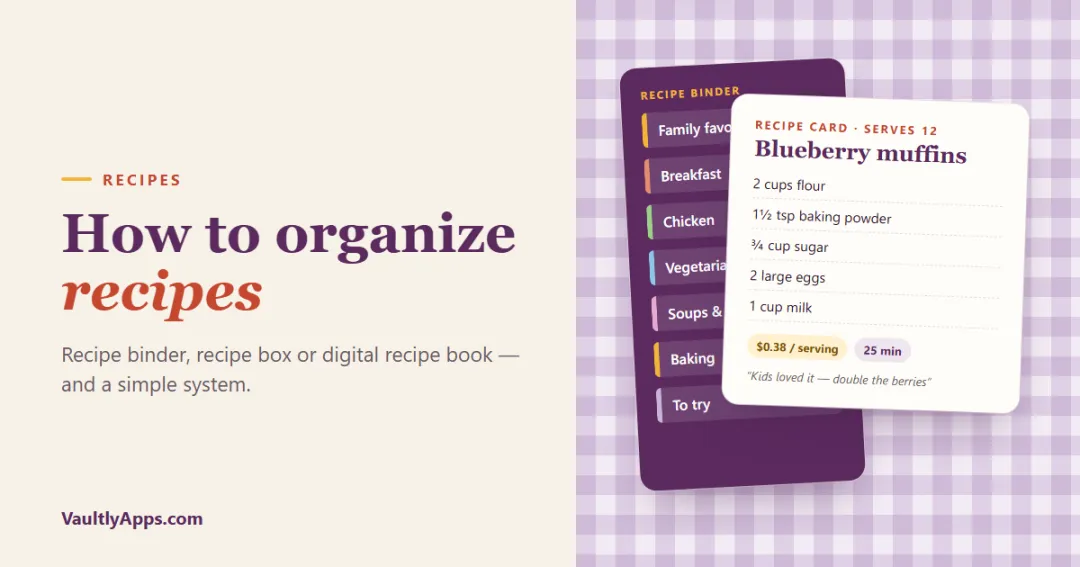
How to organize recipes so you can actually find and cook them: recipe binder ideas and categories, a recipe box for family recipe cards, a digital recipe book or recipe organizer app, and a simple system to get from scattered screenshots to one collection.
Meal Planning
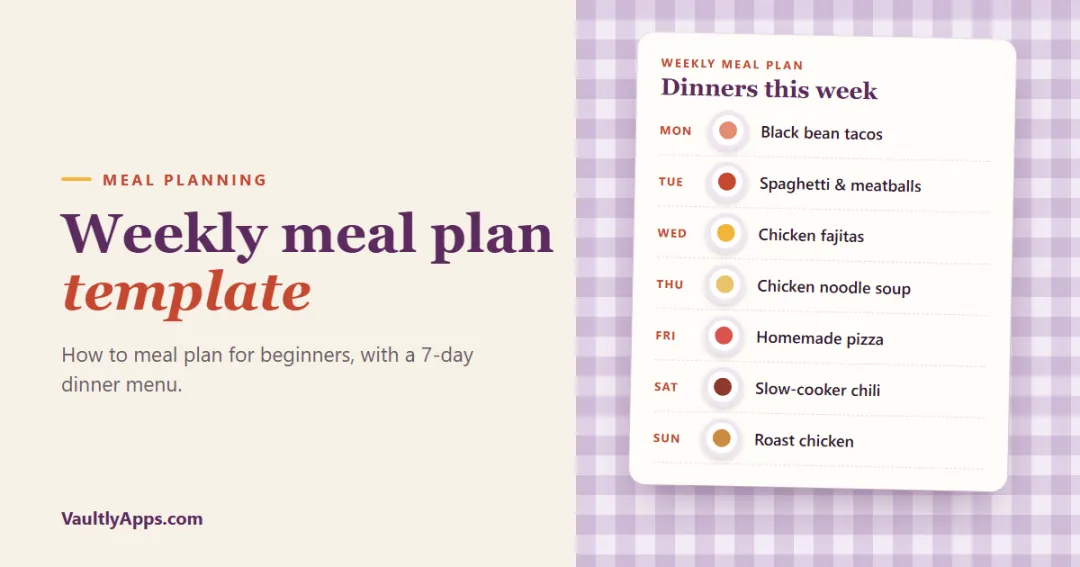
A simple weekly meal plan template you can copy, how to meal plan step by step for beginners, a sample 7-day dinner menu, theme night ideas, meal prep tips and how to turn the plan into a grocery list.
Meal Planning
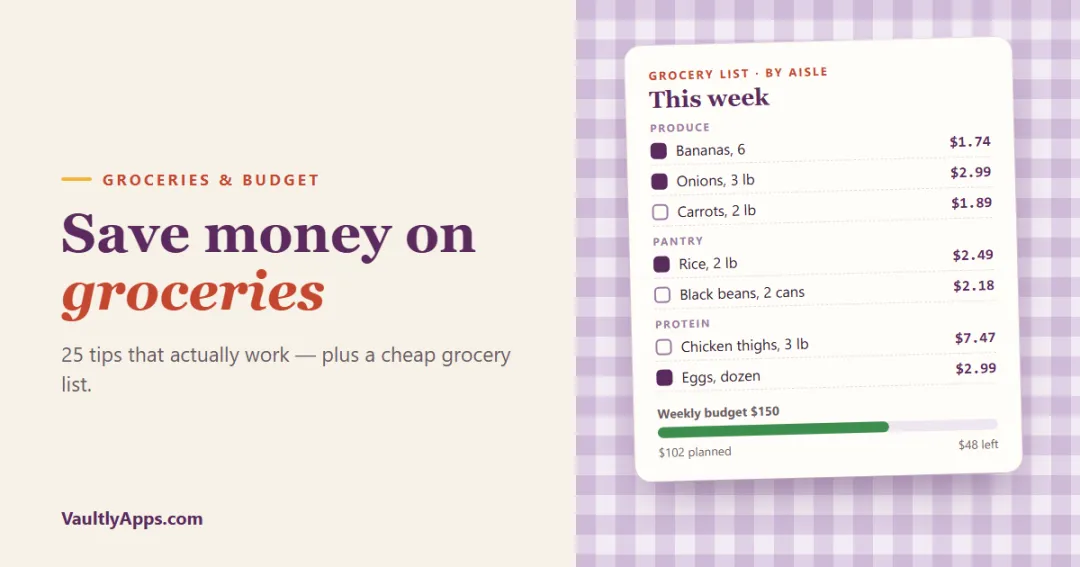
25 practical ways to save money on groceries: set a realistic grocery budget, meal plan on a budget, write a better grocery list, shop smarter and waste less. Plus a cheap grocery list and budget meals that use it.
More from VaultlyApps
 Live
Live

ADHD Budget Planner
A calm budget planner designed for ADHD brains — one Safe to Spend number, 3-tap logging, focus mode and kind overspend fixes instead of red warnings.
 Live
Live

Bill & Subscription Tracker
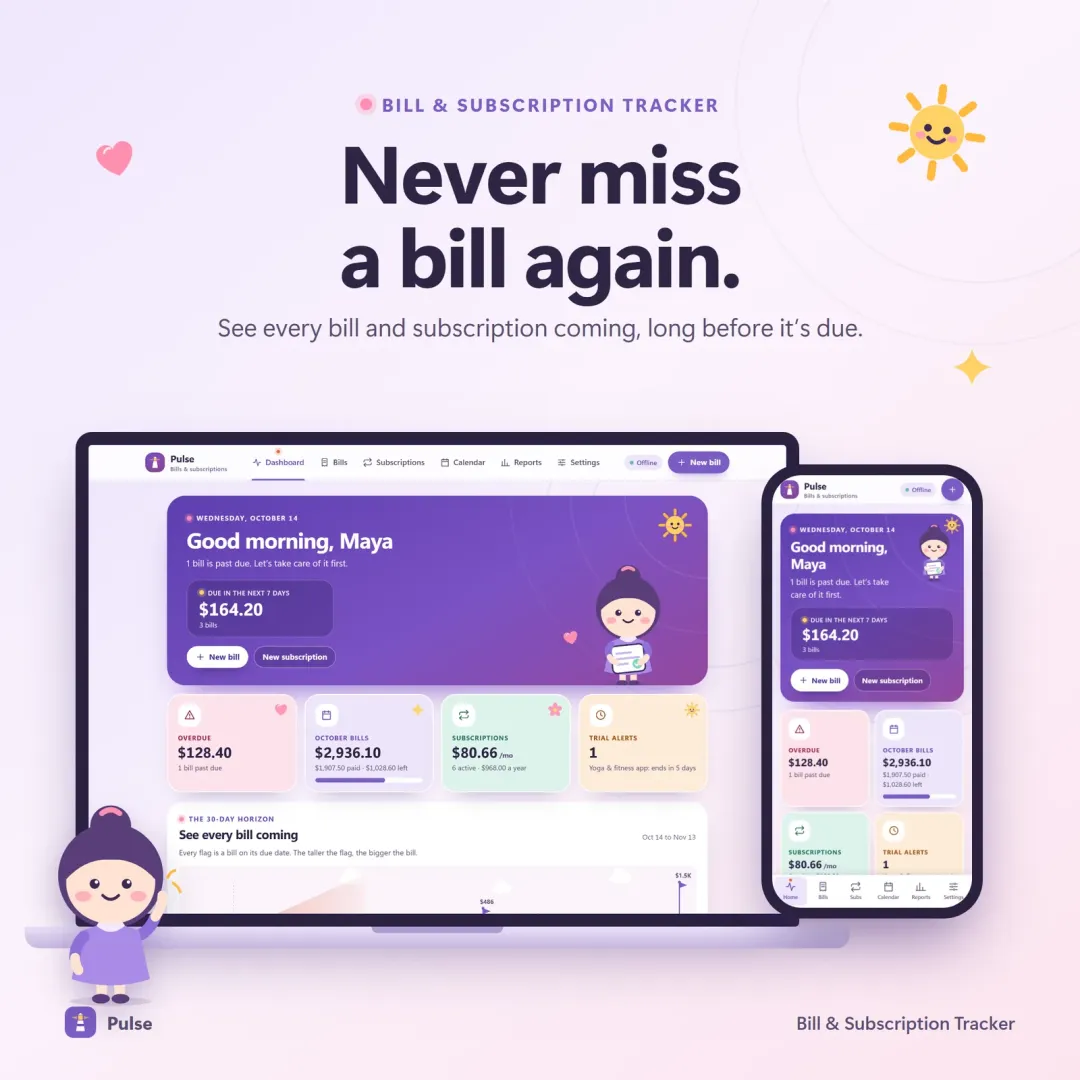
Every bill and subscription in one calm place — a 30-day horizon of due dates, free-trial countdowns and a simulator that shows what cancelling would save.
 Live
Live

Habit Tracker
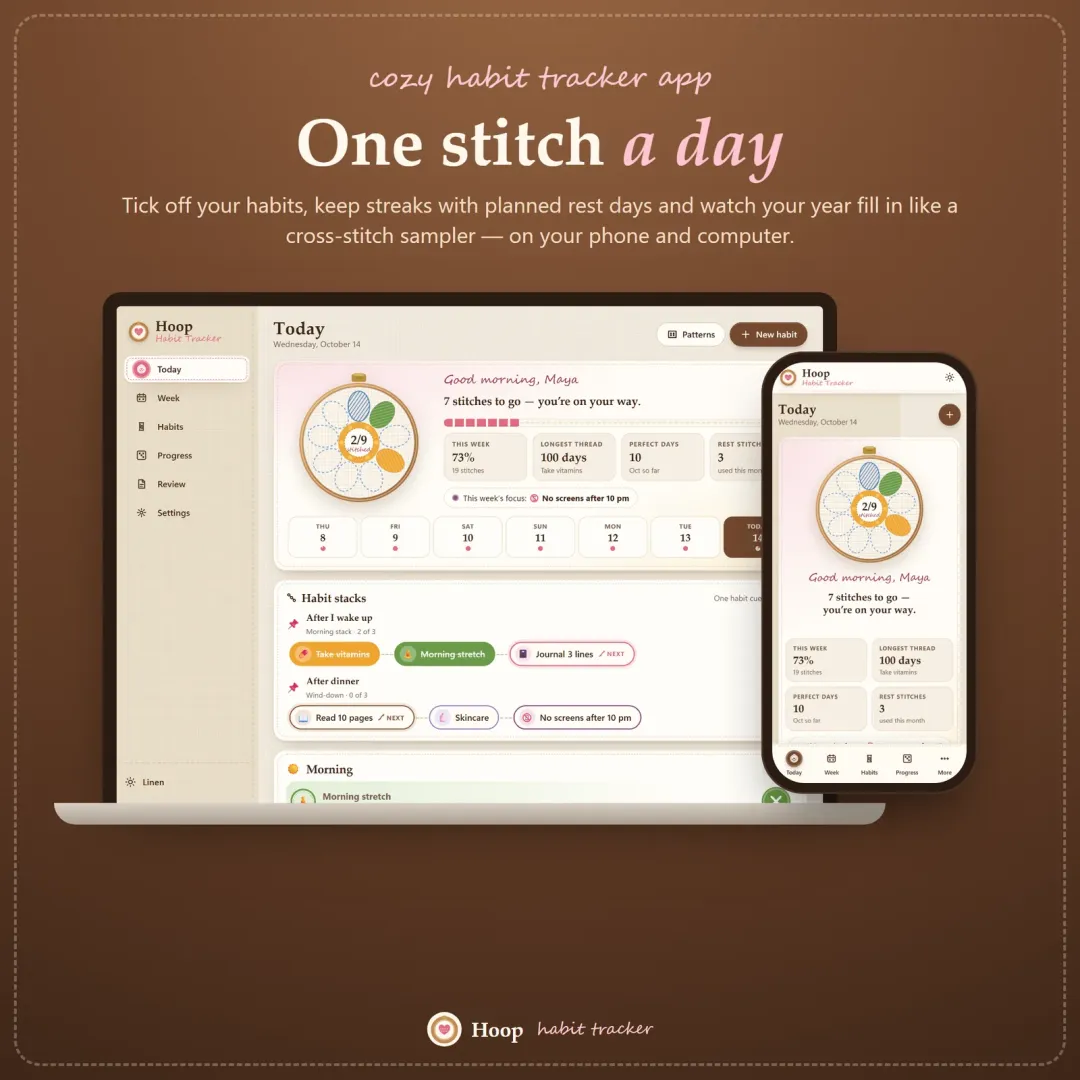
A cozy habit tracker for your phone and computer — stitch your habits each day, keep streaks with planned rest days, stack habits into a morning routine and watch your year fill in like a cross-stitch sampler.
The live demo runs in your browser with realistic sample data. Nothing to install, nothing to sign up for.
We use optional cookies for anonymous analytics. Nothing optional is set until you choose. Cookie policy
This site currently uses no analytics or advertising cookies. It only remembers your light/dark preference in your own browser.
Essential
Theme preference and this choice. Always on.