
Pomodoro Timer
A cute Pomodoro and study timer with auto breaks.
Open calculator Live
Web app (installable PWA)
Live
Web app (installable PWA) Cozy Life Planner
A cozy life planner app with a cute companion who reacts to your real day — Pick 3, tasks with tiny steps, routines, habits, a focus room, a meal planner with grocery list, chores, a gentle budget, a journal and a self-care check-in, all in one calm place.
Try the live demo to explore the application — it runs right here on VaultlyApps with sample data, no sign-up needed.
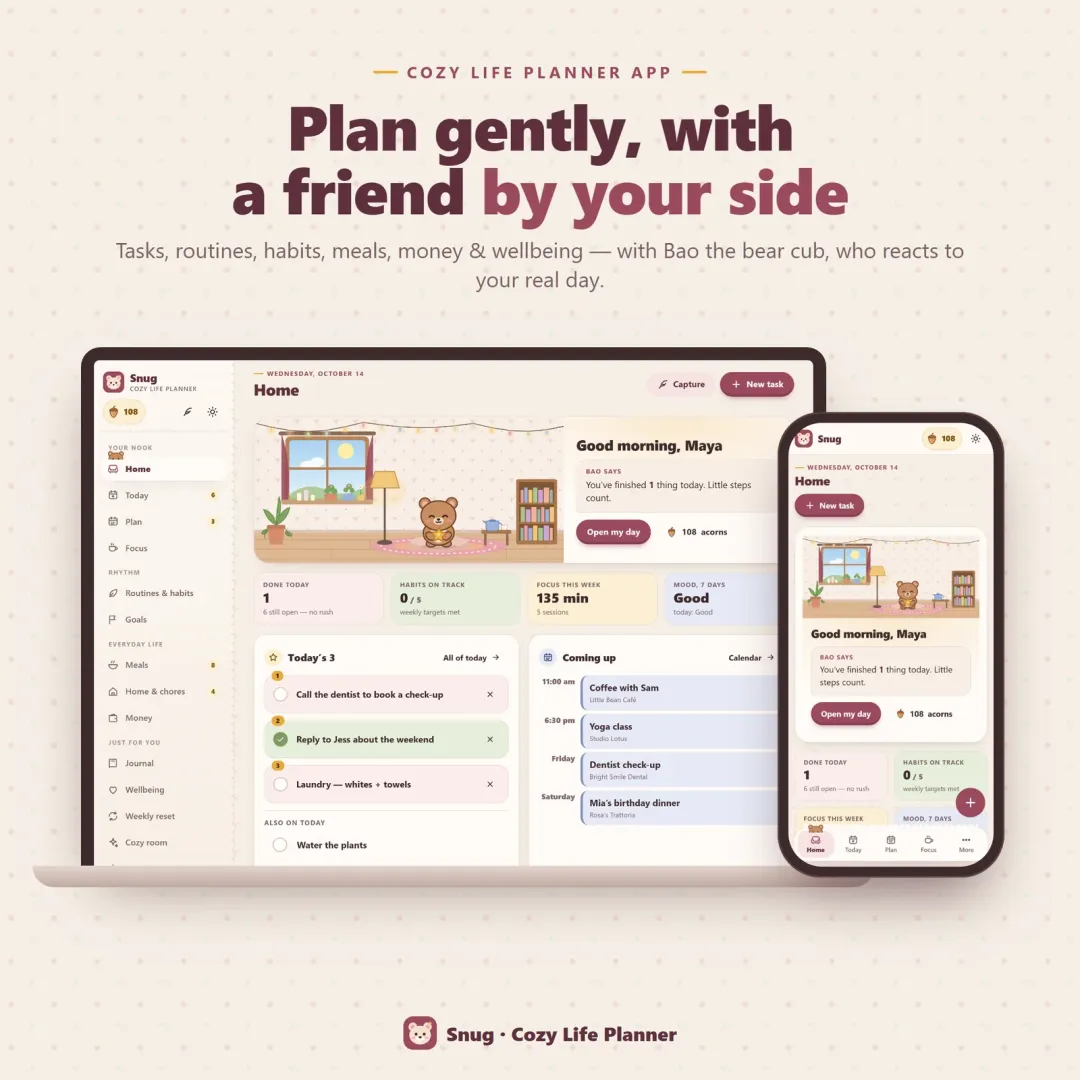
Snug is a cozy life planner app for your phone and computer with a little friend inside: Bao the bear cub, or Mochi, Nori, Sprout or Dumpling. The companion reacts to what you actually do — it cheers when you finish something, gets proud when a habit hits its weekly target and suggests picking just three things when the list gets long. Around it sits a complete, gentle planner: quick capture, Pick 3, tasks with tiny first steps, a calendar, routines, habits, goals, a focus room, a meal planner with a grocery list, chores by room, a simple budget, a journal and a daily self-care check-in. Every small action earns acorns to decorate the companion's cozy room. No account, no subscription, works offline.
Most planners are built for people who already feel organized. Red overdue dates, broken streaks and a list of forty tasks make everyone else close the app and feel worse. Gamified to-do apps help for a while, but often turn into a second job, and the cute ones rarely cover real life — meals, chores, money, mood. Snug keeps the warmth and the reward of a cozy game, but wraps it around a calm, complete life planner where nothing shouts at you.
Five companions with real reactions: a cheer when you finish a task, pride when a habit reaches its weekly target, a nudge to pick three when today is crowded, a blanket and tea after a low-mood check-in, reading beside you during focus, sleepy late at night. Tap it for a little pat.
Tasks, habits, routines, focus time, check-ins, chores and the weekly reset earn acorns. Spend them on 14 decorations — candles, plants, fairy lights, a rug, a bookshelf, a record player, a sleepy cat. Acorns only; never real money.
Choose three things that matter today; everything else is a bonus. Tasks that waited from earlier get one kind card — bring them into today or park them in Someday. No red overdue lists.
Capture a thought in two taps, then turn it into a task, note, appointment or grocery item. Tasks have tiny first steps, deadlines and repeats; the calendar shows day, week and month.
Habits with weekly targets and planned rest days, so a missed day never breaks anything. Routines with four ready templates. Goals with a why, a date and milestones.
A candle timer that burns down as time passes, Pomodoro with cozy break ideas, a tea timer, box and 4-7-8 breathing, and a note for where you left off.
Plan breakfast, lunch and dinner for the week from 36 easy ideas or your own recipe box; one tap adds every ingredient to a grocery list sorted by aisle.
Chores by room that are ready when you are, a gentle monthly budget with bills and savings jars, a journal with daily prompts, and a self-care check-in with mood, water, sleep and three good things.
Scroll sideways · select to enlarge
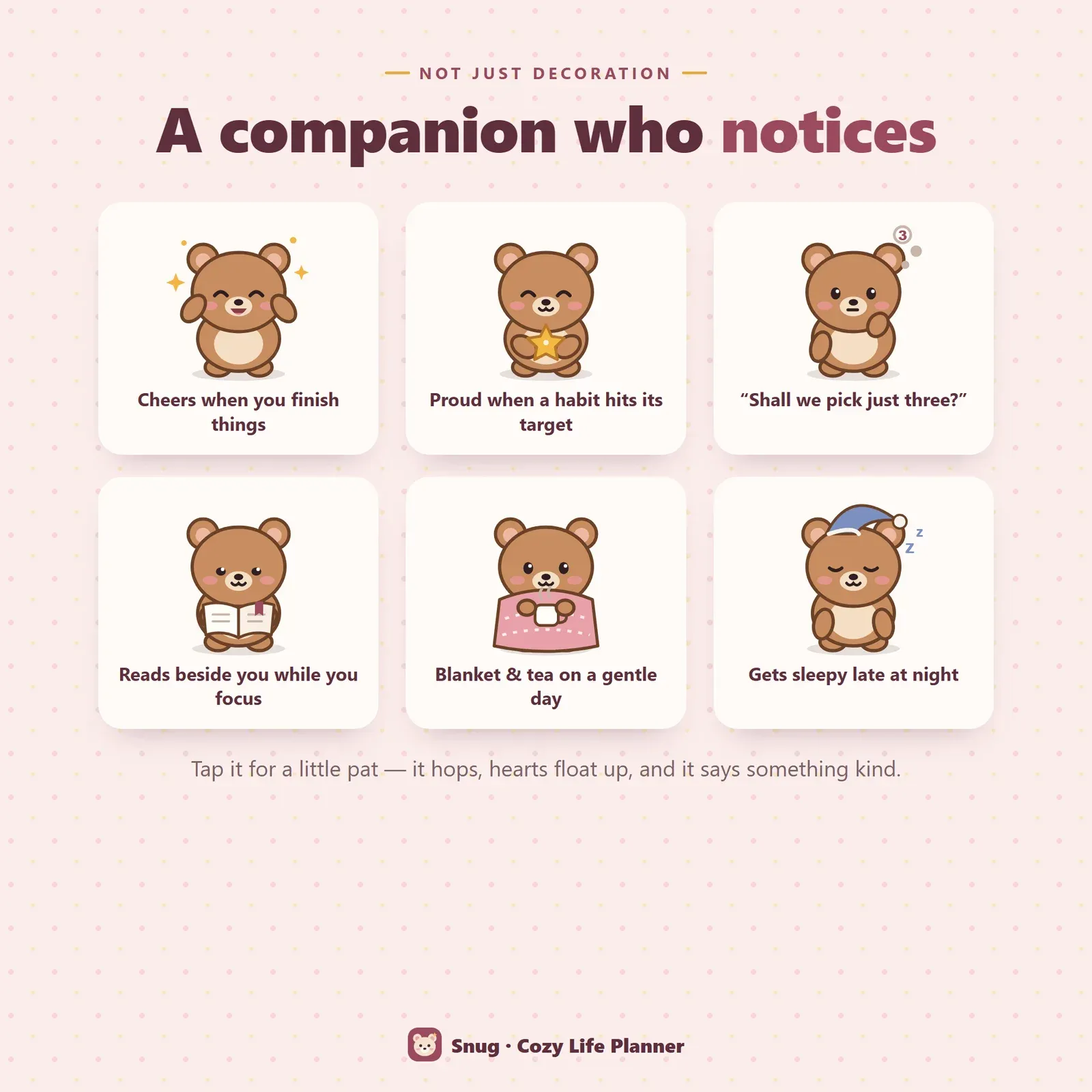
The companion's reactions — cheering when you finish things, proud of a habit, suggesting you pick three, reading while you focus
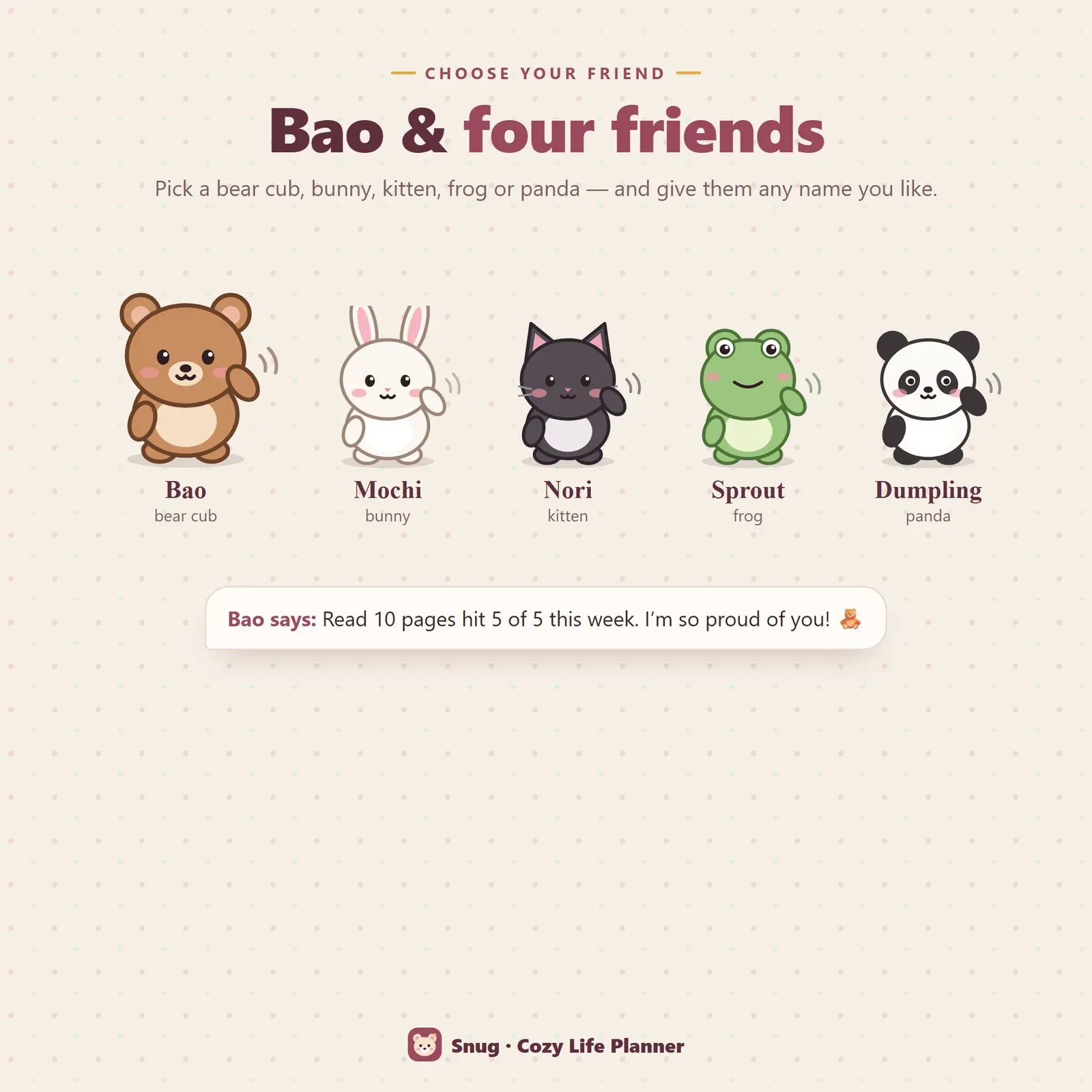
Five companions to choose from — Bao the bear cub, Mochi the bunny, Nori the kitten, Sprout the frog and Dumpling the panda
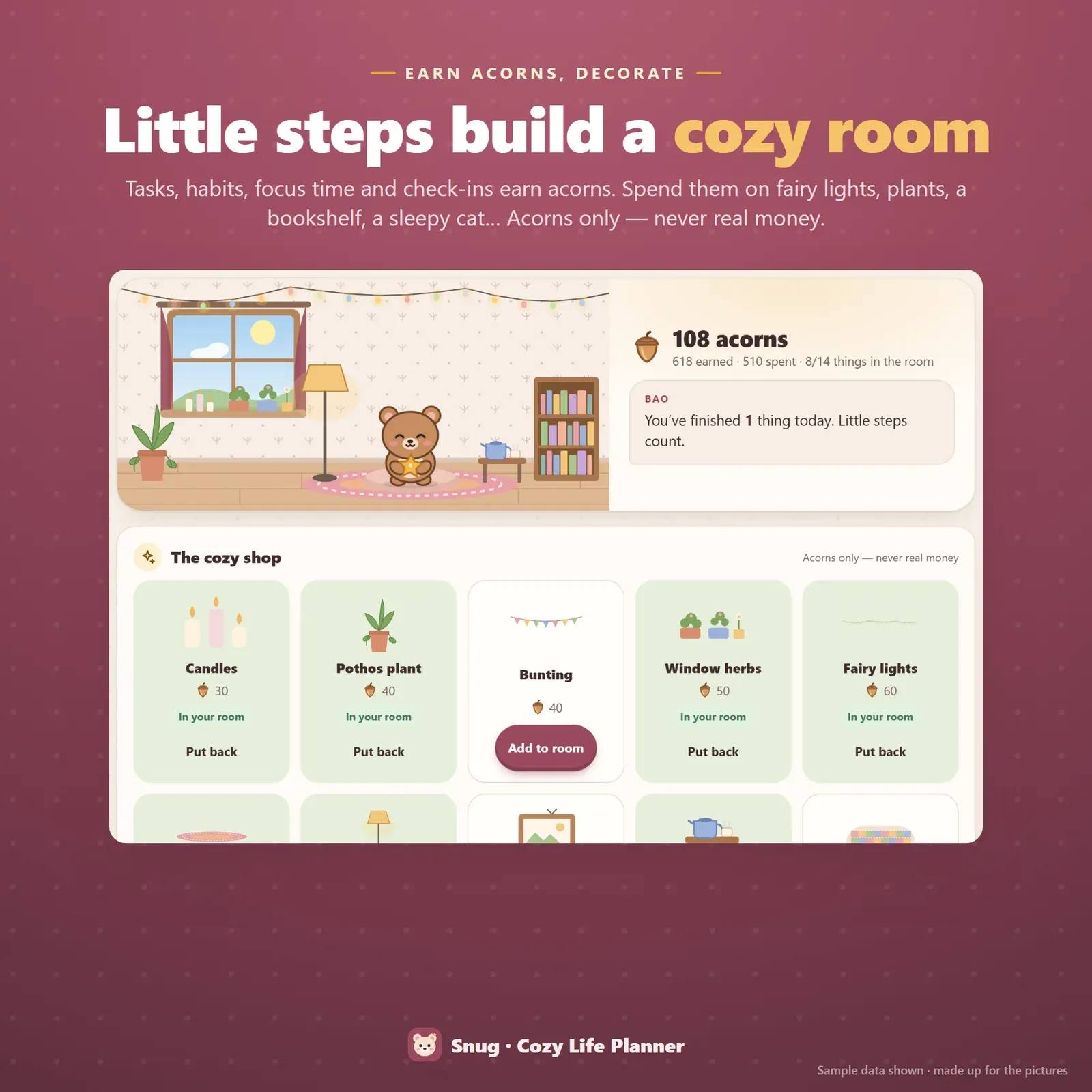
The cozy room and acorn shop where you decorate with candles, plants, fairy lights and a bookshelf
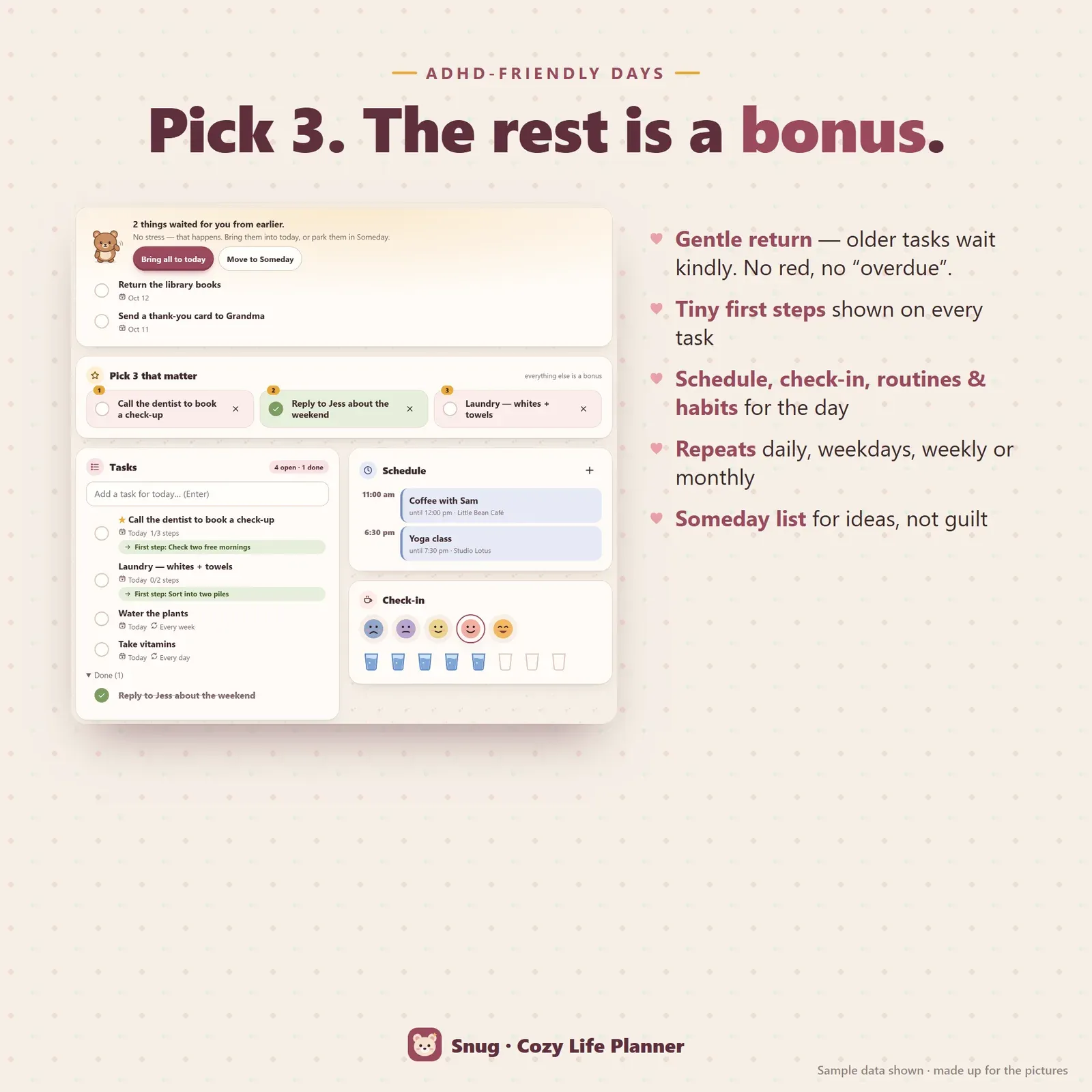
Today page with a gentle return card, Pick 3, tasks with tiny first steps, schedule and check-in
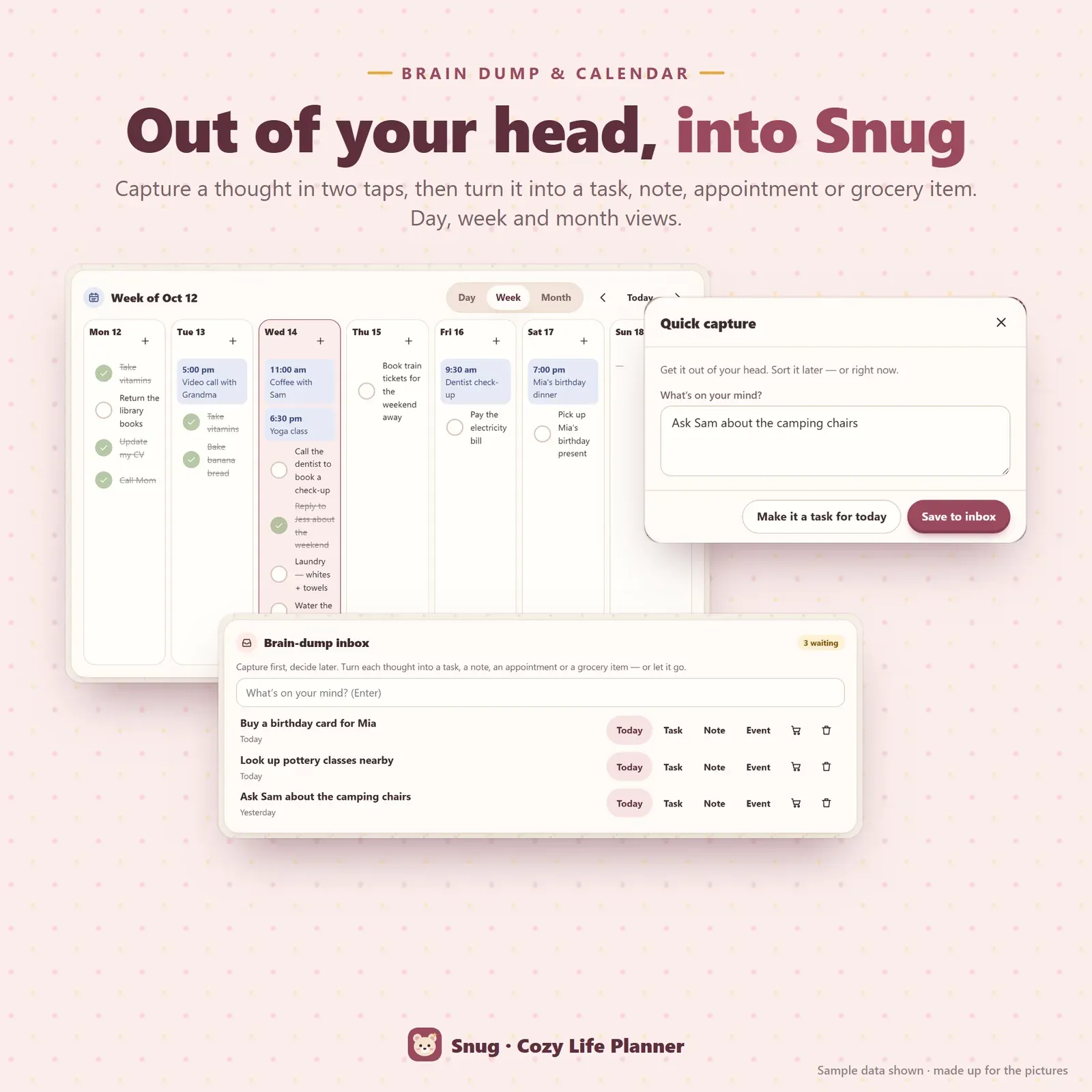
Quick capture, a brain-dump inbox and a week calendar with appointments and tasks
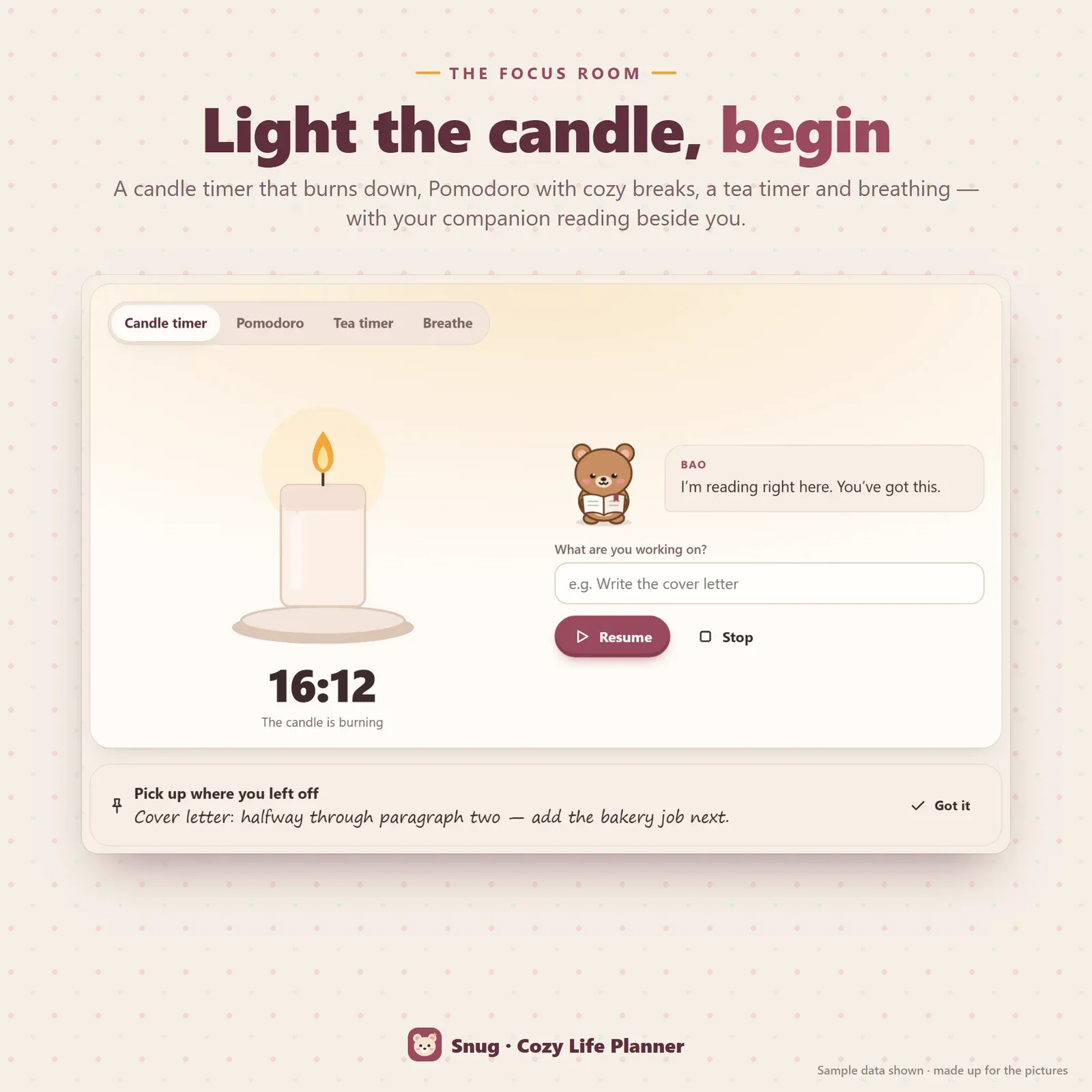
Focus room with a candle timer that burns down, Pomodoro, a tea timer and breathing
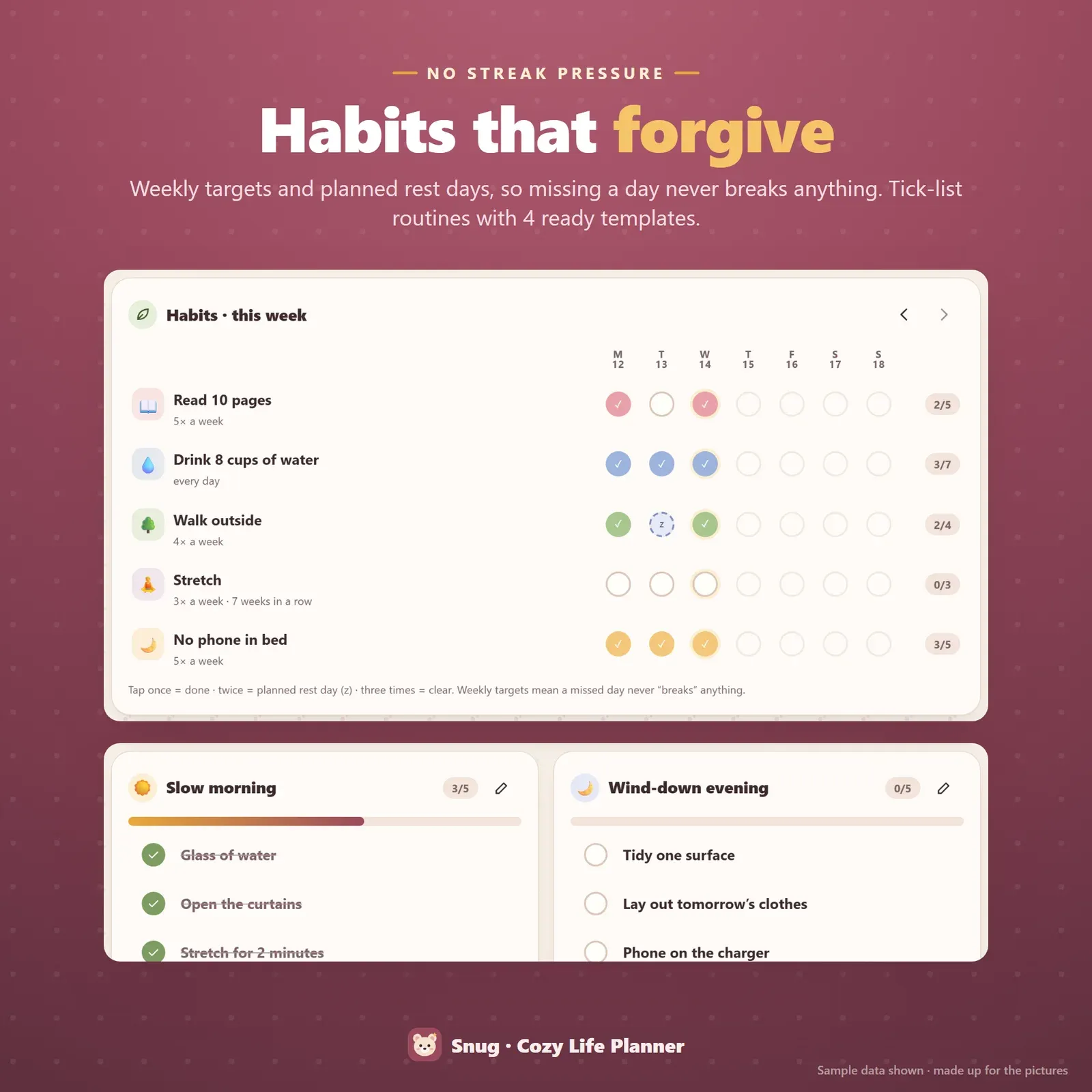
Habit tracker with weekly targets and rest days, plus morning and evening routines
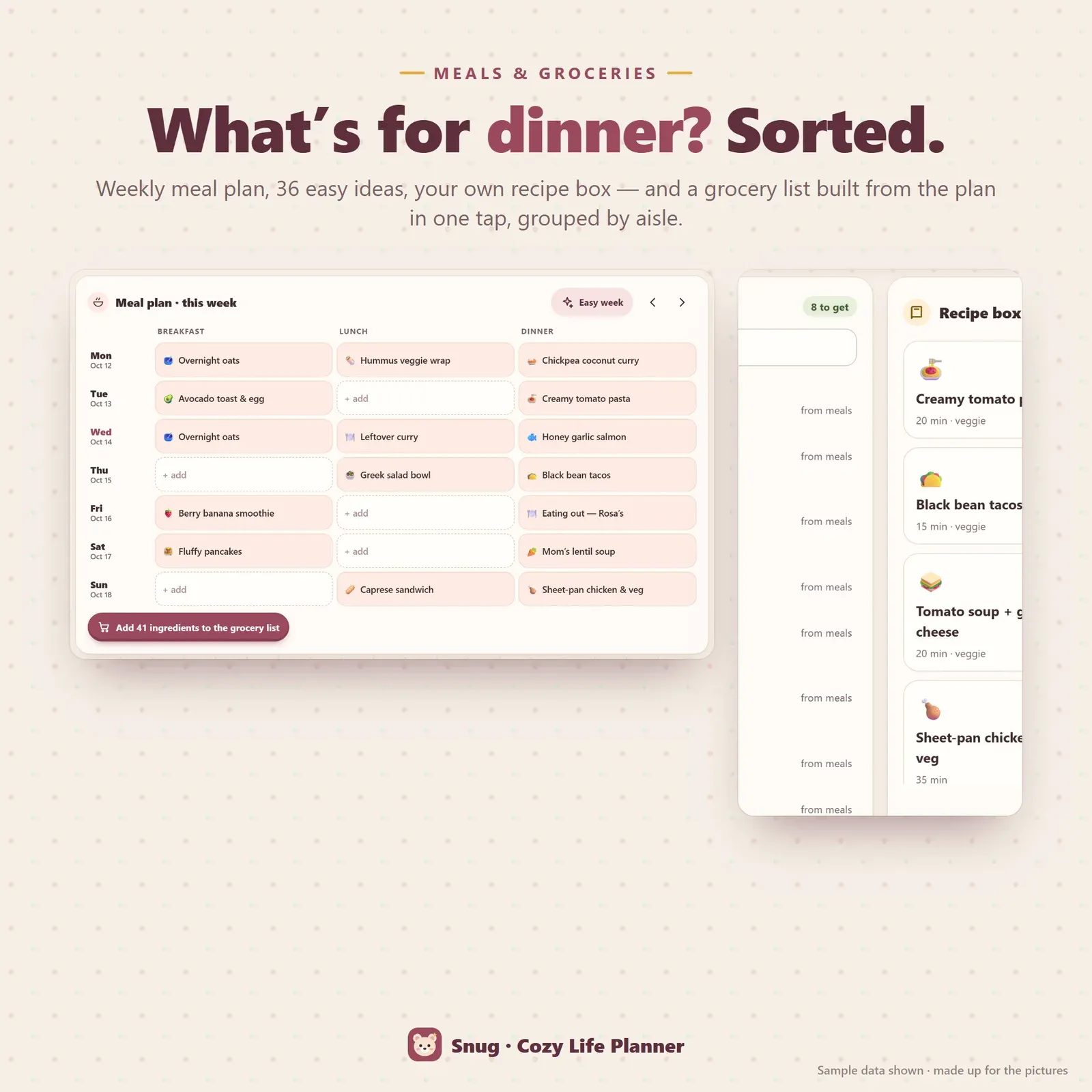
Weekly meal planner with 36 easy ideas and a grocery list grouped by aisle
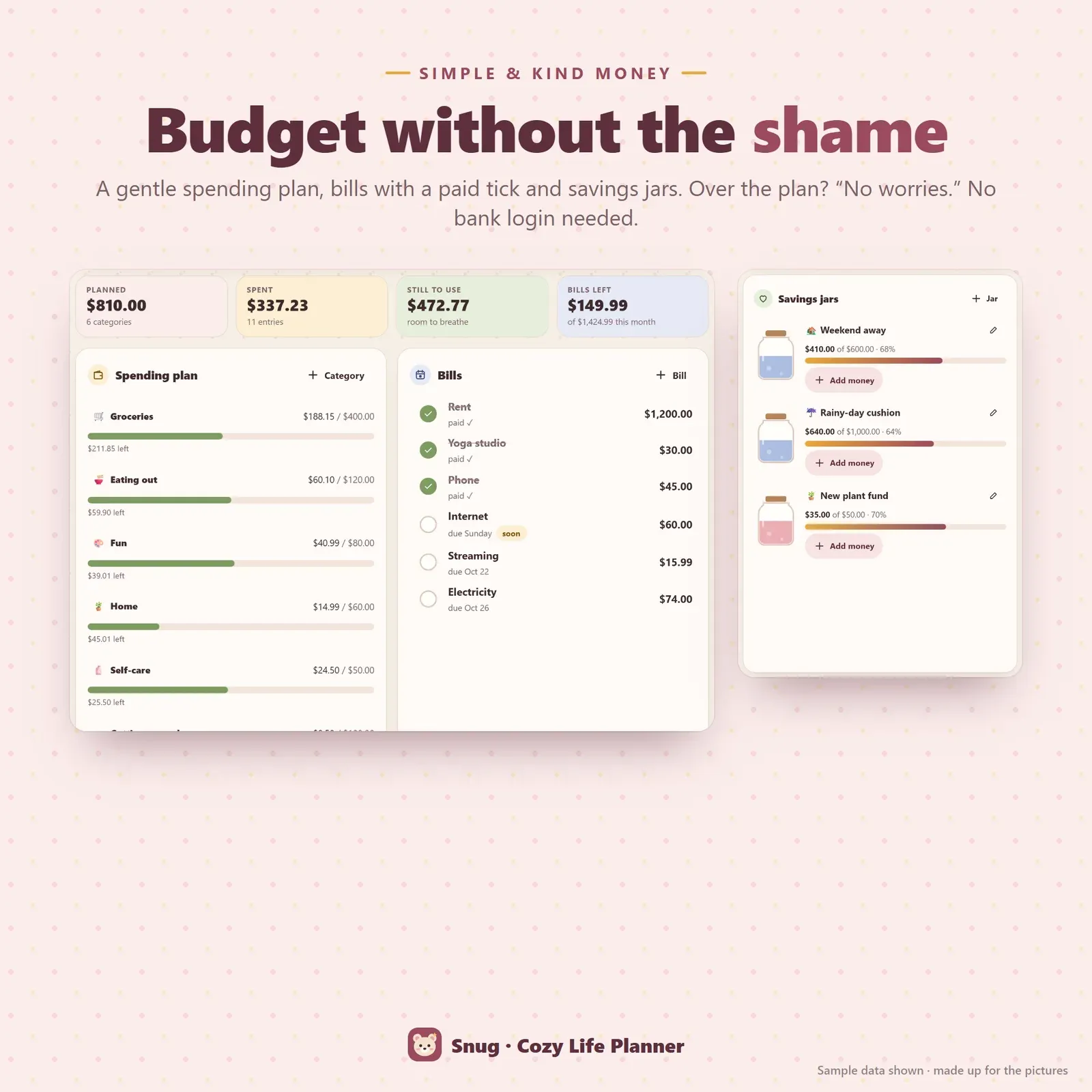
Gentle monthly budget with spending, bills and savings jars
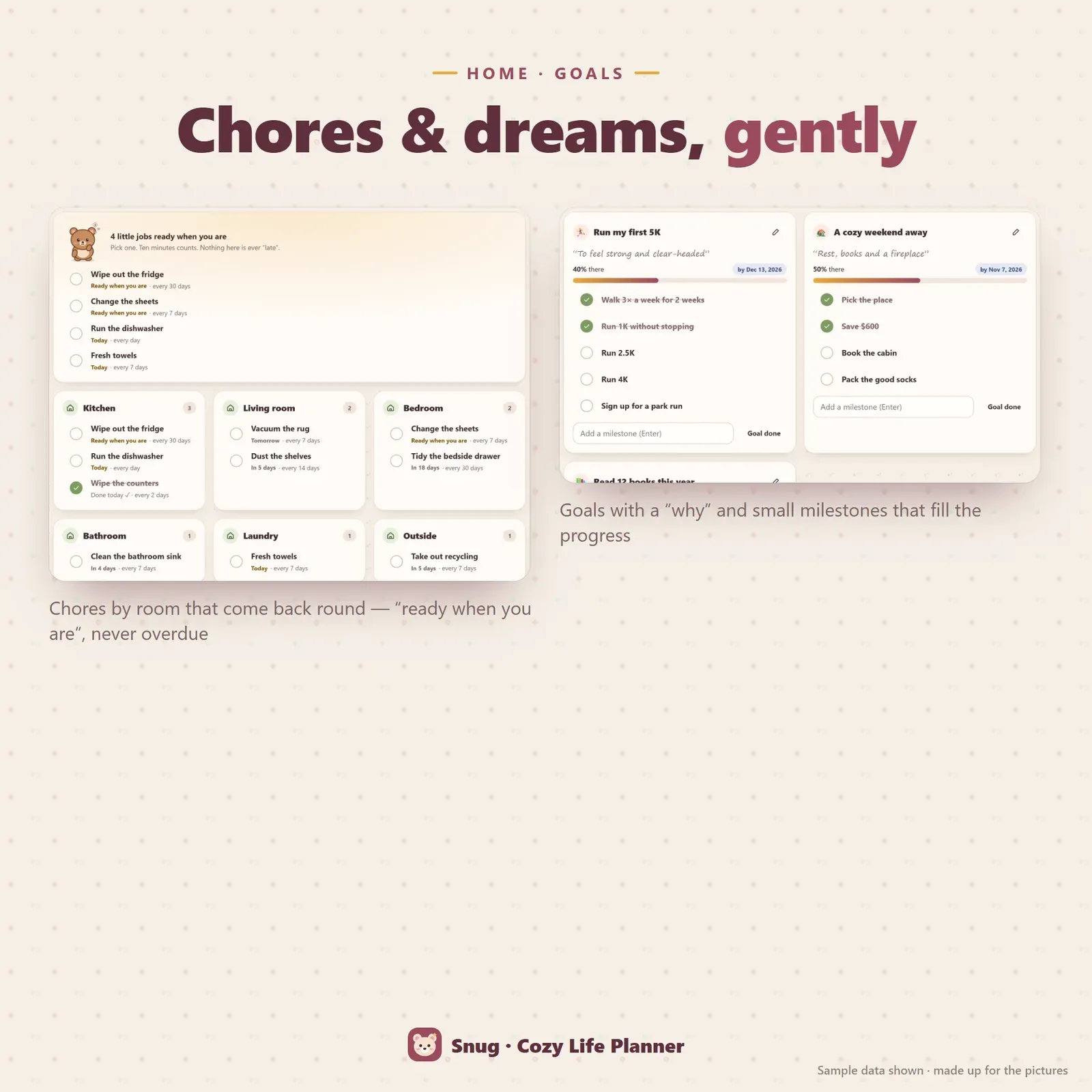
Chores by room that come back round, and goals with milestones
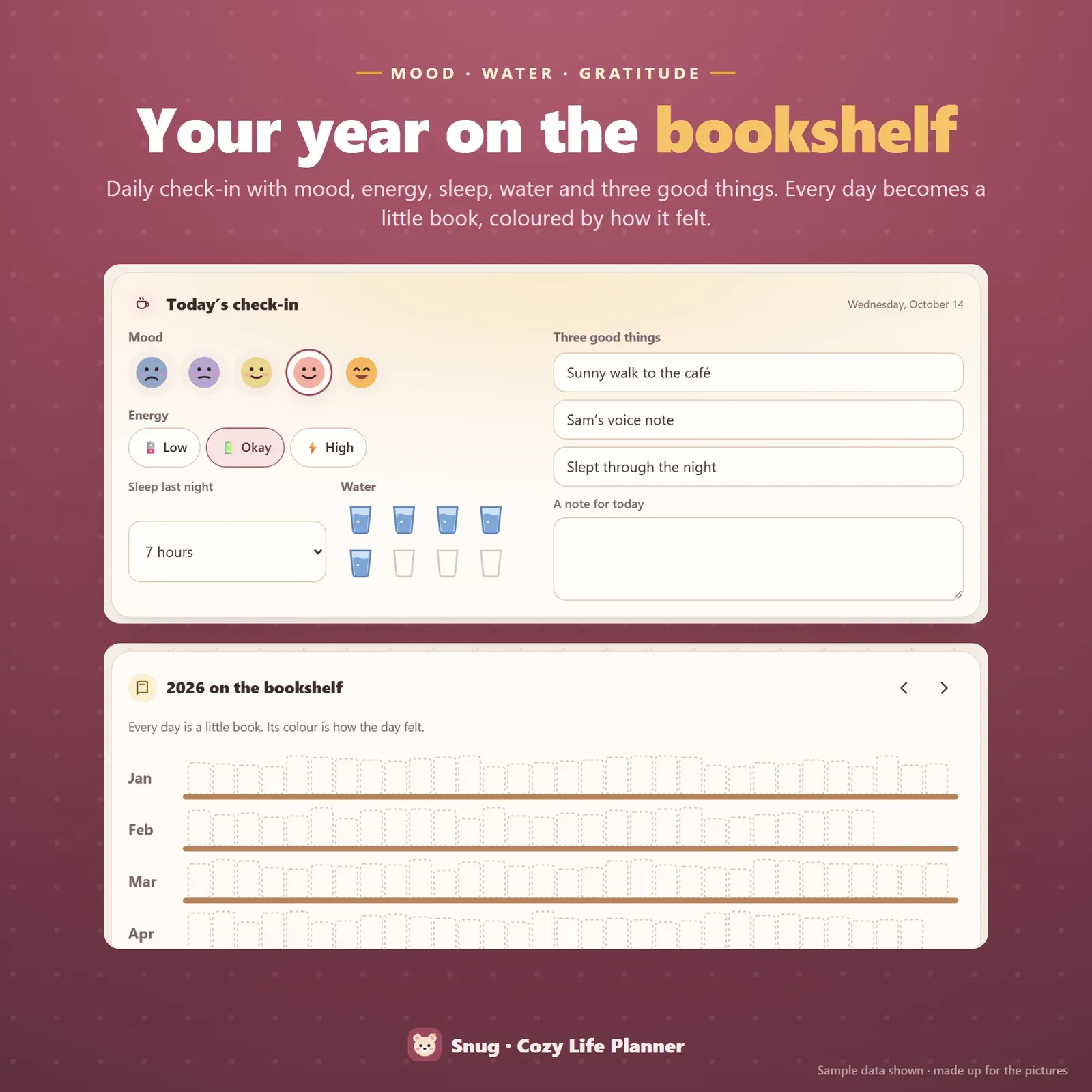
Self-care check-in with mood, water and gratitude, and the year on a bookshelf mood tracker
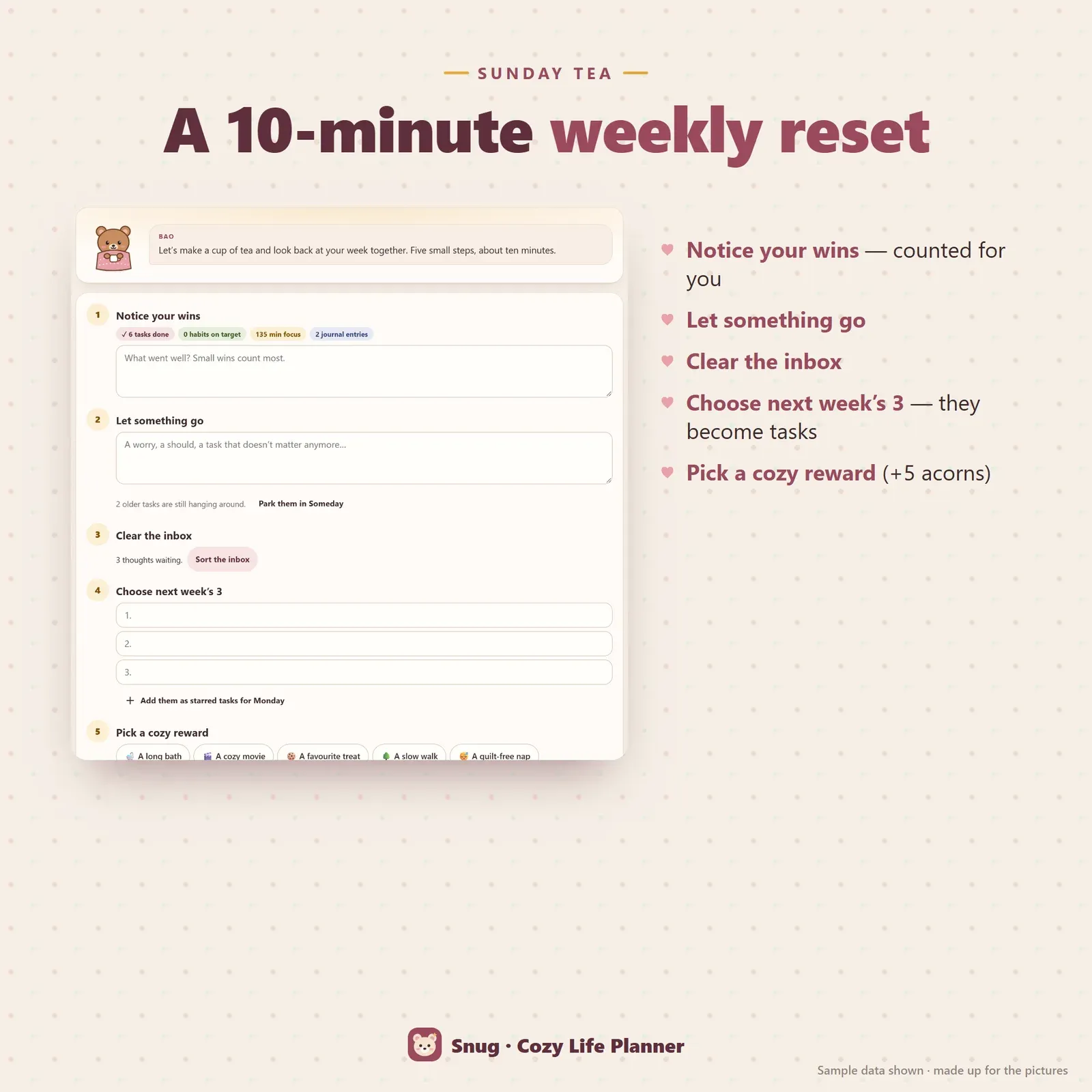
A five-step weekly reset with wins, letting go, next week's three and a cozy reward
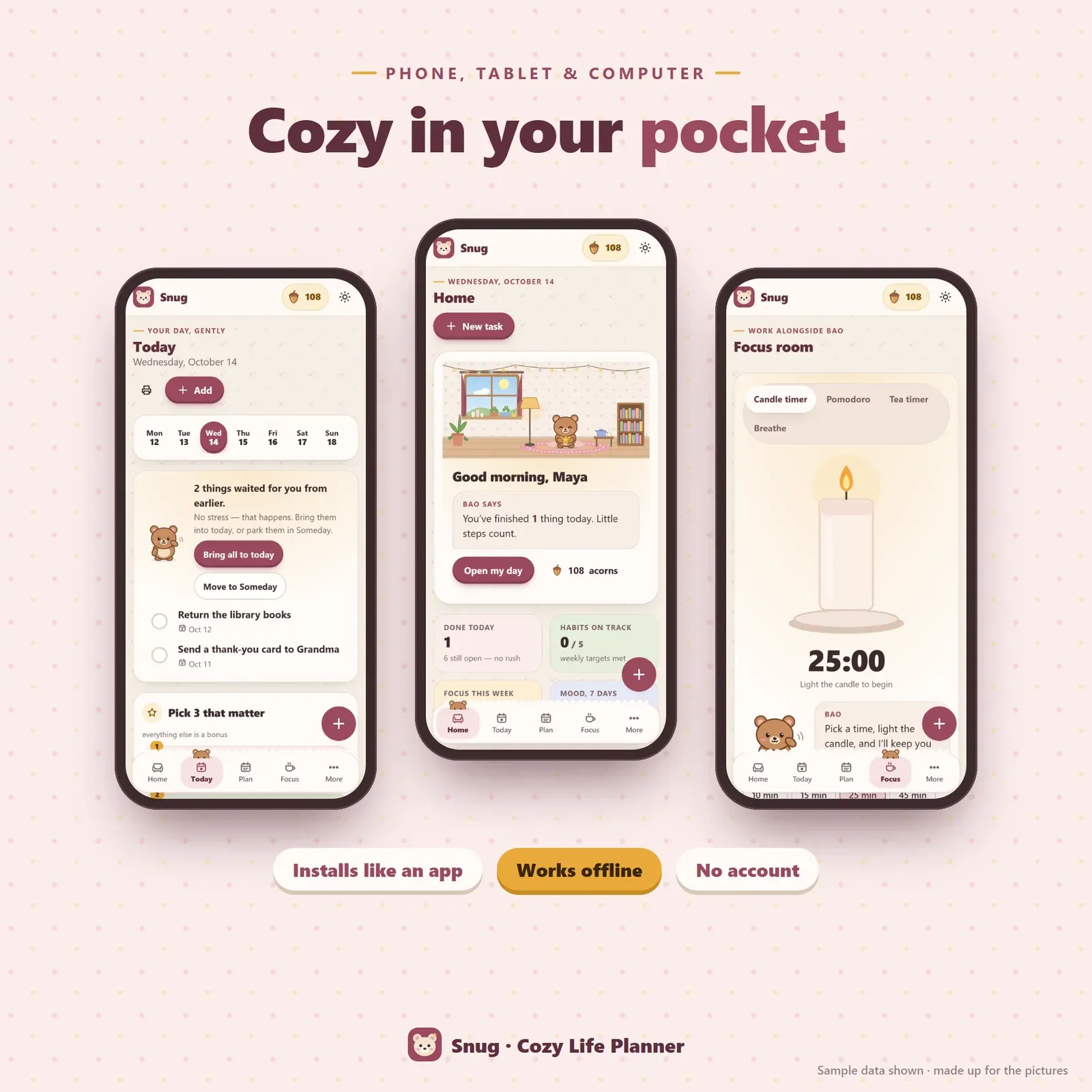
Snug on a phone — Today, Home and the focus room
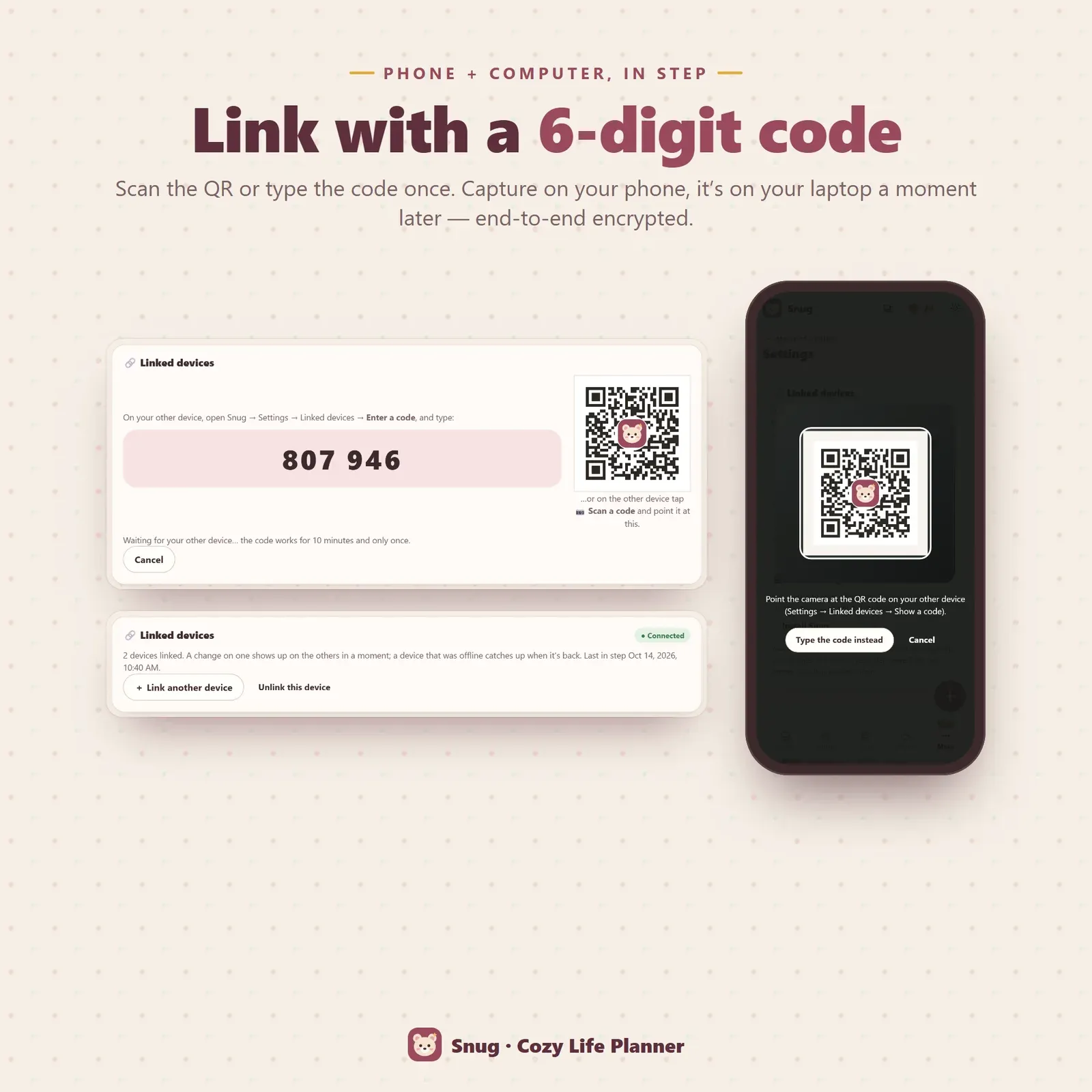
Phone and laptop linked with a 6-digit code or QR
Try the live demo with a sample week — no sign-up.
After buying, open Snug from your private link and install it on your phone or computer.
Pick your companion, capture what's on your mind and choose today's three.
Tick little things off — your companion cheers and your cozy room grows.
Snug is a cozy life planner app for people who are tired of planners that shout at them. It runs on your phone, tablet and computer, installs like an app, works offline and keeps everything private on your own devices. You can try the free demo with a sample week before you buy.
What makes it different is a little friend inside. Bao the bear cub — or Mochi the bunny, Nori the kitten, Sprout the frog or Dumpling the panda — sits in a cozy room with a window that shows the real time of day, and reacts to what you actually do. Finish a task and Bao cheers. A habit reaches its weekly target and Bao is proud. Today has nine things on it and Bao gently asks whether you'd like to pick just three. It's a cute planner with a heart, wrapped around a complete set of tools for real life.
Lots of planners have a mascot. In Snug the companion is driven by your data:
Tap it for a little pat and it hops and says something kind. You can choose your companion and give it any name you like.
Every small action earns acorns: a finished task or habit, a whole routine, ten minutes of focus, a check-in, a journal entry, a chore, a goal milestone, a weekly reset. Spend them in the cozy shop on 14 decorations — candles, a pothos plant, bunting, window herbs, fairy lights, a knit rug, a reading lamp, a little painting, a tea set, a patchwork quilt, a star jar, a bookshelf, a record player and a sleepy cat — and watch them appear in the room on your Home page.
Acorns are worked out from what you actually did, so they can't be "farmed" by undoing things and they follow you to your other devices. There are no real-money purchases, ever.
The Today page starts with Pick 3 that matter. Choose three; everything else is a bonus. Below sit today's tasks with their tiny first step highlighted, your appointments, a quick check-in and your routines and habits.
Missed a few days? Snug doesn't paint them red. Tasks that waited from earlier get one friendly card: bring them all into today or move them to Someday. That gentle return is one reason Snug works as an ADHD friendly planner — it never punishes you for being human.
A thought pops into your head? Tap the + button and type it. It waits in your brain-dump inbox until you have a moment, then becomes a task for today, a task for anytime, a note, an appointment, a grocery item — or you let it go.
Tasks have a planned date, an optional deadline, tiny steps, repeats (every day, weekdays, weekly or monthly), a star and a Someday list. The calendar shows day, week and month, so Snug also works as a simple weekly planner app.
Habits use weekly targets — three times a week, five times a week, every day — and planned rest days. Tap once for done, twice for rest, so missing a day never "breaks" anything. Snug counts the weeks in a row you met your target instead.
Routines are short tick-lists: a slow morning, a wind-down evening, a 15-minute house reset, an after-work landing — or your own. Goals have a why, an optional date and milestones that fill the progress bar.
Light the candle timer and it burns down as time passes. Prefer Pomodoro? Run 25-minute rounds with cozy break ideas. There's a tea timer that tells you when your tea is cool enough, box and 4-7-8 breathing, and when you stop early you can leave a "where I left off" note that Snug shows you next time. Every ten minutes of focus earns an acorn.
Snug is a proper meal planner app: breakfast, lunch and dinner for each day of the week, chosen from 36 easy meal ideas (many vegetarian), your own recipe box or anything you type ("leftovers"). Easy week fills empty dinners with quick ideas, and one tap turns the whole week into a grocery list grouped by aisle, skipping what's already on it.
Add chores to the kitchen, living room, bedroom, bathroom, laundry or outside, with how often they come round. Snug never says "overdue" — chores are simply ready when you are, and each one earns an acorn. It's the easiest chore chart for adults we know: no stickers, no guilt.
The Money room is a simple, kind budget: a monthly plan per category, spending entries, bills with a paid tick and savings jars that fill up. Over the plan? Snug says "no worries, it happens" instead of flashing a warning. Everything is manual — no bank login.
The daily self-care check-in records your mood with five little faces, your energy, your sleep, cups of water and three good things. Wellbeing shows 30-day averages, a mood chart and your year on the bookshelf — every day is a little book spine coloured by how it felt. The journal gives you a new gentle prompt each day; notes hold lists and things to remember. That makes Snug a self care app and a self care planner in one.
Once a week, make a cup of tea and run the weekly reset with your companion: notice your wins (Snug counts them for you), let something go, clear the inbox, choose next week's three and pick a cozy reward. It takes about ten minutes and earns five acorns.
Snug is for anyone who wants a softer way to plan: people with ADHD or busy, anxious minds, students, parents, people recovering from burnout, and lovers of cozy games, cottagecore and kawaii planner aesthetics. If you've tried gamified to-do lists and Habitica-style apps and wanted something calmer that also covers meals, chores and money, Snug is built for you.
Choose from four themes — Rosehip, Fireside (dark), Blueberry milk and Matcha latte — set the text size, switch motion and the timer chime on or off, and hide any room you don't need. Every page prints on clean white paper, and tasks, spending and check-ins export to CSV.
There's no account and no tracking. Your planner lives in your browser on your own devices. Link your phone and computer once with a 6-digit code or QR and they stay in step, end-to-end encrypted through a relay that can't read your entries. Export a backup file any time.
Snug works in any modern browser — Safari, Chrome, Edge or Firefox. It doesn't send push notifications; your companion talks to you when you open the app. It's a personal planning tool, not medical or financial advice. If you want a planner built around time and focus, see our ADHD daily planner, Tempo; for goals and the wheel of life, Grove; and for habits on their own, Hoop.
Free tools
Quick answers with the same maths — then let the app keep them up to date.
A cute Pomodoro and study timer with auto breaks.
Open calculatorA printable self-care bingo card you can tap off.
Open calculatorFurther reading
Productivity
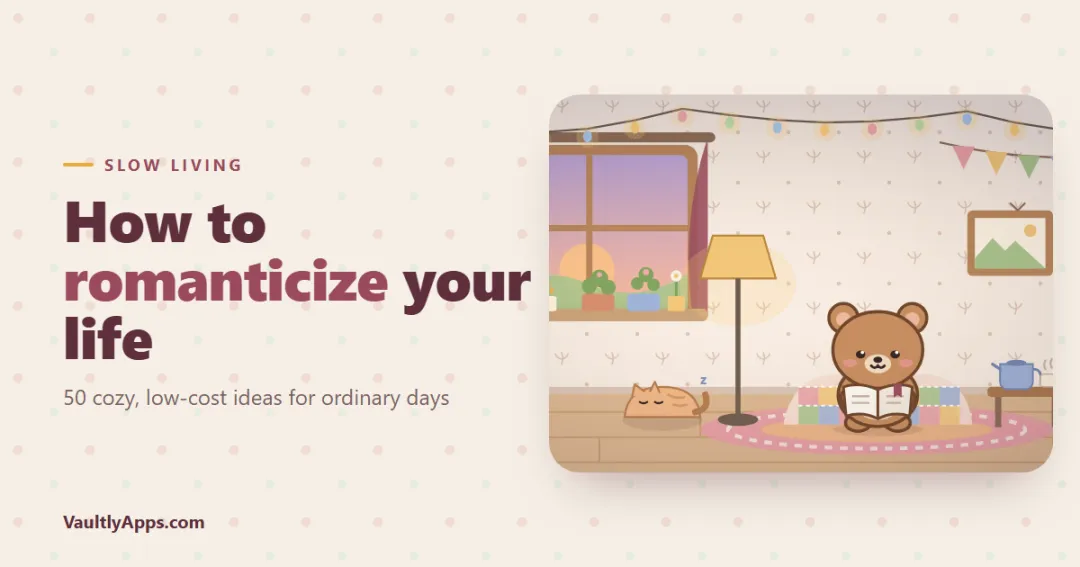
What it really means to romanticize your life, why it helps, and 50 cozy, low-cost ideas — from slow mornings and hygge evenings to a little room you decorate — plus how slow living fits into a busy week.
Productivity
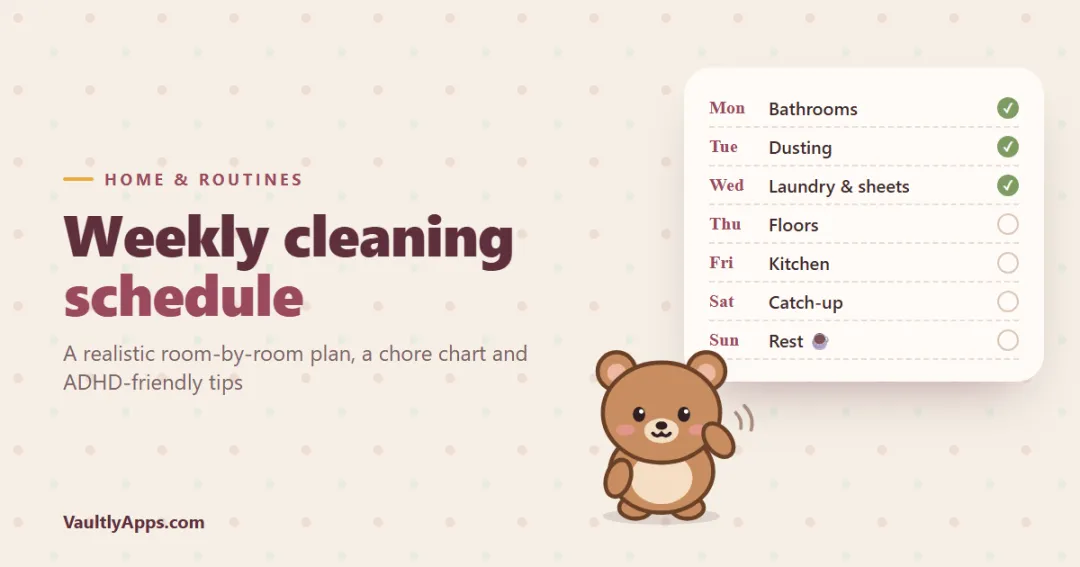
A simple weekly cleaning schedule that takes about 20 minutes a day — one focus area per day, daily resets, monthly jobs and a chore chart for adults — plus ADHD-friendly tips for keeping the house clean without burning out.
Productivity
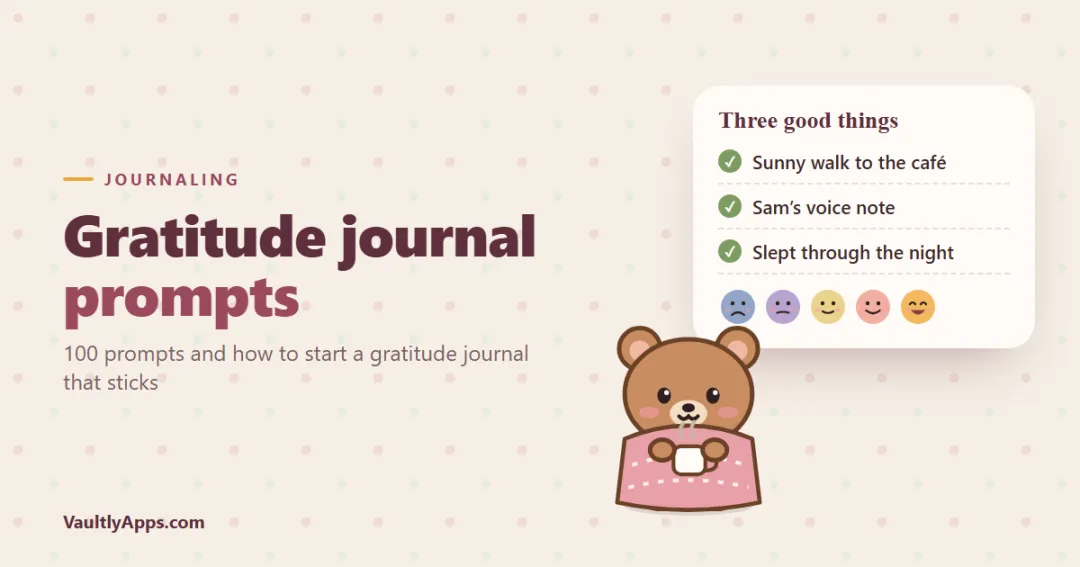
100 gratitude journal prompts for mornings, evenings, hard days and self-discovery — plus a simple way to start a gratitude journal, what to write when you feel nothing, and how to keep going without forcing it.
More from VaultlyApps
 Live
Live

ADHD Budget Planner
A calm budget planner designed for ADHD brains — one Safe to Spend number, 3-tap logging, focus mode and kind overspend fixes instead of red warnings.
 Live
Live

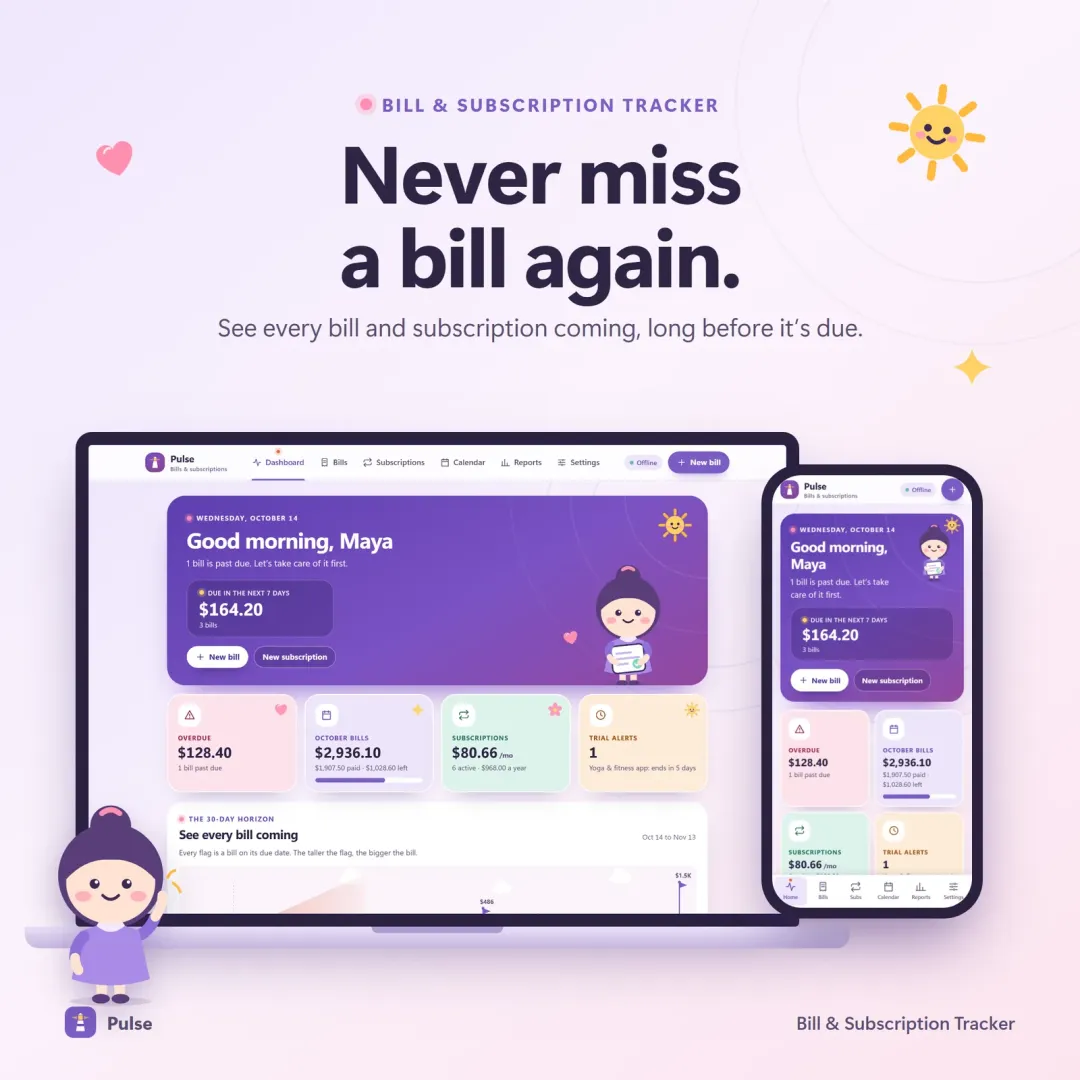
Bill & Subscription Tracker
Every bill and subscription in one calm place — a 30-day horizon of due dates, free-trial countdowns and a simulator that shows what cancelling would save.
 Live
Live

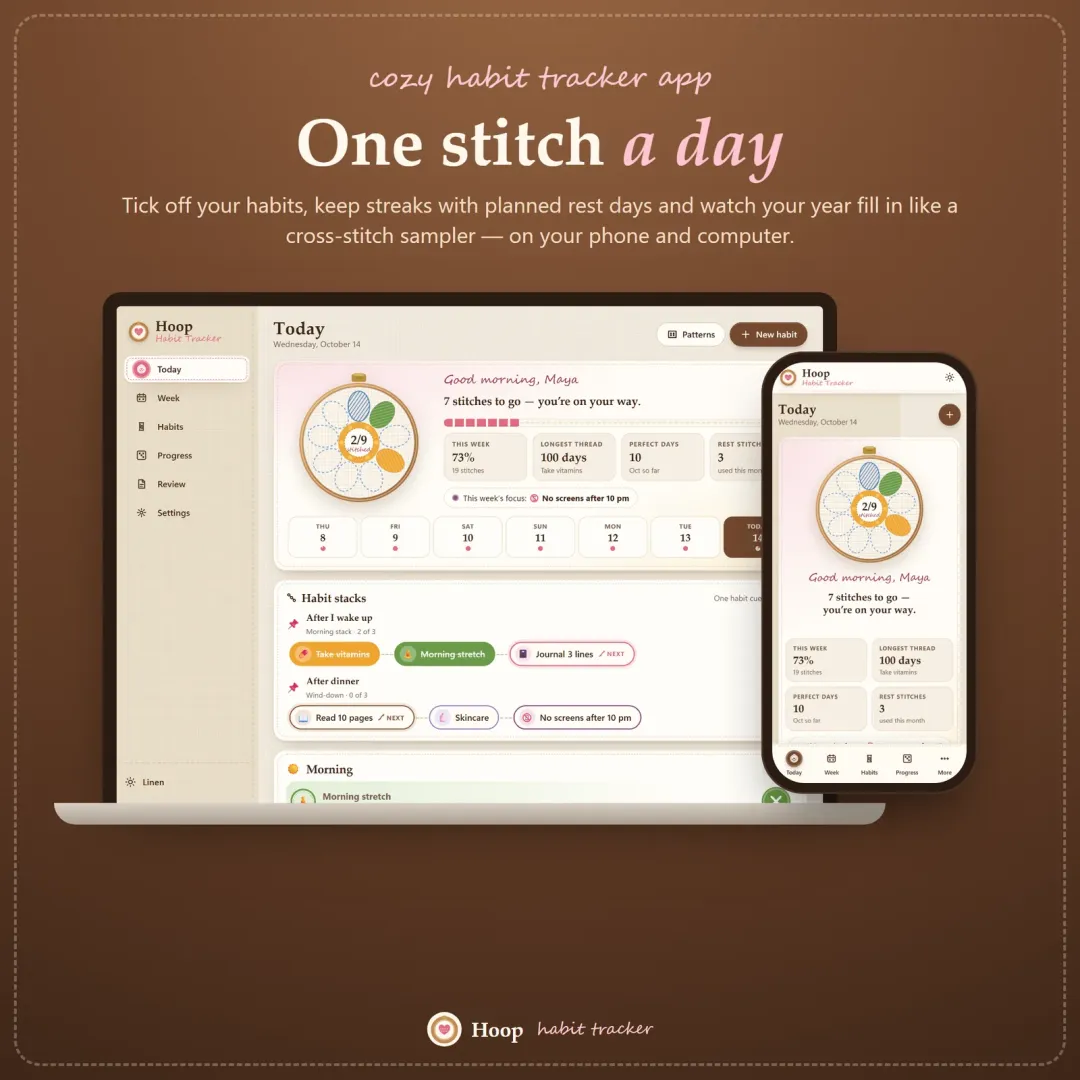
Habit Tracker
A cozy habit tracker for your phone and computer — stitch your habits each day, keep streaks with planned rest days, stack habits into a morning routine and watch your year fill in like a cross-stitch sampler.
The live demo runs in your browser with realistic sample data. Nothing to install, nothing to sign up for.
We use optional cookies for anonymous analytics. Nothing optional is set until you choose. Cookie policy
This site currently uses no analytics or advertising cookies. It only remembers your light/dark preference in your own browser.
Essential
Theme preference and this choice. Always on.