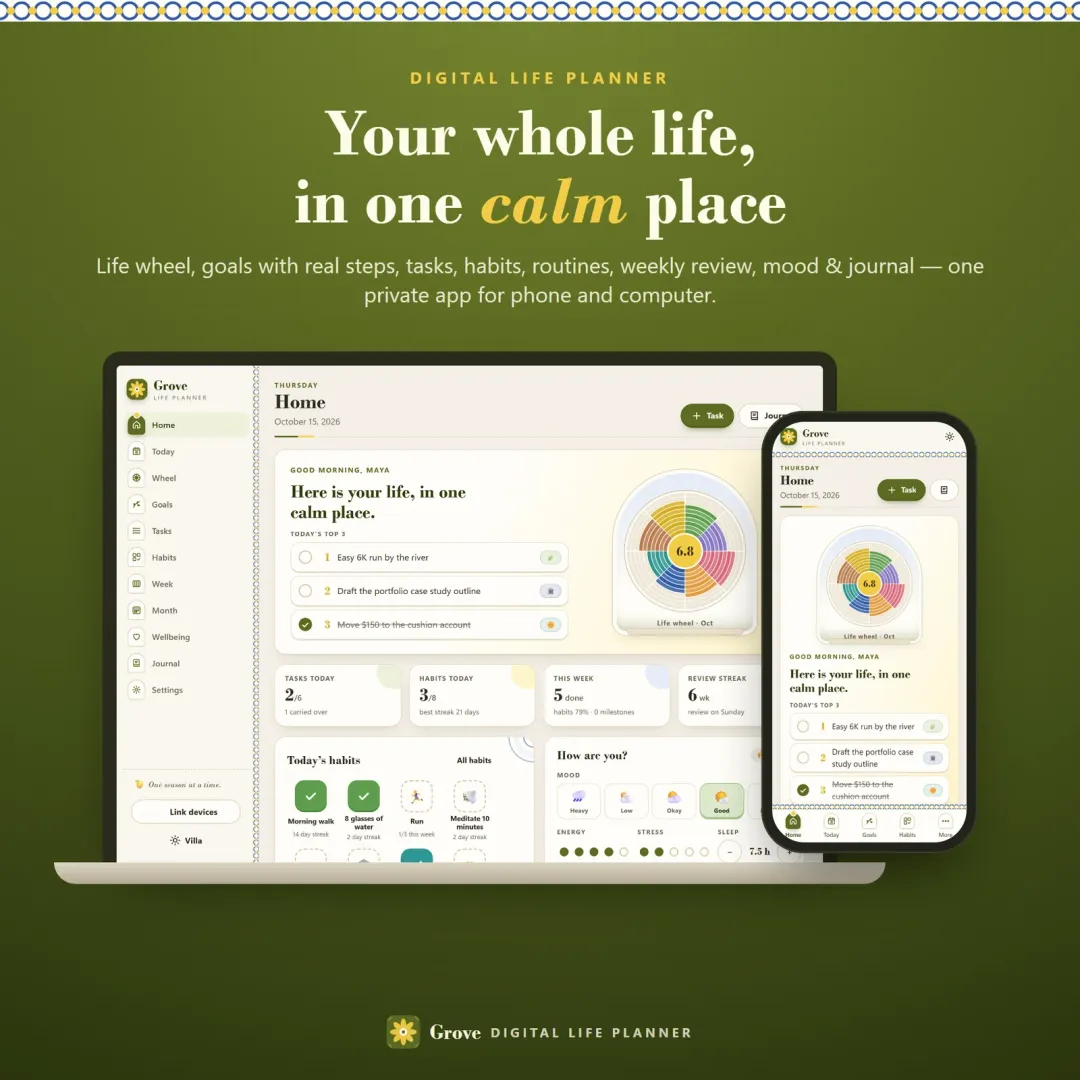
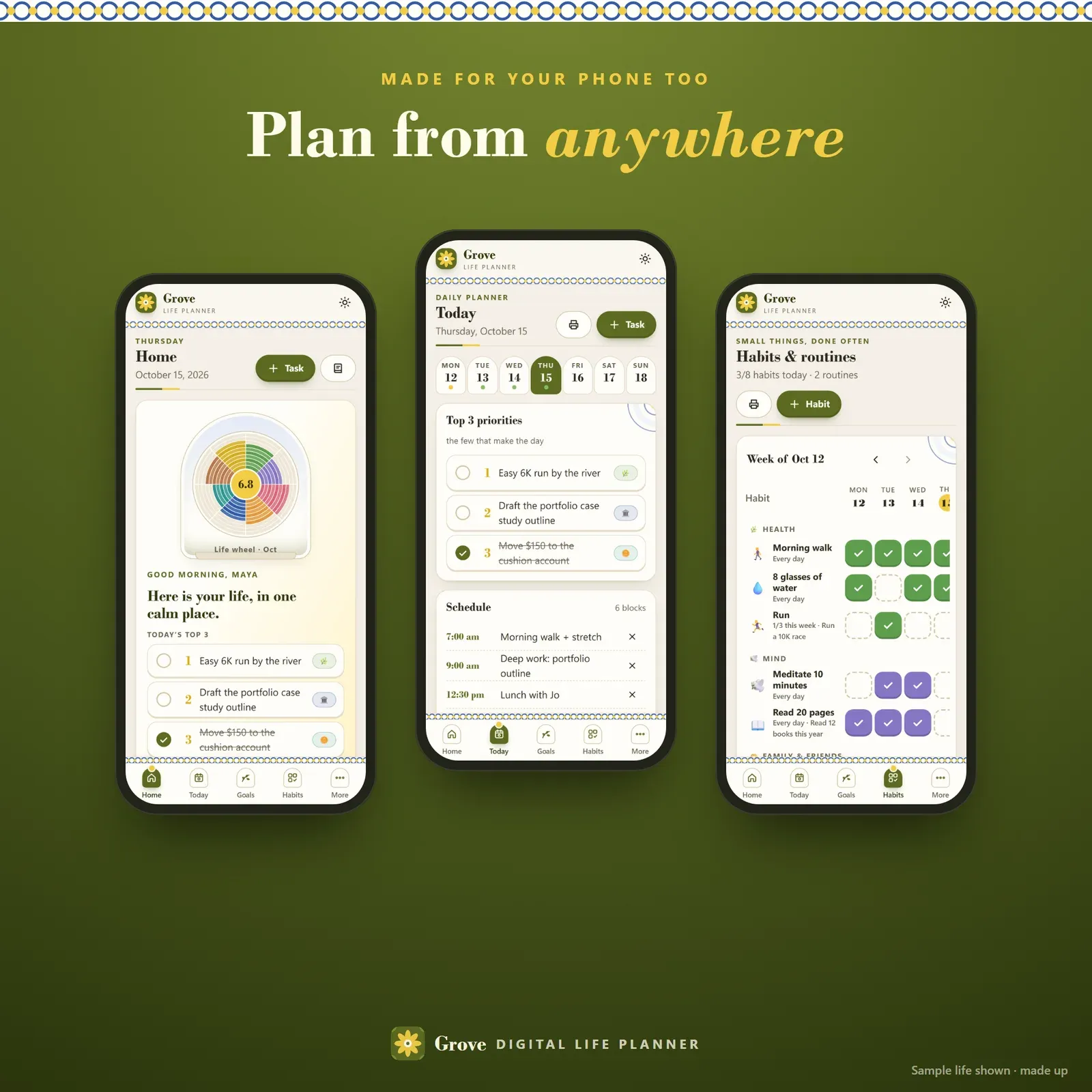
Grove is a digital life planner for people who want their whole life in one calm place — not five apps and a pile of notebooks. It runs on your phone, tablet and computer, installs like an app, works offline and keeps everything private on your own devices. You can try the free demo with a sample life before you buy.
The idea is simple: everything you plan belongs to an area of your life. Each area has a vision. A vision becomes goals. Goals get milestones. Milestones become tasks on a day. Habits feed the goals day after day. A weekly review and a monthly reset keep it honest, and the wheel of life shows where you're thriving and where to tend next. That connection is what most life planners are missing.
The wheel of life, scored every month
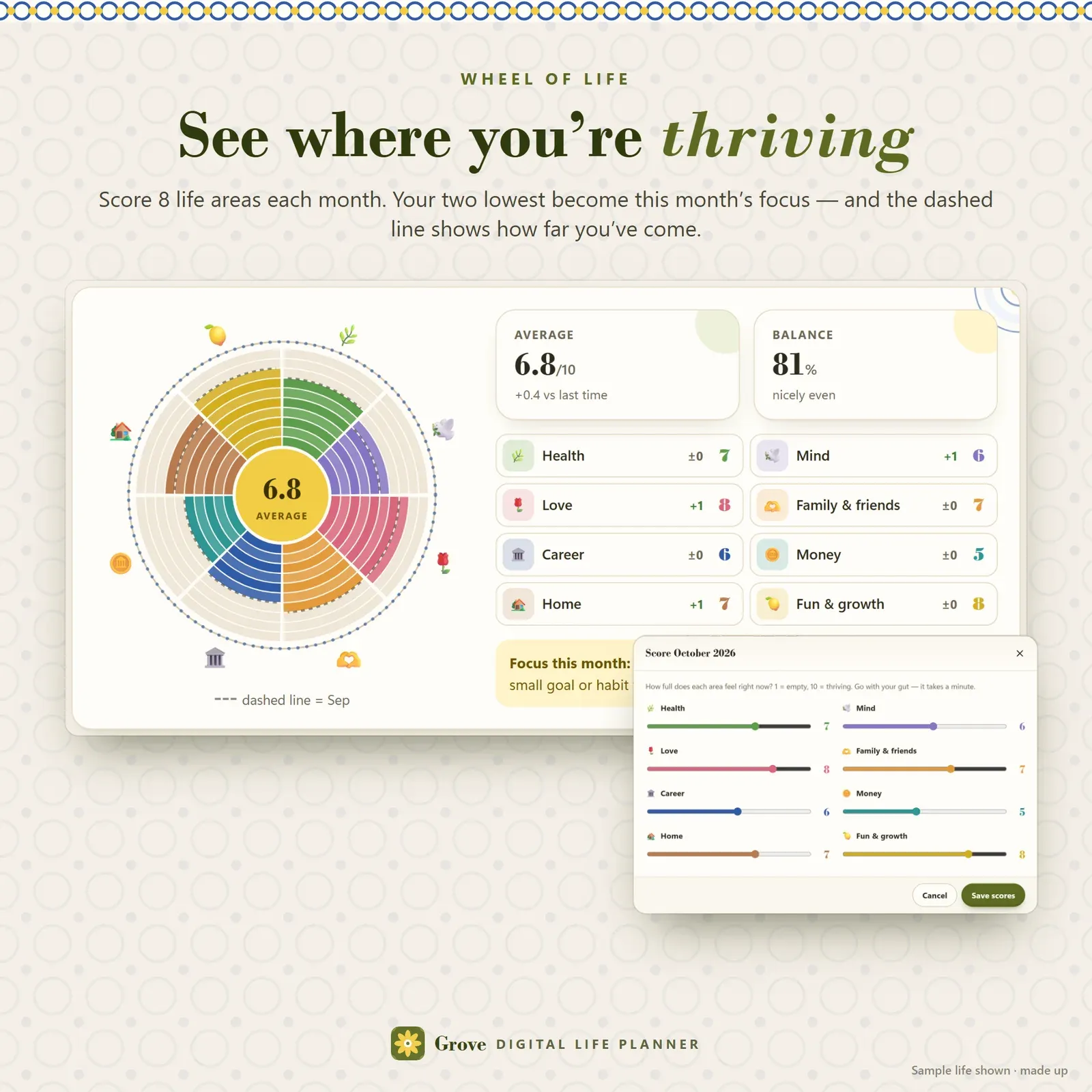
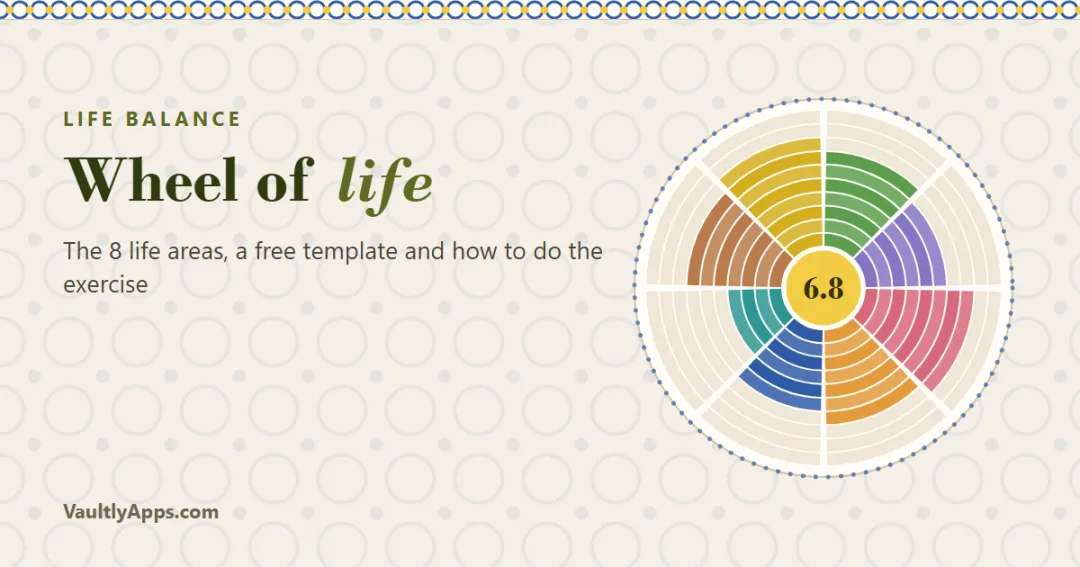
Grove starts where good coaches start: with a wheel of life. Eight areas — Health, Mind, Love, Family & friends, Career, Money, Home, and Fun & growth — each scored from 1 to 10. You can rename them, change their emoji and colours, and write a three-year vision for each one.
The wheel fills like painted tiles, ring by ring. Grove shows your average, a balance score (how even the wheel is), the change in each area since last month — drawn as a dashed line on the wheel — and your two lowest areas as this month's focus, each with a one-tap "new goal". Tap any area to see its goals, habits, open tasks and score history.
If you've never done one, our guide to the wheel of life explains the exercise, the eight areas and what to do with your scores.
Goals that grow: vision → goal → milestones → next steps
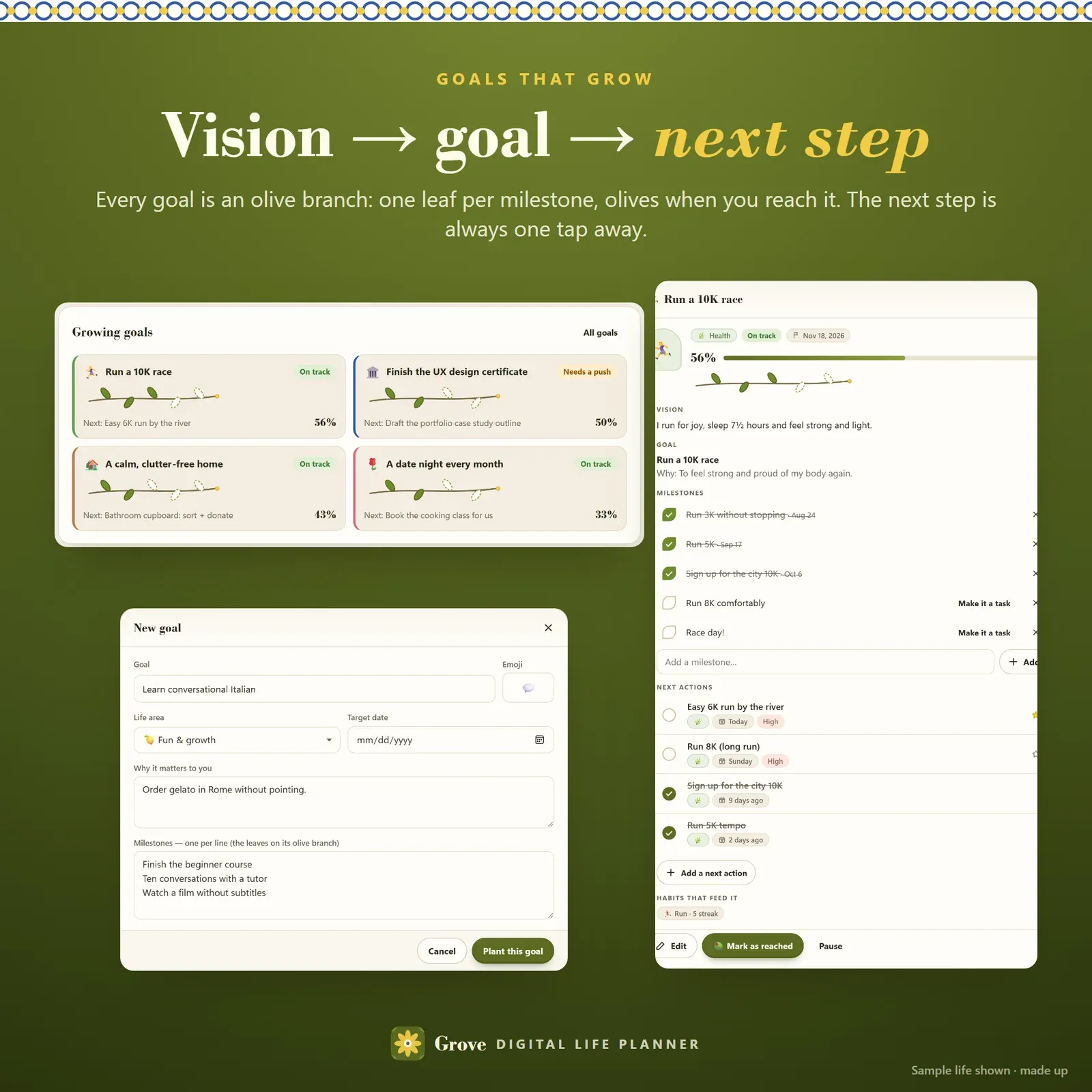
Big goals fail when they stay big. In Grove every goal is broken down:
Vision — what a great life looks like in that area, three years from now.
Goal — something concrete with a target date and your why, the reason you'll remember on a hard day.
Milestones — the stepping stones. Each one is a leaf on the goal's olive branch; reached leaves turn green, and when you mark the goal as reached the branch grows olives.
Next actions — tasks small enough to do this week. "Do it today" turns a milestone into a task for today.
Progress comes from what you actually finish. A badge says On track, Needs a push or Past its date by comparing your progress with the time that has gone by, and every goal card shows its next step, so you always know what to do now.
A task manager with a home for everything
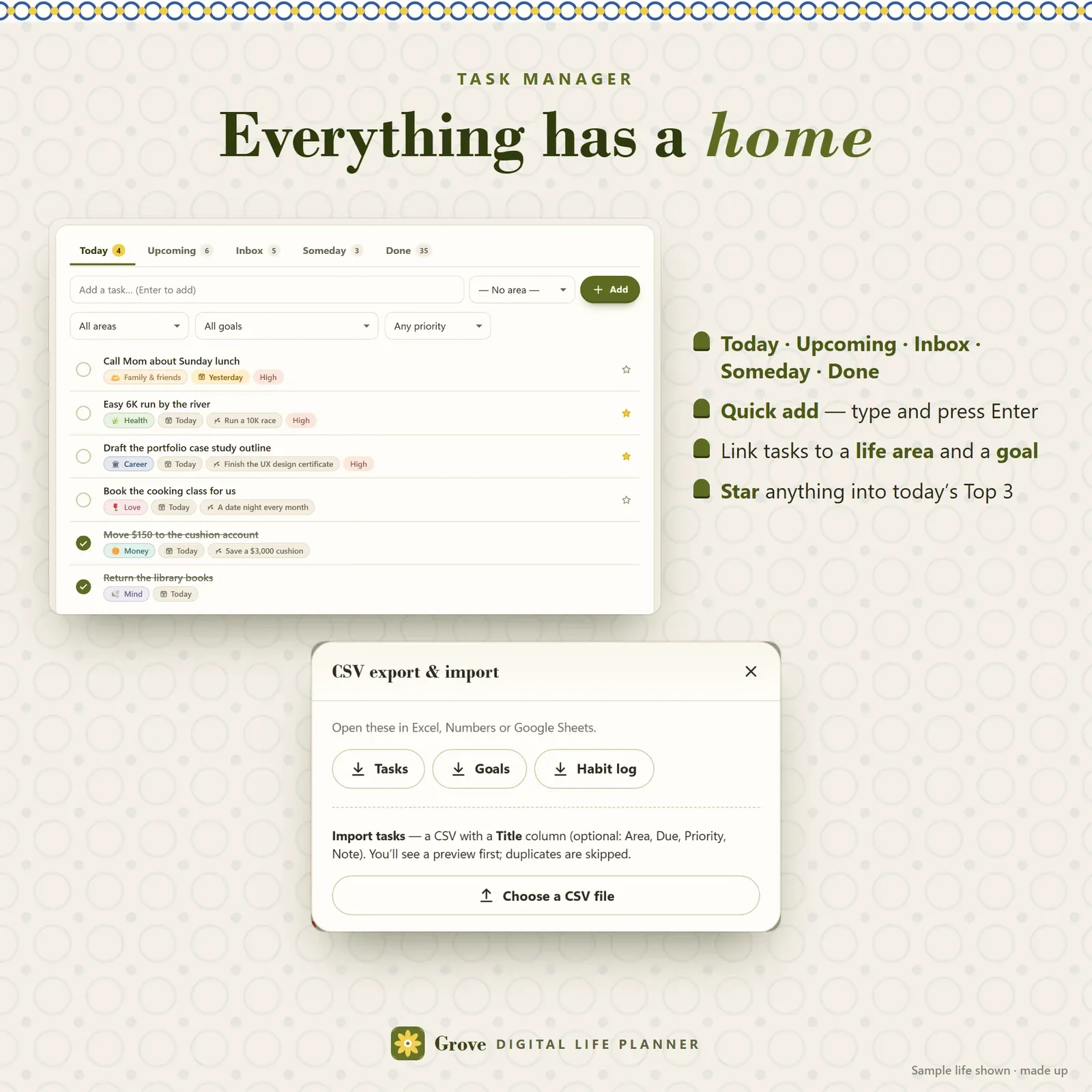
Tasks live in five lists: Today (due, overdue and your Top 3), Upcoming (grouped by date), Inbox (no date yet), Someday (ideas you're not doing now) and Done. Quick add takes one line — type and press Enter. Every task can carry a life area, a goal, a due date, a priority and a note, and the star puts it into today's Top 3. Overdue tasks are marked gently and simply carry over; there are no red alarms.
Habit tracker and routines
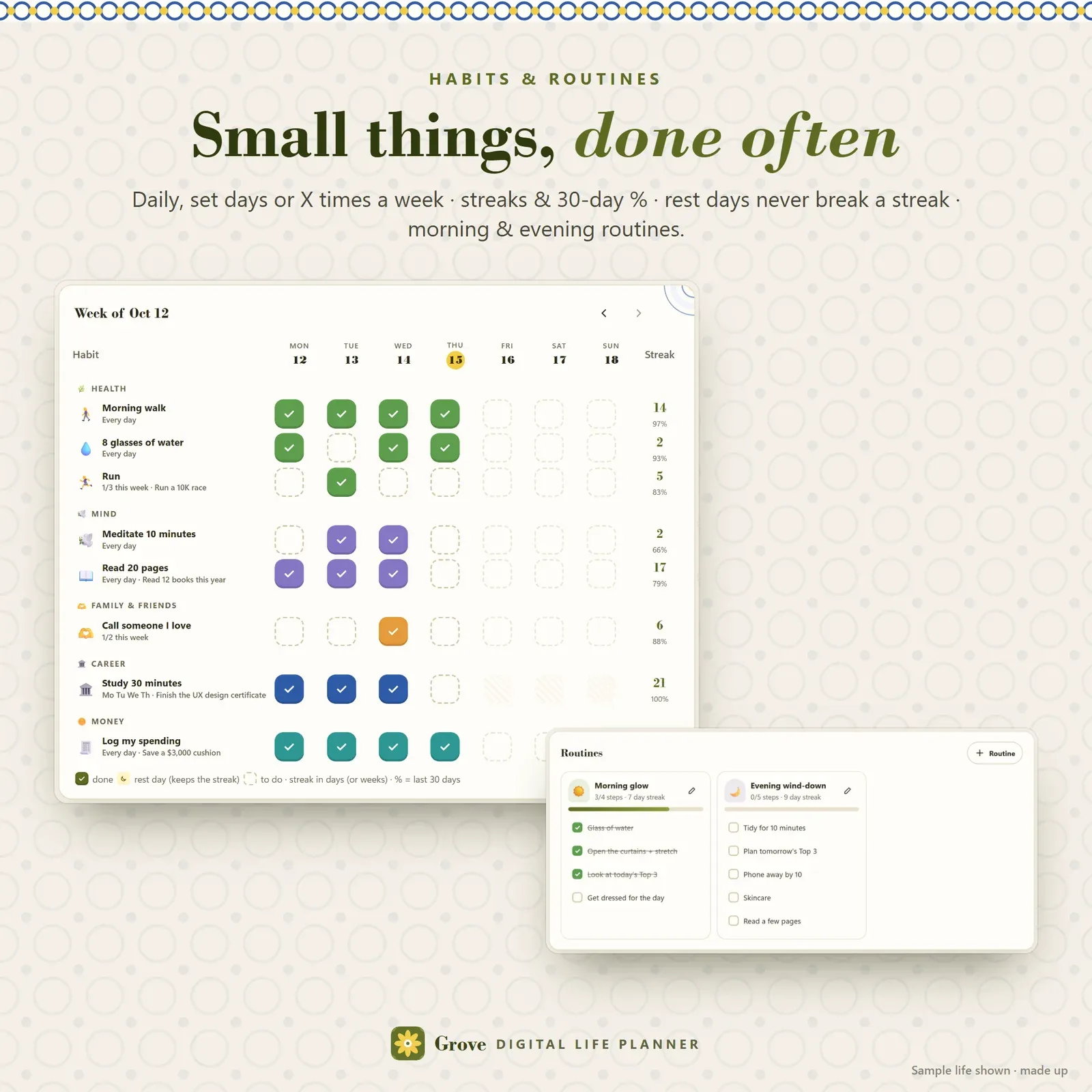
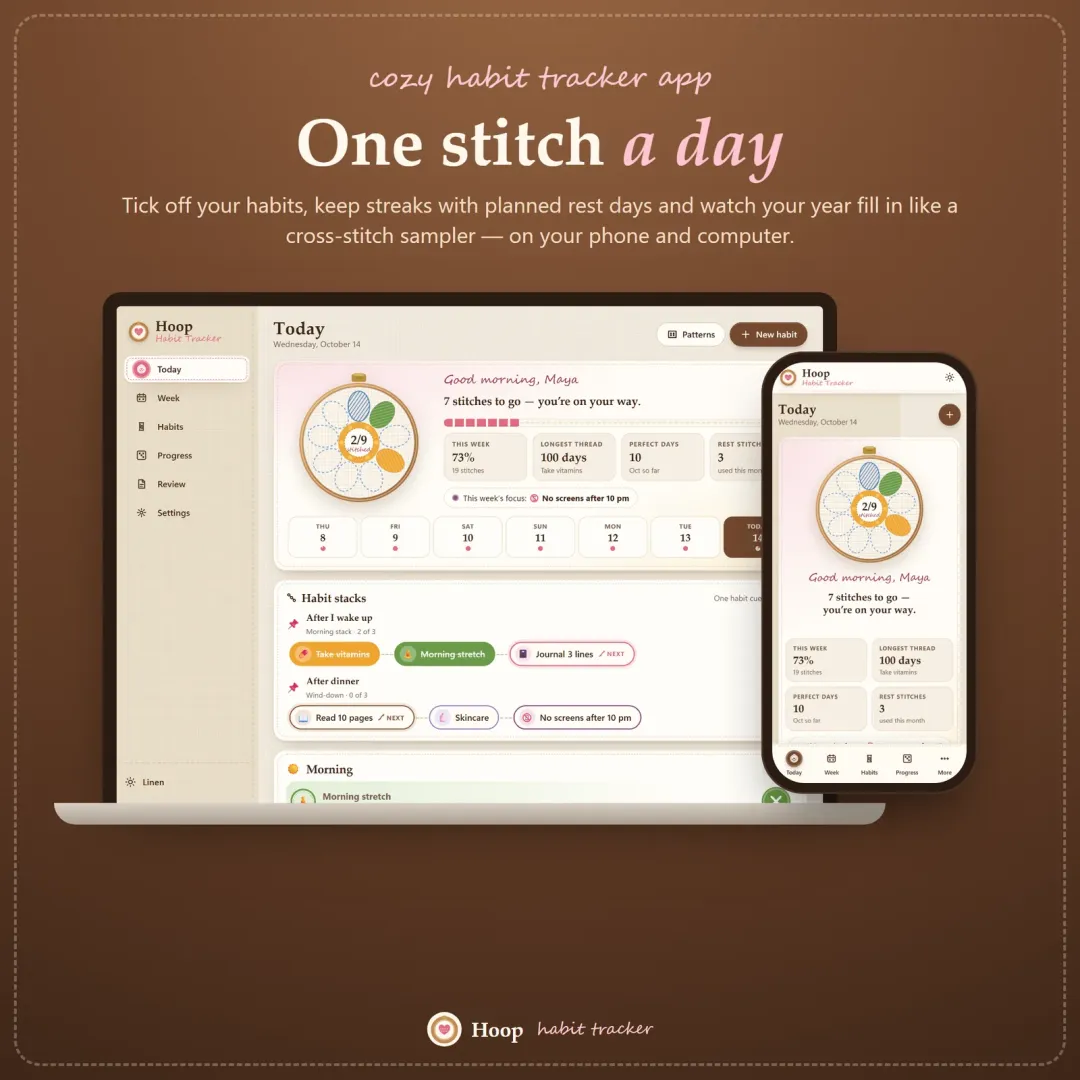
Habits can be every day, on set days (say Monday to Thursday) or X times a week. Tap a tile once for done, twice for a rest day — a planned day off that never breaks your streak — and three times to clear it. Each habit shows its streak and its last-30-days rate, and a four-week view shows every day at a glance. Habits can belong to an area and feed a goal.
Routines are short checklists you run the same way each time: a morning routine, an evening wind-down, a Sunday reset, a work start-up. Start from a template or write your own, then tick the steps; complete routines keep a streak too.
A daily planner page that's actually kind
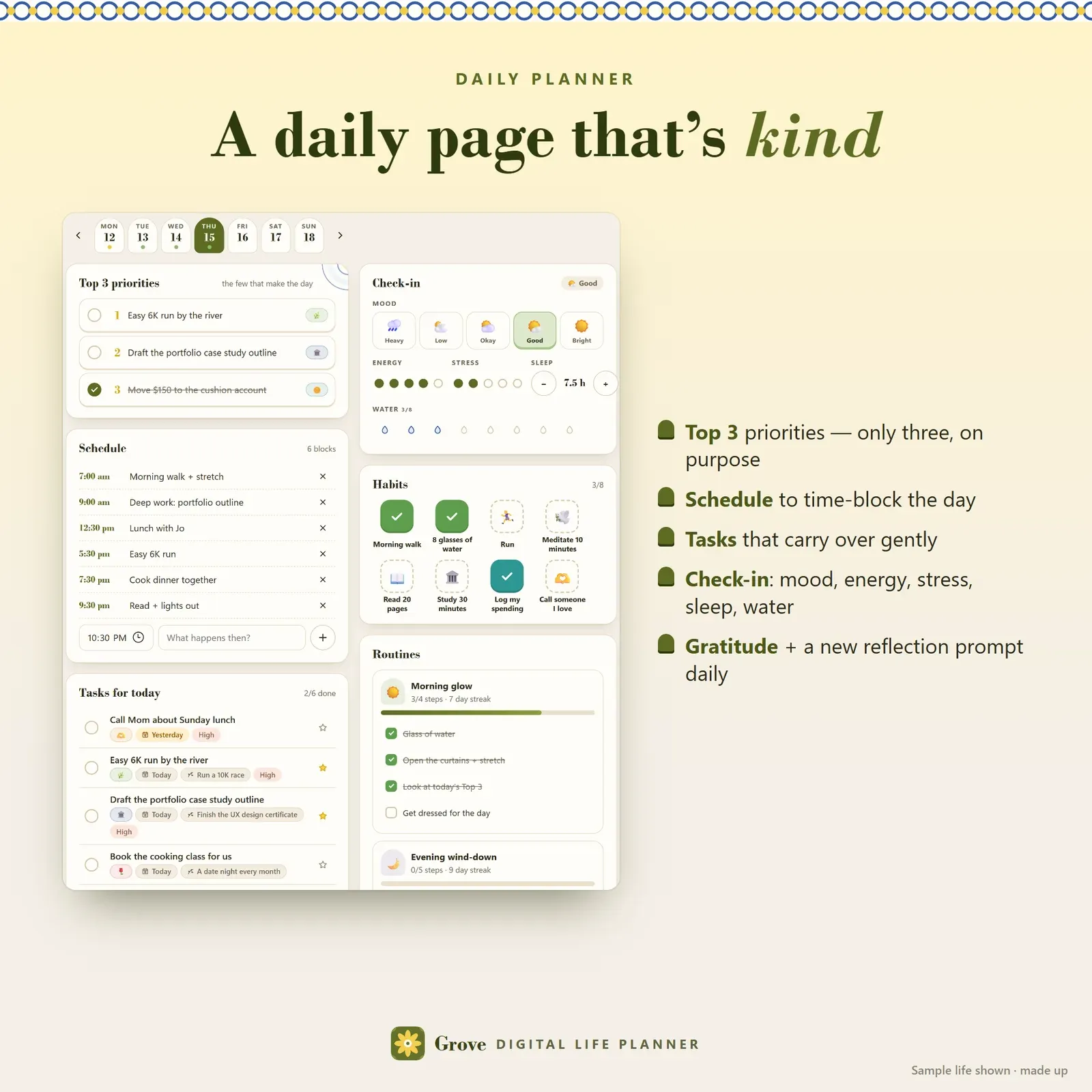
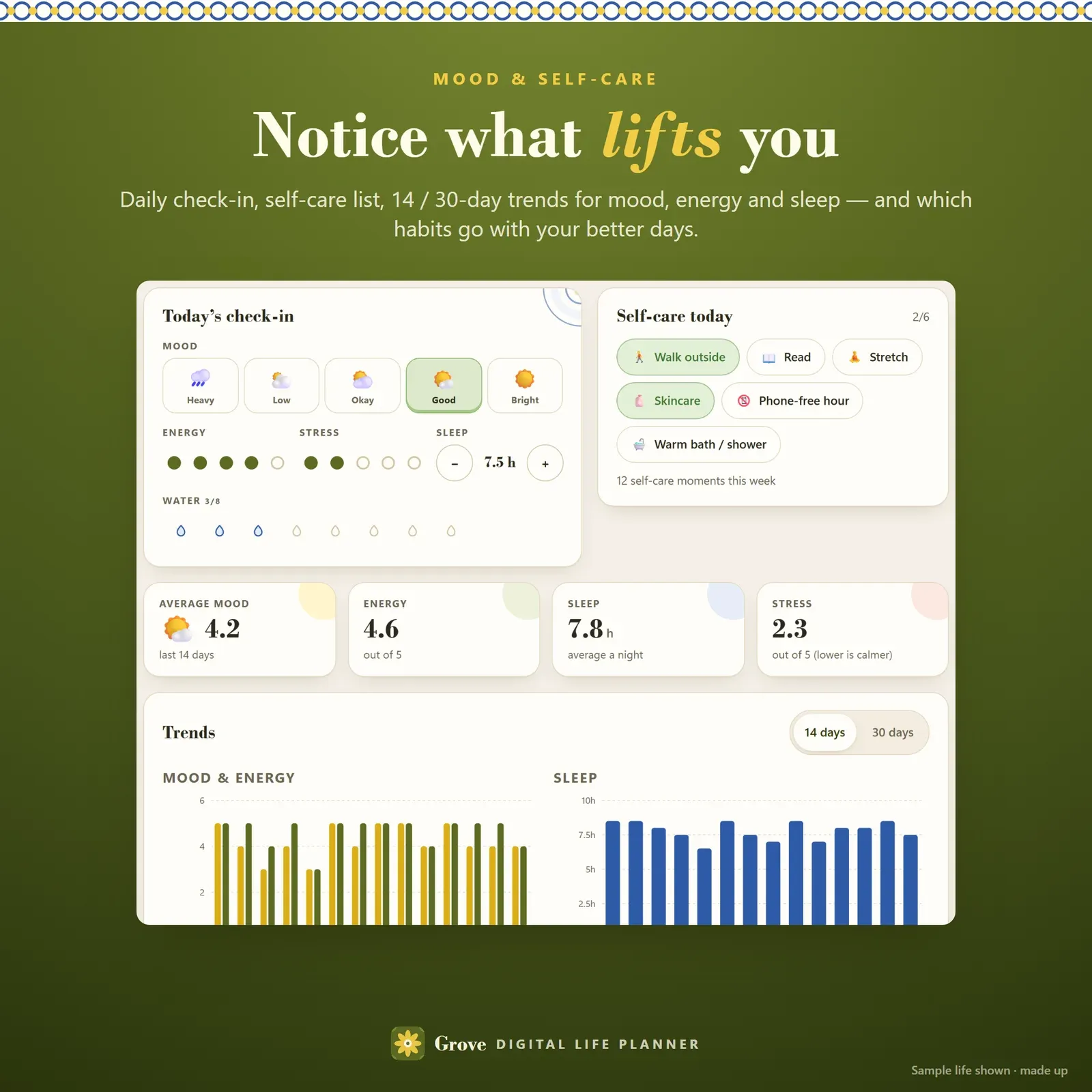
The Today page is a full daily planner: your Top 3 priorities, a time-blocked schedule, the tasks due today, your habits and routines, a quick check-in (mood, energy, stress, sleep and water), three lines of gratitude and a reflection with a new prompt every day. A date strip lets you plan ahead or look back, and the whole day prints as a clean planner page.
The weekly review ritual
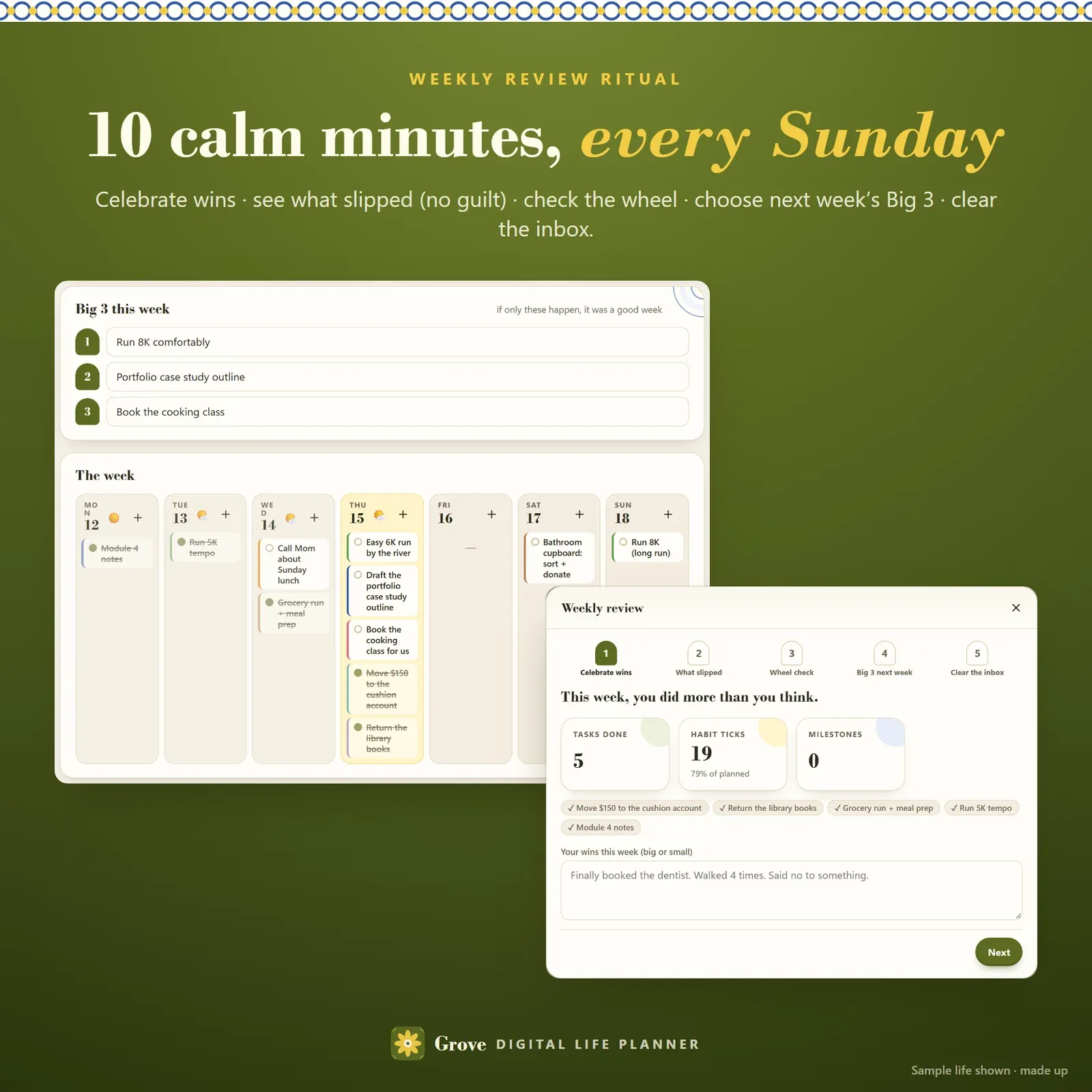
Once a week — Sunday evening works well — Grove walks you through a weekly review in five calm steps:
Celebrate wins — what you finished this week, plus your own words.
What slipped — move each open task to next week, Someday or done. No judgement.
Wheel check — nudge any area that changed.
Big 3 for next week — with a hint from your lowest areas.
Clear the inbox — every loose task gets a home.
Finishing grows your review streak, and past reviews stay on the Week page with their wins and lessons. The Week page also holds your Big 3, seven days side by side and one intention per life area.
The monthly reset
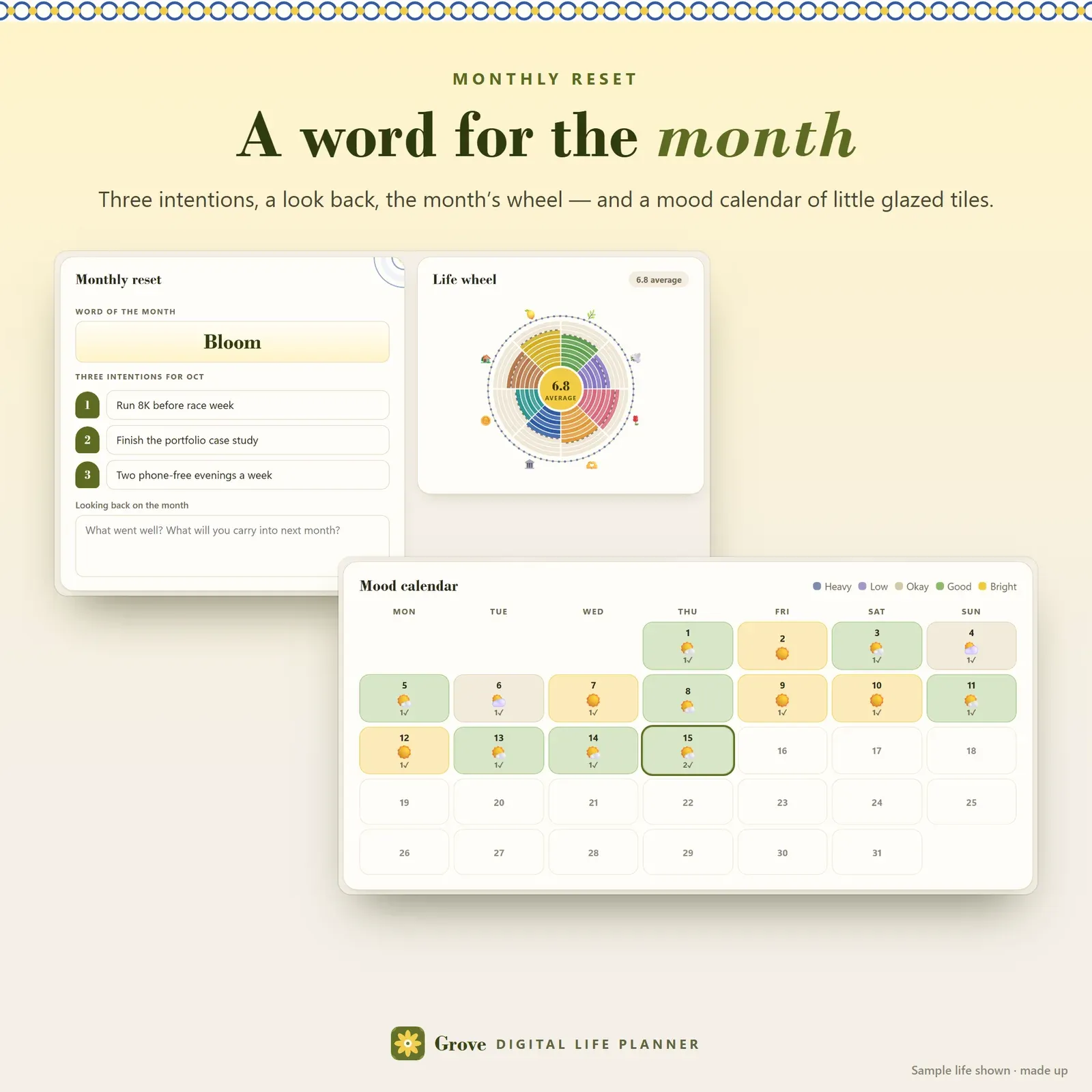
On the first of the month, the monthly reset asks for a word of the month, three intentions and a short look back. It shows the month's life wheel and numbers — tasks done, milestones and goals reached, habit rate, average mood and journal entries — and a mood calendar where each day is a little tile in its mood colour. Need inspiration? See our list of word of the year ideas.
Mood tracker and self-care
The daily check-in feeds a simple mood tracker: 14- and 30-day trends for mood, energy and sleep, a self-care checklist you can make your own, and "what lifts you" — your average mood on days with each self-care habit compared with days without. It's a pattern, not a promise, but it's often eye-opening.
A private journal
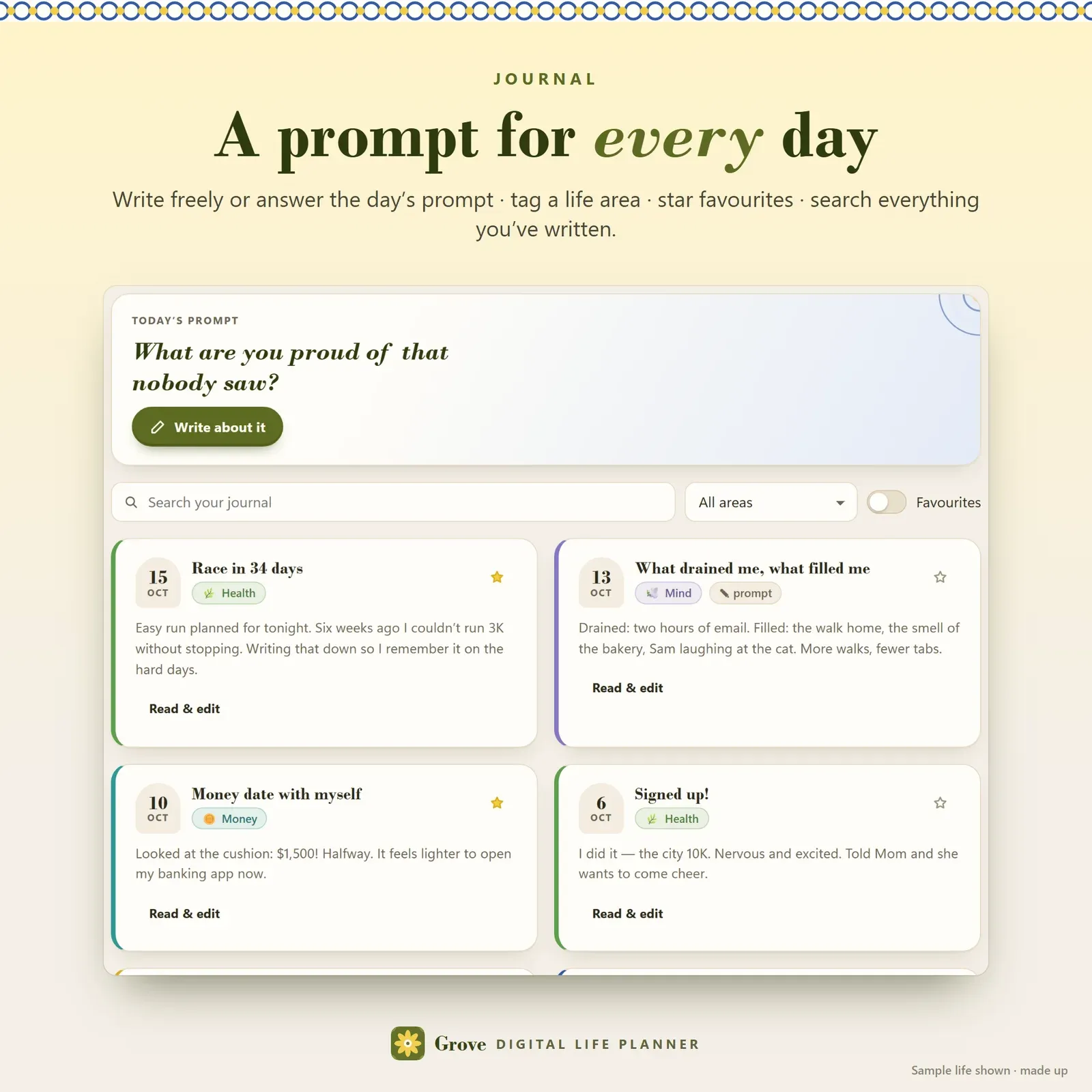
Write freely or answer the day's prompt ("What did you learn about yourself today?"). Tag an entry with a life area, star your favourites and search everything you've written. Your journal stays on your own devices.
Who Grove is for
Grove is for anyone who wants to get their life organized without building a system from scratch: busy professionals, parents, students, fresh-start and new-year planners, and people who love self-improvement but are tired of Notion setups that take a weekend to build. It's gentle by design — no red "failed" marks, no guilt, and rest built in.
A typical week with Grove
Monday morning: pick today's Top 3 and glance at your habits.
During the week: tick tasks and habits on your phone; add ideas to the inbox in one line.
Evenings: a 20-second check-in and a line of gratitude.
Sunday: the weekly review — wins, loose ends, next week's Big 3.
First of the month: score the wheel and choose a word for the month.
Print and export
Every page prints as a clean planner sheet with the Grove letterhead — the day page, the week plan, your life wheel and vision, goals, the habit tracker, the monthly reset, wellbeing and the journal. Tasks, goals and your habit log export to CSV, and tasks can be imported from a CSV.
Privacy and devices
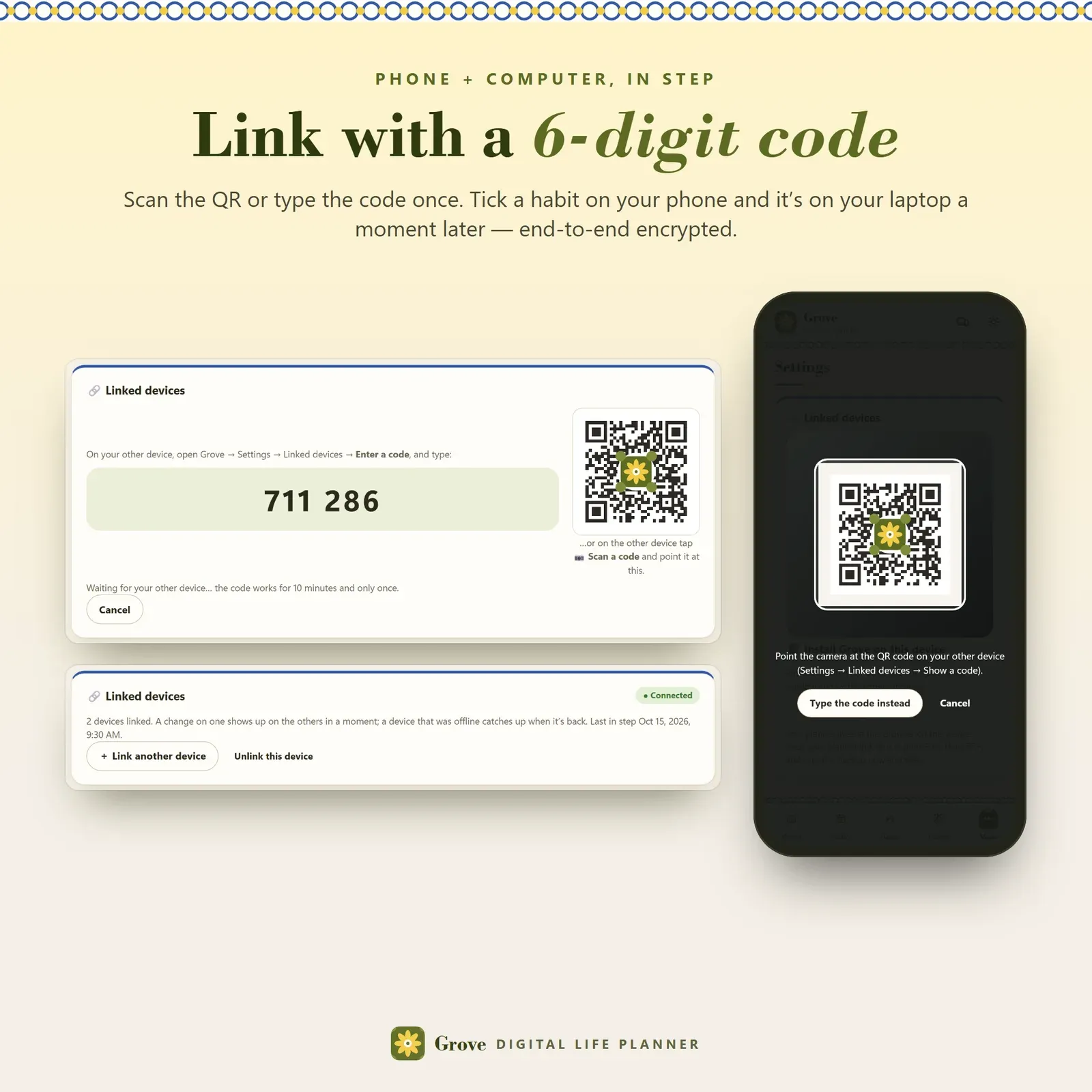
There's no account and no tracking. Your plans live in your browser on your own devices. Link your phone and computer once with a 6-digit code or QR and they stay in step, end-to-end encrypted through a relay that can't read your entries. Export a backup file any time.
What you get
The Grove app — your private link for phone, tablet and computer, with no limits.
A 13-page Start Here PDF — install steps for every device, how to link devices, and every page explained with screenshots.
A bonus printables pack — 7 worksheets (wheel of life, vision by area, goal ladder, weekly review, monthly reset, daily page, habit tracker), 6 colour-in boards and 5 wallpapers.
Good to know
Grove works in any modern browser — Safari, Chrome, Edge or Firefox. It doesn't send push notifications; open it when you plan, review or tick things off. It's a personal planning tool, not medical or mental-health advice. If you also want help with time and focus, see our ADHD daily planner, Tempo, and for habits on their own, Hoop.