
How Long Will My Savings Last Calculator
How many months or years your savings last — or what you can withdraw each month.
Open calculator Live
Web app (installable PWA)
Live
Web app (installable PWA) Calm Budget Planner
A digital budget planner for financial anxiety — safe to spend shown as a calm range, no red warnings, a worry inbox, weekly money dates and a Breathe mode, with bills, spending, savings and debt payoff in one quiet place.
Try the live demo to explore the application — it runs right here on VaultlyApps with sample data, no sign-up needed.
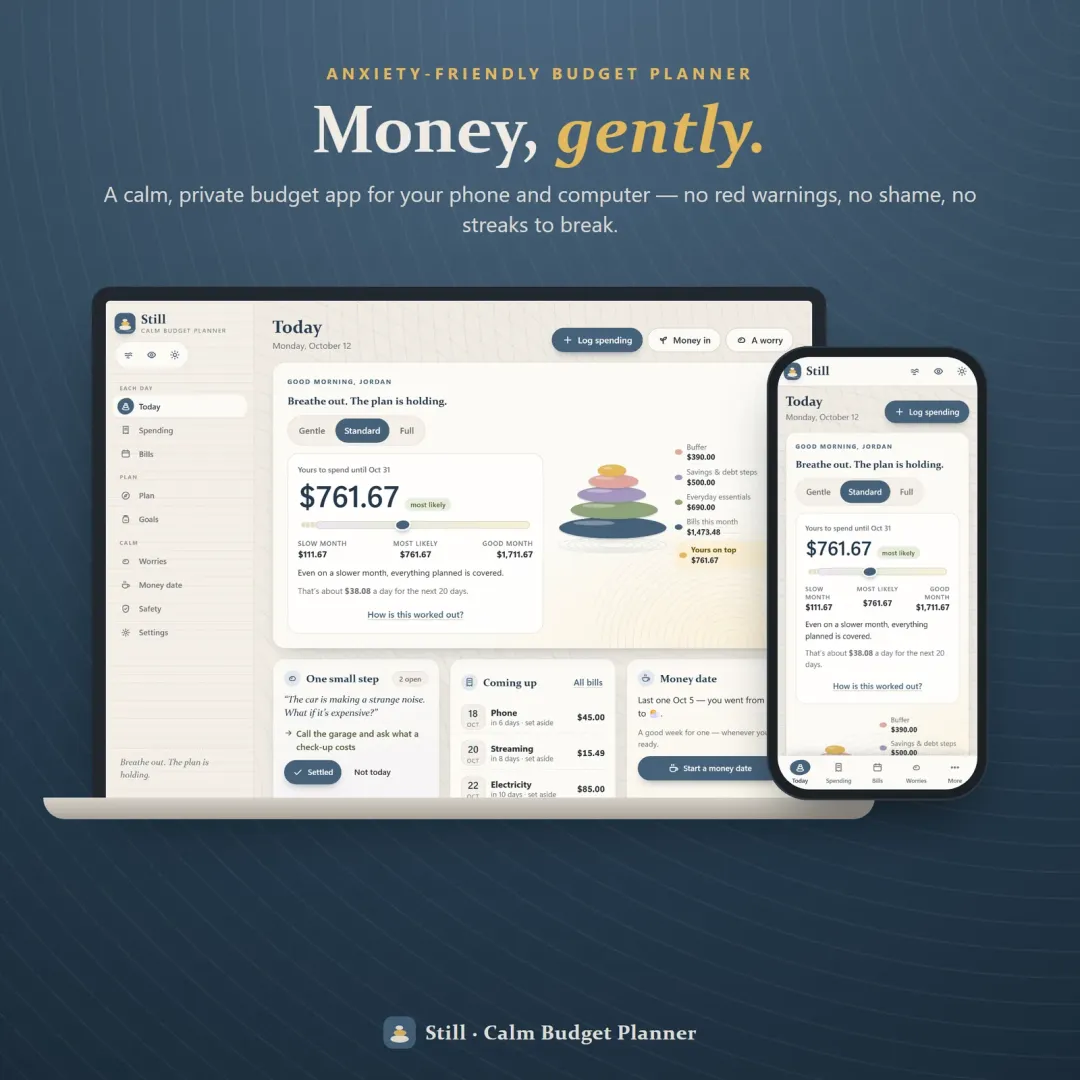
Still is a digital budget planner for your phone and computer, made for people whose stomach drops when they open a banking app. Instead of one scary number it shows what's safe to spend as a calm range — a slow month, the most likely month and a good month. Bills, everyday essentials, savings, debt steps and a buffer are set aside first as stones in a little zen garden, and what rests on top is yours to spend without guilt. There is no red anywhere, you choose how much you see, a worry inbox turns money worries into one small step, and a Breathe mode hides every number when you feel wobbly. Bills, spending, savings goals and debt payoff are all inside. No account, no bank login, no subscription.
Most budgeting apps are built like a report card: a single safe-to-spend number, red 'over budget' warnings, streaks to break and a bank feed that shows every coffee the moment it happens. For people with financial anxiety, that design is exactly why they stop looking — and money you don't look at tends to get scarier. Still keeps everything a real budget needs, but changes how it is shown: ranges instead of verdicts, set-aside-first instead of spent-so-far, and a kind word instead of a warning.
See a slow month, the most likely month and a good month instead of one number that changes your mood. The range comes with an about-per-day amount and a plain 'How is this worked out?' sheet.
Bills for the next 31 days, everyday essentials, savings, debt steps and a buffer rest as stones in a cairn. What sits on top is yours — choose a Comfortable, Balanced or Cautious buffer.
Gentle shows one calm summary and one small step. Standard adds bills and your next money date. Full shows everything. Hide amounts blurs every figure with one tap.
'Room left' instead of 'over budget'. Spent more than planned? The bar turns a soft heather and says the plan can bend. Gentle moments count every time you showed up — no streaks to break.
Write a money worry the way you'd tell a friend, then pick one tiny next step, rest it 'not today' or move it to the settled pile. Ideas for small steps are built in.
Six short cards once a week — how you feel, a look back, a look ahead, one worry, one intention, how you feel now. Breathe hides every number and guides 4-4-6 breathing and a 5-4-3-2-1 grounding.
A bill and subscription tracker with a Paid button, a spending log with optional feelings, a spending plan with joy money, savings jars that fill with pebbles and a debt payoff planner with a debt-free month.
Give each income source a slow, likely and good month. Money that actually arrives counts for real, and a What if…? planner shows the new range if income drops or a surprise bill lands.
Scroll sideways · select to enlarge
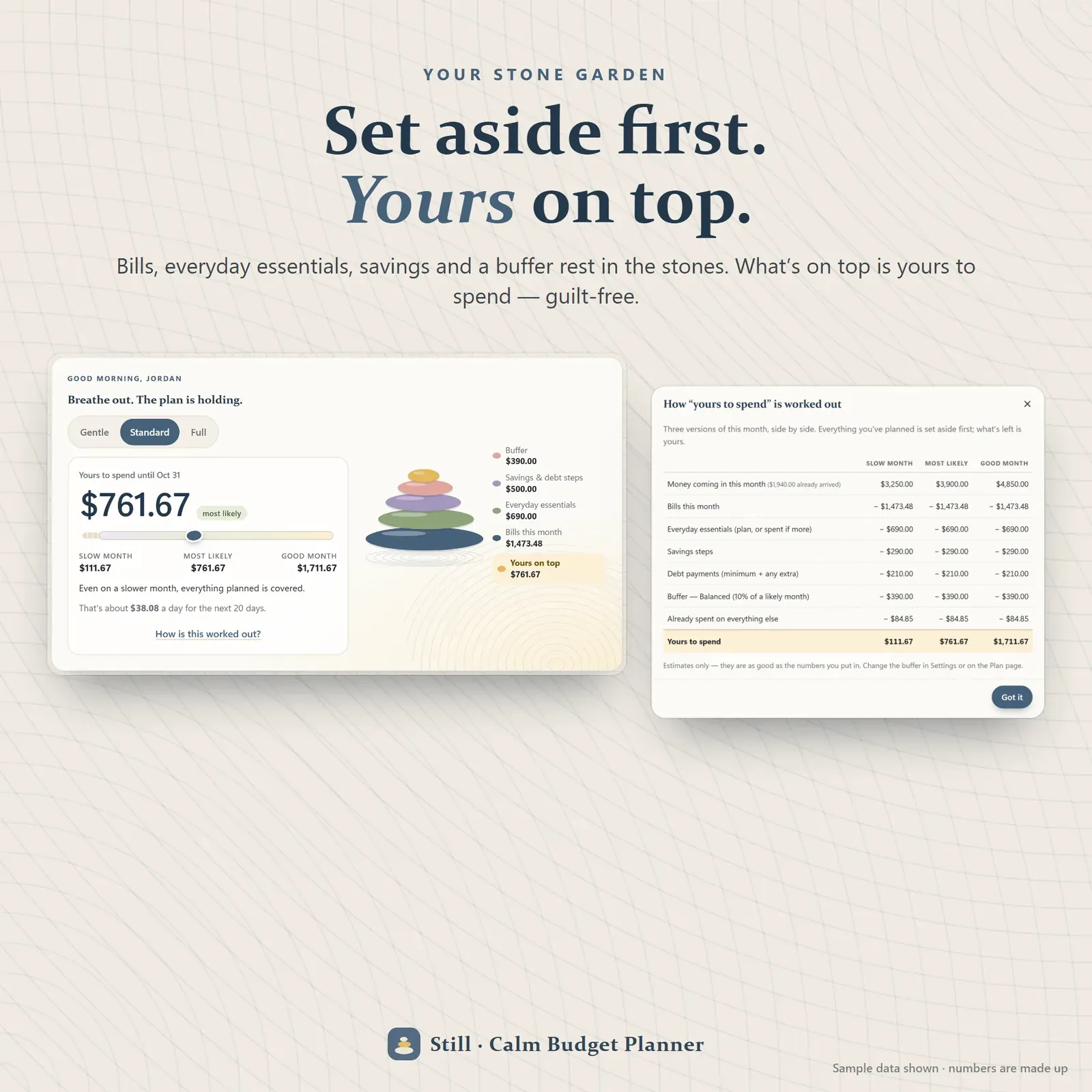
The stone garden — bills, everyday essentials, savings and a buffer set aside as stones, with what's yours to spend on top
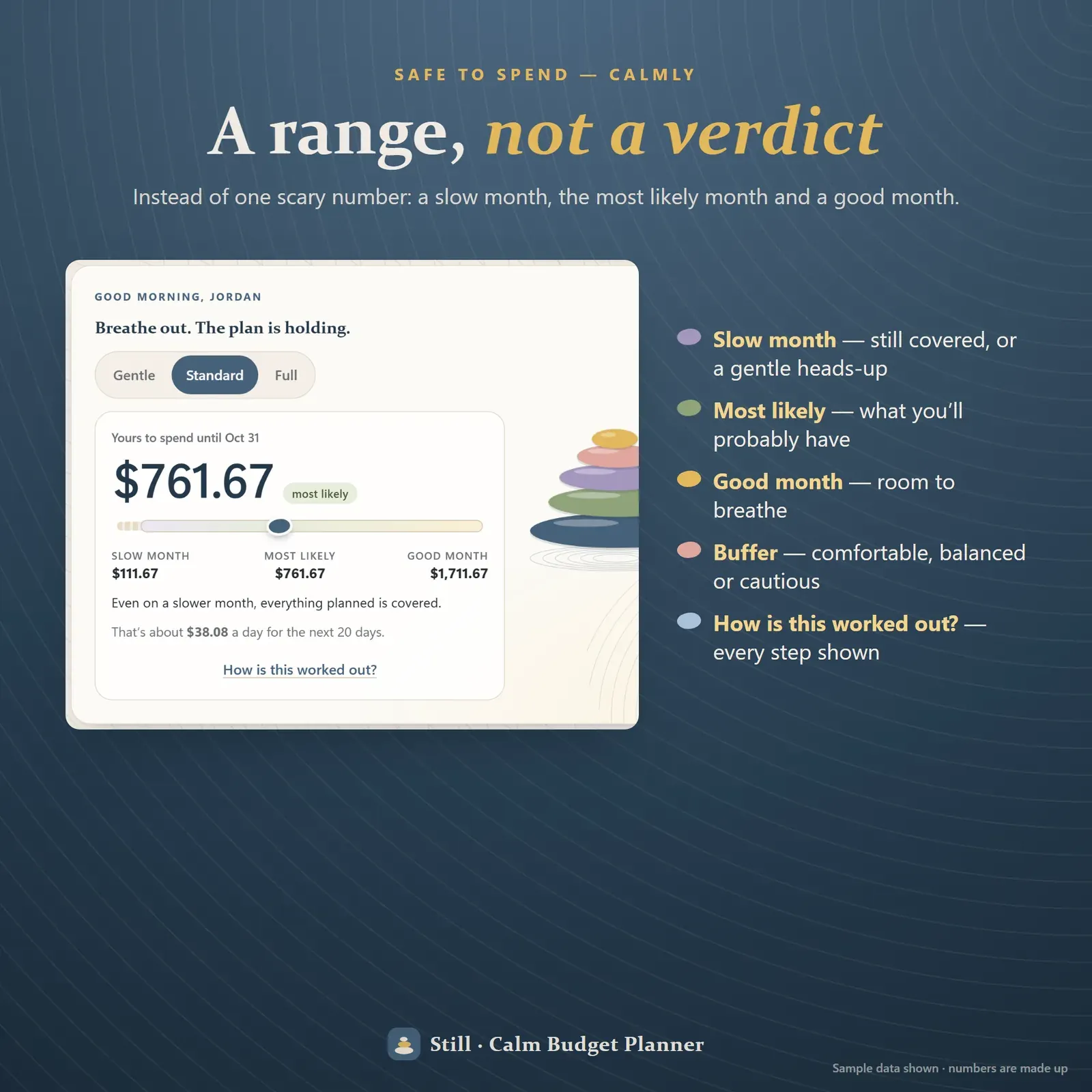
Safe to spend shown as a calm range — a slow month, the most likely month and a good month
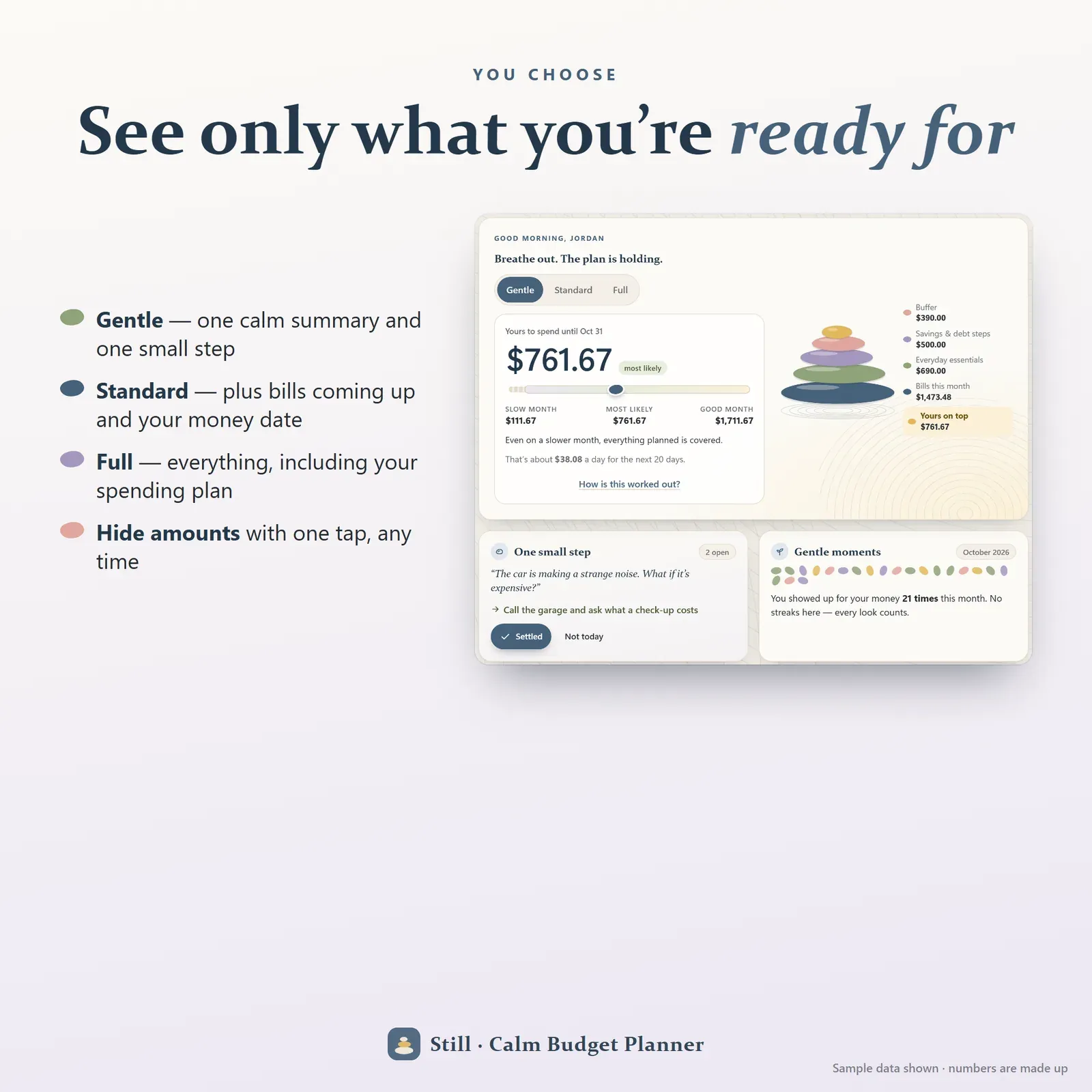
Gentle, Standard and Full views to choose how much of your money you see, plus hide amounts
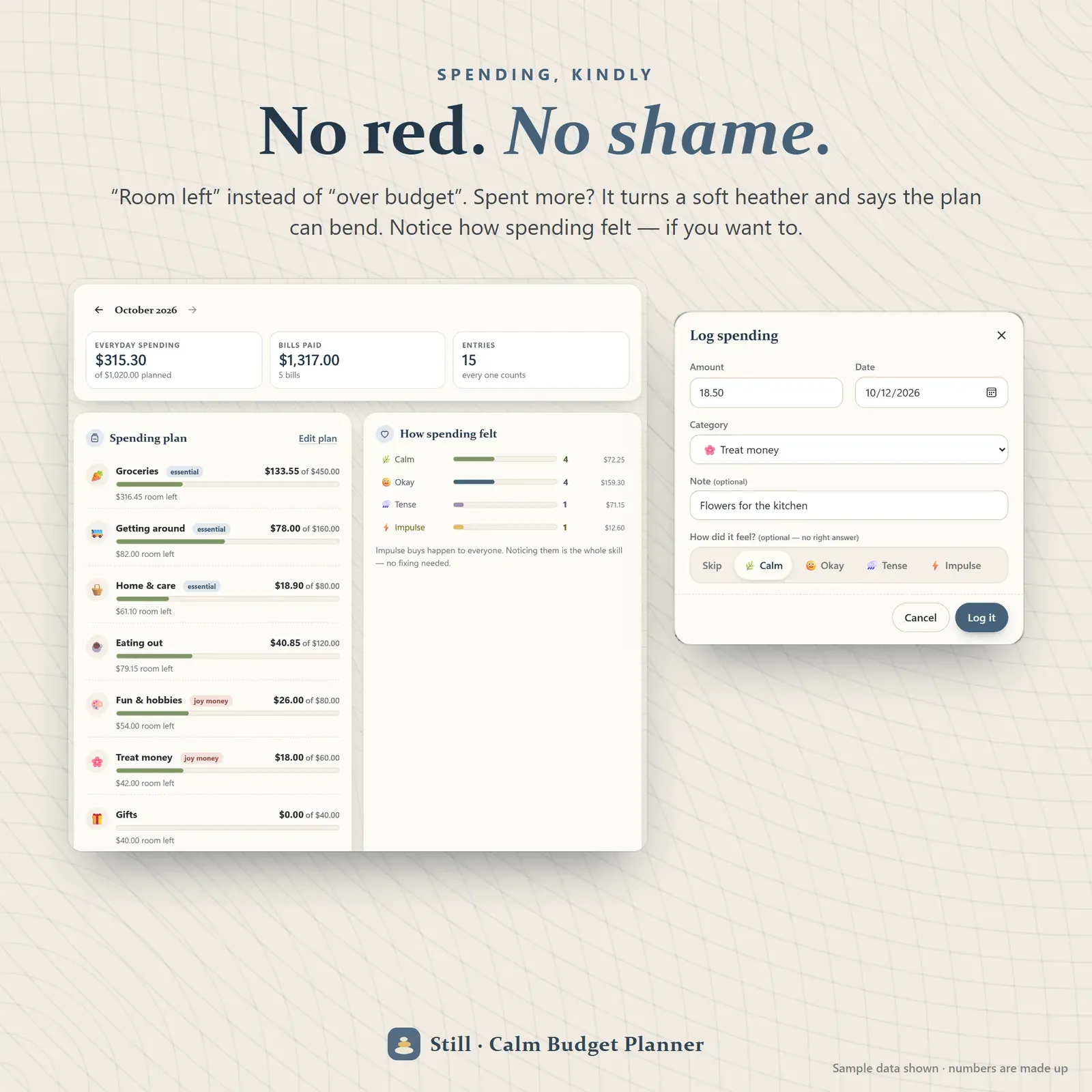
Spending plan with room left instead of over budget, and a spending log with optional feelings
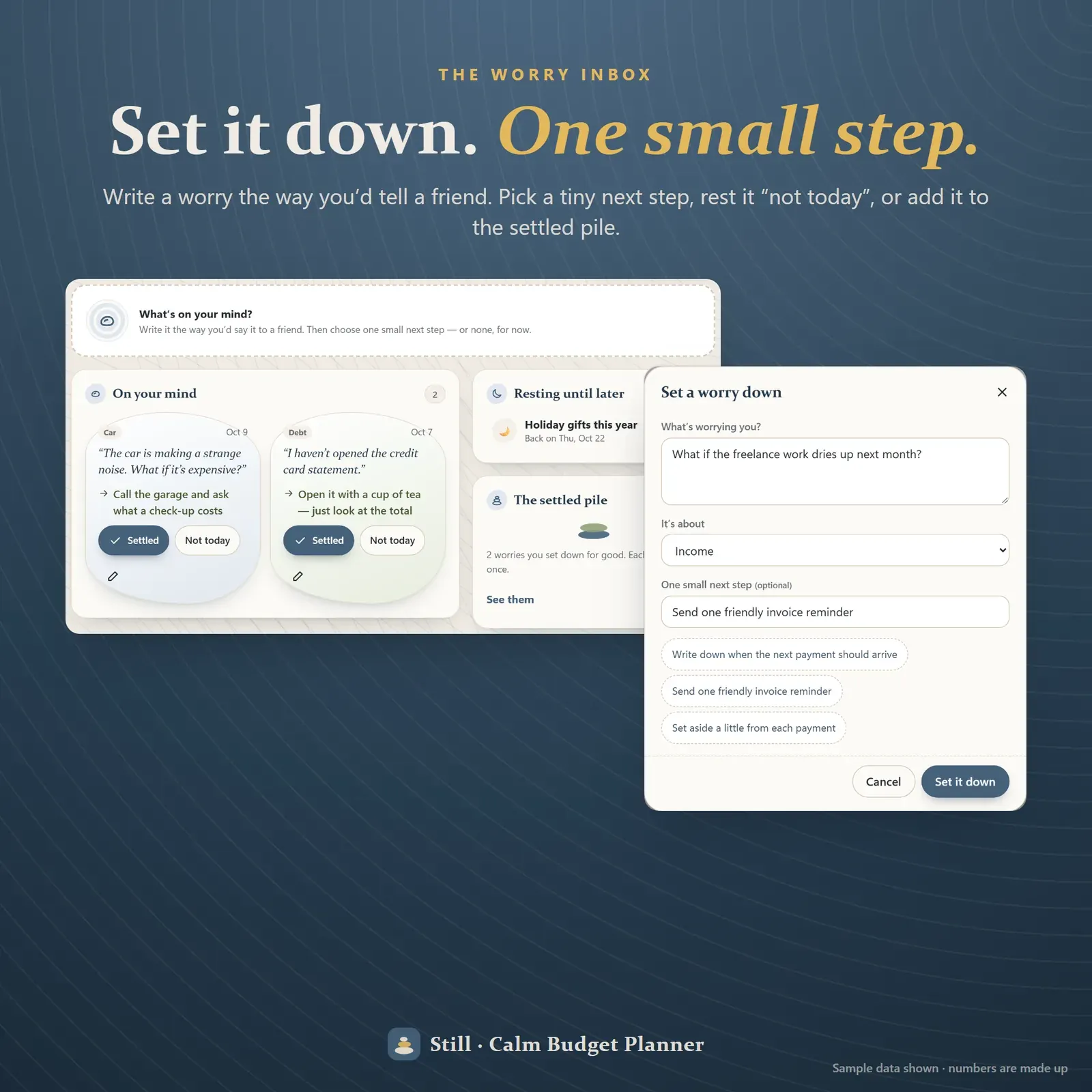
The worry inbox — set a money worry down, pick one small step, rest it or add it to the settled pile
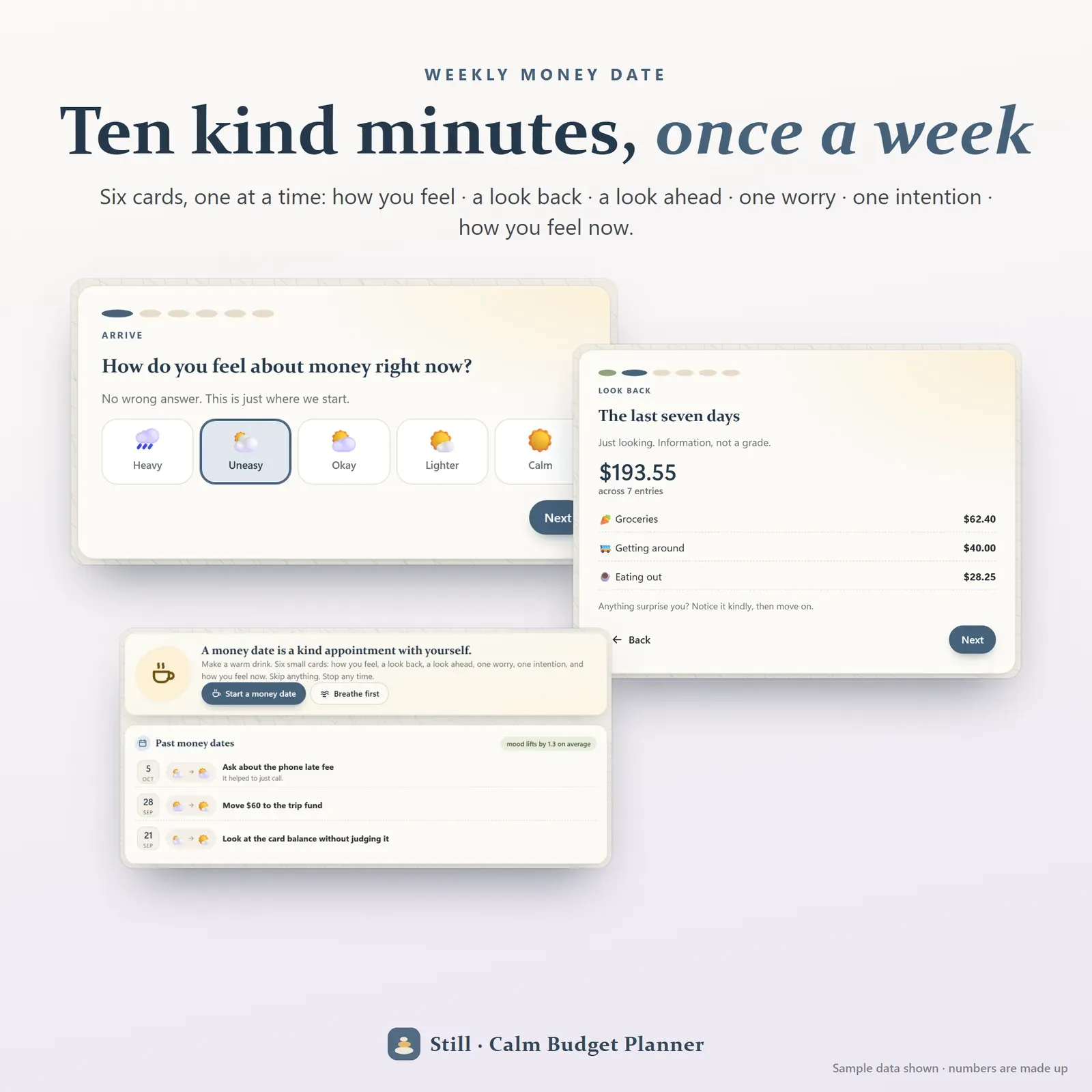
A weekly money date — six short cards from how you feel to one intention for the week
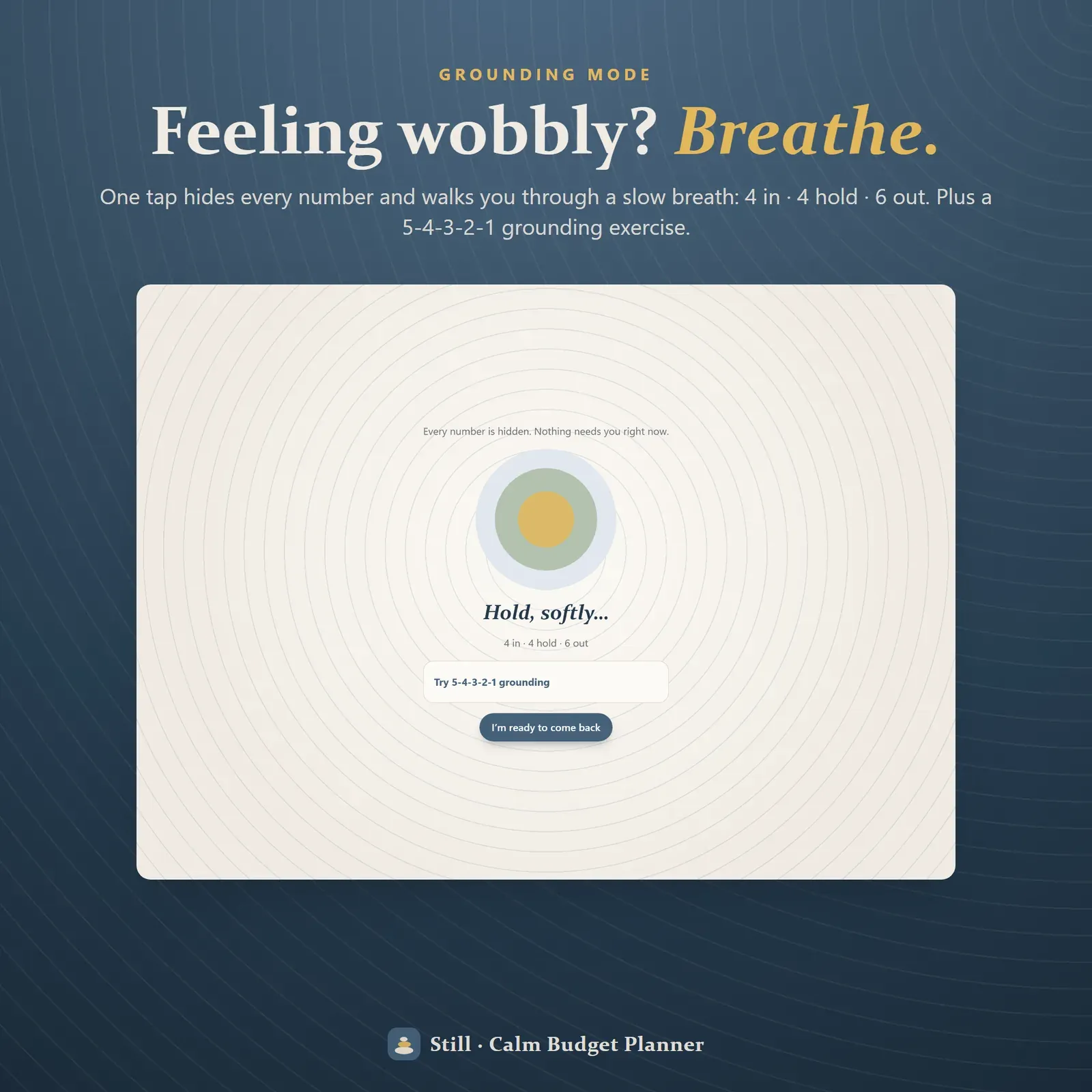
Breathe grounding mode that hides every number and guides a slow breath
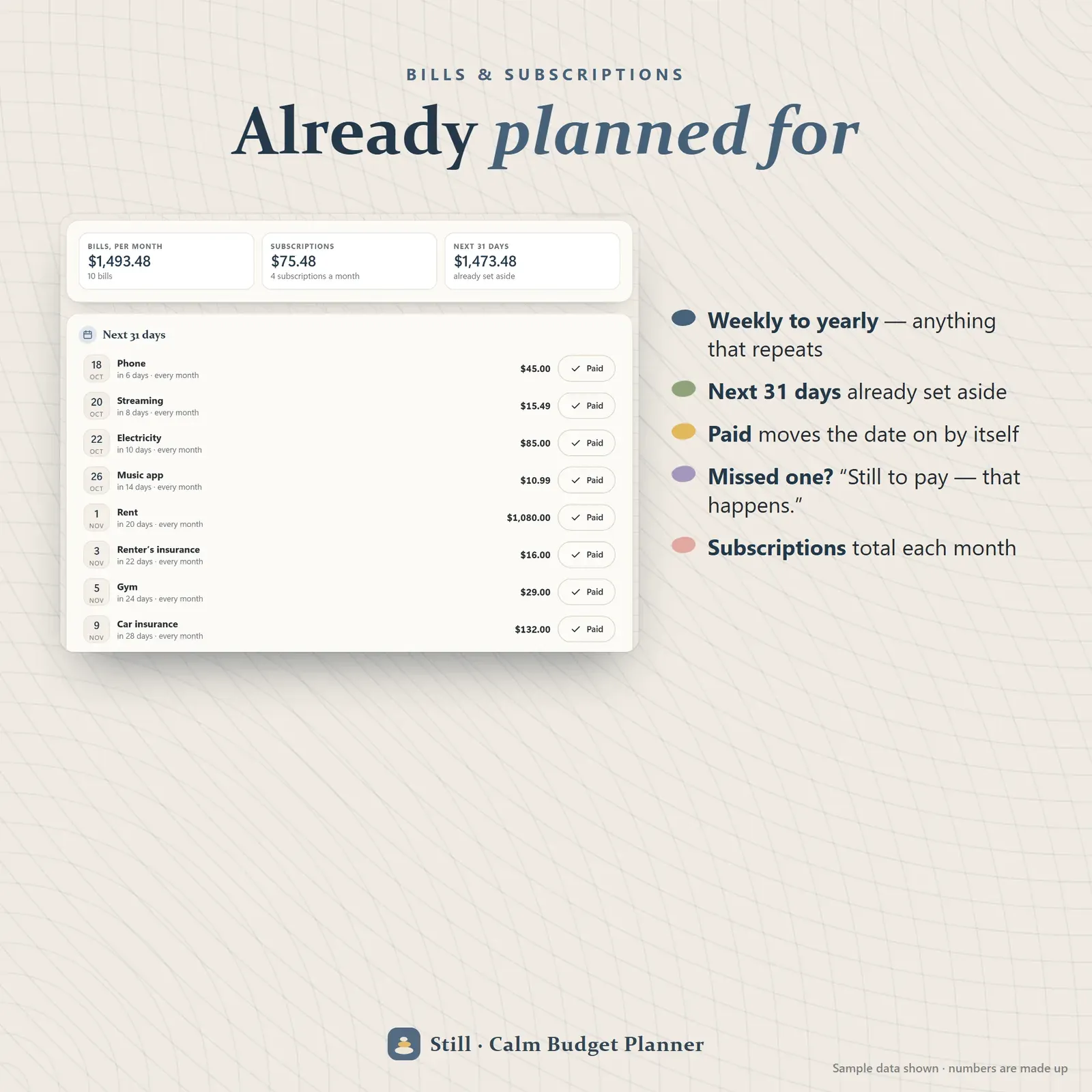
Bills and subscriptions with the next 31 days already set aside and a Paid button
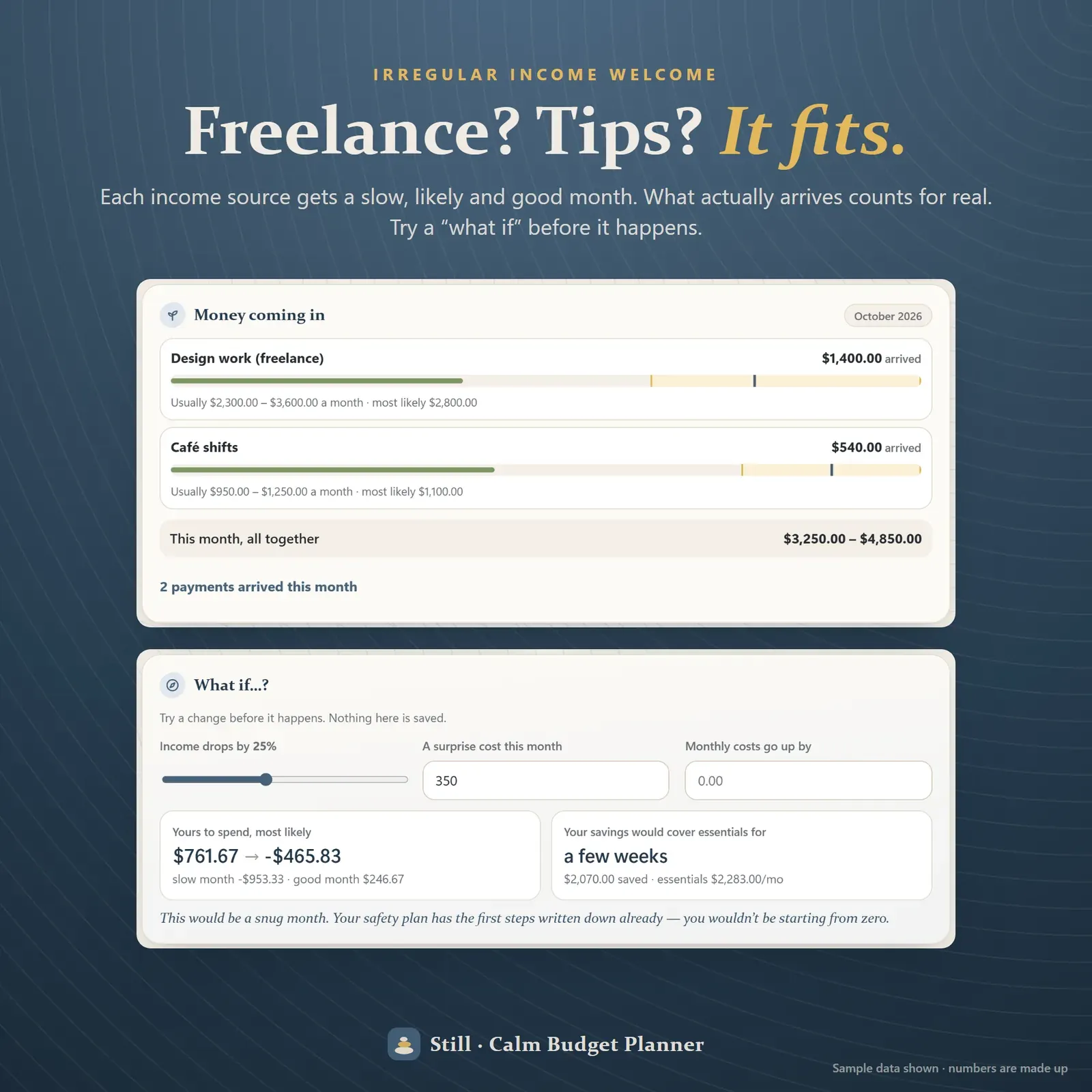
Irregular income with a slow, likely and good month for each source, and a what-if planner
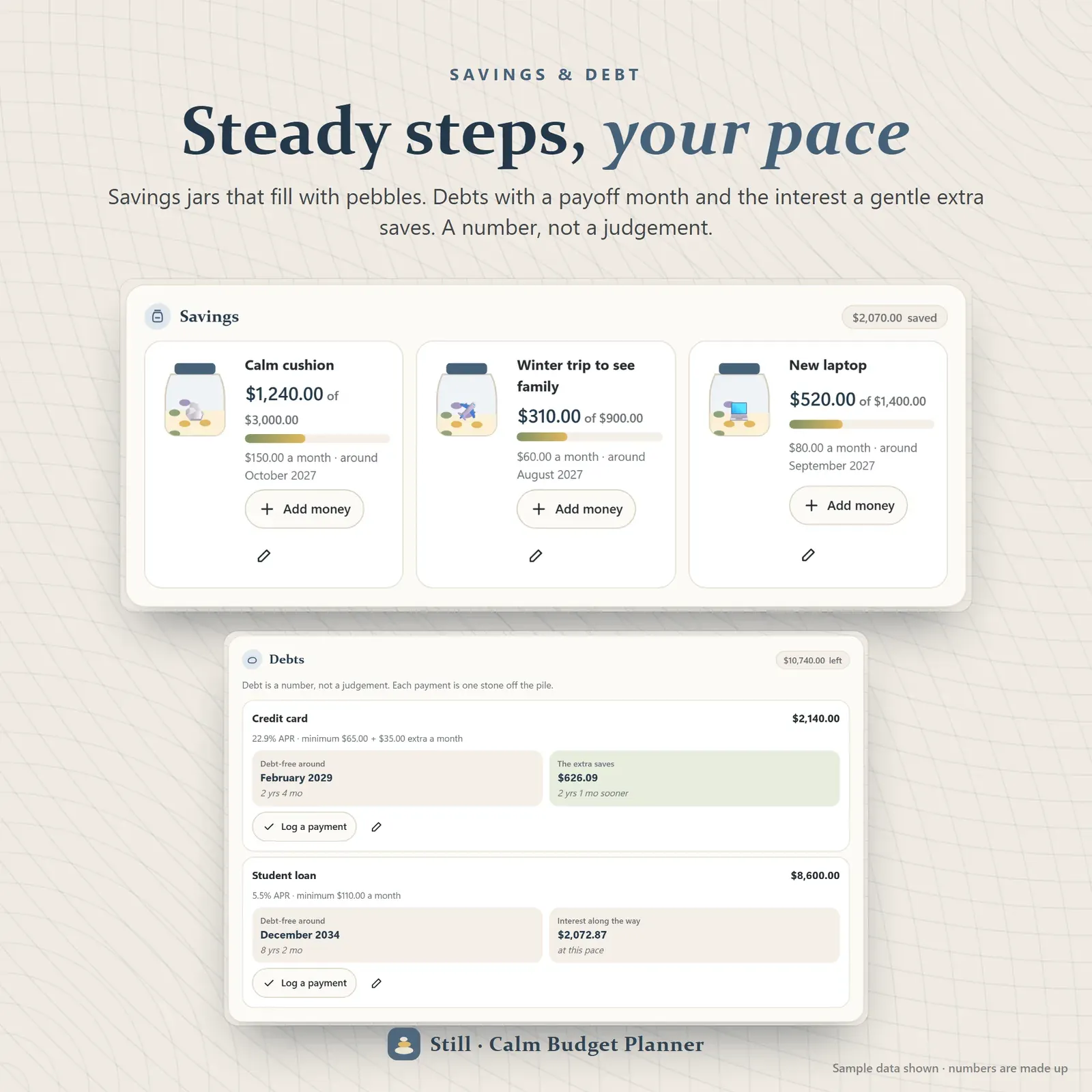
Savings jars that fill with pebbles and debts with a payoff month and interest saved
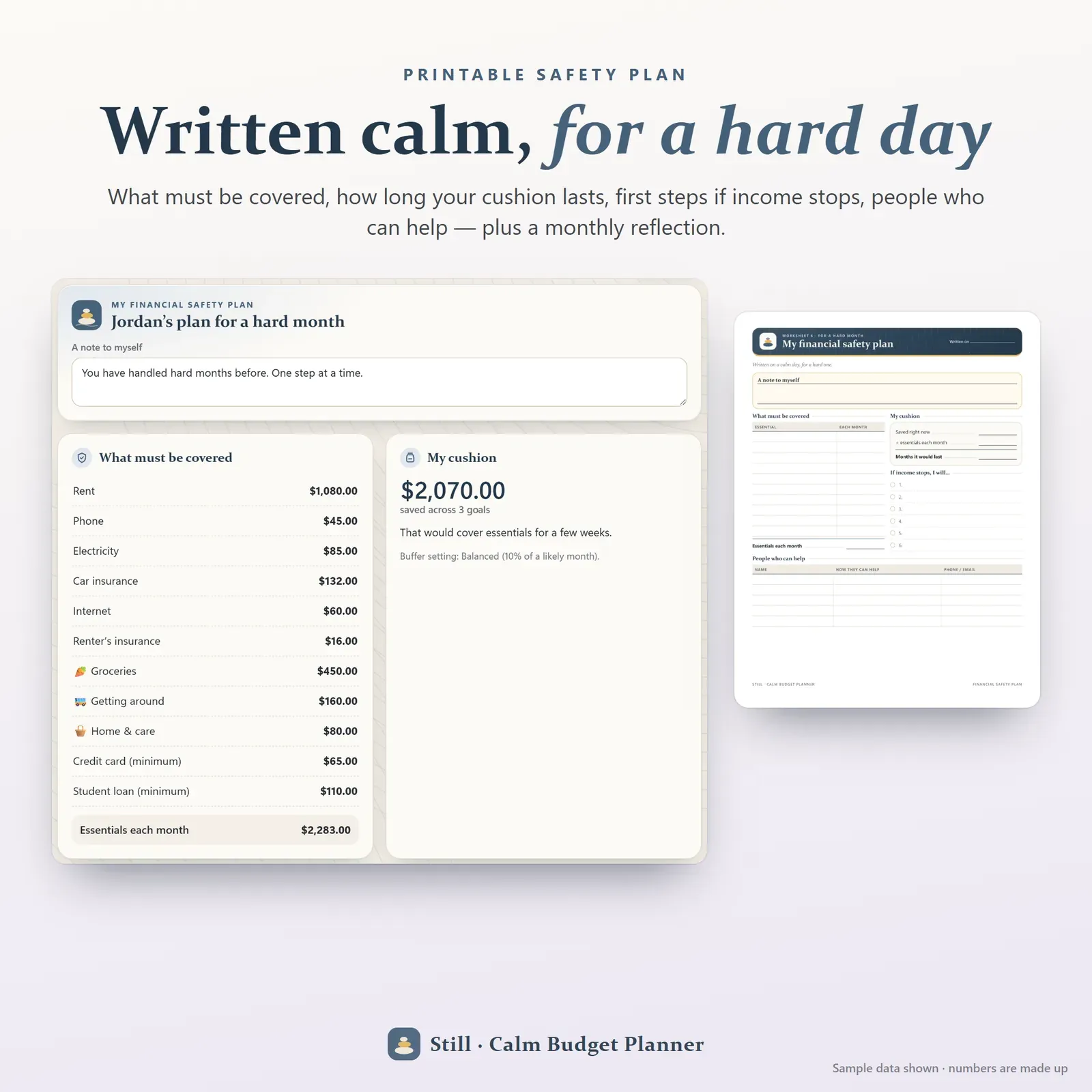
A printable financial safety plan for a hard day, plus a monthly reflection
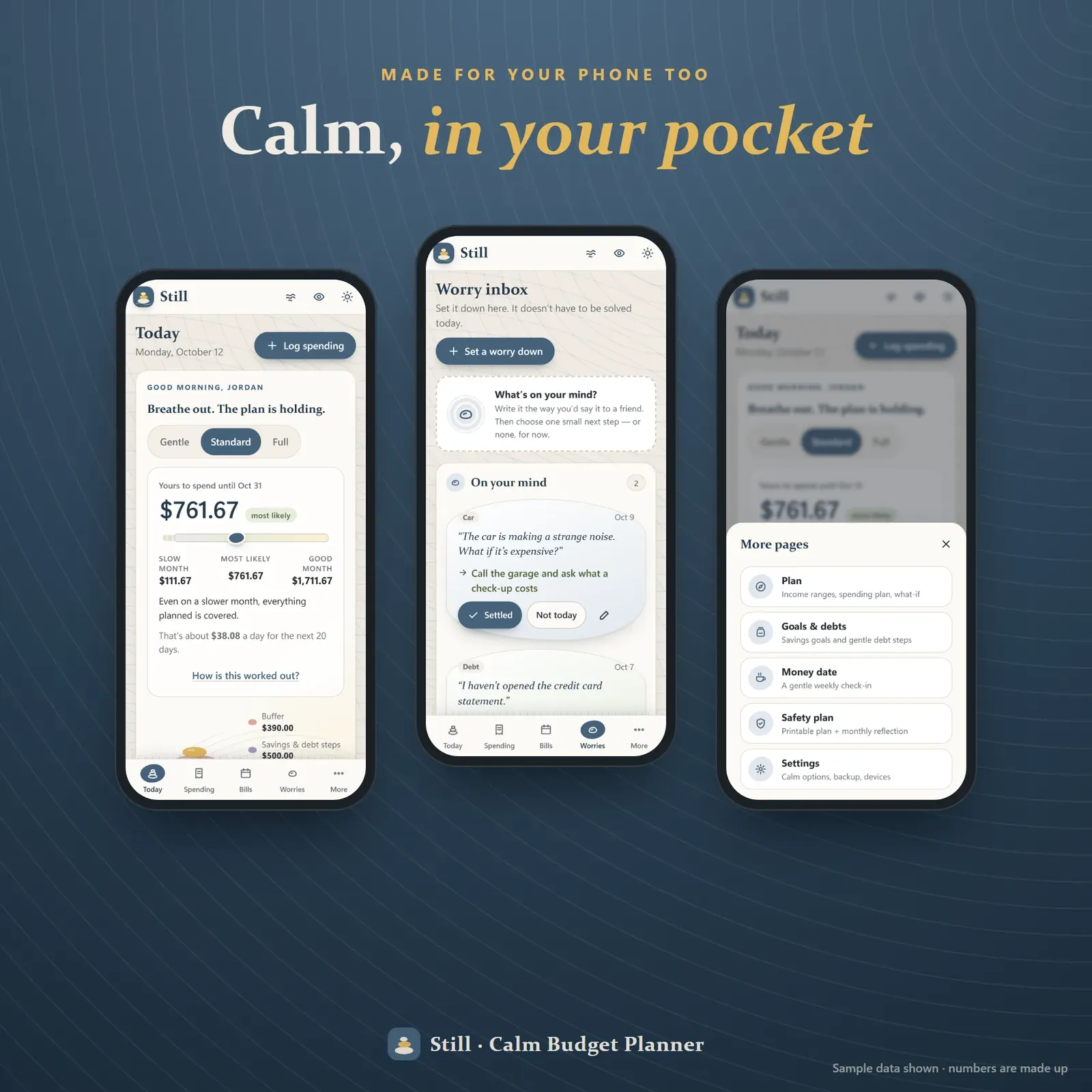
Still on a phone — Today, the worry inbox and the More sheet
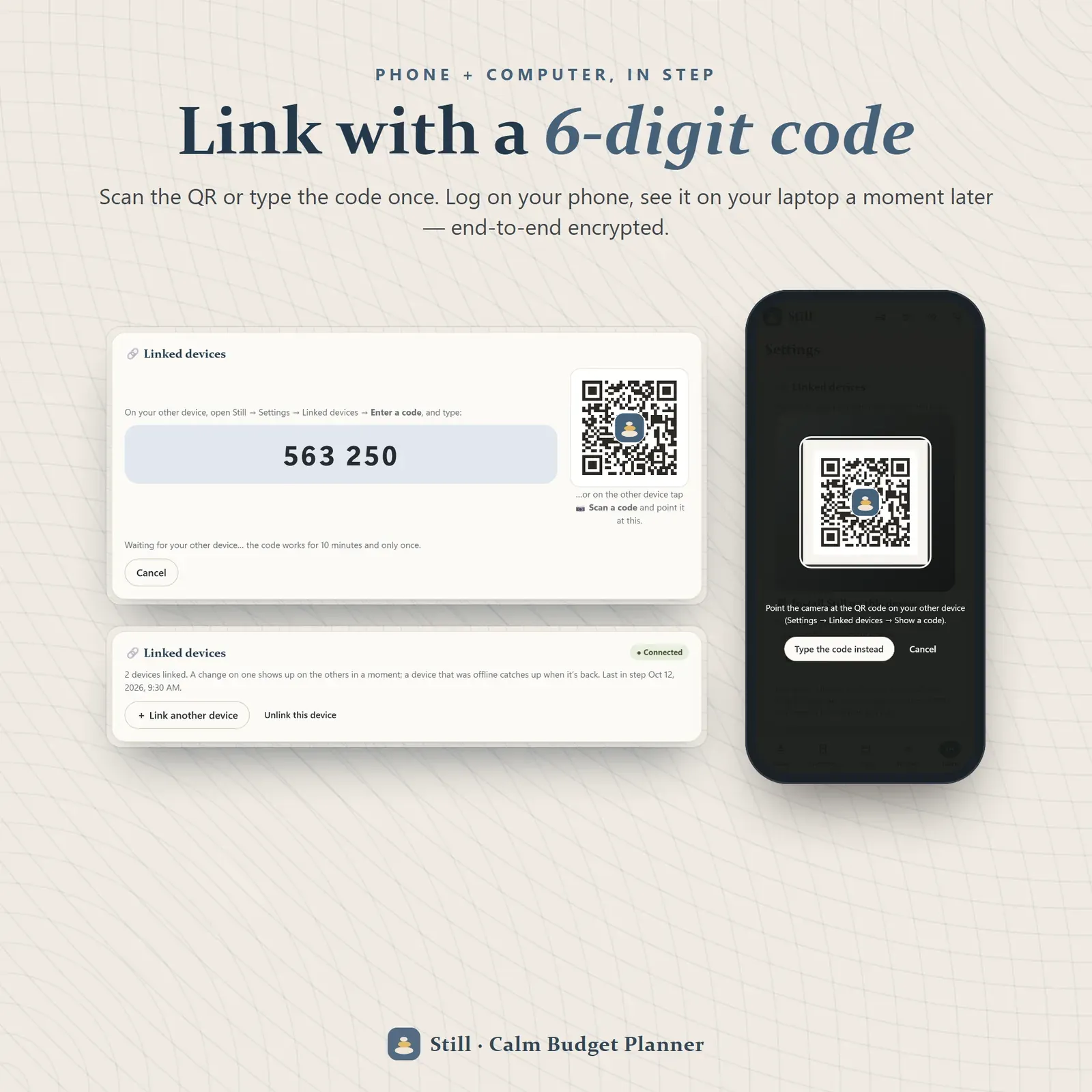
Phone and laptop linked with a 6-digit code or QR
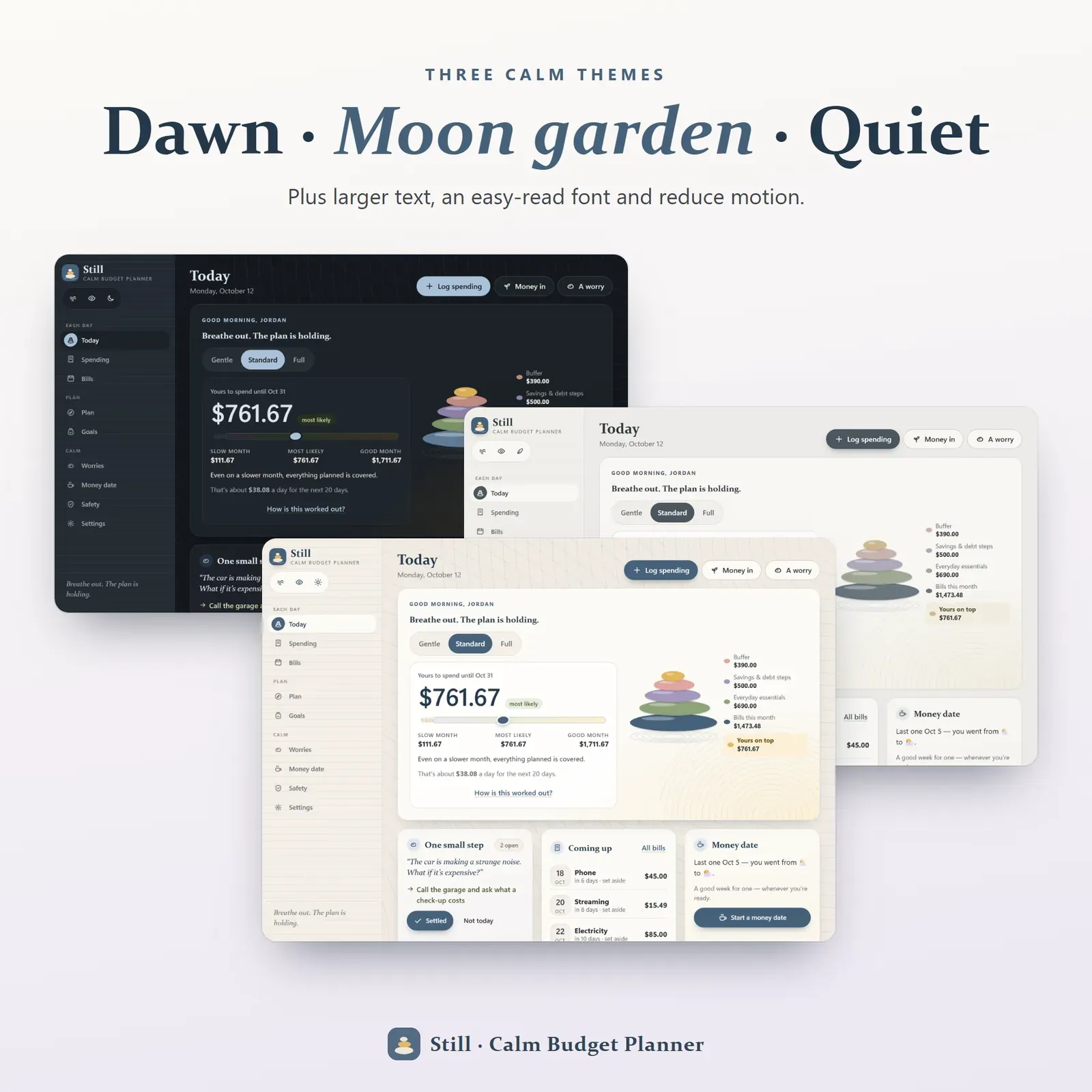
Three calm themes — Dawn garden, Moon garden and Quiet paper
Try the live demo with a sample month — no sign-up.
After buying, open Still from your private link and install it on your phone or computer.
Choose how much you'd like to see, then add the easiest thing first — one income source, one bill or today's coffee.
Once a week, have a ten-minute money date with yourself.
Still is a digital budget planner for financial anxiety — for anyone who feels their stomach drop when they open a banking app, puts off looking at bills, or has tried strict budgets and quietly given up. It runs on your phone, tablet and computer, installs like an app, works offline and keeps your numbers private on your own devices. You can try the free demo with a sample month before you buy.
Still keeps everything a real budget needs — income, bills, spending, savings goals and debt payoff — but changes how it is shown. One scary number becomes a calm range. "Over budget" becomes "room left". And on days when even that is too much, one tap hides every number and walks you through a slow breath.
Financial anxiety often works like a loop: money feels scary, so you avoid looking, so you don't know where you stand, so money feels scarier. Most budgeting apps were built for people who already feel in control. They show a single safe-to-spend figure that swings with every purchase, paint categories red, count streaks and push a live bank feed at you. That is useful for some people and exactly the wrong thing for others.
Still is built to break the avoidance loop gently. Small, predictable check-ins. Numbers you can trust because you added them. A plan that bends instead of breaking. If you'd like to read more about the feeling itself, our guide to financial anxiety explains where it comes from and what helps.
Still's home screen is a little zen garden. The money you set aside first rests as stones in a cairn:
Bills due in the next 31 days,
everyday essentials like groceries and transport,
savings and debt steps you've chosen for this month,
and a buffer — Comfortable, Balanced or Cautious.
What rests on top is yours to spend, guilt-free. Instead of counting down from your income as you spend, Still counts up from what's already covered. That one change makes the number feel safe rather than fragile.
Ask most apps "how much can I spend?" and you get one number, to the cent. Still gives you three:
Slow month — if income comes in at the low end, this is still covered.
Most likely — what you'll probably have.
Good month — room to breathe.
A small pebble sits on the range bar at the most likely point, with an about-per-day amount underneath. Tap How is this worked out? and you see every line: income range, bills, essentials, savings, debt steps, buffer. No black box.
Not every day is a Full-dashboard day. Still has three views you can switch any time:
Gentle — one calm summary and one small step. Nothing else.
Standard — plus bills coming up and your next money date.
Full — everything, including your spending plan.
Hide amounts blurs every figure with one tap, which is handy on a bus or when you just want to tick a bill as paid without seeing totals.
There is no red anywhere in Still. Categories show room left rather than "over budget". Spent more than planned? The bar turns a soft heather and says the plan can bend — then shows how the rest of the month still works. There are no streaks to break either: gentle moments count every time you showed up, whether that was logging a coffee or simply opening the app.
The bill tracker handles weekly, every-two-weeks, monthly, quarterly and yearly bills and subscriptions. Everything due in the next 31 days is already set aside in the cairn, so a bill arriving is never a surprise. Tap Paid and the date moves on by itself without counting the money twice. Missed one? It says "still to pay — that happens", not "OVERDUE". Subscriptions show a monthly total so you can spot the ones you no longer use.
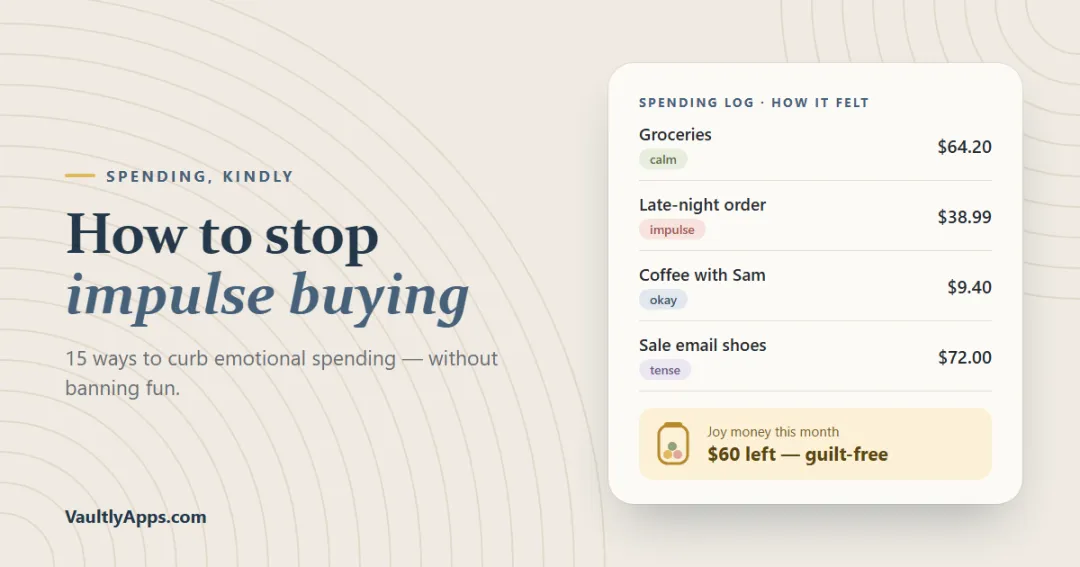
Log spending in a few taps: amount, category, a note and an optional feeling — calm, okay, tense or impulse. At the end of the month Still shows how your spending felt, not just how much it was. That small habit is one of the most effective ways we know to notice emotional spending; our guide on how to stop impulse buying explains why.
The spending plan has categories with emoji, an essential switch and a joy money switch — a planned, guilt-free amount for things that make life better. A budget with no room for joy rarely lasts.
Freelancers, gig workers, creators, tipped and seasonal workers don't have one paycheck to plan around. In Still, each income source gets a slow, likely and good month. The safe-to-spend range follows those estimates, and money that actually arrives replaces the guess as the month goes on.
The What if…? planner lets you try a change before it happens — income drops by a quarter, a surprise cost lands, monthly costs go up — and shows the new range plus how many months your savings would cover essentials. For a bigger-picture answer, the free how long will my savings last calculator works the same idea out over years.
Savings jars fill with little pebbles as you add money. Each goal has a monthly amount and an estimated month you'll reach it — start with a calm cushion (an emergency fund) and add trips or big purchases when you're ready.
The debt payoff planner takes each debt's balance, APR, minimum payment and an optional gentle extra, and shows your debt-free month and the interest you'll save. Log payments as you make them and watch the stones get smaller. A number, not a judgement.
Money worries love to circle at 2 a.m. The worry inbox gives them somewhere to go. Write a worry the way you'd tell a friend — "the car is making a noise and I can't afford a repair" — then choose what to do with it:
pick one small next step (Still suggests ideas, like "send one friendly invoice reminder" or "write down when the next payment should arrive"),
rest it "not today",
or move it to the settled pile once it's handled.
Seeing the settled pile grow is quietly powerful: proof that worries do get resolved.
Once a week, Still invites you to a ten-minute money date — six short cards, one at a time:
How do you feel about money right now?
A look back at the last seven days.
A look ahead at the next seven.
One worry to set down.
One intention for the week.
How do you feel now?
Your mood before and after is saved, so over a few weeks you can see that looking at money, gently and regularly, tends to make it feel lighter — the opposite of avoidance.
Feeling wobbly? Breathe hides every number and opens a slow breathing circle — 4 in, 4 hold, 6 out — plus a 5-4-3-2-1 senses grounding exercise. When you're ready, you come back to exactly where you were.
Still includes a printable financial safety plan, written calm in advance: a note to yourself, what must be covered each month, how long your cushion lasts, the first steps if income stops and the people who can help. It's the page you'll be glad exists if a hard month comes. A monthly reflection prints the month in numbers alongside what went well, what was hard and one thing for next month.
Still is for anyone who wants gentle budgeting instead of strict rules: people with money anxiety or money avoidance, ADHD brains and anyone easily overwhelmed, freelancers and gig workers with irregular income, people starting over after debt, and anyone who has tried a budgeting app and felt judged by it. If you're working with a financial therapist, Still's money dates and worry inbox make a natural between-session practice.
Choose from three calm themes — Dawn garden, Moon garden (dark) and Quiet paper, a low-stimulation greige with no patterns or motion. Set larger text, an easy-read font and reduced motion. Pick from 30 currencies, add your name to the greeting and your printed safety plan, and use the guided tour on day one. Spending exports to CSV, and every page prints on clean white paper.
There's no account, no bank connection and no tracking. Your budget lives in your browser on your own devices. Link your phone and computer once with a 6-digit code or QR and they stay in step, end-to-end encrypted through a relay that can't read your numbers. Export a backup file any time from Settings. On a computer, everything sits in a calm sidebar; on a phone, in a simple bottom bar.
The Still app — your private link for phone, tablet and computer, with no limits.
A 14-page Start Here PDF — install steps for every device, how to link devices and every page explained with screenshots.
A bonus printables pack — 7 worksheets (calm monthly plan, gentle spending log, bills and subscriptions, money date, worry inbox, financial safety plan, monthly reflection), 6 coloring boards (calm cushion with 100 pebbles, debt cairn, 52 money dates, savings jars, joy money, breathe and ground card) and 5 wallpapers.
Still works in any modern browser — Safari, Chrome, Edge or Firefox — with no Excel, Notion or Google Sheets needed. It doesn't send push notifications; open it when you're ready. It's a gentle planning tool, not financial, legal or mental-health advice. If you'd like a budget built around ADHD and quick wins, see Flow; for a classic finance dashboard, Vault; for paying off debt step by step, Zero; and for bills and subscriptions on their own, Pulse.
Free tools
Quick answers with the same maths — then let the app keep them up to date.
How many months or years your savings last — or what you can withdraw each month.
Open calculatorFurther reading
Personal Finance
Why we impulse buy, how emotional spending works, and 15 practical ways to stop — from the 72-hour rule and a want list to joy money and tagging purchases with feelings — plus a 30-day plan.
Personal Finance
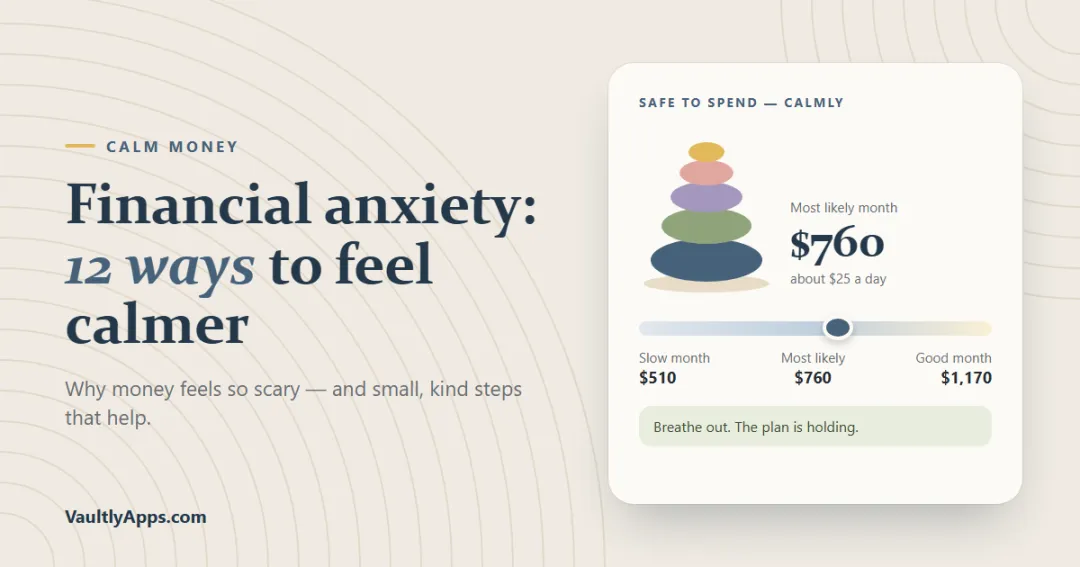
Financial anxiety is the worry, dread or avoidance that money can bring — even when the numbers are okay. Here are the signs, where the fear of finances comes from, 12 practical ways to feel calmer and when to look for financial anxiety treatment.
Personal Finance
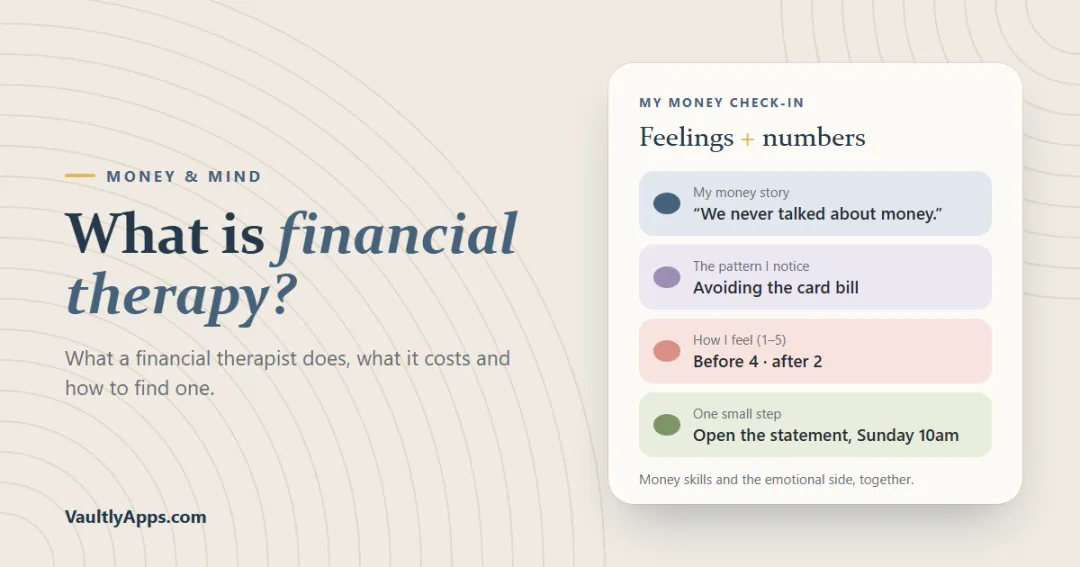
Financial therapy blends money skills with the emotional side of money. Here's what a financial therapist actually does, who it helps, what it costs, how it differs from a financial planner or a psychologist, and how to find a good one.
More from VaultlyApps
 Live
Live

Personal Finance Dashboard
Your whole money picture on one private dashboard — safe-to-spend, budgets, bills, goals, debt payoff and net worth, on your phone and laptop.
 Live
Live

ADHD Budget Planner
A calm budget planner designed for ADHD brains — one Safe to Spend number, 3-tap logging, focus mode and kind overspend fixes instead of red warnings.
 Live
Live

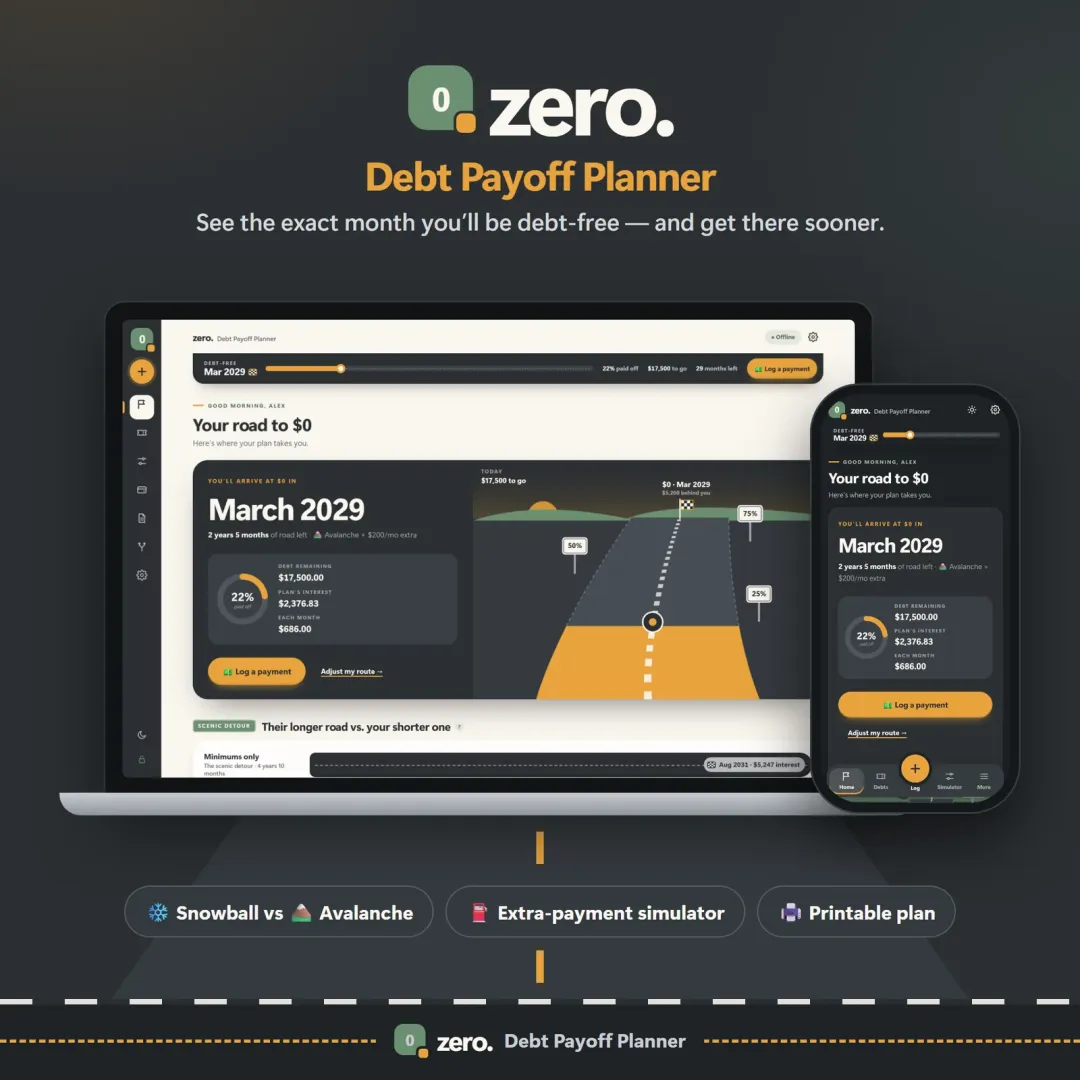
Debt Payoff Planner
See your debt-free date, compare the snowball and avalanche methods side by side, and watch extra payments pull the finish line closer.
The live demo runs in your browser with realistic sample data. Nothing to install, nothing to sign up for.
We use optional cookies for anonymous analytics. Nothing optional is set until you choose. Cookie policy
This site currently uses no analytics or advertising cookies. It only remembers your light/dark preference in your own browser.
Essential
Theme preference and this choice. Always on.