Paycheck Budget Calculator
See what each paycheck must set aside and what's left per day.
Open calculator Live
Web app (installable PWA)
Harbor by VaultlyApps
A daily spending tracker and paycheck budget planner that turns your bills and payday into one number: what's safe to spend today. Made for ADHD brains and tight months, on your phone and computer.
Try the live demo to explore the application — it runs right here on VaultlyApps with sample data, no sign-up needed.

Harbor is a daily spending tracker and paycheck budget planner for your phone and computer. It keeps back the bills due before payday, shares the rest over the days you have left and shows one calm number each morning: what's safe to spend today. Spend less and tomorrow gets more; spend more and it spreads out. It never turns red, and there are no streaks to break. No account, no bank login, no ads, no subscription.
A bank balance tells you what's there, not what's free. Rent, the phone bill and a car payment are still sitting in it, so a healthy-looking balance can be gone by Thursday. Most budget apps answer that with categories, charts and red warnings, which is exactly what a tired or ADHD brain closes and never opens again. Harbor answers with one number.
Money in your counted accounts, minus bills before payday, goals you protect, a buffer and your usual unlogged spending, shared over the days to payday. Tap "How is this worked out?" to see the whole sum in plain words.
Type "12 lunch, 4.50 coffee" and it becomes two sorted spends. One-tap usuals, split receipts, a receipt calculator and refunds against the original buy keep logging to a few seconds.
Paid weekly, every two weeks, twice a month, monthly or "it varies". Each day to payday is a buoy with its amount, and the bills due before then wait at the jetty, already kept back.
Type what your bank app says. Harbor catches up, and after two balance checks it learns your usual unlogged spending and counts it in.
Can it fit? shows a price in days of money and hours of work, with a 48-hour wait list. Money back countdowns, copy-ready scripts and a hidden fees check help you get money back afterwards.
Rough day mode shows only the number for 3 days. Oops sorts a late fee, an overdraft, a forgotten bill or a regret buy in 3 calm steps. A missed bill gets "Did this go out?", never "overdue".
Scroll sideways · select to enlarge
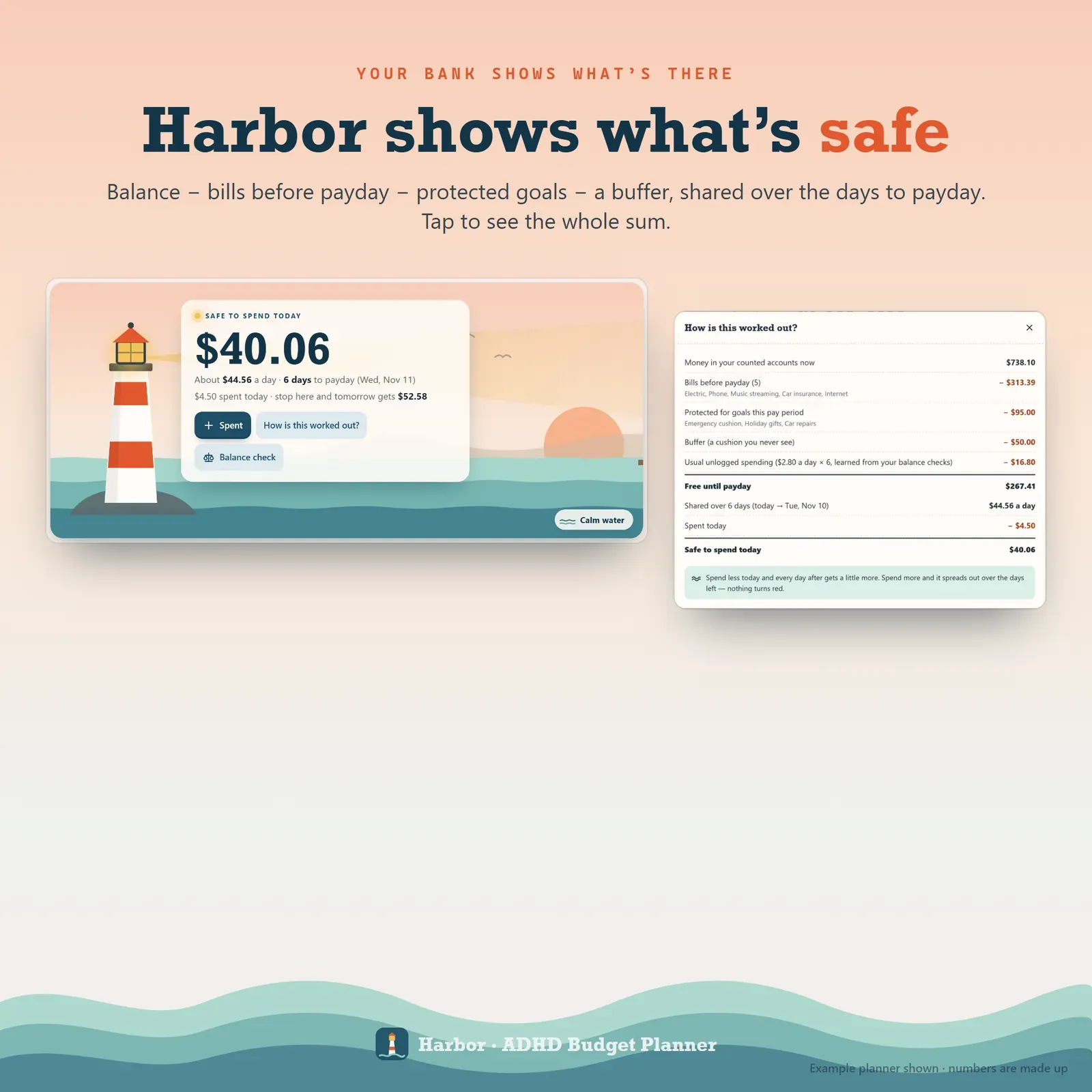
Safe to spend today shown as one number, with a plain-words breakdown of balance, bills before payday, protected goals and buffer

Days until payday drawn as buoys with the daily amount, and bills due before payday listed with a one-tap paid button

Daily expense tracker where you type a spend like a text message, with one-tap usuals and a split receipt form

Balance check that compares your bank balance with the app and learns your usual unlogged spending

Paycheck budget screen with paydays, side income, a monthly bill calendar and an add to phone calendar button

Impulse buying helper showing a price in days of money and hours of work, with a 48-hour wait list and free mood boosts

Refund and return countdowns, copy-ready scripts and a hidden fees check that reads a bank CSV statement on your device
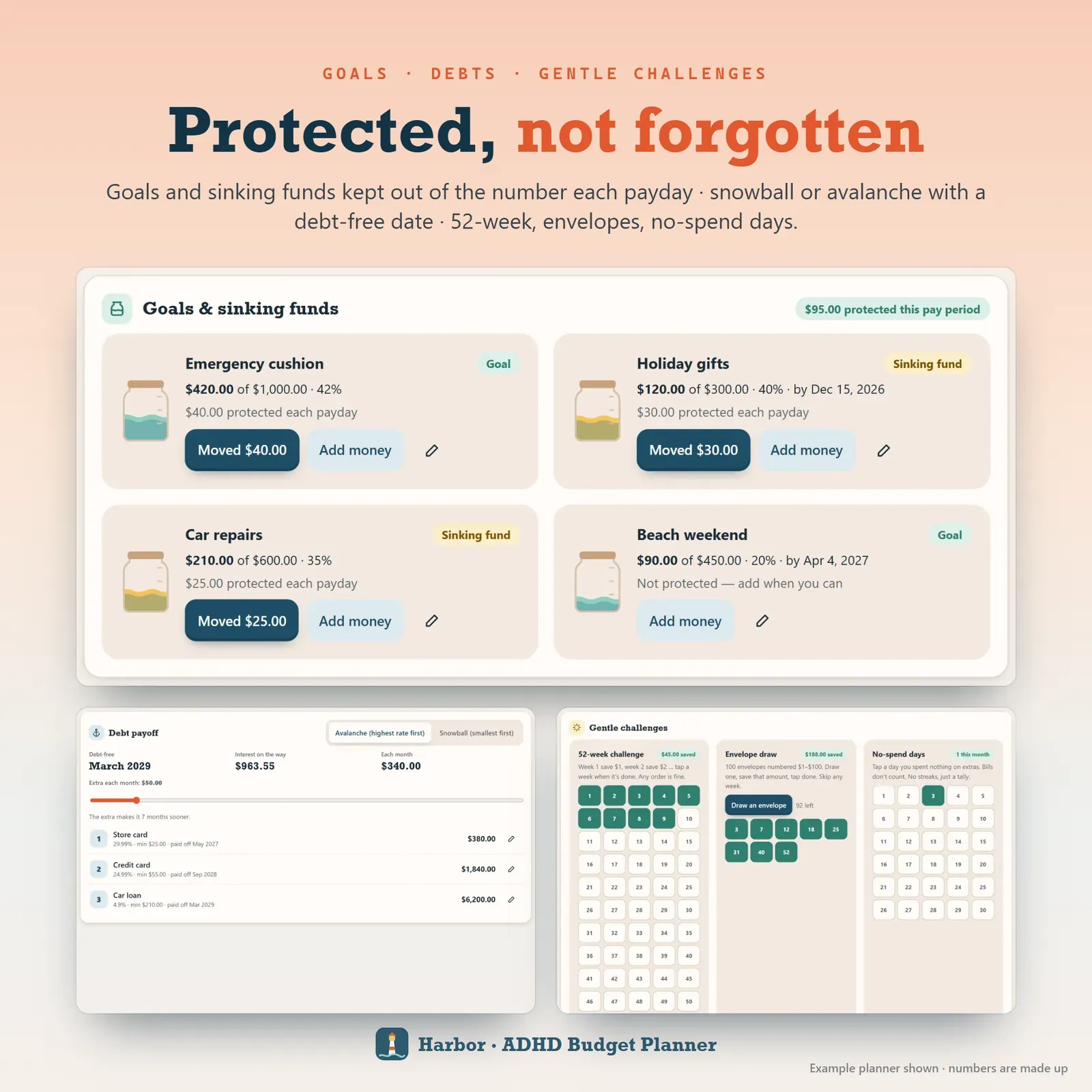
Protected savings goals and sinking funds, debt payoff with a debt-free date, and gentle savings challenges

Rough day view showing only the daily number, and an Oops helper for a late fee, an overdraft, a forgotten bill or a regret buy
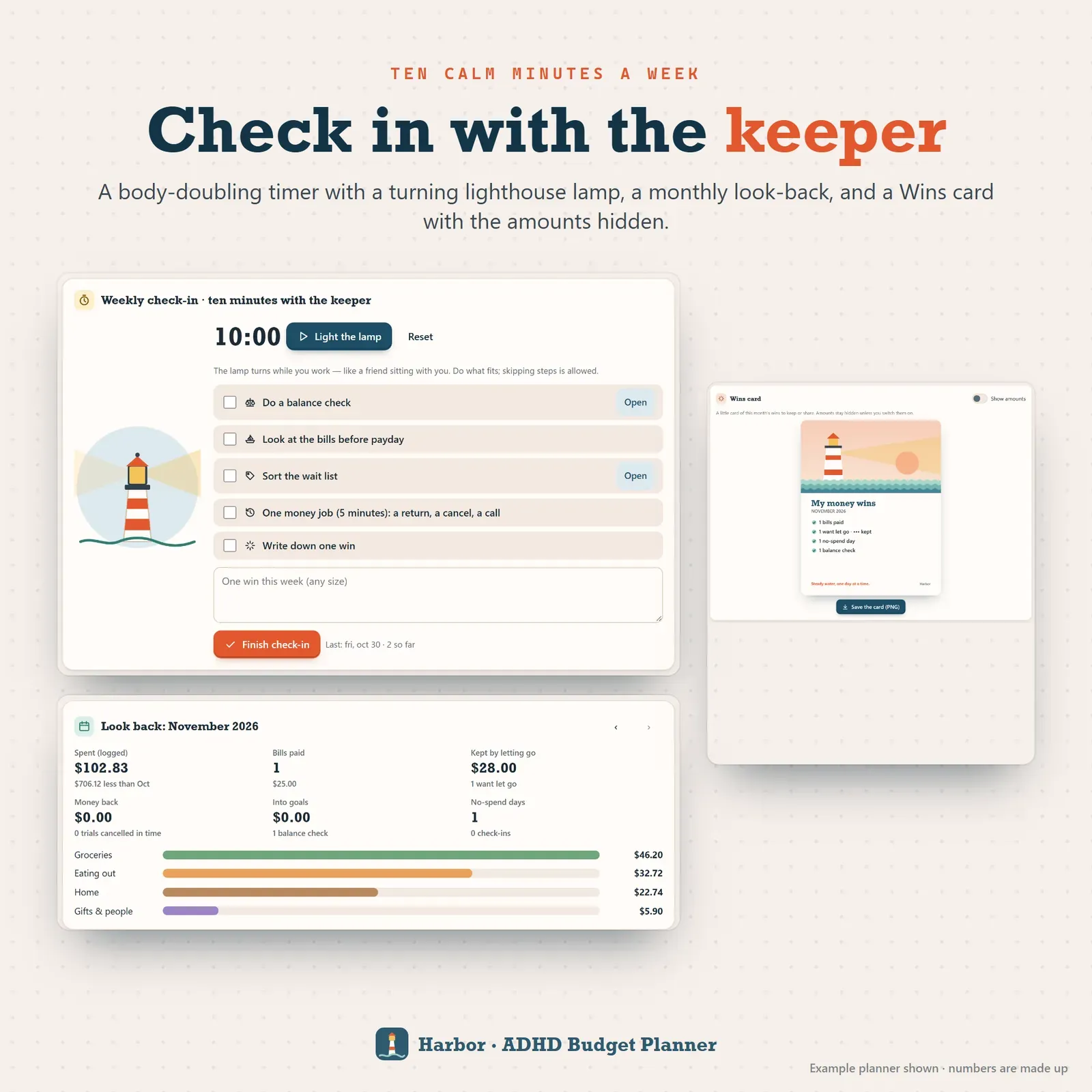
Weekly 10-minute money check-in with a timer, a monthly look-back and a wins card with the amounts hidden
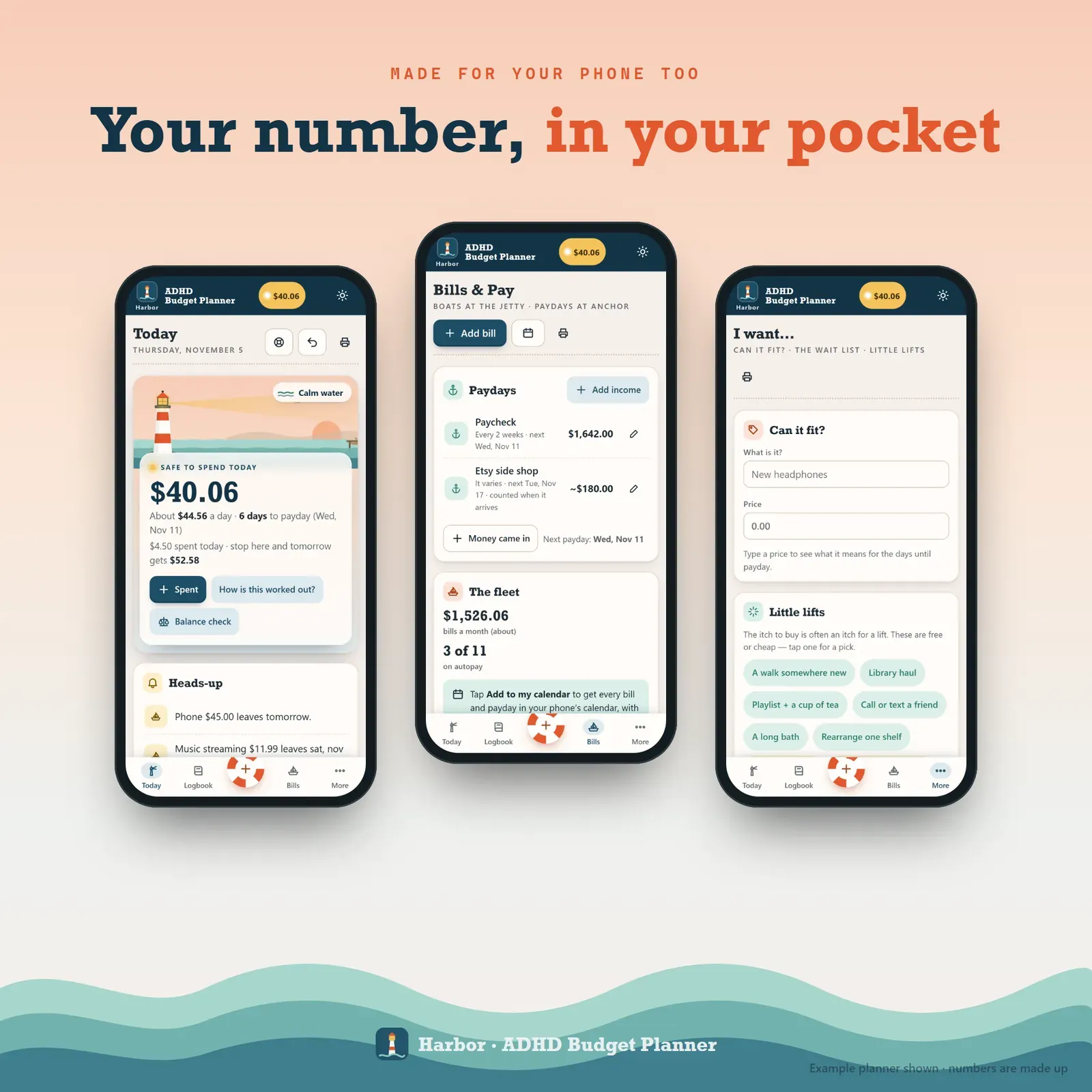
The budget planner on three phones: today's number, bills and paydays, and the impulse helper
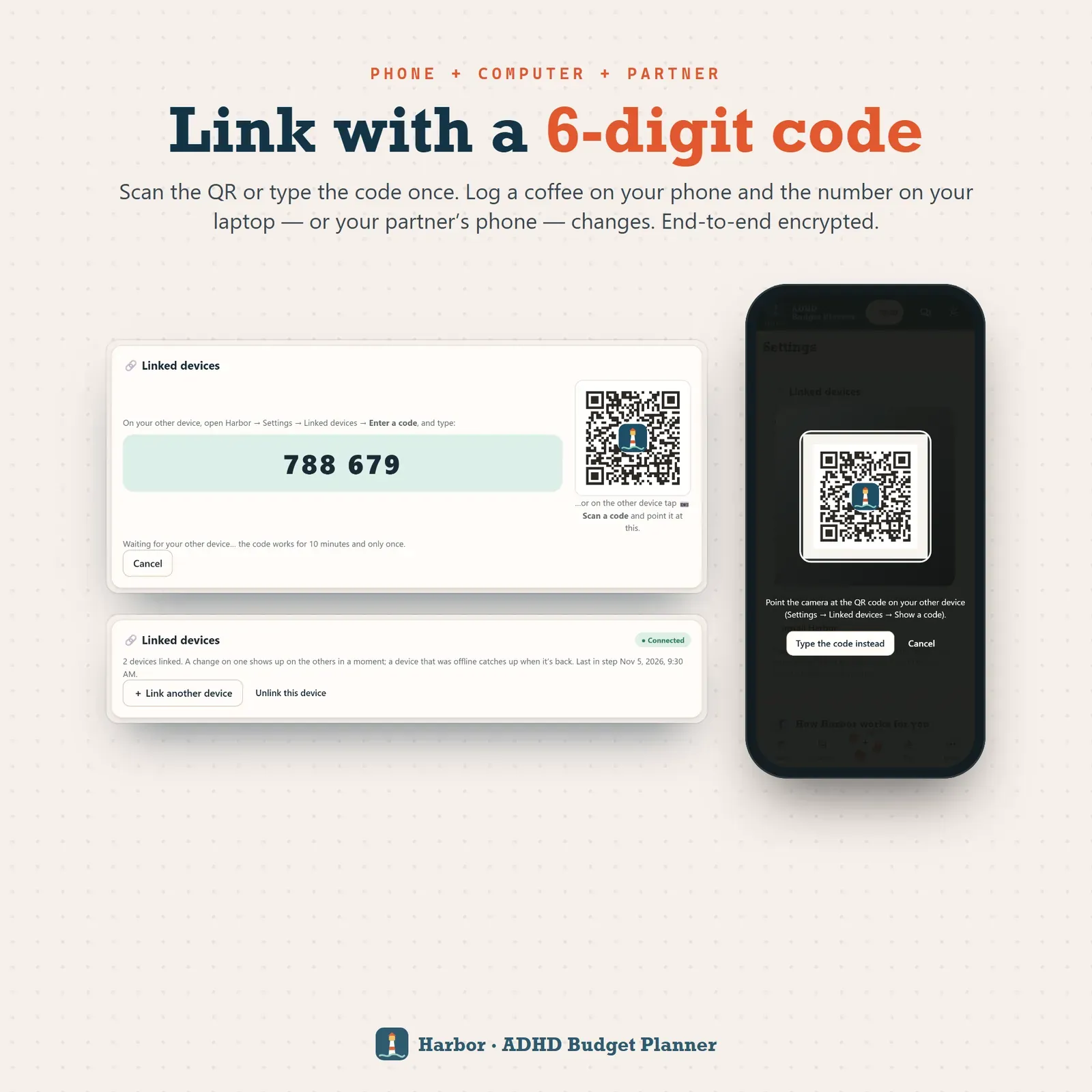
Phone and laptop linked with a 6-digit code or QR so both show the same daily number

Three themes for the budget app: Dawn, Night harbor (dark) and Fog, a low-stimulation theme
Try the live demo with sample numbers. No sign-up needed.
After buying, open Harbor from your private link and install it on your phone and computer.
Answer 6 short questions (about 2 minutes) and read today's number.
Log spends when you remember, check your balance now and then, and link your laptop or a partner's phone with a 6-digit code.
Harbor is a daily spending tracker and paycheck budget planner for your phone, tablet and computer. It keeps back the bills due before your next payday, shares what's left over the days you have, and shows one calm number each morning: what's safe to spend today. Your number glows in a lighthouse, the days to payday are buoys and your bills are boats at the jetty that sail off when they're paid. It installs like an app, works offline and keeps your money data on your own devices. You can try the free demo with sample numbers before you buy.
A bank balance includes money that's already promised. Rent, the phone bill and the car payment are all still sitting in it, which is how a balance that looked fine on Monday turns into an overdraft fee on Thursday. Harbor does the subtraction for you:
Money in your counted accounts − bills before payday − goals you protect − a buffer − your usual unlogged spending = what's free. Share that over the days to payday, and you have today's number.
Spend less today and every day after gets a little more. Spend more and it spreads out across the days you have left. The number never turns red, and "How is this worked out?" shows the whole sum in plain words. New to the idea? Read what a safe-to-spend number is.
Most people stop tracking because logging takes too long. In Harbor you type the way you'd text a friend: "12 lunch, 4.50 coffee" becomes two spends, sorted for you. Your usual coffee, lunch or bus fare is one tap. You can split one receipt across categories, add up a basket with the receipt calculator and log a refund against the original buy.
The logbook works as a full daily expense tracker too: this week, since payday and where the money went, without a chart you have to decode.
You don't have to log everything. Type what your bank app says in a balance check and Harbor catches up. After two checks it learns your usual unlogged spending and counts it in, so a missed coffee never breaks the number.
Rent doesn't wait for the end of the month, and neither does your budget if you're paid every two weeks. Harbor plans from one payday to the next:
Want to see the idea with your own numbers first? The free paycheck budget calculator splits your bills across paychecks and shows what's left per day. If you're trying to break the cycle, start with how to stop living paycheck to paycheck.
Instead of warnings, Harbor has weather you can read at a glance. The waves in the lighthouse scene follow how tight the period is: calm, a light breeze, choppy or rough. It tells you what you need to know without shouting, and in the Fog theme the motion switches off entirely.
Can it fit? shows any price in days of money and hours of work before you buy. Then you choose: buy it, wait 48 hours or save for it. Everything you let go is added up as money kept, and little lifts is your own list of free and cheap mood boosts for when the itch is really about something else. More ideas in how to stop impulse buying.
Money leaks through things you meant to deal with. Harbor gives each one a countdown and a next step:
These are the costs people call the ADHD tax, and most of them are fixable.
Budgets usually break on the worst day of the month, so Harbor plans for it. Rough day mode shows only the number for 3 days while the extras go quiet. Oops sorts a late fee, an overdraft, a forgotten bill or a regret buy in 3 calm steps. A bill that slipped by gets a gentle "Did this go out?", never "overdue". There's no red, no streaks and no failed days, in Harbor's words: "that's okay, the next days share it out."
Once a week, light the keeper's lamp: a 10-minute timer with a turning lighthouse beam keeps you company while you check your balance, look at the bills ahead and do one small money job. It's the same idea as body doubling. A monthly look-back shows what happened, and a Wins card makes a picture of your progress with the amounts hidden.
Protected goals and sinking funds take their share out of your number every payday, so they don't get spent by accident. Debt payoff uses avalanche or snowball with an extra-payment slider and a debt-free date. A 52-week challenge, 100 envelopes and a no spend tracker are there when you want them, with no streaks to break.
There's no account, no ads and no tracking. Your budget lives in your browser on your own devices. Link your phone and laptop once with a 6-digit code or QR, and a coffee logged on one changes the number on the other a moment later, end-to-end encrypted. You can share one number with a partner the same way. Choose from three themes, Dawn, Night harbor (dark) and Fog (low stimulation), plus large text, less motion and a "just the number" view, in any currency.
Harbor works in any modern browser (Safari, Chrome or Edge; Firefox works in a tab). It needs internet the first time you open it on each device, then works offline. It doesn't connect to your bank and never moves money. Reminders show while Harbor is open; add your bills to your phone's calendar for alerts when it's closed. It's a planning tool, not financial, legal or tax advice. Want a fuller monthly plan? Bloc is our simple zero-based budget planner, Flow is our broader ADHD budget planner, and Tempo is our ADHD daily planner for time rather than money.
Free tools
Quick answers with the same maths — then let the app keep them up to date.
See what each paycheck must set aside and what's left per day.
Open calculatorFurther reading

Personal Finance
The ADHD tax is the extra money people with ADHD lose to late fees, forgotten subscriptions and missed returns. Here's where it comes from, how to add up yours and the systems that bring it down.

Personal Finance
What living paycheck to paycheck really means, a 10-step plan to break the cycle, a low income budget example and how to stop overspending without giving up everything.

Personal Finance
What overdraft fees are, what they cost, how to turn them off, 12 ways to avoid them for good and a word-for-word script for getting one refunded.
More from VaultlyApps
 Live
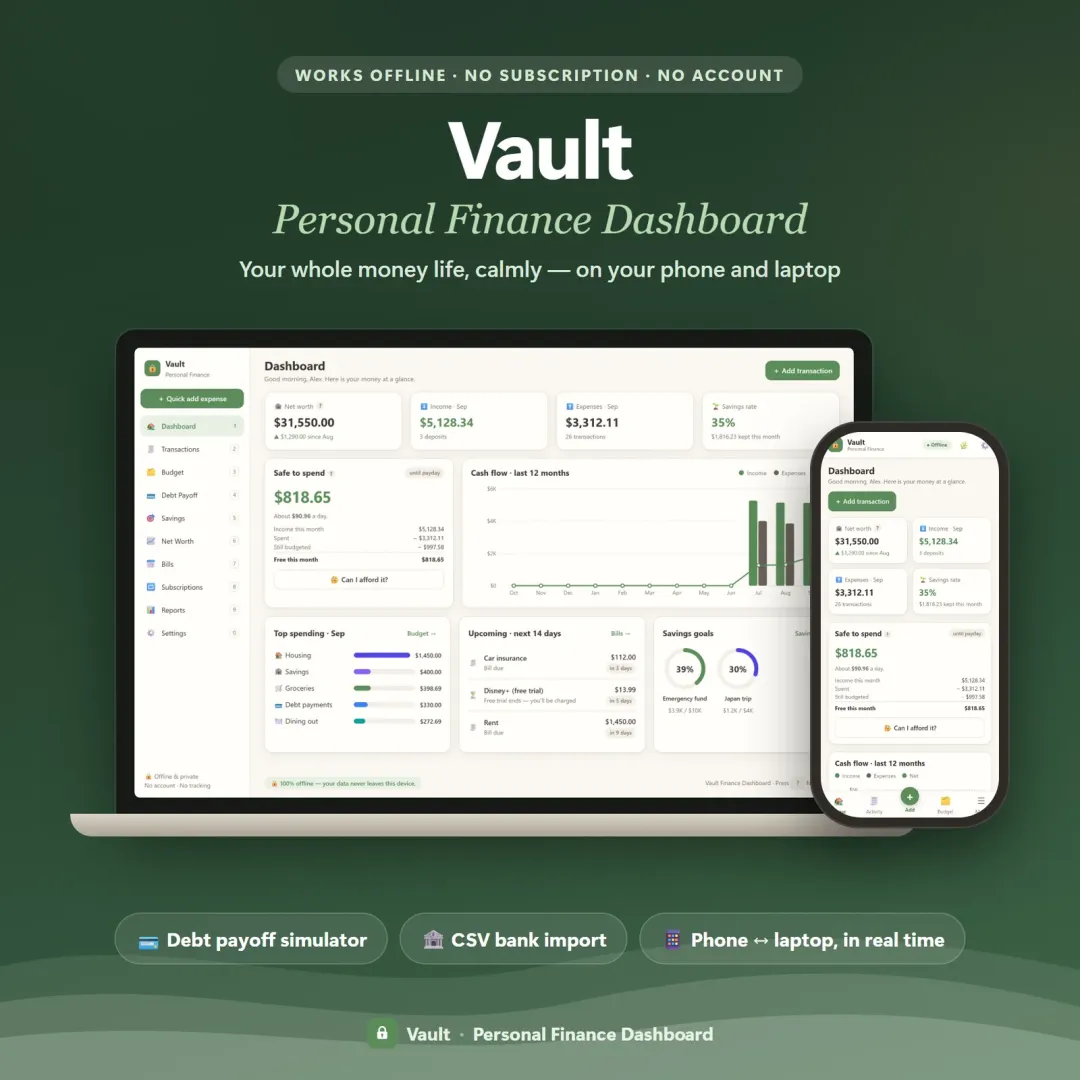
Your whole money picture on one private dashboard — safe-to-spend, budgets, bills, goals, debt payoff and net worth, on your phone and laptop.
 Live
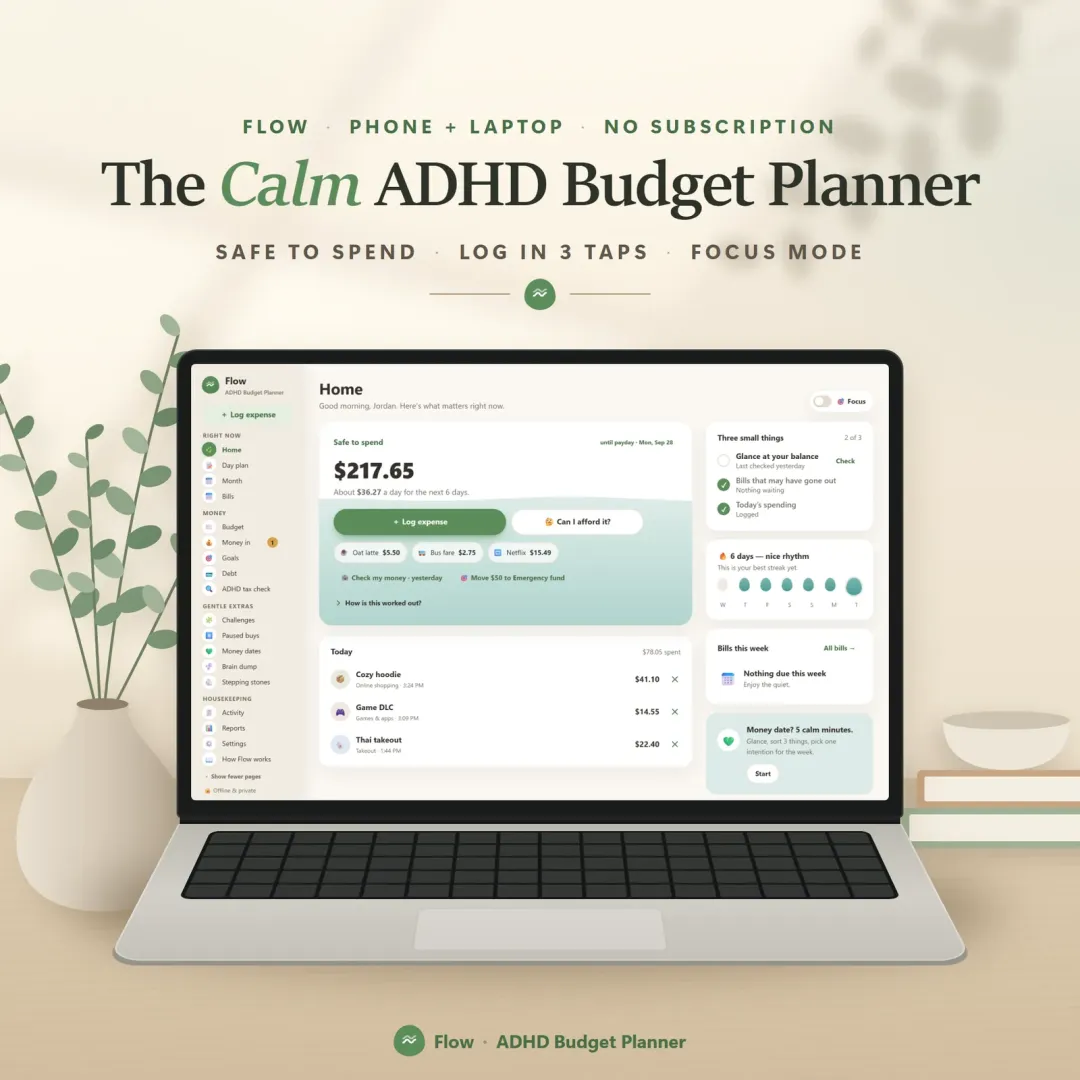
A calm budget planner designed for ADHD brains — one Safe to Spend number, 3-tap logging, focus mode and kind overspend fixes instead of red warnings.
 Live
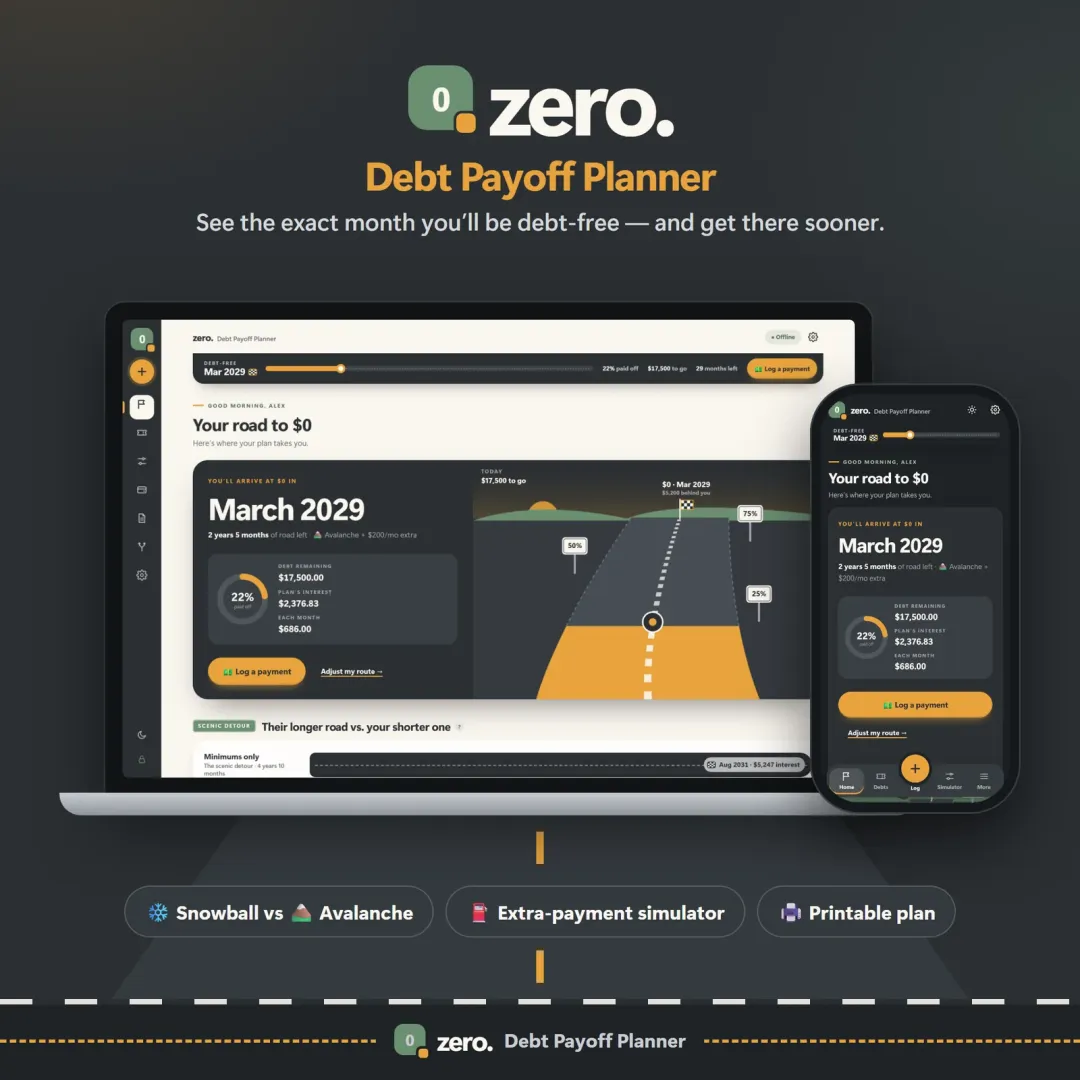
See your debt-free date, compare the snowball and avalanche methods side by side, and watch extra payments pull the finish line closer.
The live demo runs in your browser with realistic sample data. Nothing to install, nothing to sign up for.
We use optional cookies for anonymous analytics. Nothing optional is set until you choose. Cookie policy
This site currently uses no analytics or advertising cookies. It only remembers your light/dark preference in your own browser.
Essential
Theme preference and this choice. Always on.