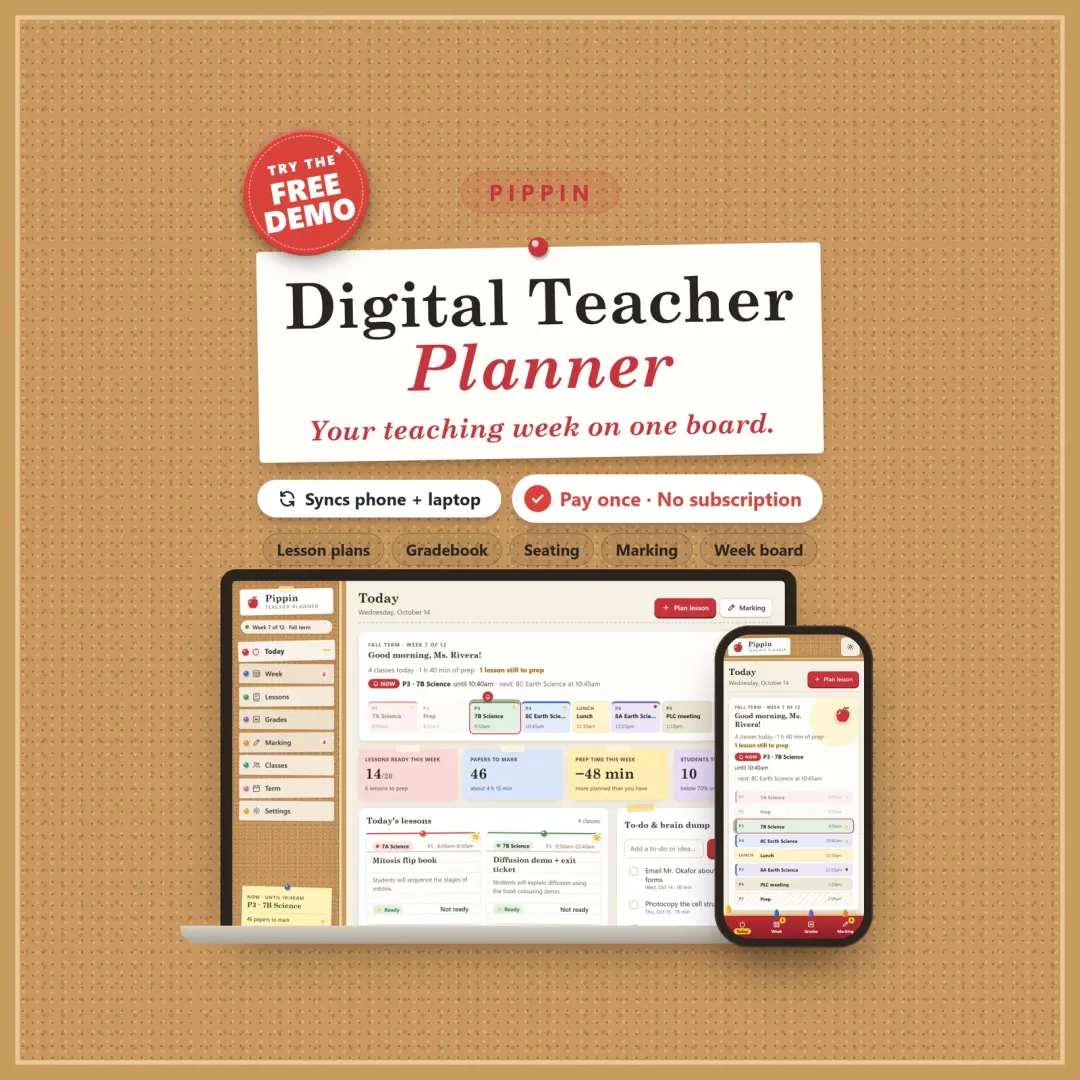
Pippin is a digital teacher planner for your phone, tablet and computer. It puts your whole teaching week on one bulletin board: today's bell schedule, a weekly lesson planner with a lesson bank you reuse, a teacher gradebook that does the math, a marking queue that protects your prep time, seating charts, a family contact log and the term ahead. It installs like an app, works offline and keeps everything private on your own devices. You can try the free demo with a sample classroom before you buy.
Why a teacher planner app instead of a template?
A paper teacher planner, or a digital planner template for Goodnotes or Google Slides, is a set of pretty pages you still fill in by hand. It doesn't know which period comes next. It can't bring last year's lesson back. It can't add up a weighted grade, and it can't warn you that this week's marking won't fit your prep periods.
Pippin is a teacher planner app. You set up your bell schedule and timetable once, and from then on it does the busywork: it knows your day, keeps lessons you can reuse, works out grades and checks your workload. It's a classroom planner, teacher organizer and teacher dashboard in one place.
Today: always know what's next
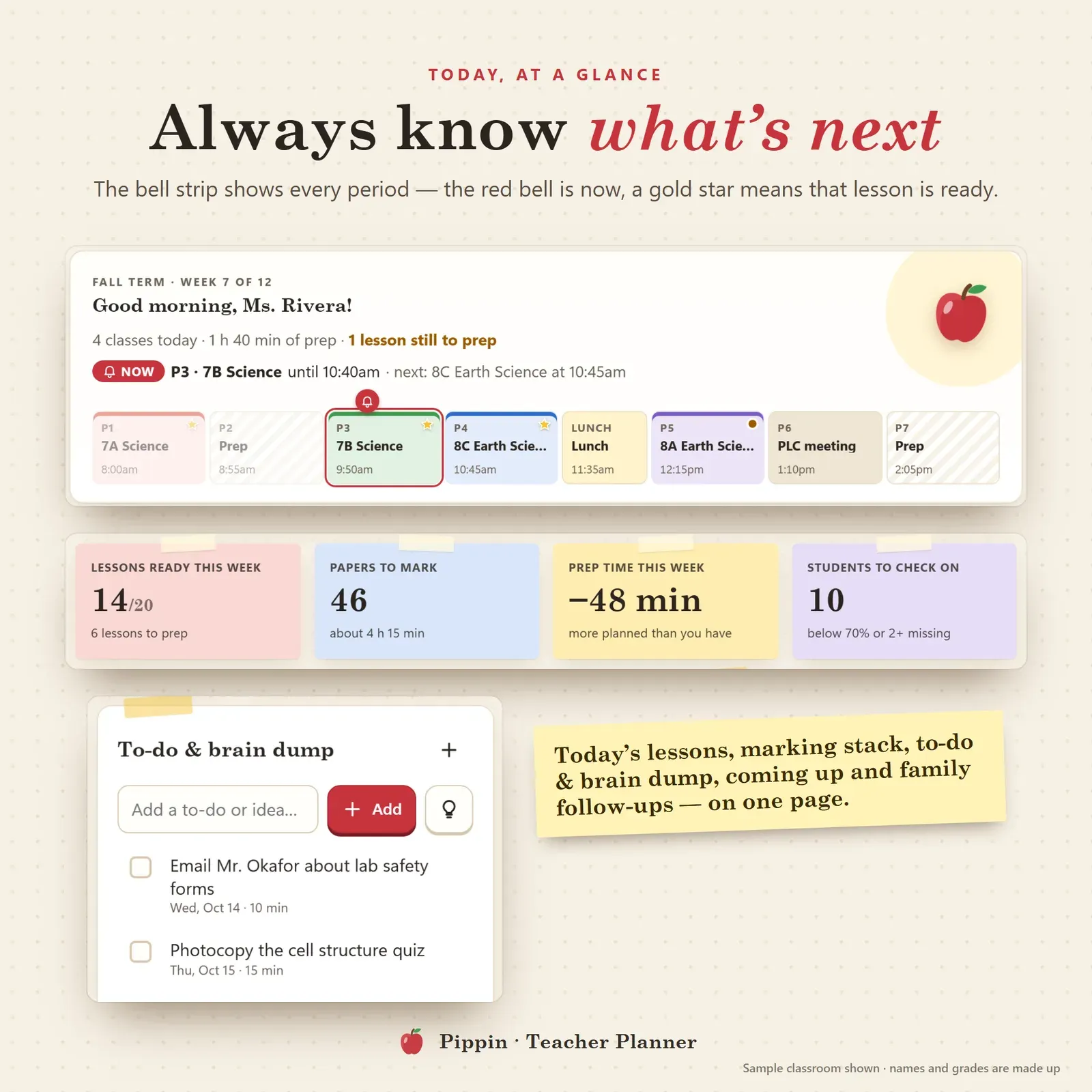
The Today page opens on a bell strip: one segment per period, sized by how long it lasts. A red bell marks what's happening now, and the next bell is shown with its time. Under it:
today's lessons as index cards (a gold star means the lesson is ready),
lessons ready this week, papers to mark and prep time left,
students to check on (low grades or missing work),
coming up this week and family follow-ups that are due,
a to-do list and brain dump for everything that pops into your head mid-lesson.
A weekly lesson planner on one board
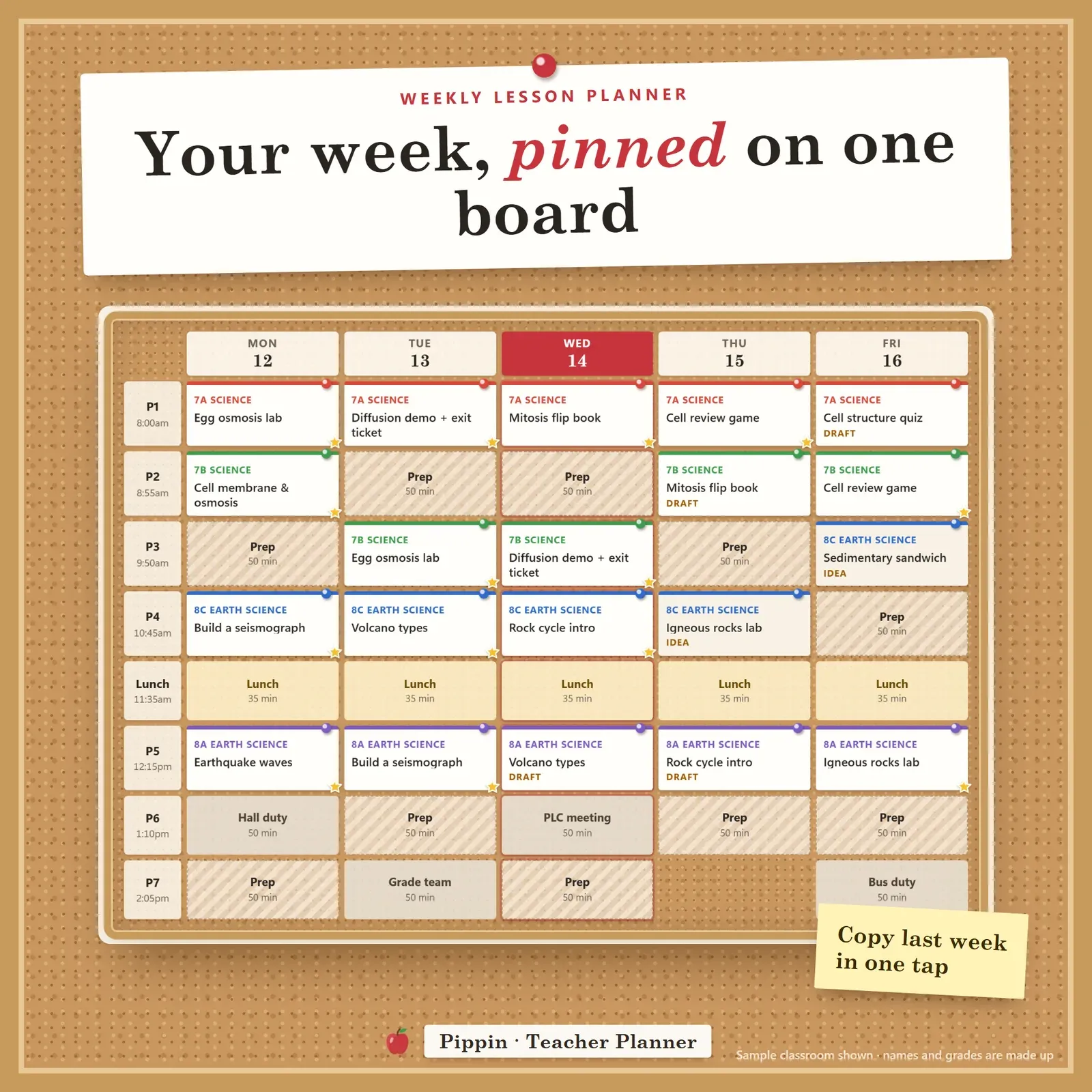
The week board is your timetable with every lesson pinned in its class colour. Prep, duty, lunch and meeting periods are shown, and holidays are skipped automatically. On Sunday night, Copy last week turns last week's lessons into drafts so you only change what's different. The whole week prints as a clean one-page weekly lesson plan sheet for your desk or your binder.
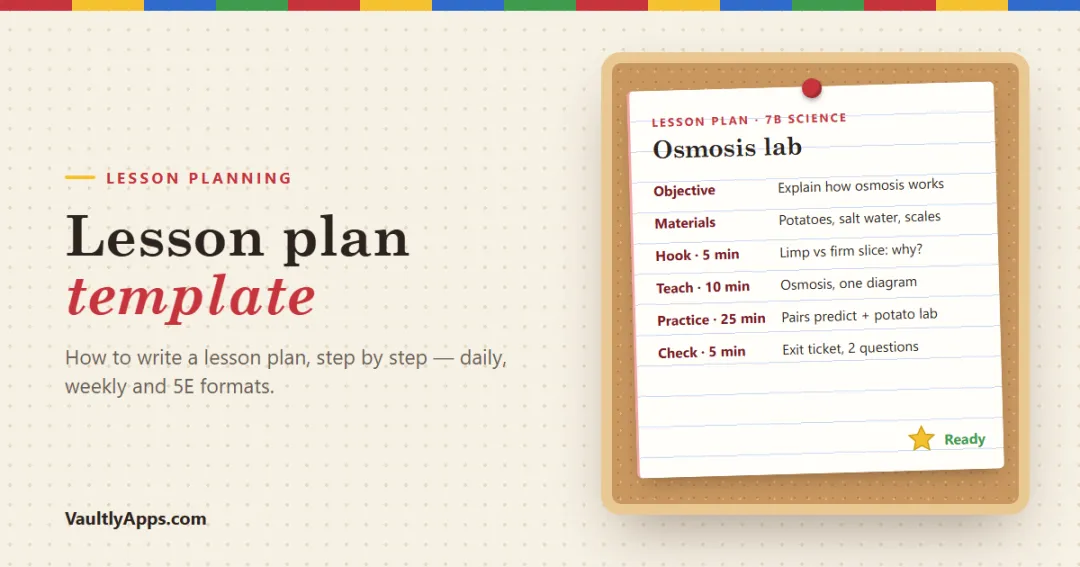
A lesson plan template built in
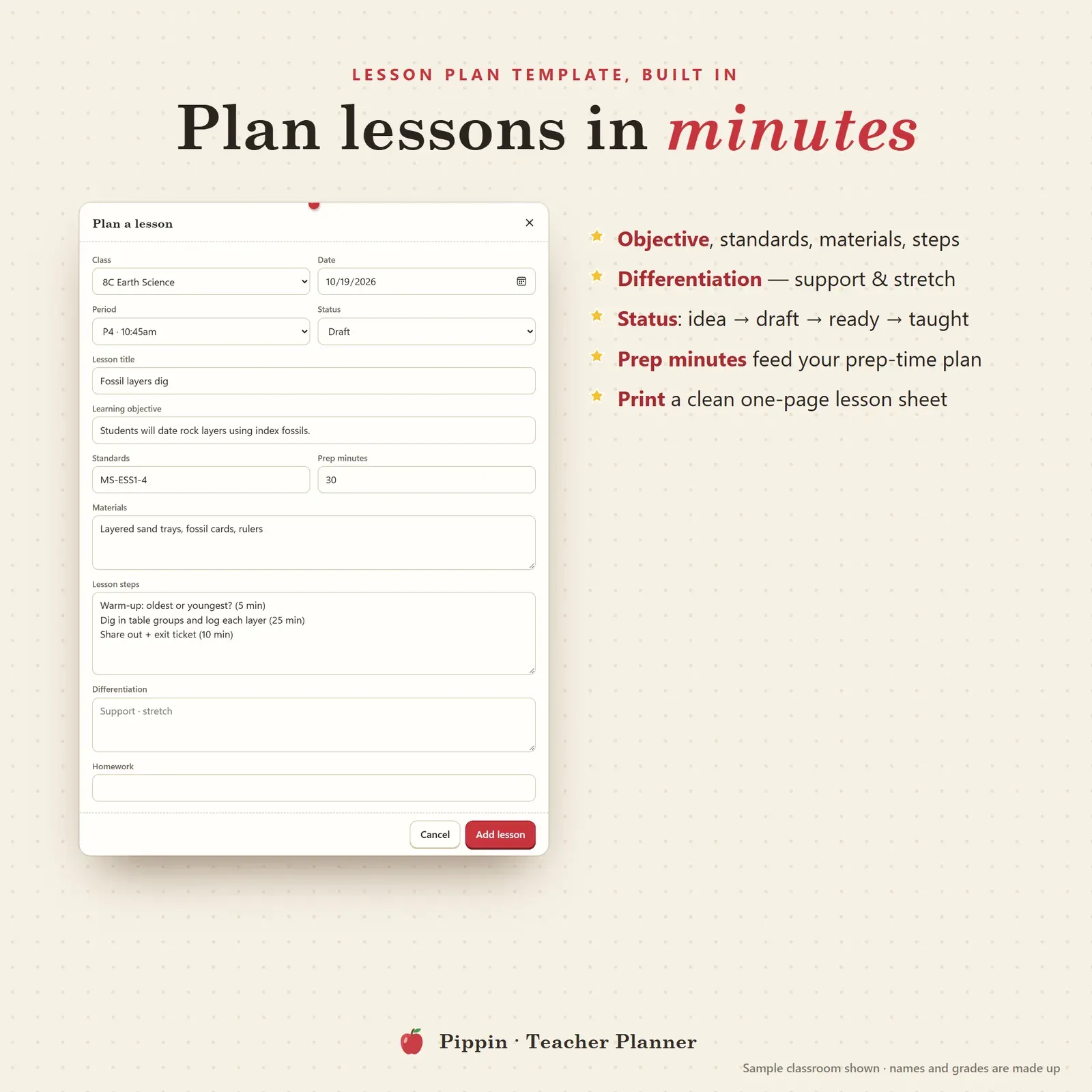
Every lesson follows the same simple lesson plan template:
Objective and standards
Materials
Steps (warm-up, main activity, check for understanding, exit ticket)
Differentiation, with support and stretch
Homework
Prep minutes, which feed your prep-time plan
Each lesson moves from idea to draft to ready to taught, so you can see at a glance what still needs work. Print any lesson as a one-page plan. If you're writing plans from scratch, our guide to the lesson plan template walks through each part with examples.
The lesson bank: reuse your best lessons
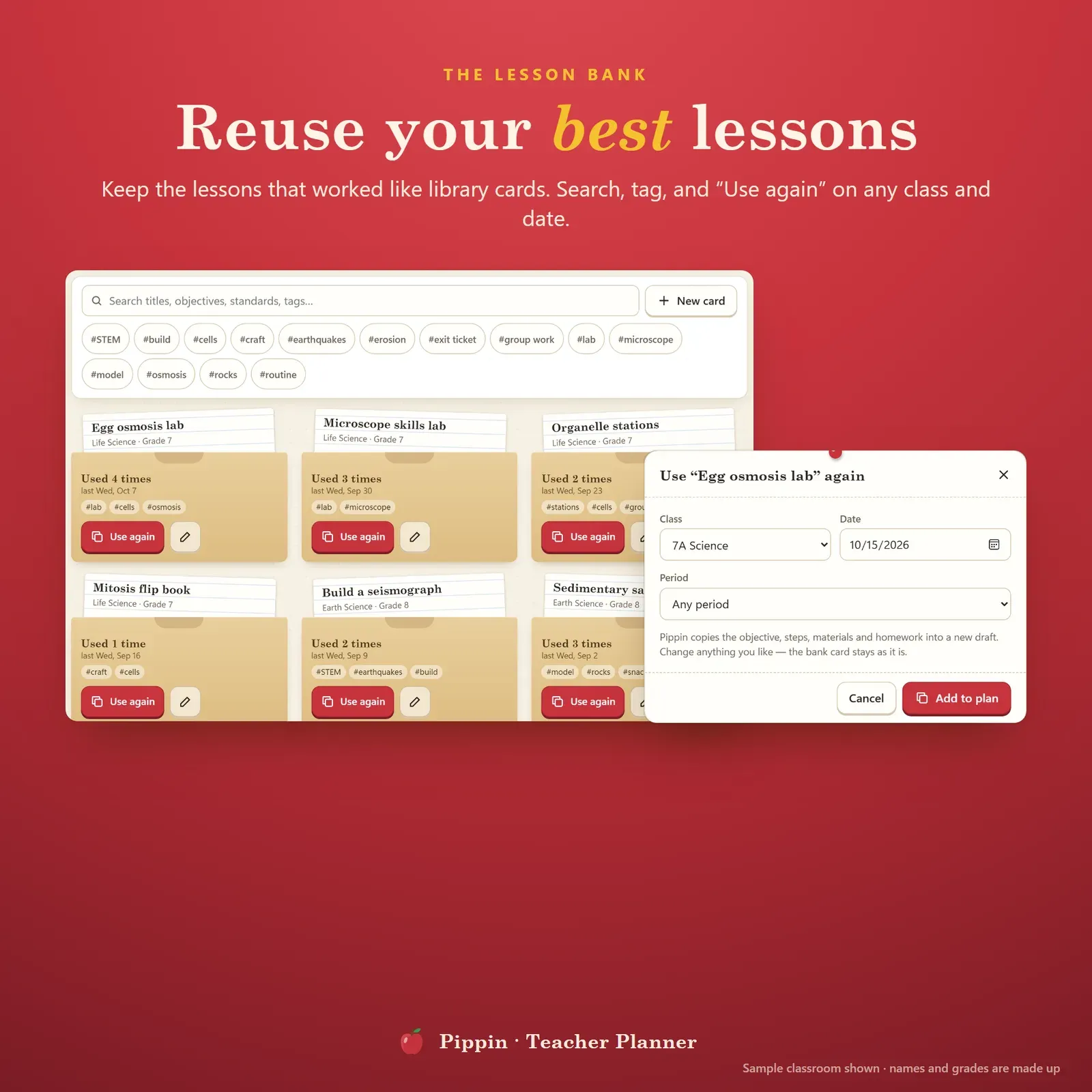
Lessons that worked go into the lesson bank: library-card pockets you can search and tag by unit, skill or class. Press Use again and pick a class and date, and the lesson lands on your board with everything filled in. Pippin counts how often each lesson is used, so you can see which ones you rely on. Your lesson bank keeps growing term after term.
A teacher gradebook that does the math
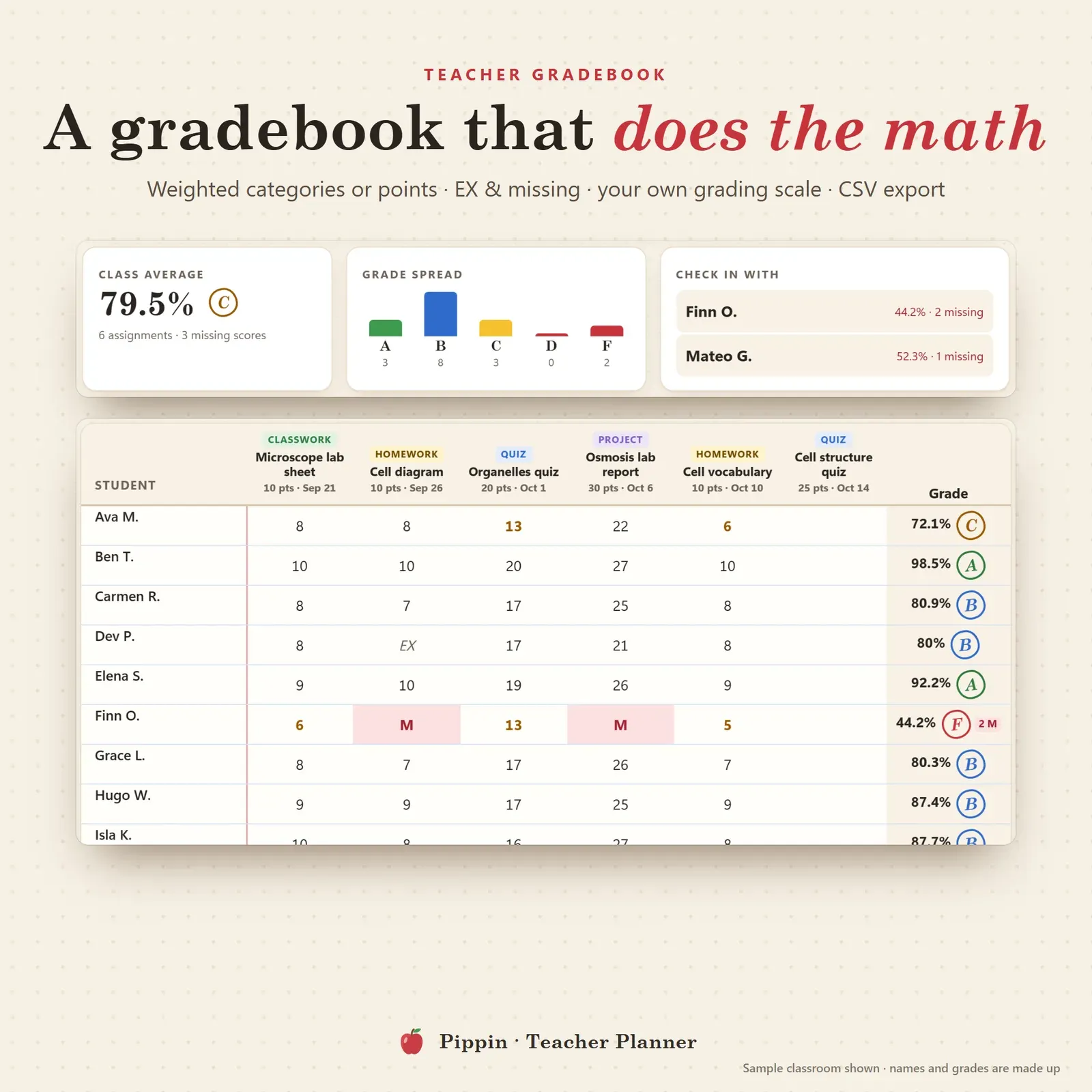
The gradebook is built for real classrooms:
weighted categories (classwork 20%, homework 20%, quizzes 25%, tests 35%) or total points,
EX for excused and M for missing work, counted the way you choose,
your own grading scale, for example A at 90%, or A+ / A / A− steps,
the class average, a grade spread chart and a check in with list of students who are slipping,
CSV export for your school system.
Want to check one grade quickly, or work out what a student needs on the final? Use the free grade calculator. It covers weighted grades, final exam grades and an easy grader chart.
Student progress reports in one tap
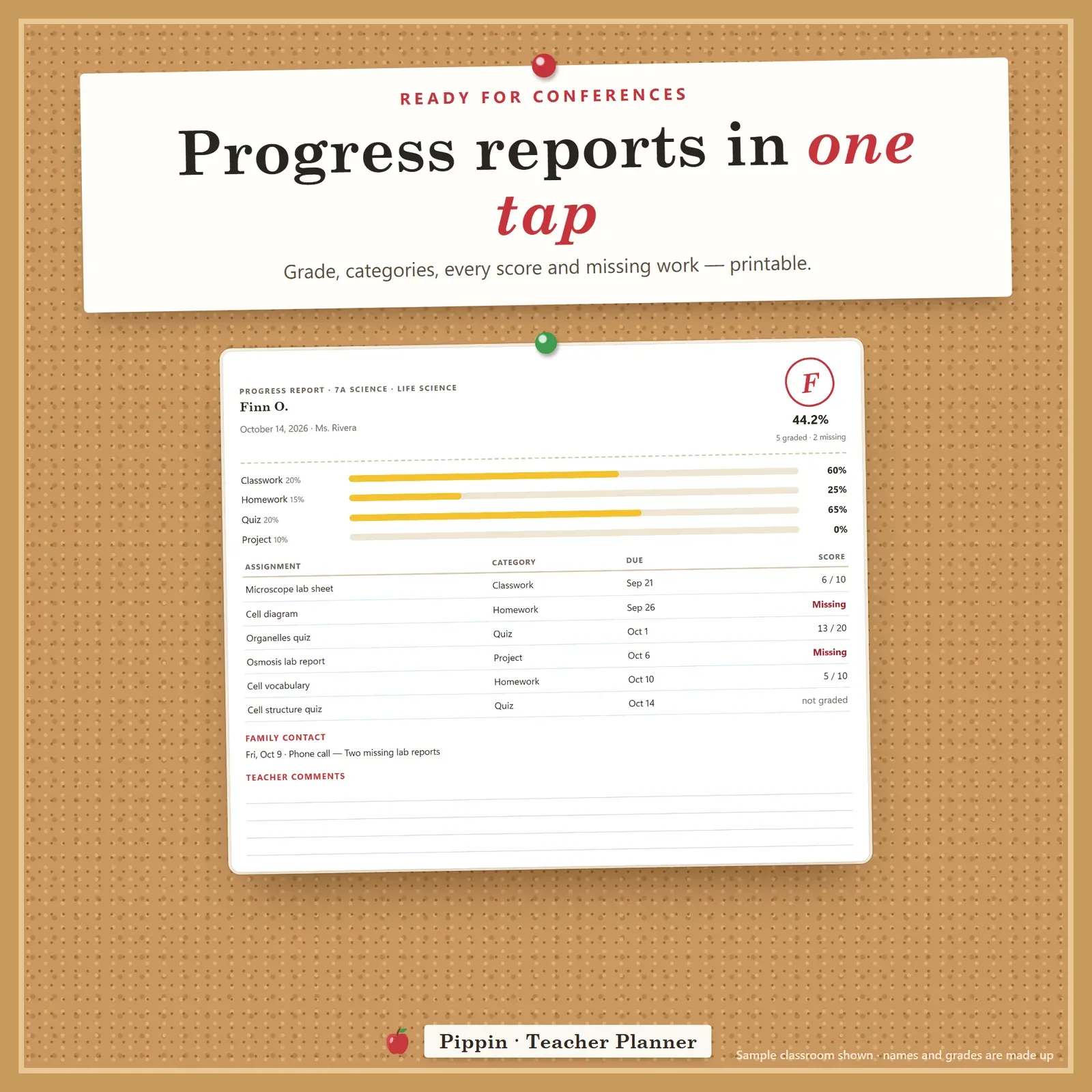
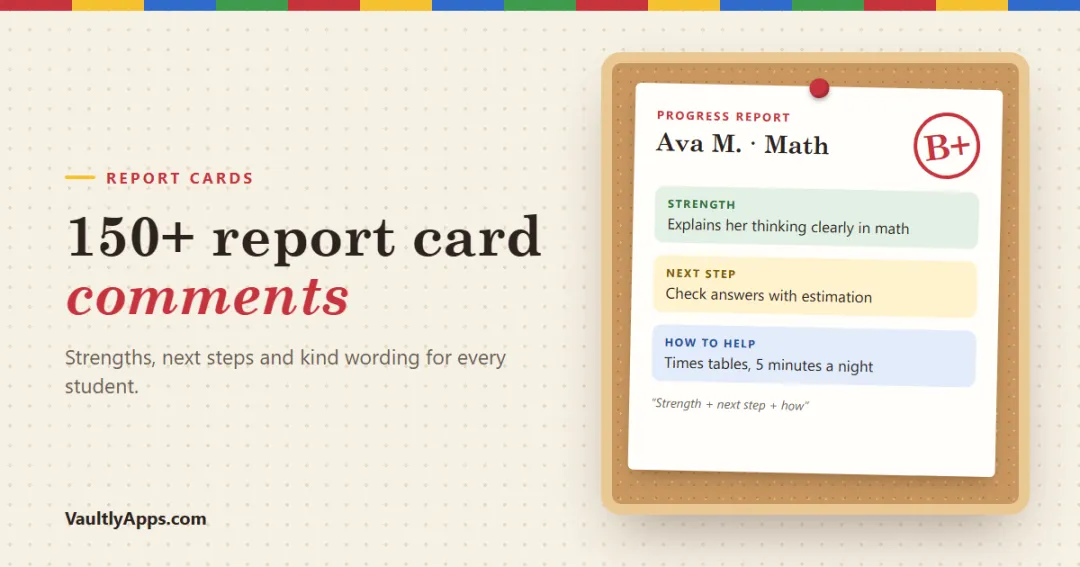
Pick a student and Pippin builds a progress report: overall grade, each category, every score, missing work, family contacts and lines for your comments. Print it for parent-teacher conferences or keep it in your records. Need wording? Our list of report card comments has examples for every situation.
Tame the marking pile and protect your evenings
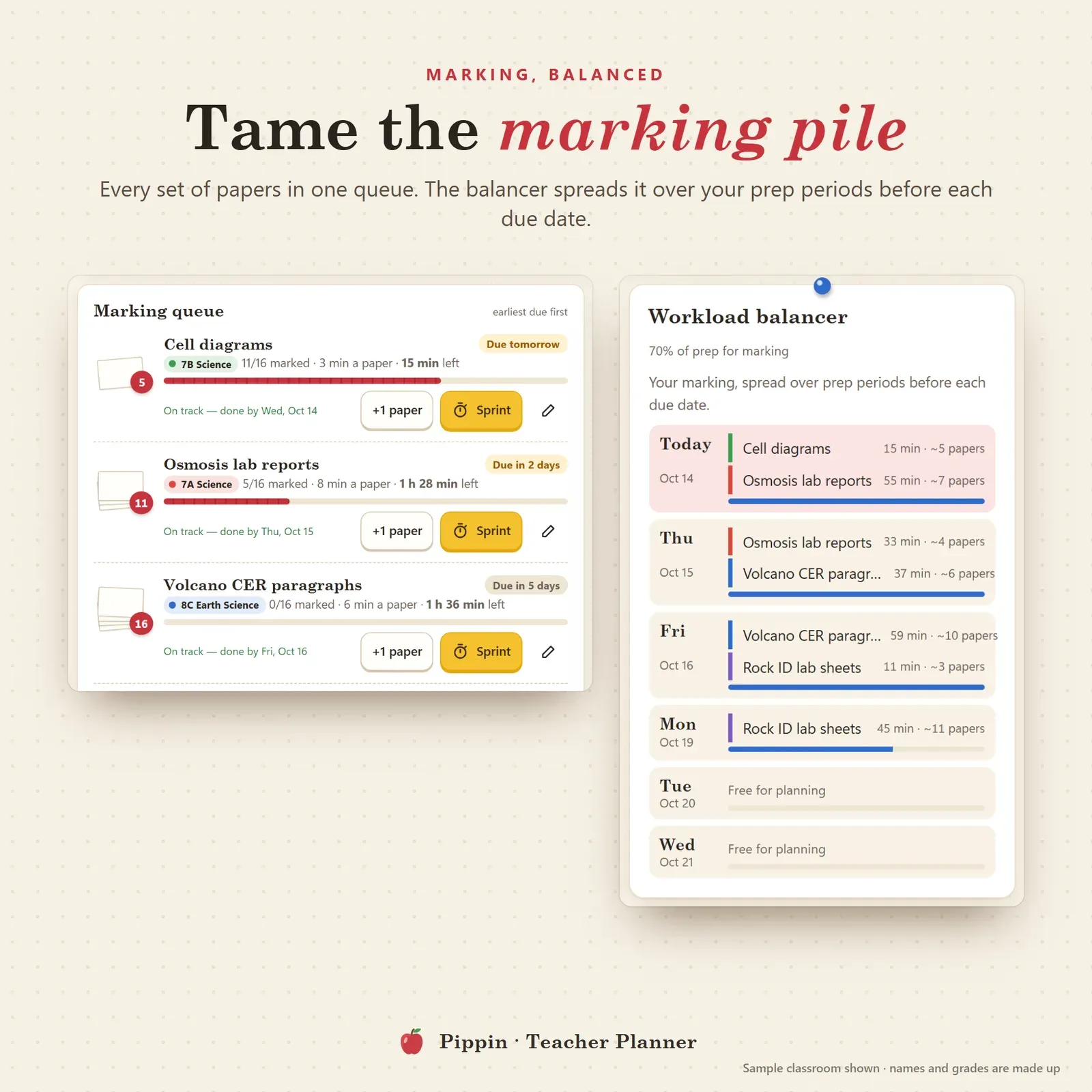
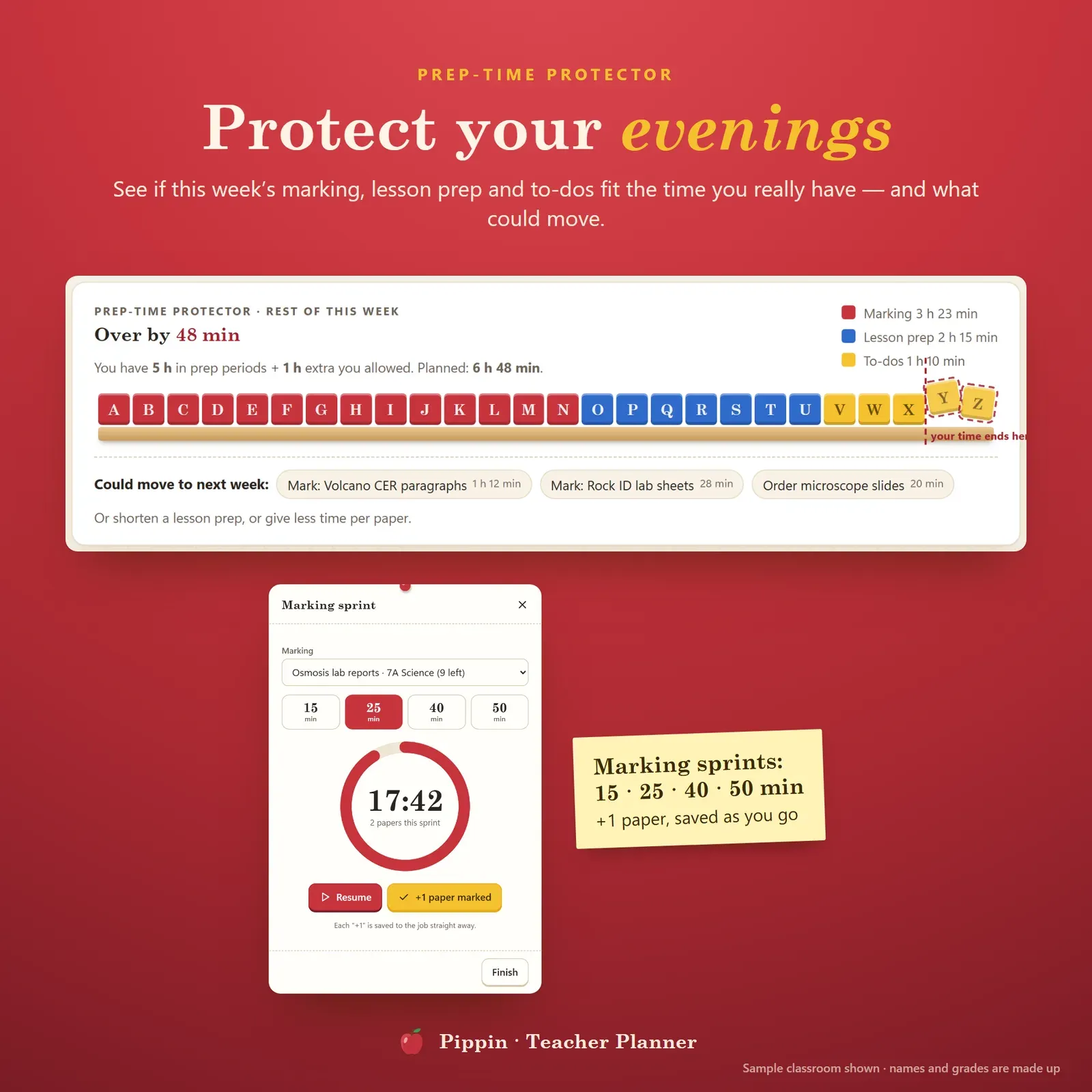
The marking queue lists every set of papers with how many are left, minutes per paper and the due date. Press +1 paper as you go. The workload balancer spreads each set over your prep periods before it's due and tells you when a set simply won't fit.
The prep-time protector adds up this week's marking, lesson prep and to-dos and compares them with your prep periods plus the extra time you're willing to give. If you're over, it suggests what could move to next week. A marking sprint timer (15, 25, 40 or 50 minutes) helps you get through a stack in focused bursts.
Classes, seating charts and families
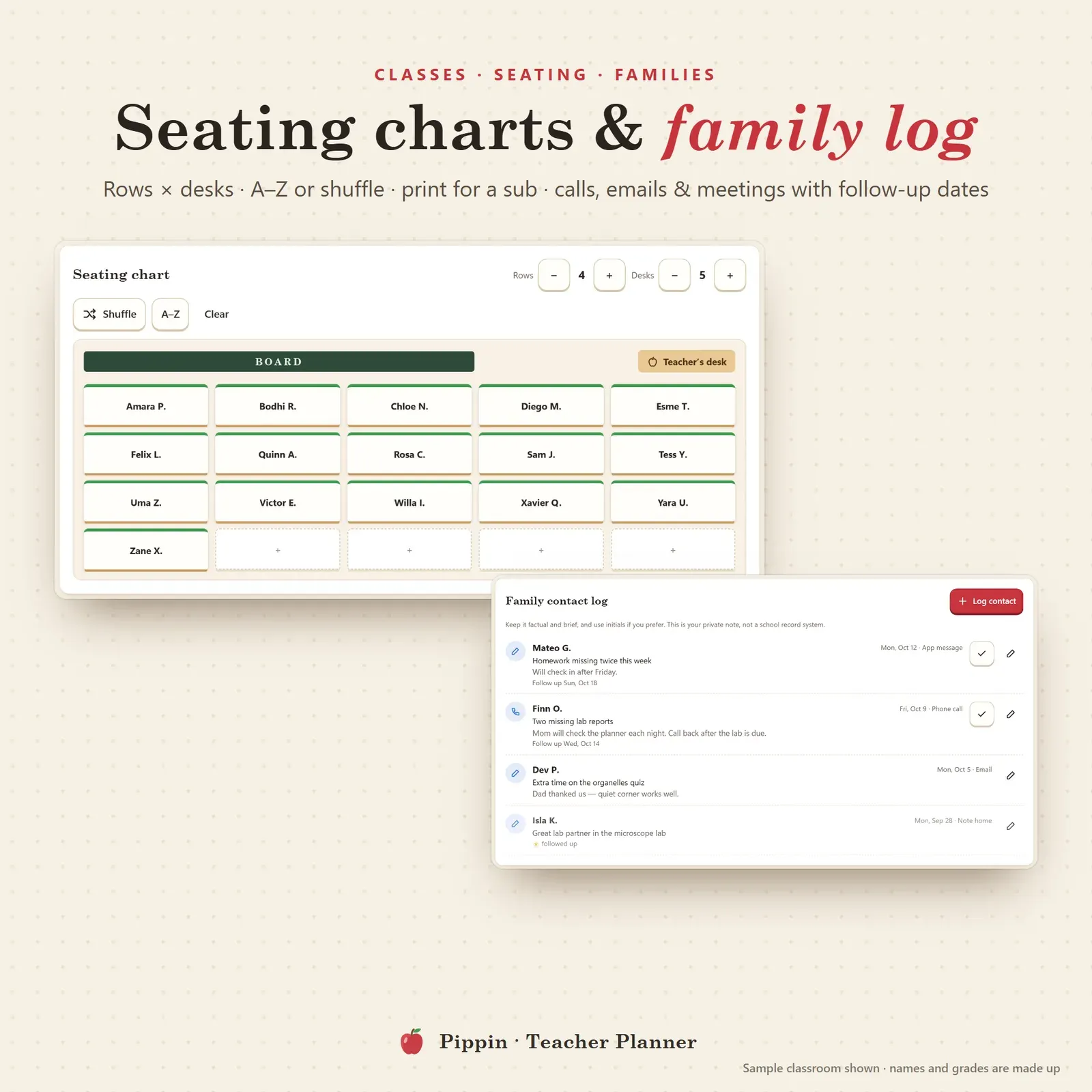
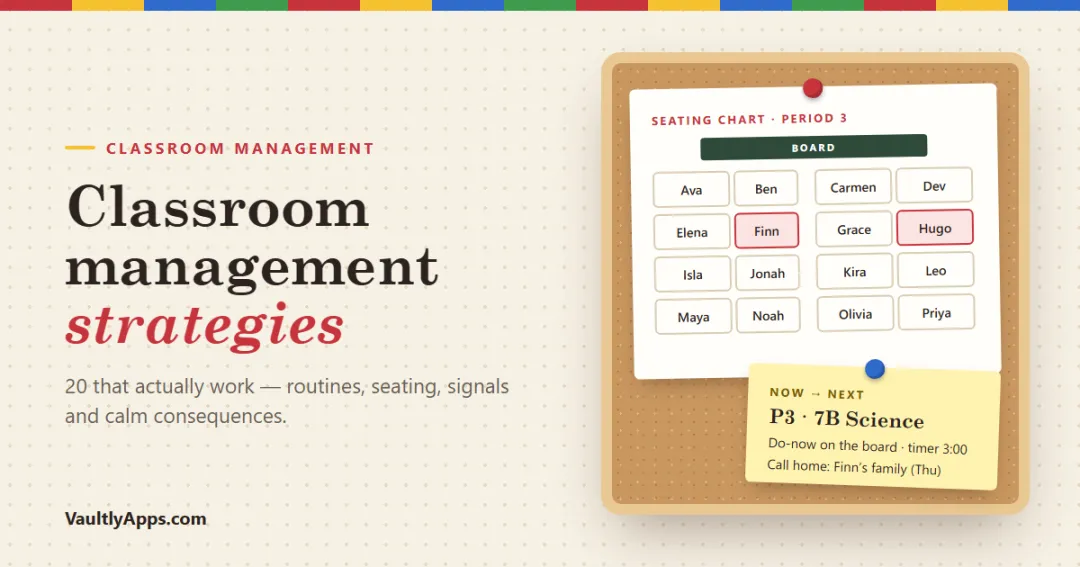
Paste a class list from anywhere to build a roster, give each class a crayon colour and keep short notes per student. The seating chart lets you set rows and desks, sort A to Z or shuffle, tap two students to swap them and print a chart for a substitute. For a one-off chart, try the free seating chart generator.
The family contact log records calls, emails, meetings and notes home, each with a follow-up date that shows up on Today when it's due. That makes parent-teacher communication much easier to keep track of.
The term at a glance
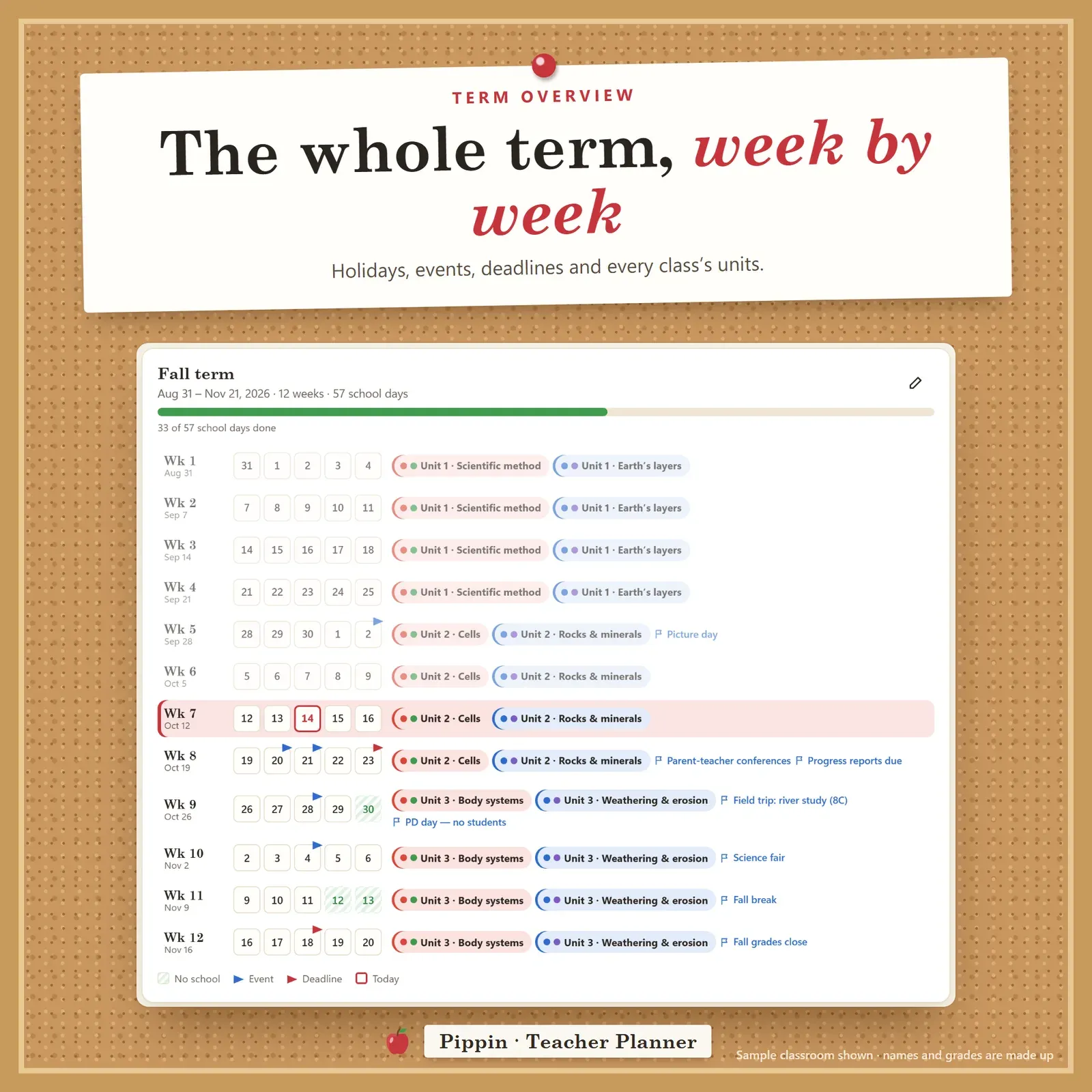
The term overview lays out the term week by week: holidays, events, deadlines and the units each class is on. It shows "Week 7 of 12" on Today, and holidays are skipped everywhere else in the app. Good classroom management strategies start with a plan for the term, and our guide to classroom management explains more.
Who Pippin is for
Pippin is made for middle and high school teachers with several classes and a bell schedule, and works just as well for elementary teachers, student teachers, tutors and homeschool parents (set up one class per child or group and use it as a homeschool planner). If you're juggling a paper planner, a spreadsheet gradebook and a pile of sticky notes, it brings them together in one place.
Make it yours
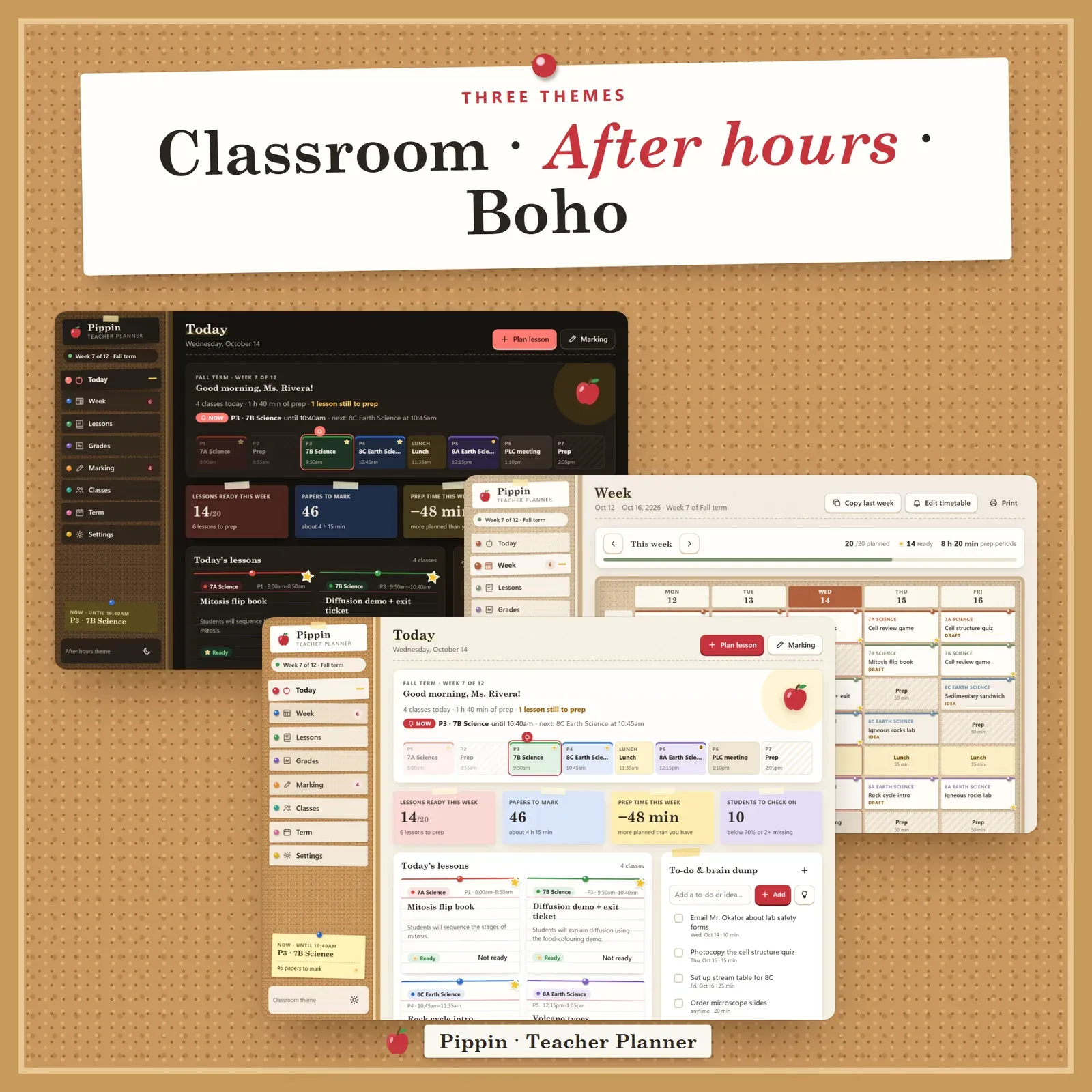
Choose from three themes: Classroom (cork and apple red), After hours (dark) and Boho (sand, rust and sage). Set your own periods and times, school days, category weights, grading scale and prep minutes. Your name appears on Today and your school name on every printout. A guided tour helps on day one, and every page prints on clean white paper.
Privacy and devices
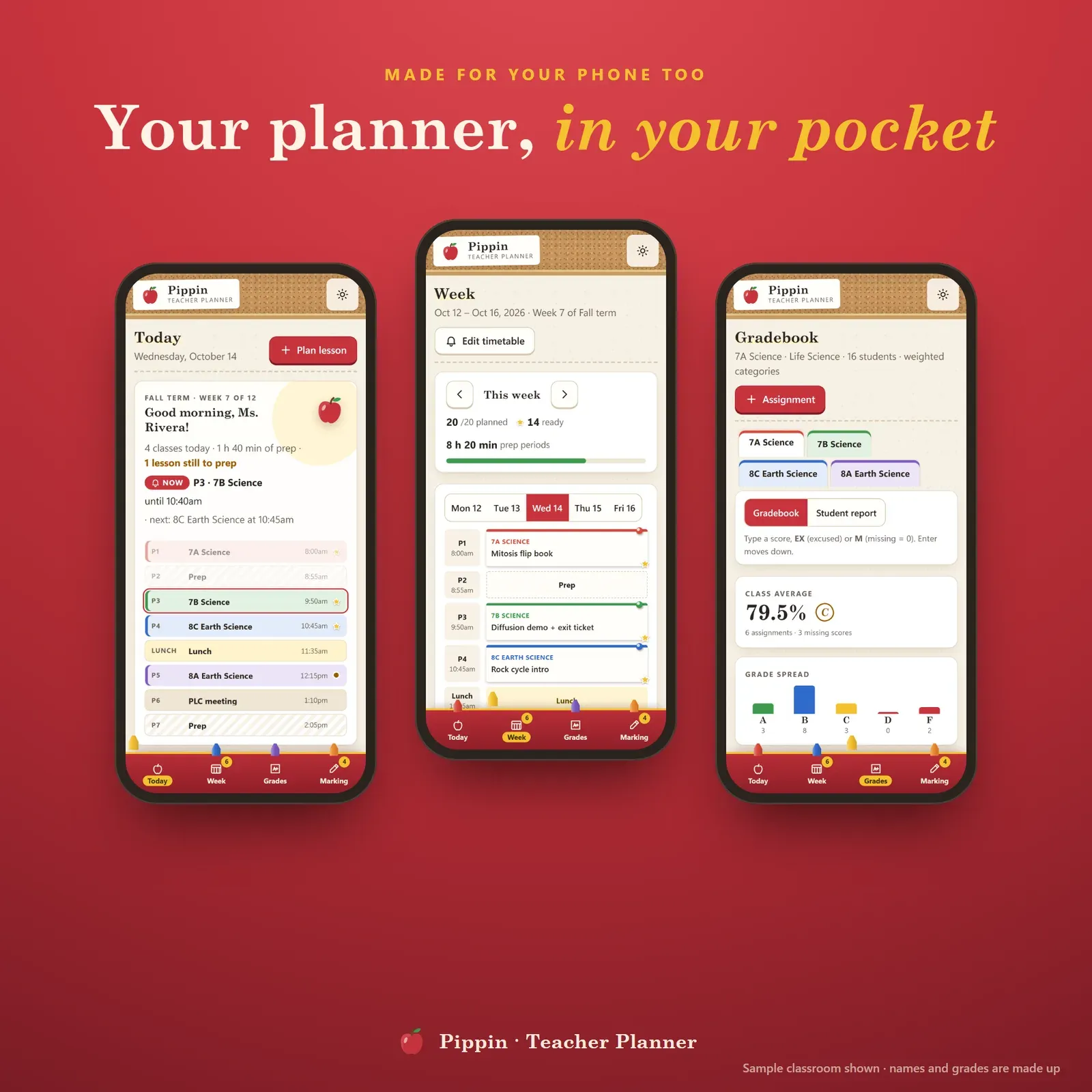
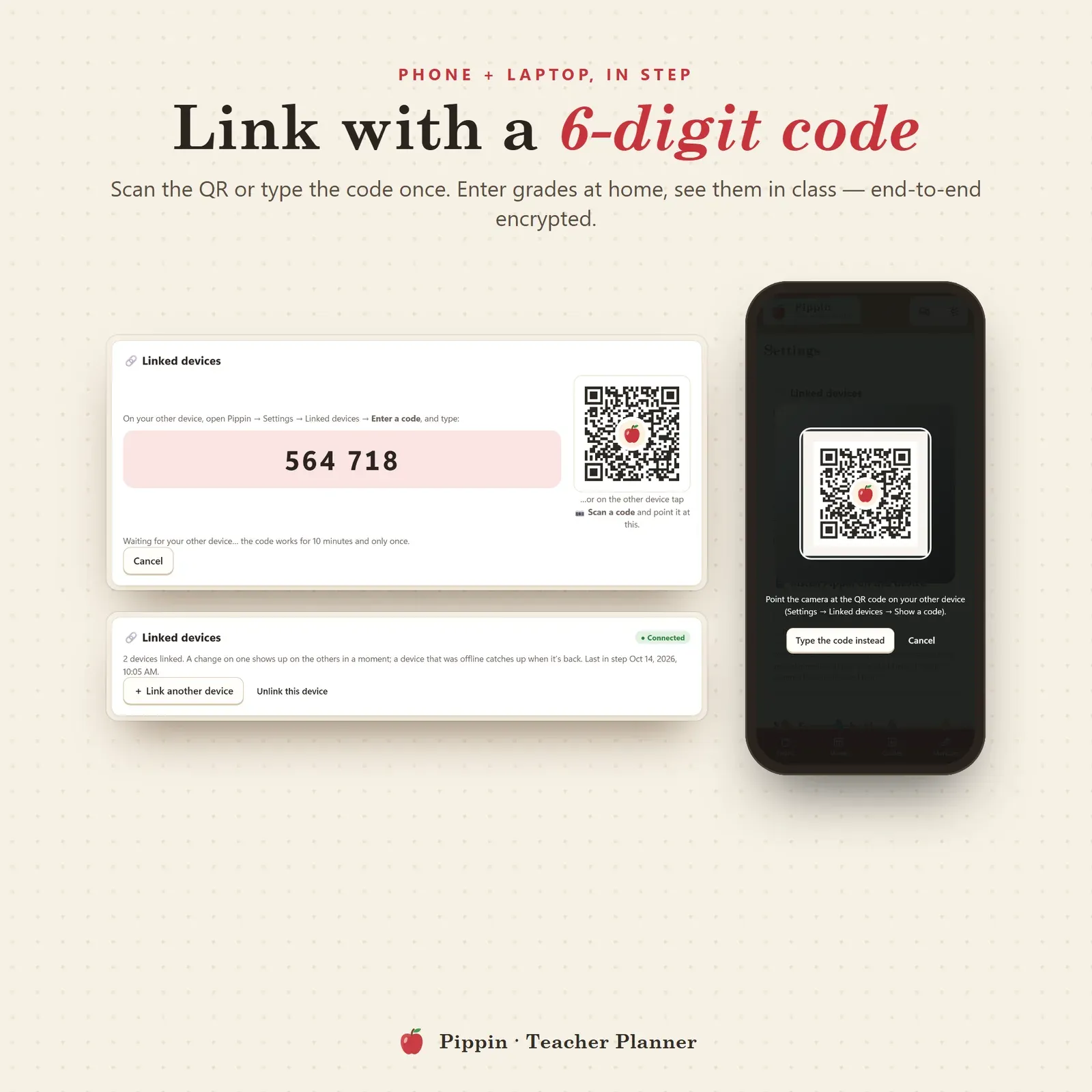
There's no account, no school login and no tracking. Your plans and grades live in your browser on your own devices, and first names or initials are enough. Link your phone and computer once with a 6-digit code or QR and they stay in step, end-to-end encrypted. Enter scores at home, then check today's plan in the hallway. Export a backup file any time from Settings. On a computer everything sits in a cork-board sidebar; on a phone, in a crayon-box bottom bar.
What you get
The Pippin app: your private link for phone, tablet and computer, with no limits.
A 15-page Start Here PDF covering install steps for every device, how to link devices and every page explained with screenshots.
A bonus printables pack with 7 worksheets (weekly lesson plan, one-page lesson plan, gradebook page, seating chart, family contact log, marking and prep planner, term and unit planner), 6 classroom boards (class sticker chart, school year at a glance, substitute plans, class birthdays, classroom jobs, teacher wins) and 5 wallpapers.
Good to know
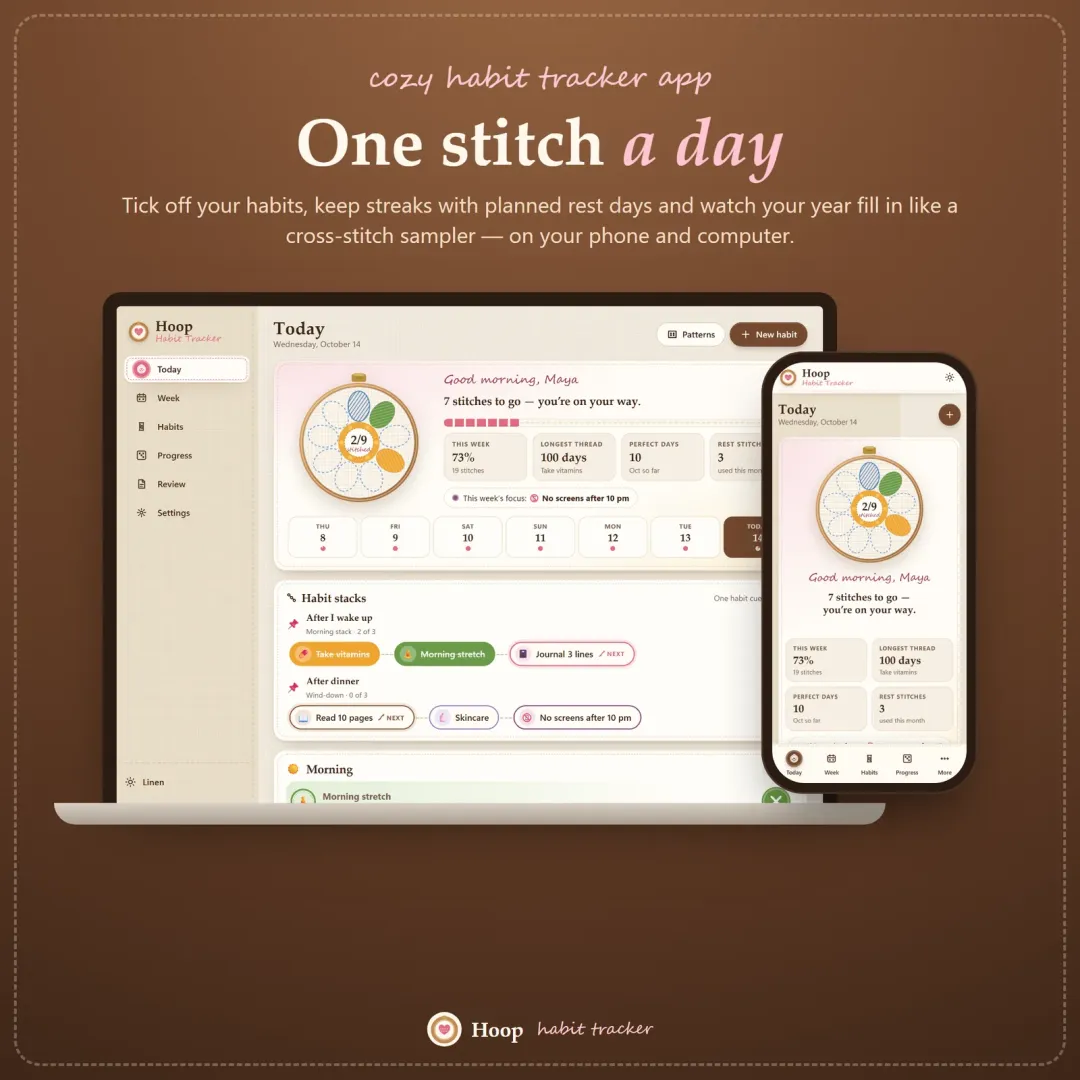
Pippin works in any modern browser (Safari, Chrome, Edge or Firefox), with no Excel, Notion, Goodnotes or Google Sheets needed. It's a personal planning tool, not an official student-record system. Each teacher needs their own copy, which also makes it a thoughtful teacher gift for back to school. For your own routines, see Hoop, our habit tracker; for focus on busy days, Tempo, our ADHD daily planner; and for the students in your life heading to college, Semester, a student budget planner.