
Wedding Budget Calculator
Your wedding budget by category, and the cost per guest.
Open calculator Live
Web app (installable PWA)
Vow by VaultlyApps
A wedding planner app with a checklist dated from your wedding day, a budget with deposits and due dates, a guest list with RSVPs and meals, a seating chart, vendors and the day-of timeline, on your phone and computer.
Try the live demo to explore the application — it runs right here on VaultlyApps with sample data, no sign-up needed.

Vow is a wedding planner app for your phone and computer that keeps the whole wedding in one private place. The wedding checklist dates itself from your wedding day, the budget tracker shows what's paid, what's booked and what's due, the guest list counts RSVPs and meals for the caterer, and the seating chart seats whole parties in one tap. Add vendors, compare quotes, build the day-of timeline and link your partner's phone so you plan together. No account, no ads, no subscription.
Wedding planning usually lives in five places at once: a printed binder, a budget spreadsheet, a guest list in another spreadsheet, a seating chart on paper and a dozen vendor emails. Nothing talks to anything else, so a changed date means rewriting the checklist and a booked vendor means updating the budget by hand. Vow is a wedding planning app that connects them: the checklist follows your date, a booked vendor lands in the budget with its deposit and balance, and every RSVP updates the meal count and the seating chart.
Both names, the date, a wax seal and a big gold countdown, with what's due this week right below: to-dos, payments and RSVPs still waiting.
64 ready to-dos in 9 phases, from 12+ months before to thank-you notes after, each dated back from your wedding day. Move the date and the whole list moves. Add, edit, assign to either partner and send to your phone's calendar.
Set your total and split it the usual way across 13 categories. Gold is paid, blush is booked, ivory is estimates. Go over budget and an amber drip runs down the top. Cost per guest is worked out for you.
Each cost has an estimate, contract price, deposit, installments and a balance with due dates. The payment schedule shows overdue, next 30 days, later and paid, so no payment surprises you.
Tap to change an RSVP. Meal choice, plus-ones, children, dietary notes, household, side, events invited to, addresses for envelopes, gifts and thank-you notes. Import from Excel, Numbers or Google Sheets.
Round or long tables with your own seat counts. Tap a guest, then a table, or let "Seat parties together" make a full draft. Chairs are colored by meal, and escort cards A to Z are ready to print.
Every vendor with contact, quote, deposit, rating and status. Compare quotes on price, deposit and what's included, then book one and its costs appear in the budget.
The order of the day as a printable program card with day-of vendor contacts, plus a 5-color palette and an ideas board for decor, flowers, attire, food and music.
Scroll sideways · select to enlarge
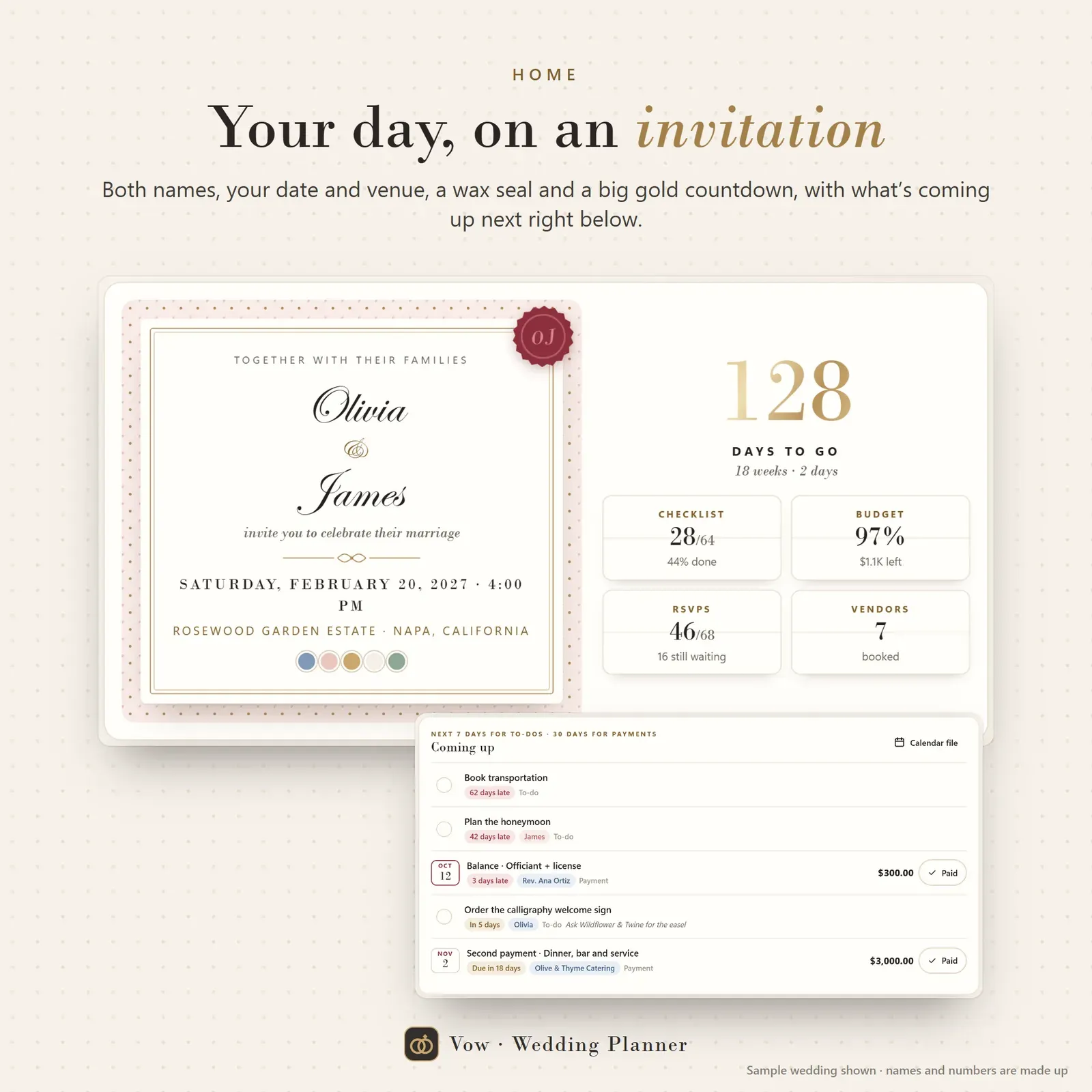
Wedding planner home screen styled as an invitation, with both names, the date, a wax seal, a gold countdown and what's due this week

Wedding planning checklist with 64 to-dos in 9 phases, each dated back from the wedding day

Wedding budget tracker drawn as a three-tier cake: gold for paid, blush for booked and ivory for estimates, with costs by category
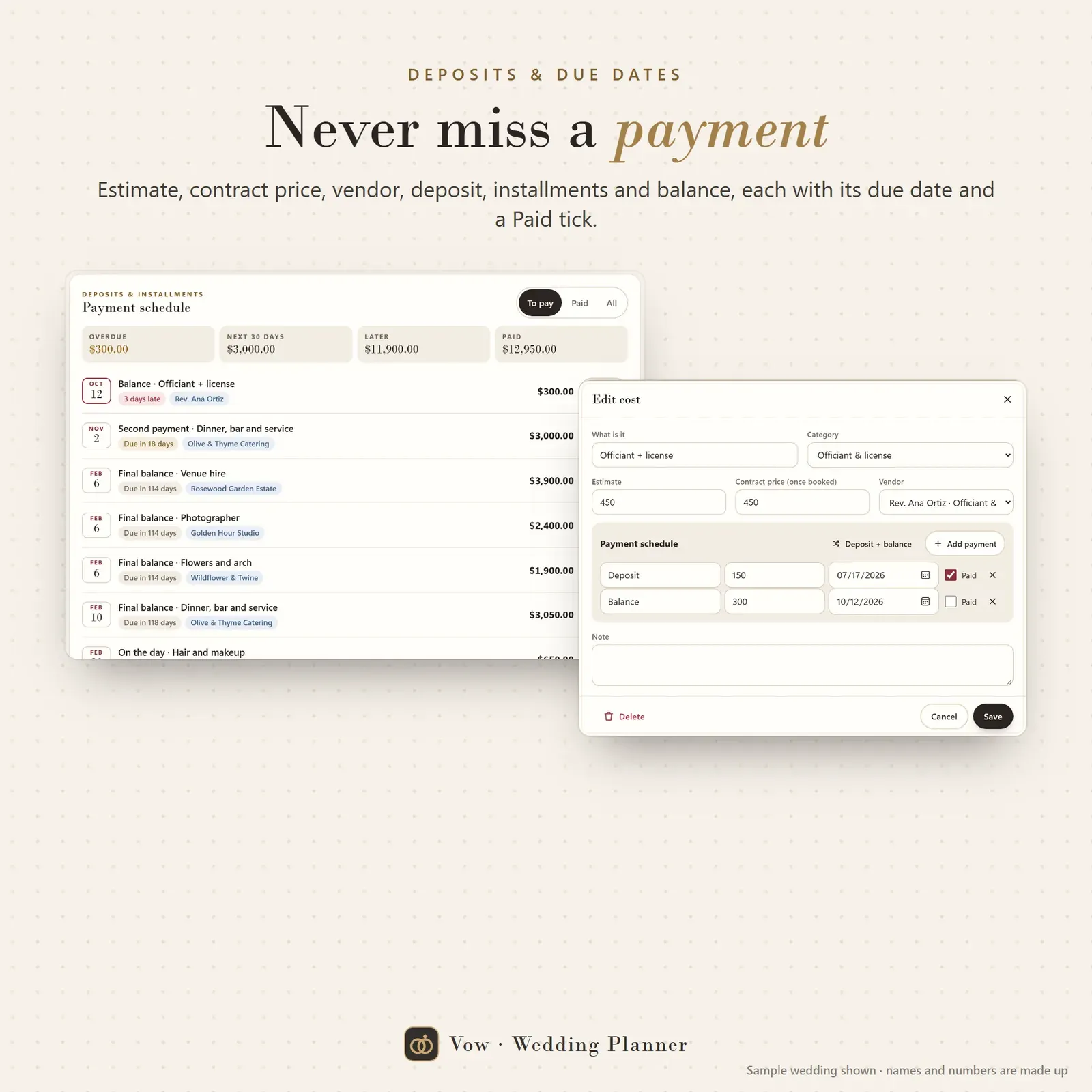
Wedding payment schedule with deposits, installments and balances grouped as overdue, next 30 days, later and paid
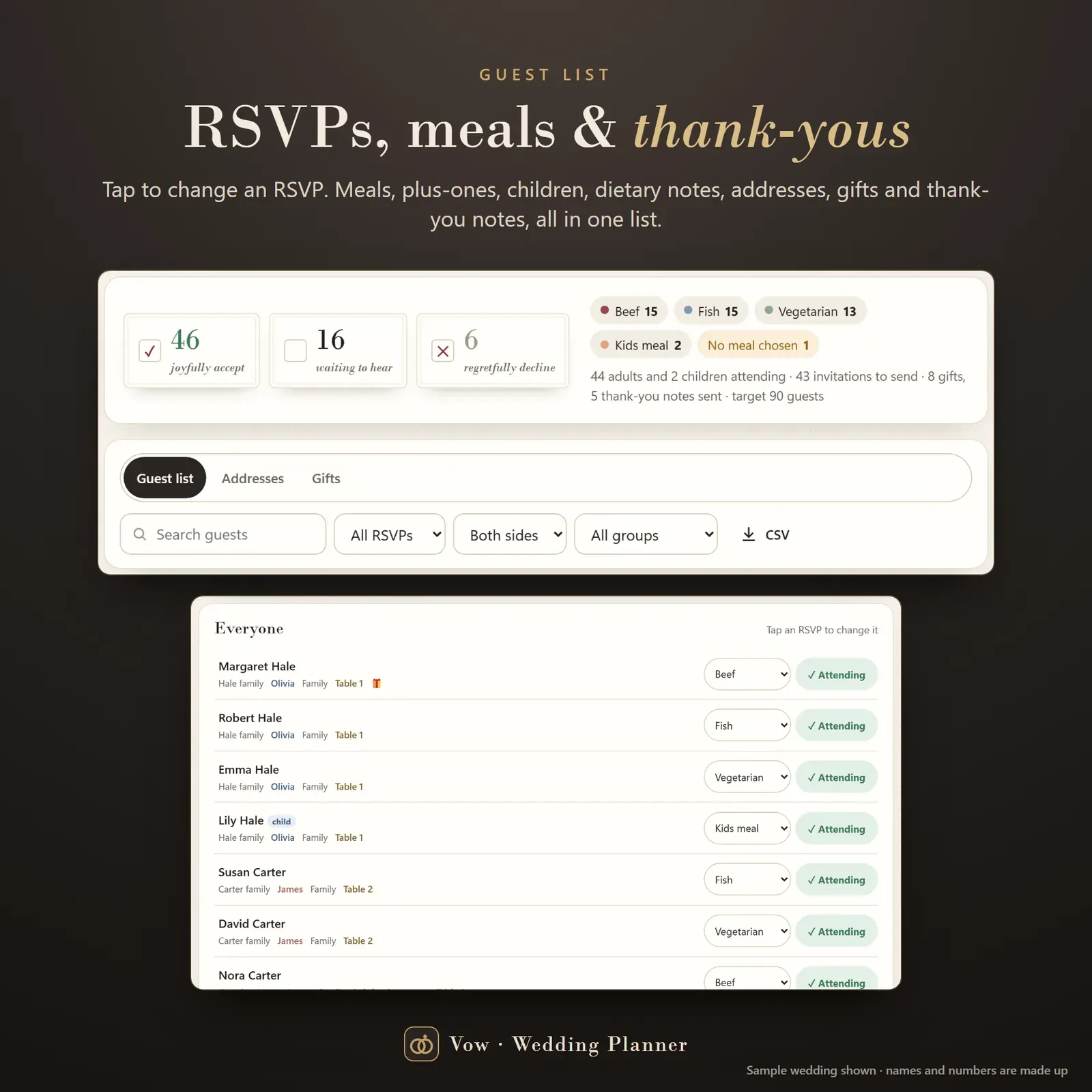
Wedding guest list tracker with one-tap RSVPs, meal counts and a running total of who is attending
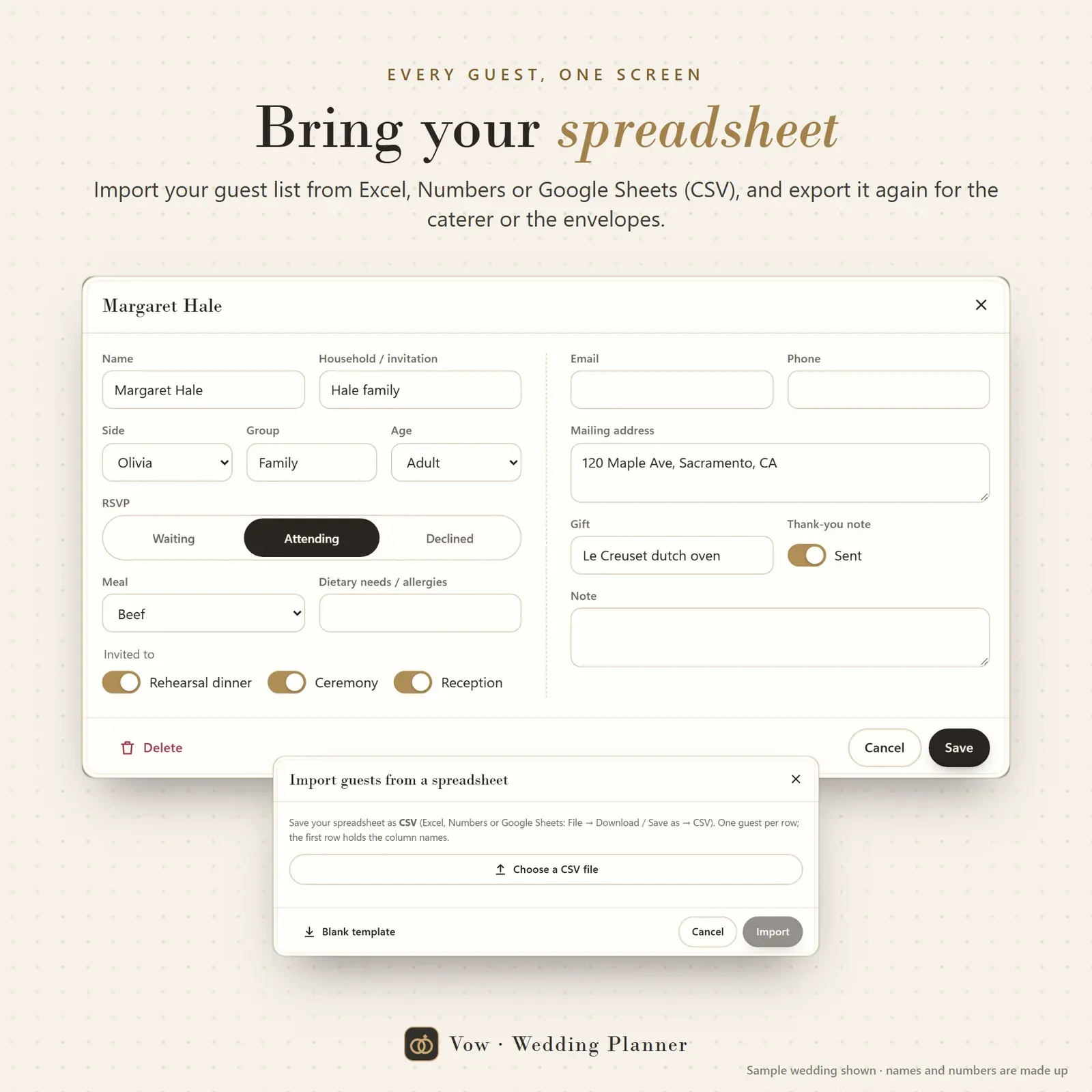
Guest details with plus-ones, children, dietary notes, addresses for envelopes, gifts and thank-you notes

Wedding seating chart with round tables and a head table, chairs colored by meal and escort cards A to Z

Wedding vendor tracker with quotes compared side by side, deposit percentages, ratings and booking status

Wedding day timeline as a printable program card with day-of vendor contacts

Wedding color palette and ideas board for decor, flowers, attire, food and music
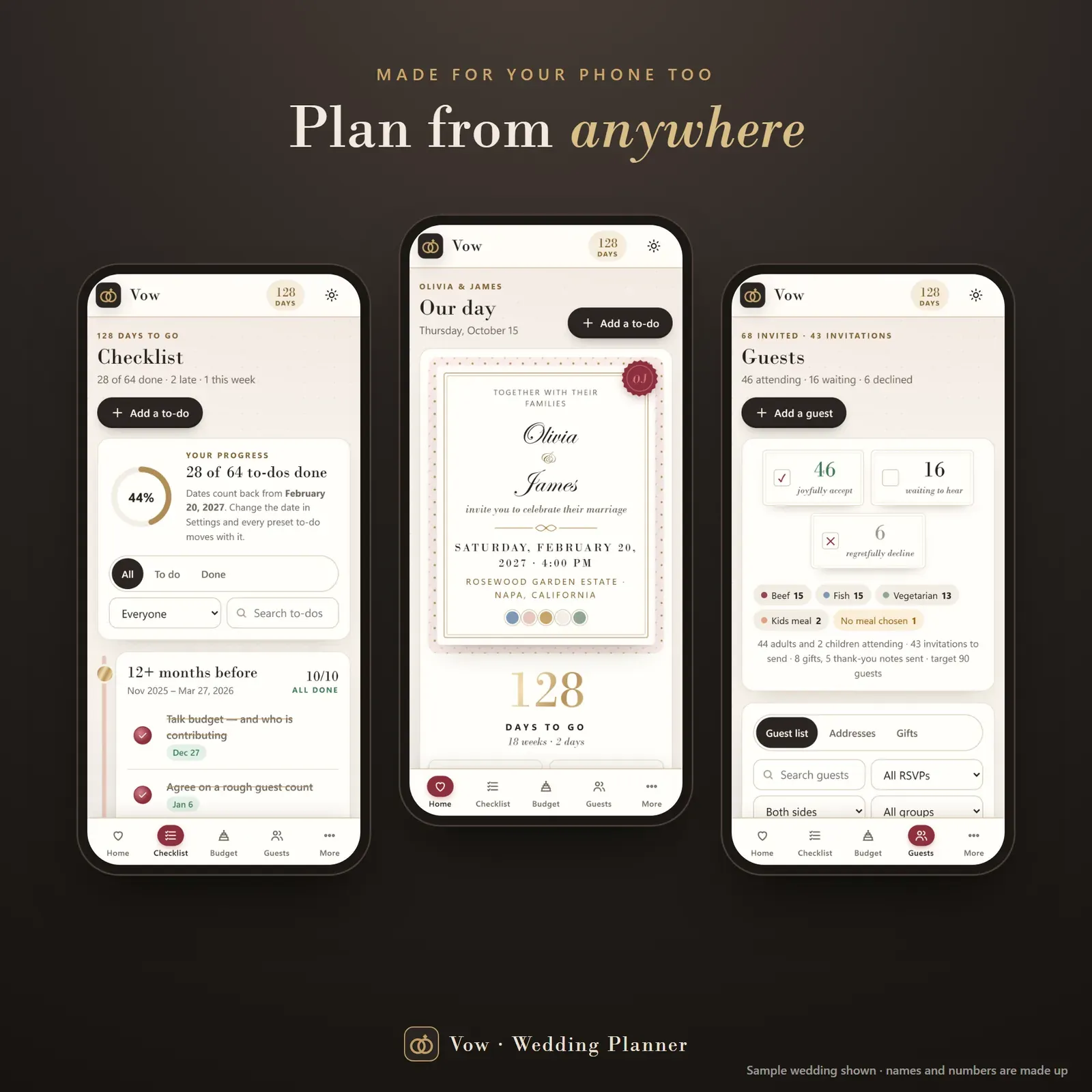
The wedding planner app on a phone: countdown, checklist and RSVPs

Two phones linked with a 6-digit code so both partners see the same wedding plan
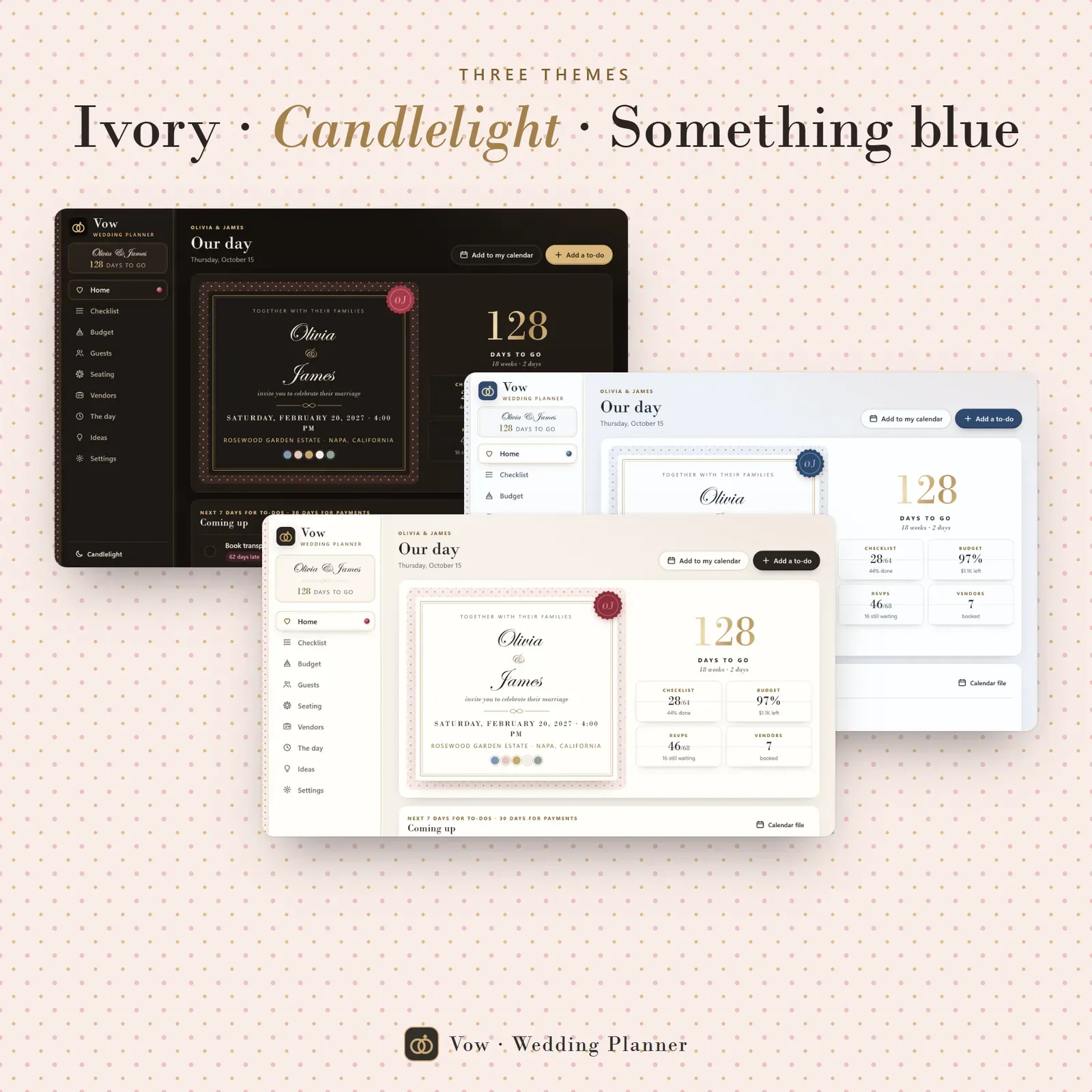
Three themes: Ivory, Candlelight (dark) and Something blue
Try the live demo with a sample wedding. No sign-up needed.
After buying, open Vow from your private link and install it on your phone and computer.
Type your names, wedding date, budget and about how many guests. Your checklist is dated right away.
Add guests, vendors and costs as you go, and link your partner's phone with a 6-digit code.
Vow is a wedding planner app for your phone, tablet and computer. It keeps your wedding checklist, wedding budget, guest list, seating chart, vendors and wedding day timeline in one calm, private place, and it does the dates and the math for you. The checklist counts back from your wedding day, the budget tracker knows every deposit and balance, the RSVP tracker counts meals for the caterer and the seating chart seats whole parties in one tap. It installs like an app, works offline and keeps everything on your own devices. You can try the free demo with a sample wedding before you buy.
A wedding planning binder or wedding planner book is lovely to hold, but it can't move your checklist when the date changes, add up your deposits or tell you who still hasn't replied. A wedding planning spreadsheet can add up numbers, but the budget, the guest list and the seating chart end up in three tabs that never talk to each other.
Vow is a digital wedding planner where the pieces are connected. Change the date and every to-do moves. Book a vendor and its cost, deposit and balance land in the budget. Mark a guest as attending and the meal count and seating chart update. It's a wedding organizer, budget planner, guest list tracker and seating chart app in one, without a monthly fee or an account.
The Home page looks like the top of your invitation: both names, the date, a wax seal and a big gold wedding countdown. Right below it you see what's due this week (to-dos, payments and RSVPs still waiting), so you always know the next thing to do. Want a countdown without the app? Try the free wedding countdown.
Vow starts with 64 ready to-dos in 9 phases, from 12+ months before the wedding to thank-you notes after it. Every to-do is dated back from your wedding day, so the list is a wedding planning timeline from day one. Move the date and the whole checklist moves with it. Assign each job to both of you, either partner or a helper, add your own, filter and search, and send the dates to your phone's calendar with a reminder the evening before.
If you're just starting, our guide on how to plan a wedding walks through the order of decisions month by month, with a full wedding planning checklist.
Set your total and Vow splits it the usual way across 13 categories: venue, catering and bar, photo and video, attire and beauty, flowers and decor, music, stationery and more. The budget is drawn as a three-tier cake: gold for what's paid, blush for what's booked, ivory for estimates. Go over budget and an amber drip runs down the top. You also see the cost per guest, which is the quickest way to see what each extra invitation costs.
To sketch a budget before you buy anything, use the free wedding budget calculator.
Each cost holds an estimate, the contract price, the vendor, a deposit, installments and the balance, each with a due date. The payment schedule sorts them into overdue, next 30 days, later and paid, and Home shows what's coming up. No vendor balance sneaks up on you two weeks before the wedding.
Tap a guest's RSVP to switch between waiting, attending and declined. Each guest can have a meal choice, plus-one, children, dietary notes, household, side and group, and the events they're invited to (rehearsal dinner, ceremony, reception). An address view is ready for envelopes and a gift view tracks thank-you notes sent. Already have a guest list? Import it from Excel, Numbers or Google Sheets (CSV) and export it again any time.
Not sure when the invitations should go out? Our guide on when to send wedding invitations covers save the dates, invitations and the RSVP deadline.
Add round or long tables with your own seat counts, including a head table. Tap a guest, then a table, or press "Seat parties together" for a complete first draft that keeps households at one table. Chairs are colored by meal, so the caterer sees each table's order at a glance, and escort cards A to Z are ready to print for the welcome table. For a quick chart without the app, try the free wedding seating chart maker.
Keep every vendor in one list with contact details, quote, deposit percentage, rating, notes and status (idea, contacted, quoted, booked or passed). Compare quotes side by side on price, deposit, what's included, pros and cons. Book one and its cost, deposit and balance appear in your budget automatically.
Build the order of the day from a sample wedding day timeline and print it as a program card. Vow lists your day-of vendor contacts next to it, so your coordinator or maid of honor has every number in one place. Our wedding day timeline guide has sample schedules for morning, afternoon and evening ceremonies. A 5-color palette and an ideas board for decor, flowers, attire, food and music keep the look of the day in one place.
There's no account, no ads and no tracking. Your plan lives in your browser on your own devices. Link your partner's phone (or your laptop) once with a 6-digit code or QR and you both see the same plan, end-to-end encrypted. Export a full backup or CSV files from Settings any time. On a computer everything sits in a sidebar; on a phone, in a bottom bar. Choose one of three themes: Ivory, Candlelight (dark) and Something blue.
Vow works in any modern browser (Safari, Chrome, Edge or Firefox), with no Excel, Notion, Goodnotes or Google Sheets needed. It's your private wedding organizer, not a wedding website: guests don't RSVP inside the app, you record their replies. The budget split and checklist timing are common starting points; your venue and vendor contracts always come first. It also makes a thoughtful engagement gift or bride to be gift. Saving up for the big day? Nest turns saving into a challenge, and Vault is our everyday budget planner for life after the wedding. More free tools: the wedding alcohol calculator and the wedding hashtag generator.
Free tools
Quick answers with the same maths — then let the app keep them up to date.
Your wedding budget by category, and the cost per guest.
Open calculatorClassic, punny and place-based hashtags from your names.
Open calculatorBottles of wine, beer, liquor and champagne for your guests.
Open calculatorFurther reading

Weddings
A wedding day timeline template with sample schedules for 4 pm and 5:30 pm ceremonies, a first look version, how long each part takes, who needs a copy, and how much to tip wedding vendors on the day.

Weddings
When to send wedding invitations and save the dates, when to set the RSVP deadline, what to do about late replies, and when to send thank-you cards after the wedding, with wording examples.
Weddings
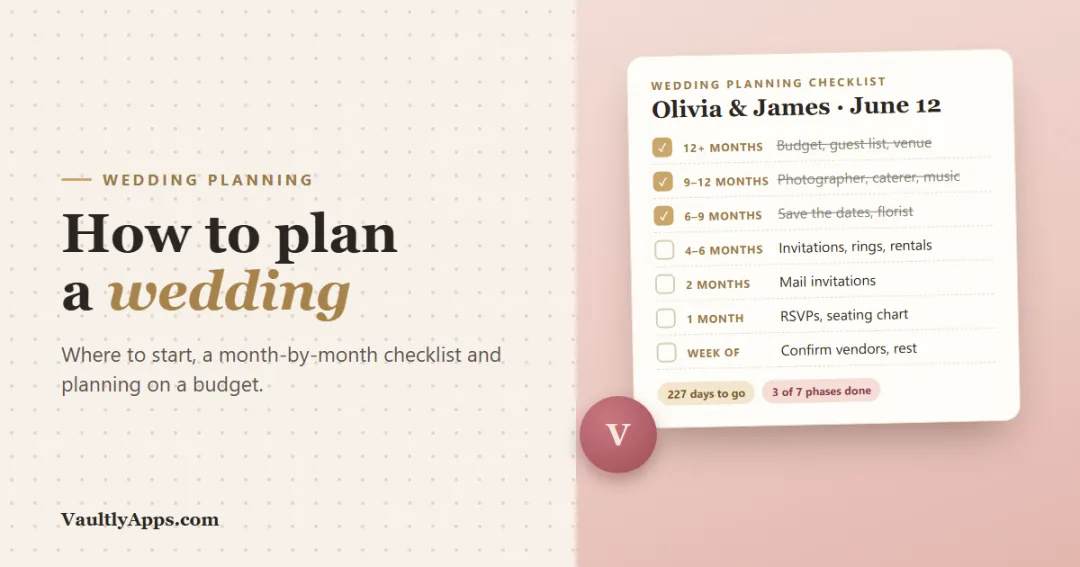
How to plan a wedding from the first conversation to the thank-you notes: where to start, a month-by-month wedding planning checklist and timeline, who pays for what, and how to plan a wedding on a budget.
More from VaultlyApps
 Live
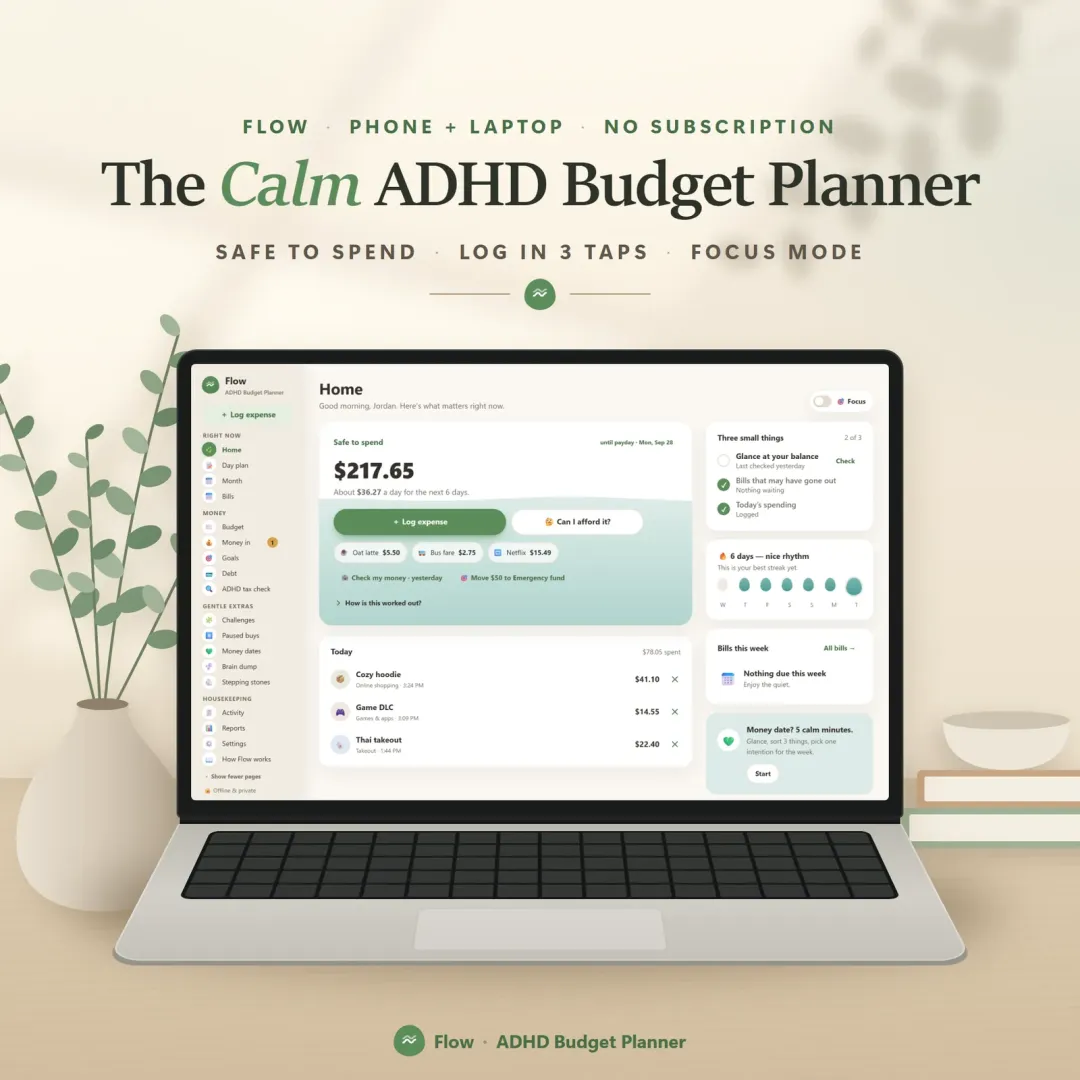
A calm budget planner designed for ADHD brains — one Safe to Spend number, 3-tap logging, focus mode and kind overspend fixes instead of red warnings.
 Live

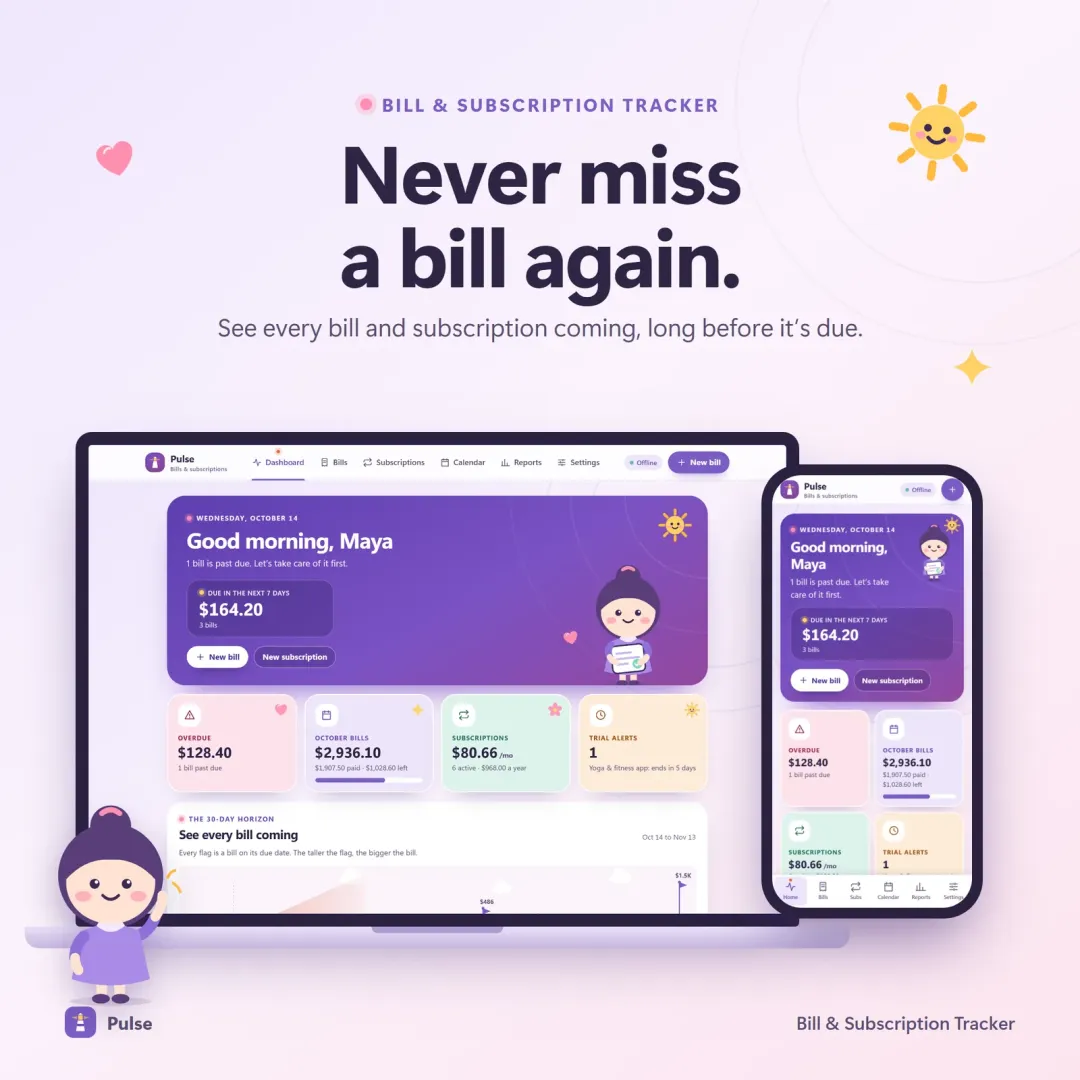
Pulse
Every bill and subscription in one calm place — a 30-day horizon of due dates, free-trial countdowns and a simulator that shows what cancelling would save.
 Live

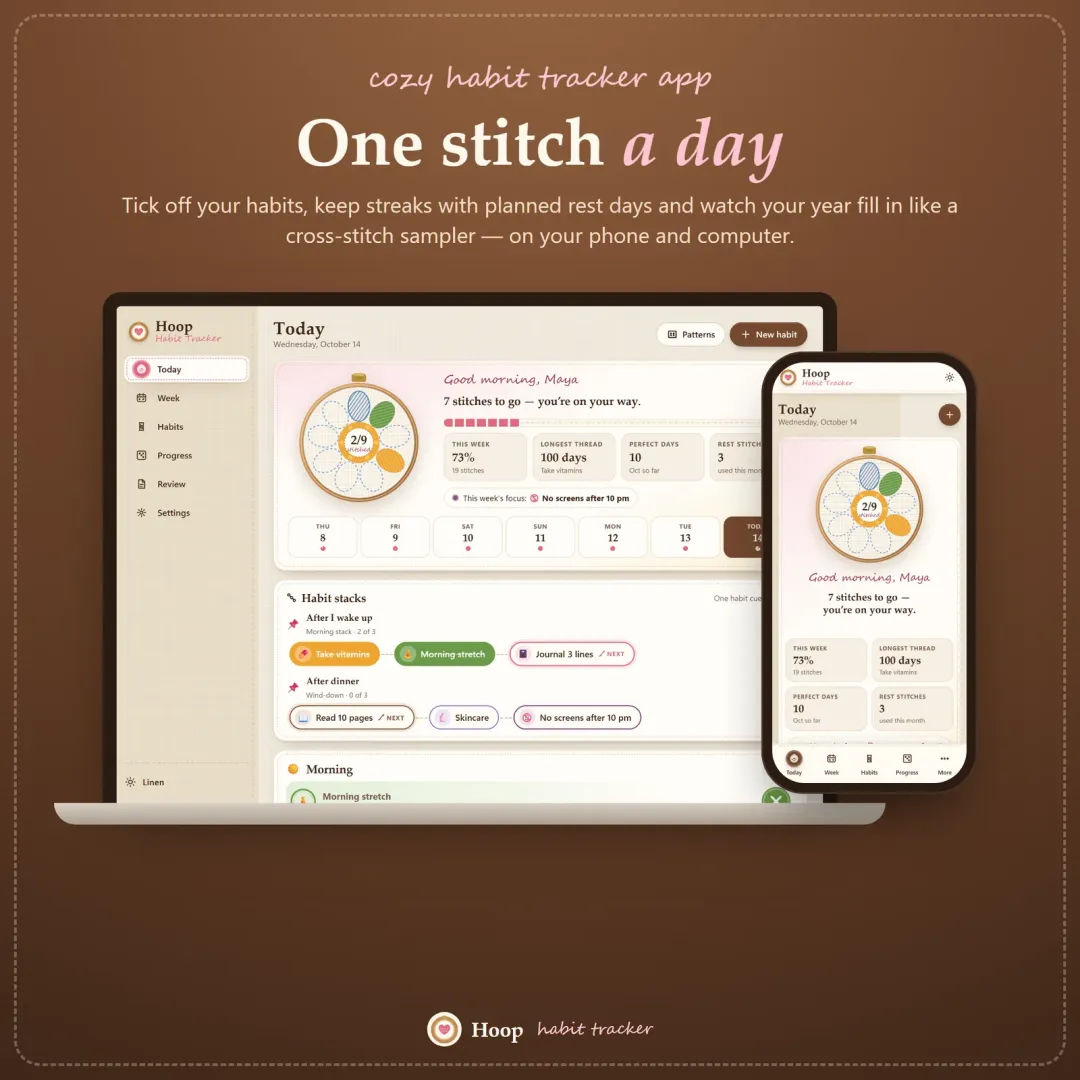
Hoop
A cozy habit tracker for your phone and computer — stitch your habits each day, keep streaks with planned rest days, stack habits into a morning routine and watch your year fill in like a cross-stitch sampler.
The live demo runs in your browser with realistic sample data. Nothing to install, nothing to sign up for.
We use optional cookies for anonymous analytics. Nothing optional is set until you choose. Cookie policy
This site currently uses no analytics or advertising cookies. It only remembers your light/dark preference in your own browser.
Essential
Theme preference and this choice. Always on.