

VaultlyApps logo VaultlyApps

Free tool

Wedding Hashtag Generator: Fun, Punny & Unique Ideas

Type your first names, the last name you'll share, the wedding year and your city or venue. The wedding hashtag generator builds classic, fun and punny and place-based hashtags right away. Tap any one to copy it, then check it on Instagram before you print it on your signs.

By Updated Private — runs in your browser Free, no sign-up Save, print, PDF & CSV — with a QR code to reopen it

Keeping your own names? Try one surname, then the other, or leave it empty for first-name tags.

Hashtags are made in your browser from the names you type. Nothing is sent or saved anywhere unless you press Save.

Your wedding hashtag ideas


Type both first names or a last name to see hashtag ideas.

Before you print one, search it on Instagram and TikTok to check nobody else is using it.

For readers in the United States. Estimates for planning only — not financial, investment, tax or legal advice. Disclaimer · How we check our numbers

Vow app icon

Want these numbers to update by themselves?

Wedding Planner App (Vow) keeps this plan current as you log real payments. Try the free demo, no sign-up.

Wedding Hashtag Generator — free online tool shown on a phone: classic, punny and place-based hashtags from your names.

How to use the wedding hashtag generator

  1. Type both first names and the last name you'll share after the wedding.
  2. Add the wedding year and, if you like, your city or venue.
  3. Read the three lists: classic, fun and punny and with your place.
  4. Tap a hashtag to copy it, then search it on Instagram and TikTok before you use it.

Wedding hashtag ideas by style

Style Pattern Example
Classic First names + "And" #OliviaAndJames
Classic + year First names + year #OliviaAndJames2027
New family Meet the / The new + last name #MeetTheBennetts
Punny Happily ever + last name #HappilyEverBennett
Punny Last name + ever after #BennettEverAfter
Wedding party Last name + party + year #BennettParty27
Destination Last name + "In" + place #BennettsInNapa
No shared name First names + "In" + place #OliviaAndJamesInNapa

How to check that a wedding hashtag is unique

Before you put a hashtag on your save the dates, welcome sign or table cards, search it on Instagram, TikTok and Facebook. If you find another couple's photos, make it more specific: add the year, the city, a second name or switch to another pattern from the list above. A hashtag with zero posts is perfect, because then every photo you find later is from your wedding.

Also read the hashtag in lowercase, the way people often type it. Some name combinations hide accidental words when the letters run together, so say it out loud and ask a friend to read it once.

Where to use your wedding hashtag

  • Wedding website and save the dates, so guests can share engagement photos.
  • Invitations or the details card that goes with them. Our guide on when to send wedding invitations covers the timing for each piece of stationery.
  • A welcome sign, the bar, table numbers and the photo booth.
  • Your wedding party's posts at the bachelor and bachelorette parties and on the day.

After the wedding, search your hashtag to find every guest photo in one place. Many photos will come in during the first few days, and some guests post weeks later.

Plan the rest of the wedding

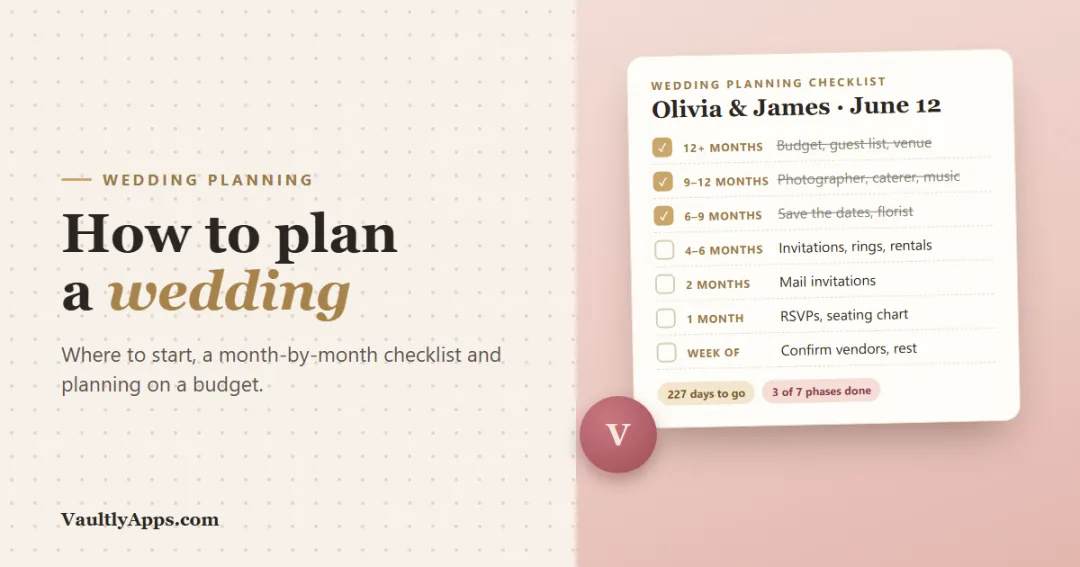
A hashtag is one of the small fun jobs on a long list. For the big picture, our guide on how to plan a wedding puts every decision in order with a month-by-month checklist. To see how many days you have left, use the wedding countdown, and to split the budget, try the wedding budget calculator.

If you'd like everything in one place (checklist dated from your wedding day, budget with deposits, guest list with RSVPs and a seating chart), Vow is our private wedding planner app. You can try the free demo with a sample wedding.

Frequently asked questions

How do I come up with a wedding hashtag?

Start with your names and the last name you'll share, then mix in a phrase (ever after, say I do, tie the knot), the year or your city. Keep it short, easy to spell and easy to read in capital-letter style (#HappilyEverBennett). Then search it on Instagram and TikTok to make sure nobody else is already using it.

What makes a good wedding hashtag?

A good wedding hashtag is short (under about 25 characters), has no tricky spellings, includes at least one of your names so it's unique, and reads clearly when every word starts with a capital letter. Avoid hashtags that read as other words when the letters run together.

Should we add the year to our wedding hashtag?

Adding the year (#OliviaAndJames2027) is the easiest way to make a common hashtag unique. It also keeps photos from an engagement party or anniversary separate if you use the same names later.

What if we're keeping our own last names?

Use both first names (#OliviaAndJames, #OliviaWedsJames), combine both surnames, or try each last name and pick the one that sounds best. Place-based hashtags with your city or venue work well for couples who don't share a name.

Where do we use our wedding hashtag?

On your wedding website, save the dates or invitations, a welcome sign, table cards and the bar. Tell your photographer and wedding party so they use it too. After the wedding, search the hashtag to find guests' photos.

Can more than one couple use the same hashtag?

Yes, hashtags aren't owned by anyone, which is why you should check yours before you print it. If it already has hundreds of posts, add the year, your city or a second name to make it yours.

Written by

Emma Whitfield

Finance Specialist & Editor, VaultlyApps

Emma Whitfield writes and edits the VaultlyApps money guides and free calculators. Her focus is US household finance — budgeting on a real paycheck, paying down credit card and student debt, emergency funds and savings goals, renting — and the money side of freelancing and small-business income, from pricing and profit margins to self-employment tax. Every guide is researched against primary sources such as IRS publications and the CFPB, every number is checked in our tested calculators, and tax content is reviewed each year when new IRS figures come out. Emma is not a licensed financial adviser or tax preparer; her work is general education, not personal advice.

Researched against primary US sources, checked against independent calculators and reviewed by a finance expert on our team. Written for US readers — general education, not financial, tax or legal advice. Editorial policy · Disclaimer

From VaultlyApps

Apps that do this for you

Each one has a free live demo with sample data — open it in your browser, nothing to install.

Vow wedding planner app with a wedding countdown, budget and guest list on a laptop and a phone, on a blush and gold invitation background Live

A wedding planner app with a checklist dated from your wedding day, a budget with deposits and due dates, a guest list with RSVPs and meals, a seating chart, vendors and the day-of timeline, on your phone and computer.

Keep planning

Related calculators

All calculators

Further reading

Guides on this topic

All articles
Wedding stationery timeline: save the dates 6 to 8 months before, invitations 6 to 8 weeks before and the RSVP deadline 3 to 4 weeks before

Weddings

When to Send Wedding Invitations (and Save the Dates)

When to send wedding invitations and save the dates, when to set the RSVP deadline, what to do about late replies, and when to send thank-you cards after the wedding, with wording examples.

8 min read

Try Vow free in your browser

A wedding planner app with a checklist dated from your wedding day, a budget with deposits and due dates, a guest list with RSVPs and meals, a seating chart, vendors and the day-of timeline, on your phone and computer. The live demo uses sample data — nothing to install, no sign-up.

We use optional cookies for anonymous analytics. Nothing optional is set until you choose. Cookie policy