What small landlords need to track
- Rent — who paid, how much, partial payments and what's late.
- Late fees — applied consistently, after the grace period in your lease.
- Leases and deposits — end dates coming up, deposits held and returned.
- Expenses and repairs — by category, ready for Schedule E.
- Profit per property — so you know which units actually make money.
How RentRoll helps
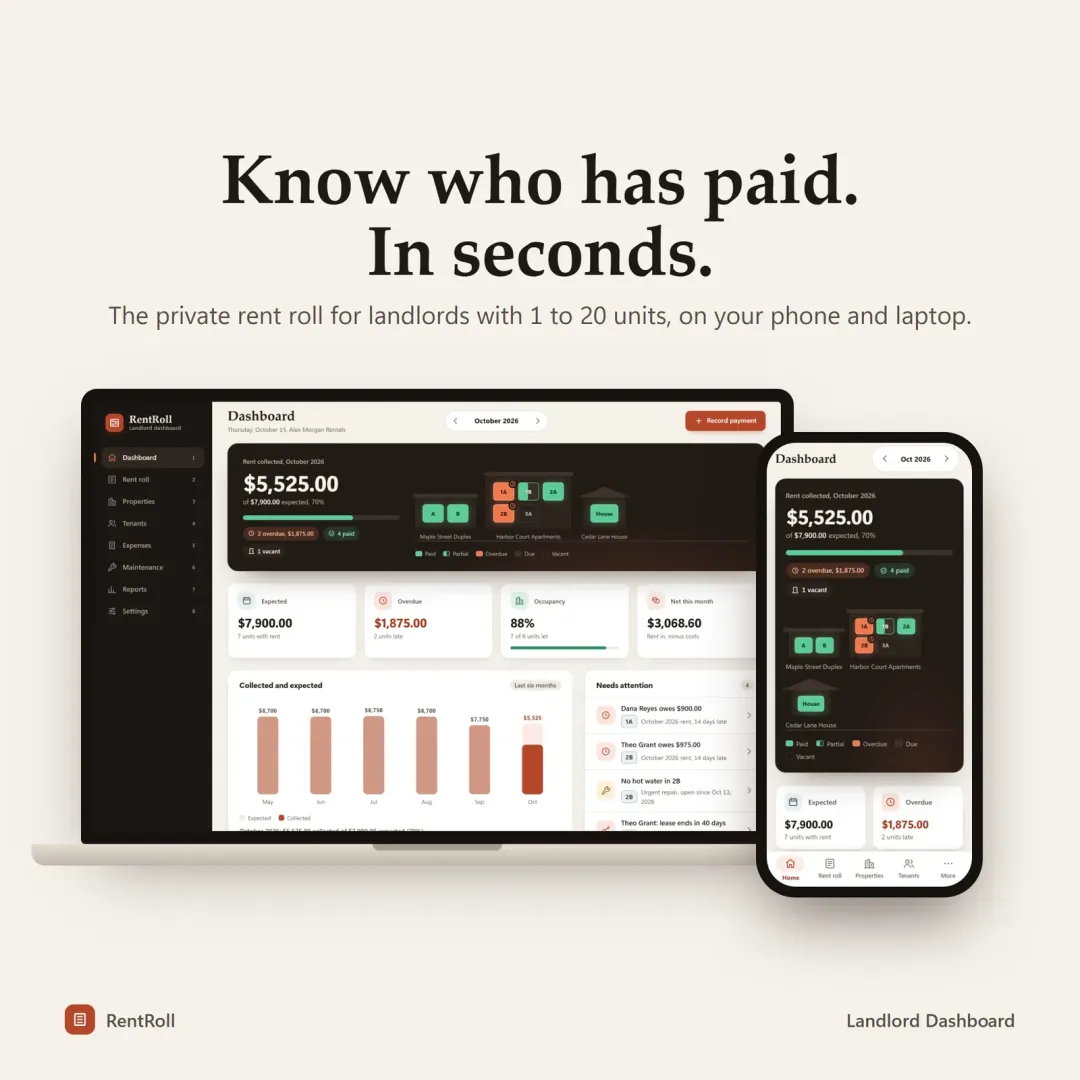
RentRoll, the VaultlyApps landlord dashboard:
- Rent roll with one row per unit: tenant, expected, received, balance and status (paid, partial, late or vacant).
- 3-tap payments, including partial and multiple payments in one month.
- Automatic late fees — flat or percentage, assessed once after your grace period, waivable with one click.
- Leases and tenants with deposit tracking and countdowns that turn amber 60 days before a lease ends.
- Expenses and maintenance in Schedule E categories, with a repair board for priority, cost and vendor.
- Tax-time reports: a Schedule E summary with IRS line numbers, profit and loss per property, and CSV exports.
Example
A landlord with a duplex and two condos records rent on the 1st; on the 6th, RentRoll flags one unit as late and adds the $50 fee from the lease. At year end, the Schedule E summary is ready for the tax preparer — no shoebox of receipts.
Before you buy the next property
Run the numbers with the free rental property calculator: cash flow, cap rate, cash-on-cash return and DSCR in one place.
How you get it
All VaultlyApps planners are a one-time purchase on Etsy — no monthly subscription. They install like an app on iPhone, Android, iPad, Mac, Windows and Chromebook, keep your data private on your own devices (no bank login needed), and can sync between your phone and laptop with a 6-digit code. Open the free live demo first to see if it fits.
Frequently asked questions
What is the best way for a small landlord to track rent?
Does RentRoll collect rent online?
Does it help with taxes?
How many units does it handle?
Written by
Finance Specialist & Editor, VaultlyApps
Researched against primary US sources and reviewed by a finance expert on our team. Written for US readers — general education, not financial, tax or legal advice. Editorial policy · Disclaimer