
Steps to Miles Calculator
Steps to miles and km from your height or stride.
Open calculator Live
Web app (installable PWA)
Stride by VaultlyApps
A fitness tracker app with a workout log that remembers last time, a progressive overload coach, personal records, a smooth weight trend, body measurements and private progress photos, on your phone and computer.
Try the live demo to explore the application — it runs right here on VaultlyApps with sample data, no sign-up needed.

Stride is a fitness tracker app for your phone and computer that shows you more than the scale. The workout log remembers what you lifted last time, a progressive overload coach tells you when to add a rep or go up in weight, and personal records turn into medals. On the body side, a smooth weight trend shows where you're really heading, body measurements sit on a tailor's tape and progress photos stay private on your device. A fitness journal keeps the non-scale victories. No account, no ads, no subscription.
Most people quit tracking because the tools are either a blank notebook or a subscription app that wants your data and a monthly fee. A paper workout log doesn't tell you what you lifted last time unless you flip back, and the bathroom scale bounces around so much that a good week can look like a bad one. Stride is a workout tracker and weight loss tracker in one: it remembers the numbers, smooths the noise and points out progress you'd otherwise miss.
Every workout, walk, run or class loads a bumper plate onto the week's bar. Set a weekly target and see at a glance how many sessions are left, with your next workout ready to start. Rest days are part of the plan.
Log sets with last time's weight and reps right next to each one; tap to copy them. Warm-up sets, a rest timer (−15, +15, skip), swap or move exercises, notes, a plate calculator and a finish summary with new records.
Hit the top of your rep range in every set and Stride suggests the next weight. Reps sliding? It suggests a lighter week. A "ready to go up" list shows which lifts are due, and you always decide.
Top weight, estimated 1-rep max and volume for every exercise, records as gold, silver and bronze medals, and muscle balance by work sets over the last 30 days.
Weigh in as often as you like. Stride draws a smooth trend line through daily ups and downs, shows your weekly pace, the percentage to your goal and an estimated goal date. Import old weigh-ins from a CSV file.
Waist, hips, chest, arms and your own measurements on a tailor's tape, first versus now. Progress photos stay on your device only and compare side by side or with a slider.
Build your own routines or start from 4 ready-made plans, with a 94-exercise library and your own exercises. Print a gym card to take with you.
A fitness journal for non-scale victories, mood and energy, plus walks, runs and classes with pace. Goals that update themselves, 30 pennant trophies and a printable progress report for 4, 8 or 12 weeks.
Scroll sideways · select to enlarge
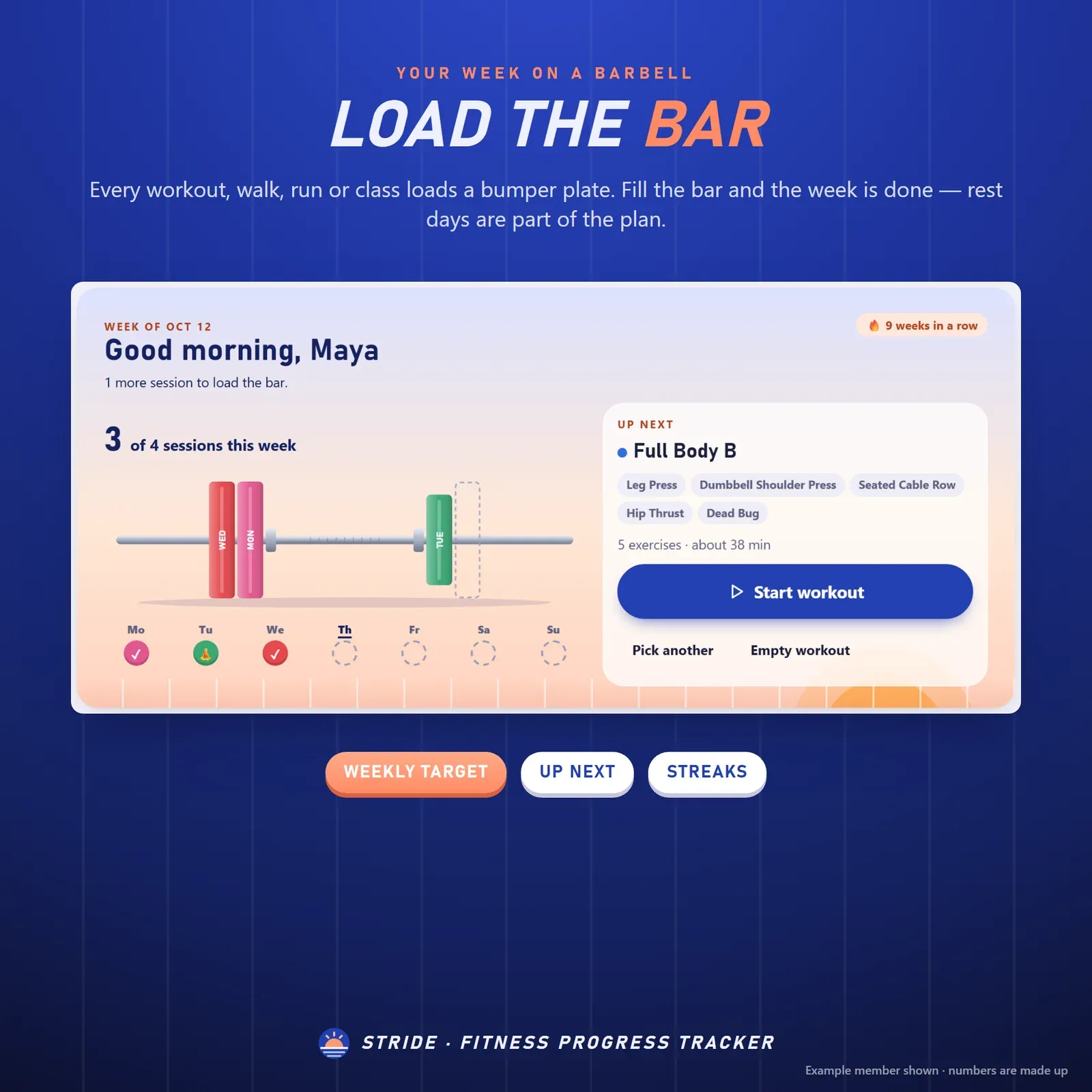
Fitness tracker home screen with the week as a loaded barbell, one plate per workout, a weekly target and the next workout
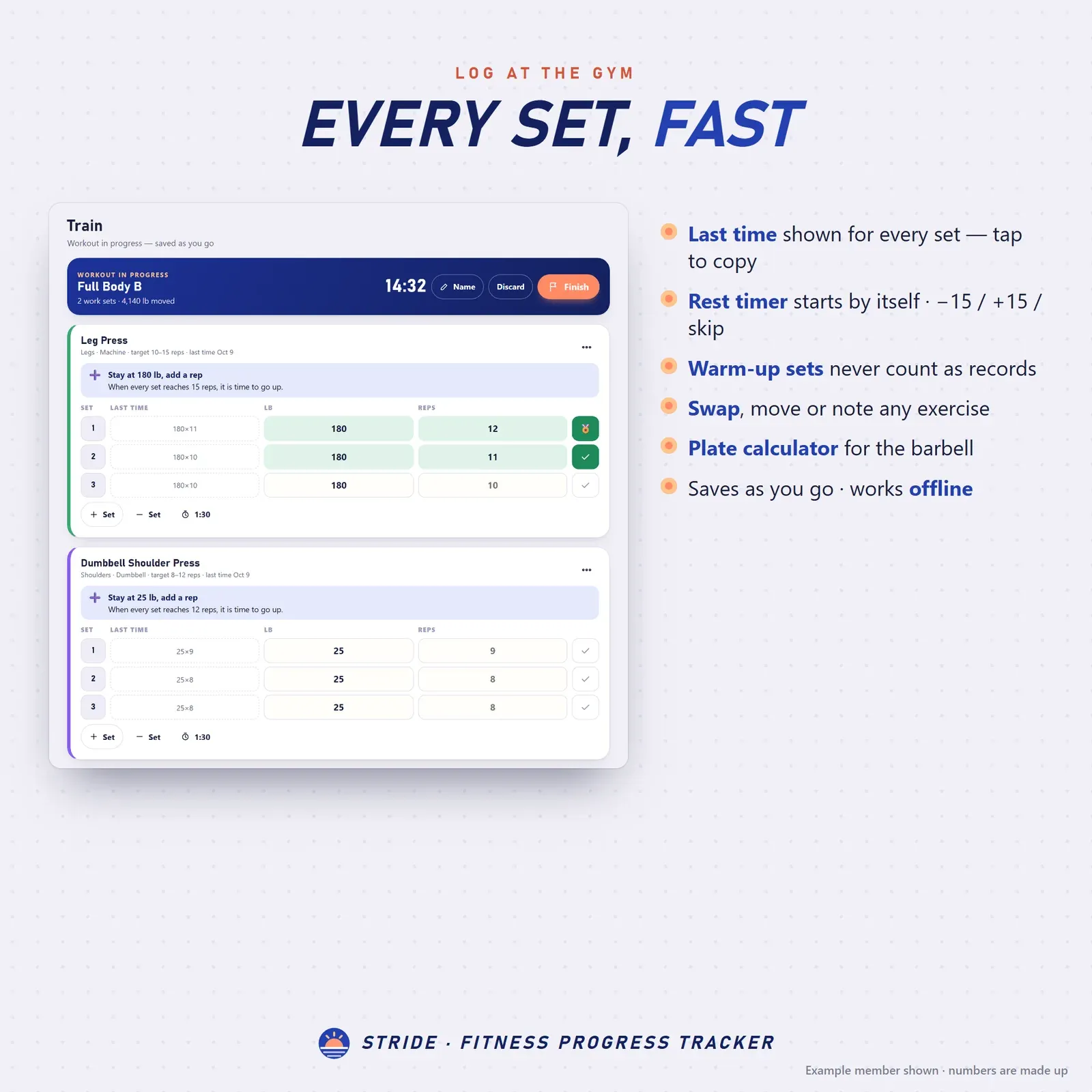
Workout log with last time's weight and reps next to each set, a rest timer and warm-up sets

Progressive overload coach with an estimated 1-rep max chart, personal records and muscle balance by work sets
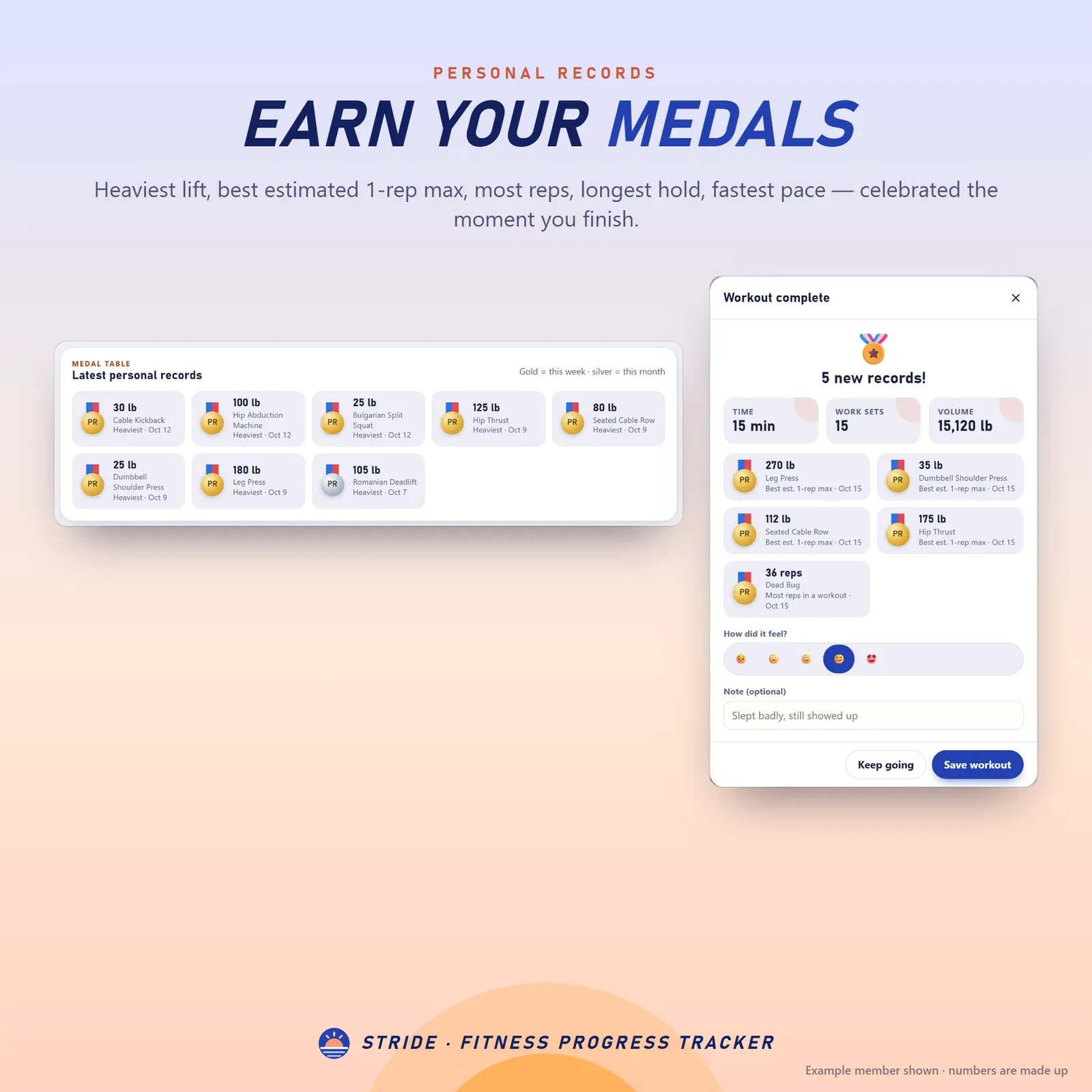
Strength training tracker with personal records shown as gold, silver and bronze medals
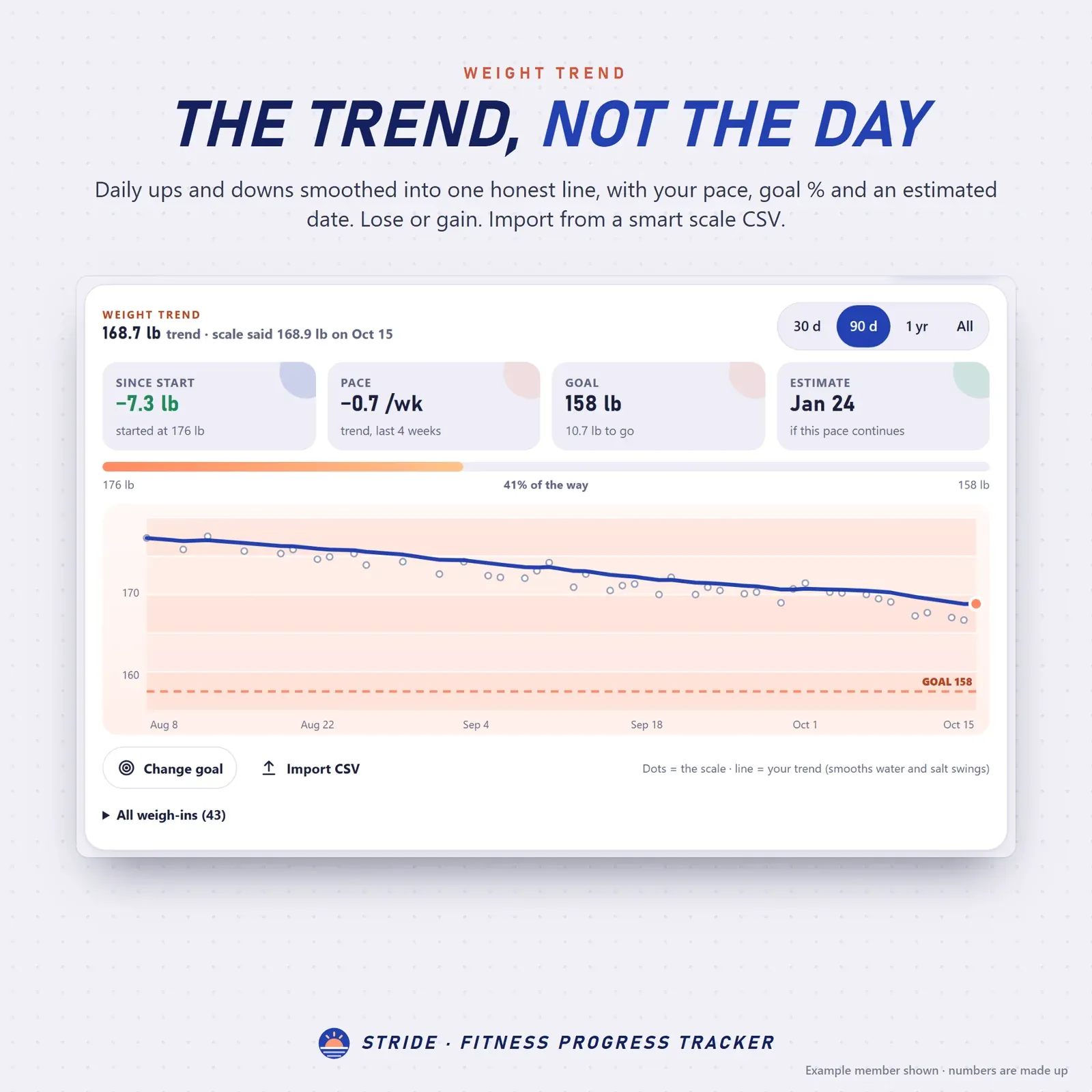
Weight loss tracker with daily weigh-ins, a smooth trend line, the goal line and an estimated goal date
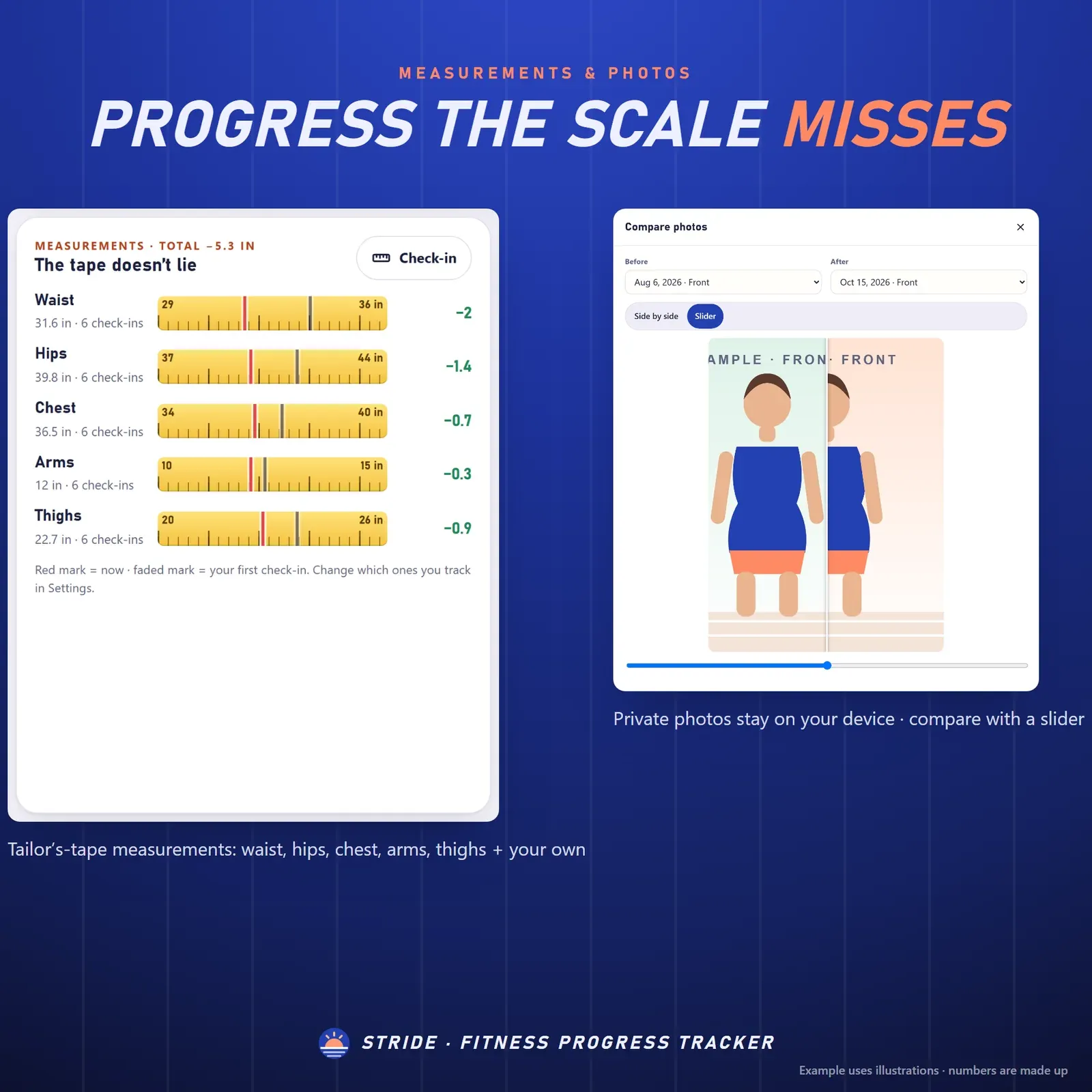
Body measurement tracker on a tailor's tape next to private progress photos compared side by side
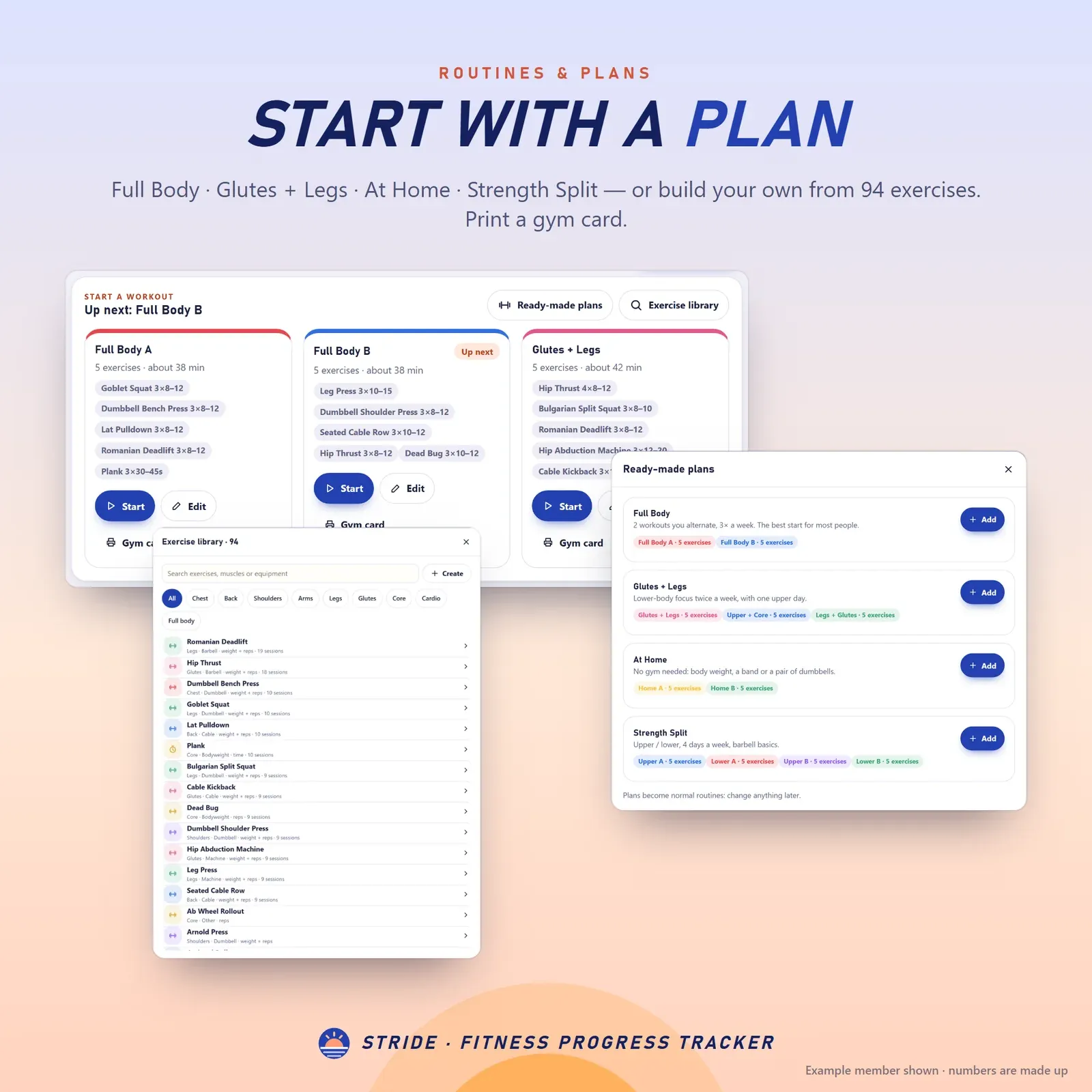
Workout planner with your own routines, ready-made beginner plans and an exercise library
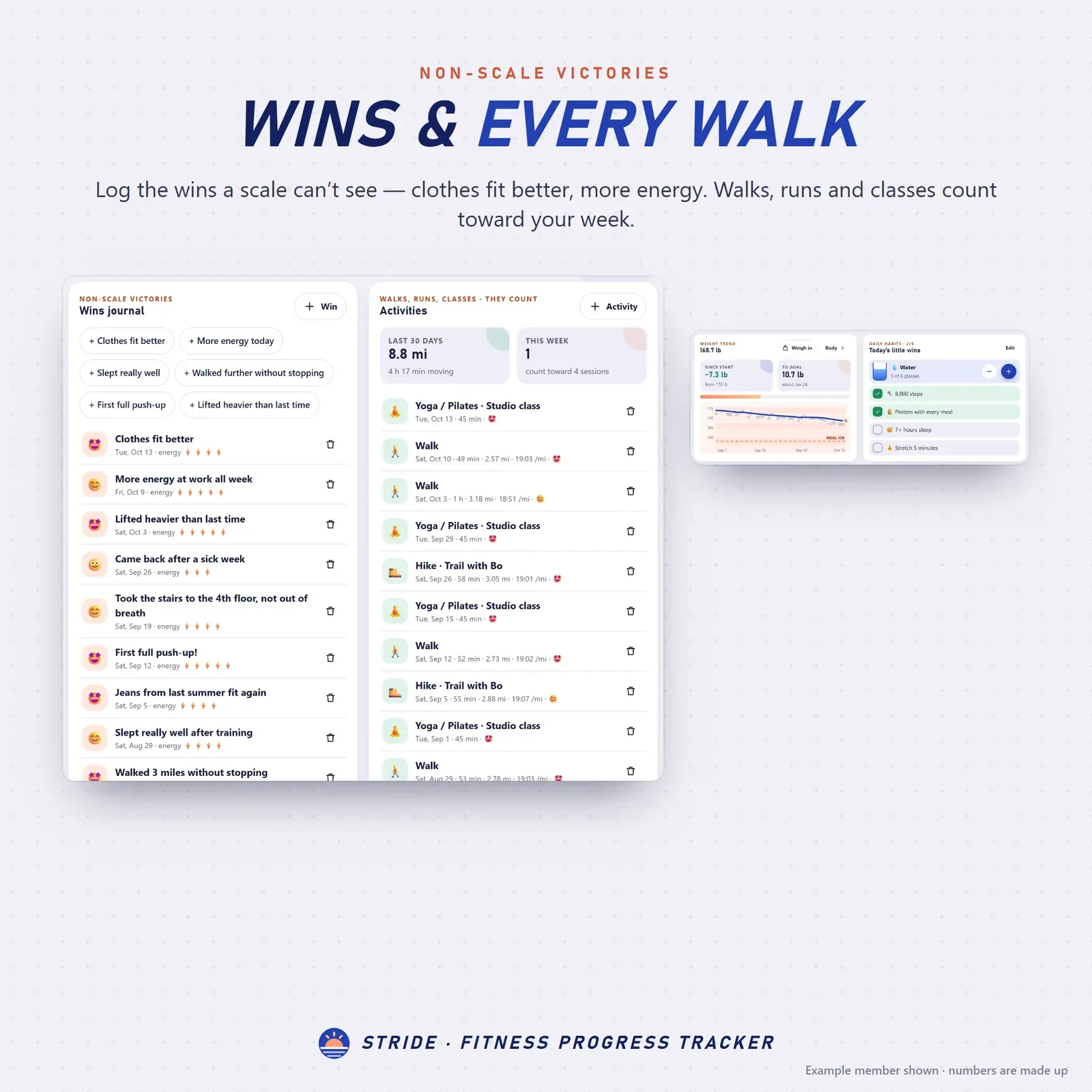
Fitness journal with non-scale victories, mood and energy, plus walks, runs and classes with pace

Fitness goals that update themselves and 30 trophies shown as pennants
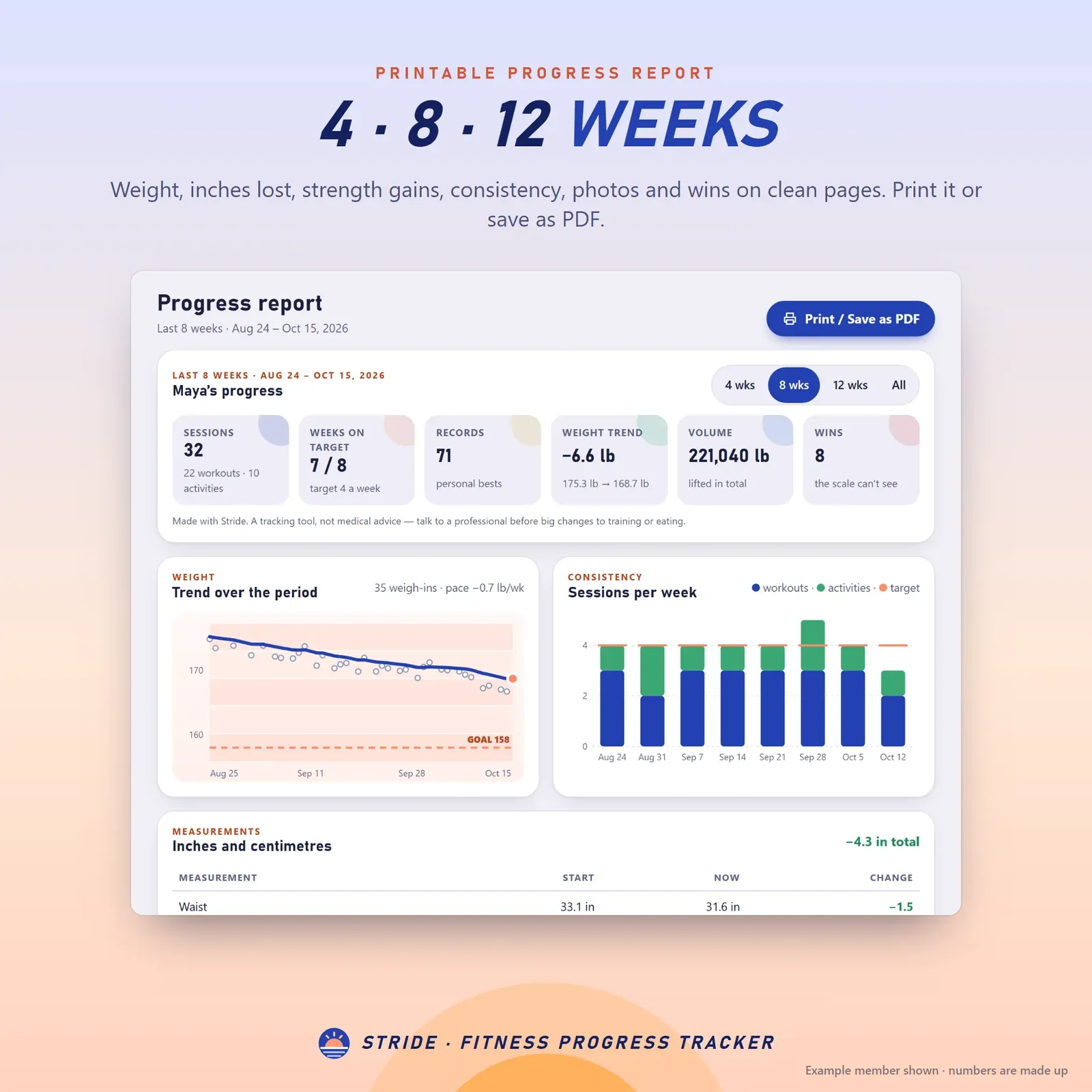
Printable fitness progress report for 4, 8 or 12 weeks
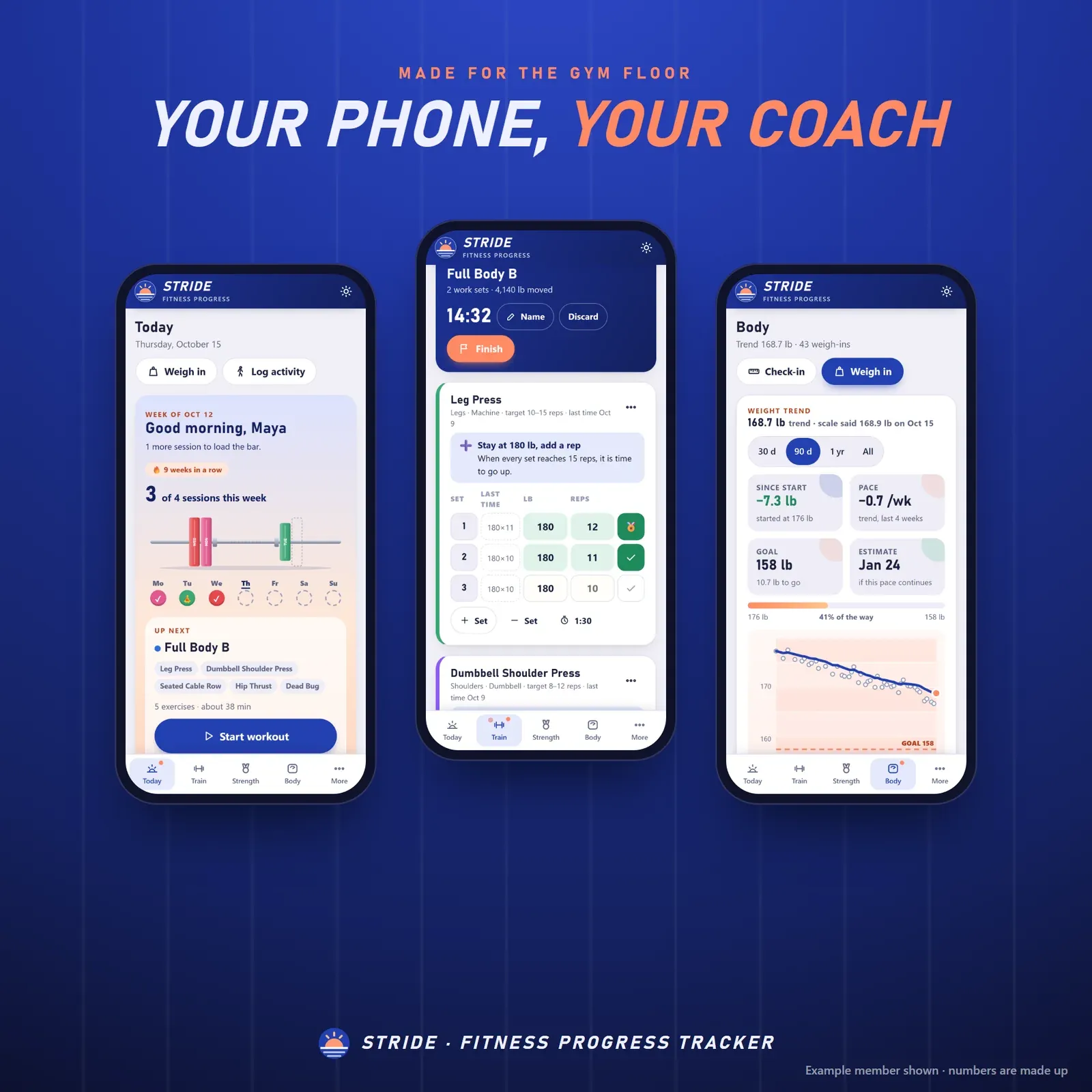
The fitness tracker app on a phone: this week, the workout logger and the weight trend
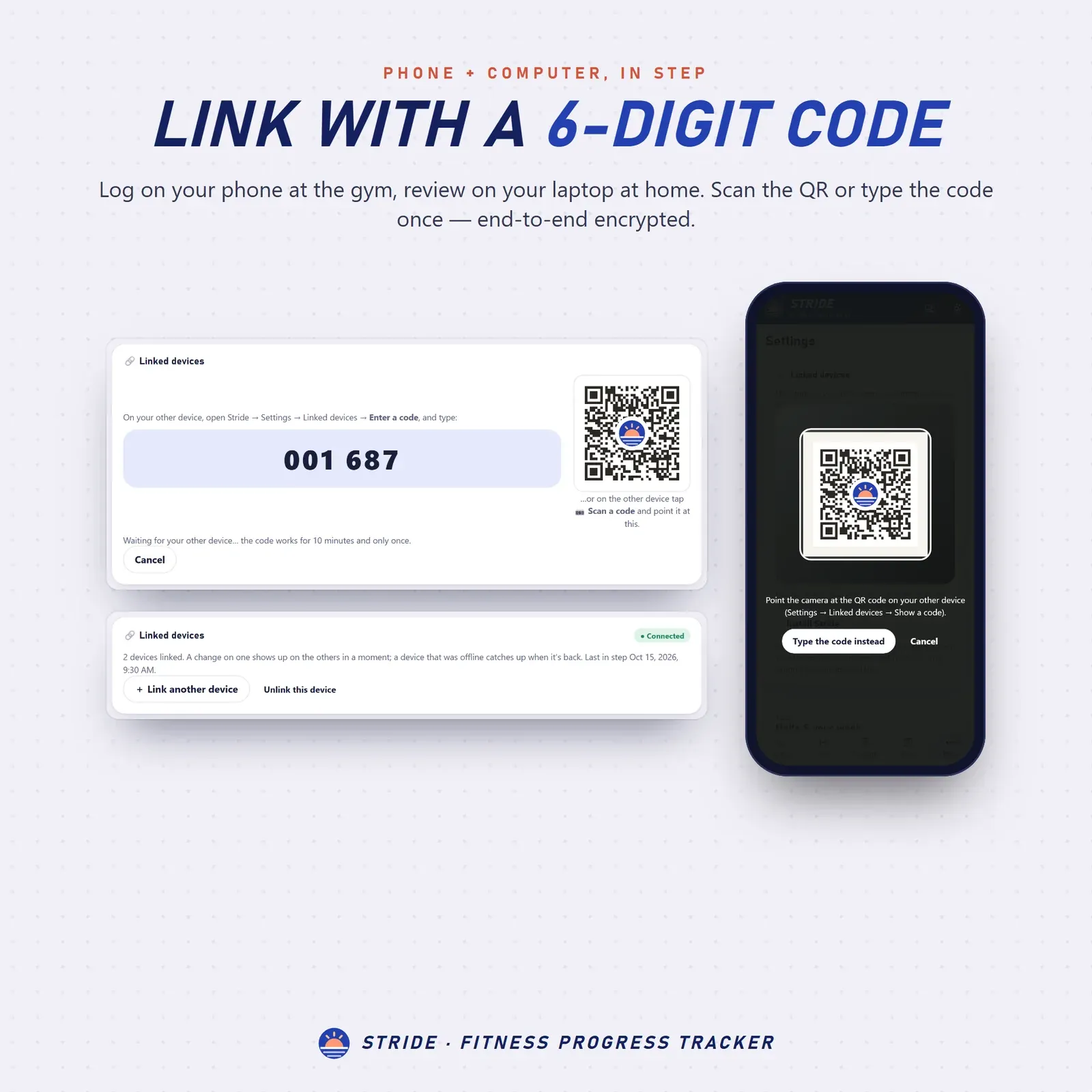
Phone and laptop linked with a 6-digit code or QR

Three themes: Morning, Night lift (dark) and Sunrise
Try the live demo with an example member. No sign-up needed.
After buying, open Stride from your private link and install it on your phone and computer.
Pick lb or kg, your weekly target and a ready-made plan (or build your own routine).
Start a workout, log your sets and weigh in when you like. The coach and charts fill in from there.
Stride is a fitness tracker app for your phone, tablet and computer. It brings your workouts, strength records, weight trend, body measurements, progress photos and the wins a scale can't see into one calm, private place. The workout log remembers what you lifted last time, a progressive overload coach tells you when to go up, the weight loss tracker draws a trend instead of a zigzag, and the fitness journal keeps every non-scale victory. It installs like an app, works offline in the gym basement and keeps everything on your own devices. You can try the free demo with an example member before you buy.
A paper workout log or a fitness planner printable works until you need last week's numbers mid-set. Then you're flipping pages with chalky hands. A spreadsheet can't run a rest timer, and the bathroom scale alone makes a good week look like a bad one.
Stride is a workout tracker and body progress tracker in one. Log a set and it already knows what you did last time. Weigh in and it smooths the noise. Measure your waist and it shows the change since day one. It's a gym log, a workout planner, a strength training tracker, a weight tracker and a fitness journal, without a monthly fee or an account.
The Today page shows your week as a loaded barbell: every workout, walk, run or class adds a bumper plate, and dashed slots show how many sessions are left to reach your weekly target. Below it you'll find your next workout ready to start, your weight trend, today's habits and water, your newest medals, your goals and your latest wins. A missed week never takes a trophy away, and rest days are part of the plan.
Start a routine or an empty workout and log each set. Last time's weight and reps sit right next to every set; tap to copy them. Add warm-up sets, swap or move exercises, leave notes, and let the rest timer count down between sets (−15, +15 or skip). The built-in plate calculator tells you which plates go on each side of the bar. When you finish, the summary shows your new records and asks how it felt.
Not sure how long to rest? Our guide on how long to rest between sets explains rest times for strength, muscle and endurance, plus deload weeks and rest days. For the bar math without the app, try the free plate calculator.
Getting stronger means doing a little more over time: progressive overload. Each exercise in Stride has a rep range. When every work set hits the top of it, the coach suggests a small step up in weight. Reps sliding for a few sessions? It suggests a lighter week. The Strength page lists every lift that's ready to go up, and you always make the final call.
Every exercise gets its own chart of top weight, estimated 1-rep max and volume, plus a table of past sessions. Personal records become gold, silver and bronze medals, and muscle balance shows your work sets per muscle group over the last 30 days, so you can see if legs are getting more love than back. Powerlifters can compare totals across body weights with the free Wilks calculator.
Build your own routines or start from 4 ready-made plans for beginners and regulars, using the 94-exercise library or exercises you add yourself (weights, bodyweight, timed or distance). Print a gym card with your routine to take along. If you're choosing a schedule, our guide to the 3 day workout split compares full body, push pull legs, upper/lower and 4 day splits.
Daily weight swings of 2 to 4 pounds are normal: water, salt, sleep and timing. Stride draws a smooth trend line through your weigh-ins, so you see where you're really heading. It shows your weekly pace, the percentage toward your goal and an estimated goal date, with a dashed finish line on the chart. Moving from another app? Import old weigh-ins from a CSV file with column matching. To see how far you've come in percent, use the free weight loss percentage calculator.
Sometimes the scale stands still while your jeans fit better. Stride's body measurement tracker shows waist, hips, chest, arms, thighs and your own custom measurements on a tailor's tape: red for now, faded for your first check-in. Progress photos are stored only on your device, never synced or uploaded, and compare side by side or with a slider. The check-in timeline puts weight, measurements and photos together. Our guide on how to take body measurements shows where to measure and how often to weigh yourself.
Log non-scale victories with one tap (more energy, better sleep, clothes fit better, a first pull-up) or write your own, with mood and energy. Activities like walks, runs, rides, hikes and classes count toward your week with time, distance and pace. Track your daily steps? The free steps to miles calculator turns them into distance.
Set goals in 7 kinds (body weight, a lift, sessions per week, measurements and more) and watch them update themselves. Earn 30 trophies shown as pennants for streaks, records and milestones. The progress report sums up 4, 8 or 12 weeks (or everything) on one page and prints cleanly for you or your trainer.
Choose lb or kg, inches or centimeters, miles or kilometers, your week start, weekly target, default rest time, water goal, daily habits and which measurements to track. Pick one of three themes: Morning (cobalt and sunrise peach), Night lift (dark) and Sunrise. A guided tour helps on day one, and every page prints cleanly.
There's no account, no ads and no tracking. Your workouts and body data live in your browser on your own devices. Link your phone and computer once with a 6-digit code or QR and they stay in step, end-to-end encrypted: log sets on your phone at the gym, look at the charts on your laptop at home. Progress photos never leave the device where you took them. Export CSV files or a full backup (photos included) any time from Settings. On a computer everything sits in a sidebar; on a phone, in a bottom bar.
Stride works in any modern browser (Safari, Chrome, Edge or Firefox), with no Excel, Notion, Goodnotes or Google Sheets needed. It doesn't connect to smartwatches or step counters; you log workouts and weigh-ins yourself, which keeps it private and simple. It's a tracking tool, not medical, nutrition or training advice: check with your doctor before starting a new exercise program. For a habit you want to stick with, see Hoop, our gentle habit tracker; for meals that fit your goals, Simmer, our meal planner; and for the rest of life, Grove, our digital life planner.
Free tools
Quick answers with the same maths — then let the app keep them up to date.
Steps to miles and km from your height or stride.
Open calculatorPercent of body weight lost, goal progress and weekly rate.
Open calculatorPlates per side for any barbell weight, lb or kg.
Open calculatorFurther reading

Fitness
How long to rest between sets for strength, muscle and endurance, when to take a deload week and how to run it, how many rest days you need, and how to track progress at the gym so you know it's working.

Fitness
How to take body measurements at home: where to measure your waist, hips, chest, arms and thighs, how often to weigh yourself, why your weight fluctuates, how to take progress photos and the non-scale victories worth tracking.

Fitness
The best 3 day workout split for your goal and schedule: a full body workout plan, push pull legs and upper/lower, with sample days, sets and reps, plus when a 4 day workout split makes more sense.
More from VaultlyApps
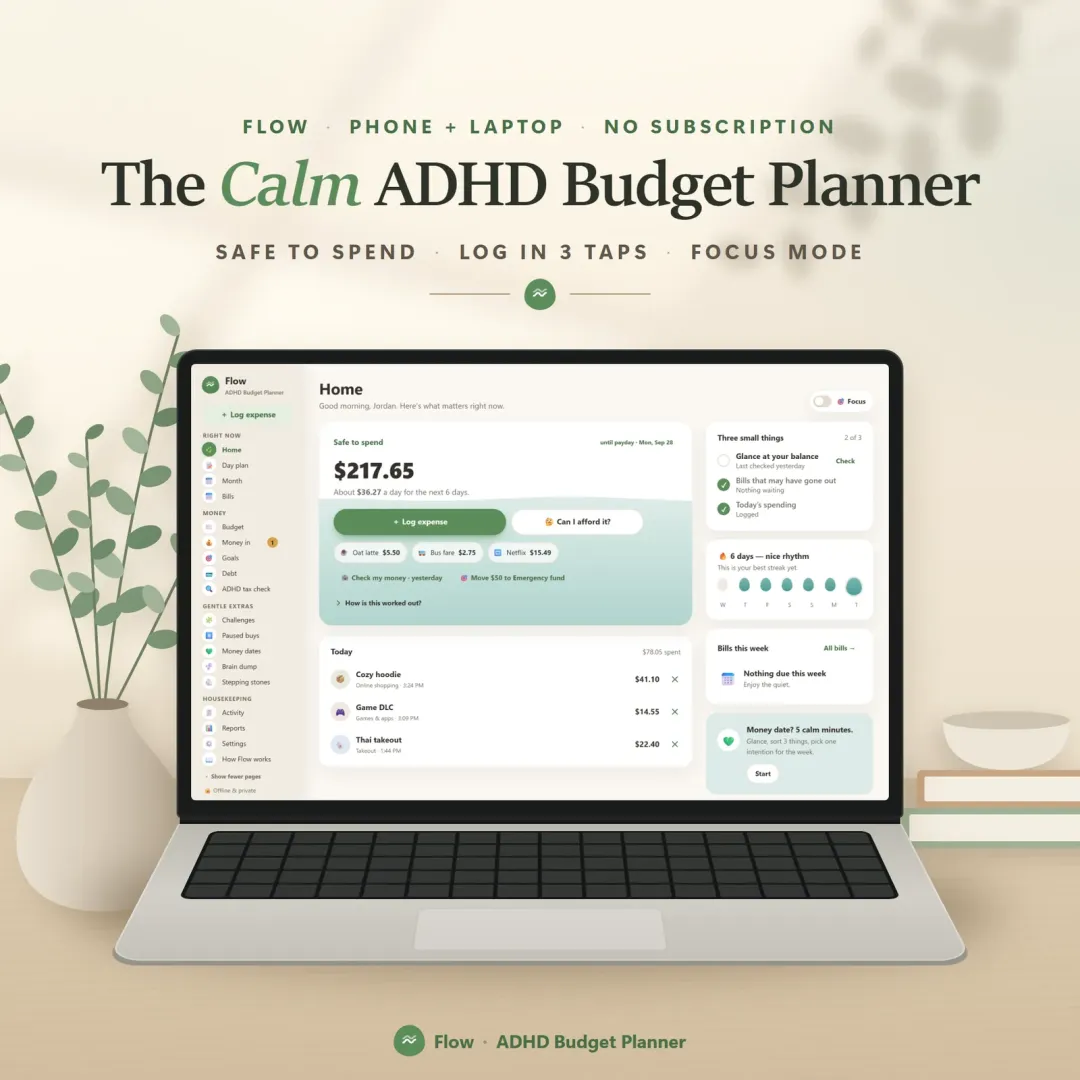 Live
A calm budget planner designed for ADHD brains — one Safe to Spend number, 3-tap logging, focus mode and kind overspend fixes instead of red warnings.
 Live

Pulse
Every bill and subscription in one calm place — a 30-day horizon of due dates, free-trial countdowns and a simulator that shows what cancelling would save.
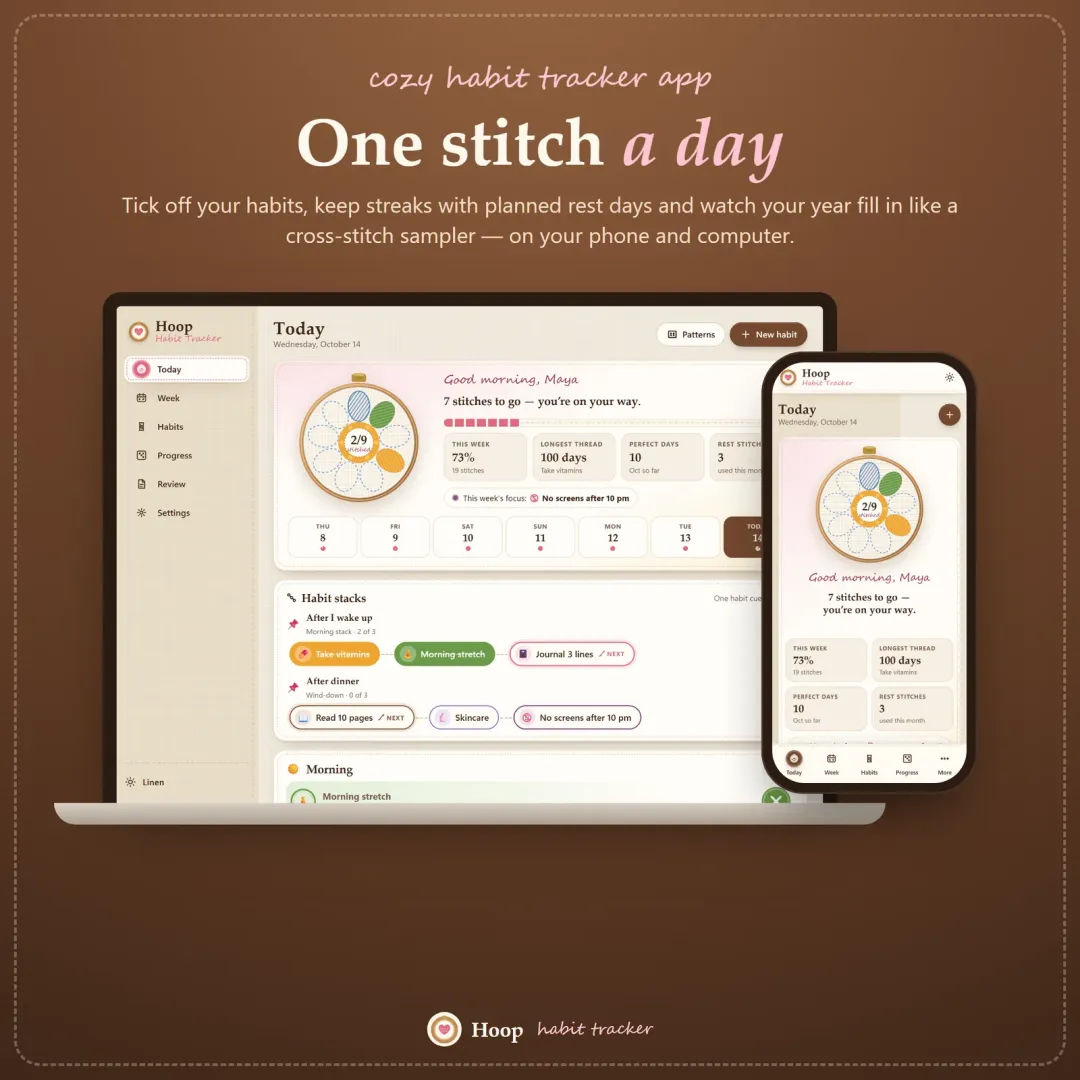 Live

Hoop
A cozy habit tracker for your phone and computer — stitch your habits each day, keep streaks with planned rest days, stack habits into a morning routine and watch your year fill in like a cross-stitch sampler.
The live demo runs in your browser with realistic sample data. Nothing to install, nothing to sign up for.
We use optional cookies for anonymous analytics. Nothing optional is set until you choose. Cookie policy
This site currently uses no analytics or advertising cookies. It only remembers your light/dark preference in your own browser.
Essential
Theme preference and this choice. Always on.